CodexHp
Health Warn
- License — License: Apache-2.0
- Description — Repository has a description
- Active repo — Last push 0 days ago
- Low visibility — Only 7 GitHub stars
Code Pass
- Code scan — Scanned 2 files during light audit, no dangerous patterns found
Permissions Pass
- Permissions — No dangerous permissions requested
No AI report is available for this listing yet.
Codex/Claude limits and token activity on the Windows taskbar
CodexHp
Codex/Claude usage limits and token activity on the Windows 11 taskbar.
Now supports Claude too. If the Claude desktop app is installed, it just works. No setup required.
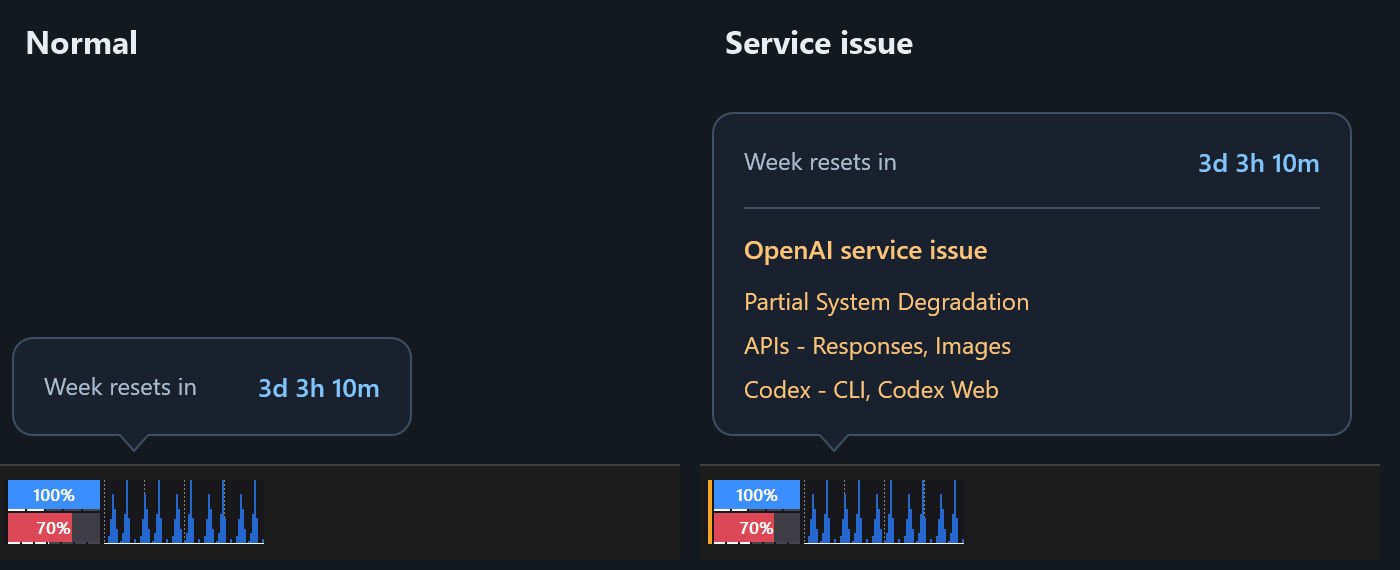
- Left: normal. Hover to see when the weekly limit resets.
- Right: an OpenAI service issue. An orange stripe appears, and the tooltip lists the affected services.
Get the latest release · unsigned, see Install
What it shows
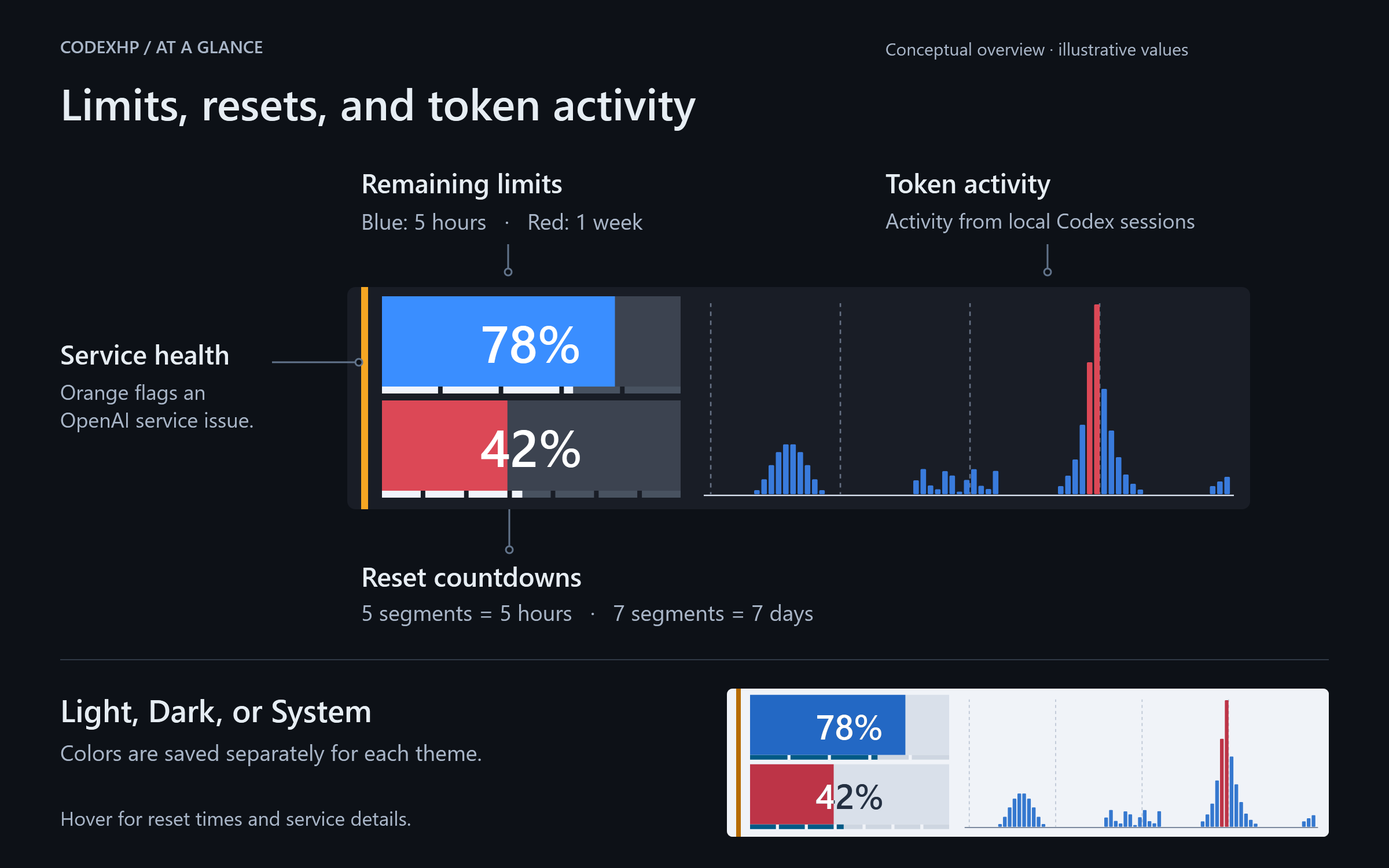
- Bars: remaining 5-hour (blue) and weekly (red) limits
- Thin gauges: time until reset, in hours and days
- Graph: token activity from sessions on this PC[^graph]
- Orange stripe: service issue; hover for affected services
- Tooltip: reset countdowns and details
Banked resets
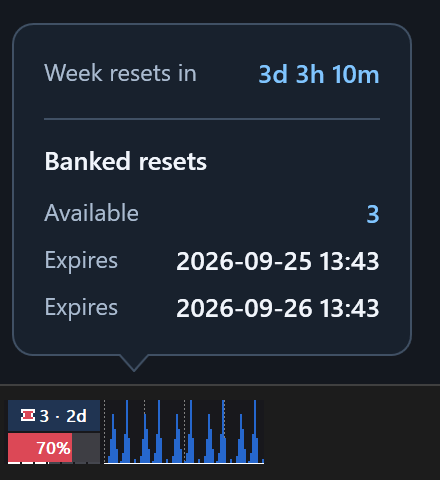
The upper bar can show your banked resets instead of the 5-hour limit. Above: 3 credits, the next one expires in 2 days.[^banked]
- Turn on: Settings → General → Upper bar → Banked resets
Codex and Claude
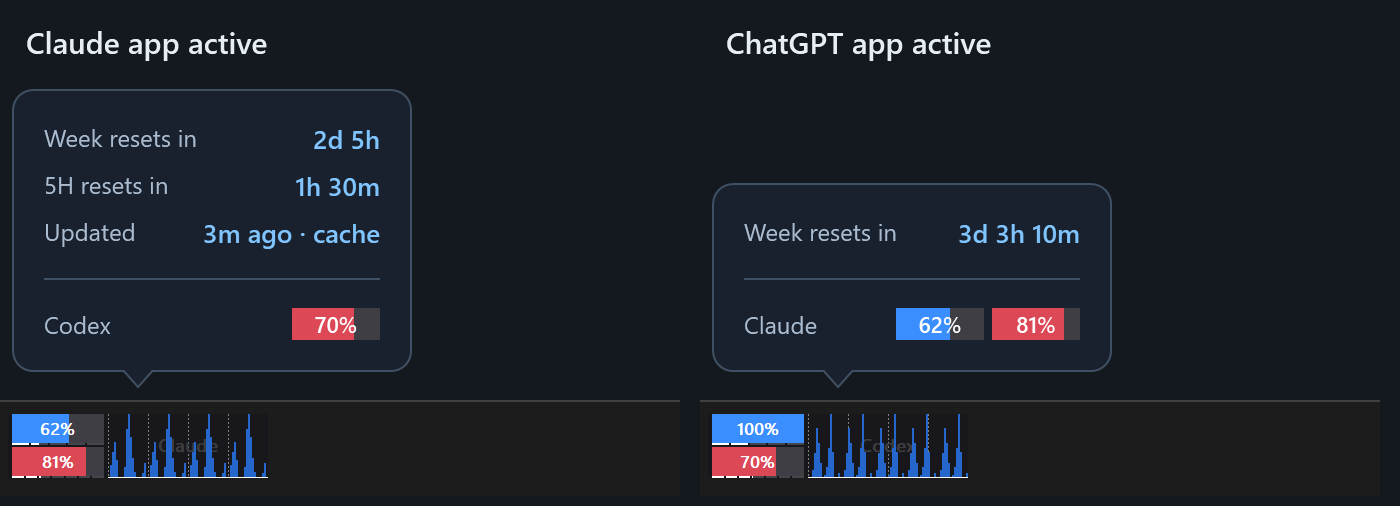
- Left: while you use the Claude app, the overlay shows Claude.
- Right: while you use the ChatGPT app, it shows Codex.
- The faint label in the graph tells you which one you are looking at.
- The last tooltip row shows the other one.
- Claude always shows the 5-hour limit. The graph shows Claude Code sessions.[^claude-values]
- To show only one: Settings → General → Provider
Placement and appearance
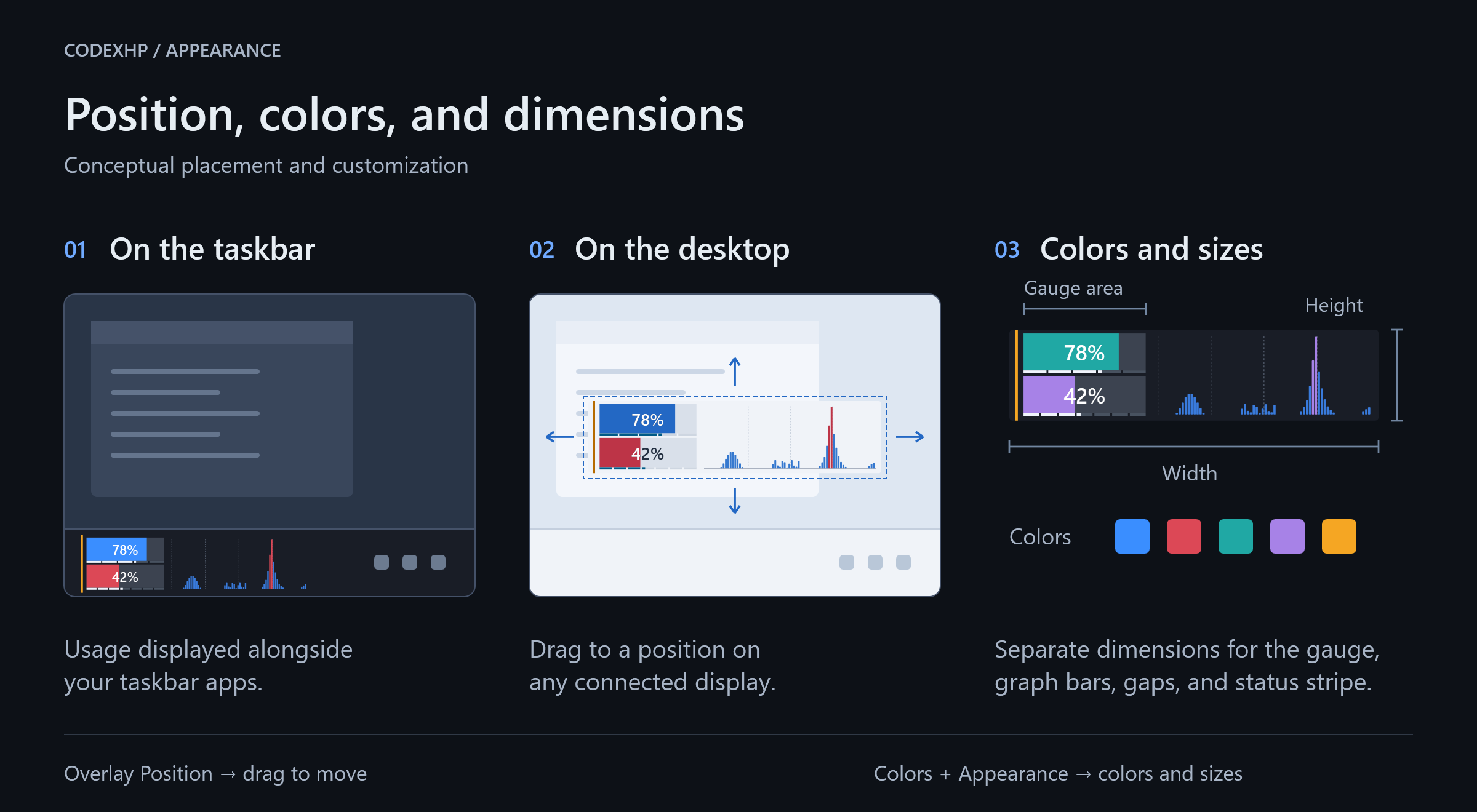
- On the taskbar
- Anywhere on any display (Settings → Overlay Position, then drag)
- Colors per Light/Dark theme, overlay and element sizes
Behavior
- Starts with Windows (can be turned off)
- Always visible, or only while ChatGPT or Claude is running
- Hides when a full-screen app is on the same monitor
- Adjusts to monitor, taskbar, and DPI changes
- Double-click the overlay or the tray icon for settings
- Checks GitHub for updates at startup and weekly; never downloads or installs on its own
Install
- Download
CodexHp-Setup-<version>-x64.exefrom the latest release. - Run it. It installs per user under
%LocalAppData%\Programs\CodexHp.
A portable CodexHp-Portable-<version>-x64.exe is also available. Move it out of Downloads before enabling startup.
[!WARNING]
Releases are not code-signed. SmartScreen or Smart App Control may warn or block. Download only from this repository and checkSHA256SUMS.txt:Get-FileHash .\CodexHp-Setup-<version>-x64.exe -Algorithm SHA256
Requirements
- Windows 11 build 22000 or later (x64)
- ChatGPT desktop app, signed in with Codex access
- Optional: Claude desktop app, signed in[^claude-app]
Data and privacy
- Codex: reads the existing Codex sign-in cache (
%CODEX_HOME%\auth.jsonor%USERPROFILE%\.codex\auth.json) and uses it only to request usage fromchatgpt.com. - Claude: reads the Claude desktop app's usage history and its cached usage response. Never reads Claude sign-in tokens or cookies, and sends no requests to Claude.
- Graphs: local Codex and Claude Code session logs.
- Other requests: public status pages (
status.openai.com,status.claude.com) and GitHub releases. - No sign-in, no tokens in settings or logs, no developer server.
- Relies on non-public endpoints and app files that may change without notice.
Why "HP"?
Like a health bar in a game: how much of your limit is left.
Build from source
Requires the .NET 10 SDK pinned in global.json. Inno Setup 6 only for the installer.
pwsh -NoProfile -File .\scripts\Verify-Core.ps1
.\out\win-x64\CodexHp.exe
- Output goes to
out\win-x64(untracked). Exit a running CodexHp first. - Installer:
pwsh -NoProfile -File .\scripts\Build-Installer.ps1→out\installer - Local builds show CodexHp-Dev in About.
- Development builds include a simulation tool.
- Official release assets are built only with
pwsh -NoProfile -File .\scripts\Publish-LocalRelease.ps1 -AllowUnsignedRelease.
Project status
Unofficial and early-stage. Not affiliated with, endorsed by, or supported by OpenAI or Anthropic. Changes to ChatGPT, Codex, Claude, or Windows may break features.
Feedback
Ideas or problems? Open an issue.
License
[^graph]: Not an account-wide usage or billing total.
[^banked]: Display only. CodexHp does not redeem credits. Availability depends on your account.
[^claude-values]: Claude values come from the Claude desktop app. They dim after 30 minutes and are hidden after 2 hours without an update.
[^claude-app]: Claude limits come only from the Claude desktop app. Using Claude only in a browser, the CLI, or an editor is not enough.
Reviews (0)
Sign in to leave a review.
Leave a reviewNo results found