ClaudeCodeButler
Health Warn
- License — License: MIT
- Description — Repository has a description
- Active repo — Last push 0 days ago
- Low visibility — Only 6 GitHub stars
Code Fail
- network request — Outbound network request in package.json
- fs.rmSync — Destructive file system operation in scripts/clean-release.cjs
- fs module — File system access in scripts/clean-release.cjs
- child_process — Shell command execution capability in scripts/dev-runner.cjs
- process.env — Environment variable access in scripts/dev-runner.cjs
- child_process — Shell command execution capability in scripts/start-admin.js
- fs module — File system access in scripts/start-admin.js
- execSync — Synchronous shell command execution in src/main/index.ts
- process.env — Environment variable access in src/main/index.ts
Permissions Pass
- Permissions — No dangerous permissions requested
No AI report is available for this listing yet.
A powerful configuration management tool for Claude Code users. Visual interface for managing configs, automation rules, usage analytics, and project management.
⚡ CCB (Claude Code Butler)
A desktop configuration workbench for Claude Code power users
English | 简体中文




📖 Introduction
CCB (Claude Code Butler) is a local-first desktop application built with Electron, React, and TypeScript for managing Claude Code related assets. It centralizes config files, MCP servers, project bindings, automation rules, environment diagnostics, and managed-mode tooling into a single interface so users can edit, validate, preview, switch, and audit their setup without manually chasing files across directories.
✨ Key Features
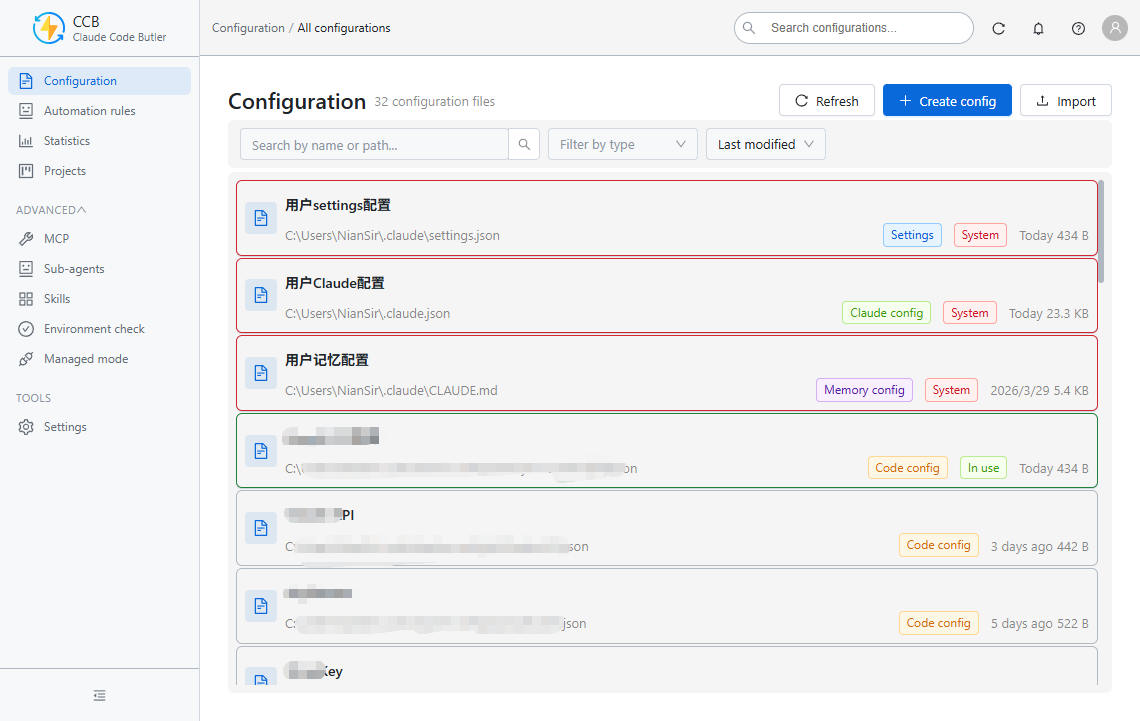
🎯 Config Lifecycle Management
- Manage Claude Code configs, project configs, MCP configs, and user preference files from one place
- Create, edit, copy, import, export, backup, restore, and switch configurations
- Support both
JSONandMarkdown-based config types with matching validation rules - Preload new configs from a customizable default template configured in
Settings -> Editor Settings
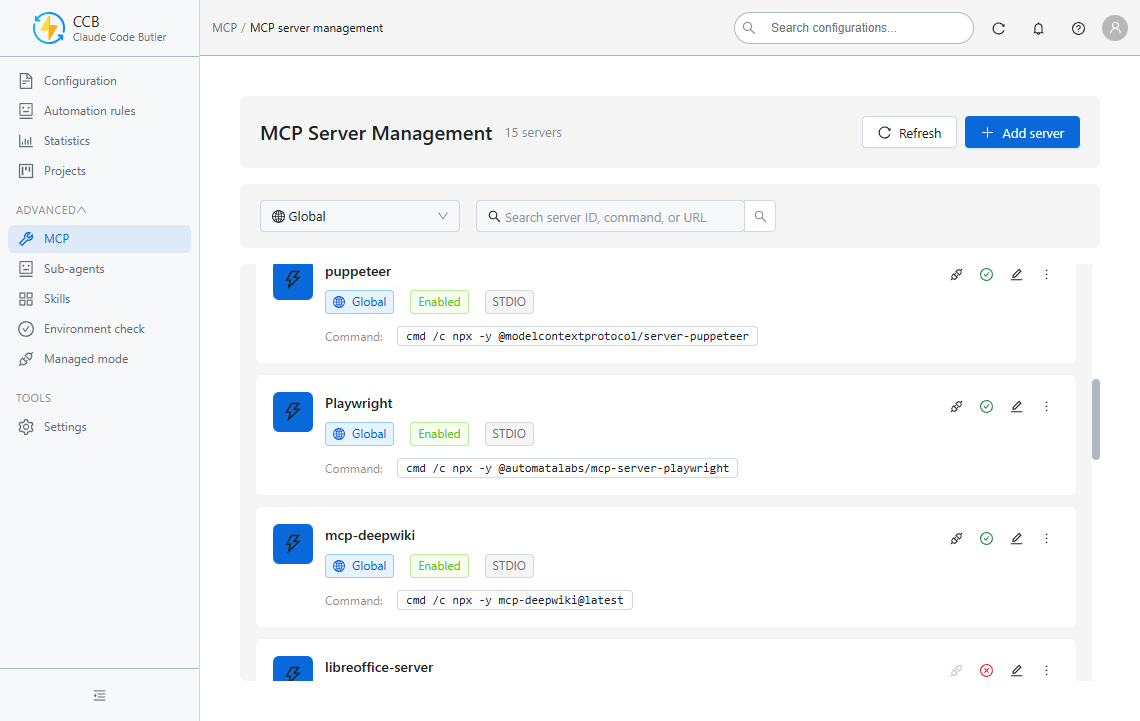
🔌 MCP Server Management
- Manage global and project-scoped MCP servers in one panel
- Support local command-based servers and remote
httpservers that do not require acommand - Enable, disable, duplicate, import, export, archive, and validate server availability
- Validate enabled servers through the configured global terminal runtime
🧠 Editor & Settings Experience
- Monaco-based editor with on-demand runtime loading to keep the initial renderer lighter
- Built-in formatting, syntax validation, and modal preview using the same editor component
- Default new-config template editing, saving, and previewing in editor settings
- Terminal presets, theme/language preferences, and editor behavior settings
🤖 Automation & Managed Mode
- Trigger-condition-action automation rules with time, file, and manual execution flows
- Managed-mode proxy tooling for request transformation, logging, diagnostics, and provider control
- Environment checks for Claude Code and related tooling versions
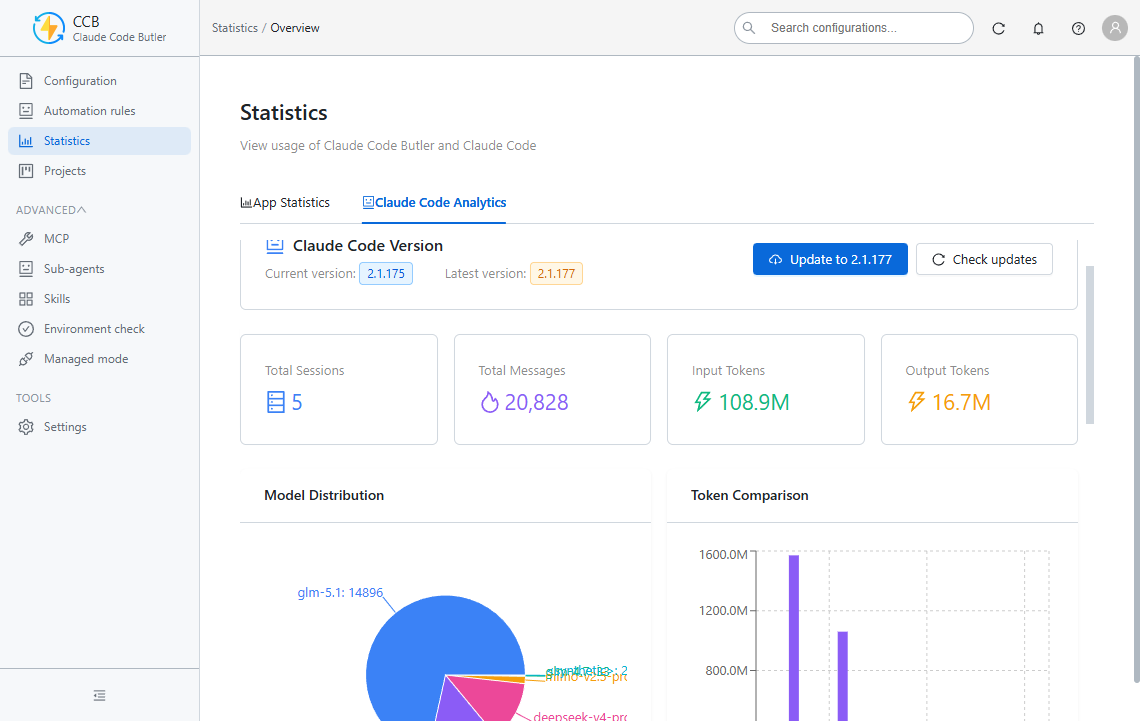
📊 Operations & Insights
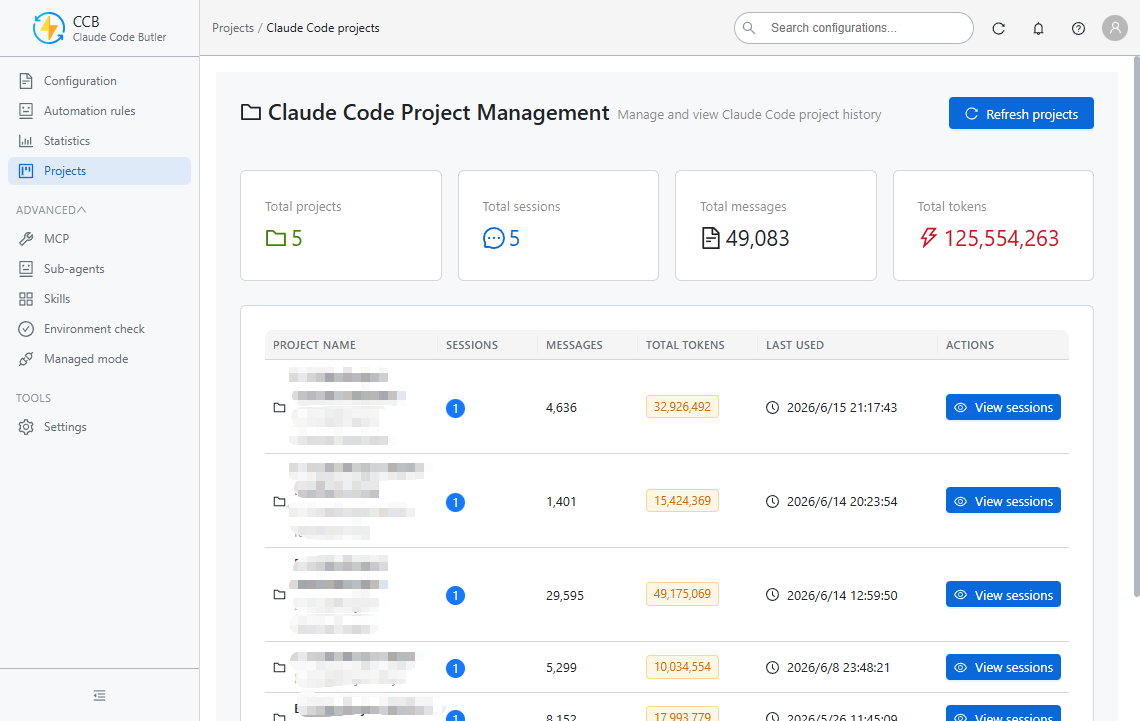
- Usage analytics, model/token statistics, and project associations
- Agent and skill management panels for advanced workflows
- Local logging, UTF-8-safe file output, and privacy-friendly local storage
🌐 Built for Daily Use
- Chinese and English UI
- Windows Portable, ZIP, and NSIS installer delivery paths
- Local-first architecture with no forced cloud dependency
📸 Screenshots
Click to expand/collapse screenshots🎛️ Configuration & Management
| Configuration Management | MCP Server Control |
|---|---|
 |
 |
📊 Analytics & Projects
| Usage Analytics | Project Management |
|---|---|
 |
 |
🚀 Automation & Environment
| Automation Rules | Environment Check |
|---|---|
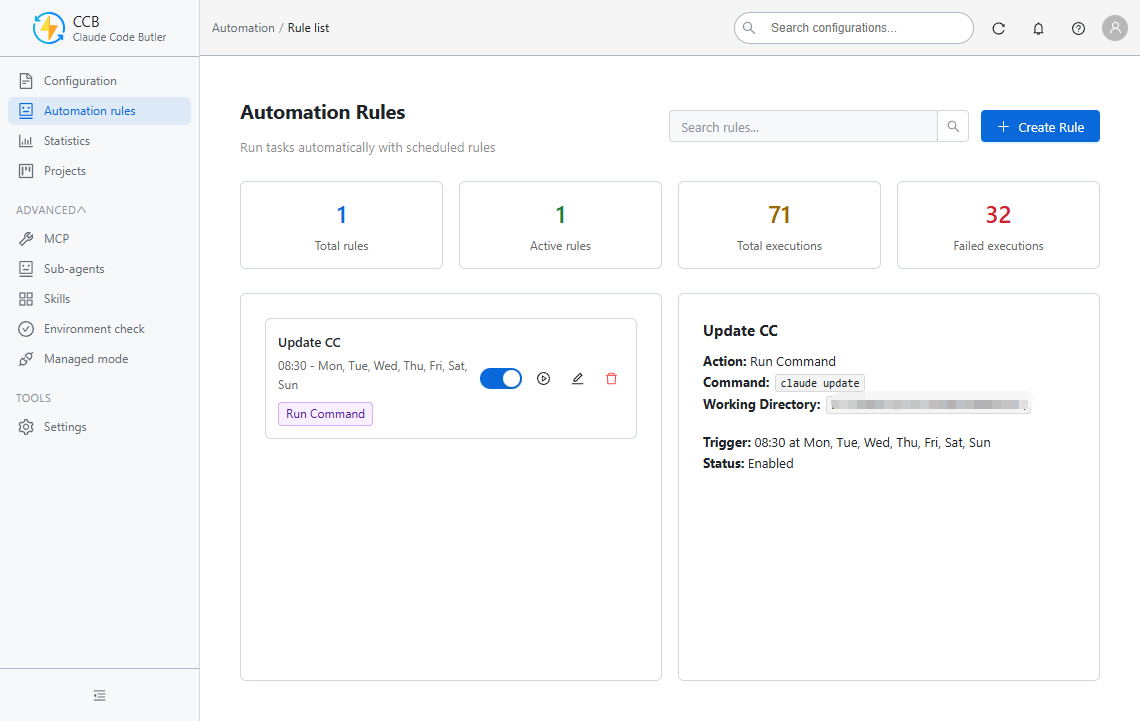 |
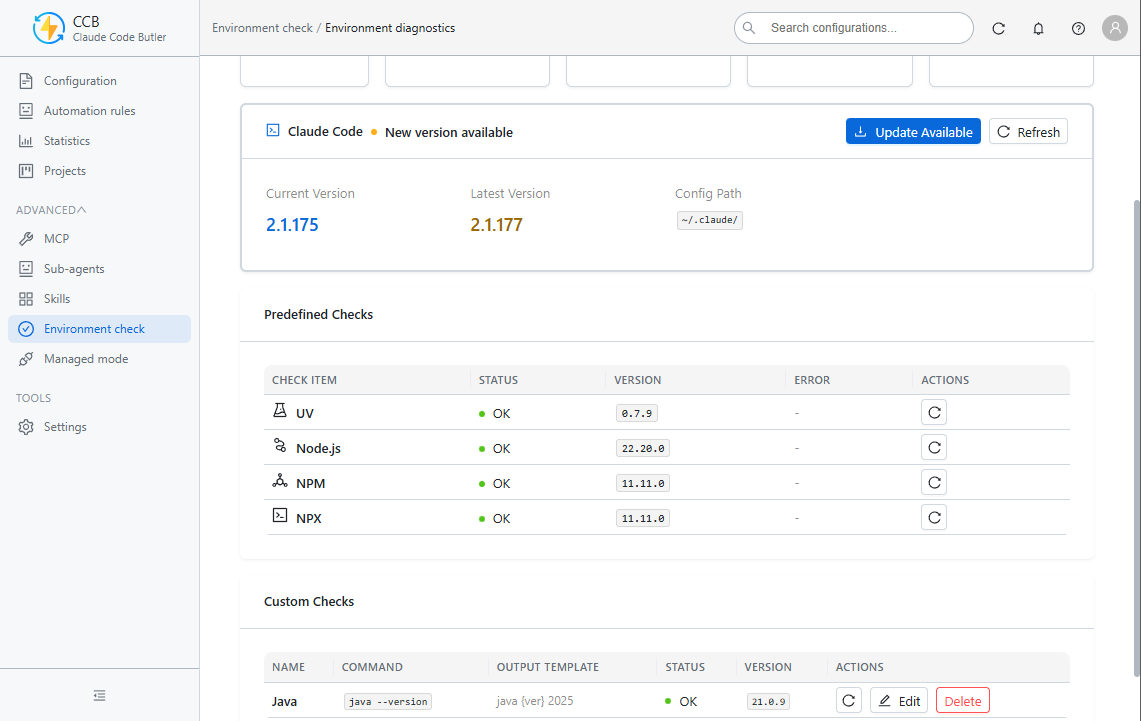 |
🤖 Advanced Features
| Sub-Agent Management | Skills Management |
|---|---|
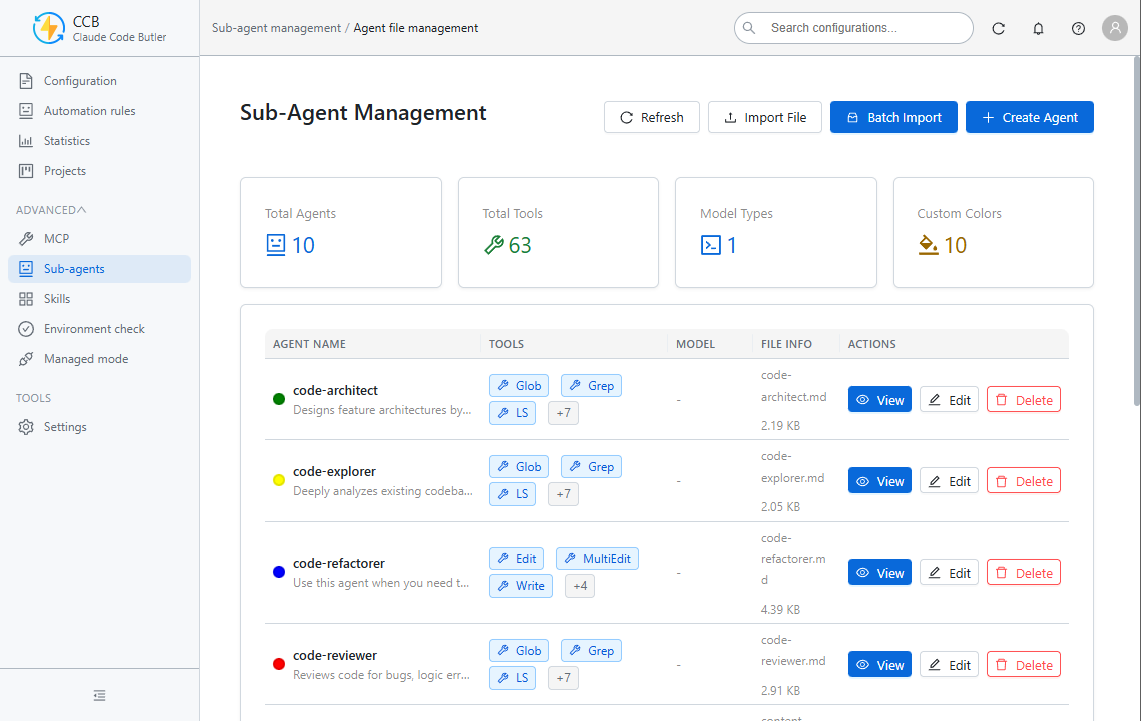 |
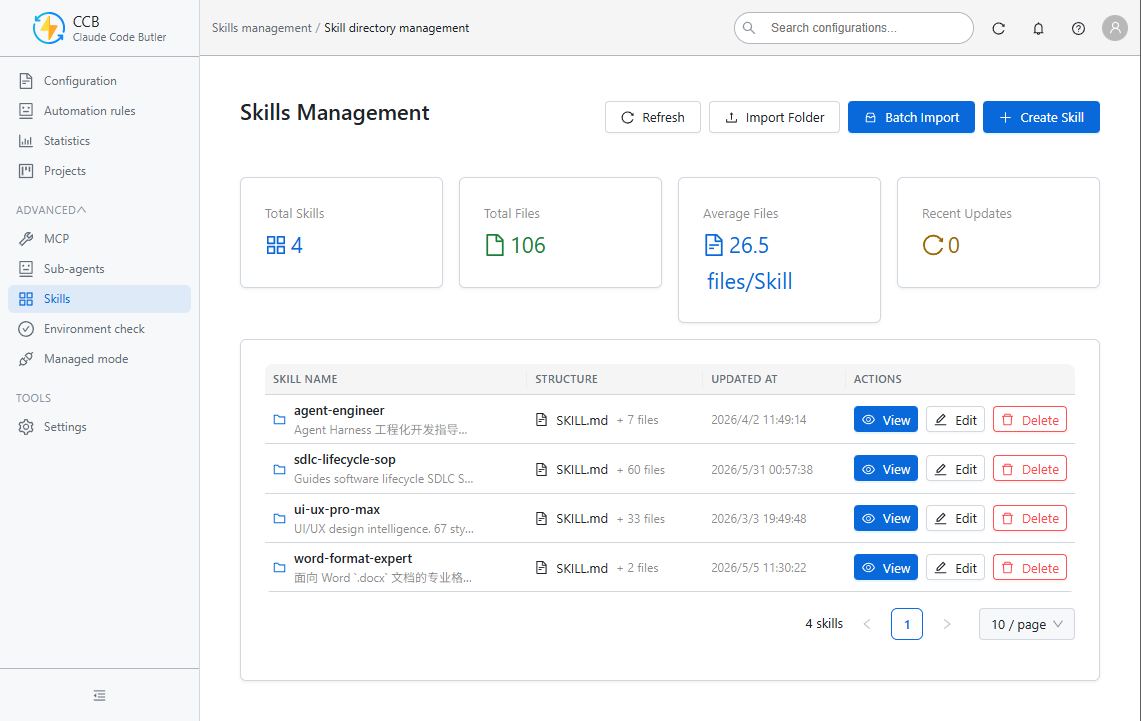 |
🚀 Quick Start
Requirements
- Node.js >= 20.0.9
- npm >= 9.0.0
Installation
# Clone the repository
git clone https://github.com/NianLog/ClaudeCodeButler.git

# Navigate to project directory
cd ClaudeCodeButler

# Install dependencies
npm install
Development Mode
# Start in standard mode
npm run dev

# Start with admin privileges (required for some environment / terminal flows)
npm run dev:admin
Build & Verify
# Build the application
npm run build

# Type-check
npm run type-check

# Run tests
npm test

# Launch the built app
npm start
📦 Packaging & Distribution
Windows artifacts
# Portable single-file build
npm run pack:portable

# Guided installer (NSIS)
npm run pack:installer

# ZIP package
npm run pack:zip

# Unpacked directory for fast smoke checks
npm run pack:dir
Artifacts are emitted to release/ by default:
CCB-Portable-{version}.exe- Single-file portable buildCCB-Setup-{version}.exe- Assisted installer with custom install directory and shortcut optionsCCB-{version}-win.zip- ZIP packagewin-unpacked/- Unpacked directory build
Distribution notes
- The Portable target is convenient, but Electron Builder's single-file Portable flow extracts to a temporary directory before the app process becomes visible. On Windows, that means noticeably slower startup than
win-unpackedor the NSIS installer. - The NSIS installer is the recommended option when startup latency matters and a traditional installation flow is acceptable.
- The project keeps the original compressed Portable strategy to avoid large package size growth.
Cross-platform release commands
# Default release targets for the current platform
npm run dist

# macOS
npm run dist:mac

# Linux
npm run dist:linux

# All configured platforms
npm run dist:all
🛠️ Tech Stack
Application runtime
- Electron: 40.0.0
- electron-vite: 5.0.0
- Vite: 7.3.1
- TypeScript: 5.3
Renderer
- React: 18.2
- Ant Design: 5.12
- Zustand: 4.4
- Monaco Editor: 0.55.1 via
@monaco-editor/react4.7 - Recharts: 2.8
- react-markdown: 9.1
- react-syntax-highlighter: 16.1
- remark-gfm: 4.0.1
Main process & services
- Express: 5.1.0
- Axios: 1.12.2
- Chokidar: 3.5.3
- node-cron: 3.0.3
- js-yaml: 4.1.1
- uuid: 9.0.0
Tooling & quality gates
- Vitest: 4.0.17
- ESLint: 8.57
- electron-builder: 26.5.0
- patch-package: 8.0.0
📚 Project Architecture
Directory Structure
ClaudeCodeButler/
├── src/
│   ├── main/                # Electron main process, IPC handlers, services, logging
│   ├── preload/             # Secure bridge exposed to renderer
│   ├── renderer/            # React UI, Zustand stores, pages, components, locales
│   ├── shared/              # Shared types, constants, config-template helpers
│   └── proxy-server/        # Managed-mode proxy service and related assets
├── scripts/                 # Dev/build helper scripts
├── resources/               # Icons, screenshots, packaged resources
├── docs/                    # Product, architecture, audit, and implementation docs
├── tests/                   # Unit / integration / e2e style regression coverage
└── release/                 # Packaging output
Current Module Map
Main process modules
- Window, tray, scheduler, watcher, and IPC bootstrap in
src/main - Domain services such as
config,mcp-management,settings,environment-check,managed-mode,agents-management,skills-management,statistics, andterminal-management
- Window, tray, scheduler, watcher, and IPC bootstrap in
Renderer modules
- Feature panels for Config, MCP, Automation, Managed Mode, Projects, Environment Check, Settings, Agents, and Skills
- Zustand stores per domain for predictable UI state synchronization
CodeEditorwith lazy Monaco loading and shared validation/preview behavior
Shared contract layer
- Cross-process types in
src/shared/types - IPC constants and app metadata in
src/shared/constants - Default new-config template helpers in
src/shared/config-template
- Cross-process types in
IPC Communication Pattern
Main and renderer communicate through a normalized IPC result shape:
{ success: true, data: T }
{ success: false, error: string }
🔧 Development Guide
Common Commands
# Development
npm run dev
npm run dev:admin

# Build / preview
npm run build
npm run preview

# Quality gates
npm run type-check
npm run lint
npm test

# Packaging
npm run pack
npm run pack:portable
npm run pack:installer
npm run pack:zip
npm run pack:dir
Path Aliases
@/→src/renderer/src/@shared/*→src/shared/*
Notes for contributors
- Renderer-only dependencies are intentionally kept out of runtime
dependencieswhere possible to reduce packaged size. - Monaco is loaded at runtime instead of being part of the initial renderer dependency graph.
- On Windows, UTF-8 handling is explicitly enforced in dev and logging related flows to reduce mojibake risk.
🆕 Recent Product Updates
- Added a customizable default template for new configs in
Settings -> Editor Settings. - Reworked template preview so it opens in a modal and reuses the same editor capabilities for validation and formatting.
- Fixed config copy behavior to open an editor with a localized copy suffix and defer file creation until explicit save.
- Improved config-type aware validation so Markdown-based preference files are no longer forced through JSON parsing in preview flows.
- Added NSIS installer packaging as a lower-latency alternative to the single-file Portable build.
🤝 Contributing
We welcome bug reports, feature proposals, documentation improvements, and code contributions.
Contribution Flow
- Fork the repository
- Create a branch (
git checkout -b feature/AmazingFeature) - Commit your changes (
git commit -m "feat: add amazing feature") - Push the branch (
git push origin feature/AmazingFeature) - Open a Pull Request
Commit Convention
Use Conventional Commit prefixes:
feat: New featurefix: Bug fixdocs: Documentation updaterefactor: Refactorperf: Performance improvementtest: Testschore: Tooling / build change
📄 License
This project is licensed under the MIT License. See LICENSE for details.
🙏 Acknowledgments
Thanks to these open source projects and tools:
📮 Contact
If this project helps you, please give it a ⭐ Star!
Made by NianSir
Reviews (0)
Sign in to leave a review.
Leave a reviewNo results found