GlideDeck
Health Pass
- License — License: MIT
- Description — Repository has a description
- Active repo — Last push 0 days ago
- Community trust — 17 GitHub stars
Code Fail
- exec() — Shell command execution in crates/glidedeck/src/html_player.js
Permissions Pass
- Permissions — No dangerous permissions requested
No AI report is available for this listing yet.
Zooming presentations, built natively — local-first, GPU-accelerated, written in Rust.

GlideDeck
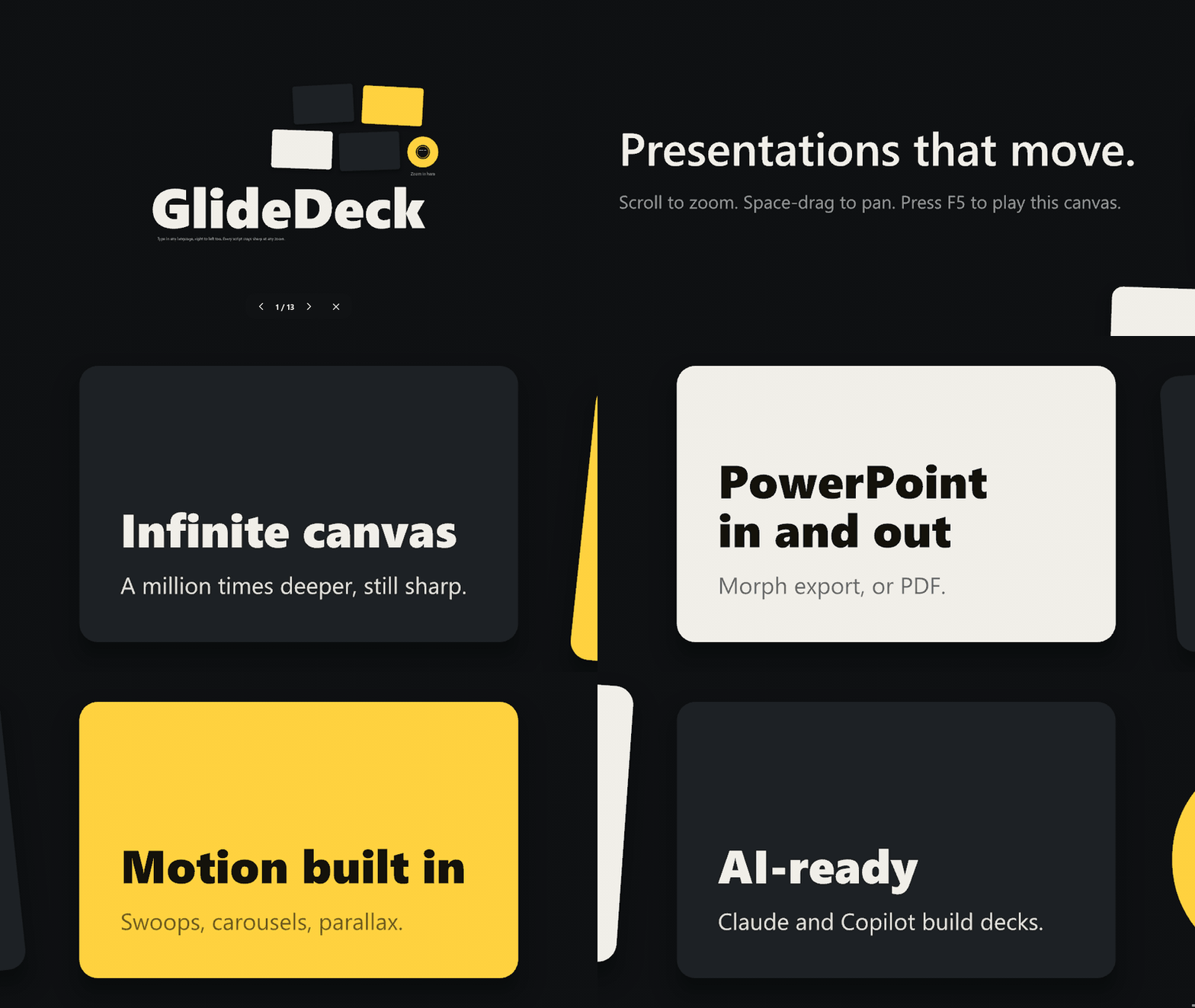
Presentations that move.
Stop flipping slides. Put your whole talk on one infinite canvas, then glide, swoop and zoom
from the big picture down to the smallest detail, a million times deeper, still razor sharp.


Free and open source · Works with your PowerPoint files · 100% offline: it runs entirely on your computer
nirlotan.com/GlideDeck: see it fly in your browser
Contents
- See it move
- Download and install
- What you can do
- Get started in two minutes
- Works with PowerPoint
- Feature tour
- Let Claude or GitHub Copilot build your deck
- Support GlideDeck
- Privacy
- Code signing policy
- Questions
- For developers
See it move
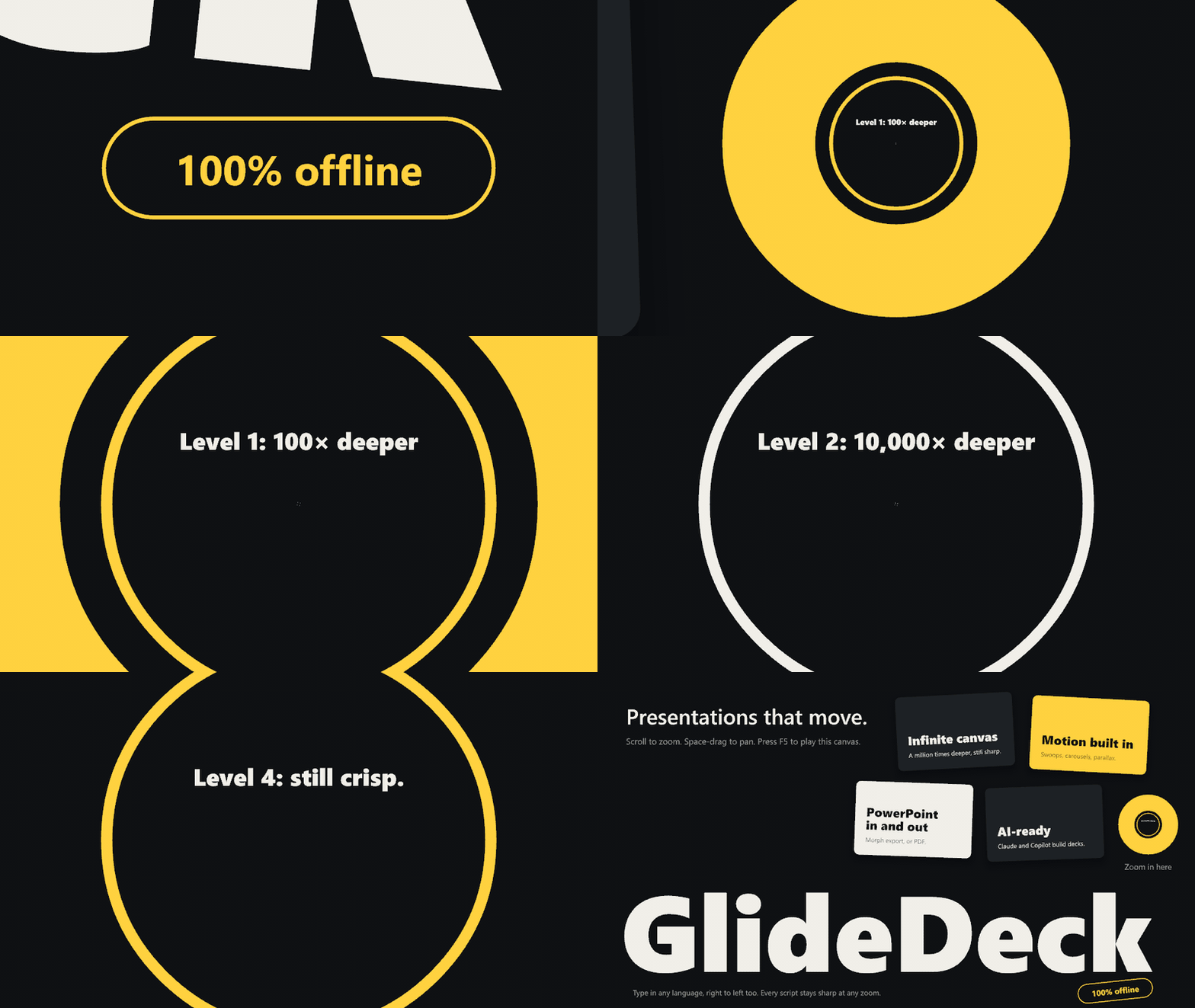
One canvas, any depth
A slide in GlideDeck is a frame on an endless canvas, and a frame can sit inside another
frame. Put the summary on the surface and the proof a hundred times deeper. The show flies you
in, and everything stays crisp, because it is all drawn as vectors on your graphics card.
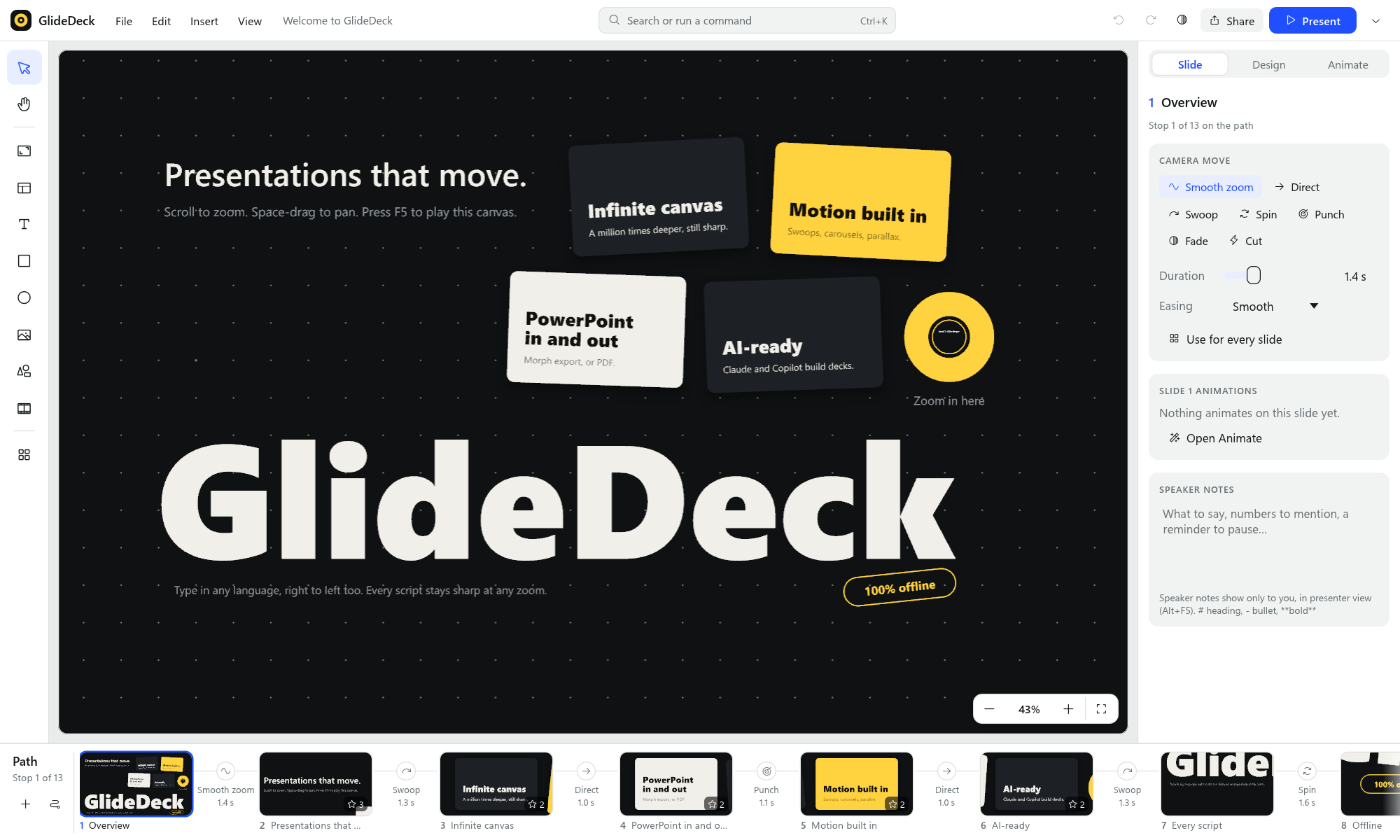
The whole story in one window
Tools on the left, the slide you are working on in the middle, its details on the right, and
your path along the bottom: every stop, with the camera move between each pair. Click a
stop and the editor flies there. Press Ctrl/⌘+K, type a few letters and run any command.
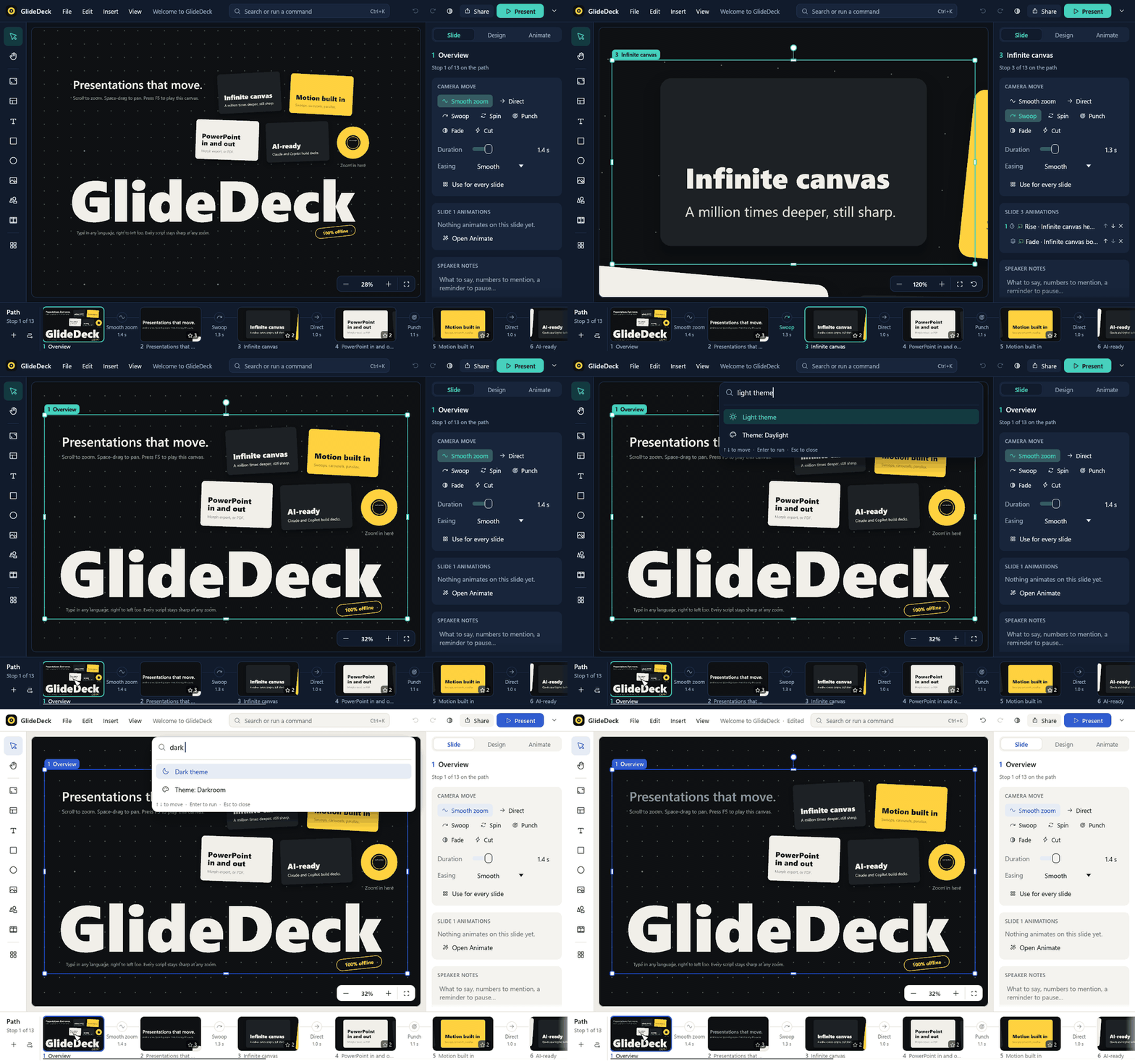
Dark or light, the layout is the same.
Download and install
| Your computer | Download | How to install |
|---|---|---|
| Windows 10 / 11 (64-bit) | ⬇ GlideDeck-x64.msi (always the latest version) | Double-click the file and follow the installer. It adds GlideDeck to the Start menu. |
| Mac with Apple Silicon or Intel | ⬇ GlideDeck.dmg (always the latest version) | Open the file and drag GlideDeck into Applications. The app is signed and notarized by Apple. |
| Other versions | All releases | Every version, with release notes and SHA-256 checksums. |
- Already installed? Choose File → Check for updates….
GlideDeck downloads the new installer for you, and installing it upgrades your copy in place. - Code signing policy: Windows installers are signed with a free certificate from
SignPath Foundation; see the code signing policy. - Windows says "Windows protected your PC"? Windows warns about new downloads until they
build up a reputation. Click More info → Run anyway. - Want to play YouTube, Vimeo or Loom videos inside GlideDeck too? Also install yt-dlp:
winget install yt-dlpon Windows, orbrew install yt-dlpon a Mac. (They always play in
the web page export.) - Want to play videos in your slides? Install FFmpeg once:
winget install Gyan.FFmpegon
Windows, orbrew install ffmpegon a Mac.
What you can do
- Tell a story with space. Zoom out for the big picture, dive into a detail, turn a corner
to the next idea. Seven camera moves (smooth zoom, swoop, spin, punch and more) make each
step feel different. - Import a PowerPoint deck and make it move. Open any
.pptx. Your slides, text,
pictures and speaker notes come along. One click arranges them into a carousel, a spiral,
orbits or a tree. - Export back to PowerPoint or PDF. Get a
.pptxwhere every move is a native Morph
transition, or a PDF to share. - Share it as a web page. Export a single
.htmlfile that plays the show in any browser
exactly as GlideDeck does: every camera move, animation, parallax layer and effect. - Bring slides to life. Make text and pictures appear, take the spotlight and leave, with
a click or automatically. Auto-animate does a whole slide at once. - Find anything in two keystrokes. Ctrl/⌘+K opens the command search: type a few
letters to run a command or jump to a slide by its text. - Start in style. New decks open in Darkroom, the house look: flat graphite, bold type
and one signal yellow. Daylight is its bright twin. Ten more themes and 18 templates are
one click away. - Put YouTube, Vimeo and Loom videos on a slide. Paste a link onto the canvas. The video
zooms and turns with your slides, and plays in the site's own player in the web page export. - Present like a pro. Presenter view shows your speaker notes, the next slide and a timer
on your screen while the audience sees only the show. - Never lose work. AutoSave keeps your file saved as you go, and if GlideDeck or your
computer crashes, your unsaved changes are waiting for you next time. - Use any font on your computer. The font picker shows every installed font in its own
face, and you can add a font file that then travels with the presentation. - Let AI do the first draft. Claude and GitHub Copilot can build a complete GlideDeck
presentation for you, in the same house style, ready to edit.
 Carousel: slides glide past over drifting parallax layers |
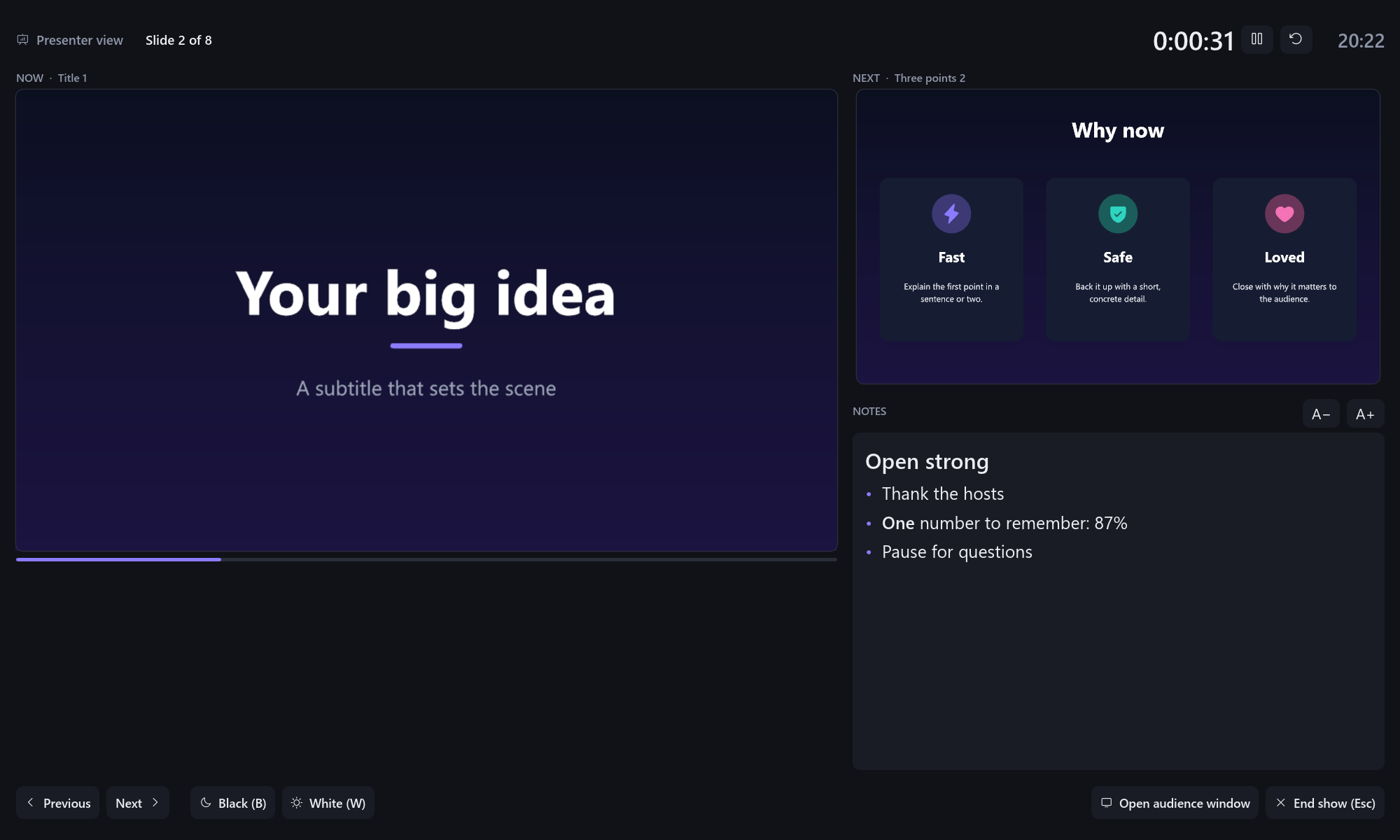 Presenter view: your notes, the next slide, a timer |
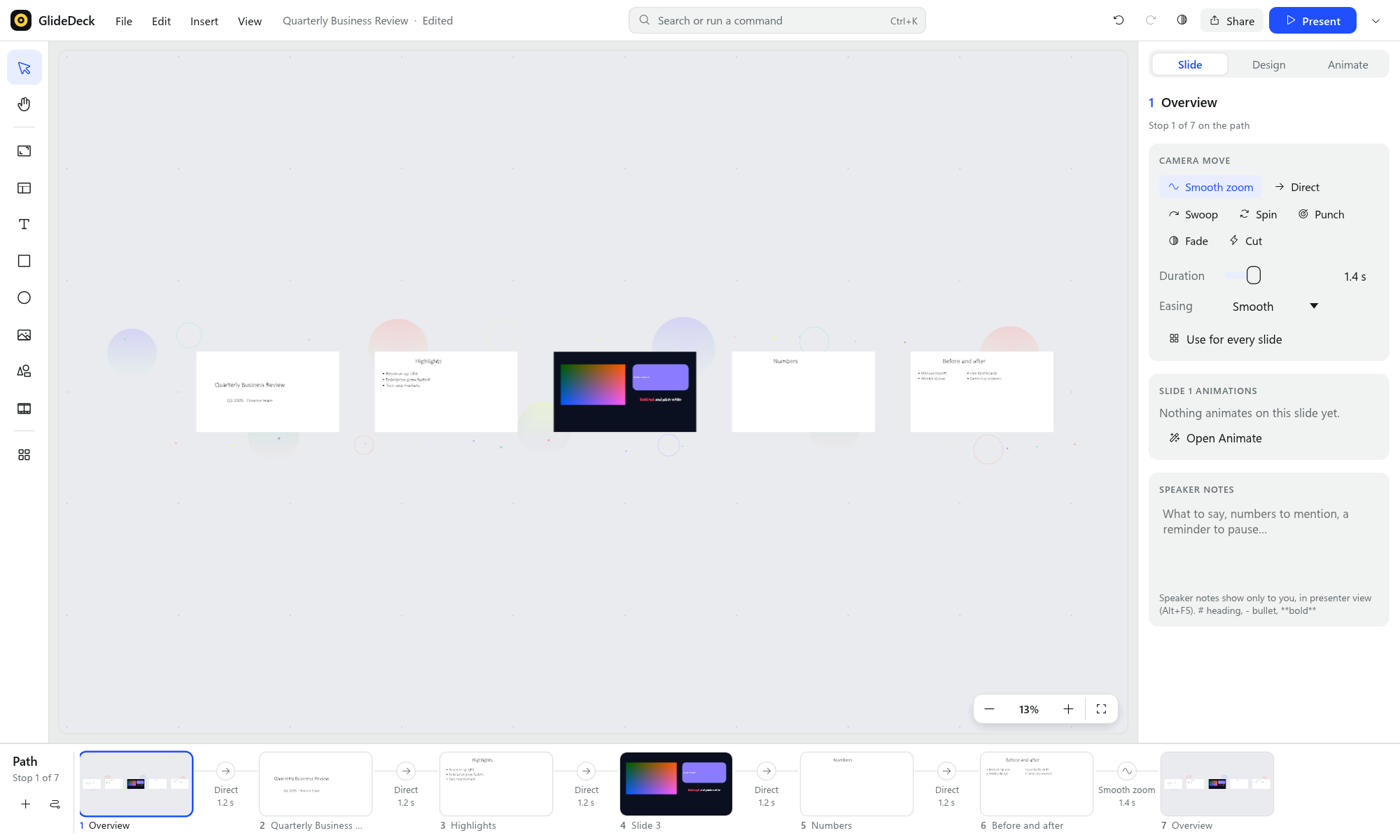 A PowerPoint deck, imported and arranged as a carousel |
 Animations, with the click order on the canvas |
Get started in two minutes
- Open GlideDeck and press F5. The welcome canvas is itself a presentation, so you can
see what's possible. Press → to move on and Esc to stop. - Start your own. Use File → New from template (try Carousel), or
File → Import PowerPoint…. - Edit. Double-click any text to change it. Add slides with Layouts on the tool rail
at the left, or press F and drag to draw a new slide (a frame) anywhere on the canvas.
To find any command, press Ctrl/⌘+K and type a few letters. - Write your speaker notes in the Slide tab of the side panel, under Speaker notes.
- Make it move.
- Camera move in the Slide tab sets how the camera flies into each slide.
- Auto-animate in the Animate tab builds a slide's content in.
- Arrange on the path strip at the bottom reshapes the whole path.
- Present with F5. With a second screen or projector connected, presenter view starts
automatically. On one screen, press Alt+F5 to rehearse with your notes. - Share. Use Share → Web page (HTML)…, PowerPoint (Morph)… or PDF…, or just send the
.glide.jsonfile.
| To… | Do this |
|---|---|
| Zoom / move around | Scroll or pinch · drag with Space held down (or the middle mouse button) |
| Rotate the view | Alt + scroll, or [ ] |
| Edit text | Double-click it, or select it and press Enter |
| Resize / rotate an object | Drag a corner handle · drag the round knob (Shift snaps to 15°) |
| Present | F5 from the start · Shift+F5 from the current slide · Alt+F5 presenter view |
| See every shortcut | F1 |
Works with PowerPoint
Bring your decks in. Choose File → Import PowerPoint…, or drop or open a .pptx.
- Each slide becomes a frame on the canvas, in order.
- Text keeps its formatting.
- Shapes, pictures, slide backgrounds and master logos come along.
- Speaker notes appear in presenter view.
Then use Arrange on the path strip to turn the grid of slides into a story. Choose from a
carousel with a parallax backdrop, a spiral, orbits, a tree, a zoom tunnel and more.
(Tables, charts and SmartArt aren't converted yet; GlideDeck lists them for you.)
Paste from PowerPoint. Copy shapes in PowerPoint and paste them into GlideDeck. They
arrive as editable text, shapes and pictures (Windows).
Send decks back out.
- Share → PowerPoint (Morph)… writes one slide per stop on your path, linked with Morph, so
PowerPoint itself animates the zooms, pans and turns. Icons stay editable vectors; videos are
embedded. - Share → PDF… writes one page per slide, exactly as presented.
Share as a web page
Share → Web page (HTML)… (or File → Export web page (HTML)…) writes one .html file that
anyone can open in a browser. Nothing needs to be installed.
- The show is the same show. Camera flights and all seven transition styles, builds
(typewriter, count up, spotlight and the rest), parallax and fades play exactly as they do
in GlideDeck. Unlike a PowerPoint export, nothing is approximated. - Sharp at any zoom. Text is embedded as vector outlines, so it looks the same without the
fonts, and pictures and SVGs are embedded in the file. - Videos are copied to a
<name>_mediafolder next to the page; keep the two together. - YouTube, Vimeo and Loom videos play in the site's own player, right on the slide, and
move with the camera. YouTube only plays inside pages served from a website (GitHub Pages,
your intranet…); when the page is opened as a file, a click opens the video on YouTube. - Controls: → / Space / click for next, ← for back, Home / End, F for fullscreen, the
mouse wheel to look around, and swipe on a phone or tablet. Press ? for the list.
Feature tour
A canvas without edges
- Put anything anywhere, and zoom a million times deeper. Text, shapes and icons stay
razor sharp at every size. - Slides are frames: draw one around anything to make it a stop on your path. Frames are
invisible in the show unless you give them a border, and moving a frame moves what's inside. - The path strip along the bottom shows every slide as a thumbnail, with the camera move
between them. Drag to reorder, and right-click for more. - Command search: press Ctrl/⌘+K, type a few letters, and pick a command or a slide.
Motion
Camera moves between slides:
- Smooth zoom pulls back for context, then dives in.
- Swoop is a sideways arc with a roll.
- Spin is a barrel roll.
- Punch overshoots, then settles.
- Fade dips through the background.
- Direct and Cut are plain moves.
Animations inside a slide (the Animate tab of the side panel):
- appear effects: fade, rise, focus, zoom, pop, drop, fly in, spin, typewriter, word by word and count up;
- emphasis: spotlight, highlight marker, underline, color pop, pulse, glow and wiggle;
- disappear: fade out, sink, zoom out, fly out and shrink.
Numbers on the canvas show the click order, and Preview plays them in the editor.
Arrange slides (the Arrange button on the path strip) reshapes the whole path for any number of slides.
Choose a carousel, spiral, orbits, sunflower, ring, honeycomb, journey, wave, staircase,
tree, zoom tunnel, snake or grid.Parallax: give any object a Depth (Design tab → Layout). In the show, far objects
drift slower than the slides and near ones faster.
Design that looks good by default
- 18 templates, each a complete story with a theme and a camera path:
- Business: carousel, pitch deck, roadmap, showcase, branches.
- Storytelling: journey, summit, spiral, deep dive.
- Ideas & maps: big picture, hive, orbit, mood board.
- Teaching: lecture, chapters, workshop, cycle.
- Twelve themes, including the house style, Darkroom (flat graphite, bone-white type,
one signal yellow) and Daylight (cool white with a cobalt accent), and the 2026 palettes
Dusk (deep violet with aurora accents) and Cloud (warm white with teal and coral).
New presentations start in Darkroom. Switching themes restyles text and colours while
keeping the colours you picked by hand. - 20 slide layouts, such as title, agenda, three points, comparison, dashboard, team,
timeline, process, Venn and hub & spokes. - 1,500 vector icons, soft shadows, gradients, image masks, and smart guides as you drag.
- Design check finds low-contrast or too-small text, empty slides and low-resolution
images, with one-click fixes.
Content
- Rich text: bold, italic, underline, strikethrough, colours and sizes, bullets and
numbering. Right-to-left languages (Hebrew, Arabic) work too. - Fonts: pick any font installed on your computer, previewed in its own face, for one text
box or for the whole theme (Design tab → Fonts, with nothing selected). Add font file… copies a.ttfor.otfinto the presentation, so it looks right on any computer. - Pictures: insert them, drag and drop, or paste screenshots and images from other apps.
- SVG graphics: shown as true vectors.
- Video: with sound, autoplay, loop and mute.
- Web video: paste a YouTube, Vimeo or Loom link (or a link to a video file), or use
Video → Web video link… on the tool rail. Its poster is saved with the presentation; the video streams when it
plays. In PowerPoint it becomes the poster, linked to the video.
Your work is safe
- AutoSave (File → AutoSave, on by default) saves a presentation that has a file a moment
after each change. The top bar shows Saved next to the deck name. - Crash recovery: unsaved changes, even in a presentation you never saved, are kept in a
recovery copy. If GlideDeck doesn't close normally, it offers them the next time it starts.
Presenting
- Fullscreen show with keyboard and clicker support. Press B or W to black or white
out the screen. - Presenter view: the audience sees the show on the projector, and you see the live slide,
the next slide, your notes, a timer and the clock.- On a single screen, presenter view shows everything in one window, so you can rehearse.
- Open audience window adds a separate slides-only window when you need one, for example
to share in a video call.
- Speaker notes live in the Slide tab of the side panel. Use
# headings,- bulletsand**bold**.
More screenshots
 Themes, path strip and dark mode |
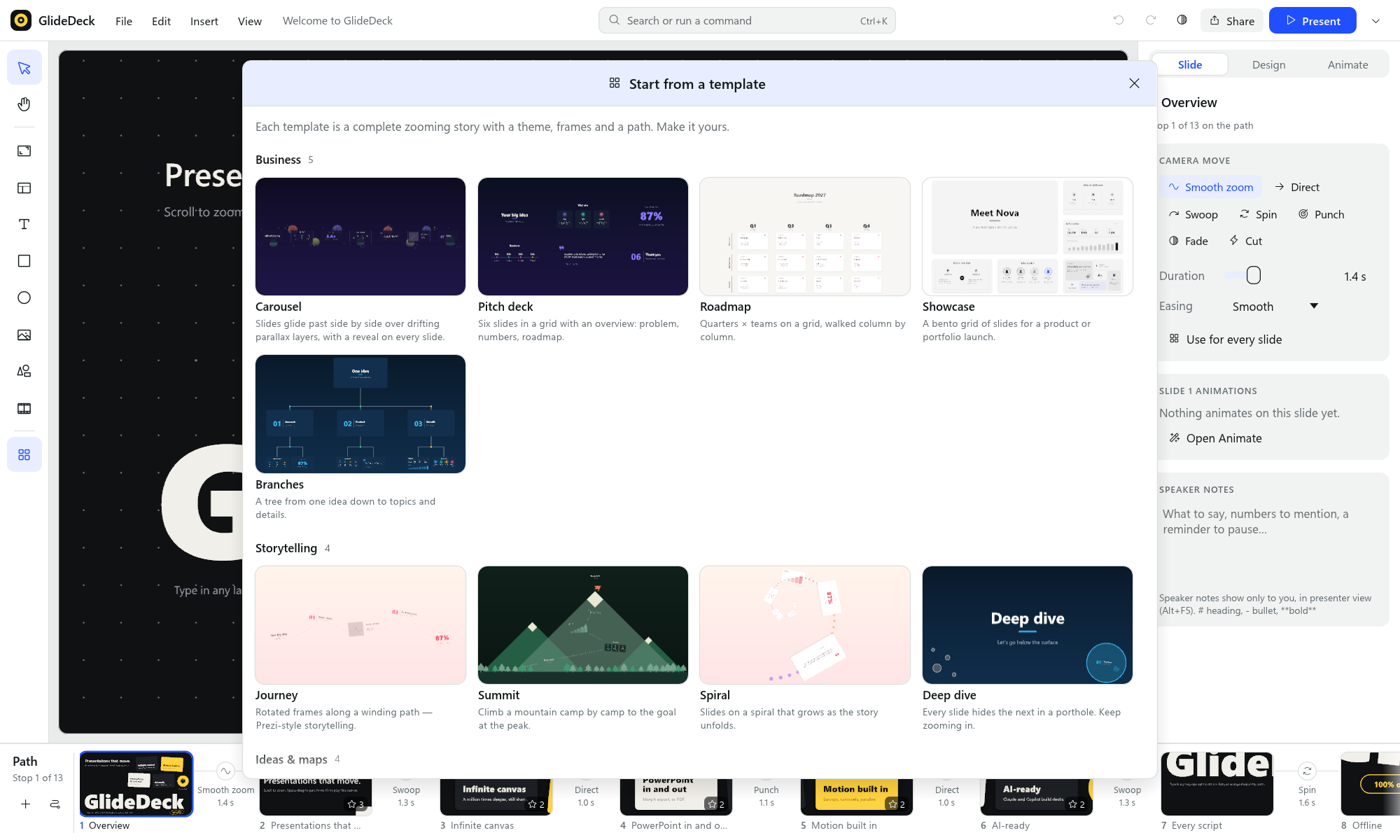 Start from a template |
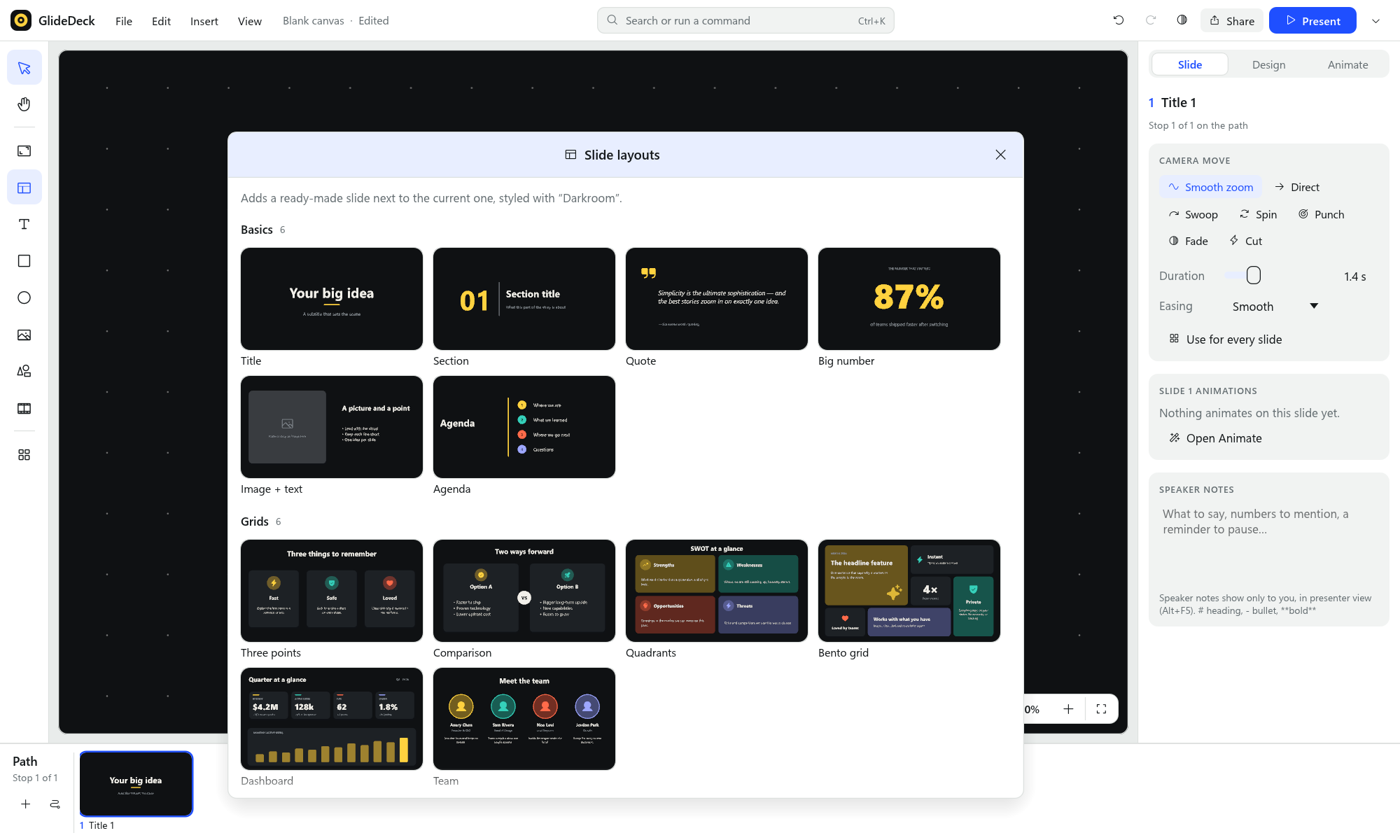 Ready-made slide layouts |
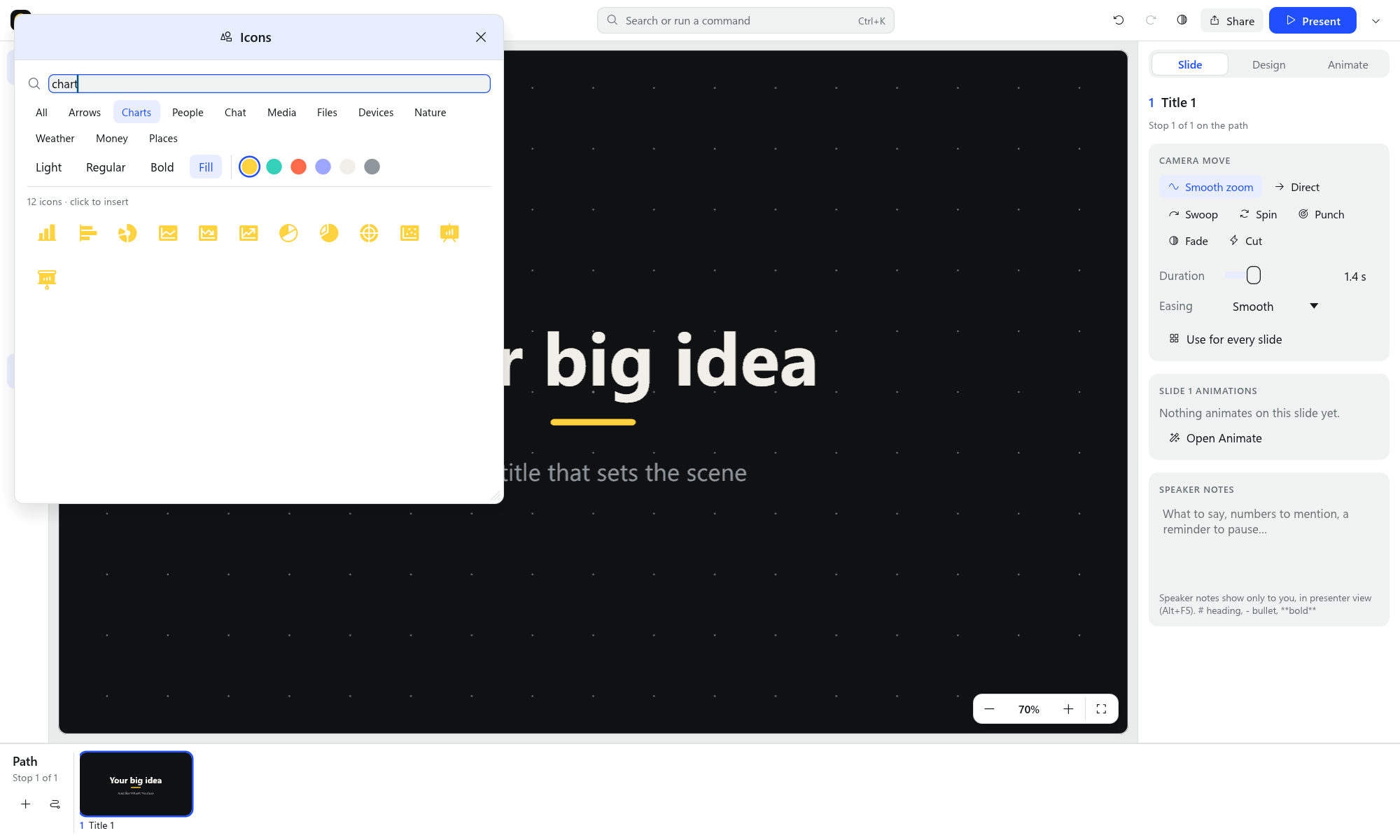 1,500 vector icons |
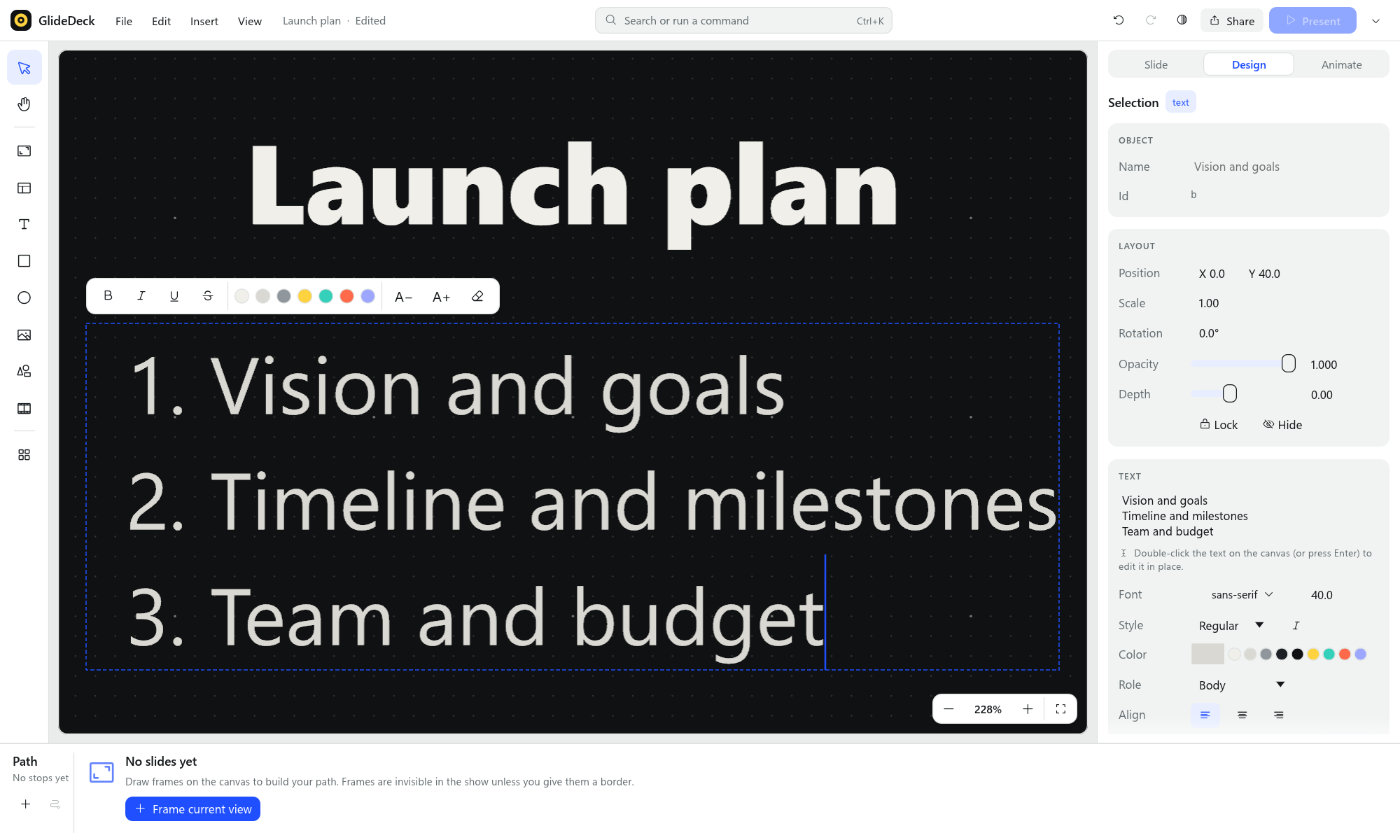 Edit text in place, with bullets and numbering |
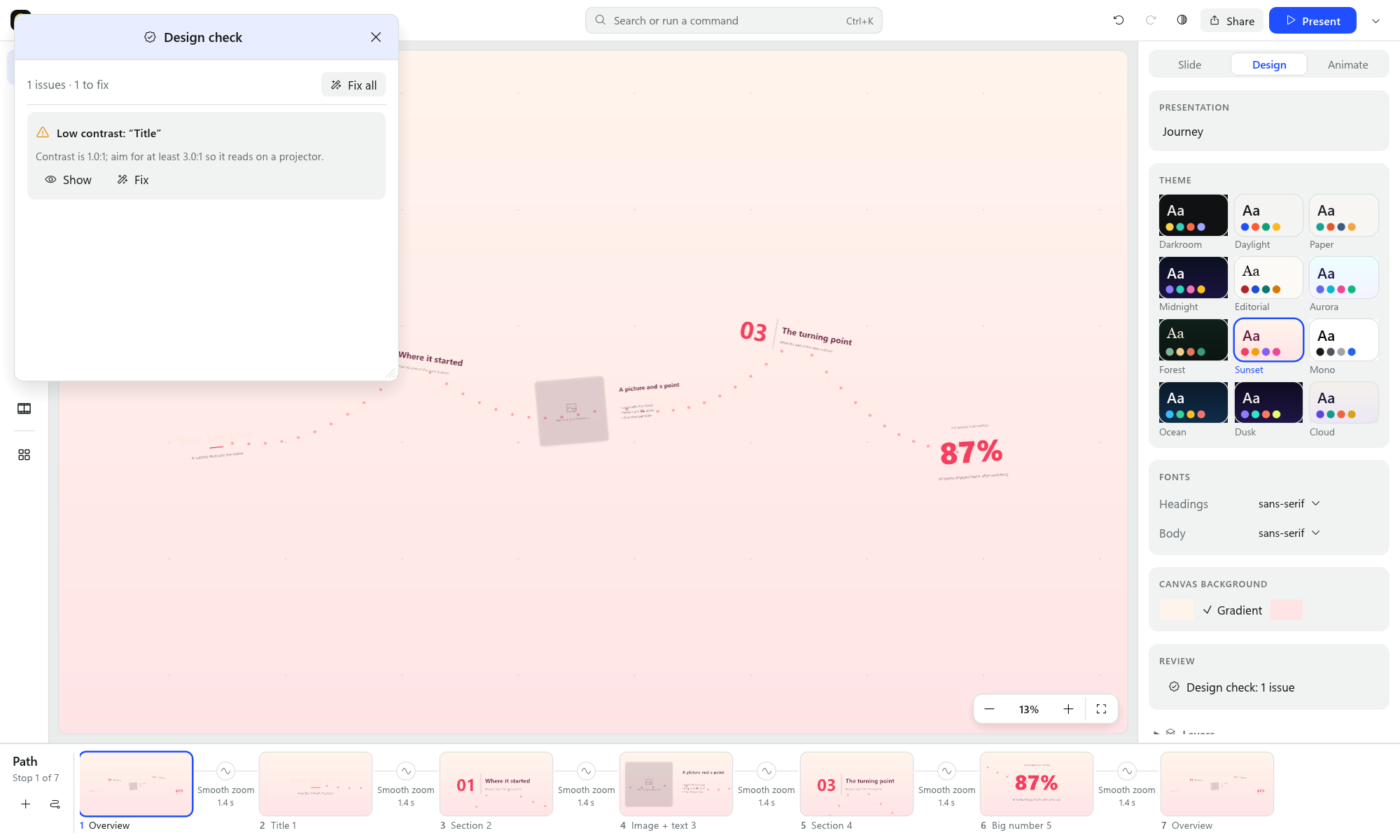 Design check with one-click fixes |
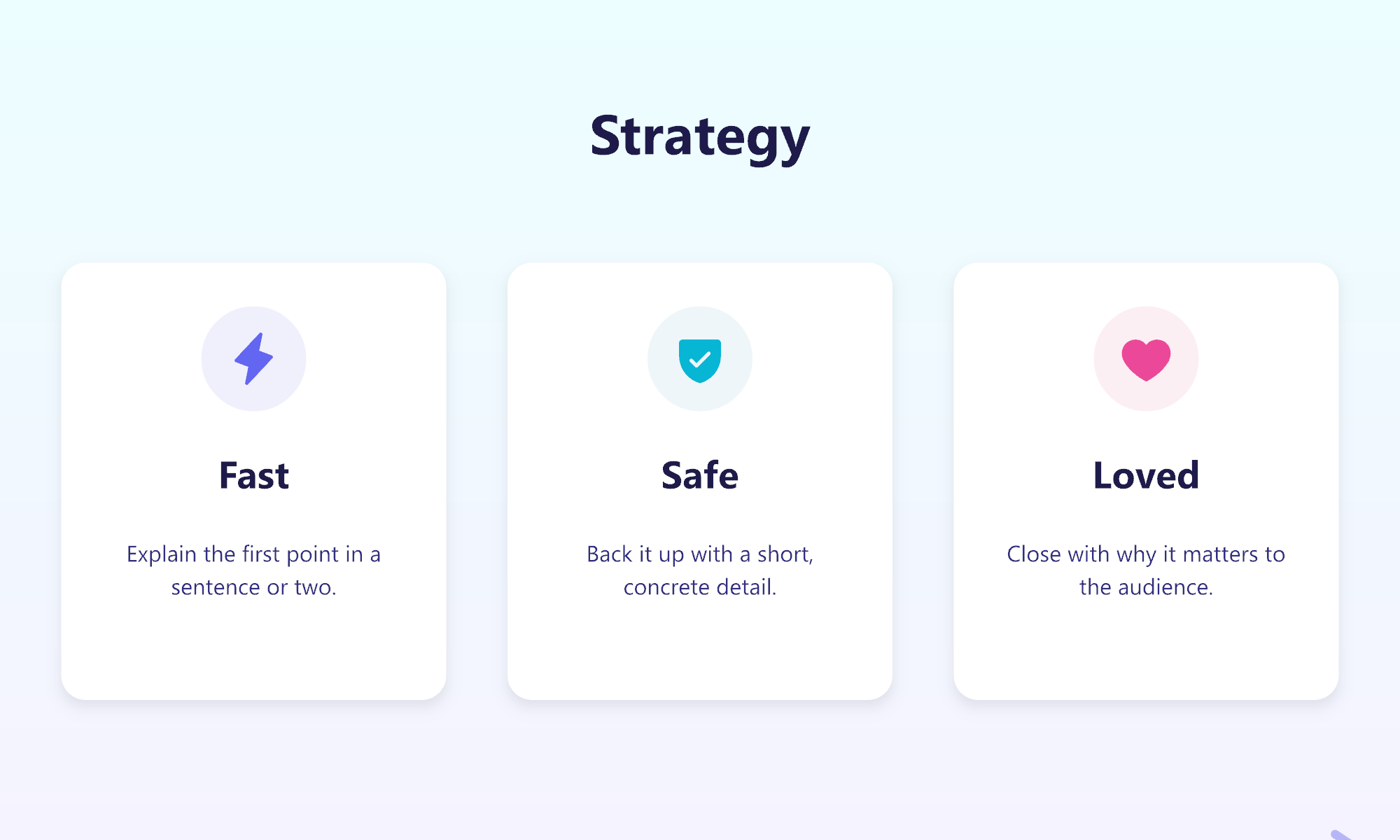 Fullscreen presenting |
Let Claude or GitHub Copilot build your deck
GlideDeck comes with an MCP server and an agent skill. They let Claude (Claude Code,
Claude Desktop) and GitHub Copilot (VS Code and CLI) create presentations for you. The
assistant:
- picks a template, writes every slide and the speaker notes;
- shapes the path and adds animations;
- checks each slide visually;
- saves a normal GlideDeck file you can open and edit.
To set it up, run this once in the folder where you keep your presentations:
glidedeck agent-setup
Then ask, for example:
Create a 7-slide GlideDeck presentation about our Q3 results in q3.glide.json, with
speaker notes, and export a PowerPoint copy.
The server has 27 tools:
- Find:
catalog,search_icons. - Create and read:
create_presentation,import_pptx,get_presentation. - Edit:
add_slide,update_elements,add_text,add_image,set_theme,remove_slide,add_web_video,arrange_slides,edit_presentation,list_fonts,add_font. - Bring it to life:
animate,auto_animate,set_transitions,set_notes,clear_animations. - Check and deliver:
render_slide,export_pptx,export_pdf,export_html,save_as,open_in_editor.
It runs on your computer and makes no network calls. Setup for each app and troubleshooting
are in the AI guide.
Support GlideDeck
GlideDeck is free and open source, and it stays that way: no trials, no watermarks, no
locked features. If it saves you time or helps a talk land, you can support its development.
- Sponsor GlideDeck on GitHub. Any amount helps;
$9 is a great way to say thanks. - Star the repo and share it. It genuinely helps other people find GlideDeck.
- Report bugs and ideas in Issues.
The Support GlideDeck button in the app (File → About GlideDeck) opens this section.
Privacy
GlideDeck has no accounts, no cloud and no telemetry. Your presentation is one file on your
disk (.glide.json), with its pictures in an assets/ folder next to it. The app goes online
only when you ask it to: when you check for updates (GitHub), and when you add or play a web
video (the video's site). Details are in the privacy policy.
Code signing policy
Free code signing provided by SignPath.io, certificate by
SignPath Foundation.
Only installers built from this repository by its GitHub Actions release workflow are signed,
and each release is approved by hand. The full code signing policy
and privacy policy are in the repository.
Questions
Can I open my GlideDeck presentation on another computer? Yes. Copy the .glide.json file
together with its assets/ folder.
Do my viewers need GlideDeck? No. Present from your computer, send a web page
(Share → Web page (HTML)…) that plays the full show in any browser, or export to PowerPoint or PDF.
Will my fonts look right on another computer? In a web page export, yes: text is embedded
as outlines. To edit on another computer, add the font with Add font file… in the font
picker, and it travels in the presentation's assets/ folder.
Where did my notes go after importing a PowerPoint? They come along. You'll find them in the
Slide tab of the side panel, under Speaker notes, and in presenter view.
Something's wrong or missing? Open an issue.
For developers
Build from sourceYou need Rust 1.88+ (rustup.rs) plus a platform linker: the Visual Studio
C++ Build Tools on Windows, or xcode-select --install on macOS.
git clone https://github.com/nirlotan/GlideDeck.git
cd GlideDeck
cargo run --release -p glidedeck
See RUNNING.md for the full guide: platform notes, every shortcut, and the
complete CLI and JSON reference. Tests (core maths, exporter, renderer and end-to-end UI flows
driven through egui_kittest on a real GPU device):
cargo test --workspace
The same program is also a headless tool:
glidedeck new talk.glide.json --template carousel
glidedeck apply talk.glide.json examples/add-slide.ops.json
glidedeck render talk.glide.json --step 3 --out slide3.png
glidedeck import-pptx deck.pptx --out deck.glide.json
glidedeck arrange deck.glide.json --layout carousel
glidedeck export-pptx talk.glide.json --out talk.pptx
glidedeck export-html talk.glide.json --out talk.html
Operations are plain tagged JSON, applied atomically per batch:
[
  {"op": "add_element", "element": {"id": "hello", "transform": {"x": 0, "y": 0},
    "kind": {"type": "text", "content": "Hello", "role": "title"}}},
  {"op": "add_element", "element": {"id": "f1",
    "kind": {"type": "frame", "width": 1600, "height": 900}}},
  {"op": "add_step", "frame": "f1", "transition": {"style": "smooth", "duration": 1.4}}
]
The document format ("format": "glidedeck/1") is stable, pretty-printed JSON. Media lives inassets/, named by content hash. Full reference: RUNNING.md § 4.
Requirements: the Rust toolchain and the WiX Toolset 3 binaries. Downloadwix314-binaries.zip from the WiX releases and
unzip it anywhere; no installation is needed.
powershell -ExecutionPolicy Bypass -File packaging\windows\build-msi.ps1 -WixDir C:\tools\wix314
The script builds the release binary, which embeds the icon and version info, and writesdist\GlideDeck-<version>-x64.msi. The installer:
- installs per machine into
Program Files\GlideDeck; - creates Start-menu and (optional) desktop shortcuts;
- adds the
glidedeckCLI toPATH; - ships the example deck;
- upgrades earlier versions in place (stable
UpgradeCode, major-upgrade rules).
To trust it with SmartScreen, sign it with a code-signing certificate:
signtool sign /fd SHA256 /tr http://timestamp.digicert.com /td SHA256 /a dist\GlideDeck-0.1.6-x64.msi
The update check in the app looks for a .msi (Windows) or .dmg (macOS) asset on the latest
GitHub release, so attach installers to each release.
Run these on a Mac with Rust and the Xcode Command Line Tools. Build for this Mac's
architecture, or as a universal binary:
packaging/macos/build-dmg.sh
UNIVERSAL=1 packaging/macos/build-dmg.sh
The script builds the release binary (with UNIVERSAL=1, both architectures joined withlipo). It then assembles dist/GlideDeck.app from packaging/macos/Info.plist, generates the.icns icon, signs the app and writes dist/GlideDeck-<version>.dmg.
To distribute, sign and notarize with an Apple Developer ID. First store notarization
credentials once:
xcrun notarytool store-credentials glidedeck-notary --apple-id [email protected] --team-id TEAMID
Then build, sign, notarize and staple in one go:
SIGN_IDENTITY="Developer ID Application: Your Name (TEAMID)" NOTARY_PROFILE=glidedeck-notary UNIVERSAL=1 packaging/macos/build-dmg.sh
Find your identity with security find-identity -v -p codesigning. Without signing, ad-hoc
signed apps run on the Mac that built them. On other Macs, right-click the app and choose
Open the first time.
For CI, notarize with an App Store Connect API key instead of a stored profile:NOTARY_KEY_PATH=AuthKey_XXXX.p8 NOTARY_KEY_ID=XXXX NOTARY_ISSUER=<issuer id>.
.github/workflows/release.yml builds the signed and notarized universal DMG on macOS and the
MSI on Windows. To publish a release:
- Bump
versioninCargo.tomland addpackaging/release-notes-v<version>.md(used as the
release text). - Commit, then tag and push:
git tag v0.1.7 && git push && git push origin v0.1.7.
The release gets GlideDeck-<version>.dmg, GlideDeck-<version>-x64.msi, SHA-256 files, and
stable-name copies GlideDeck.dmg / GlideDeck-x64.msi for the download links above. To test
signing without publishing, run the workflow by hand (Actions → Release → Run workflow)
and download the installers from the run's Artifacts.
Signing needs these repository secrets: APPLE_CERTIFICATE (Developer ID Application .p12,
base64), APPLE_CERTIFICATE_PASSWORD, APPLE_SIGNING_IDENTITY, and for notarizationAPPLE_API_ISSUER, APPLE_API_KEY (key ID) and APPLE_API_KEY_P8 (the .p8 contents).
crates/
  glide-core     Document schema (serde JSON), f64 camera maths, transitions, builds,
                 themes, the atomic Op set. No GUI/GPU dependencies.
  glide-render   wgpu renderer: lyon tessellation, cosmic-text shaping and editing,
                 vector icons, SVG (usvg), mipmapped images, video (FFmpeg + cpal),
                 analytic shadows, offscreen MSAA targets, headless readback.
  glide-pptx     OpenXML writer: path → slides linked with Morph; vector icons,
                 native SVG, embedded video.
  glidedeck      The app: eframe/egui editor (top bar, tool rail, side panel, path strip, command search,
                 galleries, design check), the show and presenter view, animations,
                 PowerPoint import, PDF export, the CLI and the MCP server.
Design decisions:
- Tessellate once, transform forever. Meshes live in element-local space on the GPU;
moving and camera motion only update a per-instance affine. - Precision at depth. Transforms are f64, and each element's matrix is composed relative
to the camera before dropping to f32. - One renderer, many outputs. The editor, thumbnails, galleries, the show, PDF and PNG
export all come from the same offscreen renderer. - The show renders a scene. Animations and parallax produce a per-frame copy of the
document; the file itself never changes while presenting. - Non-destructive and diff-friendly. Geometry and transforms are stored separately, files
are pretty-printed JSON written atomically, and media is content-addressed.
Roadmap
- Tables and charts from PowerPoint
- Audio clips, video trimming, and video export of the path
- Grouping, more shape types and connectors
License
Reviews (0)
Sign in to leave a review.
Leave a reviewNo results found