yantra
Health Warn
- License — License: MIT
- Description — Repository has a description
- Active repo — Last push 0 days ago
- Low visibility — Only 5 GitHub stars
Code Fail
- exec() — Shell command execution in .github/scripts/annotate-failures.mjs
- spawnSync — Synchronous process spawning in bin/yantra.js
- fs.rmSync — Destructive file system operation in bin/yantra.js
Permissions Pass
- Permissions — No dangerous permissions requested
No AI report is available for this listing yet.
Interactive, step-by-step diagrams and one-page answers as a single offline HTML file. Automatic layout, routed edges, validator, CLI, MCP and Python SDK.

Yantra
Interactive, step-by-step diagrams and one-page answers, shipped as one offline HTML file.



Website · Docs · Playground · Examples · Changelog
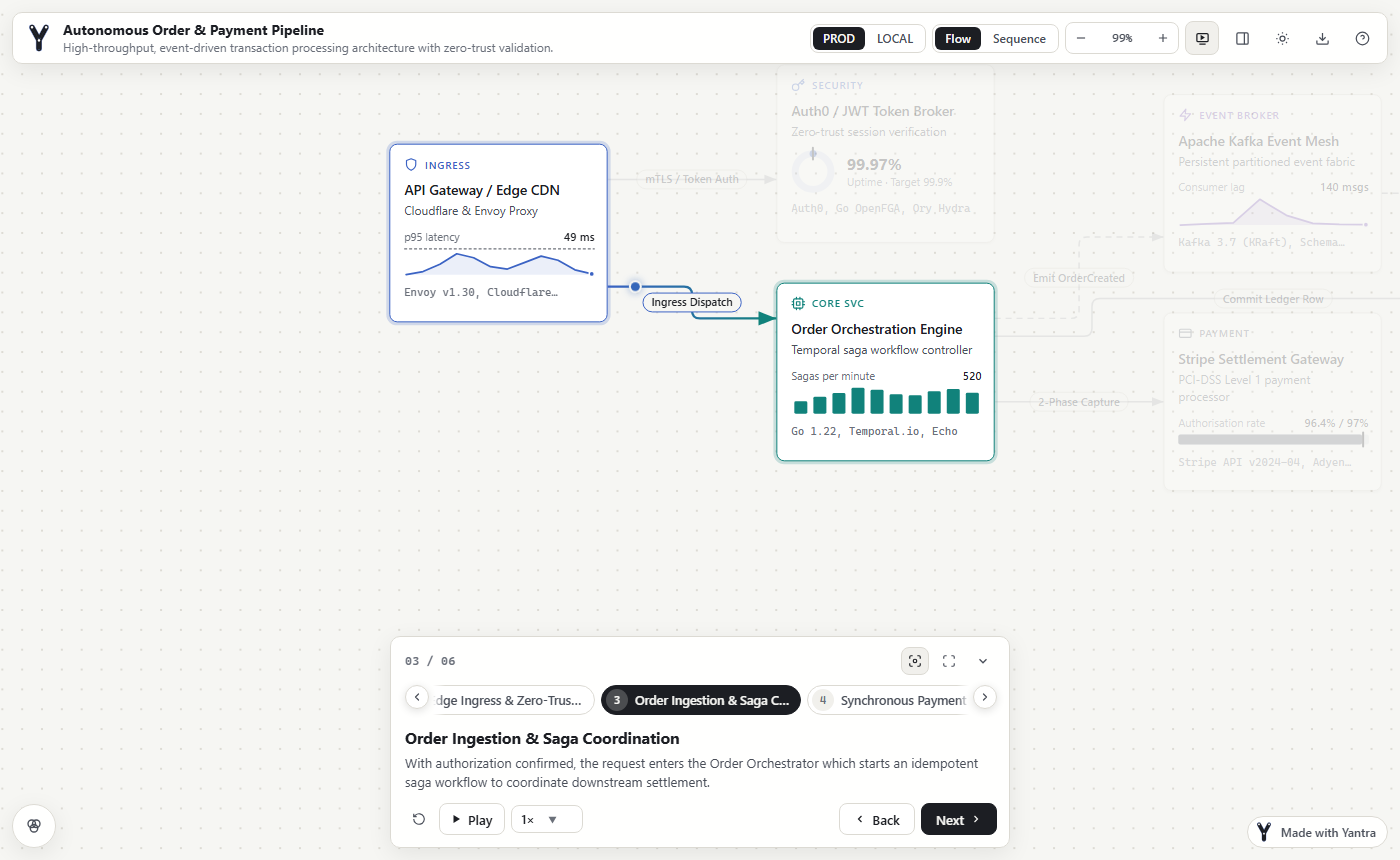
Yantra is an open-source diagram tool that turns a short JSON description into an
interactive architecture diagram, sequence diagram, flowchart, state machine, ER diagram,
org chart or mind map, or into a one-page answer with charts. It lays the diagram out, routes
the edges, checks the result with a validator and writes one HTML file that works
offline, with a walkthrough readers can step through. Use it from the command line, from
coding agents through MCP, from any AI chat through the browser playground, or from Python.
Why Yantra
- No boxes to place. Layout, edge routing and label placement are automatic; there are
no coordinates in the JSON. - A story, not just a picture. Steps highlight the cards and edges involved, with a
description for each, so a reader can follow a request, a process or a decision. - Checked before anyone sees it. The validator reports broken references, overlaps,
edges through cards and label collisions, each with a stable code an agent can fix. - One file to share. The output makes no network requests: email it, attach it to a
ticket or open it from a USB stick. SVG, PNG and Markdown exports are there too.
At a glance
One JSON format covers these kinds of diagram. Each picture links to its example.
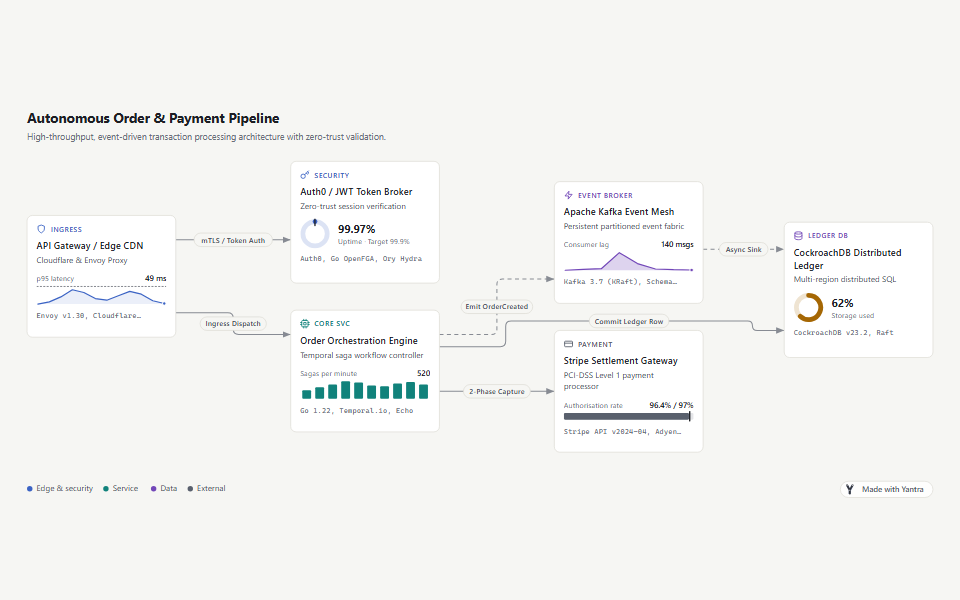 Architecture and flow |
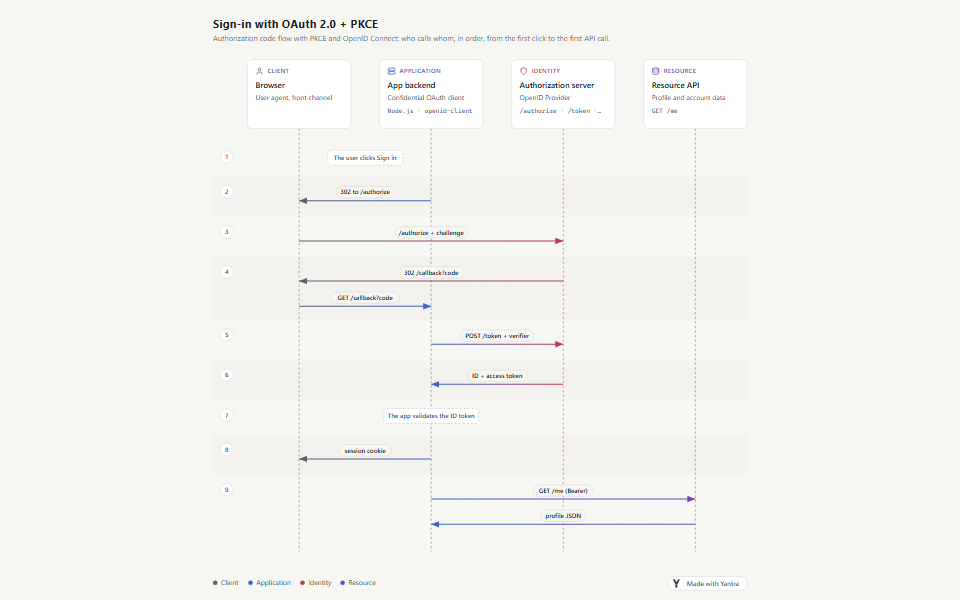 Sequence |
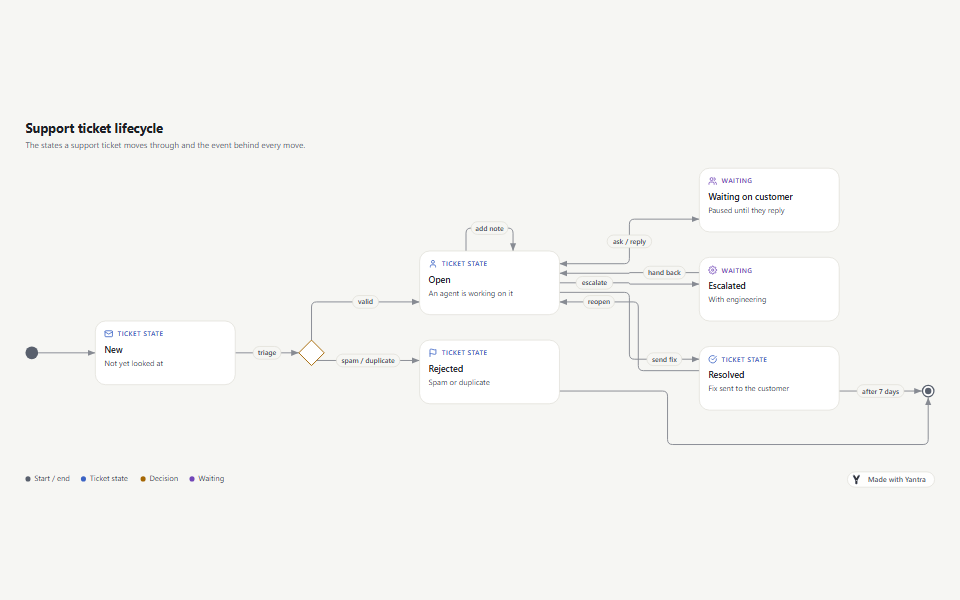 State machine |
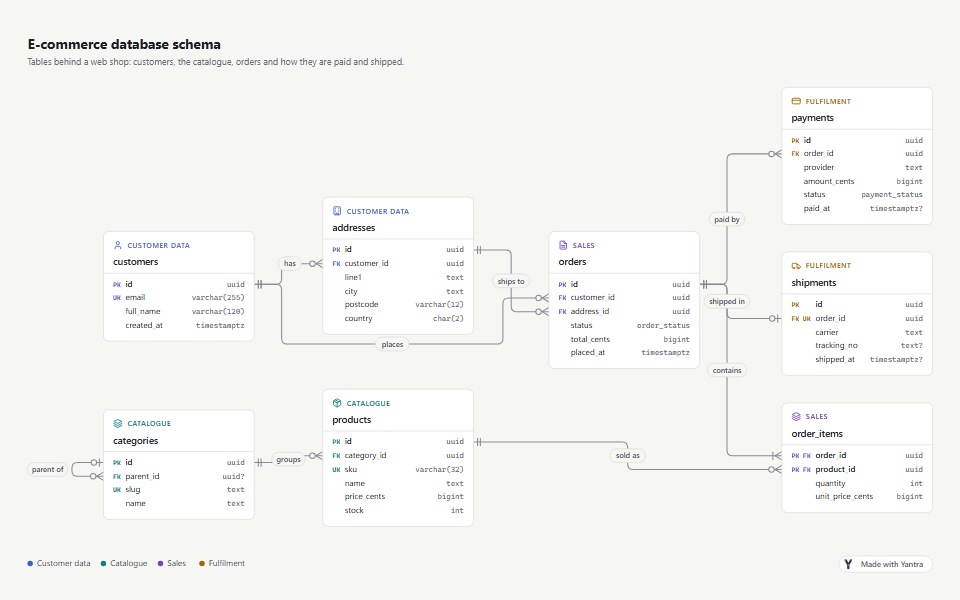 ER and class diagrams |
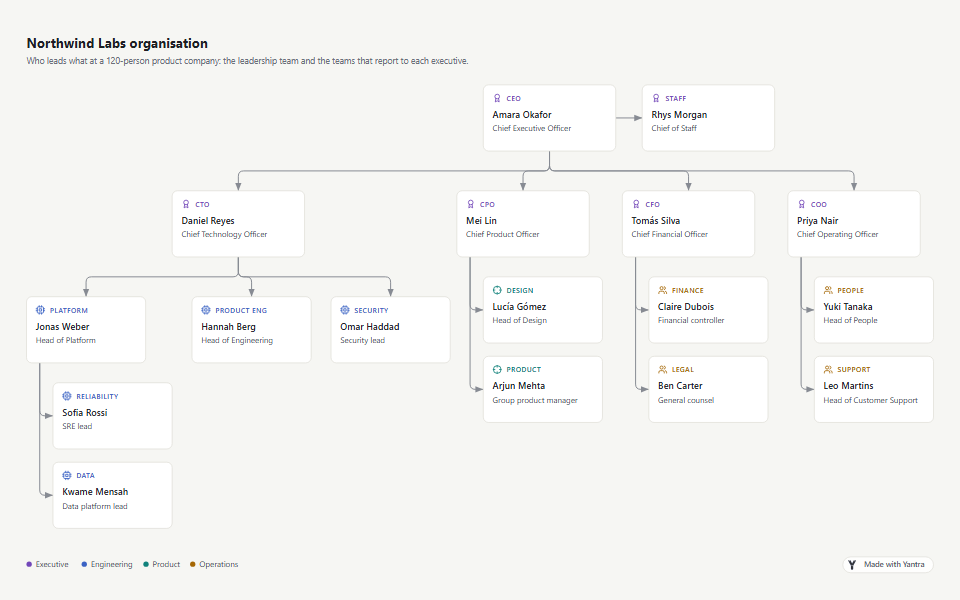 Trees and org charts |
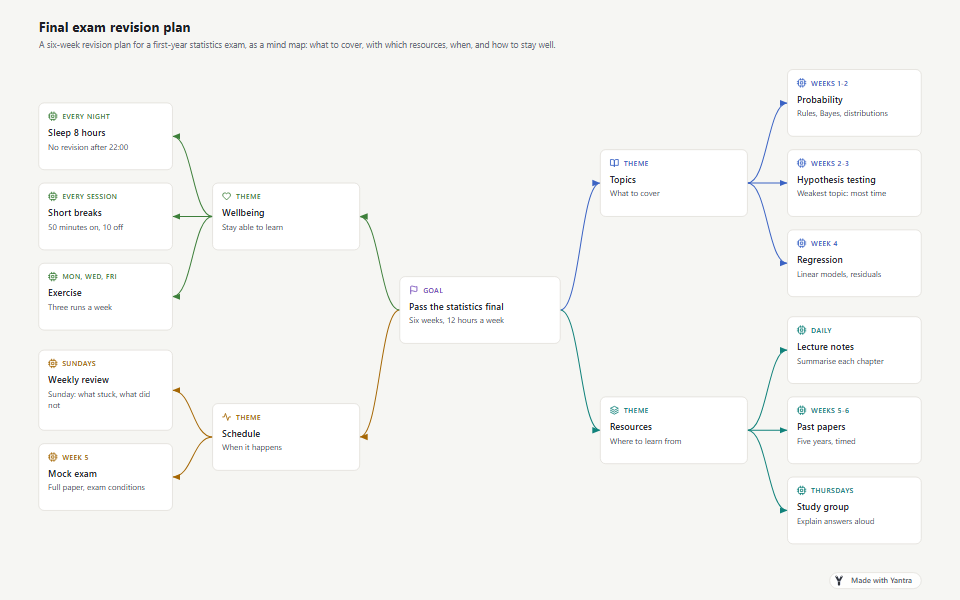 Mind maps |
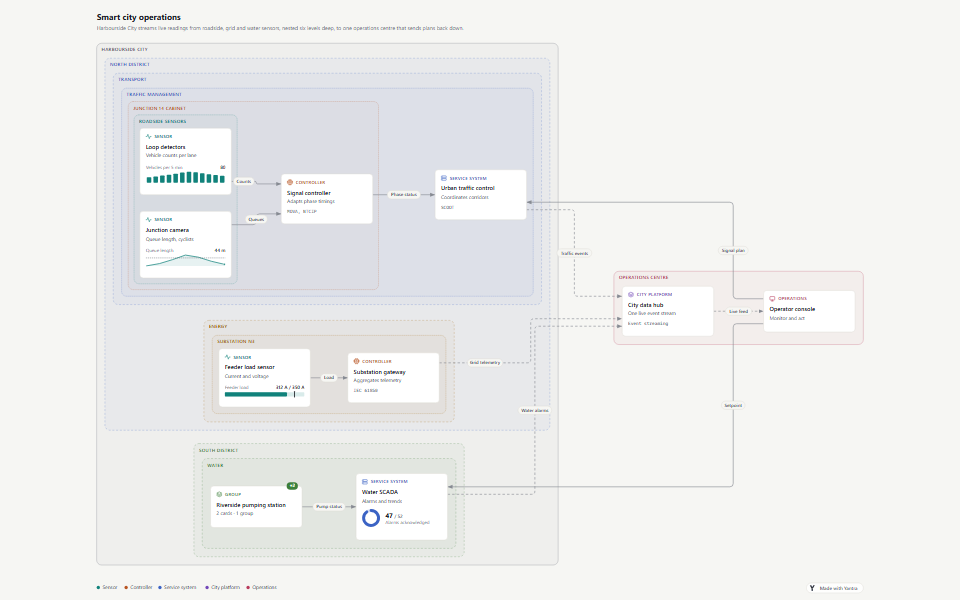 Nested groups |
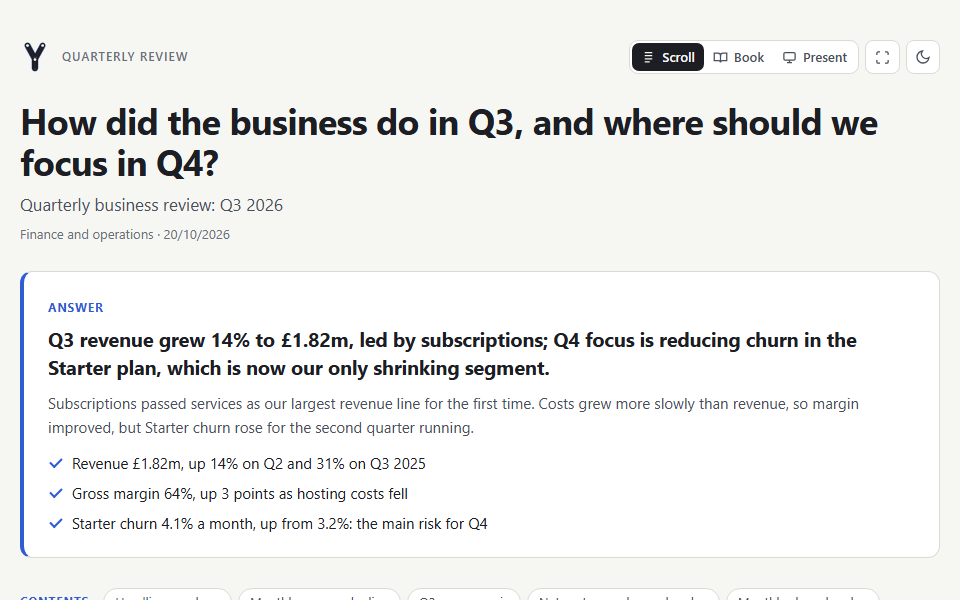 Answer pages |
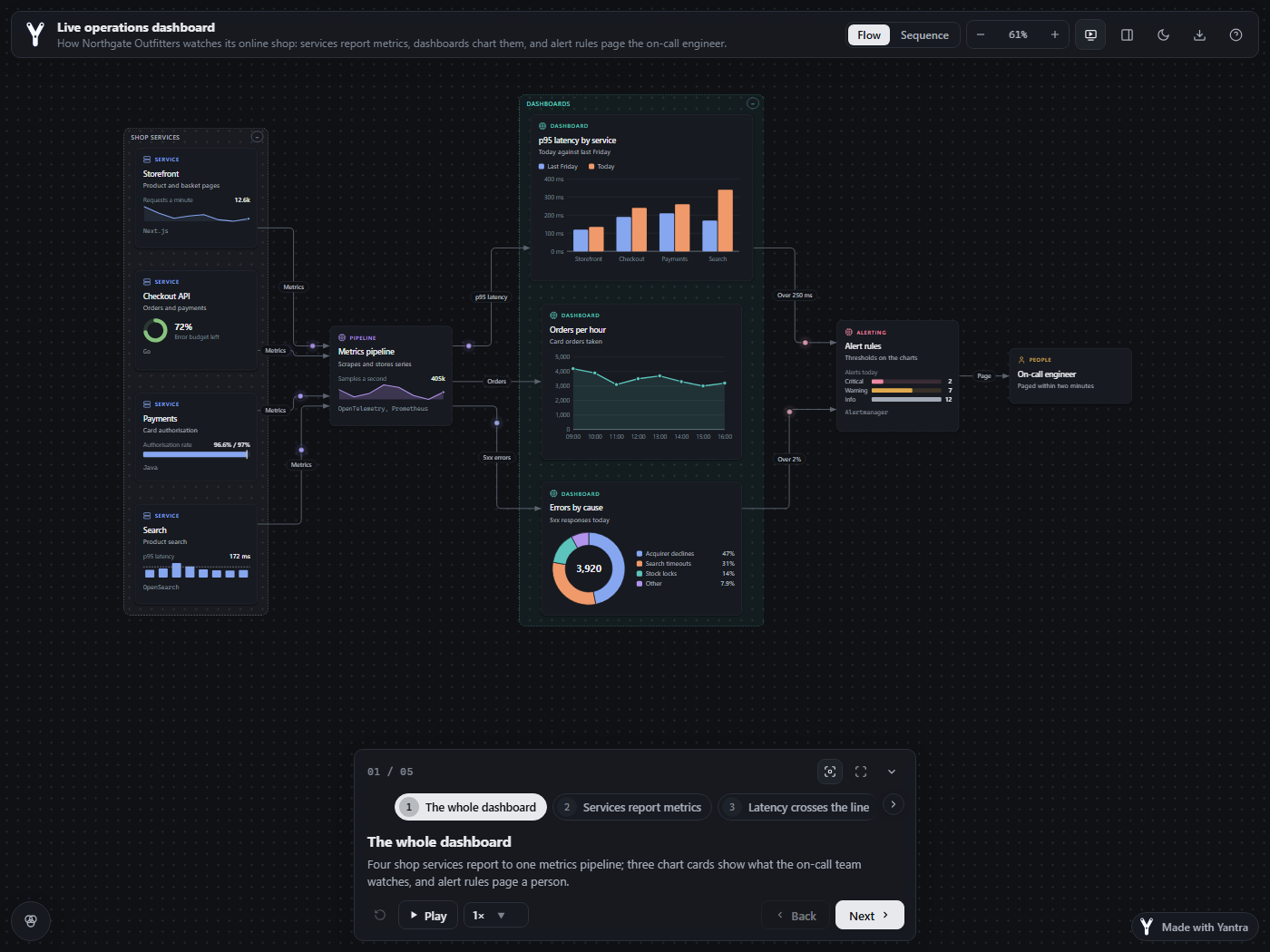 Chart cards, dark theme |
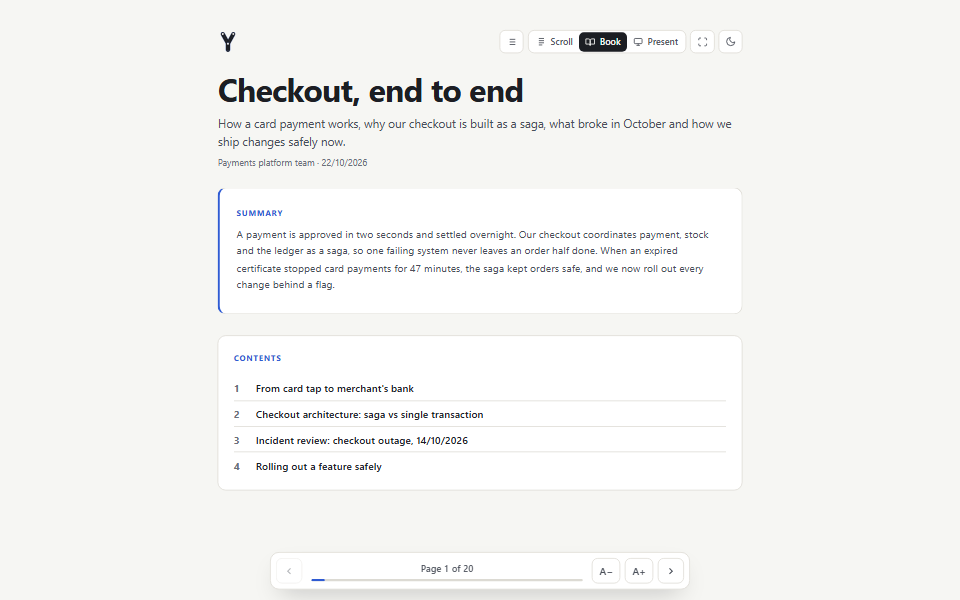 Books, read like an e-reader |
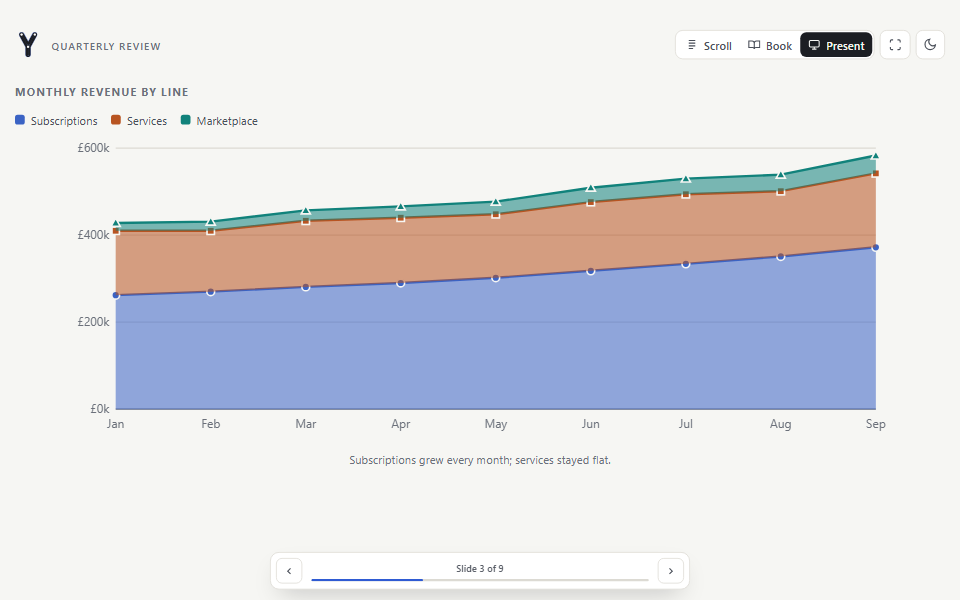 Pages as slides |
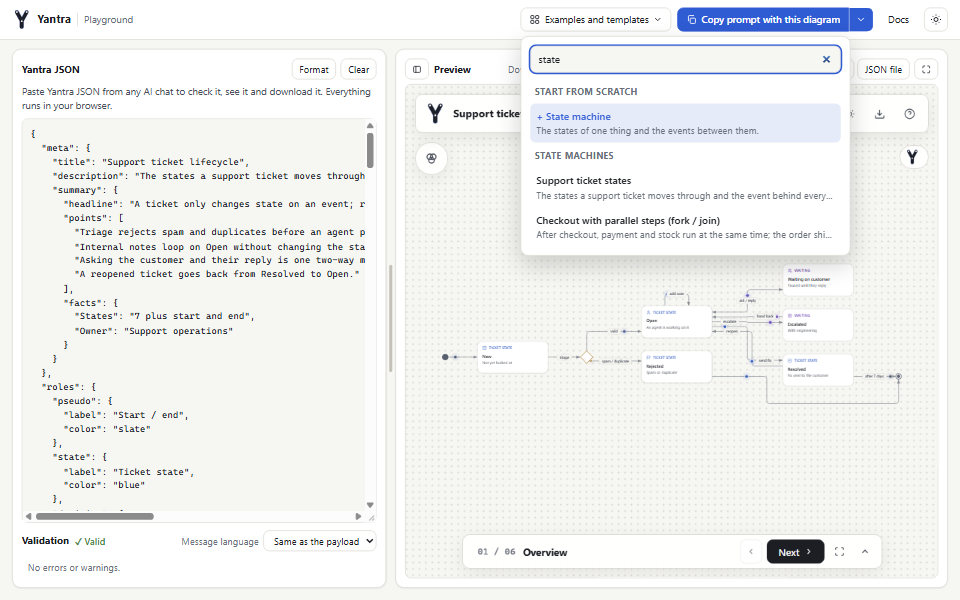 Playground: templates and preview |
Also: drill-down from an overview into detail diagrams, charts on answer pages, and modes
(for example production against local). Open any of them in the
playground from Examples and templates.
Quick start
Yantra needs Node.js 20.19 or later (22.12 or later on Node 22).
npm i -g @niyankhadka/yantra      # the `yantra` command, with a prebuilt viewer
yantra new diagram.json           # a starter diagram (--page for an answer page)
yantra validate diagram.json      # schema, references, story and rendered geometry
yantra build diagram.json         # -> diagram.html, works offline
| Without installing | Python | Set up your coding agent |
|---|---|---|
npx @niyankhadka/yantra build diagram.json |
pip install niyankhadka-yantra |
npx @niyankhadka/yantra init |
A first diagram, step by step:
Install and your first diagram.
A diagram in 20 lines
{
  "meta": { "title": "Checkout", "description": "How an order is paid and stored." },
  "nodes": [
    { "id": "web", "type": "client", "data": { "title": "Web app", "subtitle": "Customer checkout" } },
    { "id": "api", "type": "service", "data": { "title": "Orders API", "tech": "Go" } },
    { "id": "db", "type": "data", "data": { "title": "Orders DB", "tech": "PostgreSQL", "icon": "database" } }
  ],
  "edges": [
    { "id": "web-api", "source": "web", "target": "api", "label": "POST /orders" },
    { "id": "api-db", "source": "api", "target": "db", "label": "INSERT order" }
  ],
  "steps": [
    { "title": "Overview" },
    { "title": "Submit", "highlightNodes": ["web", "api"], "highlightEdges": ["web-api"] },
    { "title": "Persist", "highlightNodes": ["api", "db"], "highlightEdges": ["api-db"] }
  ]
}
Save it as checkout.json, then run yantra validate checkout.json andyantra build checkout.json. The rules, budgets and every validation code are in
Authoring diagrams; answer pages are covered in
Answer pages.
Use with your tools
Coding agents (Claude Code, Cursor, Codex, Antigravity). One command adds the Yantra
skill and MCP server to your project, so the agent can read your code and draw it:
npx @niyankhadka/yantra init          # the agents whose folders exist here, else Claude Code
npx @niyankhadka/yantra init --all    # Claude Code, Cursor, Codex and Antigravity
init writes only inside the project, never overwrites a file it did not write, merges MCP
configs and is safe to run again (--dry-run shows what it would do). Guide:
Diagrams from your codebase.
AI chats (Claude.ai, ChatGPT, Gemini and others). Nothing to install: open the
playground, press Copy prompt for your chat and
paste it into the chat. Paste the JSON it answers with back into the playground to validate
it, see it and download it. The button follows the editor: with a diagram loaded it copies
the diagram too, and with validation findings it asks the chat to fix them. Everything runs
in your browser. Guide: Use with Claude.ai, ChatGPT and any chat.
Existing diagrams. yantra import reads Mermaid, PlantUML, draw.io / diagrams.net and
Visio .vsdx files and validates the result. Guide:
Import Mermaid, PlantUML, draw.io and Visio.
Python. Build payloads in Python and let the CLI validate and build them. Guide:
Python SDK.
Features
- Layouts: layered layout with orthogonal edge routing; trees, org charts, decision
trees and mind maps; groups nested up to six levels; an optional manual layout. - Diagram kinds: flow and architecture, sequence (lifeline) view of the same payload,
state machines with fork / join and regions, ER and UML class diagrams, chart cards. - Walkthroughs: scenarios with steps, autoplay, camera follow and a present mode, opened
full, as a slim bar or switched off; folding for big diagrams; drill-down into detail
diagrams up to eight levels. - Answer pages: the conclusion first, then blocks such as points, metrics, charts,
compare, table, timeline, FAQ, checklist, gantt, matrix and embedded diagrams, side by side
in halves or thirds and grouped in sections. - Books and reading modes: several answer pages in one file, read as one long page, one
screen at a time like an e-reader, or as slides. - Charts: bar, column, line, area, pie and donut charts, sparklines, gantt plans and 2x2
or risk heat-map matrices, drawn as inline SVG with no chart library. - Sharing: one offline HTML file; SVG, PNG and Markdown exports; view state in the URL
hash; light and dark themes; print styles; your own logo. - Languages and accessibility: 18 interface languages, right-to-left layout for Arabic,
Hebrew, Persian and Urdu, full keyboard control and contrast tests on the theme. - For agents: a validator with stable codes, a CLI, an MCP server (stdio and Streamable
HTTP), an agent skill and a Python SDK.
| Command | What it does |
|---|---|
yantra validate <file.json> [--json] [--lang xx] |
Check schema, references, story and rendered geometry. Exits with code 1 on errors. |
yantra build <file.json> [-o out.html] [--force] |
Validate, then write a single offline HTML file. |
yantra export <file.json> -f svg|md [-o file] |
Static SVG (diagrams) or Markdown (diagrams and pages). |
yantra screenshot <file.json|page.html> [-o out.png] |
PNG through the local Chrome or Edge (YANTRA_BROWSER overrides). |
yantra new <file.json> [--page|--book|--kind k] |
Write a starter diagram, answer page or book (--kind: flow, sequence, state, er, class, tree, mindmap, page, book). |
yantra import <file> [-o out.json] |
Convert Mermaid, PlantUML, draw.io or Visio, then validate. |
yantra examples [name] [-o file] |
List the built-in examples, or copy one. |
yantra init [--claude] [--cursor] [--codex] [--antigravity] [--all] |
Set up a project for coding agents: skill, MCP server, rules. Also [--dir path] [--force] [--dry-run] [--json] [--windows|--posix]. |
yantra schema [diagram|page|book] |
Print the JSON Schema for diagrams, answer pages or books. |
yantra docs [authoring|pages|books|mermaid|import|agents] |
Print a guide. |
yantra mcp [--http] |
Start the MCP server on stdio, or over Streamable HTTP with --http [--port 8787] [--host 127.0.0.1]. |
yantra dev |
Start the live viewer at http://localhost:3000 (from a clone after npm install, or with vite installed next to the package). |
| Option | Commands | Meaning |
|---|---|---|
--json |
validate | Machine-readable output. |
--lang xx |
validate | Messages in a built-in language (es, ja, ar...); auto uses meta.lang. Codes stay the same. |
--force |
build | Build even when validation reports errors. |
--theme light|dark |
export, screenshot | Theme to draw. |
--mode id |
export | One of the diagram's modes. |
--view flow|sequence |
export, screenshot | Flow graph or sequence diagram. |
--step n |
export, screenshot | Highlight walkthrough step n (1-based). |
--level id |
export, screenshot | A detail diagram (drill-down level) instead of the overview. |
--all-levels |
export (-f md) |
Append every detail diagram after the overview. |
--collapsed a,b |
build, export, screenshot | Open with these subtrees or groups folded, instead of meta.layout.collapsed. |
--expand-all |
build, export, screenshot | Open with nothing folded. |
--depth n |
build, export, screenshot | Fold to depth n: n levels of boxes or tree levels stay open. |
--focus group |
screenshot | Zoom the camera to a group, unfolding it and the boxes around it. |
--width, --height |
screenshot | Viewport size; --width 390 shows a page at phone width. |
--from mermaid|drawio|plantuml|visio |
import | Force the source format. |
--page n|name |
import | draw.io or Visio page to import (default: the first). |
--title "..." |
import | Title of the imported diagram. |
--all |
import | Import every page or diagram block. |
From a clone without npm link, use node bin/yantra.js in place of yantra.
yantra mcp (or node mcp/server.js) speaks MCP over stdio; yantra init registers it for
your agents. Tools: yantra_get_schema, yantra_list_examples, yantra_get_example,yantra_validate, yantra_build, yantra_export, yantra_import, yantra_import_mermaid
and yantra_screenshot. File access is sandboxed to YANTRA_INPUT_ROOT andYANTRA_OUTPUT_ROOT (both default to the server's working directory).
yantra mcp --http serves the same tools over Streamable HTTP for clients that connect by
URL, such as Claude.ai and ChatGPT connectors. You host it; see
Remote MCP server. Manual setup for every agent
and Claude Desktop: Coding agents.
Press ? in a diagram to see the keys that work there.
| Key | Action | Key | Action |
|---|---|---|---|
→ / Space, ← |
Next / previous step | Home / End |
First / last step |
P |
Play / pause | C |
Camera follows steps |
S |
Collapse the walkthrough | 1-9 |
Switch scenario |
W |
Walkthrough on / off | ||
V |
Flow / sequence view | M |
Next mode |
I |
Inspector | L |
Roles legend |
T |
Light / dark | F |
Full screen |
X |
Fold / unfold the selected branch | 1-6, 0 |
Fold to depth, open everything (Shift with several scenarios) |
D |
Open the card's detail diagram | G |
Zoom to the selected card's group |
+ / -, R |
Zoom, fit to screen | Esc |
Clear selection, then back up a level |
The view state is mirrored in the URL hash, for example#level=payments&step=3&mode=dev&view=sequence&theme=dark (story=off hides the walkthrough), so a link reopens the same view.
Examples
examples/ holds 25 diagrams,
13 answer pages and 7 chart pages, plus import samples for Mermaid, PlantUML, draw.io and
Visio. Every example validates with no warnings. yantra examples lists them andyantra examples oauth-login -o oauth.json copies one. Companies and data in the examples
are fictional.
Documentation
The reference pages are the files in docs/,
so they match the release you are reading.
Development
git clone https://github.com/niyankhadka/yantra.git
cd yantra
npm install
npm run dev          # viewer with every example at http://localhost:3000
npm test             # Node test suite
npm run dev:site     # website and playground at http://localhost:3001/
Python SDK tests: pip install -e python/, thenpython -m unittest discover -s python/tests. Setup, layout of the repository and the
rules the tests enforce are in the
contributing guide.
Contributing and support
- Contributing guide: setup, tests and pull requests.
- Support: where to ask questions and report bugs.
- Security policy: report vulnerabilities privately.
- Code of conduct.
If Yantra is useful to you, you can buy me a coffee,
star the repository, or keep the "Made with Yantra" badge in your diagrams
(meta.watermark: false hides it).
Licence
MIT © niyankhadka. The licence
covers the code; the Yantra name and logo are covered by the
trademark policy.
Reviews (0)
Sign in to leave a review.
Leave a reviewNo results found