browser-pilot
Health Warn
- License — License: Apache-2.0
- Description — Repository has a description
- Active repo — Last push 0 days ago
- Low visibility — Only 7 GitHub stars
Code Warn
- network request — Outbound network request in backend/app/auth/routes.py
Permissions Pass
- Permissions — No dangerous permissions requested
This tool provides remote browser automation for AI agents, spinning up isolated Chrome sessions within Docker containers. It allows developers to control these browser instances via a REST API, CLI, or a built-in web interface.
Security Assessment
Overall Risk: Medium. The tool is designed to execute browser automation and interact with web pages, inherently making outbound network requests. A flagged network request in the authentication module (`routes.py`) warrants a manual code review to ensure it does not leak credentials to external servers. Additionally, the backend requires mounting the Docker socket, which gives the application the ability to spawn and control sibling containers dynamically. While no hardcoded secrets or explicitly dangerous host permissions were found, mounting the Docker socket grants implicit high-level access to the host system. The "anti-bot stealth" features also mean the tool is actively designed to spoof fingerprints and bypass web security measures.
Quality Assessment
The project is very new and currently has low community visibility with only 7 GitHub stars, meaning it has not been broadly battle-tested. However, it is actively maintained with very recent updates. It uses the standard Apache-2.0 license and includes comprehensive documentation with a clear, readable architecture guide.
Verdict
Use with caution—while the packaging and licensing are professional, the low community engagement and high inherent system privileges (Docker socket access) require you to inspect the code closely before deploying.
Browser-as-infrastructure for AI agents. Isolated Chrome sessions with anti-bot stealth and full control via REST API / CLI / Web UI.
browser-pilot
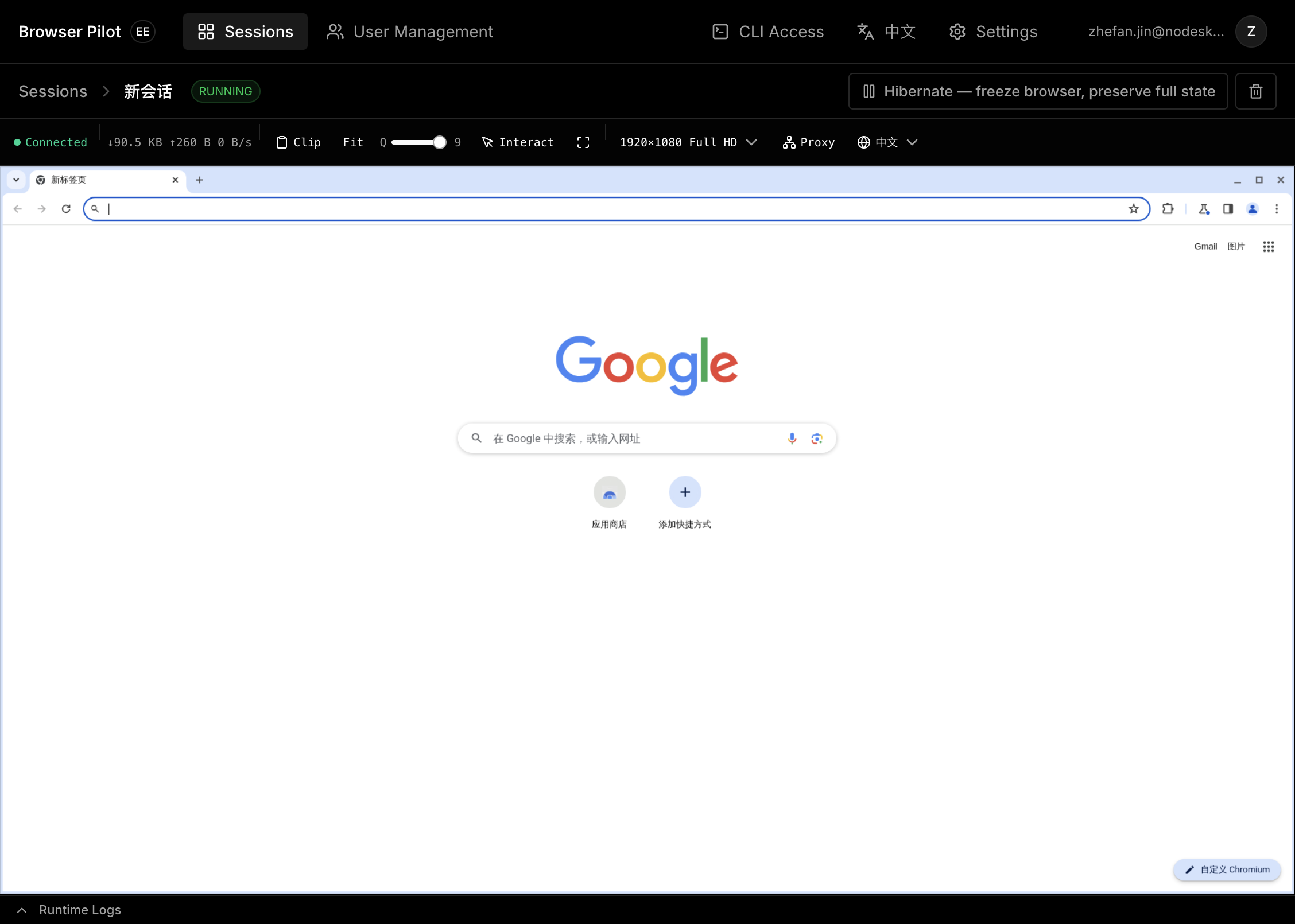
Remote browser automation for AI Agents. Each session runs in an isolated Docker container with Chrome, Selenium, anti-bot stealth, and a noVNC viewer — controllable via REST API, CLI, or the built-in web UI.
Quick Start
Requires Docker (with Compose v2).
git clone https://github.com/NoDeskAI/browser-pilot.git
cd browser-pilot

# Build all images and start services
docker compose build && docker compose up -d
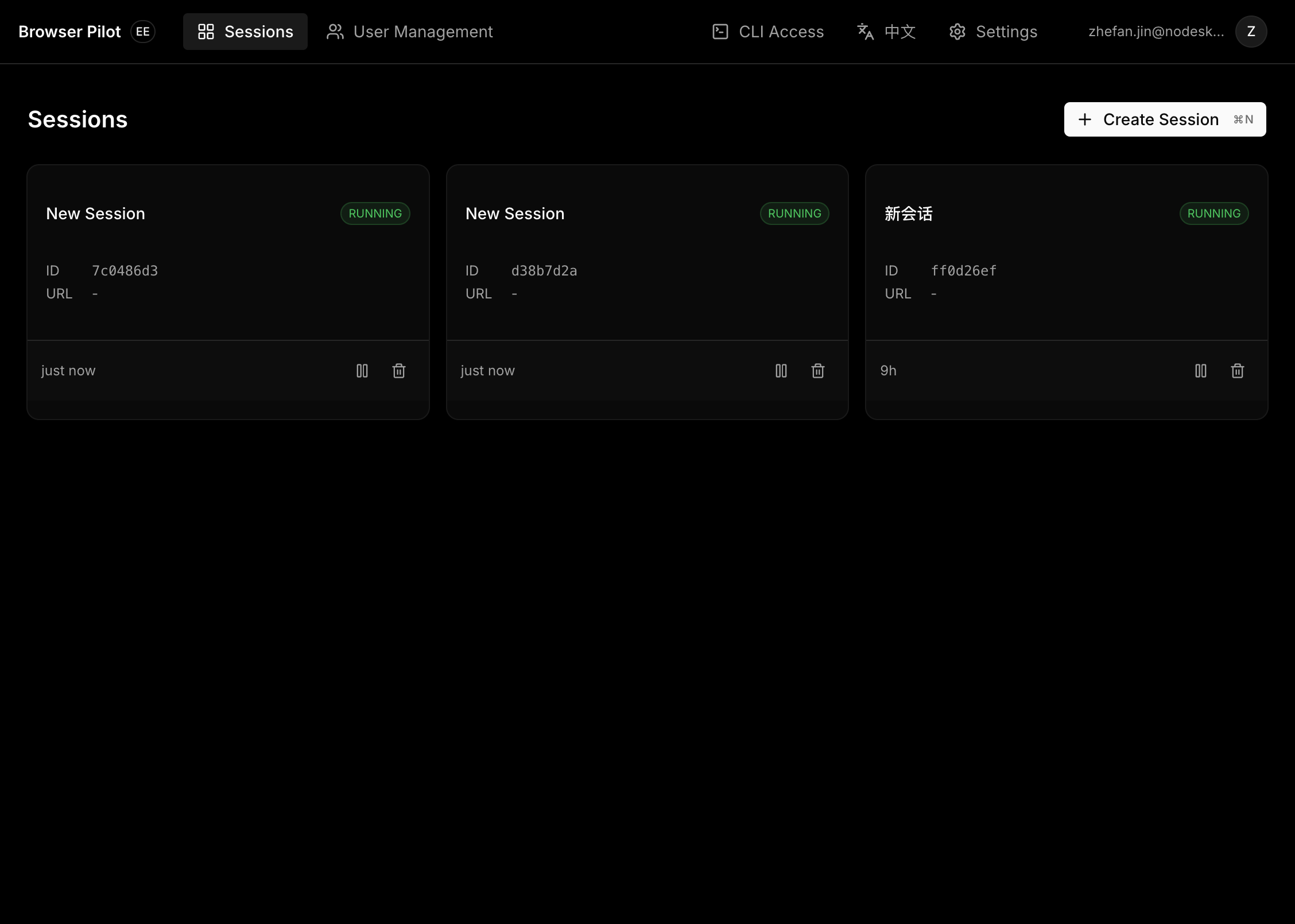
Open http://localhost:8000 — you'll see the web UI with session management and a live browser viewer (noVNC).
Apple Silicon / ARM users
Before building, create a .env file:
echo 'SELENIUM_BASE_IMAGE=seleniarm/standalone-chromium:latest' > .env
CLI
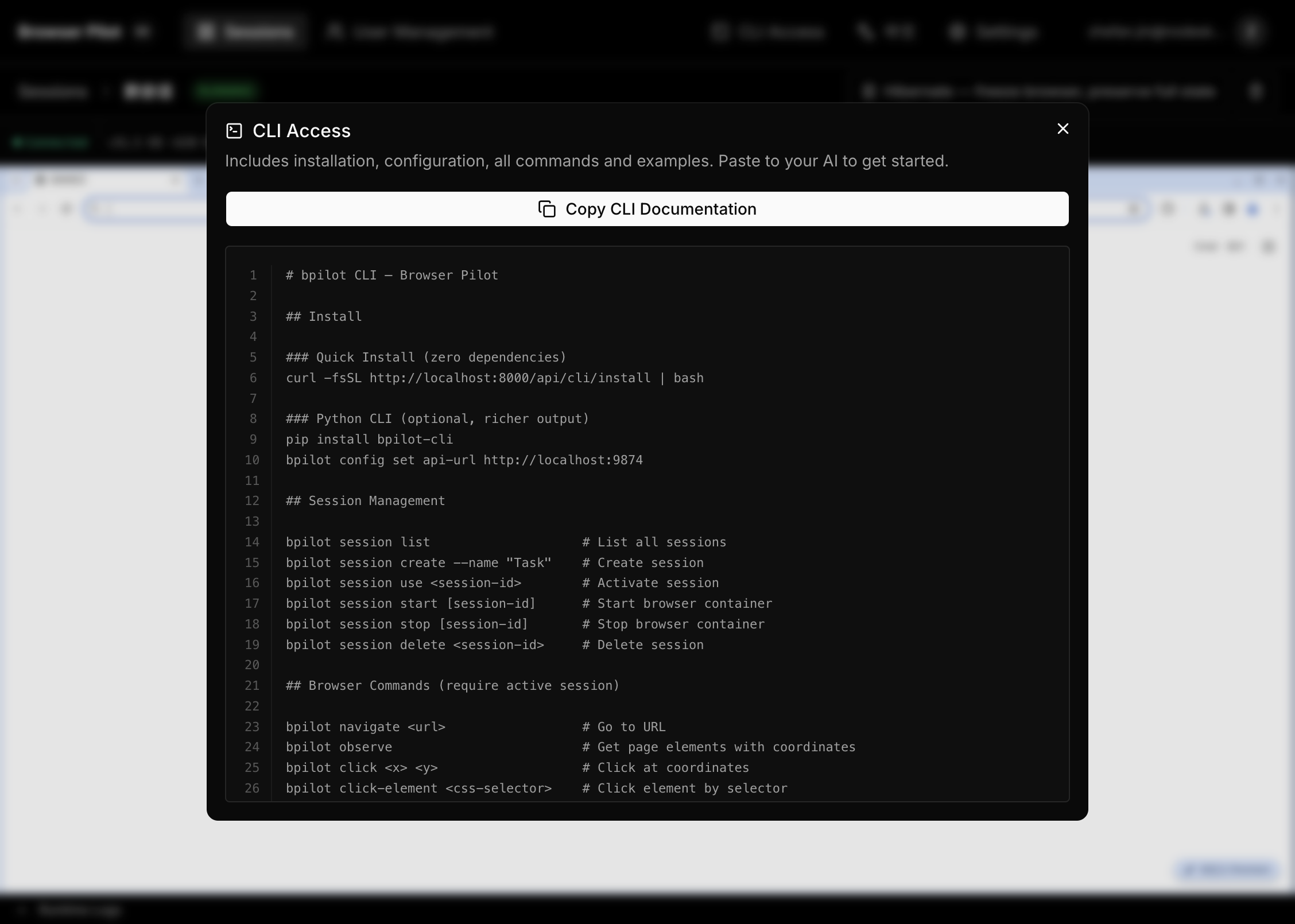
Install the bpilot command-line tool to drive the browser from your terminal or integrate with external Agent frameworks like OpenClaw. The web UI includes a CLI Access button that generates a ready-to-paste command reference for your AI agent.
pip install bpilot-cli           # from PyPI
# or
pip install ./cli             # from source
Configure and use:
bpilot config set api-url http://localhost:8000

bpilot session create --name "My Task"
bpilot session create --name "Mobile" --device iphone-16
bpilot session create --name "Proxied" --proxy socks5://host:port
bpilot session use <session-id>

bpilot session set-device iphone-16    # switch device (restarts container)
bpilot session set-proxy socks5://h:p  # set proxy (restarts container)

bpilot navigate https://example.com
bpilot observe                    # see page elements with coordinates
bpilot click 640 380              # click at coordinates
bpilot type "hello world"         # type into focused input
bpilot screenshot --output page.png
Add --json for machine-readable output (for AI Agents).
Architecture
graph TB
  subgraph compose ["docker compose up"]
    Backend["backend:8000 — FastAPI + Web UI"]
    Postgres["postgres:5432"]
  end
  subgraph dynamic ["Created on demand"]
    B1["bp-xxx — Chrome + Selenium"]
    B2["bp-yyy — Chrome + Selenium"]
  end
  User["Browser"] -->|"http://localhost:8000"| Backend
  User -->|"VNC WebSocket"| B1
  CLI["bpilot CLI"] -->|"REST API"| Backend
  Backend -->|"Docker socket"| dynamic
  Backend --> Postgres
Each browser session gets its own Docker container with:
- Isolated Chrome instance with anti-bot stealth (fingerprint spoofing, human-like input patterns)
- Selenium WebDriver for automation
- noVNC (port 7900) for live viewing
- CDP event logger for debugging
- Device presets: Switch between desktop resolutions (1920×1080 to 1280×720) and mobile device emulation (iPhone, iPad, Galaxy, Pixel) with automatic UA and viewport switching
- Per-session proxy: Configure HTTP/HTTPS/SOCKS4/SOCKS5 proxy per session, changeable at any time via the UI or CLI
Development
For local development without Docker for the backend:
cp .env.example .env
# Edit .env as needed (ARM users: uncomment SELENIUM_BASE_IMAGE)

./start.sh          # foreground mode (Ctrl+C to stop)
./start.sh -d       # background daemon mode
./start.sh stop     # stop background processes
./start.sh status   # check process status
This starts PostgreSQL in Docker, builds the Selenium image, and runs the backend (uvicorn, port 8000) + frontend dev server (Vite, port 9874) on the host.
Configuration
| Variable | Default | Description |
|---|---|---|
DATABASE_URL |
postgresql://bpilot:bpilot@localhost:5432/bpilot |
PostgreSQL connection string |
SELENIUM_BASE_IMAGE |
selenium/standalone-chrome:latest |
Base image for browser containers. ARM users: seleniarm/standalone-chromium:latest |
DOCKER_HOST_ADDR |
localhost |
How the backend reaches browser containers. Set to host.docker.internal in Docker deployment (auto-configured by docker-compose) |
OPENAI_API_KEY |
— | Optional. When set, uses LLM to auto-name sessions on first navigation. Without it, sessions are named by page title. |
LOG_LEVEL |
INFO |
Backend log verbosity. Set to DEBUG for troubleshooting. |
Security
The Docker Compose deployment mounts /var/run/docker.sock into the backend container, giving it full control over the host Docker daemon. Do not expose this service on untrusted networks. Use a reverse proxy with authentication if deploying remotely.
License
Apache License 2.0 — see LICENSE.
Reviews (0)
Sign in to leave a review.
Leave a reviewNo results found