better-code
Health Pass
- License — License: Apache-2.0
- Description — Repository has a description
- Active repo — Last push 0 days ago
- Community trust — 15 GitHub stars
Code Pass
- Code scan — Scanned 12 files during light audit, no dangerous patterns found
Permissions Pass
- Permissions — No dangerous permissions requested
This tool is a local-first Electron desktop application that provides a user interface for AI-powered coding. It allows developers to manage multiple AI providers, run isolated code sessions, and track file changes.
Security Assessment
Overall Risk: Medium. The application inherently processes sensitive data, as it acts as a wrapper for AI assistants like Claude and OpenAI. To function properly, it executes shell commands via an integrated terminal and interacts with the local filesystem. It also requires outbound network requests to communicate with external AI provider APIs. No hardcoded secrets or dangerous permission requests were found in the codebase. The developers explicitly claim a "Zero Analytics" policy, meaning no telemetry or user data is collected. However, as an early-stage Electron app (v0.0.15) that bundles and executes code, you should still run it in a controlled environment.
Quality Assessment
The project is actively maintained, with its most recent code push occurring today. It uses the permissive Apache-2.0 license and provides a solid README with clear build instructions and feature documentation. Community trust is currently low but growing, indicated by 15 GitHub stars. A light code scan of 12 files found no dangerous patterns or malicious code.
Verdict
Safe to use, though you should monitor the API keys you provide to the tool and be mindful of the commands its AI agents execute.
Better UI for Claude Code | OpenCode | Codex
BetterCode
UI for parallel work with AI agents -- a local-first Electron desktop app for AI-powered code assistance with multi-provider support.





Download | Documentation | Contributing
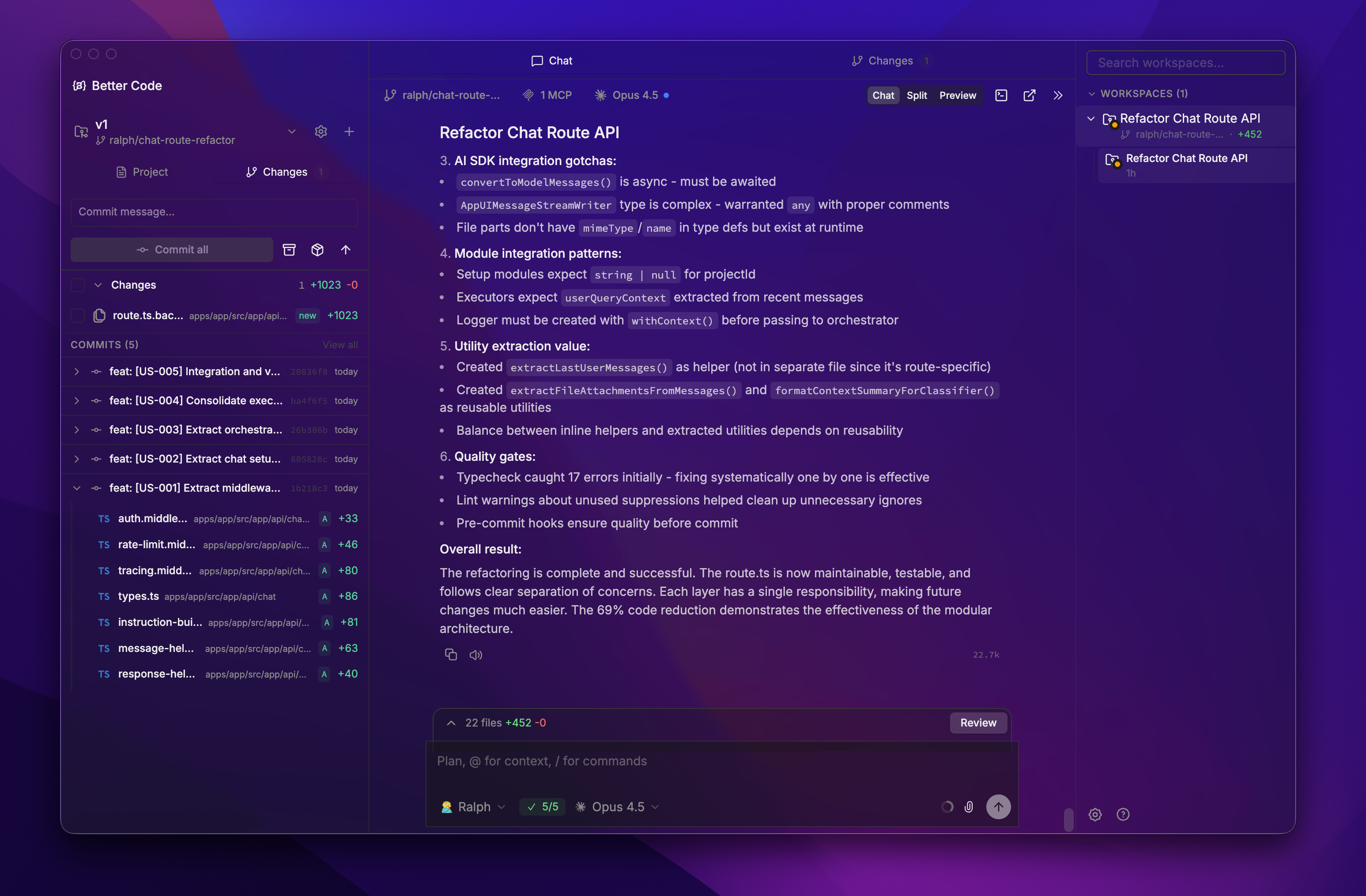
Start screen.
Screenshots
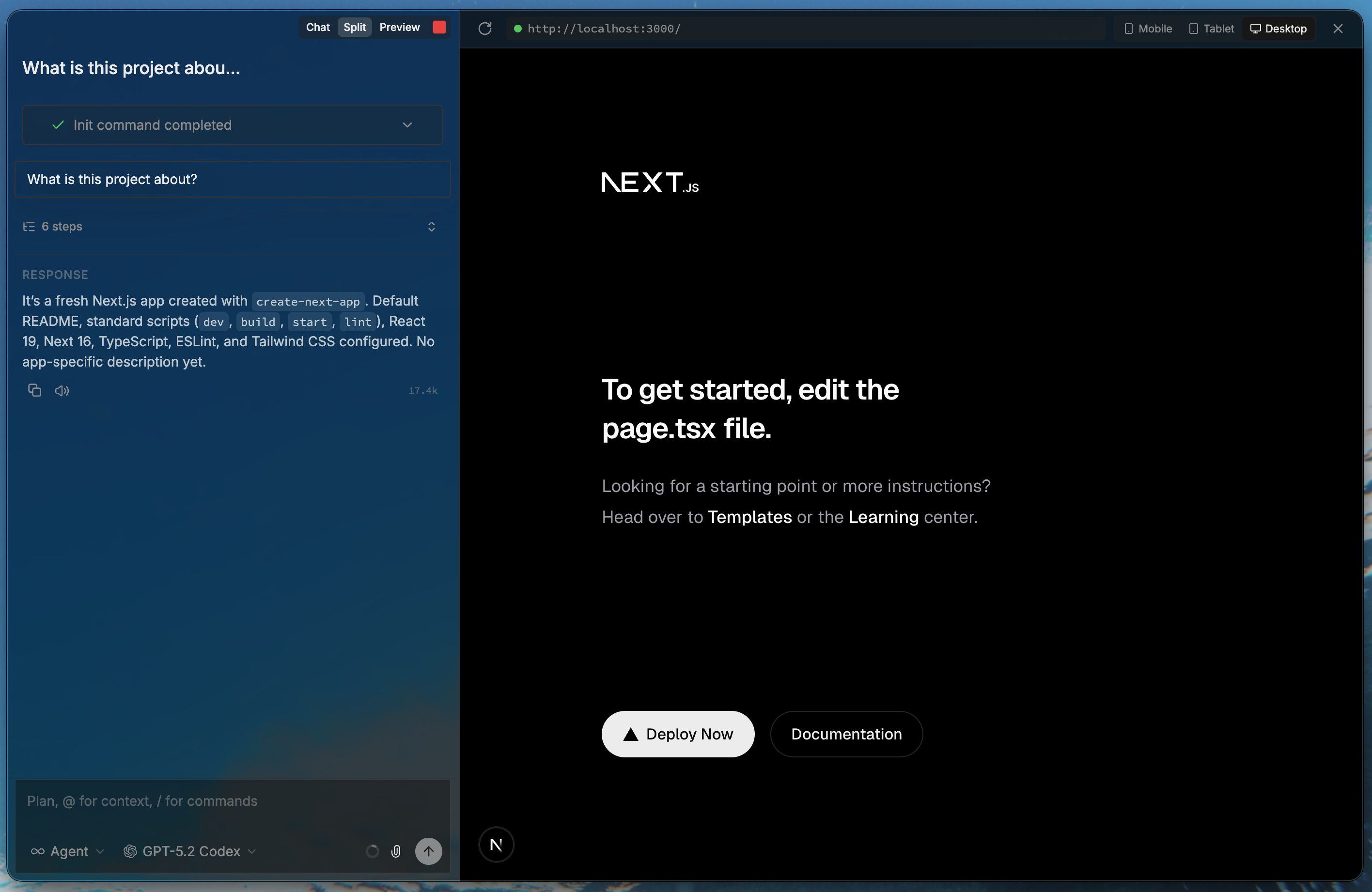
Browser integration.
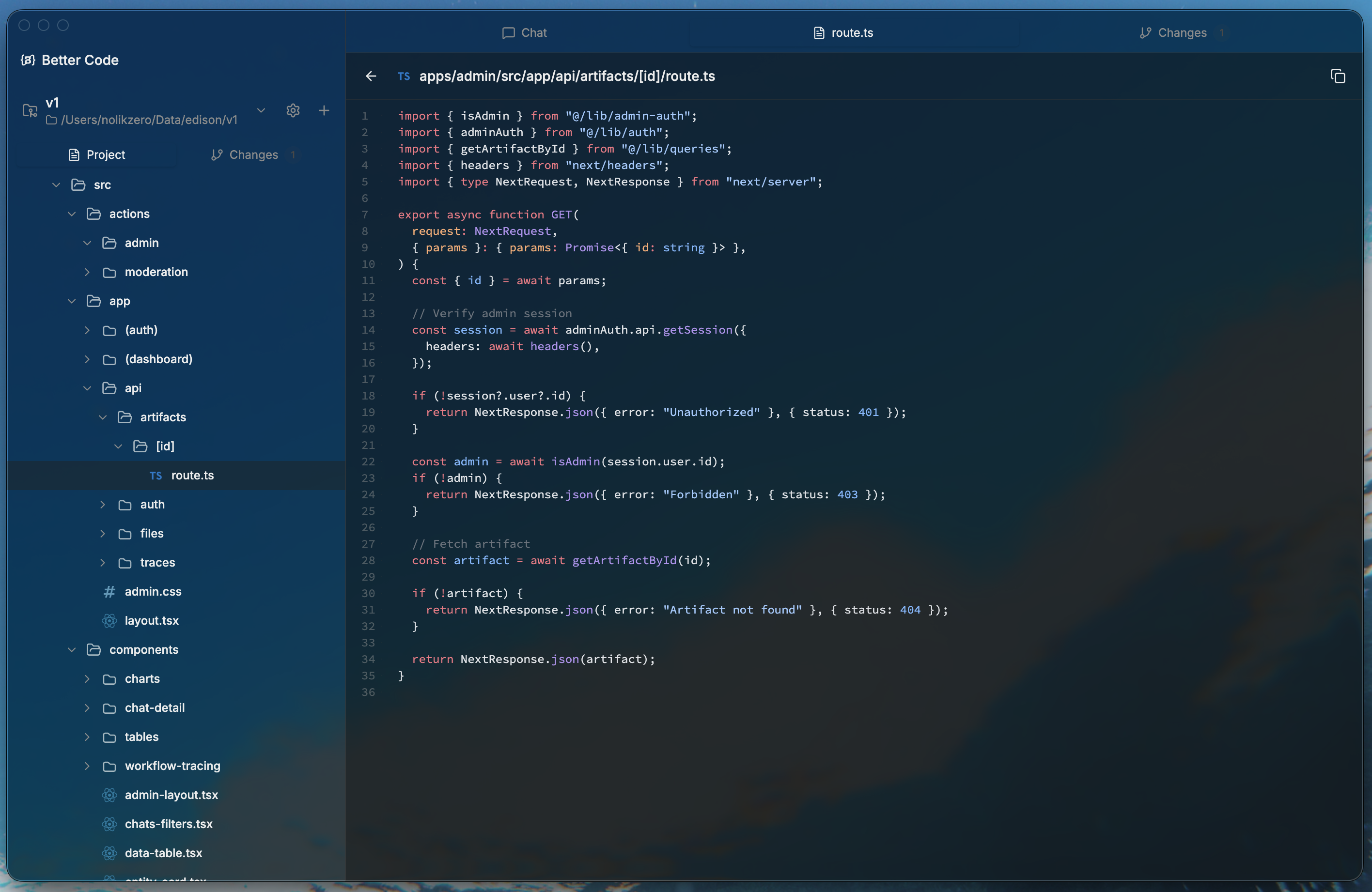
View project files.
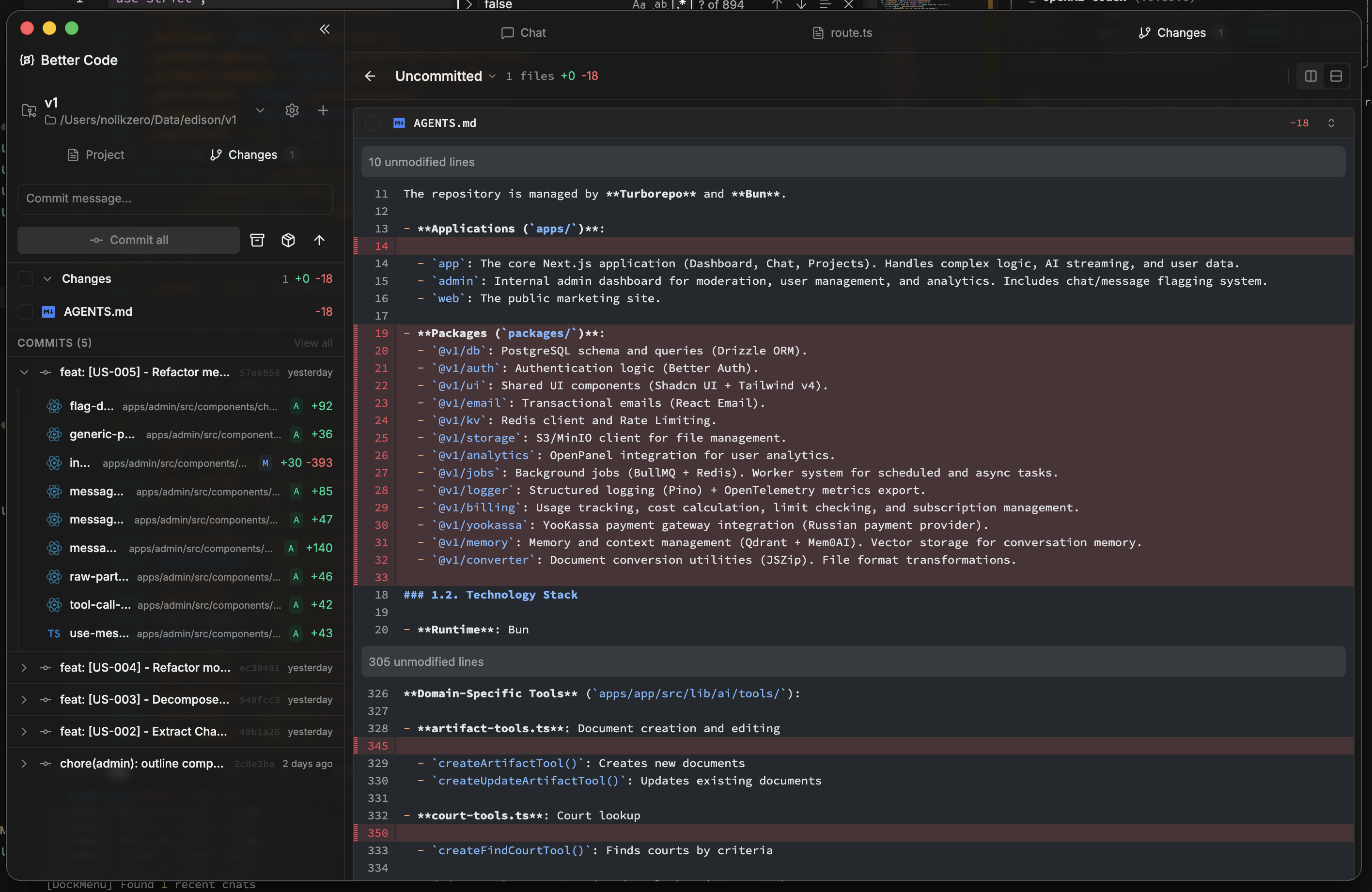
Viewing diff changes.
Features
AI-Powered Coding
- Multi-Provider Support -- Use Claude, OpenAI Codex, or OpenCode as your AI backend
- Plan and Agent Modes -- Switch between read-only analysis (Plan) and full code execution permissions (Agent)
- Ralph Mode -- Autonomous coding sessions with minimal user input
- Session Resume -- Continue conversations across app restarts with full context preservation
Development Tools
- Integrated Terminal -- Full xterm-based terminal with multiple panes and session persistence
- Real-time Tool Execution -- Watch bash commands, file edits, and web searches execute live
- Git Worktree Isolation -- Each chat session runs in its own isolated Git worktree for safe experimentation
- Change Tracking -- Visual diffs, file change tracking, and PR management
Project Management
- Project Linking -- Link local folders with automatic Git remote detection for GitHub, GitLab, and Bitbucket
- VSCode Theme Support -- Import and apply your favorite VSCode themes with builtin theme options
- Cross-Platform -- Native builds for macOS, Linux, and Windows (experimental)
Privacy
- Zero Analytics -- No telemetry, no data collection, fully local-first
Installation
Download Release
Download the latest release for your platform from the Releases page.
| Platform | Formats |
|---|---|
| macOS (Apple Silicon) | DMG, ZIP |
| Linux (x64, arm64) | AppImage, DEB, RPM |
| Windows (x64) | NSIS installer |
Build from Source
Prerequisites:
- Bun package manager
- Node.js 18+ (for native module compilation)
- macOS: Xcode Command Line Tools (
xcode-select --install) - Linux: Build essentials (
build-essential,python3) - Windows: Visual Studio Build Tools
git clone https://github.com/Nolikzero/better-code.git
cd better-code
bun install
bun run build
bun run package:mac      # or package:win, package:linux
Development Setup
git clone https://github.com/Nolikzero/better-code.git
cd better-code
bun install
bun run dev              # Start with hot reload
Quick Start
- Launch the app -- Open BetterCode after installation
- Complete onboarding -- Sign in with your Claude account or configure your preferred AI provider
- Add a project -- Click "Add Project" and select a local folder (Git repos are auto-detected)
- Start chatting -- Choose Plan or Agent mode and begin your coding session
Architecture
┌─────────────────────────────────────────────────────────────┐
│                    Electron Application                     │
├─────────────────┬─────────────────┬─────────────────────────┤
│  Main Process   │     Preload     │   Renderer Process      │
│  (Node.js)      │  (IPC Bridge)   │      (React 19)         │
├─────────────────┼─────────────────┼─────────────────────────┤
│ • tRPC Routers  │ • Context       │ • Tailwind CSS 4        │
│   (15 routers)  │   Isolation     │ • Radix UI Components   │
│ • SQLite +      │ • desktopApi    │ • Jotai + Zustand       │
│   Drizzle ORM   │   Exposure      │ • React Query           │
│ • Git Ops +     │                 │ • xterm Terminal        │
│   Worktrees     │                 │ • Shiki Highlighting    │
│ • AI Providers  │                 │                         │
│   (3 providers) │                 │                         │
│ • Terminal PTY  │                 │                         │
└─────────────────┴─────────────────┴─────────────────────────┘
For detailed architecture documentation, see CLAUDE.md.
AI Providers
BetterCode supports multiple AI backends through a unified provider interface:
| Provider | SDK | Description |
|---|---|---|
| Claude | @anthropic-ai/claude-agent-sdk |
Anthropic Claude with full tool use |
| Codex | @openai/codex-sdk |
OpenAI Codex for code generation |
| OpenCode | @opencode-ai/sdk |
OpenCode AI provider |
Providers can be switched per-chat and support both Plan mode (read-only) and Agent mode (full execution permissions).
Tech Stack
| Layer | Technologies | Version |
|---|---|---|
| Desktop | Electron, electron-vite, electron-builder | 40.0.0 |
| Frontend | React, TypeScript, Tailwind CSS | 19.2.3, 5.9.3, 4.1.18 |
| Components | Radix UI, Lucide icons, Motion | -- |
| State | Jotai, Zustand, React Query | 2.16.2, 5.0.10, 5.x |
| Backend | tRPC, Drizzle ORM, better-sqlite3 | 11.8.1, 0.45.1, 12.x |
| AI | Claude Agent SDK, Codex SDK, OpenCode SDK, Vercel AI SDK | -- |
| Terminal | xterm, node-pty | 6.0.0, 1.1.0 |
| Code | Shiki (syntax highlighting) | 3.21.0 |
| Git | simple-git | 3.30.0 |
| Linting | Biome | 2.3.11 |
| Package Manager | Bun | -- |
Development
Commands
| Command | Description |
|---|---|
bun run dev |
Start development with hot reload |
bun run build |
Production build |
bun run package:mac |
Package for macOS (DMG + ZIP) |
bun run package:win |
Package for Windows (NSIS) |
bun run package:linux |
Package for Linux (AppImage, DEB, RPM) |
bun run db:generate |
Generate database migrations |
bun run db:push |
Push schema directly (dev only) |
bun run db:studio |
Open Drizzle Studio for database inspection |
bun run lint |
Run Biome linter |
bun run format |
Format code with Biome |
bun run typecheck |
TypeScript type checking |
Database
BetterCode uses SQLite with Drizzle ORM. The database is stored at {userData}/data/agents.db and migrations run automatically on startup.
Documentation
- Architecture Guide -- Detailed codebase structure, patterns, and development reference
- Contributing Guide -- How to contribute to BetterCode
Contributing
Contributions are welcome. See CONTRIBUTING.md for guidelines.
# Fork and clone the repo
git clone https://github.com/YOUR_USERNAME/better-code.git
cd better-code

# Install dependencies
bun install

# Create a branch for your feature
git checkout -b feature/your-feature

# Make changes, then submit a PR
License
Apache License 2.0 -- see LICENSE for details.
Reviews (0)
Sign in to leave a review.
Leave a reviewNo results found