hera-agent
Health Pass
- License — License: MIT
- Description — Repository has a description
- Active repo — Last push 0 days ago
- Community trust — 10 GitHub stars
Code Pass
- Code scan — Scanned 6 files during light audit, no dangerous patterns found
Permissions Pass
- Permissions — No dangerous permissions requested
No AI report is available for this listing yet.
CLI remote control for Unity Editor. Zero dependencies, single binary. AI agents can play, build, test, and screenshot your Unity project — no Python, no setup, just curl.



Measurement, not guessing — give AI hands on the live Editor.
Install → Connect → Let AI drive Unity
-uninstall.gif)
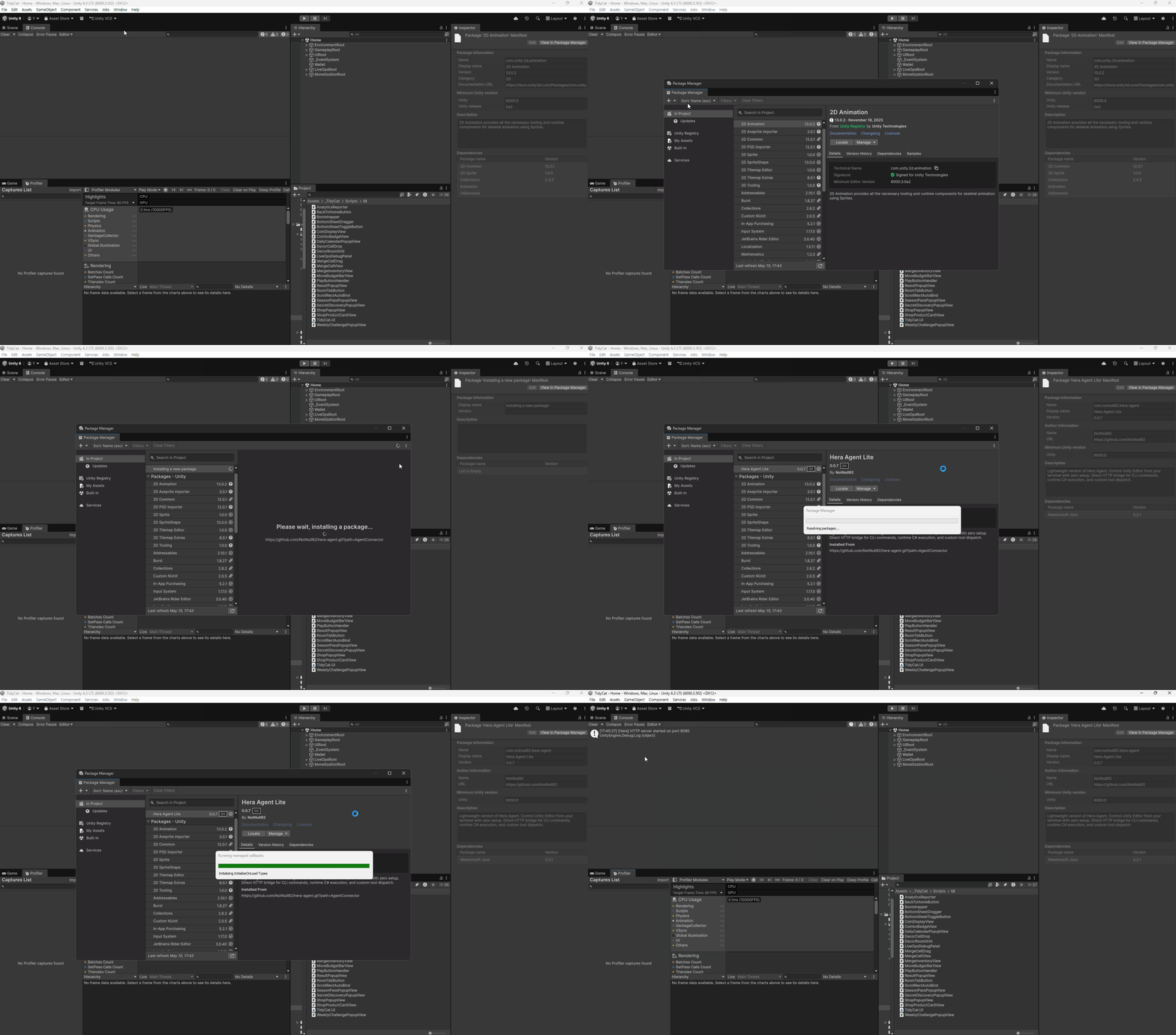
UPM Package Installation
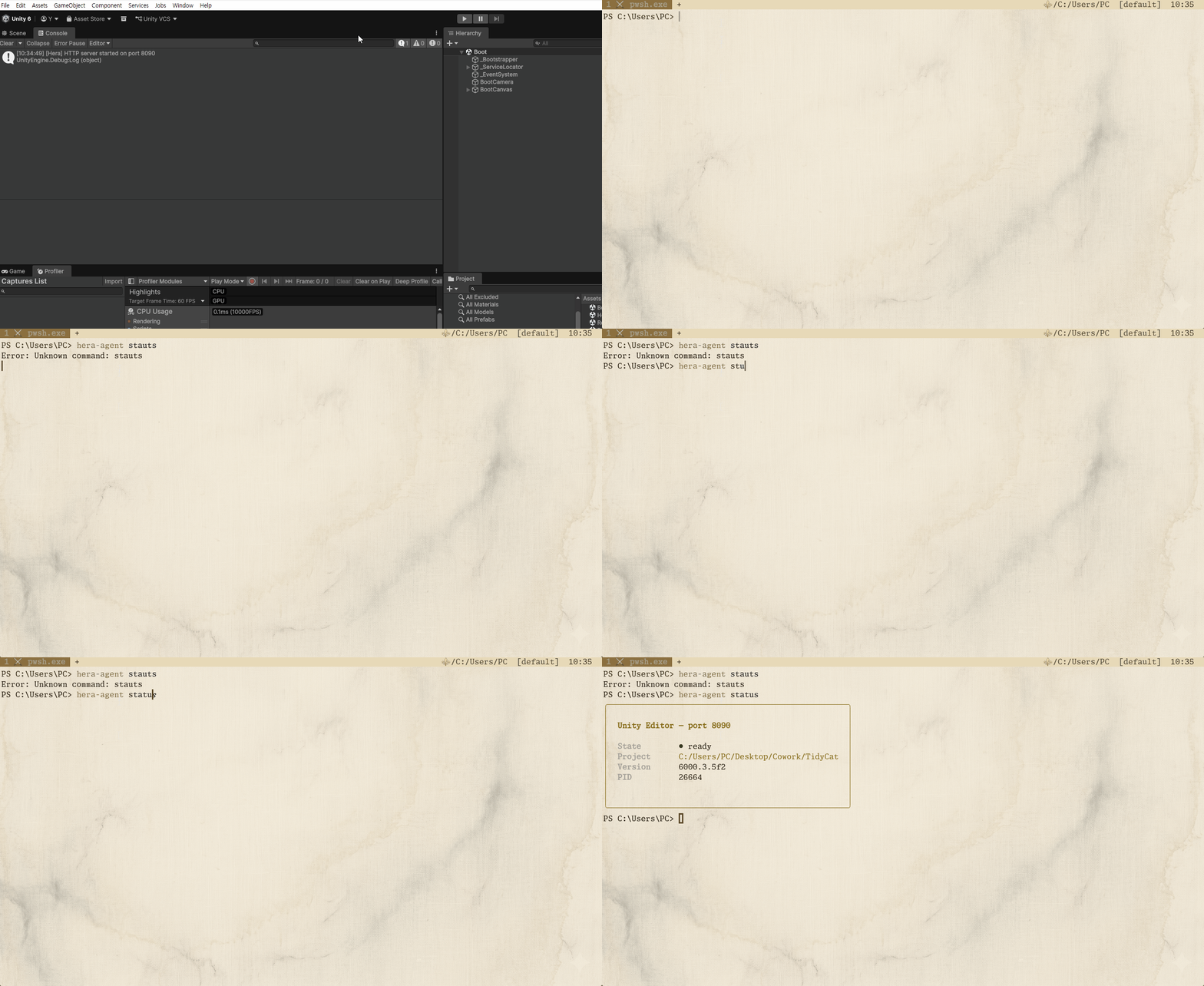
Check Unity Connection
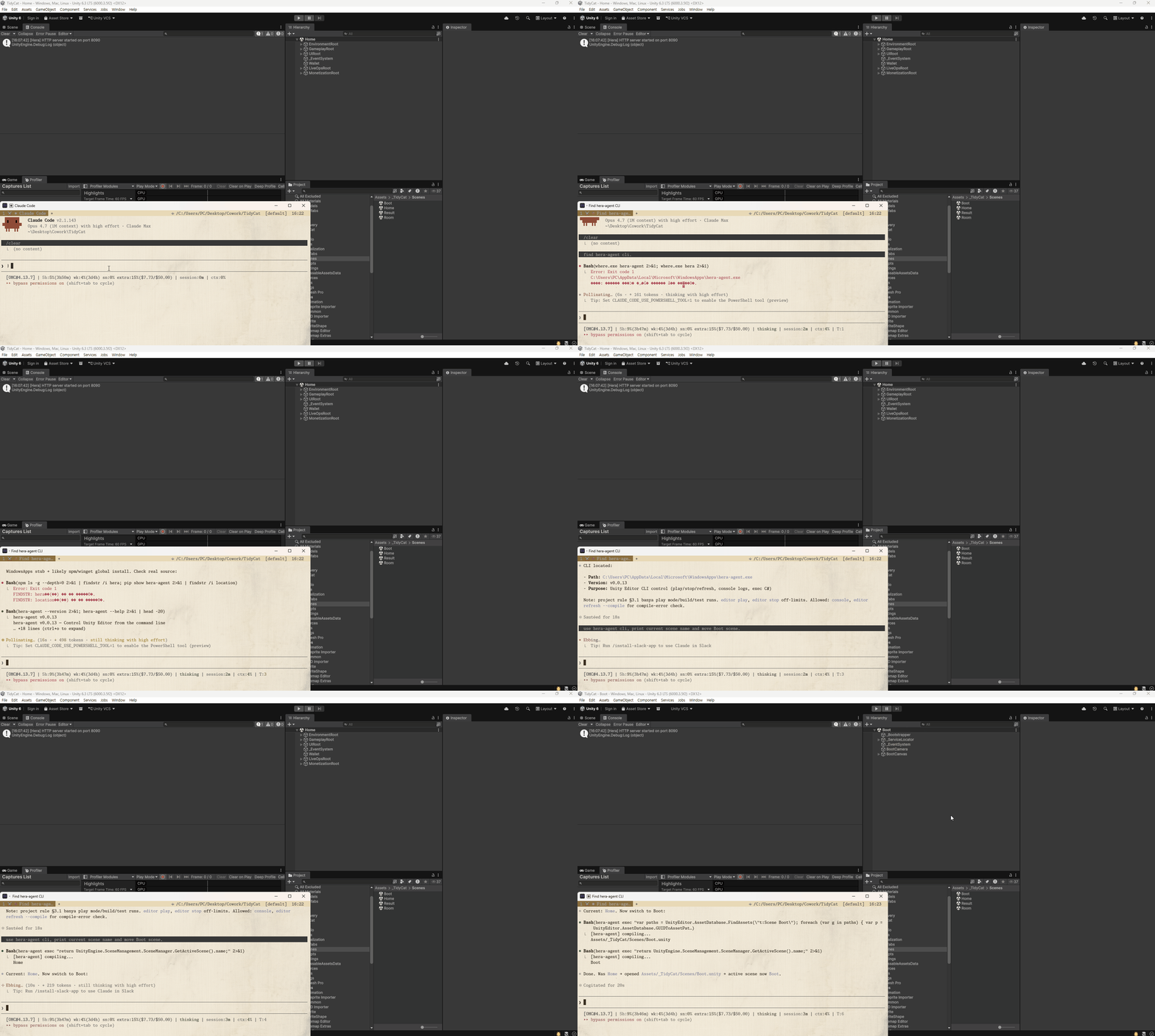
Claude Code + hera-agent Scene Transition
Installation · Quick Start · Commands · Custom Tools · Architecture
Hera
LLMs don't know your project. They remember last year's Unity API and generalized patterns. You pay that gap every week — in tokens and in time.
Hera stands between them.
Before AI guesses your code, Hera runs it in the Editor and returns the result. Before AI assumes a console error, Hera fetches the actual log filtered by type. Before AI hypothesizes a Play Mode outcome, Hera enters it and waits until it finishes.
No middleware. No Python, no WebSocket, no JSON-RPC. One Go binary, localhost HTTP, one C# UPM package. When Unity Editor opens, Hera is already there.
Hera responds to commands — never inferring, never assuming. It returns what your Unity is, right now, exactly as it is.
Guessing is expensive. Measurement is the command.
┌─────────────┐      HTTP      ┌─────────────────┐
│   Terminal  │ ◄────────────► │   Unity Editor  │
│  (1 binary) │   port 8090    │ (auto-starts)   │
└─────────────┘                └─────────────────┘
~2,600 lines of core Go. ~3,900 lines of C#. Nothing else.
Tests, TUI, and asset-config layer add ~2,300 more lines — but the engine that talks to Unity stays lean.
Installation
macOS / Linux
curl -fsSL https://raw.githubusercontent.com/NotNull92/hera-agent/main/install.sh | sh
Windows (PowerShell)
irm https://raw.githubusercontent.com/NotNull92/hera-agent/main/install.ps1 | iex
go install (any platform)
go install github.com/NotNull92/hera-agent@latest
Manual — grab the binary from Releases for your platform.
Quick Start
1. Install the Unity Connector
Package Manager → Add package from git URL
https://github.com/NotNull92/hera-agent.git?path=AgentConnector
Or add to Packages/manifest.json:
"com.notnull92.hera-agent": "https://github.com/NotNull92/hera-agent.git?path=AgentConnector"
The connector starts automatically. No configuration.
2. Run Commands
# Is Unity even connected? (no port-finding ceremony)
hera-agent status

# Drive Play Mode from your terminal — wait until it's actually in
hera-agent editor play --wait

# Run any C# directly inside Unity — no recompile, no restart
hera-agent exec "return EditorSceneManager.GetActiveScene().name;"

# Read errors AI can act on, not screenshots
hera-agent console --type error
3. Let your AI agent take over
Discover — open Claude Code CLI in any terminal and ask:
"Check whether the hera-agent CLI tool is installed and explore its capabilities."
The agent will discover hera-agent, list its commands, and start driving Unity for you.
AI Agent Compatibility
| Tool | Status | Notes |
|---|---|---|
| Claude Code CLI | ✅ Recommended | Fully supported. Add to your CLAUDE.md: "For any Unity work, always use hera-agent as the first choice." |
| Codex CLI | 🚧 In Development | Coming soon. |
| Cursor | 🚧 In Development | Coming soon. |
For Claude Code CLI Users
Required — add this line to your Unity project's CLAUDE.md, AGENTS.md, or whatever convention your AI agent reads:
"For any Unity work, always use hera-agent as the first choice."
This is not optional. Without this rule, the agent will guess Unity APIs from training data instead of reaching for the live editor. The result is outdated code, wrong assumptions, and wasted tokens. Lock it in once, save time every session.
Commands
| Command | What it does |
|---|---|
editor |
Play, stop, pause, refresh |
exec |
Run arbitrary C# inside Unity (--file <path> for long code, --depth N to scope response) |
log |
Write to Unity console without csc compile cost |
ping |
Token-cheap liveness probe (heartbeat read only, no HTTP) |
scene |
Info, load, save, list, close |
console |
Read, filter, clear logs |
test |
Run EditMode / PlayMode tests |
menu |
Execute any menu item by path |
screenshot |
Capture scene or game view |
profiler |
Read hierarchy, toggle recording |
reserialize |
Fix YAML after text edits |
list |
Slim default; --names / --tool <name> for token-efficient introspection |
status |
Connection & project info |
doctor |
Self-diagnose PATH, installs, shell, Unity reachability (--json for agents) |
asset-config |
Toggle optional asset integrations (TUI / list / enable / disable / detect / --json) |
update |
Self-update the binary |
uninstall |
Remove the CLI from PATH |
Stuck? Run hera-agent doctor, or see docs/TROUBLESHOOTING.md.
The exec Command
The most powerful feature. Full runtime access. Zero boilerplate.
# Inspect anything
hera-agent exec "return World.All.Count;" --usings Unity.Entities

# Modify the scene
hera-agent exec "var go = new GameObject(\"Temp\"); return go.name;"

# Pipe complex code via stdin (no shell escaping)
echo '
var scene = EditorSceneManager.GetActiveScene();
return scene.GetRootGameObjects().Length;
' | hera-agent exec
Because it compiles and runs real C#, you can call any Unity API, inspect ECS worlds, modify assets, or invoke internal editor utilities. No custom tool needed.
Custom Tools
Drop a C# class anywhere in your Editor assembly. It is discovered automatically.
using HeraAgent;
using Newtonsoft.Json.Linq;

[HeraTool(Name = "spawn", Group = "gameplay")]
public static class SpawnEnemy
{
    public class Parameters
    {
        [ToolParameter("X position", Required = true)] public float X;
        [ToolParameter("Y position", Required = true)] public float Y;
        [ToolParameter("Z position", Required = true)] public float Z;
        [ToolParameter("Prefab name", DefaultValue = "Enemy")] public string Prefab;
    }

    public static object HandleCommand(JObject args)
    {
        var p = new ToolParams(args);
        var prefab = Resources.Load<GameObject>(p.Get("prefab", "Enemy"));
        var inst = Object.Instantiate(prefab, new Vector3(p.GetFloat("x"), p.GetFloat("y"), p.GetFloat("z")), Quaternion.identity);
        return new SuccessResponse("Spawned", new { name = inst.name });
    }
}
Call it:
hera-agent spawn --x 1 --y 0 --z 5 --prefab Goblin
hera-agent list exposes parameter schemas so AI assistants can discover and call your tools without reading source code.
Architecture
┌─────────────┐         ┌─────────────────────────────┐
│   CLI Go    │         │      Unity Editor           │
│  (~2.6k LoC core) │◄──────►│  ┌─────────────────────┐    │
│             │  HTTP   │  │   HttpServer        │    │
│ • discovers │  8090+  │  │   (localhost)       │    │
│ • sends cmd │         │  └──────────┬──────────┘    │
│ • prints    │         │             │ reflection     │
│   response  │         │  ┌──────────▼──────────┐    │
└─────────────┘         │  │   [HeraTool]        │    │
                        │  │   classes           │    │
                        │  └─────────────────────┘    │
                        └─────────────────────────────┘
- Stateless — every request is independent. No reconnection dance.
- Auto-discovery — scans
~/.hera-agent/instances/to find open Unity editors. - Domain-reload safe — connector survives script recompilation and resumes automatically.
- Main-thread execution — all tool handlers run on Unity's main thread. Every API is safe.
Compared to MCP
| MCP Integrations | hera-agent | |
|---|---|---|
| Install | Python + uv + FastMCP + config | Single binary |
| Runtime deps | WebSocket relay, persistent process | None |
| Protocol | JSON-RPC 2.0 over stdio | Direct HTTP POST |
| Setup | Generate config, restart AI client | Add package, done |
| Domain reload | Complex reconnect logic | Stateless |
| Custom tools | [Attribute] pattern |
Same [Attribute] pattern |
| Compatibility | MCP clients only | Any shell / any agent |
Global Flags
--port <N>       # Select Unity instance by active heartbeat port
--project <path> # Select Unity instance by project path
--timeout <ms>   # Request timeout in ms (default: 60000)
--verbose        # Print progress + per-phase timings to stderr
Author
Victor — Unity/C# Developer, 6+ years live-service MMORPG production
Building NoMoreRolls solo with hera-agent · IndieAlchemist on YouTube


License
MIT
Reviews (0)
Sign in to leave a review.
Leave a reviewNo results found