hera-agent-unity
Health Pass
- License — License: Apache-2.0
- Description — Repository has a description
- Active repo — Last push 0 days ago
- Community trust — 22 GitHub stars
Code Pass
- Code scan — Scanned 12 files during light audit, no dangerous patterns found
Permissions Pass
- Permissions — No dangerous permissions requested
No AI report is available for this listing yet.
Low-token CLI for AI agents to control a live Unity Editor.






Low-token Unity Editor control for AI coding agents.
Let Codex, Claude, Cursor, Copilot, and AntiGravity inspect and change your live Unity project — no MCP setup for the default CLI path, no Python server.
Start in 60 seconds · Install · UI systems · Commands · Full docs
What's new · Verification · Agent rules · FAQ
English · 한국어
What It Is
hera-agent-unity is a low-token CLI that lets AI coding agents control a running Unity Editor.
Think of it like a remote control for the live Editor:
| You want the AI to... | Hera lets it... |
|---|---|
| See if Unity is open | ask the real Editor |
| Run C# code | run it inside your loaded project |
| Check console errors | read the actual Unity Console |
| Enter Play Mode | press Play and wait |
| Create or edit objects | use Unity APIs safely |
| Build UI | create real Unity UI objects and capture the result |
| Verify UI input | send Unity EventSystem events without relying on screen coordinates |
The AI does not need to guess from stale training data. It can inspect the real Editor, act on it, and check the result.
AI agent -> hera-agent-unity -> Unity Editor
Why It Helps
AI often makes mistakes in Unity because it cannot see your Editor.
It may guess:
- which scene is open;
- which objects exist;
- which Unity API exists in your version;
- whether Play Mode works;
- what error is in the console.
Hera fixes that by letting the AI ask Unity directly.
hera-agent-unity status
hera-agent-unity console --type error
hera-agent-unity exec "return Application.unityVersion;"
hera-agent-unity editor play --wait
No Python server. The production-default CLI path needs no MCP config or special
agent plugin. CLI v0.1.0+ also includes an experimental, default-off stdio MCP
adapter for intentionally configured MCP clients. See
docs/MCP.md for setup and compatibility boundaries.
What's New
v0.1.4 - multi-Editor policy locks and bounded agent context
This release keeps Hera's automatic multi-Editor workflow instead of
adopting a blanket "more than one Editor means stop" rule. The first target is
chosen deliberately, then its normalized full project path stays pinned while
ports move during domain reloads or Editor restarts.
| Release change | What it means |
|---|---|
| No-selector order is regression-locked | Hera still prefers the Unity project containing the current working directory, then the most recent live heartbeat. A newer competing Editor cannot steal the request after selection. |
| Compact project rules | doctor --agent-rules --compact emits the small always-loaded operating contract. Its reviewed default baseline is 2,277 UTF-8 bytes; the full Quick Rules and Pitfalls guide remains available on demand. |
| Catalog admission gate | tools/catalog-payload-report can compare a live built-in catalog with the reviewed baseline. --fail-on-change and --fail-on-growth mark review-required changes with tool exit code 3; go run surfaces that as exit status 3. Useful growth is reviewed, not forbidden. |
| Production-surface package evidence | The disposable package-test flow measures the production catalog before enabling test fixtures, then runs the isolated EditMode suite and restores the manifest byte-for-byte. |
A live Unity 6000.3.5f2 comparison matched the reviewed baseline exactly:
31 tools, 75 actions, and 185,339 normalized catalog bytes, with zero
profile deltas. This release updates the CLI, npm wrapper, and MCP package
metadata while keeping the Unity Connector at 0.0.80.
v0.1.3 - package-backed MCP discovery
This follow-up patch publishes the existing default-off stdio MCP adapter
through the official MCP Registry without changing the Unity Connector or
normal CLI path.
| Release change | What it means |
|---|---|
| Official MCP identity | io.github.NotNull92/hera-agent-unity exactly matches the case-sensitive GitHub OIDC namespace and links the registry entry to npm. |
| Reproducible local launch | Registry clients receive the fixed mcp --transport stdio --profile core arguments and HERA_MCP_ENABLED=1 opt-in. |
| Ordered trusted publication | GitHub Actions publishes npm first, then uses GitHub OIDC and a checksum-pinned publisher for the MCP Registry. |
| Connector unchanged | The released Unity package remains Connector 0.0.80; CLI and Connector versions stay independent. |
v0.1.1 - hardened contracts, recovery, and release evidence
This release tightens the completed CLI + optional MCP architecture without
replacing its proven Unity execution core.
| Release change | What it means |
|---|---|
| Versioned execution metadata | Current single-command clients send hera.execution/1; unsupported future versions fail before approval, journaling, or Unity execution. |
| Stronger recovery boundaries | Stale catalogs, abandoned ledger entries, partial Hera Settings reads, stale config locks, and uncertain mutation timeouts now fail or recover explicitly. |
| Smaller Compact discovery | tool_describe can return one action contract instead of an entire multi-action tool; the largest measured case is about 92% smaller. |
| Repeatable release gates | Generated Go/C# contract drift, five Unity compile buckets, isolated NUnit package tests, race tests, and catalog payload budgets have reproducible checks. |
| Connector 0.0.80 | The UPM package carries the matching runtime hardening and release-gate changes; CLI and Connector versions remain independent. |
The normal CLI remains the production default. MCP remains optional,
default-off, and stdio-only.
v0.1.0 — safe multi-Editor targeting and an optional MCP adapter
This release completes the M0-M17 adapter migration without replacing the
normal CLI. MCP is shipped as an experimental, stdio-only, environment-gated
option; the typed CLI and localhost Unity Connector remain the production
default.
Why make this migration?
More AI applications now speak MCP as a common way to discover and call tools.
Hera already had a small, efficient CLI and a proven Unity execution path, so
rebuilding the product around MCP would have duplicated that work and changed a
workflow that existing users rely on. Instead, v0.1.0 adds a thin translator at
the edge: an MCP-capable AI can speak its familiar protocol while Hera keeps
executing the same validated CLI and Connector operations underneath.
Think of the CLI as Hera's compact dedicated remote control. The MCP adapter is
a small plug converter that lets a different device use that remote; it does
not replace the remote with a larger control panel.
How does it work?
The path is AI client → optional MCP adapter → existing Hera execution core → localhost Connector → the selected Unity Editor. The adapter searches and
describes tools, validates the requested operation, applies the same safety
policy, and then hands the call to Hera's existing execution path. It does not
open Unity to the network, replace the Connector, or silently relax approvals.
Unsupported approval or operation-ledger features fail closed instead of
guessing that an operation is safe.
Does it make Hera more accurate?
MCP by itself does not make an AI smarter, and the adapter does not use a
different Unity execution engine. Accuracy improves at the delivery layer: an
exact normalized project path prevents a request from drifting to another open
Editor; strict live contracts reject malformed or outdated arguments; and a
fresh heartbeat distinguishes a domain reload, an Editor restart, a lost
target, and a port that another project has taken over. Operation IDs and the
Connector ledger also prevent an uncertain response from becoming the same
mutation twice.
In everyday terms, Hera now checks both the full delivery address and the
receipt before acting. That reduces wrong-project calls, invalid requests, and
duplicate changes. It does not guarantee that the AI's design decision is
correct, replace Unity tests, or prove a numerical accuracy improvement. No
repository benchmark currently supports an “X% more accurate” claim; the
measurable promise is narrower: detect more ambiguous or stale connection
states and stop safely instead of guessing.
The first retained end-to-end game-creation run is the
Crystal Forge real-world benchmark.
It reached the correct playable result only after several repairs; first
attempt success was not achieved. It is a regression baseline, not an
MCP-versus-CLI A/B result or proof of higher model accuracy.
Does it use more tokens?
The normal CLI path has no new token cost because it has not changed. MCP adds
some unavoidable protocol metadata, so token use is not guaranteed to be
identical and depends on the AI client and the task. Hera limits that overhead
in two ways: Profile exposes a small, stable native surface, while Compact MCP
registers only three gateway tools — search, describe, and call — and fetches a
tool's details only when they are needed. The large Full surface remains an
explicit diagnostic option rather than the default.
There is not yet a repository benchmark that proves exact CLI/MCP token parity.
The design goal is therefore honest and narrower: preserve the CLI's current
cost, and make MCP compatibility pay as little up-front context cost as
possible.
Why borrow Compact MCP if Hera is CLI-first?
Hera's principle is low-token, verifiable Unity control — not loyalty to one
protocol. Refusing MCP completely would isolate Hera from compatible AI hosts;
adopting a conventional “register every tool” MCP design would send a large
catalog of names, descriptions, and schemas into context before most of it was
needed. v0.1.0 deliberately uses MCP only as the outside language and keeps the
CLI as the production core. Compact exposure preserves the original philosophy
by making compatibility on-demand instead of turning compatibility into a
permanent token tax.
| Release change | What it means |
|---|---|
| Project-aware Editor selection | Full normalized project paths identify Editors; ports are treated as temporary endpoints and ambiguous matches fail. |
| Safe response-loss recovery | Hera detects domain reloads, Editor restarts, lost targets, and port reuse before any eligible retry. Non-idempotent mutations are never blindly repeated. |
| Experimental MCP adapter | HERA_MCP_ENABLED=1 hera-agent-unity mcp exposes Profile, Compact, Full-safe, approval, operation-ledger, Tasks, and bounded result-resource paths. |
| Connector 0.0.76 packaging | UPM tests are isolated from production assemblies, removing the Unity 6000.5 compile-stall regression and duplicate TestRunner references. |
| Apache-2.0 | The project now carries explicit patent terms, modification notices, and distributable NOTICE files. |
Unity De-slop Mode (Beta) — static visual discipline
Game Feel Mode covers how a screen moves. De-slop Mode covers how it sits
still: the tells that make generated UI look generated. The taxonomy ships
inside the connector (0.0.63 and up), so there is nothing to fetch.
| What it does | Why it works that way |
|---|---|
| 49 tells across five areas, fixed in order A → B → C → D → E | An upstream fix dissolves the conflicts a downstream one would hit |
| Every tell carries a uGUI and a UI Toolkit check | The UI Toolkit side is written against the USS vocabulary each Unity version actually ships |
| Findings are predicates, re-measured against the live scene | A checklist that stores "done" goes stale; one that measures cannot |
| Spacing and type scales resolve against a 1280x720 reference | Absolute pixels mean nothing until the reference resolution is stated |
| Repeated interactive cells are never flattened | Nested surfaces in game UI are usually functional — inventory slots, hotbars, HUD panels |
Read the mode → · Game Feel Mode →
UI Toolkit scaffolding, grounded in the live Editor
Connector 0.0.61 added a first-class UI Toolkit path without asking an
agent to guess version-specific APIs.
| Choose | Hera does | Built-in boundary |
|---|---|---|
ugui (default) |
Keeps the Canvas / GameObject / RectTransform workflow | Existing uGUI pipeline |
uitk |
Emits validated .uxml, shared .hera-* .uss, PanelSettings, and UIDocument |
Runtime-only reflected elements, UXML attributes, and USS properties |
| World-space | Enables it only on live Unity 6000.2+ | Never inferred from a documentation bucket |
| v1 scope | Focuses on layout scaffolding | MVVM and data binding are intentionally out |
Choose a UI system → · Read the UI document contract →
Latest CLI release - v0.1.4
The latest published CLI release is v0.1.4 (August 6, 2026). Its released
Unity package remains Connector 0.0.80. CLI and connector versions are
intentionally separate.
| Current highlight | Simple meaning |
|---|---|
| Project-safe multi-Editor policy | No-selector calls prefer the current project and then the newest live heartbeat; the selected full project path remains pinned across port changes. |
| 2,277-byte Compact project rules | doctor --agent-rules --compact keeps targeting, safety, approval, and verification guidance always available without loading the full guide. |
| Catalog admission evidence | Tool, action, description, and profile payload changes are compared with a reviewed live baseline before release. |
| Production-surface package gate | The package flow measures the production catalog before enabling test fixtures, then restores the disposable manifest byte-for-byte. |
| MCP Registry continuity | npm and MCP metadata advance to 0.1.4 while the default-off stdio adapter and Connector 0.0.80 remain unchanged. |
Release compatibility matrix:
| Unity Editor | Connector 0.0.80 exact-source compile |
|---|---|
| 2022.3.62f2 | PASS |
| 2023.2.22f1 | PASS |
| 6000.0.35f1 | PASS |
| 6000.3.5f2 | PASS |
| 6000.5.6f1 | PASS |
The preceding Connector 0.0.75 also passed clean UPM import and runtime checks
across the same matrix. Evidence: Unity compatibility inventory
Low-token benchmark baseline:
| Unity Editor | list --compact |
find_gameobjects --ids |
Details |
|---|---|---|---|
| 2022.3.62f2 | 93 T | 54 T | benchmark |
| 2023.2.22f1 | 93 T | 54 T | benchmark |
| 6000.3.5f2 | 93 T | 49 T | benchmark |
| 6000.5.0f1 | 93 T | 55 T | benchmark |
Full benchmark notes: docs/benchmarks/token-reduction/README.md
Quick Start
1. Open Unity
Open a Unity project that has the Hera Unity package installed.
2. Check the connection
hera-agent-unity status
You should see the project name, Unity version, port, and state.
3. Ask your AI agent to use it
Example prompt:
Use hera-agent-unity. Check the Unity console, enter Play Mode, reproduce the issue, and fix it.
The agent can then run commands like:
hera-agent-unity console --type error
hera-agent-unity editor play --wait
hera-agent-unity exec "return EditorSceneManager.GetActiveScene().name;"
hera-agent-unity test --mode PlayMode
Install
There are two parts:
- the CLI program on your computer;
- the Unity package inside your project.
CLI
npm (Windows, macOS, Linux)
npm install --global hera-agent-unity
Windows PowerShell
powershell -ExecutionPolicy ByPass -c "irm https://raw.githubusercontent.com/NotNull92/hera-agent-unity/main/install.ps1 | iex"
Open a new terminal after install, then check:
hera-agent-unity version
macOS / Linux
curl -fsSL https://raw.githubusercontent.com/NotNull92/hera-agent-unity/main/install.sh | bash
Go install
go install github.com/NotNull92/hera-agent-unity@latest
Manual
Download a binary from Releases, then run:
hera-agent-unity install
Unity Package
In Unity:
Window -> Package Manager -> Add package from git URL
Use this URL:
https://github.com/NotNull92/hera-agent-unity.git?path=AgentConnector
Or add this to Packages/manifest.json:
"com.notnull92.hera-agent-unity": "https://github.com/NotNull92/hera-agent-unity.git?path=AgentConnector"
To pin a specific connector (UPM) version instead of tracking the latest, append
an existing connector-<version> git tag:
"com.notnull92.hera-agent-unity": "https://github.com/NotNull92/hera-agent-unity.git?path=AgentConnector#connector-<version>"
Connector versions are separate from CLI v* releases.
The connector starts by itself when Unity opens.
Commands
Here are the commands most agents use first.
| Command | What it does |
|---|---|
status |
Shows which Unity Editor is connected. |
doctor --json |
Checks install, PATH, and Unity connection. |
doctor --agent-rules --compact |
Emits the small always-loaded rules for targeting, safety, approval, and verification. |
list --compact |
Lists tools with a small response. |
call <tool> --json '{...}' |
Validates a strict live tool contract, then invokes it. |
console --type error |
Reads real Unity errors. |
exec "..." |
Runs C# inside Unity. |
editor play --wait |
Enters Play Mode and waits. |
editor stop --wait |
Stops Play Mode and waits. |
scene info |
Shows the active scene. |
find_gameobjects |
Finds objects in the loaded scenes. |
manage_assets |
Finds, makes folders, authors ScriptableObject .asset files, copies, moves, or deletes project assets under Assets/. |
manage_gameobject |
Creates, duplicates, moves, renames, parents, or deletes GameObjects. |
manage_components |
Adds, removes, reads, or edits components. |
manage_animation |
Authors AnimationClips and AnimatorController state machines. |
ui_doc |
Builds uGUI or UI Toolkit scaffolding; captures live uGUI overlays. |
input |
Verifies uGUI interaction through Unity EventSystem raycasts and pointer handlers. |
game_feel |
Looks up game-feel recipes (screen shake, hit stop, honest juice, ...). |
ui_slop |
Looks up UI-slop tells and their fixes (decoration, layout, spacing, typography, color). |
test |
Runs Unity tests. |
screenshot |
Captures Scene/Game view or one isolated GameObject. |
batch |
Runs several commands in one request (optionally atomic). |
Full command list: docs/COMMANDS.md
Token Saving
Hera is built for agents, so small answers matter.
Big answers become input tokens. Input tokens cost money and fill context. So common Hera commands return small data by default.
Good default path:
hera-agent-unity list --compact
hera-agent-unity find_gameobjects --name Player --ids
hera-agent-unity list --tool manage_gameobject
Use bigger output only when needed:
hera-agent-unity list
hera-agent-unity find_gameobjects --fields all
hera-agent-unity console --lines 0 --stacktrace full
Unity UI From a Screenshot
Unity UI is hard for AI because anchors, pivots, and layout groups are easy to guess wrong.
Hera gives the AI a loop:
- read the current UI;
- build real Unity UI objects;
- capture what Unity rendered;
- compare and fix.
hera-agent-unity ui_doc export --path /Canvas/HUD
hera-agent-unity ui_doc sample --image hud_ref.png --region "0,0,1,0.2"
hera-agent-unity ui_doc apply --file hud.json --parent /Canvas --mode upsert
hera-agent-unity ui_doc capture --out hud_built.png
This is the main idea: do not guess the UI. Measure it. During ui_doc apply,
Hera also reports the active official uGUI docs bucket (2022.3, 2023.2,6000.0, 6000.3, or 6000.5), deterministic fixes, and remainingdiagnostics so the agent can correct version-specific uGUI structure.
UI Systems
ui_system makes the output backend explicit. Set it in asset-config.json;
each UI request stays within the selected backend. Hera never guesses from the
scene or silently switches systems; a mismatched ui_doc.backend is rejected
before any scene or asset mutation.
| Backend | Best for | Hera emits |
|---|---|---|
ugui (default) |
Canvas-based UI | GameObjects and RectTransforms |
uitk |
Runtime UI Toolkit layout | Validated UXML, shared USS, PanelSettings, and UIDocument |
Choose uitk when the project uses runtime UI Toolkit:
hera-agent-unity asset-config ui-system uitk
hera-agent-unity ui_doc apply --file settings-uitk.json
The UITK document uses backend: "uitk", exact runtime element names,
reflection-validated UXML attributes, and reflection-validated USS properties.
Generated files live under Assets/HeraGenerated/UI.
| Requirement | UI Toolkit v1 behavior |
|---|---|
| Screen-space | Default on every supported Editor |
| World-space | Only on live Unity runtime 6000.2+; independent of the documentation-bundle bucket |
| Validation | Exact reflected runtime element, attribute, and USS-property schema |
| Data binding | Intentionally out of scope in v1 |
See UI_DOC_IR.md for both backend contracts.
Input QA
Some agent environments cannot capture a reliable Unity screenshot state, so they refuse physical coordinate clicks. Hera's input command gives agents a separate Unity-level QA path.
hera-agent-unity input state
hera-agent-unity input inspect --path /Canvas/StartButton --details true
hera-agent-unity input click --path /Canvas/StartButton --settle_frames 2
hera-agent-unity input submit --path /Canvas/StartButton
hera-agent-unity input scroll --path /Canvas/ScrollRect --scroll_delta 0,-3
hera-agent-unity input drag --path /Canvas/Slider/Handle --to_normalized 0.8,0.5
input uses Unity's uGUI EventSystem.RaycastAll and ExecuteEvents pointer handlers. It can prove that the Unity UI event path works, including blockers, handlers, interactability, submit, scroll, and drag behavior.
Input work and diagnostics are bounded before dispatch: hold_ms ≤ 5000, settle_frames ≤ 120, steps ≤ 120, click_count ≤ 3, and max_results ≤ 100 (default 50). Invalid values return INPUT_INVALID_PARAM.
It is not a physical OS/window click. Report evidence separately:
| QA criterion | How to report |
|---|---|
| Unity EventSystem input QA | PASS/FAIL from input inspect, input click, callbacks, console logs, and Play Mode tests. |
| Physical OS click QA | BLOCKED if Computer Use still cannot capture Unity screenshot state or use a native window input backend. |
Detailed command docs: docs/COMMANDS.md
Game Feel Mode (Beta)
AI can make a game that works. Game Feel Mode (Beta) helps it make a game that feels right.
When this mode is on, agents working through Hera get game-feel guidance for gameplay itself — screen shake, hit stop, knockback, control feel (coyote time, input buffering), camera work, sound design, reward presentation — with concrete parameters (px, seconds, %, Hz) from the Game Feel & Juice Bible and the Ethical Engagement Game Feel Framework.
The ethics are built in, not bolted on. Every recipe carries its constraints — screen-shake intensity options, flash-reduction for photosensitivity, honest reward presentation, transparent probabilities — so what the agent builds passes the ethics checklist by construction (Honest Juice: presentation intensity must match real achievement).
Three surfaces work together:
hera-agent-unity game_feel <topic>— the bundled knowledge base (54 topics, ethics listed first), always availabledoctor --agent-rules— injects the core principles + workflow when the mode is on- Tool hints — adding a Camera / ParticleSystem / AudioSource / Rigidbody / Light / Animator via
manage_componentspoints the agent at the matching topics
Guidance only — Hera never attaches runtime components for you.
Turn it on in Unity:
HeraAgent -> Hera Settings -> Game Feel Mode (Beta)
Or from the CLI: hera-agent-unity asset-config gamefeel on
Game Feel UI Mode (Beta)
AI can make a button that works. Game Feel UI Mode (Beta) helps it make a button that feels like a game.
When this mode is on, Hera adds an agent_hint to UI creation results. The hint gives concrete game-feel recipes: hover scale, press squash, release bounce, popup overshoot with symmetric choice buttons, rarity-laddered reward presentation, count-up numbers with critical specs, dual-response health bars, charge/cooldown patterns, ECN-DMN density guidance, haptics, and accessibility baselines. Each hint ends with a pointer into the game_feel knowledge base's ui category — per-element spec tables, cognitive-load theory, choice-symmetry ethics, and 2026 trends — for depth on demand.
It is guidance, not runtime bloat. Hera does not attach heavy gameplay components for you. The agent receives the recipe, then applies the animation or feedback through normal Unity edits.
The uGUI fixer is separate from the game-feel recipe: ui_doc apply always reports
manual-backed fixes / diagnostics, while Game Feel UI Mode (Beta) only adds optional
game-feel guidance in agent_hint.
Turn it on in Unity:
HeraAgent -> Hera Settings -> Game Feel UI Mode (Beta)
Or from the CLI: hera-agent-unity asset-config gamefeel-ui on
If DOTween is enabled in the same Hera Settings panel, the hint suggests DOTween-style tweens. If not, it falls back to coroutine or lerp-style guidance.
Common recipes:
| UI element | Game-feel guidance |
|---|---|
| Button | Hover grow, press squash, release bounce, click sound, haptic. |
| Popup / panel | Pop-in entrance, screen dim, fast quiet exit. |
| Text | Staggered text, count-up numbers, floating damage text. |
| Image / reward | Pop-in, rarity pulse, glow, hover lift. |
| Bar | Instant fill drop, delayed chip bar, low-value pulse, segment ticks. |
Detailed command docs: docs/COMMANDS.md
Unity De-slop Mode (Beta)
Game Feel Mode covers how a screen moves. De-slop Mode covers how it sits still — the statistical tells that make generated UI look generated: reflexive decoration, undisciplined containers, spacing picked by eye, decorative italics, rainbow palettes.
The bundled ui_slop taxonomy groups these into five areas, and fixes land in that order so an upstream fix dissolves the conflicts a downstream one would hit:
| Area | Covers |
|---|---|
| A | Decorative sweep — orbs, glow, glass, sparkles, emoji icons |
| B | Layout, RectTransform, containers, anchors, raycast targets |
| C | Spacing — the ladder, density, grouping, dead whitespace |
| D | Typography — italics, font roles, type scale, Hangul typesetting |
| E | Color — semantic roles, palette discipline, WCAG contrast |
Every tell carries a uGUI check and a UI Toolkit check, written against the USS vocabulary each Unity version actually ships, plus the mechanical fix and the functional cases that must not be treated as slop — nested surfaces are usually legitimate in game UI, so repeated interactive cells like inventory slots are never flattened.
hera-agent-unity ui_slop                 # taxonomy index by area
hera-agent-unity ui_slop box-in-box      # one tell: check, exception, fix
The tool is always available. Turning the mode on additionally makes doctor --agent-rules inject the de-slop discipline and manage_components add point at the relevant tell:
HeraAgent -> Hera Settings -> Unity De-slop Mode (Beta)
Or from the CLI: hera-agent-unity asset-config uislop on
Ultra Hera
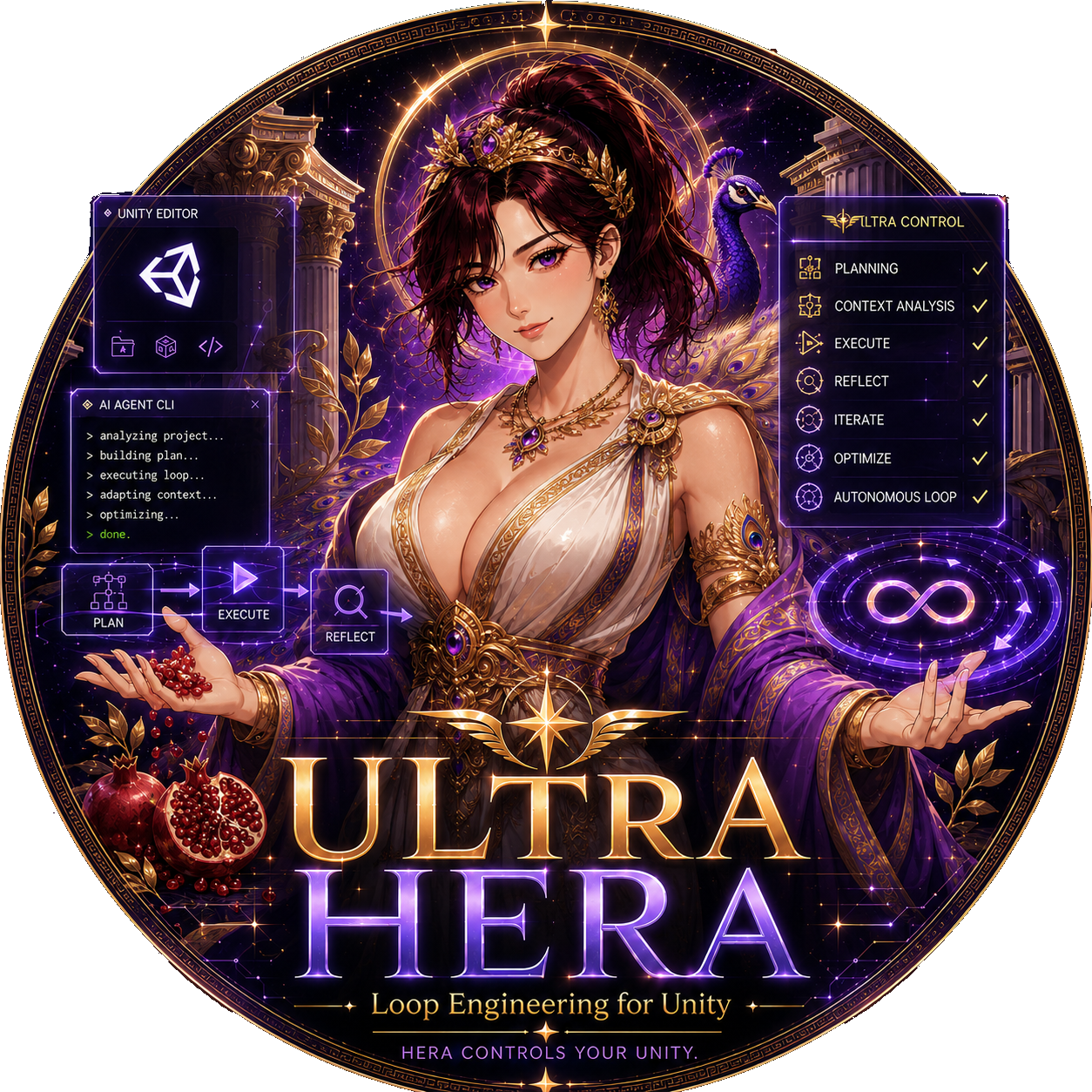
Hera's signature verification mode for AI-assisted Unity work.
Ultra Hera helps an AI agent check its Unity work before it says "done".
Ultra Hera is Hera's safety belt for AI Unity work.
When an AI changes code, a scene, or the Inspector, it can be wrong in small ways: Unity may not compile, the Console may have errors, a GameObject may not have the component you expected, or Play Mode may fail after the edit.
Ultra Hera gives the agent a simple rule:
Do the work. Check the work. Only then report the result.
It does not replace the AI. It tells the AI how carefully to verify Unity work after using Hera.
Find it here:
HeraAgent -> Hera Settings -> Ultra Hera
Modes:
| Mode | Simple meaning |
|---|---|
Off |
No extra checking rule. |
Light |
Default. The agent does a small check after every Unity task, so it does not finish in a clearly wrong state. |
Ultra |
The agent uses Light checks for every task, then upgrades important requests to stronger checks like tests, Play Mode, Inspector reads, screenshots, or ui_doc capture. |
Think of the modes like this:
| Mode | Like a... | What it checks |
|---|---|---|
Light |
Quick seatbelt check | "Did Unity compile? Are there Console errors? Did the thing I changed really change?" |
Ultra |
Full pre-flight check | "Does it compile, run, look right, and match the user's request with evidence?" |
Use Light for everyday coding and Inspector edits. Use Ultra when the user says things like "verify exactly", "play it and confirm", "match the UI", or "check the Inspector too".
What Ultra Hera makes agents do better:
- Check Unity instead of guessing.
- Read only the state they need.
- Compile after edits.
- Read real Console errors.
- Re-check the changed GameObject, component, asset, or UI.
- Use Play Mode, tests, screenshots, or
ui_doccapture when the task needs stronger proof. - Report short evidence instead of a vague "it should work".
Representative Light commands:
hera-agent-unity status
hera-agent-unity console --type error --lines 20
hera-agent-unity editor refresh --compile
hera-agent-unity find_gameobjects --ids
hera-agent-unity exec --depth 1 ...
Representative Ultra commands:
hera-agent-unity test --mode EditMode
hera-agent-unity test --mode PlayMode
hera-agent-unity editor play --wait
hera-agent-unity screenshot --view game
hera-agent-unity ui_doc capture --out ...
The goal is simple: the agent should not close the task while Unity is still broken.
Unity Versions
| Unity version | Status | Notes |
|---|---|---|
| 2022.3 LTS | Supported | Verified on 2022.3.62f2. |
| 2023.2 | Supported | Verified on 2023.2.22f1. |
| 6000.0 - 6000.4 | Supported | Unity 6. |
| 6000.5+ | Supported | Uses Unity's newer object ID system when needed. |
| Older than 2022.3 | Not supported | Minimum supported version is Unity 2022.3. |
Add Project Rules For Agents
Put Hera rules in your Unity project so agents know how to use it before they start guessing.
Codex users can add the publisher-owned marketplace directly:
codex plugin marketplace add NotNull92/hera-agent-unity --ref main
Then open Codex, run /plugins, choose Hera Agent Unity, and enable Hera Unity. The same plugin is also mirrored by the HOL awesome-codex-plugins and awesome-ai-plugins catalogs.
For the standalone Agent Skill without the plugin marketplace:
npx skills add NotNull92/hera-agent-unity --skill hera-agent-unity --agent codex
Use either installation path; both teach the same CLI-first Unity workflow.
This repository includes ready-to-use rule files for the main coding agents:
| Agent | File to add | Why |
|---|---|---|
| Codex / Claude / Gemini CLI / most agents | AGENTS.md |
One shared guide for shell-based agents. |
| Cursor | .cursor/rules/hera-agent-unity.mdc |
Cursor needs .mdc frontmatter to activate project rules. |
| GitHub Copilot | .github/copilot-instructions.md |
Repo-wide Copilot instructions. |
| GitHub Copilot, file-specific | .github/instructions/hera-agent-unity.instructions.md |
Applies Hera rules to Unity files like .cs, .prefab, .unity, and Assets/**. |
| Google AntiGravity | GEMINI.md, .agents/agents.md, .agents/skills/hera-agent-unity/SKILL.md |
Project entry rule, workspace handoff, and on-demand skill. |
| Continue.dev | .continuerules |
Plain markdown rules. |
Fast setup for a small always-loaded shared file:
hera-agent-unity doctor --agent-rules --compact >> AGENTS.md
The compact form keeps bootstrap, multi-Editor targeting, safety, approval,
and verification rules in the project context. With default guidance settings,
its reviewed baseline is 2,277 UTF-8 bytes; a test requires an explicit
baseline update if that always-loaded surface changes. Rundoctor --agent-rules without --compact only when you want the full Quick
Rules and Pitfalls guide embedded directly.
Cursor setup:
hera-agent-unity doctor --agent-rules --compact --format cursor > .cursor/rules/hera-agent-unity.mdc
Copilot, AntiGravity, and Continue templates are in examples/rules. This repo also contains live examples at .github/copilot-instructions.md, .github/instructions/hera-agent-unity.instructions.md, GEMINI.md, and .agents/skills/hera-agent-unity/SKILL.md.
The most important rules are:
- use
list --compactto find available tools; - use
find_gameobjects --idswhen the next command only needs object IDs; - return
nullfrom side-effectingexeccalls; - do not return big Unity objects directly;
- read
console --type errorinstead of guessing errors.
How It Works
Terminal / AI agent
        |
        | hera-agent-unity command
        v
Go CLI
        |
        | localhost HTTP
        v
Unity Editor package
        |
        | Unity main thread
        v
Scene, Console, Play Mode, Assets, UI
The Unity package starts a small local HTTP server. The CLI sends commands to it. The command runs inside the Editor.
Architecture details: docs/ARCHITECTURE.md
FAQ
Is this MCP?
The production default is a normal CLI, so any agent that can run shell commands
can use Hera. CLI v0.1.0+ also includes an experimental, default-off,
stdio-only MCP adapter. It reuses the CLI and localhost Connector execution core
and is not the default. See the MCP adapter guide.
Does it need Python?
No.
Which Unity Editor does it talk to?
Hera does not abort merely because several Editors are open. Each CLI
invocation or MCP process targets one Unity Editor. If several Editor heartbeats
are present, prefer --project with the full project path. Ports are
temporary endpoints chosen from 8090–8099; they may change after an Editor
restart or domain reload. Exact normalized project paths win, a partial project
match must be unique, and --project plus --port must identify the same
Editor. Without a selector Hera prefers a project matching the current working
directory, then the most recent live heartbeat. After a transport failure or
request timeout Hera reads fresh heartbeat state before any safe retry, so it
does not silently follow a port that another project has claimed.
How does Hera stop the tool surface from growing silently?
Maintainers export the live built-in catalog from a disposable blank Unity
project and compare it with docs/metrics/catalog-payload-baseline.json. The
report shows tool, action, description, and per-profile byte deltas. A changed
surface requires the failure being solved, contract and safety updates,
regression evidence, and an intentionally reviewed baseline update. See
the catalog payload gate.
What should I do when it cannot connect?
Run:
hera-agent-unity doctor --json
Also check that the Unity package is installed and Unity has finished compiling.
Where are the detailed docs?
Projects Using Hera
| Project | Notes |
|---|---|
| NoMoreRolls | Solo-developed Unity game. Built with AI driving the Editor through Hera. |
https://github.com/user-attachments/assets/15d353e4-b7bb-4534-bbca-c27de0792147
NoMoreRolls — Full Play Mode video from a Unity game built with Hera-assisted editor work.
Author
Victor — Unity/C# developer with 6+ years of live-service MMORPG production experience.
GitHub: @NotNull92
Discord: Join the Hera community
Support
Hera is free and licensed under Apache-2.0. If it saves you time, you can support development:

License
Reviews (0)
Sign in to leave a review.
Leave a reviewNo results found