claude-voice
Health Pass
- License — License: MIT
- Description — Repository has a description
- Active repo — Last push 0 days ago
- Community trust — 20 GitHub stars
Code Pass
- Code scan — Scanned 5 files during light audit, no dangerous patterns found
Permissions Pass
- Permissions — No dangerous permissions requested
No AI report is available for this listing yet.
Local TTS voice mode for Claude Code with word highlighting and no cloud APIs.
claude-voice 🜏
The missing half of Claude Code's voice mode.
You talk to Claude with /voice. Now Claude talks back — with real-time word-by-word highlighting in your terminal. Fully local. Zero API keys. One file.
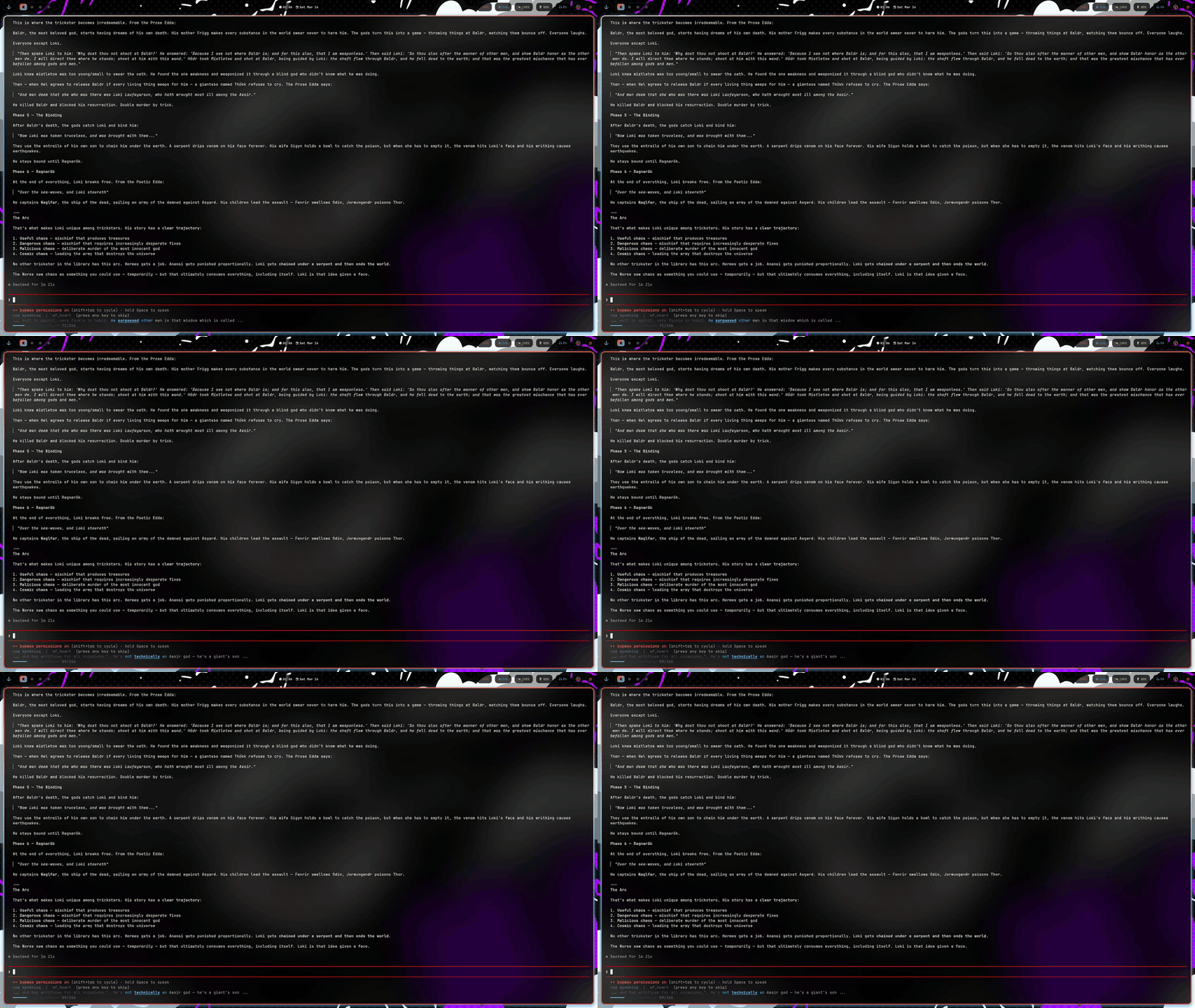
Table of Contents
- Why I Built This
- What It Does
- Current Pain Points
- End Goals
- Install
- Commands
- Voices
- Config
- How It Works
- Daemon mode
- Benchmark
- Why Not VoiceMode / ElevenLabs / OpenAI TTS?
- Requirements
- License
Why I Built This
Claude Code has /voice — you speak, it transcribes, Claude responds in text. But Claude never talks back. I'm staring at a terminal reading a 3-paragraph explanation when I could be hearing it while I keep working.
I tried ElevenLabs — $0.30 per million characters, API keys, cloud dependency, latency. I tried OpenAI TTS — $0.015 per 1K characters, same problems. I tried the official VoiceMode MCP — it's a tool Claude has to choose to call, not automatic.
What I wanted: after every Claude response, automatically speak it aloud with word-by-word highlighting so I can follow along. Local. Free. Instant. No "would you like me to read this?" — just do it.
So I built a Claude Code Stop hook. After every response, the hook fires, strips markdown/code/URLs, fixes pronunciation of dev terms, generates audio with Kokoro TTS (82M params, runs on CPU), and renders karaoke-style highlighting to the terminal while it plays.
One file. 21KB of Python. Zero API keys. It just works.
What It Does
- Karaoke highlighting — current word lit up, gradient around it, progress bar with word count
- Fully local — no API keys, no cloud, no internet. Audio never leaves your machine
- 12 voices — American/British, male/female. Warm, deep, polished, casual — pick your style
- Smart filtering — skips code-heavy responses, strips markdown/URLs/tables, fixes dev pronunciations (CLI, API, JSON, nginx, kubectl)
- Interrupt on keypress — press any key to stop immediately
- One-command setup —
claude-voice setupadds the hook automatically - Background daemon (new) — Kokoro loads once and stays in memory. Warm TTFA drops from ~6s to ~0.6s
- Multi-terminal routing (new) — run Claude Code in five terminals at once and only the one you typed in speaks
- Per-terminal mute toggle (new) —
claude-voice toggleflips voice on/off for the current terminal only - Highlight-and-speak hotkey (new) — select any text in any app, press a key, and the daemon reads it back. Ships with a Hammerspoon snippet for the binding.
Current Pain Points
These are the battles I'm actively fighting:
It's one 21KB file and it's getting messy —
claude_voice.pyhandles TTS generation, audio playback, terminal rendering, markdown stripping, pronunciation fixes, config management, and the CLI. It's a monolith. Refactoring into modules would be cleaner but it's "one file" by design.Code-heavy responses get skipped — If a response is >50% inside code fences, the hook skips it. This is correct (nobody wants to hear code read aloud) but sometimes it skips useful explanations that happen to include code examples. The heuristic is crude.
espeak-ng is a system dependency — Kokoro needs
espeak-ngfor phonemization. It's not a Python package, it's a system package. On some distros it'sespeak, on othersespeak-ng, and on macOS it's a Homebrew install away from working. This is the #1 support issue.macOS is "untested but likely works" — I don't have a Mac at home to test on. The M3 MacBook at work is for other things. Linux users report it works great. macOS users report... mixed results. I need actual testing.
No speed/pitch controls — Some voices are too fast, some too slow. No way to adjust without editing the code. The Kokoro model supports speed but I haven't exposed it in the CLI.
Terminal compatibility — Works on Kitty, Ghostty, Alacritty. iTerm? Maybe. Windows Terminal? Probably not. The ANSI escape sequences for highlighting are standard but not universal.
End Goals — Where This Is Headed
Short Term (now → 3 months)
- Speed control —
--speed 0.8or--speed 1.2flag for slower/faster speech - Better code detection — distinguish "explanation with code examples" from "pure code response" so fewer useful explanations get skipped
- macOS testing — actually test on macOS and document any quirks
Medium Term (3–6 months)
- Integration with agent ecosystem — when Deep Video Watcher generates a comprehension report, claude-voice can read it aloud; when Blackreach finishes research, it can narrate findings
- Voice profiles per project — coding voice (fast, clear) vs reading voice (warm, expressive) vs research voice (neutral, precise)
- Pause/resume across sessions — interrupt a long narration, come back later and resume from where you left off
Long Term (6–12 months)
- Real-time conversation — not just "Claude responds, I hear it" but full duplex: I speak, Claude thinks, Claude speaks back, I interrupt, Claude adapts. True voice mode.
- Integration with Claud-Ear — when the music analysis tool runs, claude-voice narrates the results with the right musical terminology pronunciation
Install
pip install kokoro sounddevice numpy
git clone https://github.com/Null-Phnix/claude-voice
cd claude-voice
python speak.py setup
That's it. Restart Claude Code and every response will be spoken.
Commands
claude-voice setup              # install Stop + UserPromptSubmit hooks
claude-voice demo               # run a polished demo (for screen recording)
claude-voice benchmark          # measure latency, print shareable stats
claude-voice on                 # enable globally
claude-voice off                # disable globally (without removing the hook)
claude-voice --voices           # list all 12 voices
claude-voice --voice am_fenrir "text"   # speak with a specific voice
claude-voice --long "text"      # no truncation for long text
claude-voice --no-daemon "text" # bypass the daemon; speak in-process

# Per-terminal control
claude-voice toggle             # flip voice on/off for THIS terminal
claude-voice mute               # silence THIS terminal
claude-voice unmute             # un-silence THIS terminal
claude-voice claim              # force this terminal to be the speaker
claude-voice unclaim            # release the active claim

# On-demand speak
claude-voice clip               # speak the macOS clipboard contents

# Daemon control
claude-voice daemon-status      # pid, idle time, active terminal, muted list
claude-voice daemon-stop        # cleanly shut the daemon down
Voices
| Voice | Description |
|---|---|
af_heart * |
American female, warm & expressive |
af_nova |
American female, clear & professional |
af_alloy |
American female, smooth & neutral |
am_adam |
American male, natural |
am_fenrir |
American male, deep & strong |
am_onyx |
American male, smooth & confident |
bm_george |
British male, polished |
bm_daniel |
British male, warm |
bf_emma |
British female, clear |
bf_isabella |
British female, elegant |
* default
Config
Config lives at ~/.config/claude-voice/config.json:
{
  "voice": "af_heart",
  "min_chars": 30,
  "max_chars": 1500,
  "chime": true,
  "enabled": true,
  "use_daemon": true
}
Set "use_daemon": false to go back to one-shot, in-process behavior (every response reloads the model). The default is true.
How It Works
- Claude Code fires the Stop hook after every response
- Hook receives
last_assistant_messageas JSON on stdin - Strips markdown, code blocks, URLs, tables — keeps only speakable text
- Skips if response is mostly code (>50% inside fences)
- Fixes dev term pronunciation (CLI → "C L I", JSON → "jason", etc.)
- Hands the cleaned text to the local Kokoro daemon over a Unix socket (or, if no daemon is running, spawns one)
- Daemon generates audio, plays it, and renders word-by-word highlighting to the user's terminal
- Background thread listens for keypress — any key interrupts instantly
- Cleans up display when done
Daemon mode
By default claude-voice runs a long-lived daemon (python claude_voice.py --daemon) that owns the Kokoro pipeline. The Stop hook is a thin client that connects to ~/.cache/claude-voice/daemon.sock and ships the text over. No more reloading a 300MB model on every response.
Lifecycle
- The first time you trigger a response, the hook spawns the daemon and waits up to 15s for it to come up. That run pays the model-load cost (~6–9s).
- Every response after that is warm: ~0.6s to first audio.
- After 30 minutes of inactivity, the daemon exits to free memory. The next response transparently spawns a fresh one.
Multi-terminal routing
Running Claude Code in multiple terminals at once used to be a problem: two responses finishing simultaneously meant two voices stepping on each other. The daemon fixes this by tracking an active_tty — only the terminal that "owns" the voice gets to speak; others are silently skipped.
- The included
UserPromptSubmithook auto-claims the current terminal when you type a prompt. Natural flow: typed here → hear here. - Run
claude-voice claimin any terminal to force-claim it. - Run
claude-voice unclaimto clear the claim (every terminal becomes a candidate again). - Claims auto-expire after 10 minutes of inactivity.
Per-terminal mute toggle
Sometimes you want one terminal silent without disabling the whole hook. Run claude-voice toggle in any terminal to flip its voice on or off. Mute beats claim: a muted terminal stays silent even if it holds the active claim. Mute state lives in the daemon's memory, so it resets if the daemon restarts (idle timeout, manual stop) — explicit re-mute is safer than persistent surprise silence.
Highlight-and-speak hotkey
Sometimes you don't want every response read aloud — you just want to hear that one paragraph. Select any text in any app, press a hotkey, and the daemon speaks it on demand. Bypasses the mute/claim gates because the user explicitly asked for it.
Install:
brew install --cask hammerspoon                            # the hotkey runner
# grant Hammerspoon Accessibility access in System Settings
cat integrations/hammerspoon-snippet.lua >> ~/.hammerspoon/init.lua
# open Hammerspoon, click "Reload Config"
Default binding is Cmd+Shift+T ("T for talk") — change it in the snippet. Internally the hotkey sends Cmd+C to copy the current selection, then runs claude-voice clip, which pbpastes and ships the text to the daemon.
You can also bind it via Karabiner-Elements, Raycast, BetterTouchTool, or any other macOS hotkey tool — anything that can run claude-voice clip after a Cmd+C works. Hammerspoon is just the lightest dependency.
Files
| Path | Purpose |
|---|---|
~/.cache/claude-voice/daemon.sock |
Unix socket the hook talks to |
~/.cache/claude-voice/daemon.pid |
Daemon PID (best-effort, not used for locking) |
~/.cache/claude-voice/daemon.log |
Daemon stdout/stderr + diagnostic log |
If something feels stuck, claude-voice daemon-status is the first thing to check. claude-voice daemon-stop then a fresh request is the cheap reset.
Benchmark
claude-voice benchmark: ttfa=0.93s avg_gen=0.59s voice=af_heart engine=kokoro-82M local=true
| Scenario | Before (no daemon) | After (daemon) |
|---|---|---|
| First response in a session (cold) | ~6–9s | ~6–9s |
| Subsequent responses (warm) | ~6–9s (model reloads every time) | ~0.6s |
| Stop-hook wall time (fire-and-forget) | seconds | ~230ms |
Why Not VoiceMode / ElevenLabs / OpenAI TTS?
| claude-voice | VoiceMode | ElevenLabs | OpenAI TTS | |
|---|---|---|---|---|
| Word highlighting | Yes | No | No | No |
| Fully local | Yes | Optional | No | No |
| Zero API keys | Yes | Optional | No | No |
| Files | 1 | 100+ | - | - |
| Setup | One command | MCP server | Account + key | Account + key |
| Auto-speaks | Yes (Stop hook) | No (Claude must call tool) | No | No |
| Cost | Free | Free | $0.30/1M chars | $0.015/1K chars |
Requirements
- Python 3.11+
kokoro,sounddevice,numpyespeak-ng(system package for phonemization)- Works on Linux. macOS support untested but likely works.
- Tested on Kitty, Ghostty, Alacritty. Any terminal with ANSI true color support.
License
MIT
Reviews (0)
Sign in to leave a review.
Leave a reviewNo results found