asist
Health Warn
- License — License: MIT
- Description — Repository has a description
- Active repo — Last push 0 days ago
- Low visibility — Only 6 GitHub stars
Code Fail
- exec() — Shell command execution in electron.vite.config.ts
Permissions Pass
- Permissions — No dangerous permissions requested
No AI report is available for this listing yet.
A realtime assistant for Mac and Windows. Talk to it and it answers aloud, shows your schedule and mail as cards, and hands longer work to an agent.
ASIST
A realtime assistant for Mac and Windows
Website · Download · Documentation · 日本語





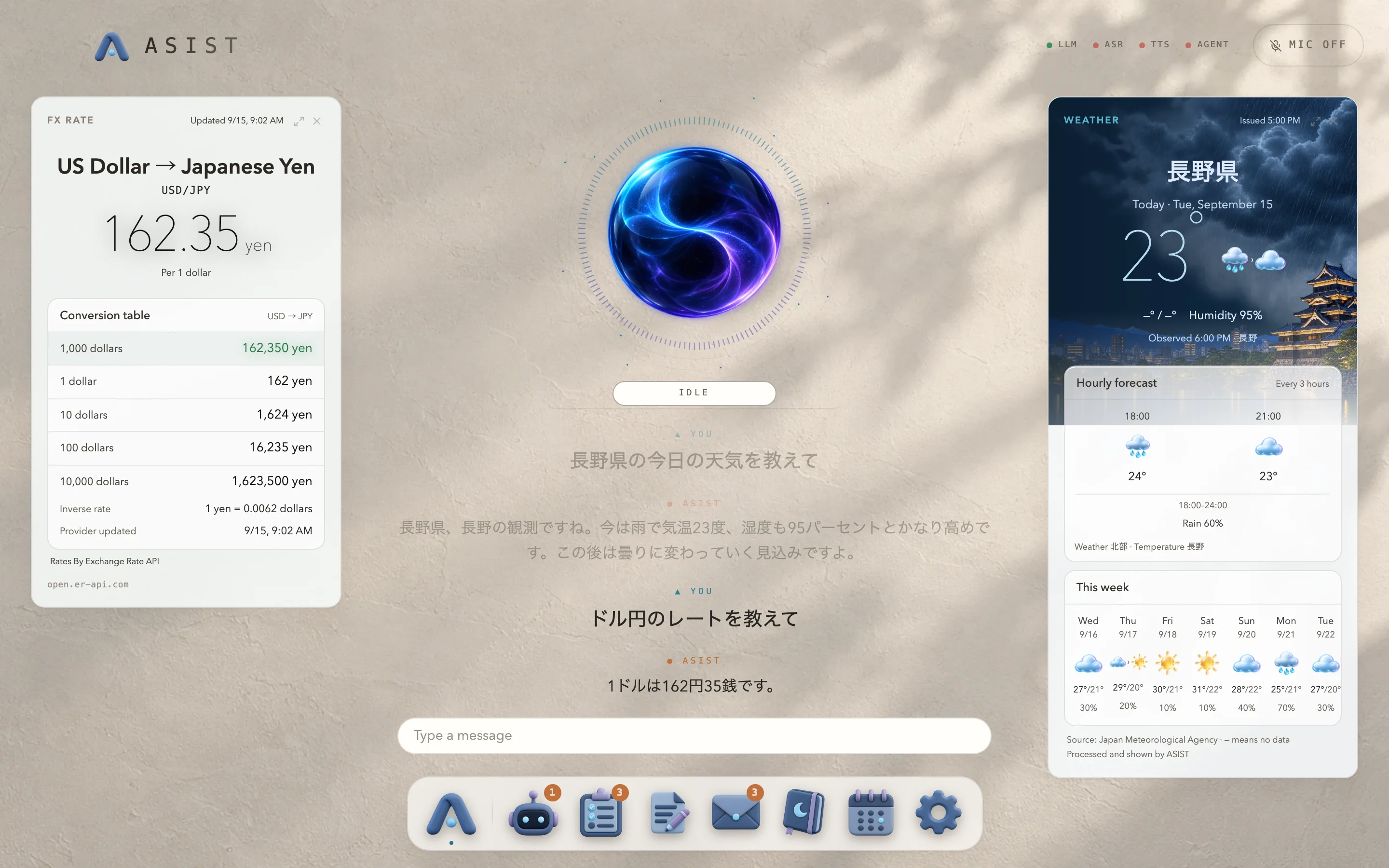
ASIST is an assistant you talk to, and it answers in its own voice. Weather, events and mail appear as cards beside the conversation, and research or file edits that take time go to an agent (the codex or claude CLI) once you approve them. The conversation runs on a model you choose from Anthropic, OpenAI, Google or Cerebras.
Your data stays on your computer. Listening, memory, notes and the conversation history live on this computer. The text of the conversation goes only to the model provider you chose, and cards ask only the weather or news service they need. ASIST sends nothing to its developer.
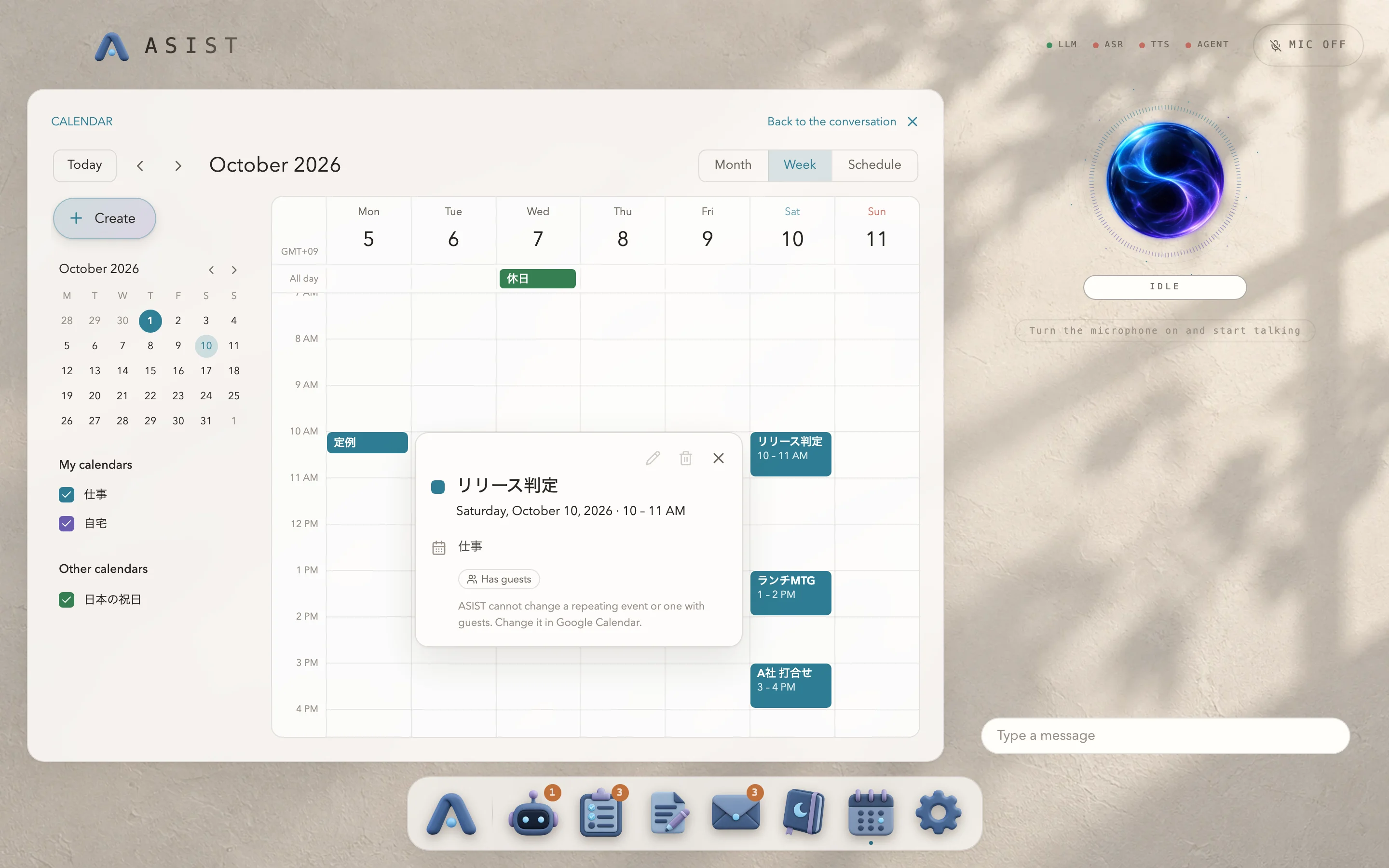 Calendar, which shows, adds and changes the events in Google Calendar. Ask “Show me next week’s schedule” to open it. |
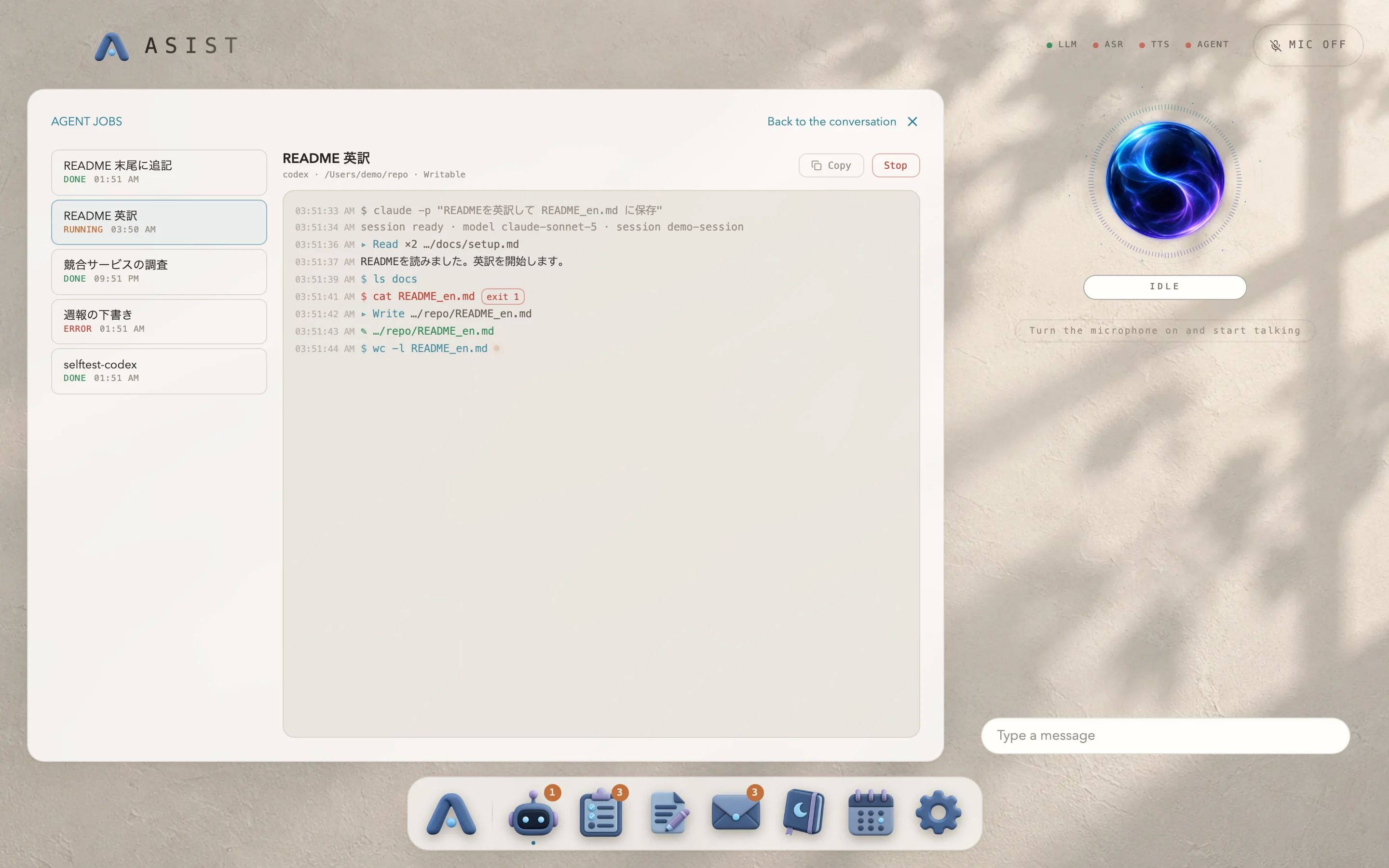 Agent jobs. Follow the progress and open what they produce. |
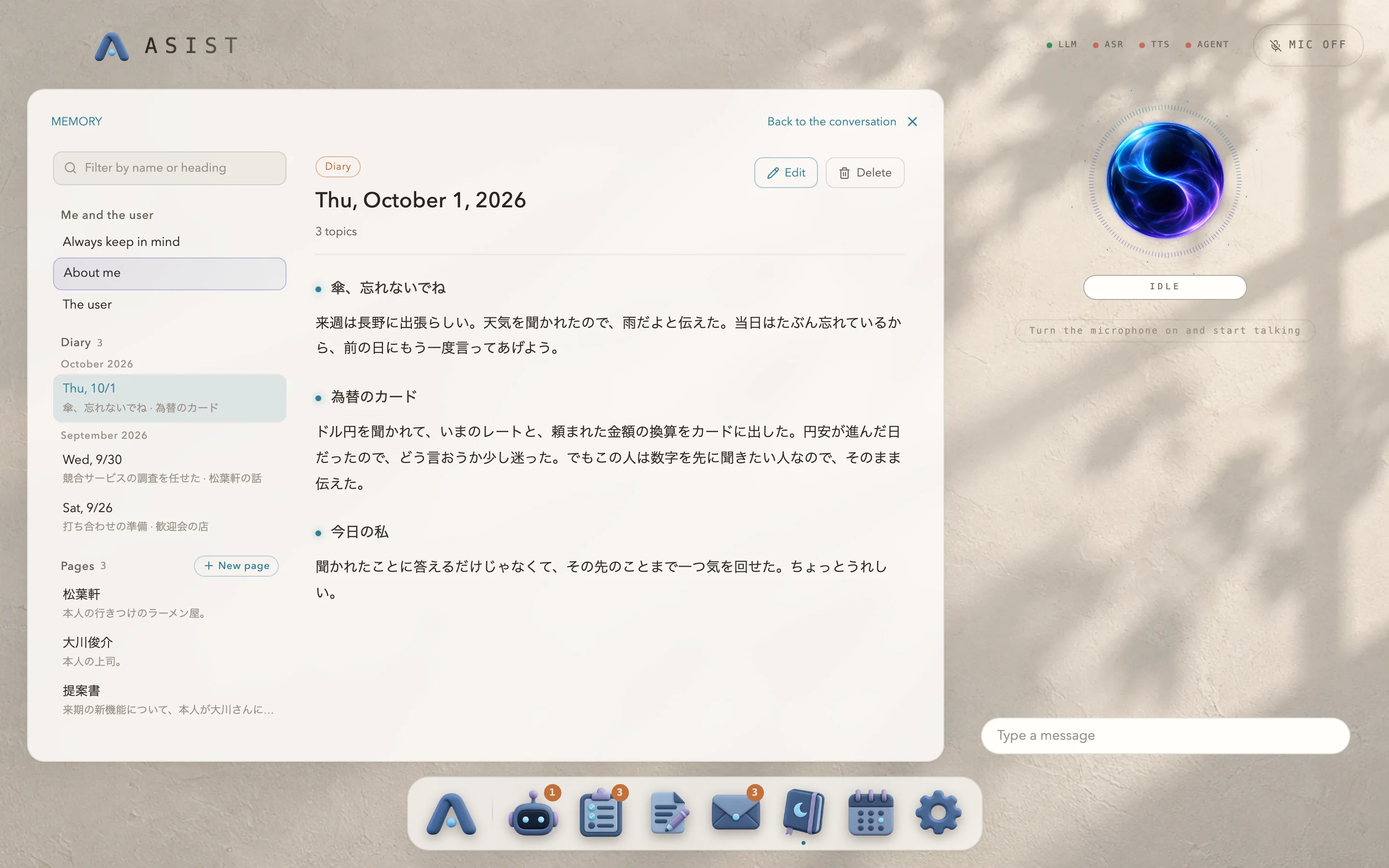 Memory. A diary every day, and what it remembers. |
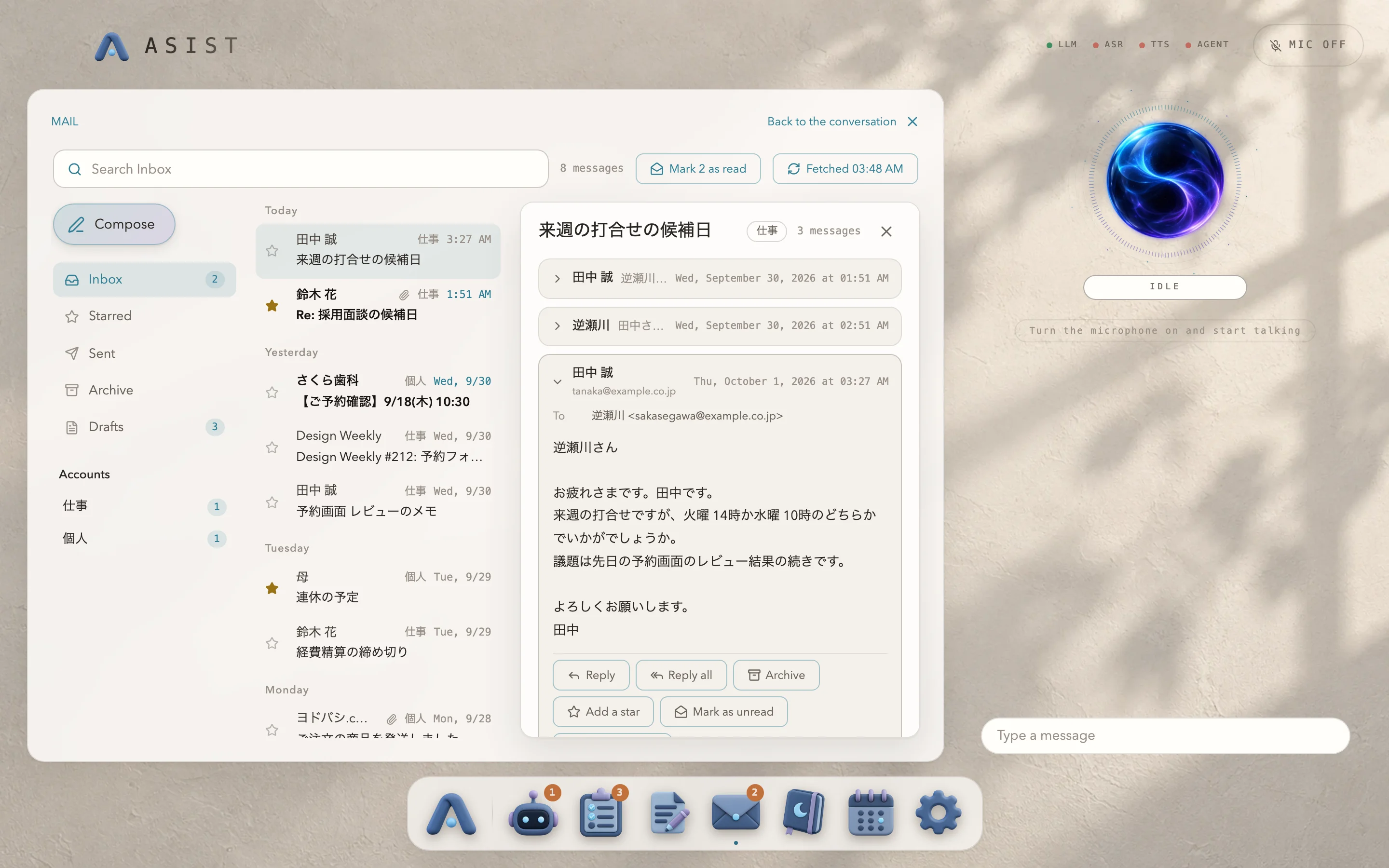 Mail. It reads, summarizes and drafts replies. |
What it does
- Just talk. It starts answering with a short phrase as soon as you finish, and stops reading aloud when you speak over it. In Japanese it also nods along with backchannels while you talk.
- Answers as cards. Weather, events, mail drafts, to-dos, exchange rates, news, maps, timers and more appear beside the conversation while it answers aloud.
- Mini apps. Agent jobs, tasks, notes, mail, memory and the calendar open from the Dock, or from the conversation: “Open next week in the calendar.”
- Hand tedious work to an agent. Research and file edits go to the codex or claude CLI, and you can watch the progress and open the results. It always asks before it starts.
- It remembers. Every day it sorts the day's conversations into its memory of you, and writes a diary of its own. The next day's conversation starts from there.
- Eleven languages. The interface and the conversation work in eleven languages. Japanese conversation is tuned down to its backchannels and pauses.
Get started
You need an Apple Silicon Mac with macOS 14 or later, or an x64 PC with Windows 11, and an API key for a conversation model from one of Anthropic, OpenAI, Google or Cerebras. On Windows, speech recognition and Qwen3-TTS on your computer need a discrete GPU that runs Vulkan; without one, talk through Whisper in the browser or a Live API voice engine, or type. The calendar needs a Google account.
- Download from Releases. On a Mac, download
ASIST-arm64.dmgand drag ASIST into Applications. On Windows, downloadASIST-Setup-x64.exeand open it; the installer is not signed yet, so click “More info”, then “Run anyway” when SmartScreen warns you. - Open ASIST and pick the language, model, voice and microphone in the first-run setup.
- Start talking. New versions arrive on their own and install the next time you quit, on a Mac and on Windows alike.
Step-by-step pages with screenshots, the microphone permission, connecting the calendar, and setting up the agent CLI are in Getting started.
Using it safely
ASIST's answers and cards come from language models and can be wrong, so check anything that matters. Calendar changes, sending mail and Agent jobs happen only after you approve them. An approved job runs your own codex or claude CLI with that CLI's permissions and can change files in the folder you chose, so read a job before you approve it. The APIs are called with your own keys and each provider bills you directly, so set a spending limit with each of them. The conversation, and the audio with a Live API voice engine, goes to the providers you chose. Read Using ASIST safely before you start; ASIST is provided under the MIT License, without warranty.
Privacy
| Where | What |
|---|---|
| Only on this computer | Listening, voice activity detection, backchannel classification, memory search. Settings, memory, notes, tasks, conversation history and fetched mail |
| The model provider you chose | The text of the conversation and the memory that relates to it. With a Live API voice engine, the microphone audio |
| The sources of card data | Only the words a card needs, such as a place for the weather, a news topic or a currency |
| The service behind the codex or claude CLI | The prompt of a job you approved, and the files the CLI reads |
API keys and mail passwords are stored encrypted, with a key from the keychain on macOS and with DPAPI on Windows, and are never passed to a child process, the agent CLI included. On Windows, any program running as your user can decrypt them. The full list of destinations is in Privacy and data.
Documentation
The documentation for users is at asist-agent.com/en/docs.
| To learn about | Read |
|---|---|
| Installing, the first-run setup, permissions, the agent CLI | Getting started |
| Talking to ASIST, cards, mini apps | Using ASIST |
| Appearance, language and region, models, voice, the agent | Settings |
| Where data is kept and where it is sent | Privacy and data |
| When something does not work | Troubleshooting |
| The models, outside data and licenses | Reference |
| Running from source, building, releasing (in Japanese) | docs/development.md in this repository |
| Design decisions and their reasons (in Japanese) | docs/adr/ in this repository |
Development
npm install
npm run dev      # runs ASIST from source
npm test
You need Node.js and npm, with the Xcode Command Line Tools on a Mac, or the C++ desktop development workload of Visual Studio on Windows. Building, CI, checking screens and releasing are described in docs/development.md, and the rules for developing with an agent in AGENTS.md.
Bug reports and requests are welcome in Issues. Please report vulnerabilities through SECURITY.md, not in a public issue.
License
MIT. The git bundled in the app is GPL-2.0, and its source is attached to every release. The licenses of the models and data ASIST uses are in Reference.
Reviews (0)
Sign in to leave a review.
Leave a reviewNo results found