oil-showcase
Health Warn
- License — License: MIT
- Description — Repository has a description
- Active repo — Last push 0 days ago
- Low visibility — Only 8 GitHub stars
Code Pass
- Code scan — Scanned 2 files during light audit, no dangerous patterns found
Permissions Pass
- Permissions — No dangerous permissions requested
No AI report is available for this listing yet.
Product showcase & screenshot mockup skill for Claude Code, Codex and AI agents. 把产品截图变成高清晰度产品演示与功能拆解展示图。
English · 简体中文
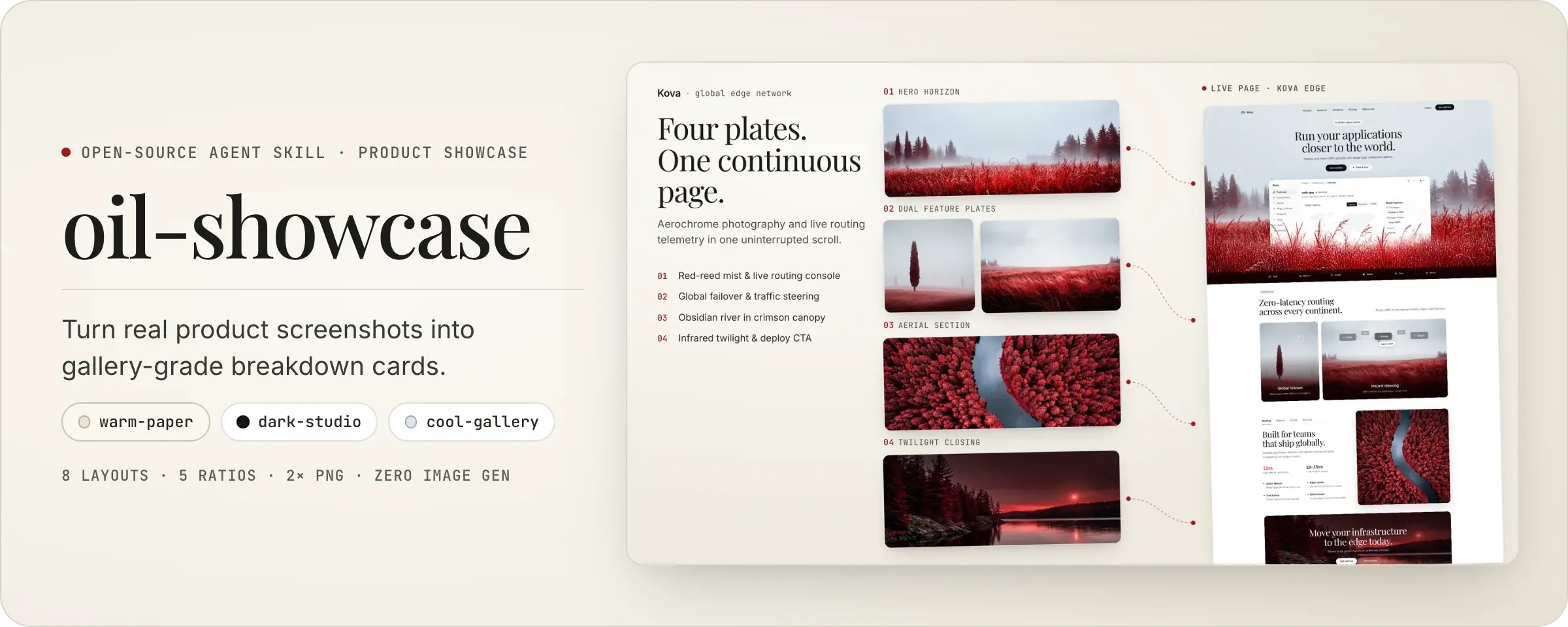
oil-showcase
Turn real product screenshots—websites, matte dark desktop workbenches, native tools, and mobile apps—into restrained, @2x Product Showcase Cards for launches, READMEs, and social posts. Rendered locally with HTML/CSS, bundled SIL OFL fonts, and headless Chrome; zero AI image-generation APIs, zero configuration, and zero API keys.
Deliverables: @2x PNG cards (png/*.png), standalone HTML files (html/*.html), and a theme-matched contact sheet (index.html).
Quick install: Ask your Agent Please install https://github.com/oil-oil/oil-showcase or run npx skills add oil-oil/oil-showcase.
Showcase — 5 Themes & 11 Built-in Layouts
Every card below was rendered locally by oil-showcase from real Oil Studio and Oil UI captures across all 11 layouts and all 5 pure-code themes (warm-paper, dark-studio, cool-gallery, wallpaper-stage, blueprint-grid). Detail-reading layouts stay strictly upright (0°) for razor-sharp UI text, paired with pure-code studio lighting, fine SVG grain, and behind-the-card occluded typography.
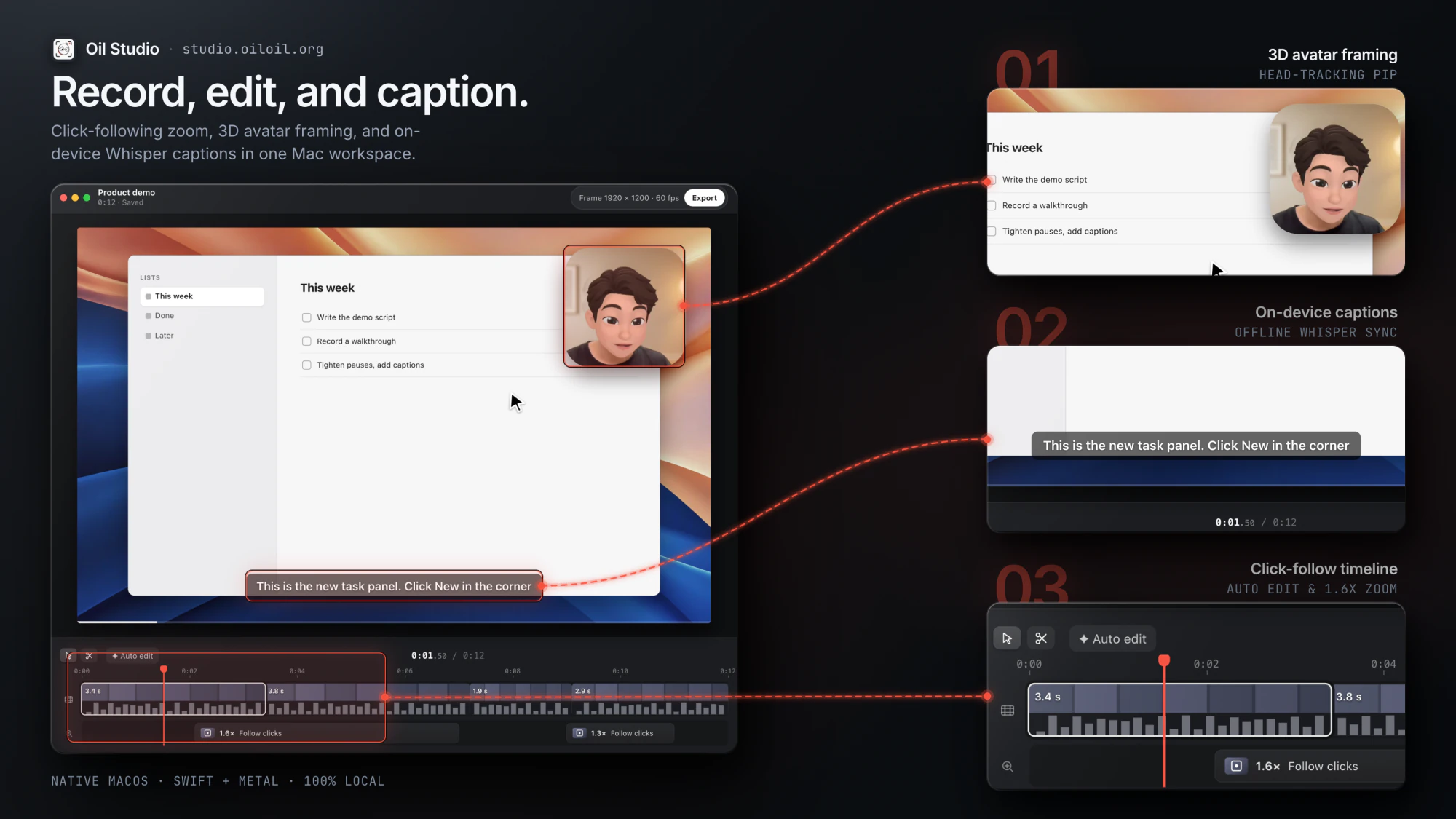
dark-studio · window-callout · 16:9 — Upright Oil Studio workspace with occluded 01–03 callouts & luminous leader lines
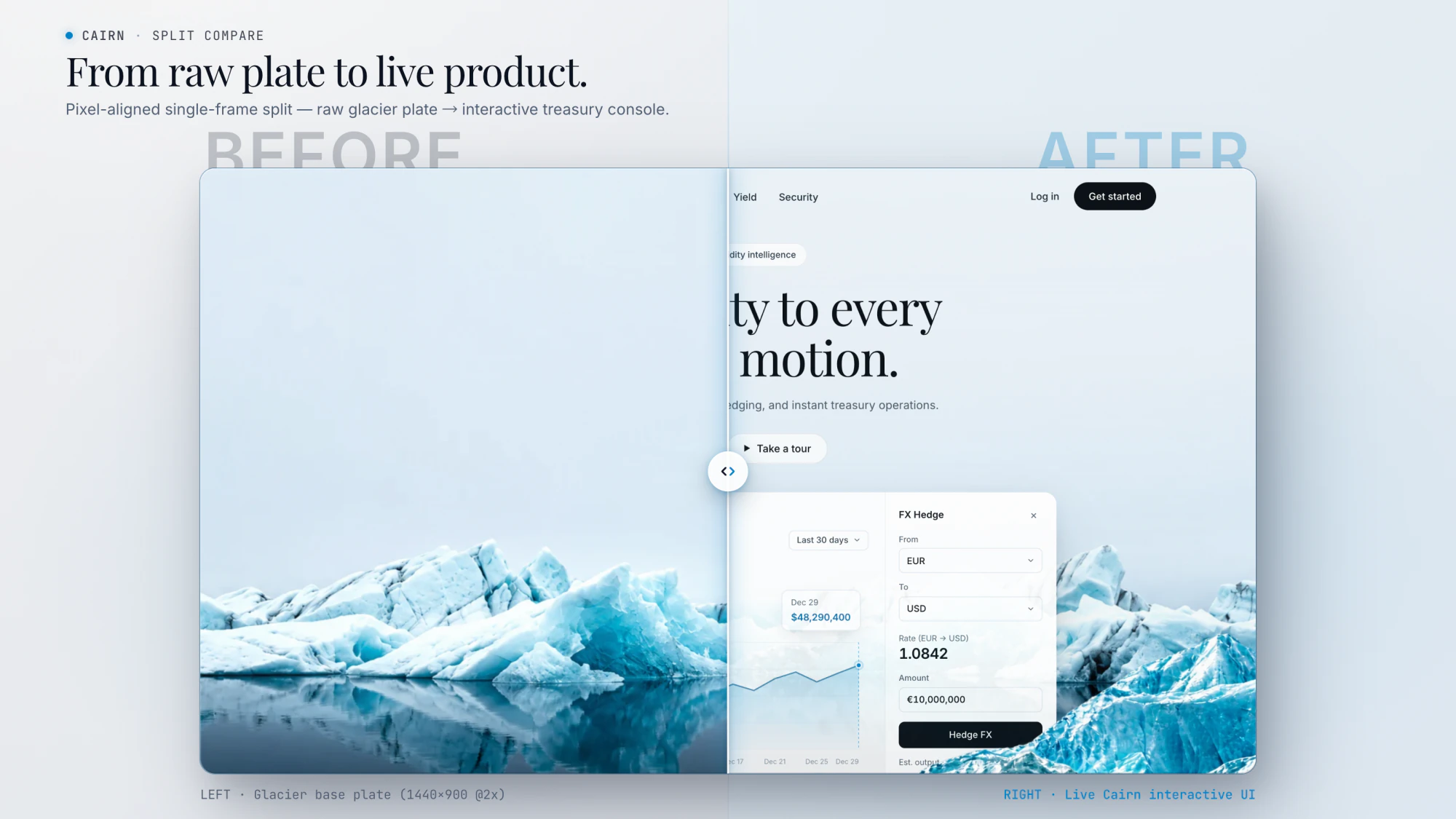
cool-gallery · split-compare · 16:9 — Pixel-aligned single-frame split (Oil UI · Cairn)
|
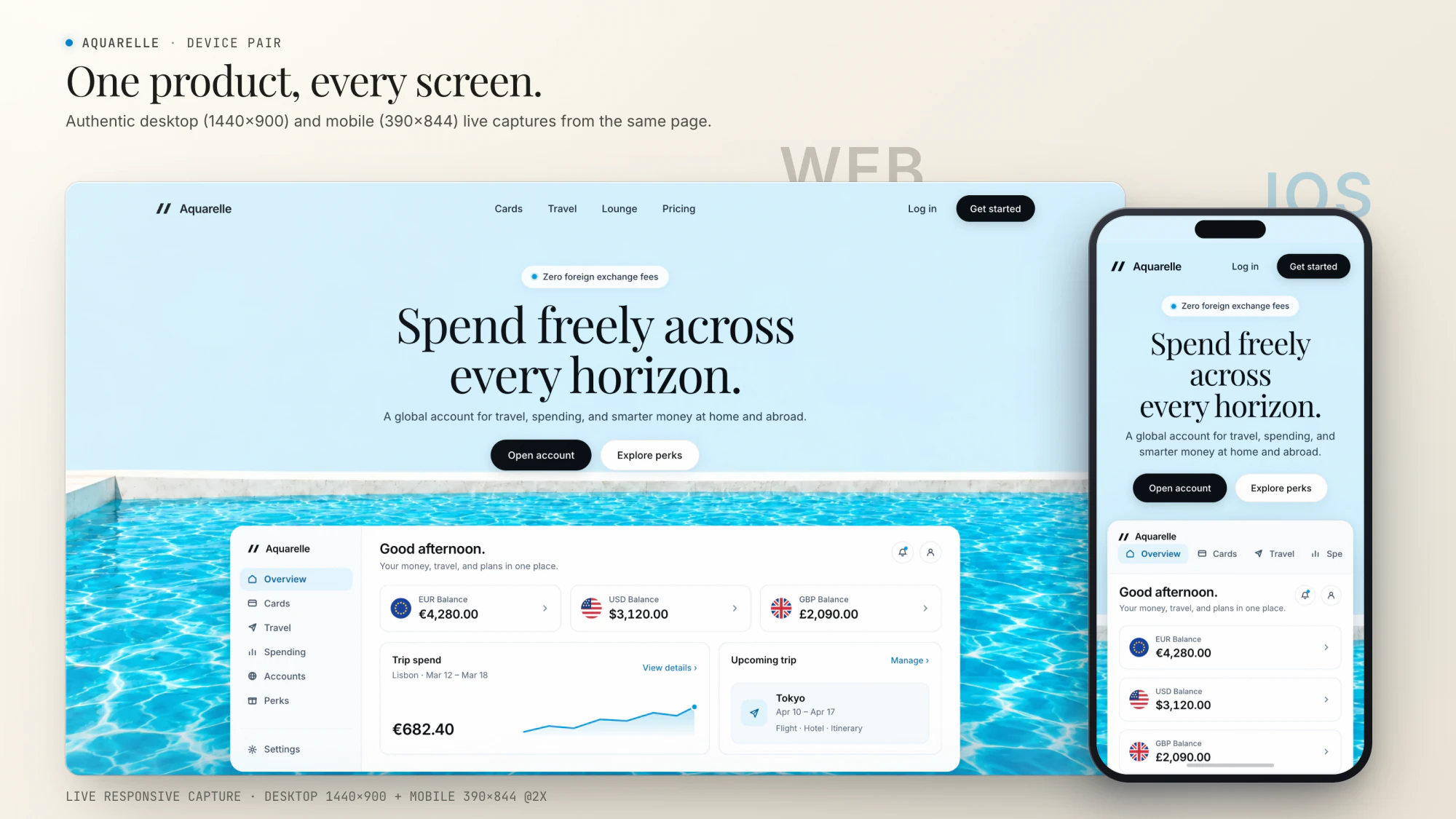
warm-paper · device-pair · 16:9 — Desktop + mobile responsive pair (Oil UI · Aquarelle)
|
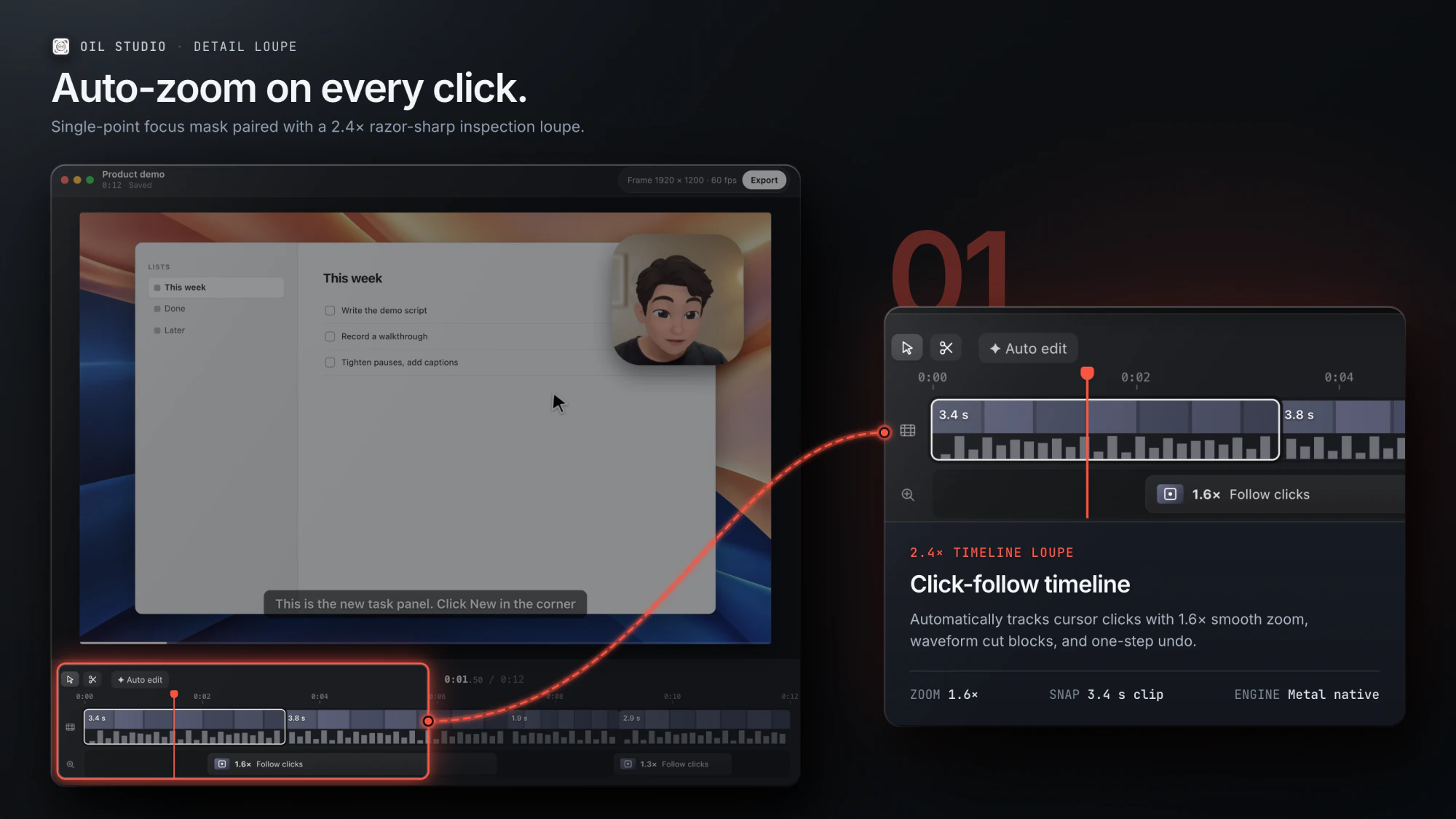
dark-studio · window-callout (1-point loupe) · 16:9 — Cutout focus mask & 2.4× detail loupe (Oil Studio)
|
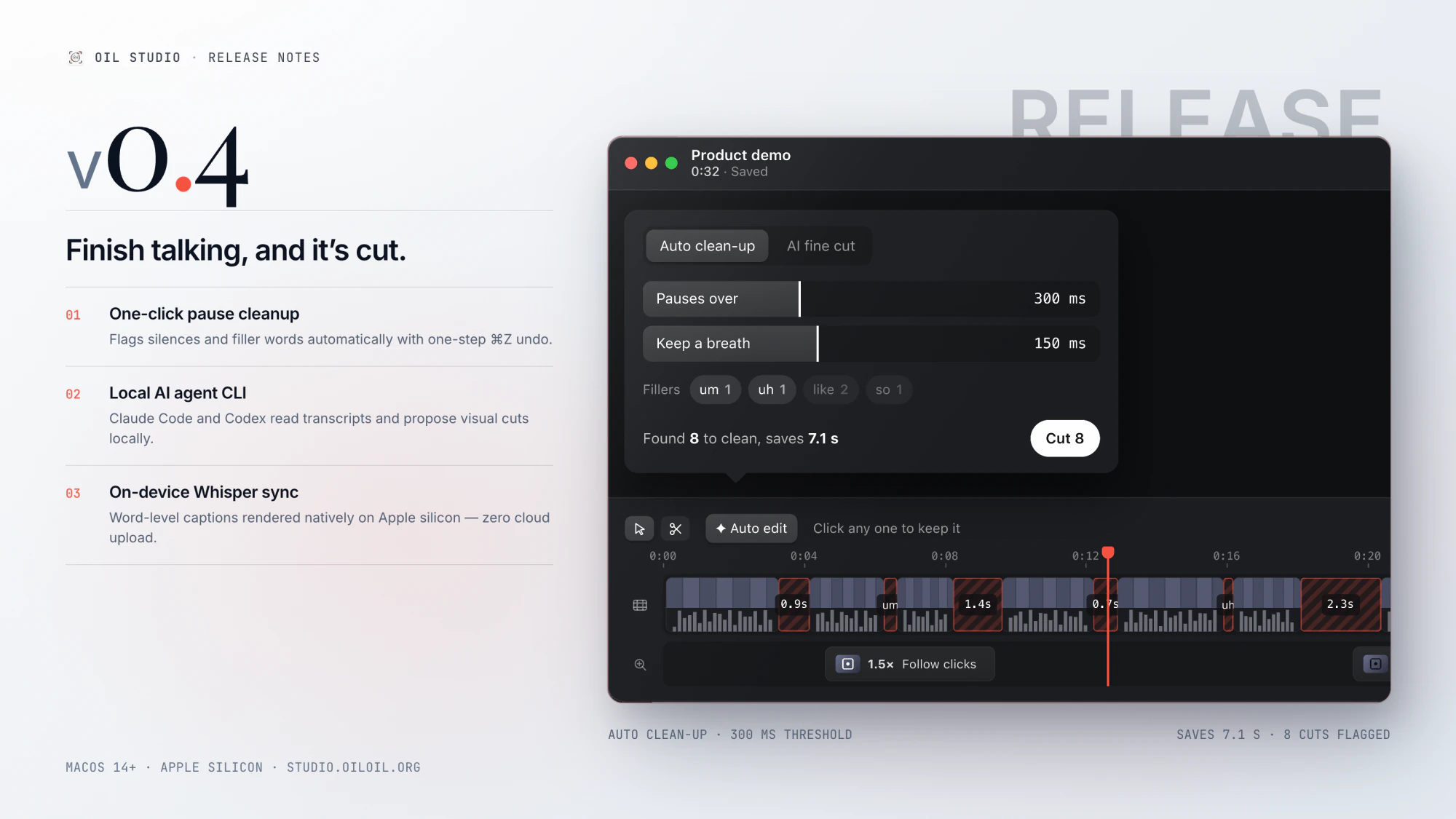
cool-gallery · changelog-card · 16:9 — Release announcement & highlights (Oil Studio v0.4)
|
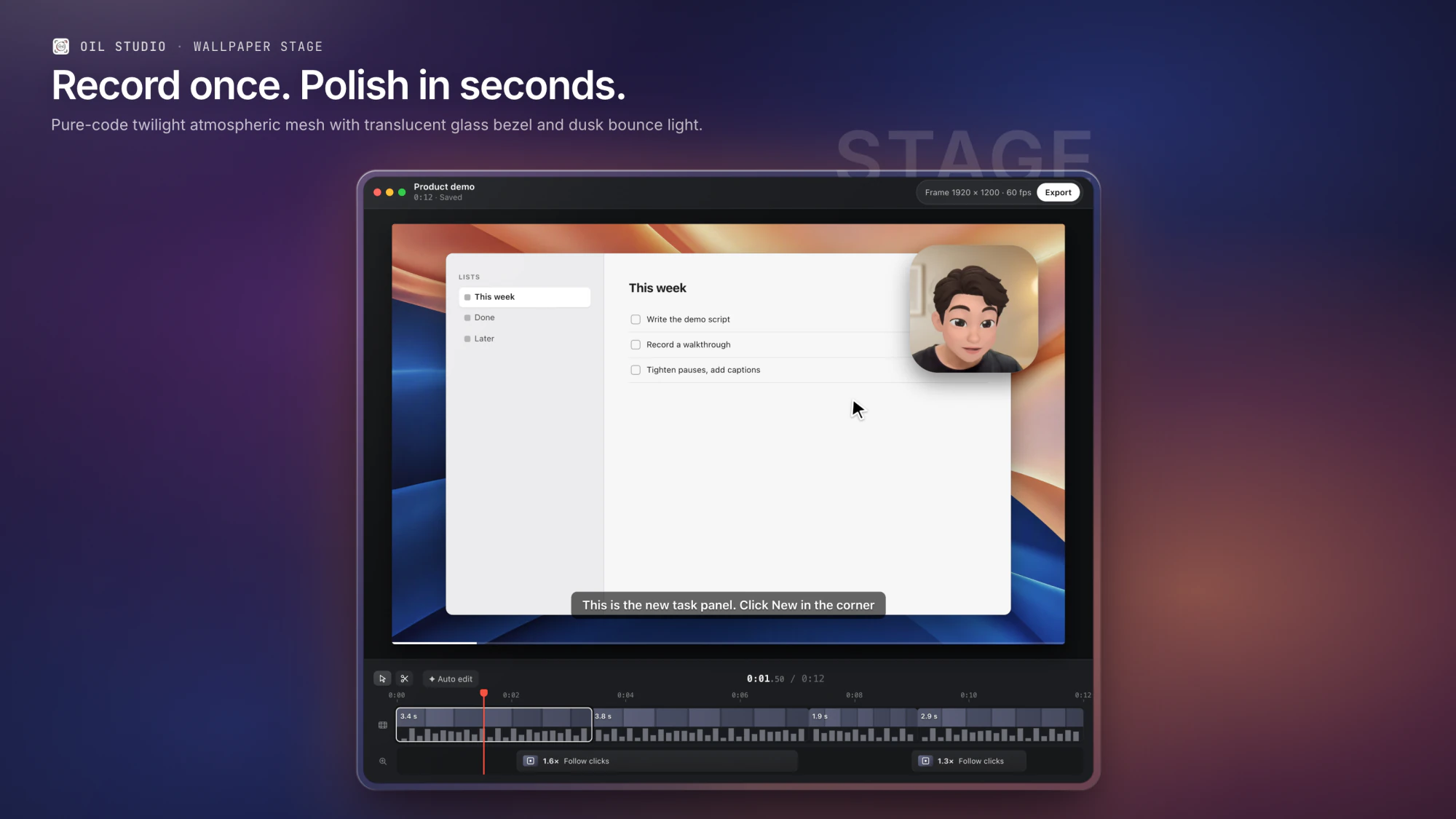
wallpaper-stage · window-callout (stage) · 16:9 — Pure-code twilight mesh & glass bezel (Oil Studio)
|
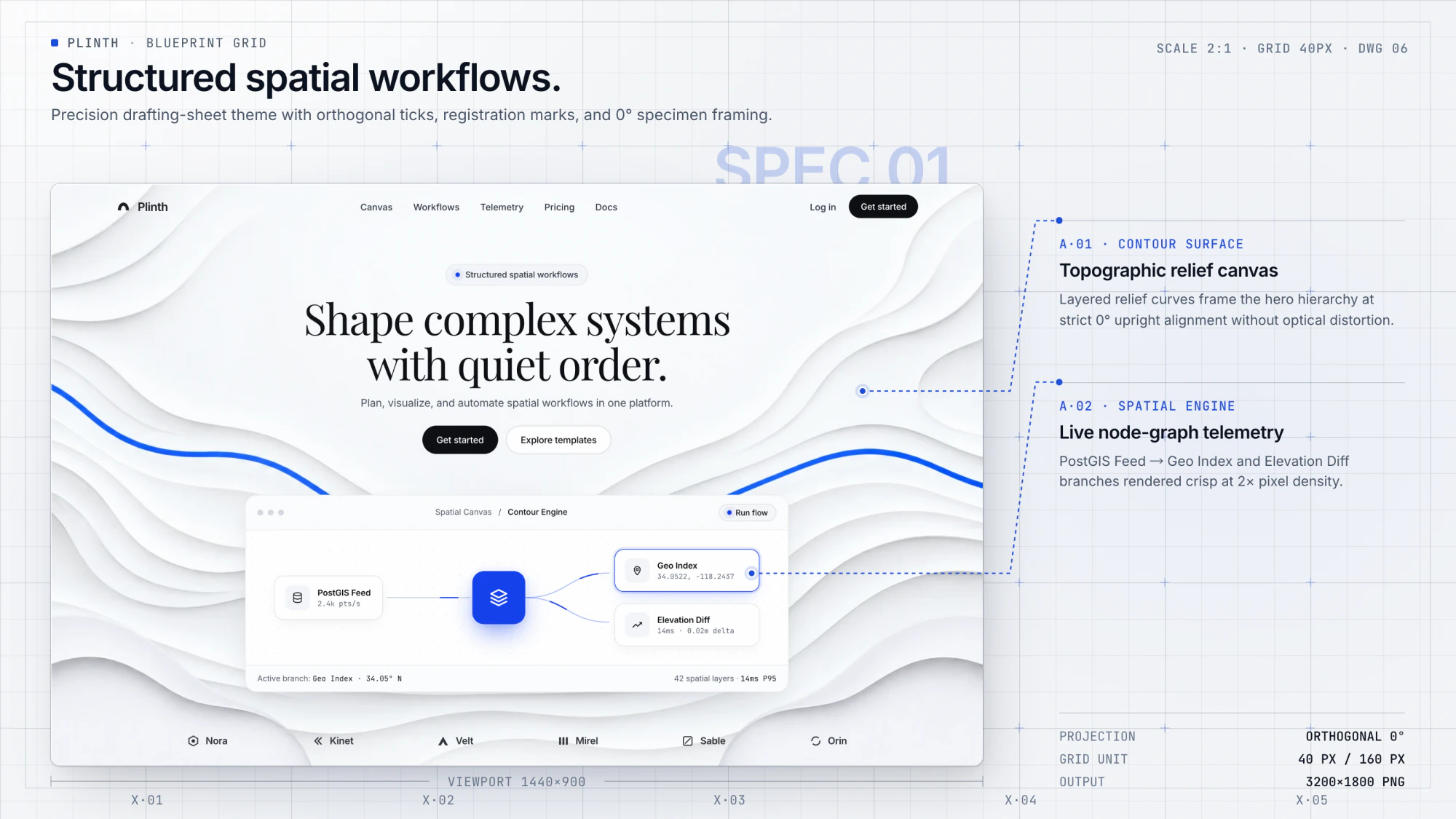
blueprint-grid · window-callout (CAD) · 16:9 — Drafting grid & orthogonal spec leaders (Oil UI · Plinth)
|
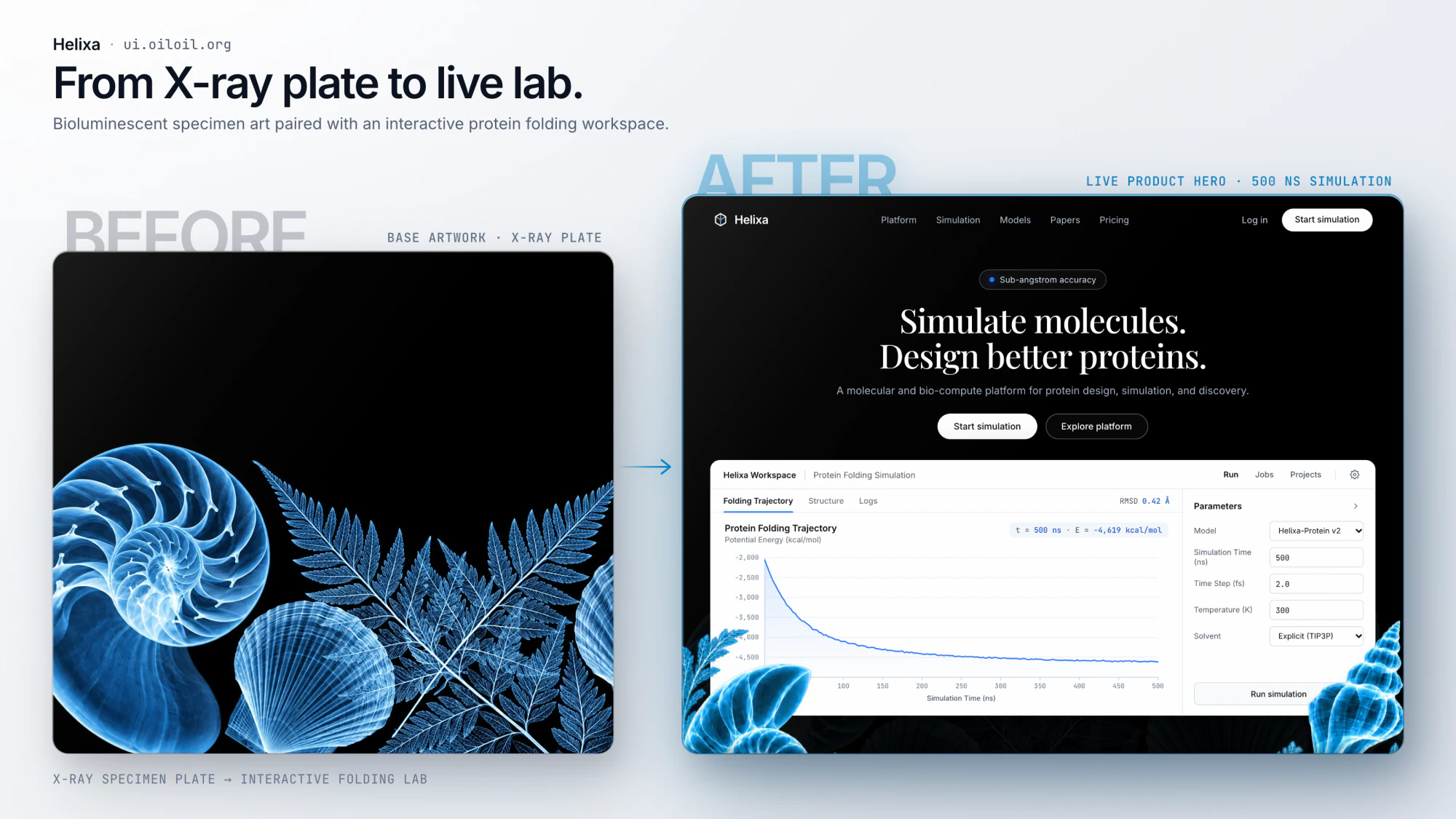
cool-gallery · before-after (side-by-side) · 16:9 — Asymmetric scale & skylight contrast (Oil UI · Helixa)
|
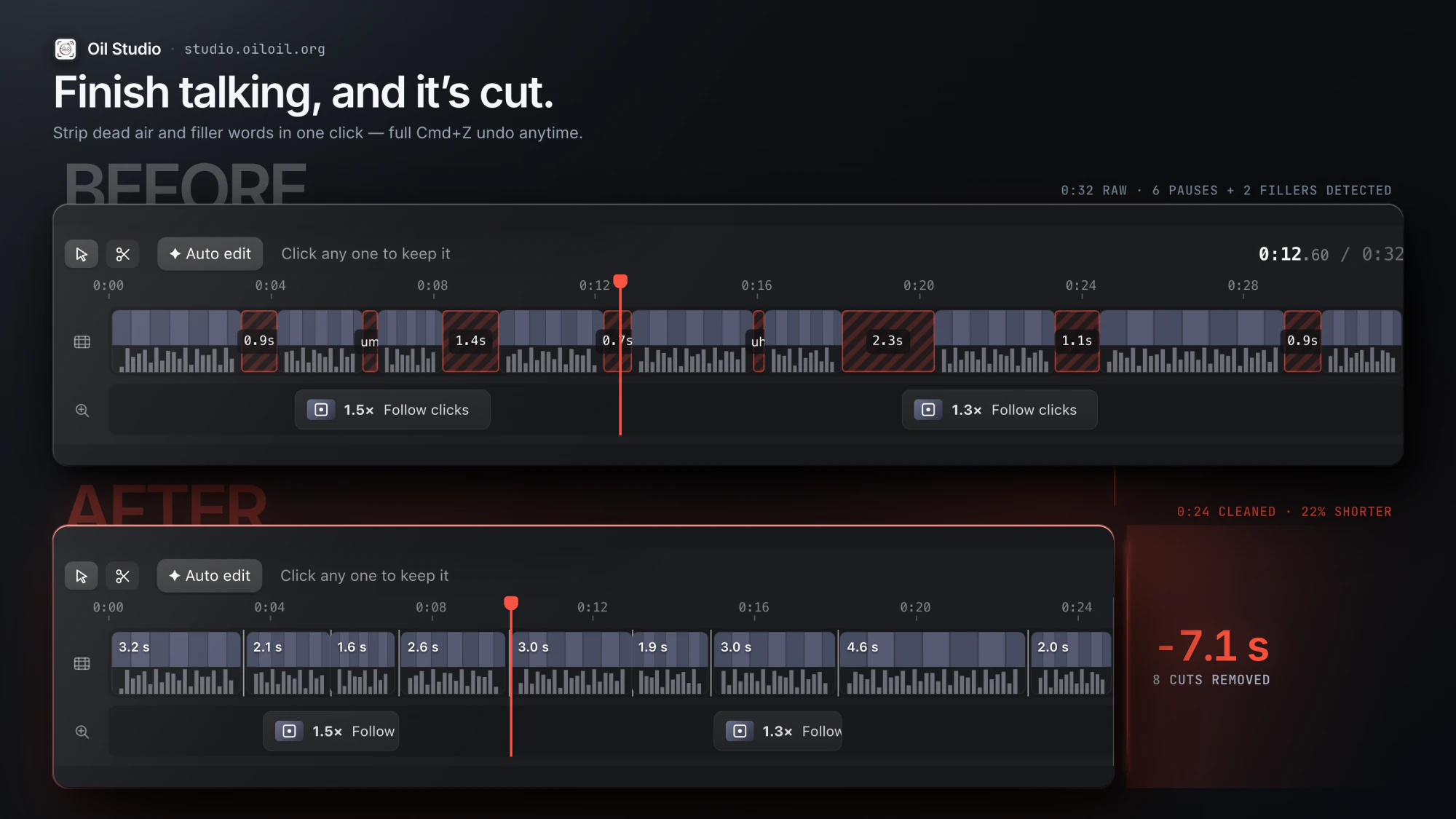
dark-studio · before-after (stacked) · 16:9 — Aligned timeline trim with optical hairline (Oil Studio)
|
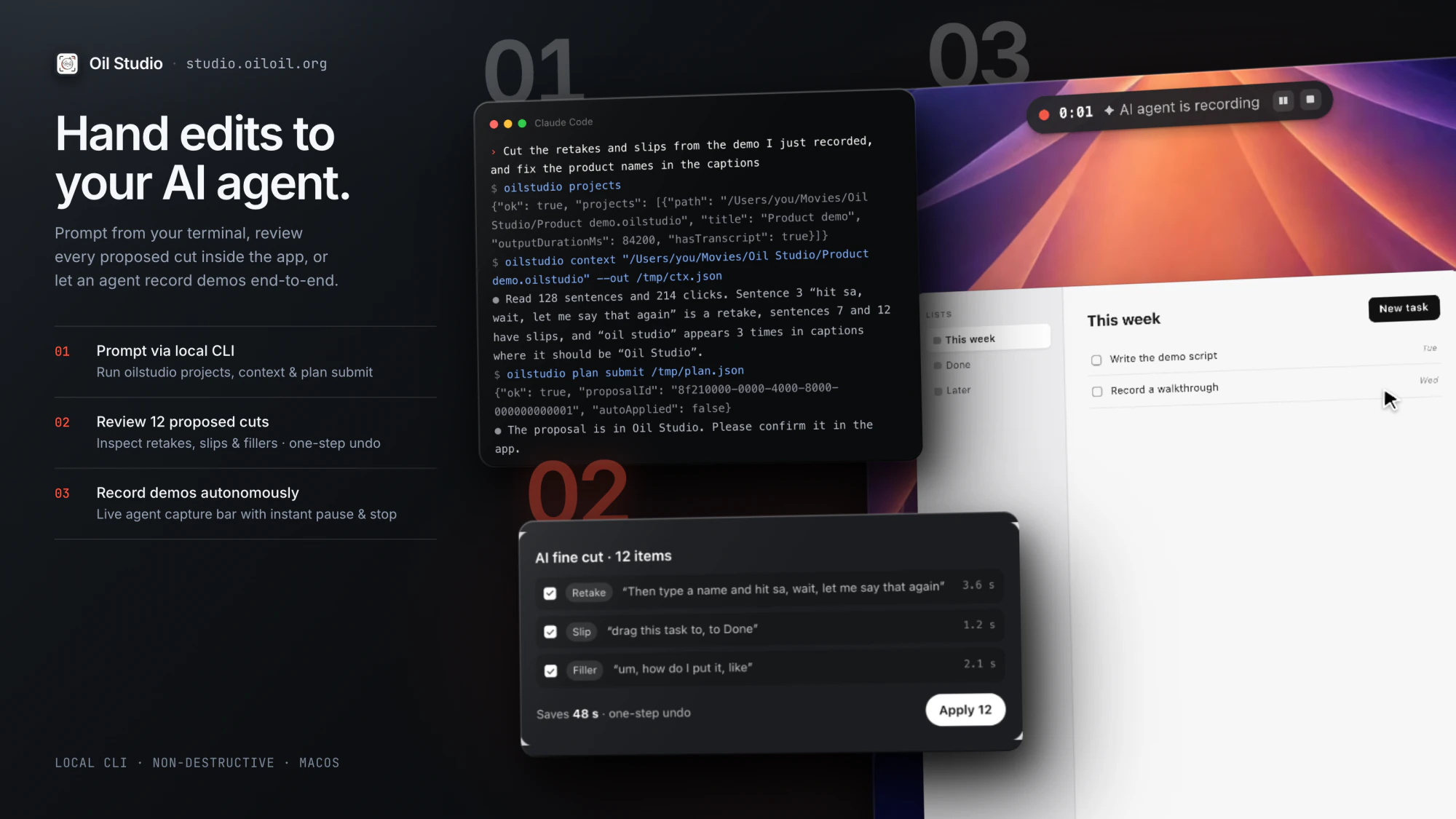
dark-studio · workflow-steps (staged) · 16:9 — Asymmetric 3D stage & milestone rail (Oil Studio)
|
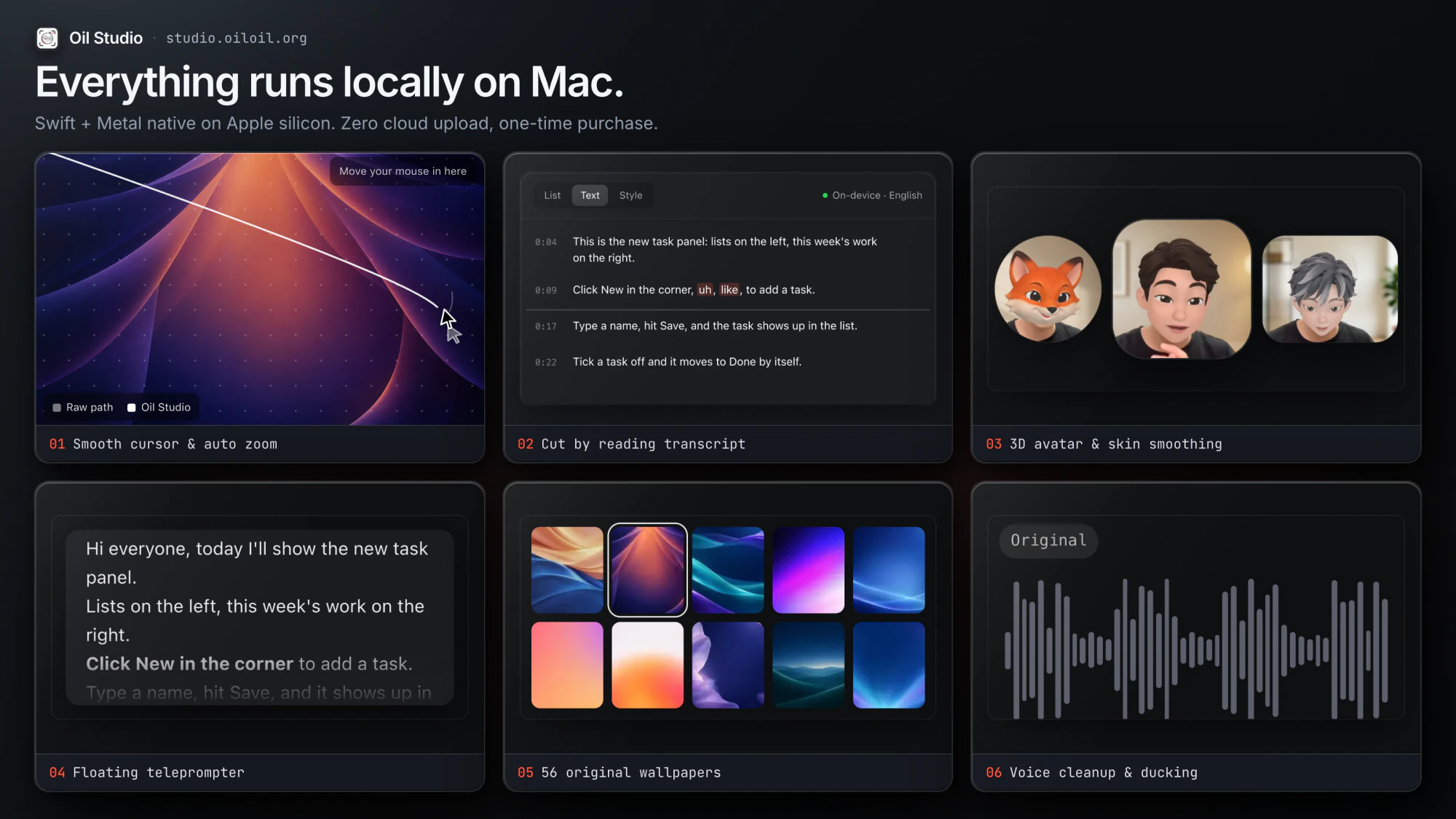
dark-studio · module-bento · 16:9 — Ordered 3×2 local feature grid (Oil Studio)
|
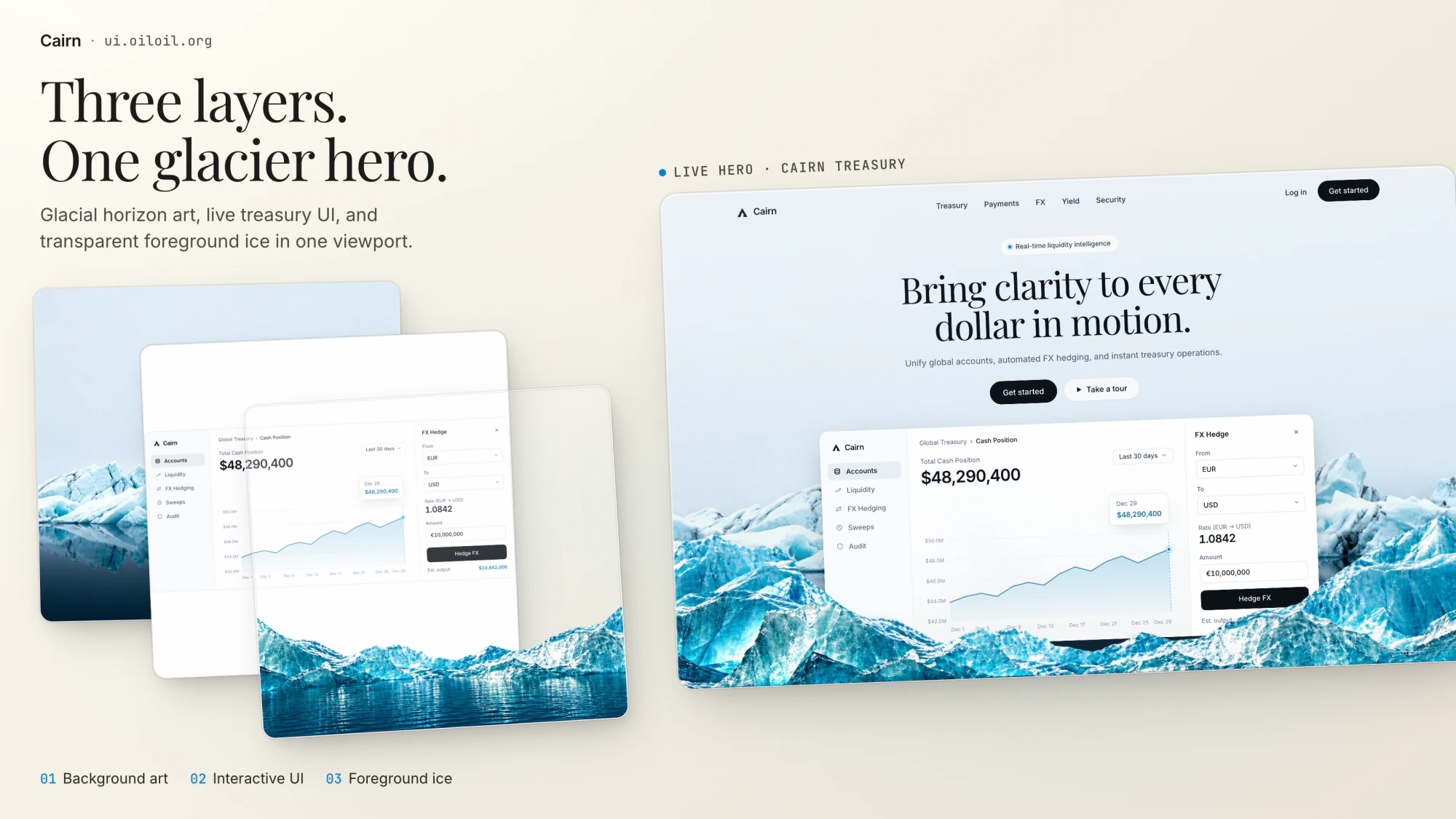
warm-paper · layered-hero · 16:9 — Three-layer stack & live hero (Oil UI · Cairn)
|
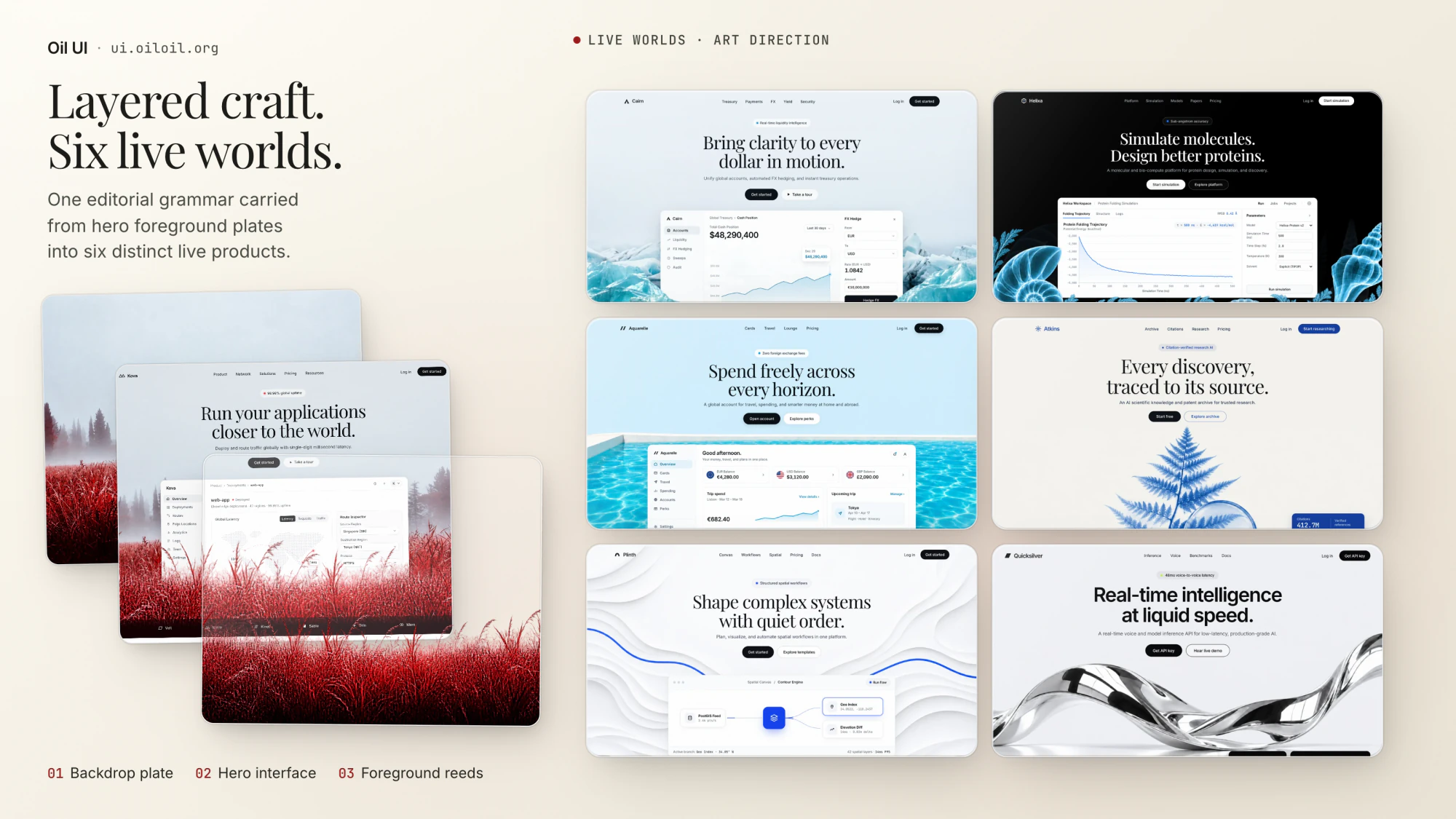
warm-paper · layered-bento · 16:9 — Layered stack paired with 6-tile Bento (Oil UI)
|
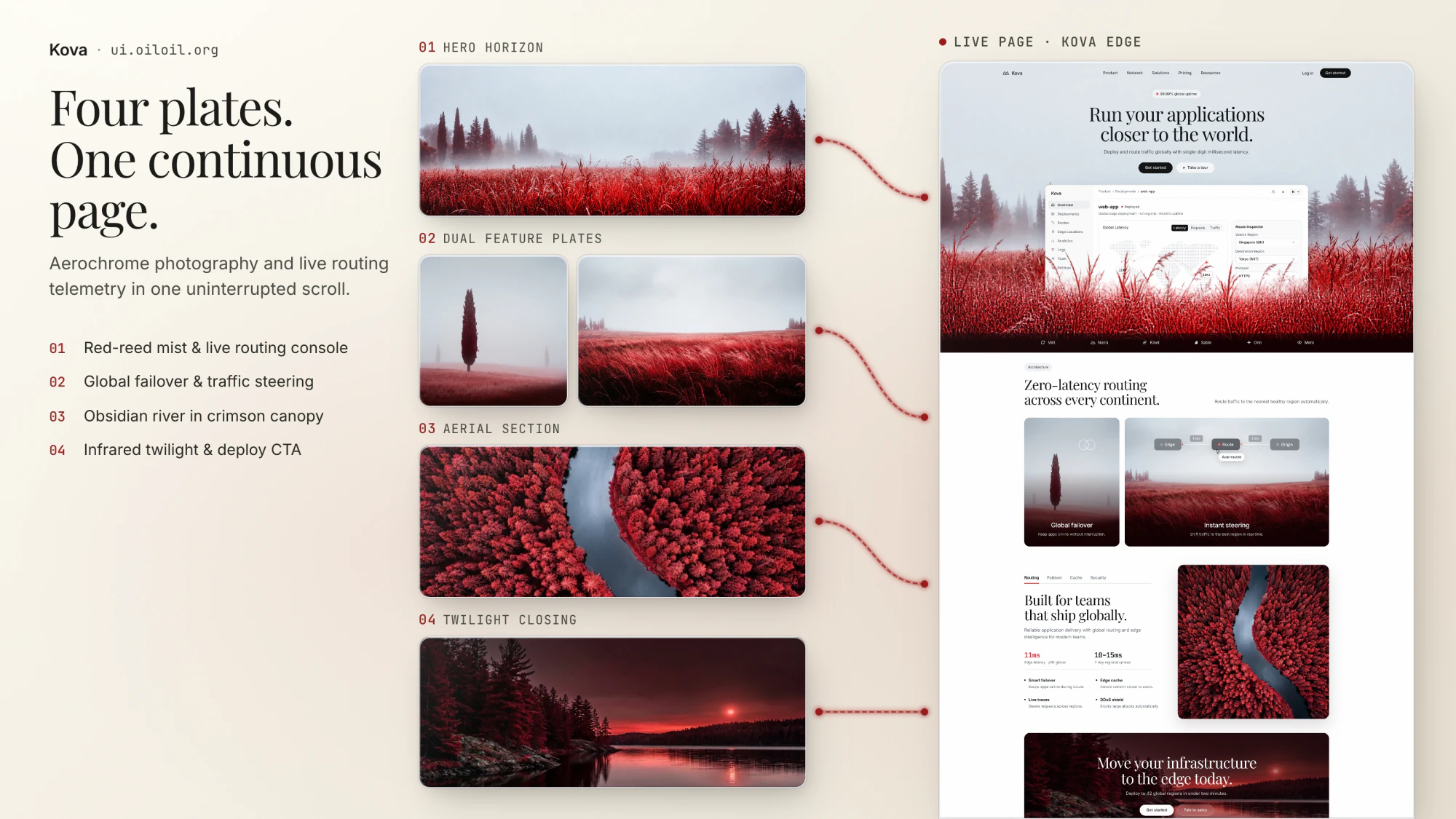
warm-paper · section-assembly · 16:9 — Ordered plates mapped to full page (Oil UI · Kova)
|
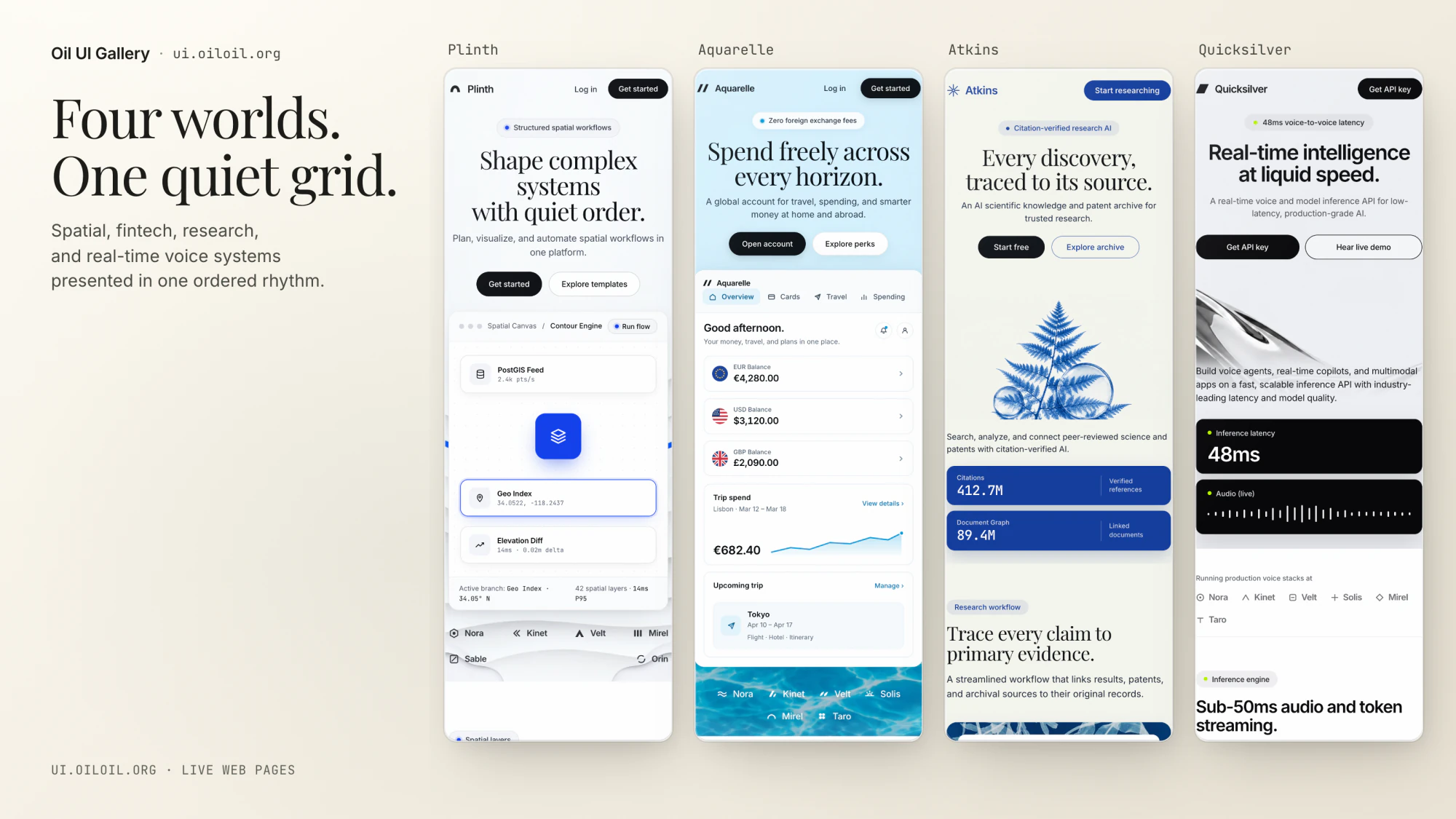
warm-paper · gallery-wall · 16:9 — Strictly ordered multi-world wall (Oil UI)
|
Adaptive Portrait Formats (3:4 & 9:16)
Vertical ratios reflow horizontal callouts into numbered anchors and stack comparisons vertically for mobile feeds and cover cards.
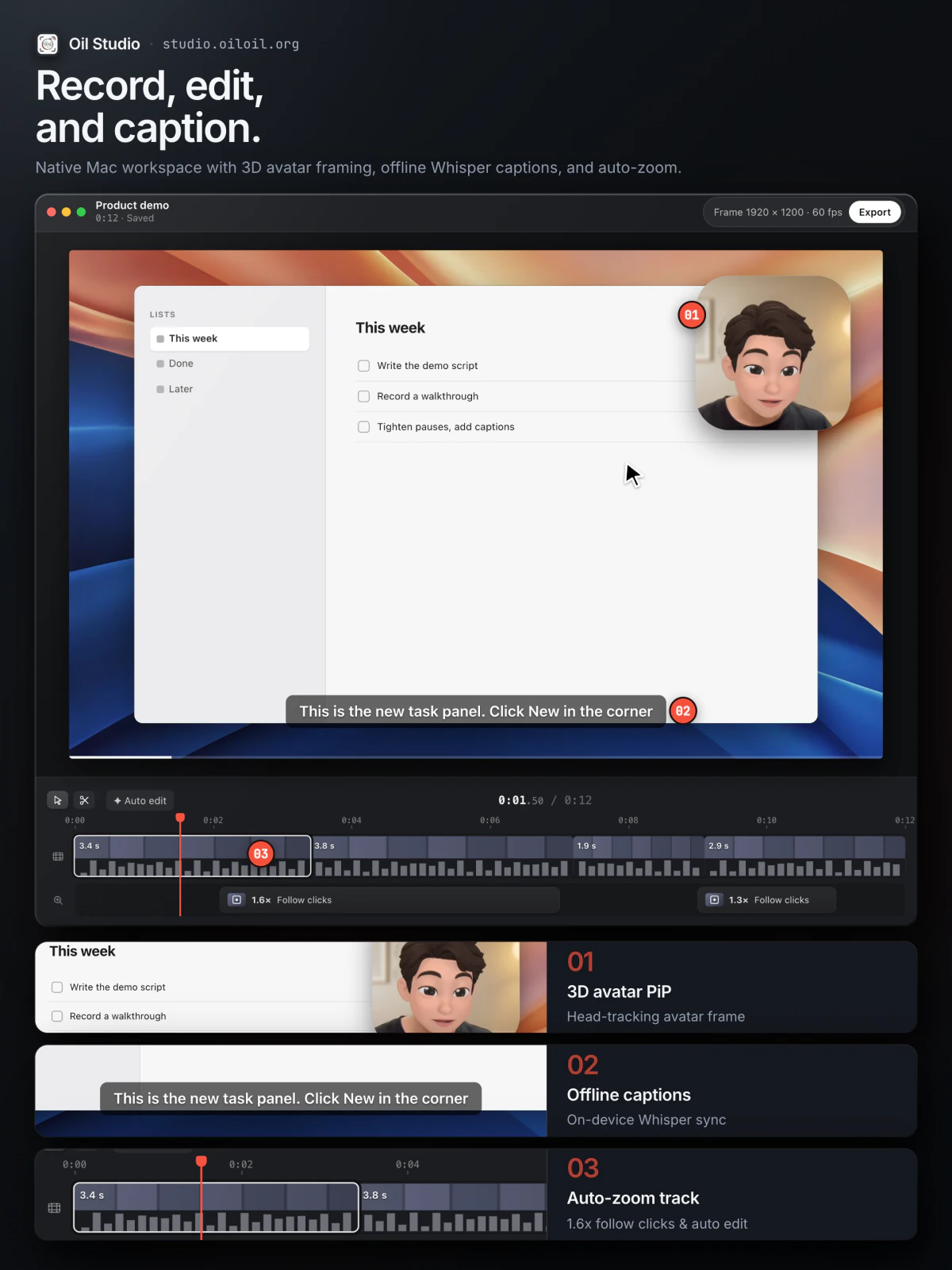
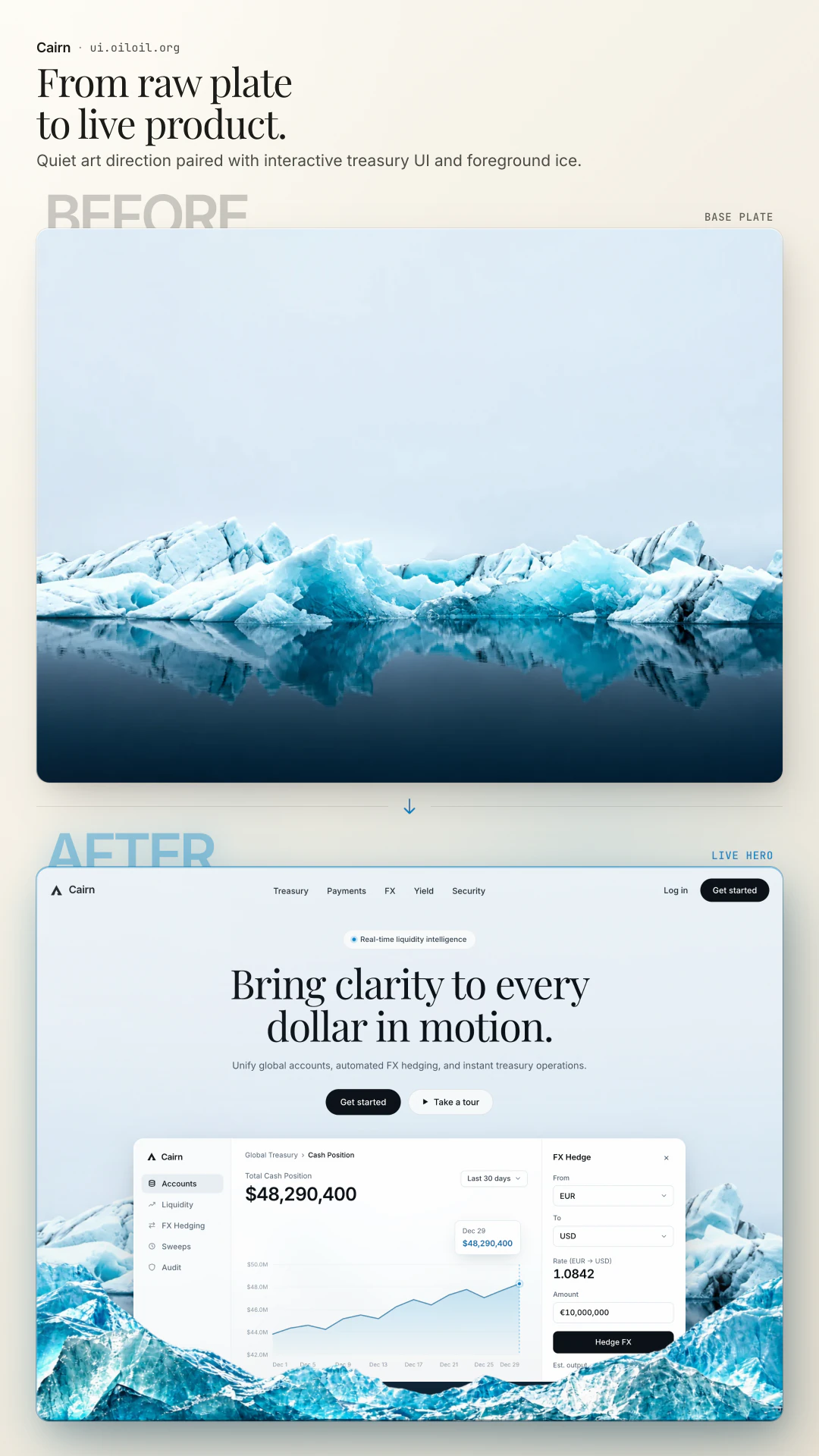
Left: dark-studio · window-callout · 3:4 (Oil Studio) | Right: warm-paper · before-after · 9:16 (Oil UI · Cairn)
How It Works
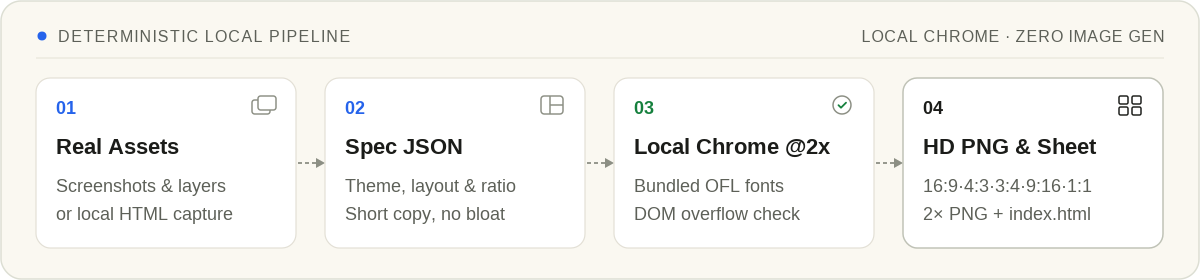
- Pixel-exact UI: Real screenshots stay untouched—no hallucinated buttons, distorted icons, or garbled text.
- Repeatable edits: Swap themes, adjust copy, or re-render one card (
--only <card-id>) in seconds while keeping the rest of the set intact. - Built-in checks: Verifies image decoding, bundled OFL font loading, and text overflow before writing PNGs.
- Language-aware copy: Card titles, labels, and default
before/afterbadges follow your conversation language automatically.
Install & Quick Start
No configuration, login, or API keys required.
1. Let your Agent install it (recommended)
Please install this Skill: https://github.com/oil-oil/oil-showcase
2. Install via CLI
npx skills add oil-oil/oil-showcase
npxis only an optional install shortcut; Node.js is not required at runtime. You can also copyskills/oil-showcase/into your Agent host's skills directory.
Ask in Plain Language
- "Turn these 4 screenshots of my desktop app into a
dark-studiowindow-calloutcard at 16:9." - "Build a 3:4 portrait showcase set in
warm-paper, including a before-and-after comparison." - "Capture
http://localhost:3000without browser chrome, then render asection-assemblybreakdown." - "Switch card 02 to
cool-galleryand shorten the subtitle without re-rendering the other cards."
Full Agent instructions and JSON spec fields: SKILL.md and references/design-system.md.
Themes, Layouts & Ratios
| Dimension | Options |
|---|---|
| 5 Pure-Code Themes | warm-paper (cotton matte serif), dark-studio (anodized dark sans), cool-gallery (architectural light gray sans), wallpaper-stage (atmospheric twilight/ocean/sunset/emerald mesh + frosted glass bezel), blueprint-grid (#F3F5F8 drafting grid + registration crosshairs + coordinate ticks). |
| 11 Built-in Layouts | split-compare, device-pair, changelog-card, window-callout (0-callout stage / 1-point detail loupe / 2–4 split or stacked / blueprint-grid CAD leaders), before-after (side-by-side / stacked + optical trim hairline), workflow-steps (row / staged), layered-hero, layered-bento, section-assembly, module-bento, gallery-wall. Upright 0° by default on detail-reading layouts. |
| 5 Aspect Ratios | 16:9 (3200×1800 @2x), 4:3 (2880×2160), 3:4 (2160×2880), 9:16 (2160×3840), 1:1 (2400×2400), plus custom WxH viewports (400–4000 CSS px). |
Scope & Related Standalone Skills
| Need | Skill |
|---|---|
| Launch cards, social breakdown sets, Bento overviews, window callouts, before/after & workflow cards | oil-showcase (this repo) |
| GitHub README homepage redesign, hero banners, and SVG/WebP assets | beautify-github-readme (standalone) |
| Designing or implementing production frontend interfaces | oil-ui (standalone) |
Multi-slide decks (oil-ppt), long-form publishing (oil-post), ink-line concept art (oil-visual) |
Standalone skills for slides, articles, and editorial illustration |
Requirements & Direct CLI
Requires Python 3.10+ (standard library only) and a local Chrome, Chromium, or Microsoft Edge installation (CHROME_PATH override supported). Bundled SIL OFL fonts (Inter, Playfair Display, JetBrains Mono) live in skills/oil-showcase/assets/fonts/.
# 1. Check Python, local browser, and bundled fonts (Windows: py -3)
python3 skills/oil-showcase/scripts/render_cards.py doctor

# 2. Optional: capture a clean frameless screenshot from local HTML or localhost
python3 skills/oil-showcase/scripts/render_cards.py capture ./demo/index.html --out ./shots/hero.png --viewport 1440x900 --scale 2

# 3. Render a spec file into @2x PNGs, standalone HTML, and contact sheet
python3 skills/oil-showcase/scripts/render_cards.py render ./cards.spec.json --out-dir ./out --scale 2

# 4. Re-render one card while preserving existing cards in index.html
python3 skills/oil-showcase/scripts/render_cards.py render ./cards.spec.json --out-dir ./out --only 01-window-callout --scale 2

# 5. Export a custom HTML card directly
python3 skills/oil-showcase/scripts/render_cards.py shoot ./custom-card.html --out ./out/custom.png --ratio 16:9 --scale 2

# 6. Run the regression test suite
python3 -W error -m unittest discover -s skills/oil-showcase/tests -v
- Browser not detected: Install Chrome, Chromium, or Edge, or set
CHROME_PATH="/path/to/browser". - Overflow warnings: Shorten titles/captions or switch aspect ratio; clipped text and failed images are reported in the JSON output.
Data, Privacy & Permissions
- Local files only: Reads only the spec JSON, local screenshots/HTML you pass, and bundled fonts; writes outputs strictly under
--out-diror--out(refusing to overwrite input images). - No credentials or telemetry: Requires no login, API keys, or analytics, and does not access browser profiles or credential stores.
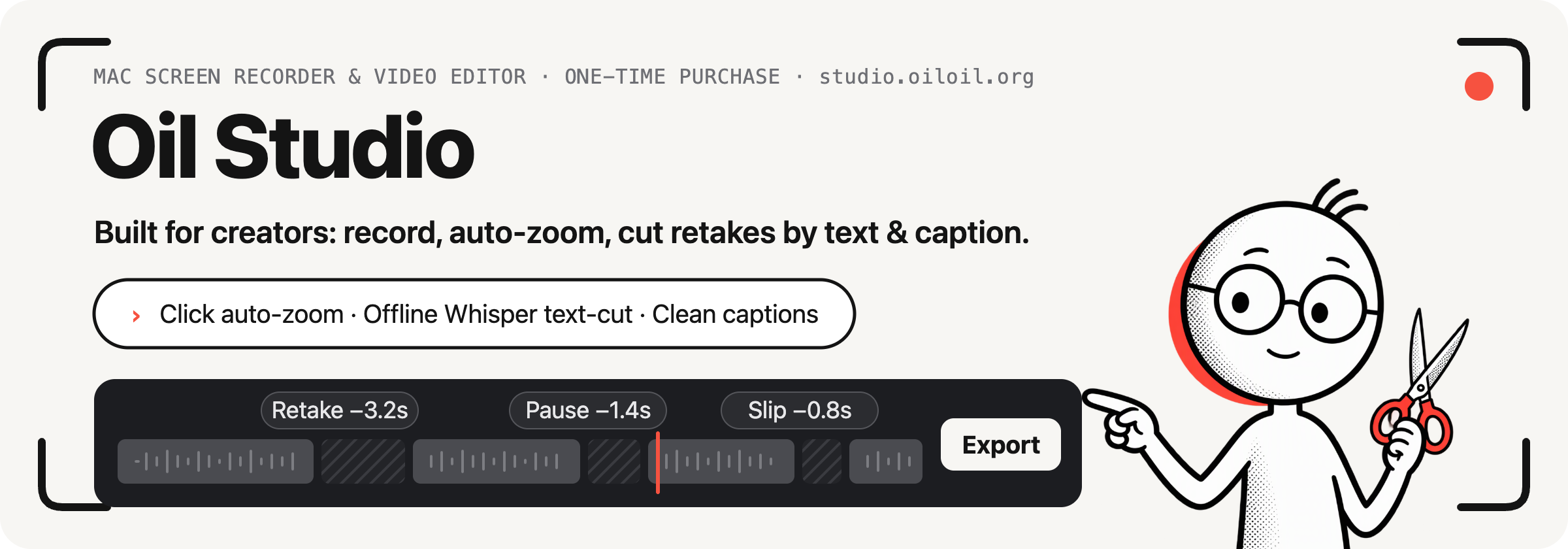
Record, auto-zoom, cut retakes by text, and caption in one Mac app → Explore Oil Studio
License
Code and documentation are released under the MIT License. Bundled fonts in skills/oil-showcase/assets/fonts/ are distributed under the SIL Open Font License 1.1; see THIRD-PARTY-NOTICES.txt for per-font copyright notices and upstream sources.
Reviews (0)
Sign in to leave a review.
Leave a reviewNo results found