AstralOps
Health Pass
- License — License: AGPL-3.0
- Description — Repository has a description
- Active repo — Last push 0 days ago
- Community trust — 14 GitHub stars
Code Fail
- child_process — Shell command execution capability in apps/desktop/electron/main.cjs
- fs.rmSync — Destructive file system operation in apps/desktop/electron/main.cjs
- os.homedir — User home directory access in apps/desktop/electron/main.cjs
- process.env — Environment variable access in apps/desktop/electron/main.cjs
- fs module — File system access in apps/desktop/electron/main.cjs
- network request — Outbound network request in apps/desktop/electron/main.cjs
- network request — Outbound network request in apps/desktop/src/api.ts
Permissions Pass
- Permissions — No dangerous permissions requested
No AI report is available for this listing yet.
Remote AI coding workbench — run Claude Code & Codex on any server over SSH, with E2EE multi-device control
AstralOps
Bring your AI coding agents to any remote server.
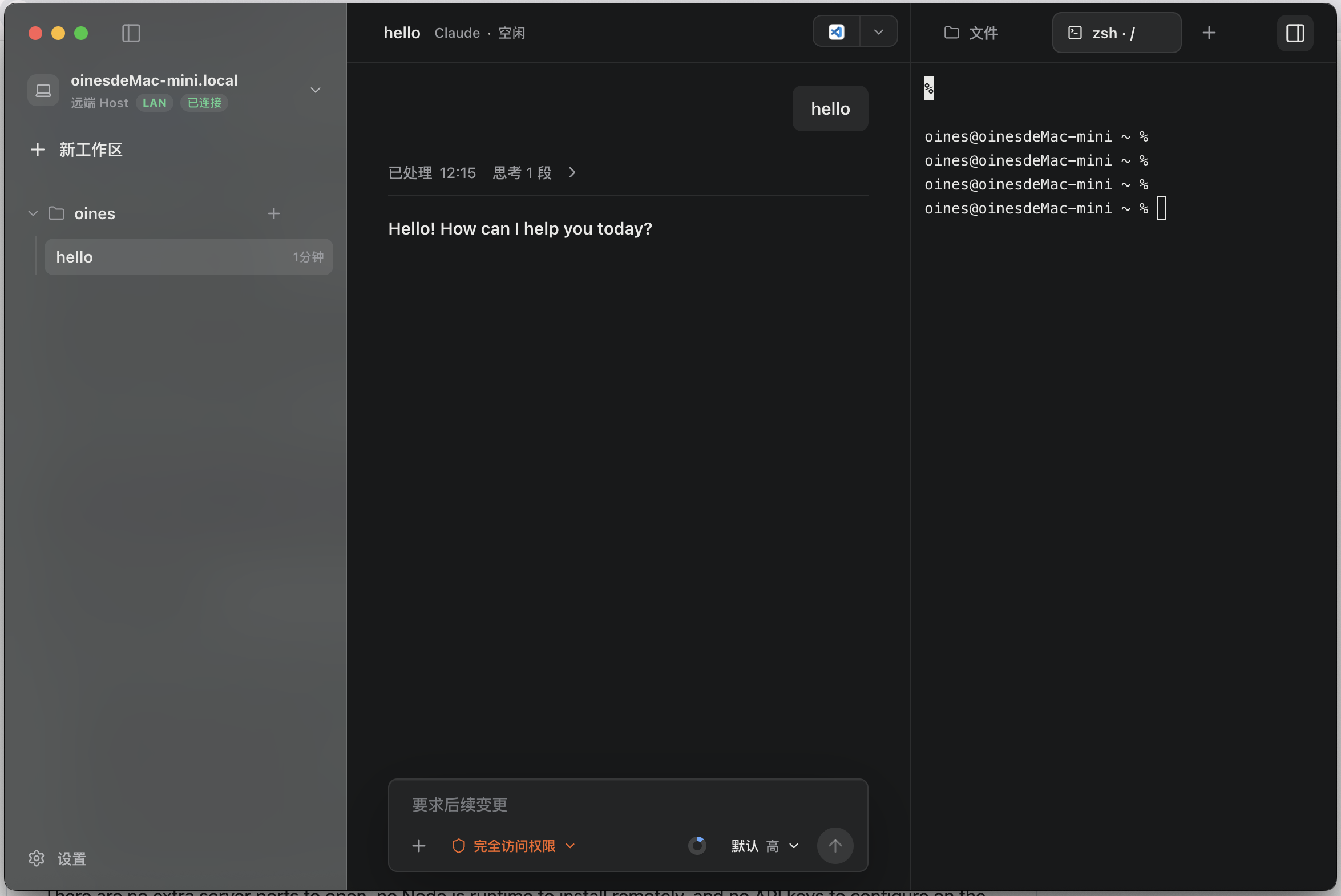
What Is AstralOps?
Claude Code and Codex are powerful, but they have a basic limitation: they operate on the local filesystem. If your code lives on a remote server, a VPS, an internal development machine, or a Raspberry Pi, you usually have two bad options: clone the whole repository locally, or install the full AI coding stack on the remote machine.
AstralOps solves this problem.
It is a desktop workbench for Claude Code, Codex, and future coding agents. What makes it different is the execution model: the agent runs on your local machine, while file reads, searches, edits, commands, and terminal work happen directly on the remote server through SSH. The remote machine does not need Node.js, Codex, Claude Code, API keys, or any open ports.
How It Works
Suppose you want to debug a bug on a remote Linux server with Claude Code:
- In AstralOps, create a new workspace, choose SSH, and enter the server address and target directory.
- AstralOps uploads and starts a tiny
proxy-agenton the remote server through SSH. The helper is a dependency-free Go binary. - You enter a prompt in the local desktop app. Claude Code runs locally on your machine.
- When Claude Code needs to run
grep,cat,npm test, or edit a file, AstralOps forwards that operation through the SSH stdio stream to the remoteproxy-agent.
There are no extra server ports to open, no Node.js runtime to install remotely, and no API keys to configure on the server. If SSH works, AstralOps can use it.
Codex Exec-Server Integration
AstralOps is not just a CLI wrapper. For Codex SSH workspaces, it runs Codex locally through codex app-server and exposes an AstralOps exec-server endpoint through CODEX_EXEC_SERVER_URL.
Codex sends filesystem, process, and PTY operations to AstralOps using the exec-server protocol. AstralOps then executes those operations inside the selected SSH workspace through the remote proxy-agent.
This lets Codex keep its local app-server/session model while the actual workspace operations happen on a remote machine.
Multi-Device Remote Control
AstralOps also includes an end-to-end encrypted remote-control mesh. A trusted Controller device can connect to a Desktop Host and use the Host's AstralOps workspaces and sessions remotely.
This means:
- You can start a long-running Claude Code or Codex task on an office machine and continue monitoring or steering it from another device.
- A trusted teammate can connect to your Host, inspect progress, respond to approvals, or take over a session when you allow it.
Each desktop app can act as both:
- Host: runs the daemon, owns workspaces and sessions, executes all actions, and stores all data.
- Controller: connects to another trusted Host and sends remote intents.
The Host remains the execution authority. Workspace data, session/event JSONL, agent runtimes, SSH keys, PTY processes, pending interactions, files, and credentials stay on the Host machine.
Controller and Host communicate over an E2EE control channel. Cloud and Relay services are only used for account/device discovery, pairing signals, presence, and opaque encrypted-envelope routing. They cannot decrypt prompts, code, terminal output, file contents, approvals, or session events.
Devices on the same LAN can discover each other through UDP discovery. Cross-network control uses Relay fallback.
Planned: a mobile Controller app for monitoring sessions, sending prompts, responding to approvals, and operating Host-owned workspaces without running agents or storing workspace data on the phone.
Features
SSH Remote AI Workspaces
- Zero-intrusion remote setup: AstralOps uploads a tiny
proxy-agentover SSH for Linux/macOS, x86/ARM targets. - Dual runtime support today: Claude Code SSH workspaces use remote MCP tool forwarding; Codex SSH workspaces use exec-server forwarding.
- JSON-RPC over SSH: no extra remote ports, no remote agent stack, and no remote API credentials.
Host/Controller Remote-Control Mesh
- End-to-end encryption: Controller-to-Host control frames use E2EE; Cloud/Relay cannot inspect business payloads.
- Device identity and pairing: Ed25519 device keys, explicit pairing requests, trust grants, and trust revocation.
- LAN-first, Relay fallback: local UDP discovery when available, opaque relay envelopes across networks.
- Capability-based access: fine-grained capabilities for reading, control, interactions, files, command execution, media, terminal access, and Host management.
- Full remote operation through Host authority: manage workspaces and sessions, send prompts, respond to Ask/approval/plan requests, browse and edit files, run commands, and attach to Host-owned PTYs.
Desktop Workbench
- Real-time transcript stream: Markdown rendering, code highlighting, reasoning blocks, and collapsible tool activity.
- Pending interaction UI: command approvals, file-change approvals, permission requests, Ask forms, MCP elicitation, and plan confirmation.
- Rich media and attachments: image/file upload, preview, transcript media, and chunked transfer up to 512 MB.
- Built-in terminal: xterm.js PTY terminal with tabs, attach/detach, resize, and remote PTY support.
- Session management: create, fork, delete, interrupt, steer, queue, edit the last user message for Codex, and inspect event timelines.
- Workspace management: local and SSH workspaces, remote directory browsing, SSH connection restore, and
~/.ssh/configsupport. - Auto updates: packaged desktop builds use
electron-updater.
Architecture
┌─────────────────────────────────────────────────────────────┐
│  Desktop App (Electron + React + Tailwind)                  │
│  Transcript / Terminal / Files / Settings                   │
│                     ↕ WebSocket / HTTP                      │
├─────────────────────────────────────────────────────────────┤
│  Daemon (Go)                                                │
│  ┌──────────────┐ ┌──────────────┐ ┌─────────────────────┐ │
│  │ Claude Code  │ │ Codex        │ │ SSH Proxy           │ │
│  │ Runtime      │ │ Runtime      │ │ + proxy-agent deploy│ │
│  ├──────────────┤ ├──────────────┤ ├─────────────────────┤ │
│  │ Session      │ │ Event Hub    │ │ Control Gateway     │ │
│  │ Store (JSONL)│ │ + Projection │ │ + E2EE Mesh         │ │
│  └──────────────┘ └──────────────┘ └─────────────────────┘ │
├─────────────────────────────────────────────────────────────┤
│  proxy-agent (Go)             │  Relay Server (Go, optional)│
│  dependency-free remote helper│  opaque envelope routing    │
│  executes over SSH stdio      │  cannot decrypt payloads    │
└───────────────────────────────┴─────────────────────────────┘
Repository Layout
apps/desktop/     Desktop UI (Electron + React + Tailwind + Framer Motion)
daemon/           Local core (Go): runtimes, sessions, SSH, terminal, E2EE remote control
proxy-agent/      Remote helper (Go): dependency-free SSH stdio file/command/PTY executor
relay/            Relay server (Go): opaque encrypted-envelope routing across networks
protocol/         TypeScript protocol types for events, control actions, and JSON-RPC payloads
internal/         Shared Go packages: relayauth / relaybroker
scripts/          Build, packaging, and release scripts
Quick Start
# Requires Node.js and Go
npm install
npm run dev
After the desktop app starts, create a workspace and choose either a local directory or an SSH remote target. SSH workspaces can use entries from ~/.ssh/config.
Package The Desktop App
npm install
npm run package:desktop
The packaging script detects the current OS and CPU architecture:
| Platform | Artifacts |
|---|---|
| macOS | .dmg + .zip |
| Linux | AppImage + .deb |
| Windows | Portable + NSIS installer |
Artifacts are written to release/desktop/out/<platform>-<arch>/. Packaging builds and bundles the local daemon and remote proxy-agent. Build on the target platform for the best package compatibility.
CI Release Flow
dev is the daily development branch. main is the release branch. Releases only happen through dev -> main pull requests.
After a merge to main, GitHub Actions decides whether a release is needed:
- Documentation-only changes skip release.
- Product code changes bump the version using Conventional Commits, build desktop packages for all supported platforms, and create a GitHub Release.
- Release artifacts include
SHA256SUMS.txt.
Security And Privacy
- API keys, agent reasoning, chat history, sessions, and workspace state are stored locally under
~/.AstralOps. - SSH connections reuse the local system
sshprocess. AstralOps does not read, copy, or store SSH private keys. - The Desktop Host is the execution authority. Controllers send intents; the Host checks trust, capability, state, and policy before acting.
- Controller-to-Host control channels are end-to-end encrypted. Cloud and Relay cannot read session content, terminal output, file contents, approvals, or prompts.
- Cloud/Relay may store or route only public device metadata, presence/routing metadata, trust/pairing metadata, and opaque encrypted envelopes.
- No cloud telemetry or data collection is used for workspace/session content.
License
Reviews (0)
Sign in to leave a review.
Leave a reviewNo results found