hax
Health Warn
- License — License: MIT
- Description — Repository has a description
- Active repo — Last push 0 days ago
- Low visibility — Only 6 GitHub stars
Code Pass
- Code scan — Scanned 12 files during light audit, no dangerous patterns found
Permissions Pass
- Permissions — No dangerous permissions requested
No AI report is available for this listing yet.
A minimalist, terminal-native coding agent written in C.
hax
A minimalist, terminal-native coding agent written in C.
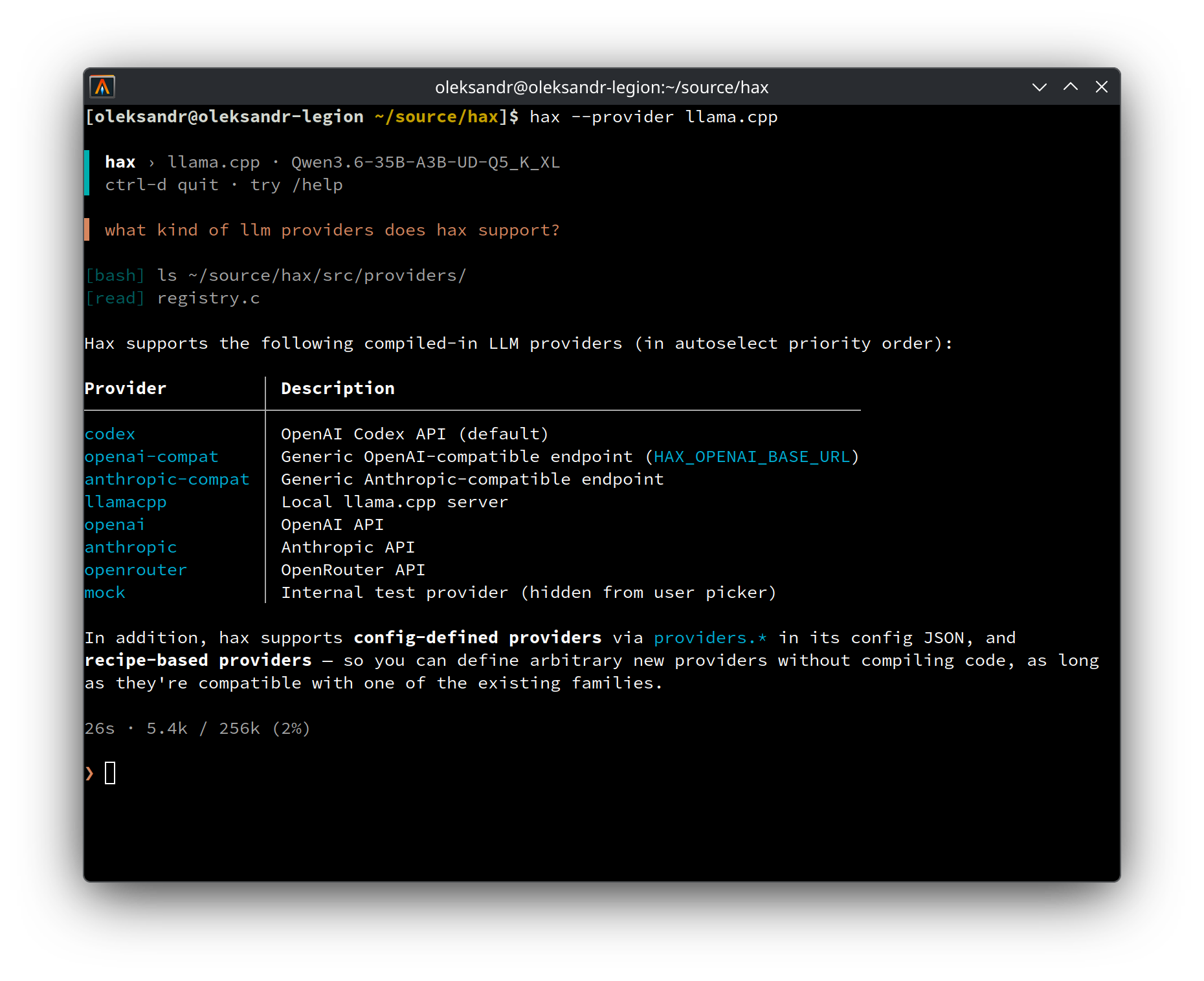
Key features
- Lightweight by design — a single native C binary with a small dependency set.
Uses very small amount of memory (just a few MBs) - so more RAM is left for your local LLMs. - High quality presentation — streaming Markdown formatting, and streaming output of
bash tool invocations, reflowed and/or truncated for display in the terminal. Only redraws
the current streaming line or the input area, native terminal scrollback is preserved. - Inspectable — See exactly what was sent to the model and what it replied in a usable
transcript view (Ctrl+T). Optionally collect a detailed wire protocol trace. - Use any provider/model — Supports OpenAI (+compatible), Anthropic (+compatible),
Codex (via ChatGPT subscription), OpenRouter, llama.cpp, etc. - Automation-friendly — interactive REPL and
-pone-shot mode, with clean stdout for
scripts/agents and resume hints on stderr.
Build
Requires a C compiler, libcurl, jansson, meson, ninja, and pkg-config.
Run scripts/install_deps.sh to install them, or install by hand:
# Debian/Ubuntu
sudo apt install build-essential libcurl4-openssl-dev libjansson-dev meson ninja-build pkg-config

# Arch Linux
sudo pacman -S --needed gcc curl jansson meson ninja pkgconf diffutils
# diffutils is a runtime dependency (hax shells out to diff for edit/write output)

# macOS (Homebrew)
brew install jansson meson ninja pkg-config
# libcurl ships with macOS

meson setup build
meson compile -C build
# The binary is now available at ./build/hax
The examples below use hax as if it is on PATH; after a source build, use ./build/hax
or install it with meson install -C build.
For development, make lint additionally needs clang-format and clang-tidy
(scripts/install_deps.sh lint covers these too):
# Debian/Ubuntu
sudo apt install clang-format clang-tidy

# Arch Linux
sudo pacman -S --needed clang

# macOS (Homebrew)
brew install llvm
Quick start
hax                         # interactive REPL
hax -p "list TODOs"         # run one prompt and print the final answer
printf "explain x" | hax -p # read the prompt from stdin
hax -c                      # continue the latest session for this directory
hax --resume                # pick a past session for this directory
hax --resume=ID -p "next"   # resume a specific session in one-shot mode
Run hax --help for CLI usage. In the REPL, type /help for slash commands and shortcuts.
See docs/usage.md for more detailed usage documentation.
Providers
Select a provider with HAX_PROVIDER env var, ~/.config/hax/config.json, or the interactive/provider picker.
| Provider | Typical setup |
|---|---|
codex |
Log in with the official codex CLI. |
openai |
Set OPENAI_API_KEY. |
openai-compatible |
Set HAX_OPENAI_BASE_URL. |
anthropic |
Set ANTHROPIC_API_KEY. |
anthropic-compatible |
Set HAX_ANTHROPIC_BASE_URL. |
openrouter |
Set OPENROUTER_API_KEY. |
llama.cpp |
Run llama-server. |
ollama |
Run ollama serve. |
See docs/providers.md for provider-specific behavior and custom providers.
Configuration
Every registered setting has a canonical config key and, when applicable, an HAX_*
environment variable. Runtime selections made with /provider, /model, and /effort are
stored separately from your config file. The more explicit the input, the higher it wins: a
CLI flag beats an environment variable, which beats anything saved.
See docs/configuration.md for the file format, the full resolution
order, and the setting reference.
More docs
- docs/debugging.md — trace/transcript logs, mock provider, and demo scripts.
License
MIT.
Reviews (0)
Sign in to leave a review.
Leave a reviewNo results found