string-catalog-mcp
Health Warn
- No license — Repository has no license file
- Description — Repository has a description
- Active repo — Last push 0 days ago
- Community trust — 12 GitHub stars
Code Pass
- Code scan — Scanned 12 files during light audit, no dangerous patterns found
Permissions Pass
- Permissions — No dangerous permissions requested
This MCP server allows AI assistants like Claude to read, search, and update localization strings (`.xcstrings` files) for iOS and macOS projects. It is designed to help manage and translate Xcode String Catalogs seamlessly.
Security Assessment
Overall Risk: Low. The static code scan of 12 files found no dangerous patterns and the tool does not request any dangerous system permissions. It appears to operate entirely locally without making external network requests or executing arbitrary shell commands. There are no hardcoded secrets, though users should naturally be cautious about allowing an AI model to modify and save changes to their local project files.
Quality Assessment
The project is in good standing. It is under active development, with its most recent updates pushed today. It has garnered 12 GitHub stars, indicating a baseline of community trust. While the automated scanner flagged a missing license file, the README explicitly states the project uses the MIT license, meaning it is safe for integration.
Verdict
Safe to use.
An MCP server for working with Xcode String Catalog
string-catalog-mcp
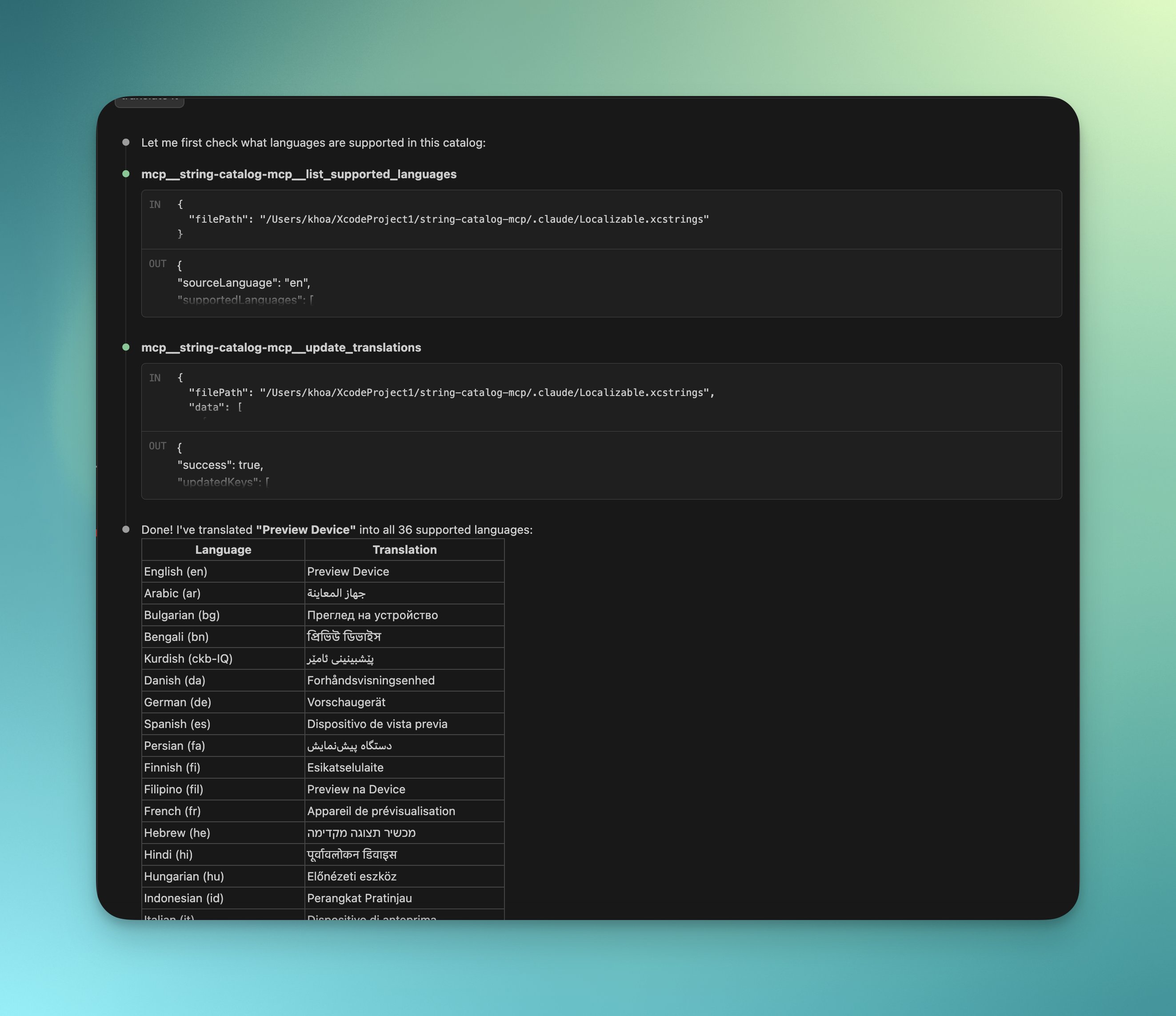
An MCP server for working with Xcode String Catalog (.xcstrings) files. It lets AI assistants read, search, and update your iOS/macOS localization strings.
Installation
Claude Code
claude mcp add string-catalog-mcp -- npx string-catalog-mcp
Available Tools
list_supported_languages
List all languages in a string catalog with the source language identified.
"What languages are supported in my Localizable.xcstrings file?"
get_catalog_statistics
Get translation coverage breakdown per language, including total keys and completion percentages.
"Show me the translation statistics for my string catalog"
get_translations_for_key
Get all translations for a specific key across all supported languages.
"Show me all translations for the 'welcome_message' key"
search_keys
Search for localization keys containing a specific substring (case-insensitive).
"Find all keys that contain 'error' in my string catalog"
list_all_keys
List all localization keys in the catalog (supports pagination for large catalogs).
"List all the localization keys in my project"
update_translations
Add or update translations in the string catalog. Accepts a structured JSON payload with support for iOS format placeholders (%@, %d, %lld, %f, %1$@).
"Add German and French translations for the 'hello_world' key"
Available Prompts
translate-strings
Generate translations for specific keys with guidance on format placeholders.
"Use the translate-strings prompt to translate 'welcome_message' and 'goodbye' into German, French, and Japanese"
batch-translate
Translate all untranslated or stale strings in a catalog for specified languages.
"Use batch-translate to add German translations for all missing strings in my catalog"
review-translations
Review existing translations for quality, consistency, and proper placeholder usage.
"Review my German translations for quality issues"
Common Workflows
Add a new language to your app
- "What languages are supported in my Localizable.xcstrings?"
- "Use batch-translate to add Spanish translations to /path/to/Localizable.xcstrings"
Translate specific strings
- "Search for keys containing 'settings' in my string catalog"
- "Show me translations for the 'settings_title' key"
- "Translate 'settings_title' and 'settings_description' into German and French"
Review translation quality
- "Show me translation statistics for my catalog"
- "Review German translations for placeholder issues and consistency"
License
MIT
Reviews (0)
Sign in to leave a review.
Leave a reviewNo results found