sqlatte
Health Pass
- License — License: MIT
- Description — Repository has a description
- Active repo — Last push 0 days ago
- Community trust — 26 GitHub stars
Code Fail
- Hardcoded secret — Potential hardcoded credential in config/config.yaml
- network request — Outbound network request in frontend/static/js/sqlatte-ops.js
Permissions Pass
- Permissions — No dangerous permissions requested
This tool is an AI-powered analytics platform that translates natural language questions into SQL queries. It provides a full web interface with multi-database support, semantic layers, and automated dashboard generation.
Security Assessment
The overall risk is rated as Medium. The tool inherently processes sensitive data because it connects directly to databases and handles user authentication. However, it does not request dangerous system permissions or execute shell commands. The automated scan raised two notable security flags. First, there is a critical failure due to a potential hardcoded credential located in the configuration files. Developers must immediately audit this file to ensure no sensitive passwords or API keys are committed to the repository. Second, the frontend JavaScript makes outbound network requests, which is expected for a web application but requires verification to ensure data is only sent to authorized destinations.
Quality Assessment
The project is actively maintained with its latest code push occurring today. It uses the standard and highly permissive MIT license, which is excellent for open-source adoption. Community trust is currently low but growing, as indicated by 26 GitHub stars. While it claims to be enterprise-grade, developers should still independently verify its robustness before using it in large-scale production environments.
Verdict
Use with caution — thoroughly inspect and secure the configuration files to remove hardcoded credentials before deploying.
AI-powered natural language to SQL
SQLatte ☕
SQLatte - Enterprise-Grade Natural Language SQL Analytics Platform
Production-ready self-service analytics with AI-powered query generation, semantic layer, automated dashboards, and scheduled insights delivery.




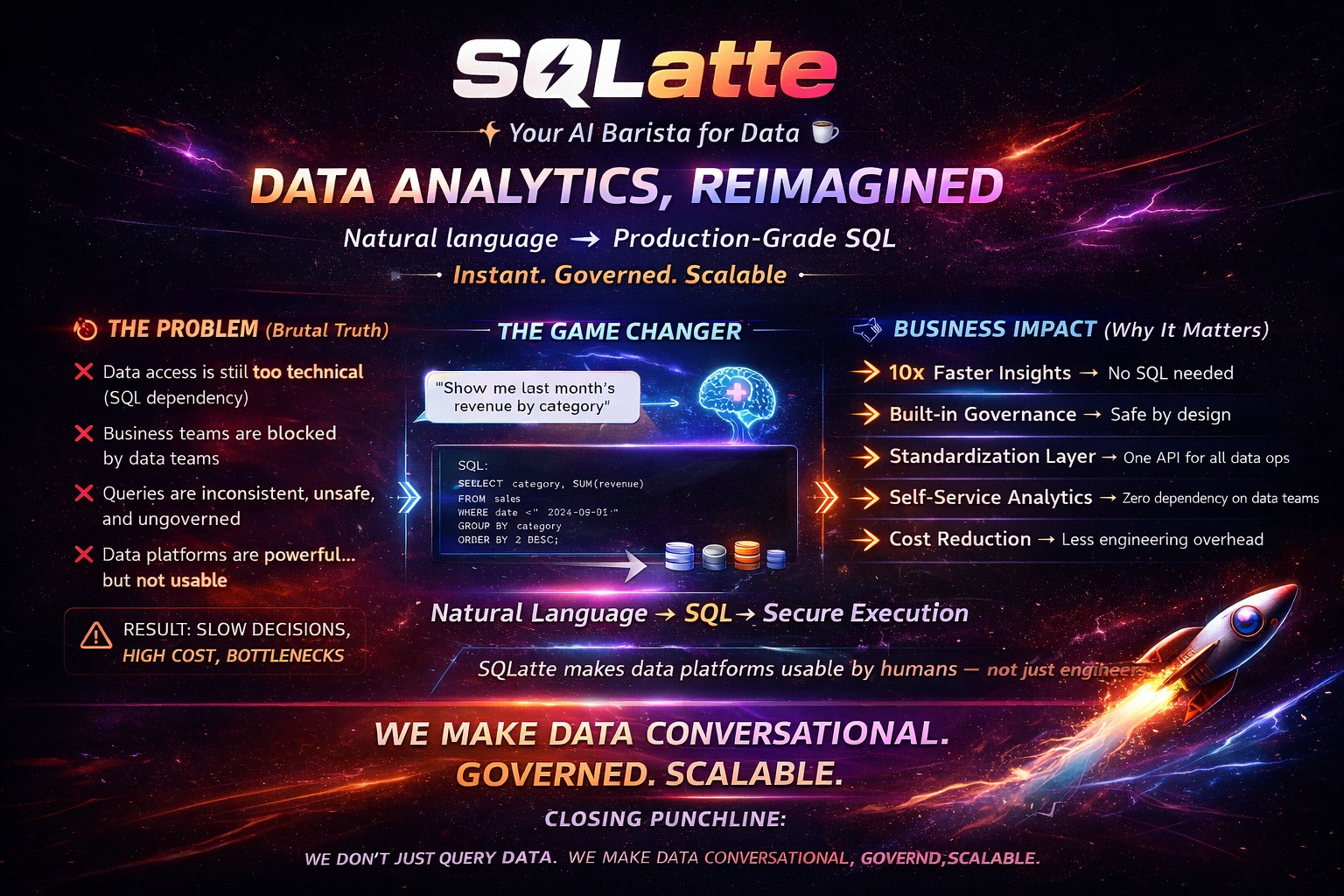
✨ What is SQLatte?
SQLatte transforms natural language questions into SQL queries using AI, providing enterprise-grade analytics capabilities without requiring SQL knowledge. Built for production environments with security, scalability, and ease of deployment in mind.
Key Capabilities:
- 🤖 AI-Powered Query Generation - Natural language to SQL conversion
- 🧠 Semantic Layer - Business-friendly metadata layer over your data warehouse
- 📊 Auto Dashboard Generation - Visual reports from query results
- 📅 Query Scheduler - Automated report delivery via email
- 🔐 Multi-Tenant Auth - User-specific database connections
- 📈 AI Insights Engine - Automatic data analysis and pattern detection
- 🗄️ Multi-Database Support - Trino, PostgreSQL, MySQL, BigQuery
- 🎨 Embeddable Widgets - Easy integration into existing applications
🏗️ Architecture Overview
┌─────────────────────────────────────────────────────────────┐
│                     Frontend Layer                          │
│  • Chat Interface  • Admin Panel  • Embeddable Widgets     │
└────────────────────┬────────────────────────────────────────┘
                     │
┌────────────────────▼────────────────────────────────────────┐
│                   API Layer (FastAPI)                       │
│  • Query Routes  • Admin Routes  • Analytics  • Scheduler  │
└────────────────────┬────────────────────────────────────────┘
                     │
┌────────────────────▼────────────────────────────────────────┐
│              Core Processing Layer                          │
│  • Intent Detection  • SQL Generation  • Query Execution   │
│  • Insights Engine  • Dashboard Generator                   │
└────────────────────┬────────────────────────────────────────┘
                     │
┌────────────────────▼────────────────────────────────────────┐
│         Database Provider Factory                           │
│  (Trino │ PostgreSQL │ MySQL │ BigQuery)                   │
└─────────────────────────────────────────────────────────────┘
🚀 Features
Core Analytics Platform
- 🎯 Task-Based LLM Routing - Different AI models for different tasks (intent detection, SQL generation, insights)
- 💬 Conversation Memory - Context-aware follow-up questions
- 🔗 Multi-Table JOINs - Automatic relationship detection
- 📊 Query History & Favorites - Save and replay queries
- 🔍 SQL Syntax Highlighting - Beautiful code display with copy functionality
- 📈 CSV Export - Export results to spreadsheet format
Semantic Layer (🆕 v0.5.0)
Transform your data warehouse with business intelligence metadata:
- 🧠 Business-Friendly Names - "Customer Master" instead of "cust_tbl_v2"
- 🔗 Automatic JOINs - Define relationships once, AI uses them automatically
- 📈 Calculated Metrics - Centralized business logic (everyone gets same "revenue")
- 🔍 Auto-Discovery - Scan database and get instant entity suggestions
- 🎨 Visual Admin UI - Browser-based management with entity/relationship/metric builder
- 🤖 Enhanced AI Context - Richer metadata = better SQL generation
Dashboard System
- 📊 Auto Chart Generation - Line, bar, pie charts from query results
- 💳 Metric Cards - KPI displays with automatic formatting
- 🎨 Chart Configuration - Customize chart types and settings
- 💾 Dashboard Persistence - Save dashboards to PostgreSQL or in-memory
- 🔄 One-Click Refresh - Re-run queries and update visualizations
AI-Powered Insights Engine
- 🧠 Context-Aware Analysis - Considers temporal patterns (daily, weekly, monthly)
- 📈 Trend Detection - Growth, decline, anomaly identification
- 💡 Smart Recommendations - Actionable insights from your data
- ⚙️ Flexible Modes -
llm_only,statistical_only, orhybrid - 🎯 Query-Specific Context - Insights tailored to your question
Query Scheduler
- 📅 Flexible Scheduling - Hourly, daily, weekly, monthly, or custom cron
- 📧 Email Delivery - Automated report distribution with CSV/Excel/HTML attachments
- 🤖 AI-Generated Insights - Include analysis in scheduled reports
- 📊 Execution History - Track all scheduled query runs
- ⚡ Rate Limiting - Prevent spam and manage resources
Security & Authentication
- 🔐 SQL Injection Protection - Multi-layer validation with risk scoring
- 🔑 Session-Based Auth - Token-based authentication for admin endpoints
- 👤 Multi-Tenant Support - Per-user database connections via auth plugin
- 🛡️ Catalog/Schema Restrictions - Limit user access to specific databases
- 🔒 Credential Masking - Secure password handling in logs and UI
Admin Panel
- ⚙️ Runtime Configuration - Edit settings without restart
- 📝 Prompt Management - Customize AI behavior via UI
- 🔧 Config Database - Persist settings to PostgreSQL
- 📸 Snapshots - Backup and restore configurations
- 📜 Change History - Track configuration modifications
Embeddable Widgets
Two widget variants for different use cases:
- Standard Widget (
sqlatte-badge.js) - Public analytics interface - Auth Widget (
sqlatte-badge-auth.js) - User-specific database connections
📦 Quick Start
1. Installation
# Clone the repository
git clone https://github.com/osmanuygar/sqlatte.git
cd sqlatte

# Install dependencies
pip install -r requirements.txt
2. Configuration
Edit config/config.yaml:
# ============================================
# LLM CONFIGURATION
# ============================================
llm:
  provider: "anthropic"  # anthropic | gemini | vertexai
  anthropic:
    api_key: "sk-ant-your-key-here"
    model: "claude-sonnet-4-20250514"
    max_tokens: 4096

# ============================================
# DATABASE CONFIGURATION
# ============================================
database:
  provider: "trino"  # trino | postgresql | mysql | bigquery
  trino:
    host: "your-trino-host.com"
    port: 443
    user: "your-username"
    password: "your-password"
    catalog: "hive"
    schema: "default"
    http_scheme: "https"

# ============================================
# TASK-BASED LLM ROUTING (Optional)
# ============================================
# Use cheaper/faster models for simple tasks
model_routing:
  enabled: true
  tasks:
    intent_detection:
      provider: "anthropic"
      model: "claude-haiku-3-5-20241022"
      max_tokens: 500

    sql_generation:
      provider: "anthropic"
      model: "claude-sonnet-4-20250514"
      max_tokens: 4096

    insights:
      provider: "anthropic"
      model: "claude-sonnet-4-20250514"
      max_tokens: 2000

    chat:
      provider: "anthropic"
      model: "claude-haiku-3-5-20241022"
      max_tokens: 1000

# ============================================
# FEATURES (All Optional)
# ============================================
analytics:
  enabled: false  # Set true for PostgreSQL query history

scheduler:
  enabled: false  # Set true for scheduled queries
  timezone: "UTC"

email:
  enabled: false  # Set true for real email delivery
  smtp:
    host: "smtp.gmail.com"
    port: 587
    user: "[email protected]"
    password: "your-app-password"
    from_name: "SQLatte Analytics"

insights:
  enabled: true
  mode: hybrid  # llm_only | statistical_only | hybrid
  max_insights: 3

# ============================================
# CONFIGURATION DATABASE (Optional)
# ============================================
config_db:
  enabled: false  # Enable for runtime config persistence
  type: "postgresql"
  postgresql:
    host: "localhost"
    port: 5432
    database: "sqlatte_config"
    user: "postgres"
    password: "password"

# ============================================
# PLUGINS (Optional)
# ============================================
plugins:
  auth:
    enabled: false  # Enable for multi-tenant auth
    session_ttl_minutes: 480
    max_workers: 40
    db_provider: "trino"
    db_host: "trino_hostname"
    db_port: 443
    allowed_catalogs: []  # Empty = allow all
    allowed_schemas: []
    allowed_db_types: ["trino"]
3. Run
# Development
python -m src.api.app

# Production (with Gunicorn)
gunicorn src.api.app:app -w 4 -k uvicorn.workers.UvicornWorker -b 0.0.0.0:8000
4. Access
- Main Interface: http://localhost:8000
- Admin Panel: http://localhost:8000/admin
- Widget Demo: http://localhost:8000/demo
- API Docs: http://localhost:8000/docs
🐳 Docker Deployment
Using Docker Compose (Recommended)
# 1. Edit config/config.yaml with your credentials
vi config/config.yaml

# 2. Start services
docker-compose up -d

# 3. Open browser
open http://localhost:8000
Using Dockerfile
# Build image
docker build -t sqlatte .

# Run container
docker run -d -p 8000:8000 \
  -e ANTHROPIC_API_KEY="sk-ant-your-key" \
  -e TRINO_HOST="your-trino-host" \
  -e TRINO_USER="username" \
  -e TRINO_PASSWORD="password" \
  --name sqlatte \
  sqlatte
🗄️ Supported Databases
| Database | Status | Configuration Required |
|---|---|---|
| ✅ Trino | Stable | host, port, catalog, schema |
| ✅ PostgreSQL | Stable | host, port, database, schema |
| ✅ MySQL | Stable | host, port, database |
| ✅ BigQuery | Stable | project_id, credentials |
database:
  provider: "trino"
  trino:
    host: "trino.example.com"
    port: 443
    user: "username"
    password: "password"
    catalog: "hive"
    schema: "default"
    http_scheme: "https"
database:
  provider: "postgresql"
  postgresql:
    host: "localhost"
    port: 5432
    database: "analytics"
    user: "postgres"
    password: "password"
    schema: "public"
database:
  provider: "bigquery"
  bigquery:
    project_id: "my-gcp-project"
    dataset: "analytics"
    location: "US"
    credentials_path: "/path/to/service-account.json"
    # OR: credentials_json: '{"type": "service_account", ...}'
🤖 Supported LLM Providers
| Provider | Models | Best For |
|---|---|---|
| ✅ Anthropic Claude | Opus, Sonnet, Haiku | Most accurate SQL (recommended) |
| ✅ Google Gemini | gemini-pro | Free tier available |
| ✅ Google Vertex AI | gemini-pro | Enterprise GCP |
🔌 Embedding in Your Website
Standard Widget (Public Analytics)
<!DOCTYPE html>
<html>
<body>
    <h1>My Website</h1>

    <!-- Load widget from SQLatte backend -->
    <script src="http://your-sqlatte-server:8000/static/js/sqlatte-badge.js"></script>

    <!-- Configure (optional) -->
    <script>
        window.addEventListener('load', () => {
            window.SQLatteWidget.configure({
                position: 'bottom-right',
                fullscreen: true,
                apiBase: 'http://your-sqlatte-server:8000'
            });
        });
    </script>
</body>
</html>
Auth Widget (User-Specific Connections)
<!DOCTYPE html>
<html>
<body>
    <h1>My SaaS Application</h1>

    <!-- Load auth widget -->
    <script src="http://your-sqlatte-server:8000/static/js/sqlatte-badge-auth.js"></script>

    <!-- Configure -->
    <script>
        window.addEventListener('load', () => {
            window.SQLatteAuthWidget.configure({
                position: 'bottom-left',
                fullscreen: true,
                apiBase: 'http://your-sqlatte-server:8000'
            });
        });
    </script>
</body>
</html>
CORS Configuration
If embedding on a different domain:
cors:
  allow_origins:
    - "https://your-website.com"
    - "http://localhost:3000"
  allow_credentials: true
  allow_methods: ["*"]
  allow_headers: ["*"]
📊 Usage Examples
Basic Query
User: "Show me top 10 customers by revenue this year"

SQLatte:
💡 Generated SQL:
SELECT customer_name, SUM(order_total) as revenue
FROM orders
WHERE YEAR(order_date) = YEAR(CURRENT_DATE)
GROUP BY customer_name
ORDER BY revenue DESC
LIMIT 10

📊 Results: [Interactive table with 10 rows]

🧠 Insights:
- Top customer generated $1.2M (23% of total revenue)
- Revenue concentration in top 3 customers indicates dependency risk
- Consider diversification strategy
Follow-up Question
User: "What about last year?"

SQLatte: [Automatically understands context, modifies WHERE clause]
Dashboard Creation
User: "Create a dashboard for this query"

SQLatte: [Generates line chart + metric cards + saves to favorites]
🎯 Advanced Features
Semantic Layer
Define business metadata once, use everywhere:
# Example: Define a "Customer" entity
Entity: customer_master
Display Name: Customer
Description: Core customer data
Columns:
  - cust_id (Primary Key)
  - full_name (Display Name: Customer Name)
  - registration_date
  - ltv (Display Name: Lifetime Value)

# Define relationship
Relationship: customer_to_orders
From: customer_master.cust_id
To: orders.customer_id
Type: one-to-many

# Define metric
Metric: total_revenue
SQL: SUM(orders.amount)
Description: Total revenue across all orders
Now ask: "Show me customers with high lifetime value"
SQLatte automatically:
- Uses "Customer" display name
- Finds the correct table (customer_master)
- Interprets "lifetime value" as the ltv column
- Generates accurate SQL with proper column references
Query Scheduler
Schedule recurring reports:
Schedule Name: Weekly Revenue Report
Frequency: Weekly (Every Monday 9 AM)
Recipients: [email protected]
Format: Excel with AI insights
Task-Based Model Routing
Optimize costs and performance:
# Cheap/fast model for simple tasks
intent_detection: claude-haiku (500 tokens)

# Powerful model for complex SQL
sql_generation: claude-sonnet (4096 tokens)

# Balanced model for insights
insights: claude-sonnet (2000 tokens)
🔧 Admin Panel Features
Access at /admin:
🎨 Tabs
- Dashboard - Overview, stats, quick actions
- Prompts - Edit AI behavior (intent, personality, SQL generation, insights)
- Tables - View database schema
- Semantic Layer - Entity/relationship/metric builder (5 sub-tabs)
- Email & SMTP - Email configuration
- Scheduler - Scheduled query management
- Insights - Insights engine settings
- Export - Configuration export formats
- History - Configuration change log
- Snapshots - Backup and restore
Key Capabilities
- Hot Reload - Changes apply immediately without restart
- Database Persistence - Save configs to PostgreSQL
- Reset to Defaults - One-click restore original settings
- Semantic Auto-Discovery - Scan database and suggest entities
- Visual Relationship Builder - Drag-and-drop table connections
🔐 Security Features
SQL Injection Protection
Multi-layer validation:
- Keyword Blacklist - Block dangerous SQL patterns
- Syntax Validation - Parse and validate SQL structure
- Risk Scoring - Assign risk level to each query
- Admin Override - Manual approval for high-risk queries
Rate Limiting
rate_limiting:
  enabled: true
  requests_per_minute: 10
  requests_per_hour: 100
Authentication Plugin
Multi-tenant database access:
- User-specific credentials
- Catalog/schema restrictions
- Session management with TTL
- Thread-safe connection pooling
📈 Performance & Scalability
Async Processing
- FastAPI with async/await
- Thread pool for blocking operations
- Non-blocking query execution
Connection Pooling
- Reusable database connections
- Automatic cleanup on timeout
- Thread-safe multi-user support
Caching
- Query result caching
- Dashboard persistence
- Session-based conversation memory
🤝 Contributing
Contributions welcome! Please:
- Fork the repository
- Create feature branch (
git checkout -b feature/AmazingFeature) - Commit changes (
git commit -m 'Add AmazingFeature') - Push to branch (
git push origin feature/AmazingFeature) - Open Pull Request
📄 License
This project is licensed under the MIT License - see LICENSE file.
📧 Contact
- GitHub: @osmanuygar
- Project: https://github.com/osmanuygar/sqlatte
🙏 Acknowledgments
Built with:
- FastAPI - Modern Python web framework
- Anthropic Claude - AI-powered query generation
- Chart.js - Data visualization
- PostgreSQL - Data persistence
- Trino, BigQuery - Analytics engines
📚 Documentation
- Docs: Documentation
Made with ❤️ and ☕
Transform your data warehouse into a conversational analytics platform
Reviews (0)
Sign in to leave a review.
Leave a reviewNo results found