hobbots
Health Warn
- License — License: Apache-2.0
- Description — Repository has a description
- Active repo — Last push 0 days ago
- Low visibility — Only 5 GitHub stars
Code Pass
- Code scan — Scanned 12 files during light audit, no dangerous patterns found
Permissions Pass
- Permissions — No dangerous permissions requested
No AI report is available for this listing yet.
Local-first workspace for AI agents. Run Claude Code agents (“hobs”) with persistent threads, delegation and enforced permissions, on your Mac or in the browser.
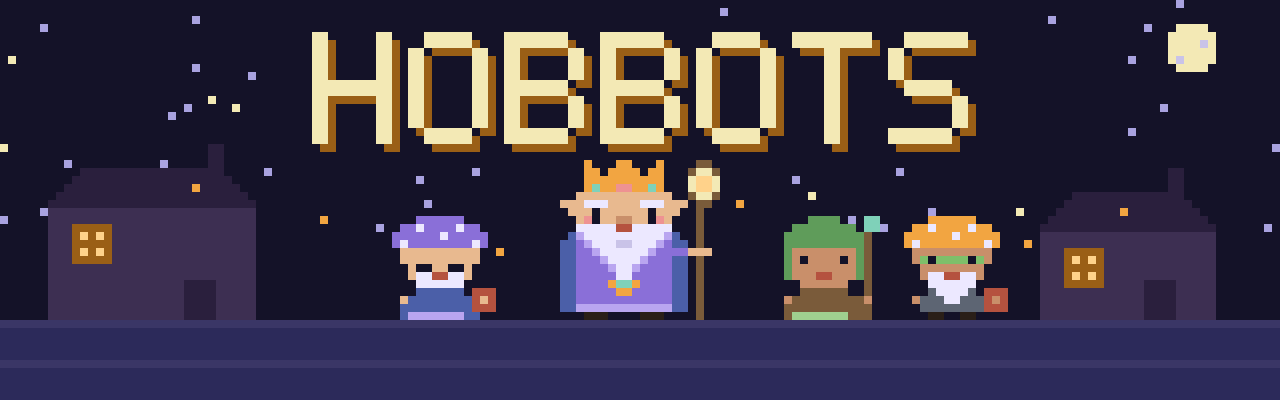
Hobbots
Little helpers that do your chores while you sleep.
hobbots.app · Install · Run from source · Status · Contribute
Hobbots is a personal, local-first, self-hostable workspace for AI agents. Each agent is a hob: a small helper with a name, a face and its own threads. Your hobs chat, use tools in the folders you give them, delegate to each other, report back and keep working after you close the window, within boundaries you trust.
Hobbots does not build a new model or agent engine. It hosts existing runtimes such as Claude Code, Codex and ACP-compatible agents, and adds what they lack together: persistent identities and threads, durable delegation and inboxes, enforceable permissions and one view of all the work.
A field guide to the village
- Hob: one agent, with its own name, look, instructions, model and permissions. Every hob is a 14 × 14 pixel sprite drawn from a seed, so it looks the same everywhere.
- The chief: the Hobbots mark, an elder hob in a gem crown with a lantern staff. While any hob works, the lantern burns brighter.
- Thread: a conversation with one hob that survives restarts. Each reply shows the tools the hob used as steps.
- Folders and the sandbox: where a hob may work, and the OS sandbox that holds it there. Each rule is Allow, Ask or Never, and you answer an Ask from the chat or the Inbox.
- Hub: the one computer that runs the hobs, their threads and every runtime. Hobs act only on the hub.
- Quest: a goal that spans several hobs and threads, with who asked whom and what is still owed. You follow it in its Quest room beside the lead's chat.
- Inbox: where hobs leave questions, approvals and results for you and for each other.
- Charm: a connection that gives a hob new abilities, such as GitHub with Push.
The glossary has the full list.
Status
Beta. Hobbots runs as a desktop app on macOS and Linux and in the browser. Hobs on Claude Code or Codex chat in persistent threads, use tools within the folders you choose under a policy you set, and lead Quests that other hobs join. The 0.0.5 release notes list what is new in the fifth beta, including one chat per hob with camps, chapters and records you can find, and its known limits.
The status page lists what has been proven end to end, on which setup, and what is not proven yet.
Install the Mac app
Requirements: macOS 13 Ventura or later, on Apple silicon or Intel, and at least one of these runtimes, installed and signed in:
- Claude Code 2.1.301 or later, with your Claude plan.
- Codex 0.166.0 or later, with your ChatGPT plan.
The app runs the runtimes installed on your Mac; it does not ship its own. Each hob runs on one of them, and setup tells you when one is missing, outdated or signed out.
- Download the
.dmgfor your Mac from the latest release:arm64for Apple silicon,x64for Intel. Apple menu › About This Mac shows which one you have. - Open the
.dmgand drag Hobbots onto the Applications shortcut beside it, then eject the disk image. - Open Hobbots from Applications. The app is not signed by an Apple developer yet, so macOS blocks the first launch: choose Done in the dialog.
- Open System Settings › Privacy & Security, scroll to Security, choose Open Anyway next to the message about Hobbots, confirm with your password or Touch ID, then choose Open. macOS remembers this, so later launches open normally.
Hobbots keeps its data, including every thread, in ~/Library/Application Support/Hobbots, outside the app.
Update: quit Hobbots, download the new .dmg and drag the app onto Applications again, replacing the old copy. Your data stays where it is. A new version may need Open Anyway once more.
Remove: quit Hobbots and drag it from Applications to the Trash. To delete your data as well, remove ~/Library/Application Support/Hobbots (in Finder, Go › Go to Folder).
Install on Linux
Hobbots ships a .deb for Ubuntu 24.04 and Debian and an .rpm for Fedora, each for x64 and arm64. The runtime requirements are the same as on the Mac.
- Download the package for your system from the latest release:
amd64.deborarm64.deb,x86_64.rpmoraarch64.rpm. - Install it with
sudo apt install ./Hobbots-<version>-amd64.deborsudo dnf install ./Hobbots-<version>-x86_64.rpm. This also installs what the tool sandbox needs (bubblewrap,socatandripgrep). - Open Hobbots from your desktop's app list, or run
hobbots.
Hobbots keeps its data in ~/.hobbots, outside the app. To update, install the new package the same way. Opening at login is macOS only for now.
Run from source
Requirements: Node.js 26.13 (the current LTS) or later (CI runs the version in .node-version), pnpm, and Claude Code 2.1.301 or later or Codex 0.166.0 or later, installed and signed in. Hobbots runs the host's claude and codex; it does not ship its own.
pnpm install
pnpm dev:desktop   # Electron app with the local server
pnpm dev           # server and web client, open http://127.0.0.1:5173
pnpm check         # Biome, typecheck and tests
pnpm package:mac   # unsigned .dmg installers for Apple silicon and Intel in apps/desktop/release
pnpm package:linux # .deb and .rpm packages for x64 and arm64 in apps/desktop/release (needs rpmbuild)
Every client is an approved device. The desktop app's window needs no approval, so pnpm dev:desktop works as it is. A browser asks once, and you allow it on the hub. In pnpm dev, the web dev server forwards /api to the server, so the browser calls its own origin. If the hub's window is not open, pnpm --filter @hobbots/server allow lists the devices waiting and pnpm --filter @hobbots/server allow <code> allows one.
Settings › Backup & export makes a backup of the hub and restores one. With no hub running, pnpm --filter @hobbots/server restore <backup folder> shows what a backup holds, and … restore <backup folder> --yes restores it into the data folder that HOBBOTS_DATA_DIR names.
The web dev server listens on loopback only. Other devices, such as a phone on your tailnet, get the built client from the server's own port. pnpm dev and pnpm dev:desktop build it before they start, so restart them, or run pnpm --filter @hobbots/web build, for those devices to see later web changes.
Set HOBBOTS_RUNTIME=fake to run the server with a deterministic fake runtime instead of Claude Code or Codex.
The server logs writes and failures. Set HOBBOTS_LOG_LEVEL=Debug to log every request, reads included, or pick another of Effect's levels (All, Trace, Debug, Info, Warn, Error, Fatal, None). The default is Info.
The tests use in-memory SQLite. To run the persistence and server suites on PostgreSQL as well, start Docker and run:
pnpm test:pg       # starts PostgreSQL on 127.0.0.1:54329 if needed, then runs the suites
pnpm pg:down       # stops it and discards its data
The first-launch flow (Welcome, setup, first hob, Home, and a restart) runs in Chromium against a hub with the fake runtime and an empty data folder under .data/e2e. Install the browser once, then run it:
pnpm --filter @hobbots/web exec playwright install chromium
pnpm test:e2e      # builds the web client and the server, then runs apps/web/e2e in parallel, one port per worker from HOBBOTS_E2E_PORT (default 4380)
Repository
apps/:server(Effect TS v4 HTTP API and SSE),web(React client),desktop(Electron),site(the hobbots.app website, Astro on Cloudflare Workers).packages/:domain,api,persistence,runtimes,uiandartare implemented; the other packages are planned boundaries.docs/product/: vision, MVP requirements and open questions.docs/architecture/: contracts for conversations, inbox, orchestration, lifecycle, permissions, runtime adapters, persistence, API and deployment.docs/decisions/: architecture decision records.docs/design/: the design specification and the screen inventory.docs/assets/: the banner above, drawn from the app's own pixel art bynode scripts/readme-banner.mjs.
Contributors start with CONTRIBUTING.md; coding agents with AGENTS.md.
License
Hobbots is licensed under the Apache License 2.0.
Reviews (0)
Sign in to leave a review.
Leave a reviewNo results found