hypernovum
Health Pass
- License — License: AGPL-3.0
- Description — Repository has a description
- Active repo — Last push 0 days ago
- Community trust — 78 GitHub stars
Code Fail
- fs.rmSync — Destructive file system operation in packages/core/package.json
- fs module — File system access in packages/core/package.json
Permissions Pass
- Permissions — No dangerous permissions requested
This is a 3D visualization plugin for Obsidian that renders your project notes as an interactive cyberpunk cityscape. It integrates with CLI coding agents (like Claude Code and Aider) to display project status, track Git activity, and launch terminals directly from your vault.
Security Assessment
The overall risk is Medium. While the tool does not request dangerous system permissions or contain hardcoded secrets, the automated scanner flagged a destructive file system operation (`fs.rmSync`) alongside general file system access. This is functionally expected for a tool that manages project directories, deletes old cache files, and writes metadata (like `SETUP.md`) into your vault. However, because it explicitly launches external shell processes and AI coding agents via a terminal launcher, it fundamentally alters your local file system. You should be aware that the "Terminal Launcher" feature can execute arbitrary commands on your machine depending on how it is configured.
Quality Assessment
The project is actively maintained, with its most recent code push happening today. It utilizes the standard AGPL-3.0 license and demonstrates a solid baseline of community trust with 78 GitHub stars. The codebase is highly focused, well-documented, and transparent about its features.
Verdict
Use with caution — the tool is active and professionally structured, but its ability to execute external shell commands and perform destructive file operations requires you to carefully review and monitor any agent configurations.
3D project dashboard for Obsidian. Visualize notes as a code city, track Git activity, inspect project status, and launch AI coding agents from your vault.
Hypernovum
A 3D project dashboard for Obsidian. Visualize notes as a code city, track Git activity, inspect project status, and launch AI coding agents from your vault.
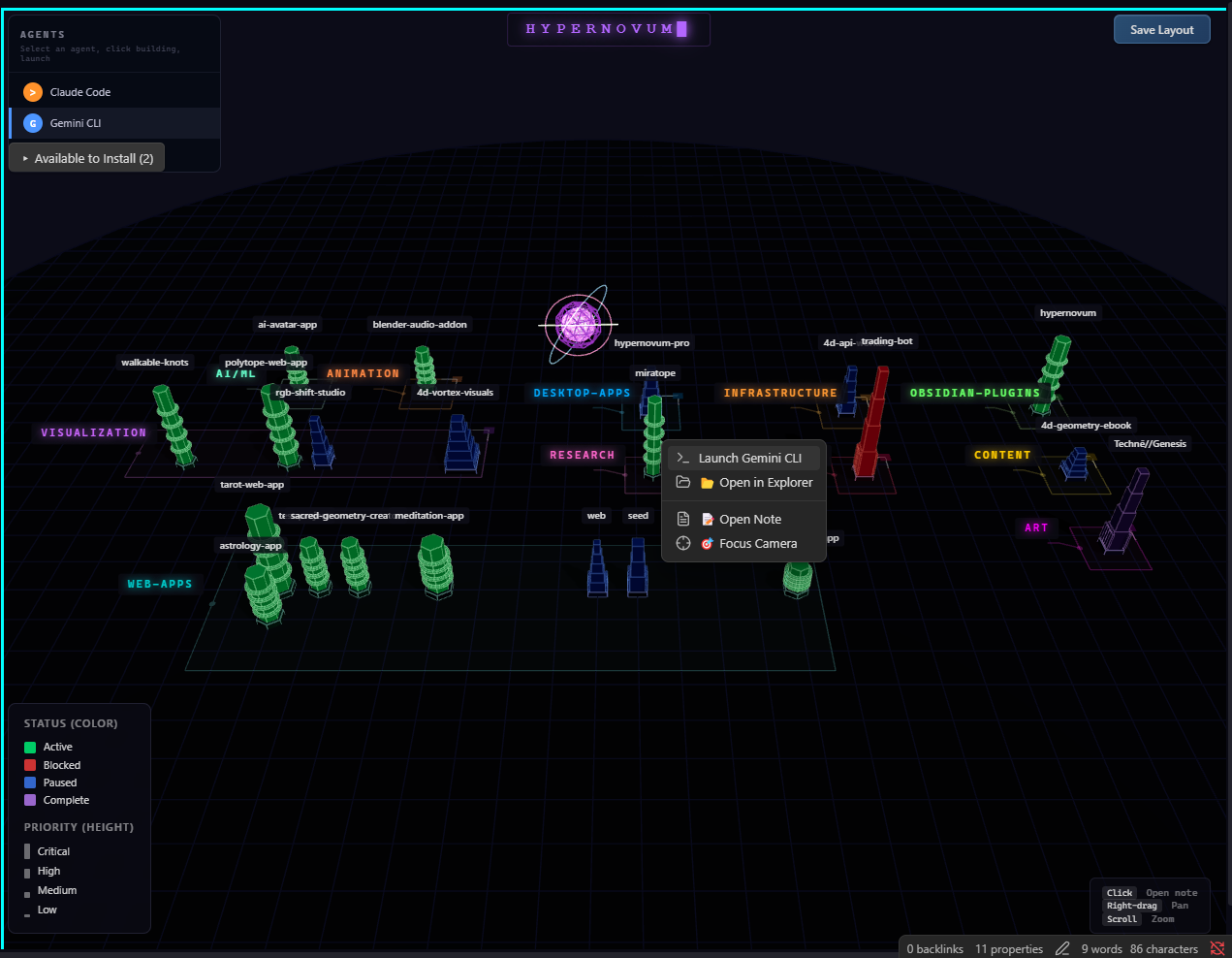
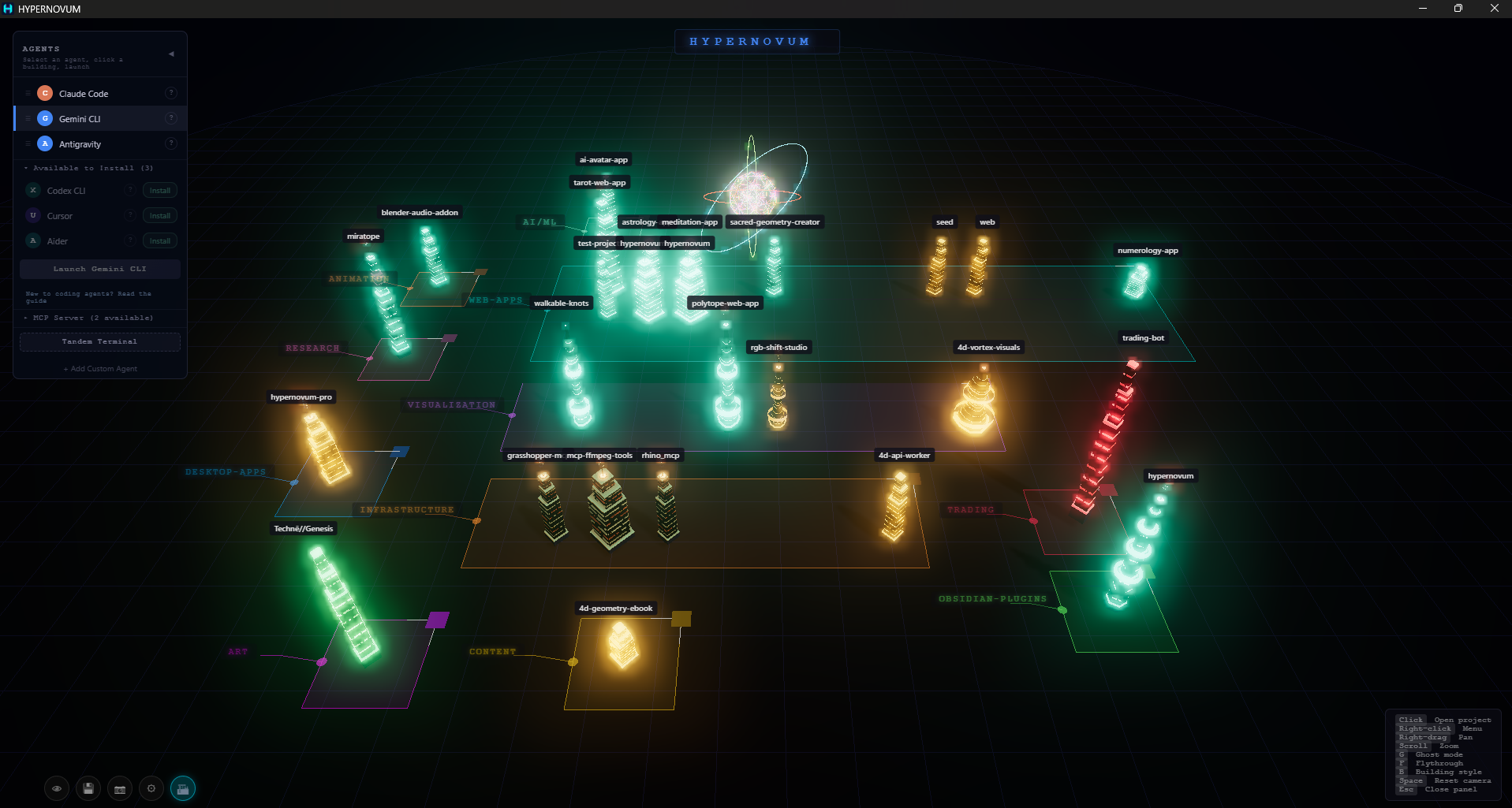
Each project in your vault becomes a building. Status maps to color, priority to height, category to district. A central Neural Core pulses with activity as you work, and Data Arteries flow from the core to buildings when files change.
Features
City Visualization
- Bin-packed layout with category districts, block outlines, and drag handles for rearranging
- Procedural architecture — each category gets a unique silhouette (helix towers, data shards, ziggurats, quant blades, hex hives, memory cores)
- Cyberpunk shader system with procedural windows, decay dithering, and bloom post-processing
- Smart labels with CSS2D rendering and leader lines
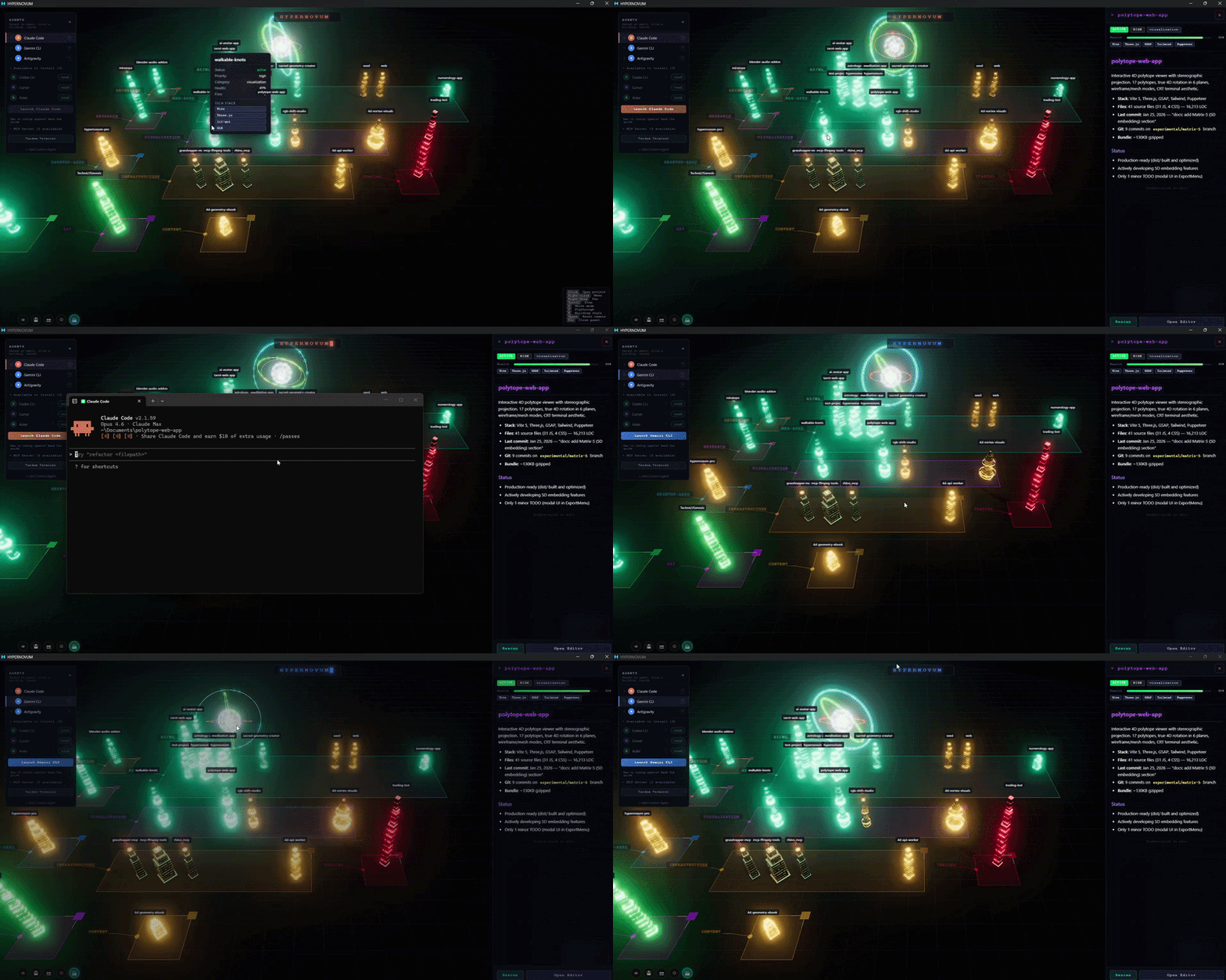
- Hover tooltips showing status, priority, health, and tech stack
Interactions
- Search and filters for quickly narrowing the city by title, status, priority, category, path, or stack
- Visual layers for status, read-only Git activity, and memory-ready projects
- Project inspector with note/folder/agent/context/focus actions
- Click a building to open its note
- Right-click a building for context menu (Launch Agent, Inspect Project, Open in Explorer, Open Note, Focus Camera)
- Right-click the Neural Core orb to launch Claude Code in any folder via OS folder picker
- Double-click a building to enter move mode (reposition individual buildings)
- Drag handles to rearrange entire category blocks
- Scroll to zoom, right-drag to pan
- Keyboard shortcuts: cycle blocked/stale projects, reset camera
Neural Core & Data Arteries
- Central geodesic wireframe sphere with RGB chromatic split and rotating rings
- Data Arteries — animated tube geometry flowing from core to buildings on file changes
- City states: IDLE (cyan) / STREAMING (cyan fast) / BULK_UPDATE (gold)
Claude Code Integration
- Activity Monitor polls
.hypernovum-status.jsonfor real-time Claude Code status - Persistent streaming artery while Claude is actively working on a project
- Activity indicator overlay shows current project and action
- Terminal Launcher for launching Claude Code, Codex, Gemini CLI, Aider, or a custom agent command
- Agent context handoff writes
.hypernovum/SETUP.mdwith project metadata, Git signals, and memory context pointers before launch - Heartbeat script (
scripts/heartbeat.js) for Claude Code hooks integration
Git & Memory Signals
- Read-only Git activity layer shows recent commit velocity, branch, working-tree state, stale projects, and merge conflict signals
- Memory-ready filter finds projects that already have
.hypernovum/MEMORY_CONTEXT.md - Funding metadata is included for users who want to support the free plugin
HUD
- HYPERNOVUM neon title with flashing block cursor at top center
- Legend panel showing status colors and priority heights
- Controls hint overlay
- Save Layout button for persisting block positions
Platform Support
| Platform | Terminal Emulators | Notes |
|---|---|---|
| Windows | Windows Terminal, cmd.exe | Tries wt first, falls back to cmd |
| macOS | iTerm2, Terminal.app | Tries iTerm2 first (if running), falls back to Terminal.app |
| Linux | gnome-terminal, konsole, xfce4-terminal, xterm | Tries each in order until one succeeds |
All features — Neural Core, Data Arteries, Claude Code integration, context menus — work identically on every platform. The only difference is which terminal emulator opens.
Frontmatter Schema
Projects are detected by frontmatter tag project or field type: project. See SCHEMA.md for the full field reference.
---
tags: [project]
title: My Project
status: active
priority: high
category: web-apps
stack: [TypeScript, React, Vite]
projectDir: C:\Users\me\projects\my-project   # Windows
# projectDir: /Users/me/projects/my-project   # macOS
# projectDir: /home/me/projects/my-project    # Linux
---
AI Integration
Hypernovum has no built-in AI. External AI tools (Claude Code, etc.) read SCHEMA.md to learn the frontmatter format, scan your project directories, and write frontmatter to vault notes. Hypernovum renders the result.
The scripts/heartbeat.js script can be wired into Claude Code hooks to enable real-time activity visualization:
# macOS / Linux
node scripts/heartbeat.js --vault="/Users/you/Documents/MyVault" --project="my-project" --action="editing"

# Windows (PowerShell)
node scripts/heartbeat.js --vault="C:\Users\you\Documents\MyVault" --project="my-project" --action="editing"
The heartbeat file (.hypernovum-status.json) is written to the vault root, so the --vault flag must point to your actual vault folder regardless of platform.
Development
npm install
npm run dev    # watch mode
npm run build  # production build
Built with Three.js, Zustand, and the Obsidian Plugin API.
Hypernovum Pro
This Obsidian plugin remains free and open source. For a standalone desktop experience beyond Obsidian — featuring full Engram Persistent Agent Memory, AI agent management, MCP server integration, Tandem Terminal, broader project scanning, and more — check out Hypernovum Pro.
License
AGPL-3.0 — Free to use, modify, and distribute. Any modified version that is deployed must also be open-sourced under AGPL-3.0.
Reviews (0)
Sign in to leave a review.
Leave a reviewNo results found