maestria
Health Warn
- License — License: MIT
- Description — Repository has a description
- Active repo — Last push 0 days ago
- Low visibility — Only 5 GitHub stars
Code Fail
- rm -rf — Recursive force deletion command in install.sh
- network request — Outbound network request in install.sh
- crypto private key — Private key handling in internal/cloud/static/hosted-keys.js
- network request — Outbound network request in internal/cloud/static/hosted.js
- network request — Outbound network request in internal/cloud/static/invites.js
- network request — Outbound network request in internal/cloud/static/pair.js
Permissions Pass
- Permissions — No dangerous permissions requested
No AI report is available for this listing yet.
Control panel for Maestri: follow your AI agents, answer their questions and watch usage from your phone. Self-hosted or via a hosted relay. Single Go binary.






Maestria
Your AI agents, in your pocket.
A control panel for Maestri: see what every agent is doing, answer their questions,
and keep an eye on floors and usage, from your computer or your phone.
Get started · How it works · Self-host · Hosted · Security
When agents work for hours on several projects, they stop and ask: "Can I merge this?", "Which database?". Maestria collects those questions in one place, so you can answer in seconds and let the work go on. It is open source (MIT), a single Go binary, and your data stays on your machine.
[!TIP]
Skip the reading: let your agent set it up. Paste this into your Maestro (or any coding agent):Read https://raw.githubusercontent.com/paulo-lucas/maestria/main/docs/getting-started.md and https://raw.githubusercontent.com/paulo-lucas/maestria/main/docs/for-agents.md, then set up Maestria on this machine for me. Follow the "If you are an AI agent" section.The agent installs it and walks you through the rest. You only type your password and scan the authenticator code yourself.
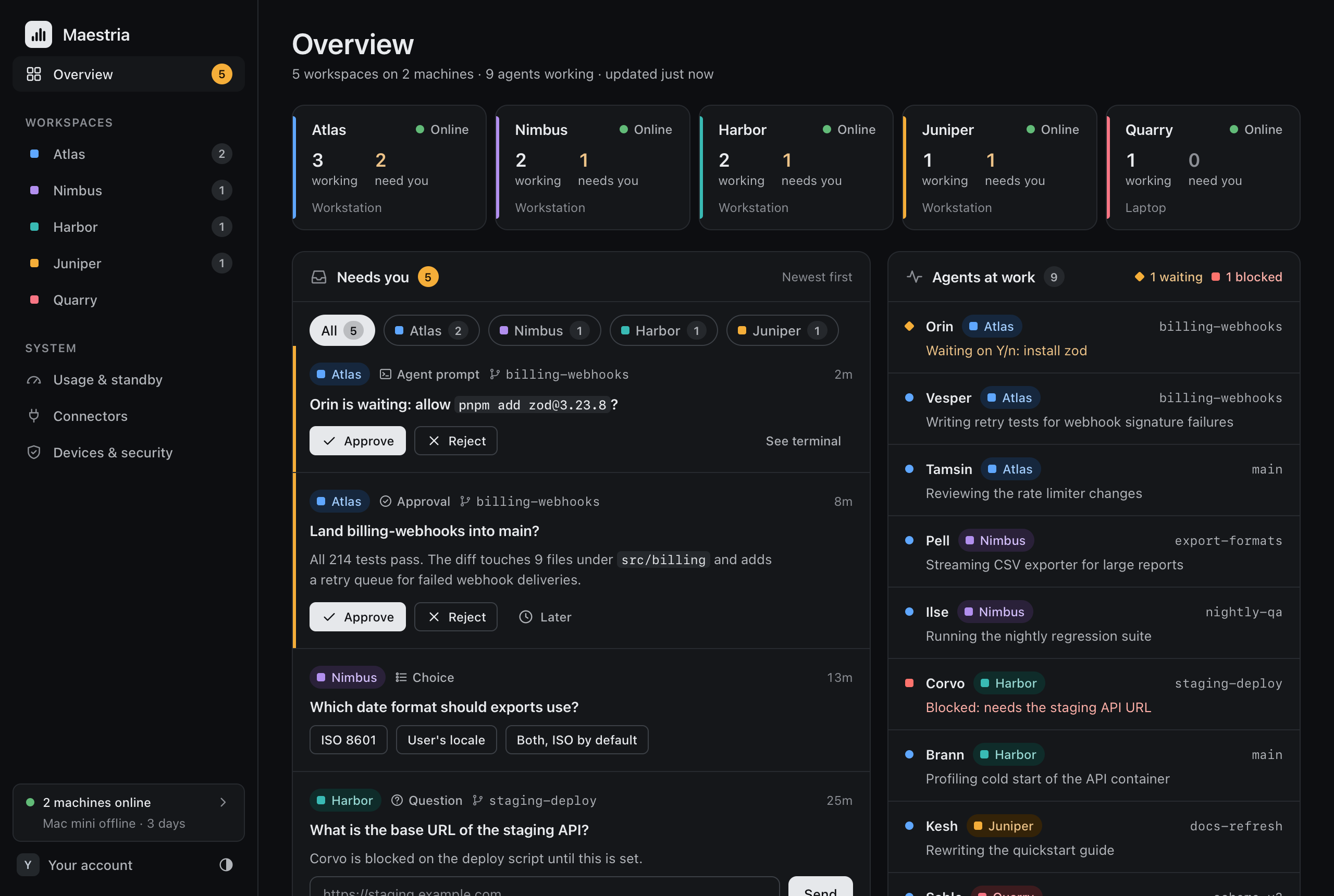
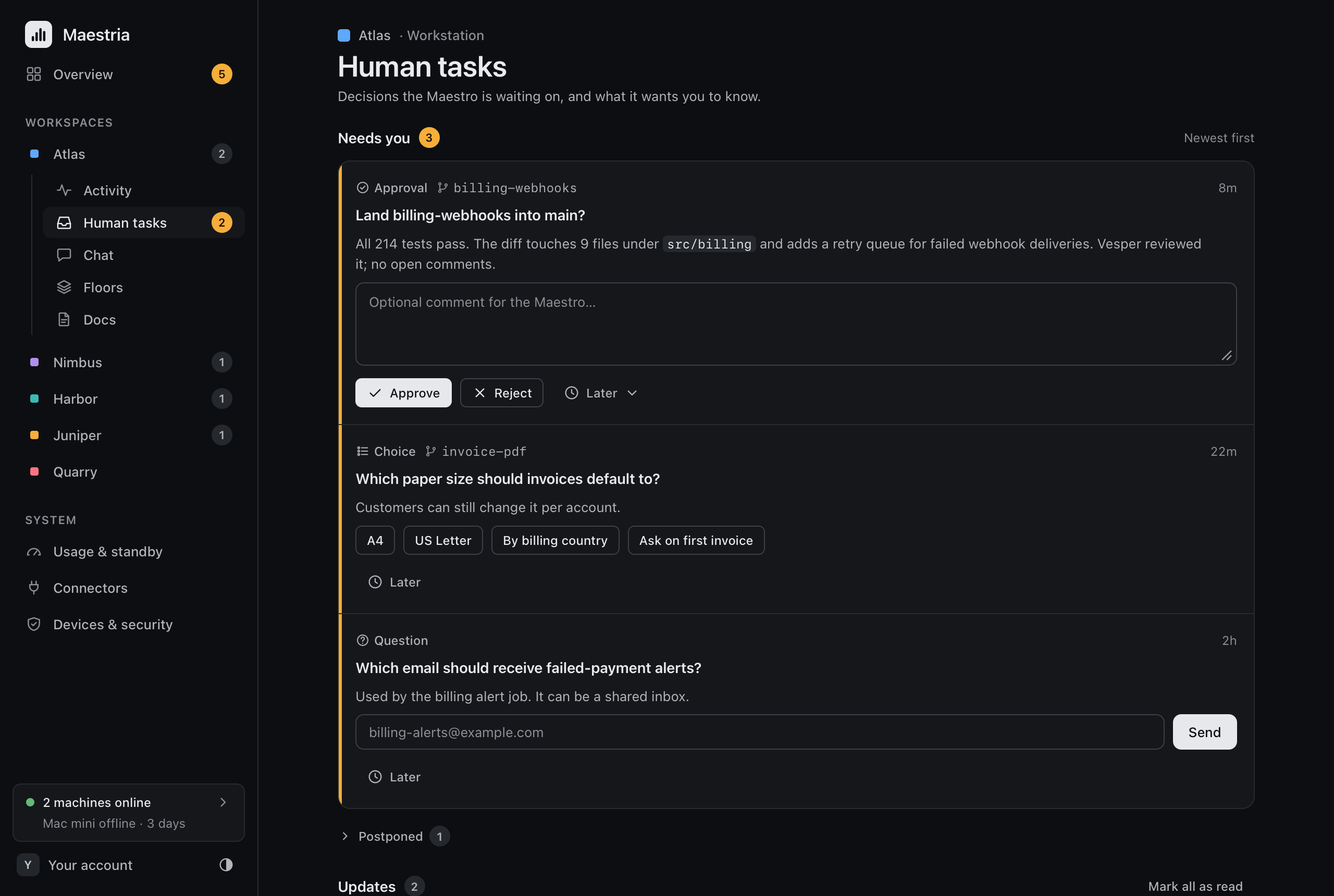
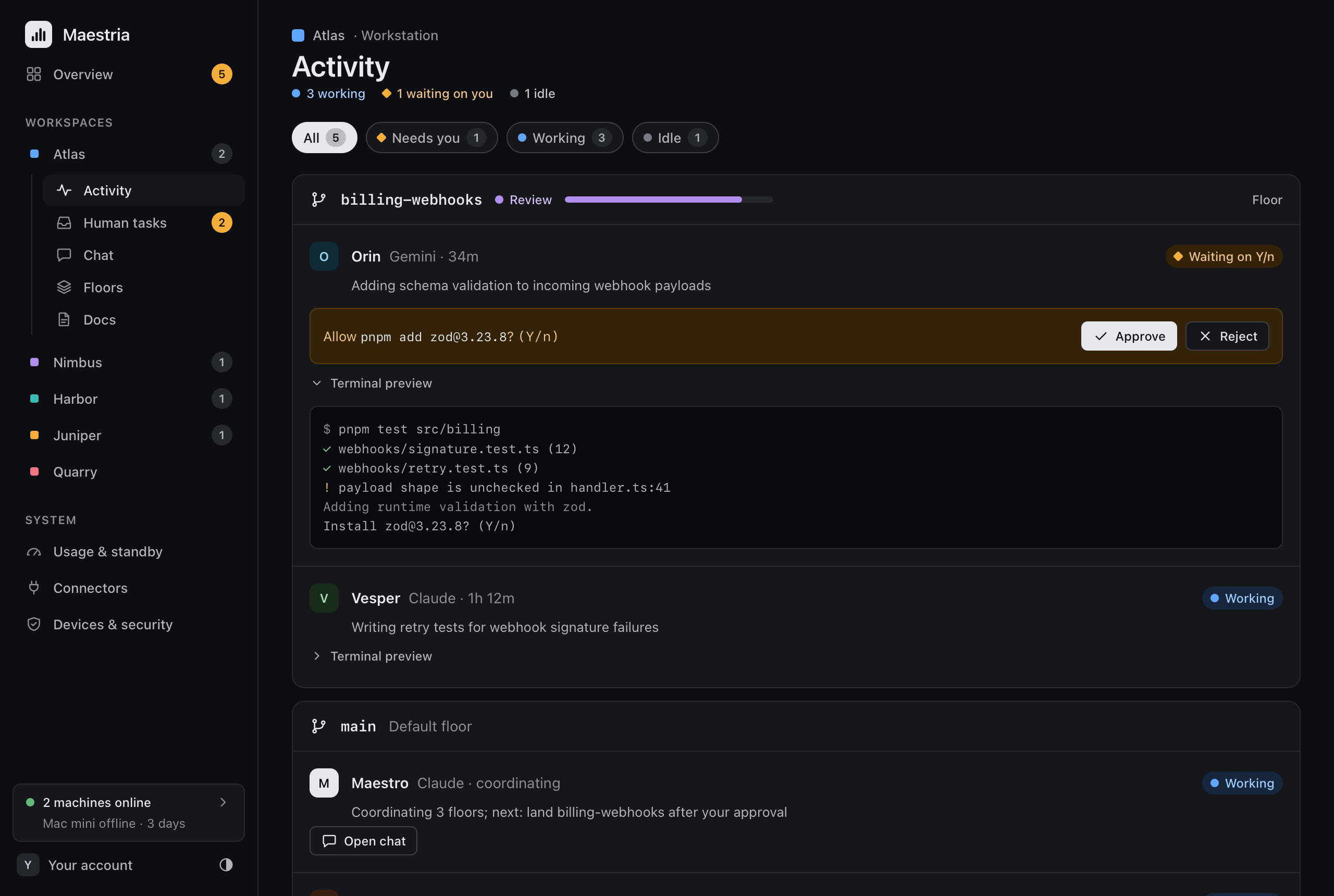
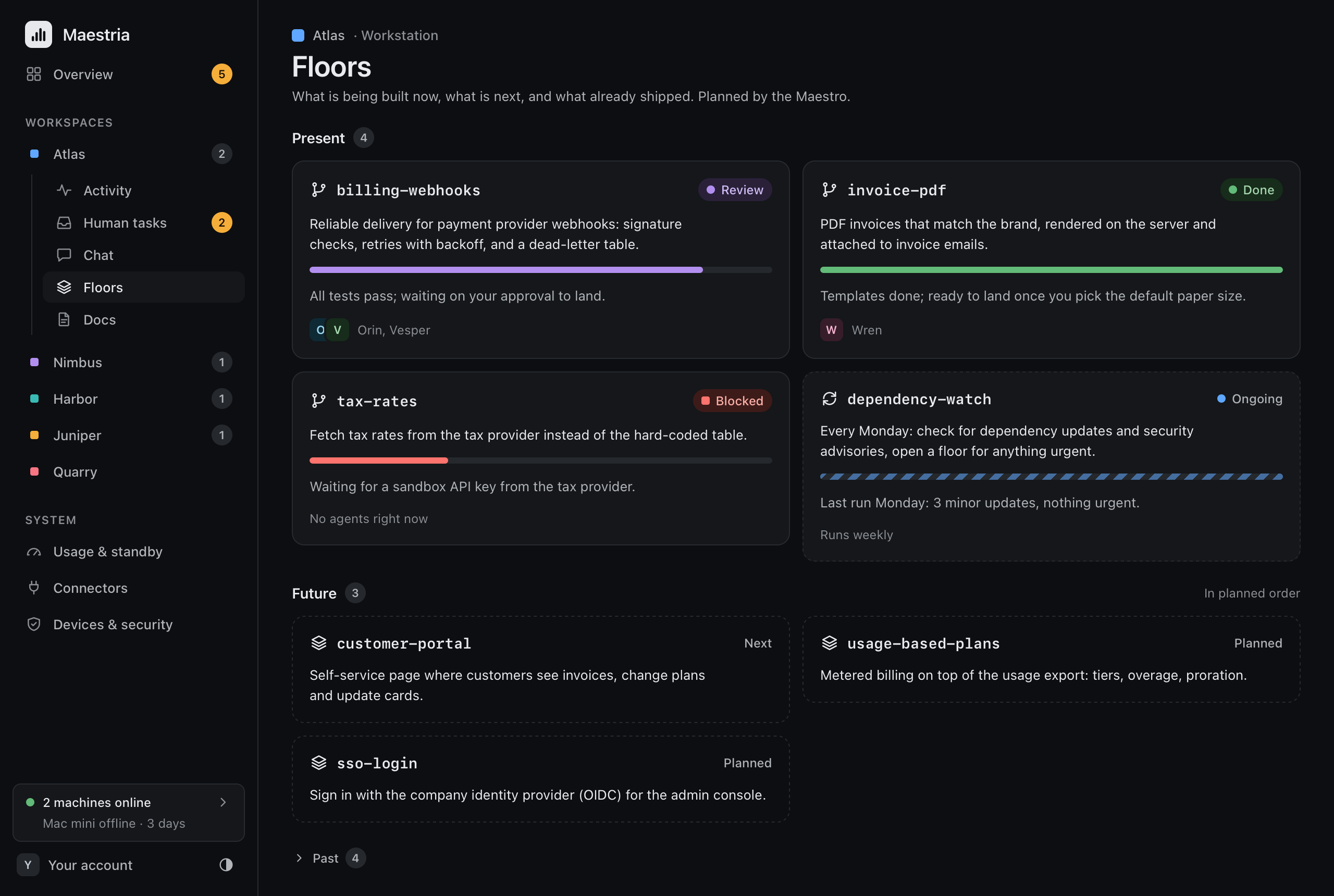
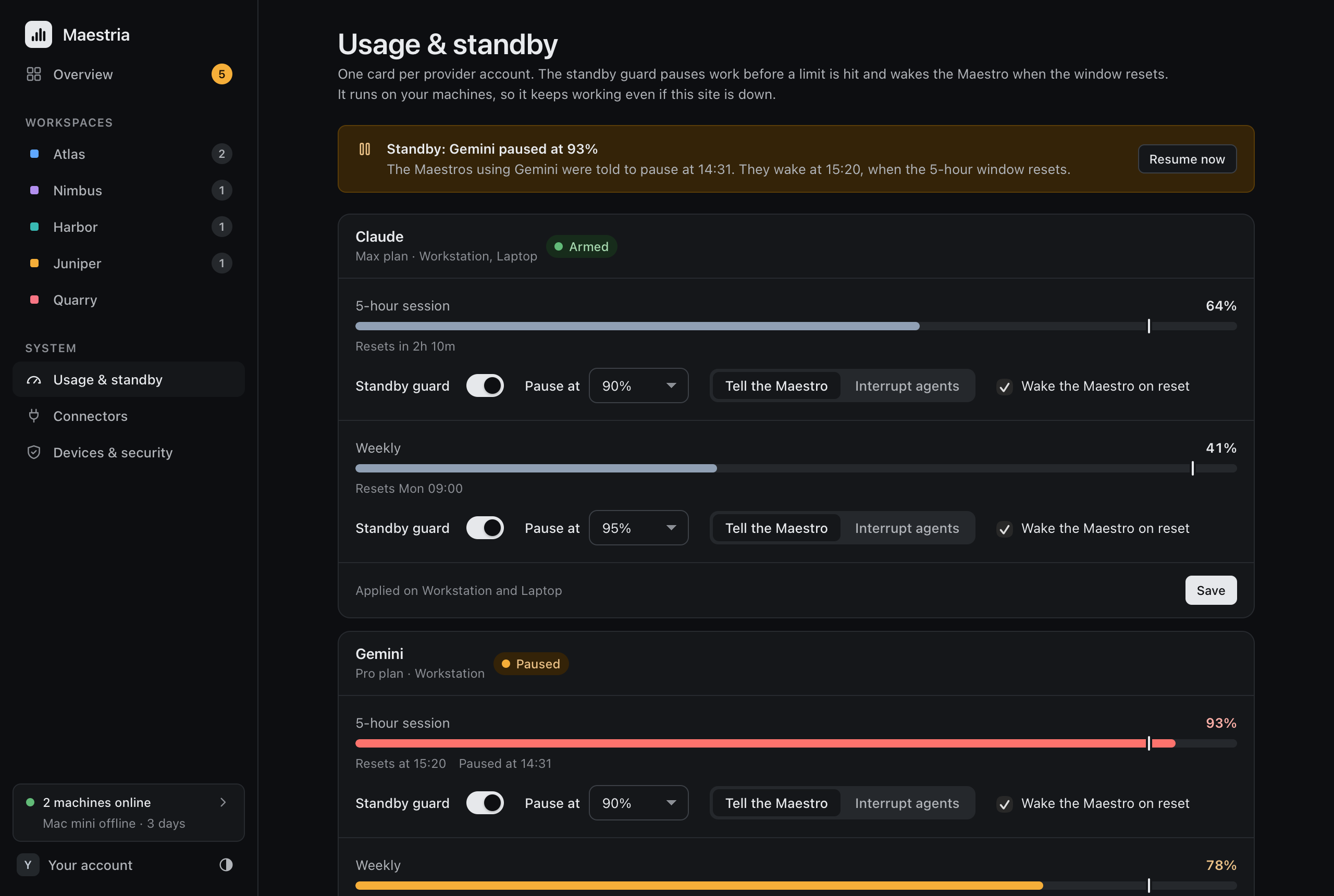
| Needs you | Activity | Floors | Usage and standby |
|---|---|---|---|
 |
 |
 |
 |
What you get
- Needs you: approve, reject, answer or choose, from anywhere.
- Live activity and chat: which agent does what, and a chat with your Maestro (through Maestri Wire).
- Floors: what is planned, what is in progress, what landed.
- Usage and standby: your AI limits, and an automatic pause before you hit them.
- A kill switch that cuts off remote access in one click.
Choose your setup
There are two ways to run it. Both give you the same panel.
| Self-host | Hosted | |
|---|---|---|
| It runs | On your own machine | On a Maestria server, with accounts |
| Your machine | Serves the panel on 127.0.0.1 |
Connects out to the server |
| From your phone | Through a free Cloudflare Tunnel | Sign in, nothing else to set up |
| Several machines | One panel each | One panel for all |
| Guide | Self-host | Use a hosted Maestria |
Self-hosted: the panel lives on your machine. A tunnel is optional.
flowchart LR
  B["Browser or phone"] -- "HTTPS" --> T["Cloudflare Tunnel<br/>(optional)<br/>maestria.example.com"]
  T --> C
  subgraph M["Your machine"]
    C["Connector and panel<br/>127.0.0.1:4777"] --> W["Maestri Wire"] --> A["Maestri<br/>agents, Maestro, floors"]
  end
Hosted: the server only relays. Your machine holds the data and decides what is allowed.
flowchart LR
  B["Browser or phone"] -- "HTTPS" --> S["Maestria service<br/>maestria.example.com<br/>relay only, no data"]
  subgraph M["Your machine"]
    C["Connector<br/>your data and rules"] --> W["Maestri Wire"] --> A["Maestri<br/>agents, Maestro, floors"]
  end
  C -- "outbound WSS, no open port" --> S
Not sure which one? Start with self-host. Words you do not know are explained in Concepts.
Quick start
1. Install (macOS and Linux):
curl --proto '=https' --tlsv1.2 -fsSL https://raw.githubusercontent.com/paulo-lucas/maestria/main/install.sh | sh
On Windows (PowerShell):
[Net.ServicePointManager]::SecurityProtocol = [Net.ServicePointManager]::SecurityProtocol -bor 3072; irm https://raw.githubusercontent.com/paulo-lucas/maestria/main/install.ps1 | iex
With Homebrew: brew install paulo-lucas/tap/maestria. Other ways and more detail: Getting started.
Verify your download: releases carry build provenance and a signature that prove they were built by this repository's release workflow. With cosign installed the installers check it for you; to check by hand, see Verify a download.
2. Set up (open a new terminal first):
maestria init
The wizard asks a few questions and explains each one. Press Enter to accept the suggestion. It sets your password and authenticator app, and can start Maestria in the background.
3. Open the panel at http://127.0.0.1:4777.
Using a hosted server? Link your machine instead, with the code the server shows you:
maestria connect --link XXXX-XXXX --cloud https://maestria.example.com
Stay current: maestria update installs the latest release (checksum-verified, signature-verified when cosign is installed, and it rolls back if the new version does not start). See Self-host.
New to the terminal? Getting started walks through every step and shows what you should see.
Guides
| Guide | For |
|---|---|
| Getting started | Everyone. Install and first run, step by step. |
| Concepts | Everyone. What the words mean, with diagrams. |
| Self-host | Run it on your machine, reach it from your phone, update, back up. |
| Use a hosted Maestria | Sign in to a server, link machines, approve browsers. |
| Run your own hosted server | Operators. A free VM, a systemd unit, a Cloudflare Tunnel. |
| Connect to Maestri Wire | Live agents and chat. |
| For Maestro agents | The maestria command line for agents and scripts. |
| Security | How it protects you, in plain words and in detail. |
| FAQ and Troubleshooting | Questions, and what to do about an error message. |
All guides are listed in docs/README.md.
Security in three lines
- Nothing listens to the internet. The panel binds
127.0.0.1only, and the hosted setup connects out. No port is opened. - Two locks to sign in: a password (argon2id) and an authenticator code, with limits on failed attempts. In hosted mode, each browser is also approved once on your machine, and every request is signed.
- You can pull the plug. The kill switch cuts off remote access, and only someone at your machine can turn it back on. Every change is in an audit log.
Read more in Security.
Development
Go 1.27 or newer.
go vet ./...
go test ./...
go mod tidy -diff
go build -o maestria ./cmd/maestria
go build -o maestria-cloud ./cmd/maestria-cloud
After changing the panel's design in design/, run go generate ./internal/ui. Release archives for all five targets, with checksums and the Homebrew formula, come from go run ./tools/release.
More: the design of the panel is in design/, the product decisions in docs/v2-spec.md, the architecture in docs/v2-architecture.md, the Maestro protocol in docs/protocol.md and the hosted protocol in docs/hosted-protocol.md.
License
Reviews (0)
Sign in to leave a review.
Leave a reviewNo results found