deepseek-harness-genui
Health Pass
- License — License: MIT
- Description — Repository has a description
- Active repo — Last push 0 days ago
- Community trust — 10 GitHub stars
Code Warn
- fs module — File system access in package.json
- network request — Outbound network request in src/artifacts/builder.ts
Permissions Pass
- Permissions — No dangerous permissions requested
No AI report is available for this listing yet.
Code-first generative UI for DeepSeek Harness
DeepSeek Harness GenUI
English | 简体中文


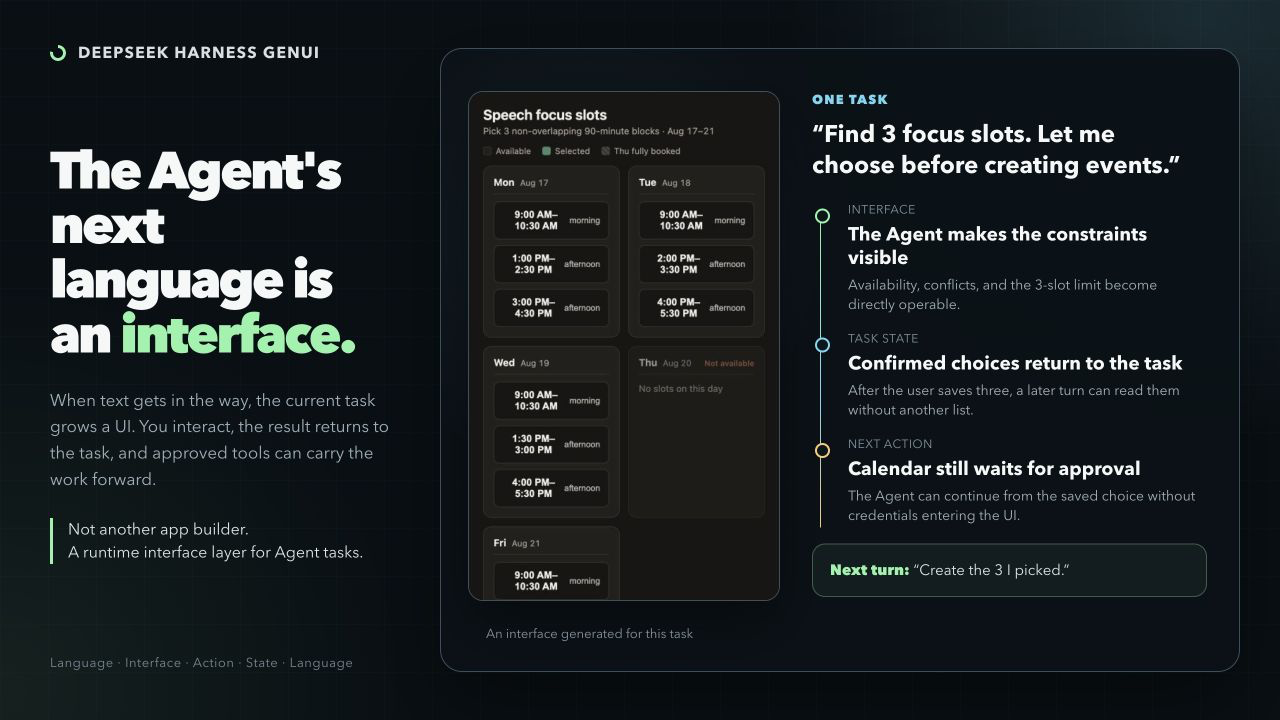
Some tasks are awkward in text. DeepSeek Harness GenUI lets an Agent create a focused interface for the current task: something that explains a difficult relationship or collects a complex user response.
The plugin is code-first. The Coding Agent writes ordinary React + TypeScript, not a component-tree DSL or IR. The interface can save what the user selected, entered, or changed so the next Agent turn can read it and continue the task.
When an Interface Helps
Use an interface when the user needs to see a difficult relationship or make several connected choices. Plain questions, rewriting, summaries, and simple lists stay in prose.
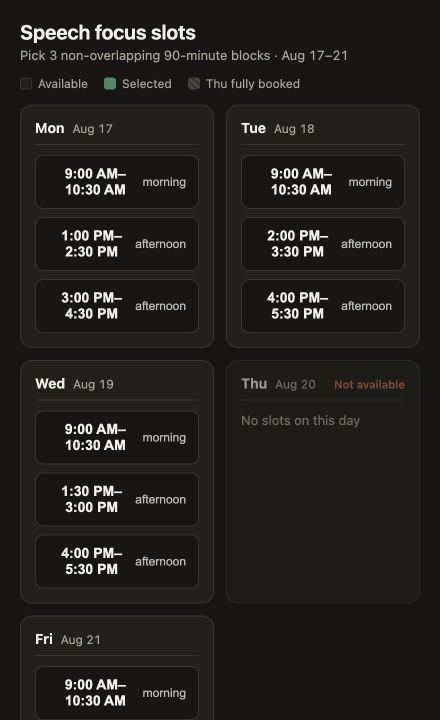
| Pick calendar slots Turn candidate availability into a short list of useful 90-minute writing blocks. The interface saves the three choices to the task. A later calendar action remains separate and asks for approval. |
 |
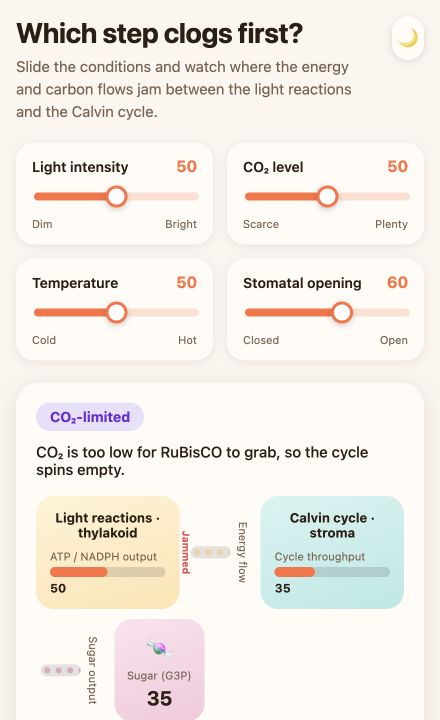
| Explore photosynthesis Move light, carbon dioxide, temperature, and stomatal controls to find the limiting step. The diagram changes with the controls, making each variable's effect easier to explore than to describe. |
 |
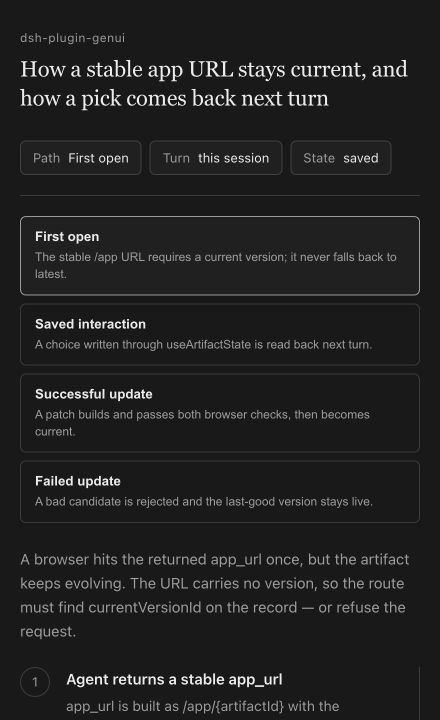
| Trace a code path Ask from the CLI for a source-grounded explanation of a real project flow. The result is a local explorer with files, functions, branches, and the path selected by the user. |
 |
Inline & Canvas
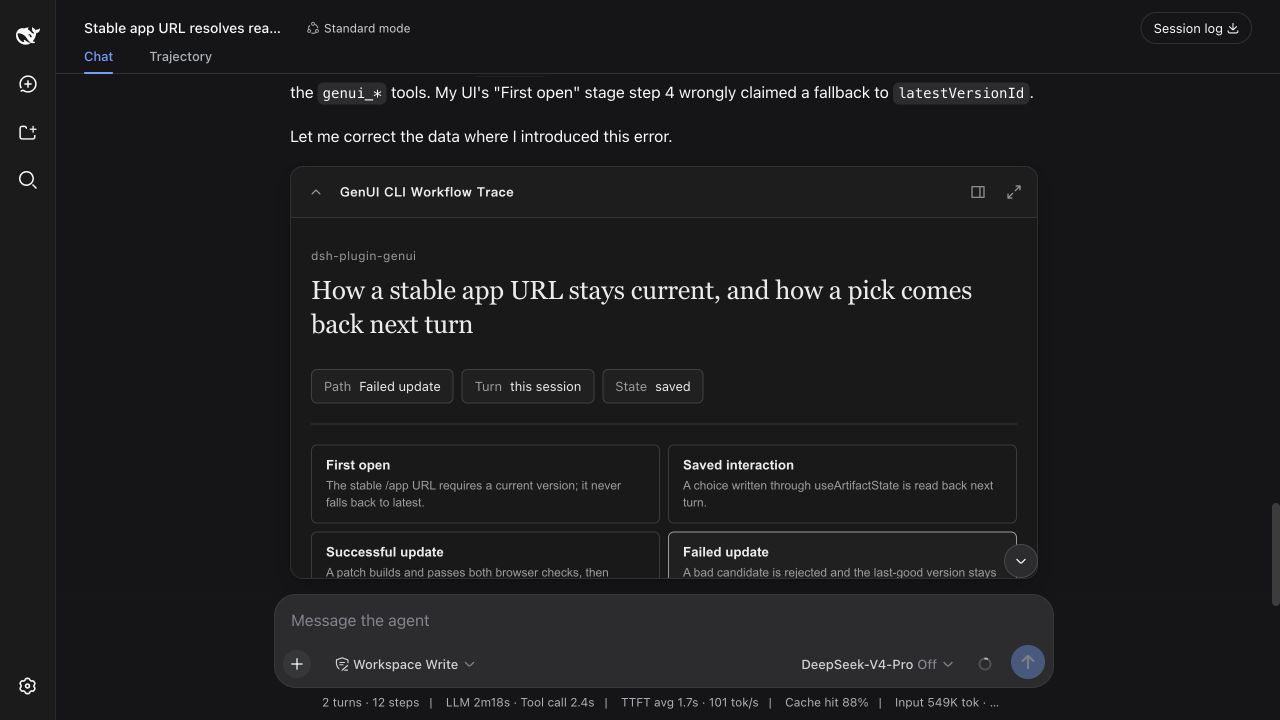
The same app can sit inside the answer or open beside the conversation.
| Inline | Canvas |
|---|---|
 |
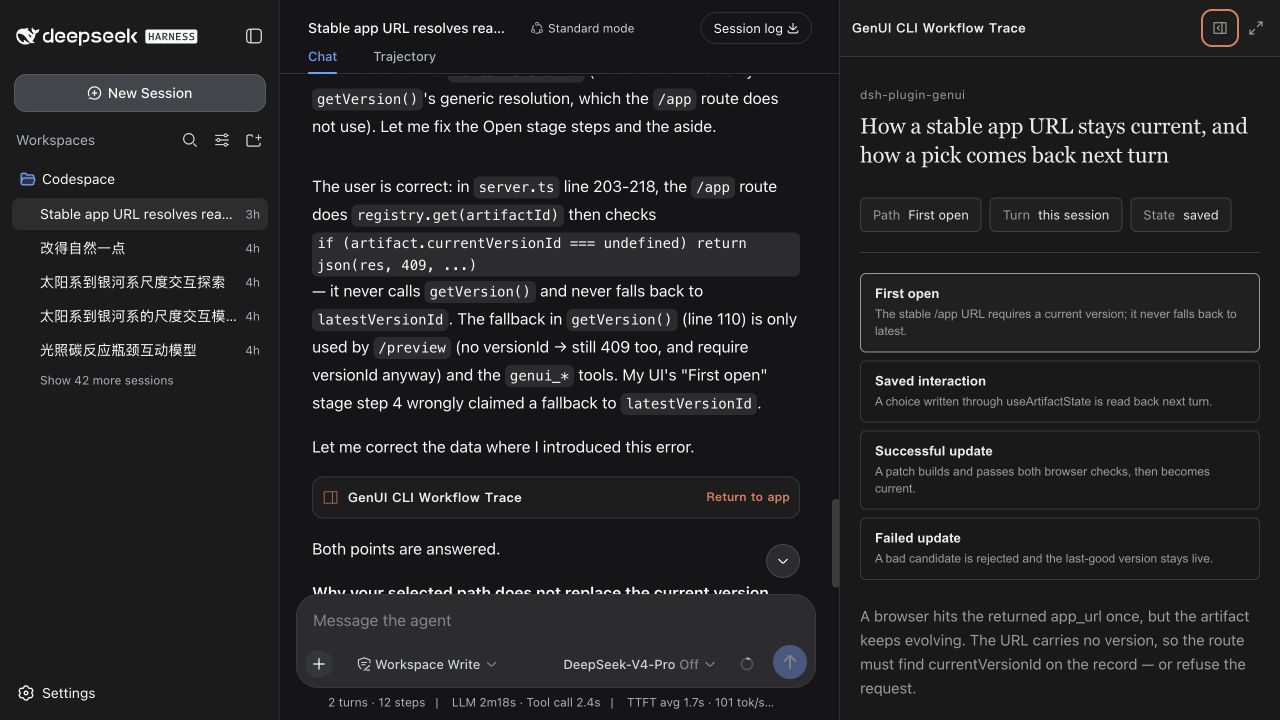 |
| A compact control or focused choice. | More room without covering the conversation. |
Inline, Canvas, fullscreen, and CLI/localhost are different surfaces over the same task state. Selections and inputs saved in one surface remain available to later Agent turns.
CLI Example
The terminal profile returns a localhost app. A follow-up can refer to the path already selected in that app.
❯ Explain how a generated app reaches the permission-gated runtime in this
  repository. Build an interactive code-path explorer and return a localhost URL.

  I mapped src/tools.ts → src/artifacts/builder.ts → src/runtime/server.ts
  → src/artifacts/registry.ts.

  http://127.0.0.1:<port>/genui/app/<task-app>

❯ Where does the path I selected stop?

  It reaches the permission check in src/runtime/server.ts, then stops before
  the connected tool runs because access has not been allowed.
How It Works
- The Agent writes ordinary React + TypeScript and the plugin builds and checks it.
- The interface saves semantic values—selections, form answers, drafts, and progress—to the current task. A follow-up can read those values instead of asking the user to repeat them.
- The app declares only the Harness/MCP/Skill tools or credential-free public HTTPS routes it needs. Before the first call, Harness asks for approval that applies only to the current task; undeclared calls are blocked.
- Later edits update the same app. A failed update never replaces the current working version.
In Web, access can be reviewed or revoked from the app card. MCP credentials never enter generated code.
DESIGN.md
Open Settings → Plugins → Plugin configuration to set the default design for new apps. Choose automatic selection or a built-in profile, import a custom DESIGN.md, or export the selected one as a starting point. Once selected, it becomes the default for apps created later, so the style does not need to be repeated in every prompt. Existing apps keep their original design.
DESIGN.md controls the design language, not the page structure. React + TypeScript remains free to implement simulations, graphics, maps, timelines, code graphs, animation, and irregular layouts.
| Profile | Best fit |
|---|---|
editorial-workbench |
Reading, planning, forms, and content-heavy work |
ledger-grid |
Comparisons, schedules, evidence, and shortlists |
field-atlas |
Scientific, causal, and spatial explanations |
kinetic-signal |
Changing data, connected tools, and user-triggered actions |
Install
Use Node.js ^22.19.0 || >=24. The plugin supports DeepSeek Harness ^0.1.0-rc.6.
dsh plugin --profile web add dsh-plugin-genui
dsh plugin --profile web exec playwright install chromium
dsh --profile web
The Web profile supports Inline, Canvas, fullscreen, and localhost links. For a terminal profile, replace web with tui; TUI returns localhost links and does not embed Canvas. Connect MCP servers to the same profile as usual.
Safety
Generated code runs in a sandbox. Direct API requests are limited to declared, credential-free public HTTPS routes. Temporary links and grants expire after 7 days; saved task state expires 7 days after its last update. Return to the app card in the task to review or remove access.
The plugin uses DeepSeek Harness + Cordis, React 18 + TypeScript, esbuild, Playwright, and Vitest.
Development
Building from source requires pnpm 11.
pnpm install
pnpm run typecheck
pnpm test
pnpm run package:plugin
Acceptance scenarios · Screenshot guide (Chinese) · Contributing · MIT
Reviews (0)
Sign in to leave a review.
Leave a reviewNo results found