splitrail
Health Pass
- License — License: MIT
- Description — Repository has a description
- Active repo — Last push 0 days ago
- Community trust — 144 GitHub stars
Code Fail
- os.homedir — User home directory access in vscode-splitrail/src/extension.ts
Permissions Pass
- Permissions — No dangerous permissions requested
Splitrail is a Rust-based agent that provides real-time token usage tracking and cost monitoring for various AI coding assistants (like Claude Code, Gemini CLI, and GitHub Copilot). It works locally via a CLI or VS Code extension and offers an optional cloud sync feature.
Security Assessment
Overall Risk: Medium. The tool inherently accesses sensitive data because it must read local log files, configuration files, and token usage histories from your home directory to function (flagged by the `os.homedir` check in its VS Code extension). While no dangerous permissions or hardcoded secrets were detected by the automated scan, the optional "Splitrail Cloud" feature means the tool is capable of making external network requests to sync your usage data. Users should be aware that their AI usage statistics and local file paths could be transmitted to Piebald AI's servers if they opt into the cloud features.
Quality Assessment
The project demonstrates high quality and active maintenance. It uses the permissive MIT license and appears to be under very active development, with its most recent push occurring just today. It has garnered 144 GitHub stars, indicating a healthy level of community trust and adoption among developers.
Verdict
Use with caution: it is a well-maintained and licensed tool, but you should carefully review the privacy implications before opting into its cloud sync features.
Fast, cross-platform, real-time token usage tracker and cost monitor for Gemini CLI / Claude Code / Codex CLI / Qwen Code / Cline / Roo Code / Kilo Code / GitHub Copilot / OpenCode / Pi Agent / Piebald.

Check out Piebald
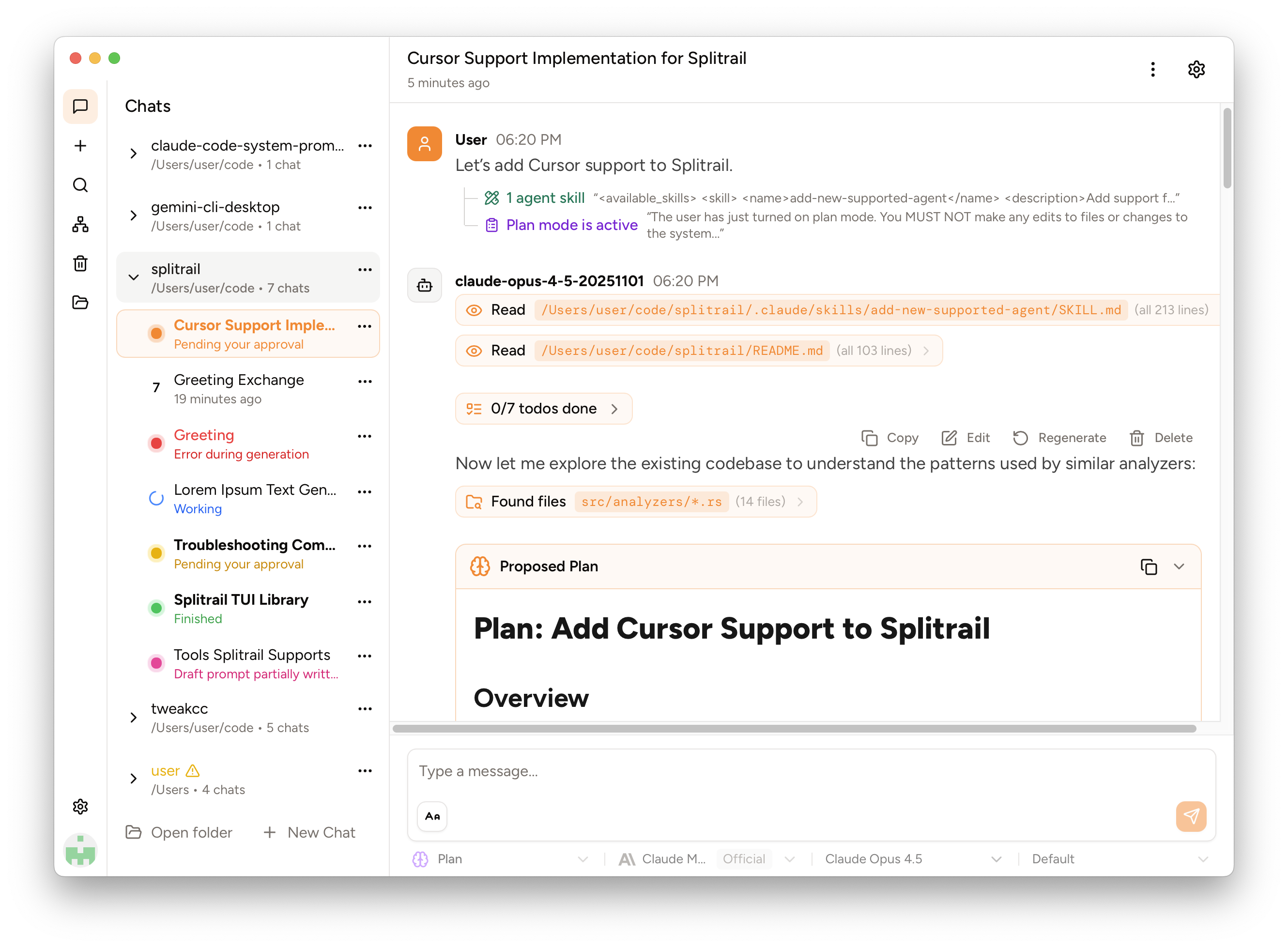
We've released Piebald, the ultimate agentic AI developer experience.
Download it and try it out for free! https://piebald.ai/


Scroll down for Splitrail. :point_down:
Splitrail
Splitrail is a fast, cross-platform, real-time token usage tracker and cost monitor for:
- Gemini CLI (and Qwen Code)
- Claude Code
- Codex CLI
- Cline / Roo Code / Kilo Code
- GitHub Copilot
- OpenCode
- Pi Agent
Run one command to instantly review all of your CLI coding agent usage. Upload your usage data to your private account on the Splitrail Cloud for safe-keeping and cross-machine usage aggregation. From the team behind  Piebald.
[!note]
⭐ If you find Splitrail useful, please consider starring the repository to show your support! ⭐
Download the binary for your platform on the Releases page.
Screenshots
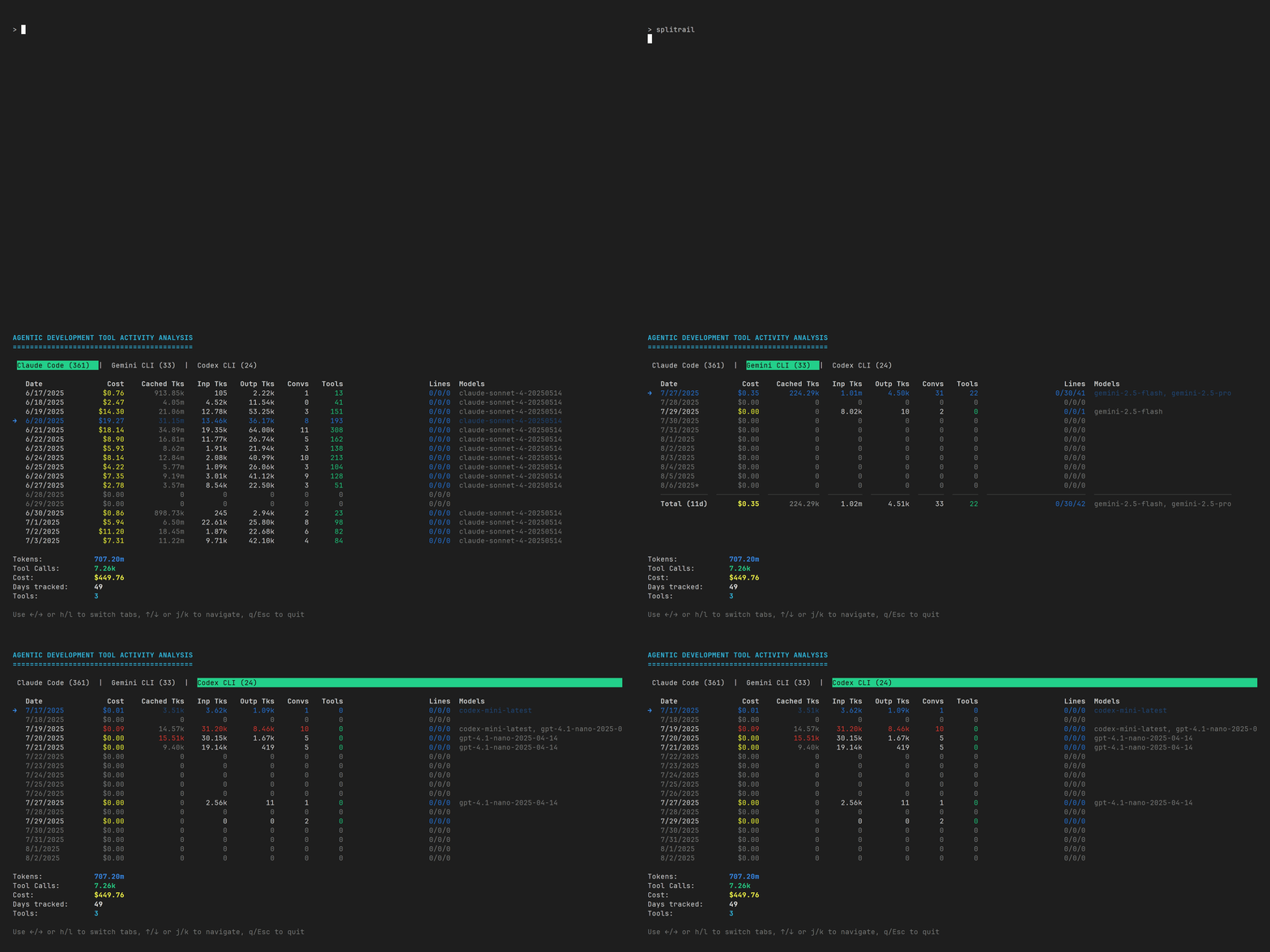
Splitrail CLI
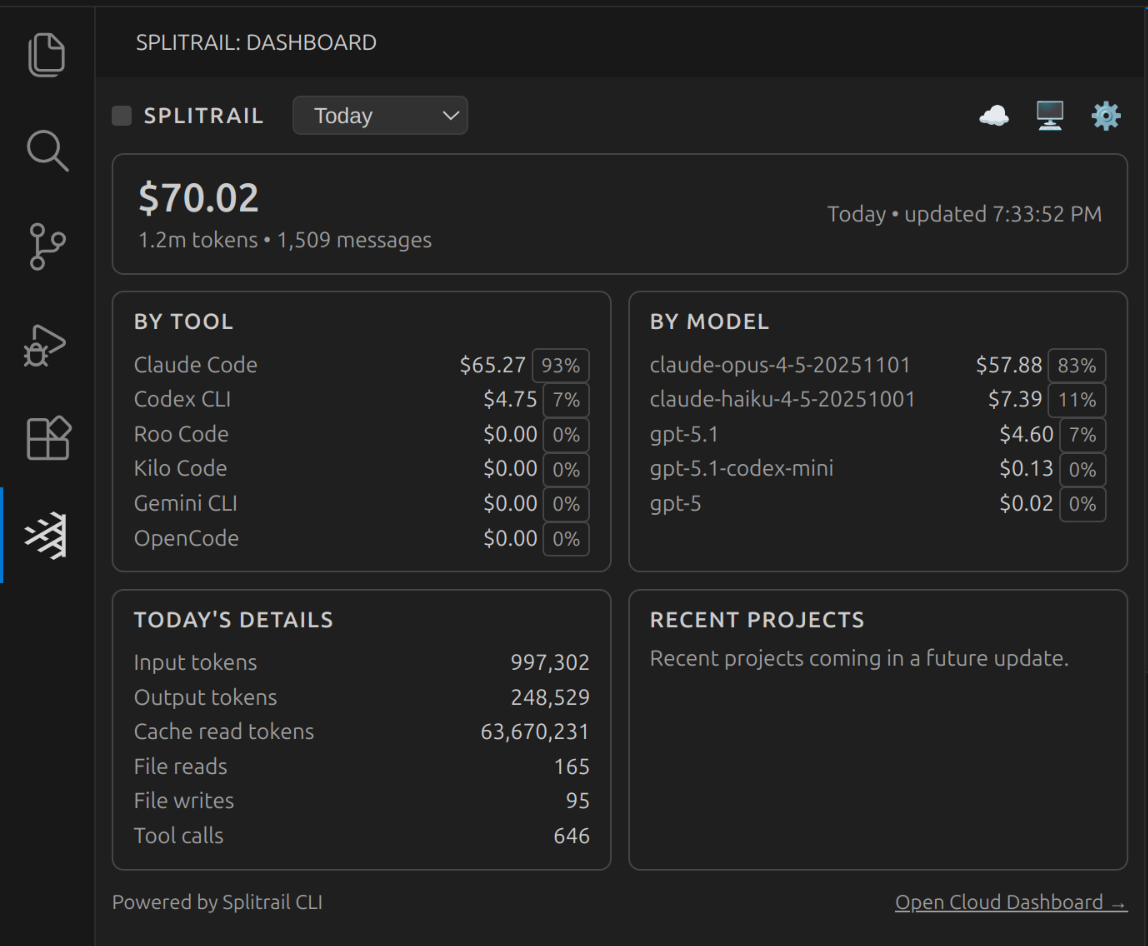
Splitrail VS Code Extension
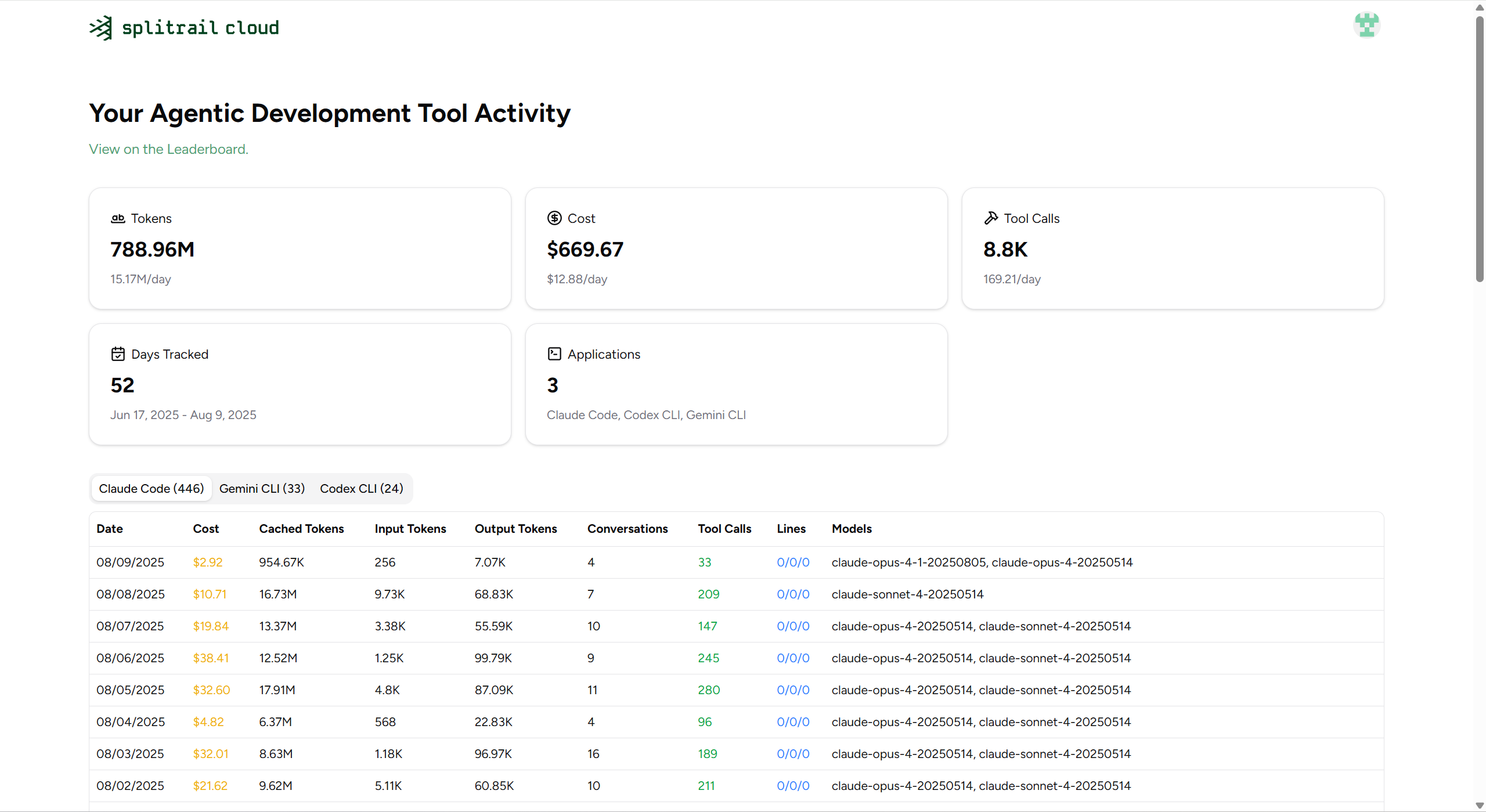
Splitrail Cloud
MCP Server
Splitrail can run as an MCP (Model Context Protocol) server, allowing AI assistants to query your usage statistics programmatically.
splitrail mcp
Available Tools
get_daily_stats- Query usage statistics with date filteringget_model_usage- Analyze model usage distributionget_cost_breakdown- Get cost breakdown over a date rangeget_file_operations- Get file operation statisticscompare_tools- Compare usage across different AI coding toolslist_analyzers- List available analyzers
Resources
splitrail://summary- Daily summaries across all datessplitrail://models- Model usage breakdown
Configuration
Splitrail stores its configuration at ~/.splitrail.toml:
[server]
url = "https://splitrail.dev"
api_token = "your-api-token"

[upload]
auto_upload = false
upload_today_only = false

[formatting]
number_comma = false
number_human = false
locale = "en"
decimal_places = 2
Development
Windows
On Windows, we use lld-link.exe from LLVM to significantly speed up compilation, so you'll need to install it to compile Splitrail. Example for winget:
winget install --id LLVM.LLVM
Then add it to your system PATH:
:: Command prompt
setx /M PATH "%PATH%;C:\Program Files\LLVM\bin\"
set "PATH=%PATH%;C:\Program Files\LLVM\bin"
or
# PowerShell
setx /M PATH "$env:PATH;C:\Program Files\LLVM\bin\"
$env:PATH = "$env:PATH;C:\Program Files\LLVM\bin\"
Then use standard Cargo commands to build and run:
cargo run
macOS/Linux
Build as normal:
cargo run
License
Copyright © 2026 Piebald LLC.
Reviews (0)
Sign in to leave a review.
Leave a reviewNo results found