opencode-container
Health Warn
- No license — Repository has no license file
- Description — Repository has a description
- Active repo — Last push 0 days ago
- Community trust — 38 GitHub stars
Code Fail
- rm -rf — Recursive force deletion command in test_collect_runtime_deps.sh
Permissions Pass
- Permissions — No dangerous permissions requested
No AI report is available for this listing yet.
A security-hardened container environment for running the OpenCode CLI in complete isolation.
OpenCode Container
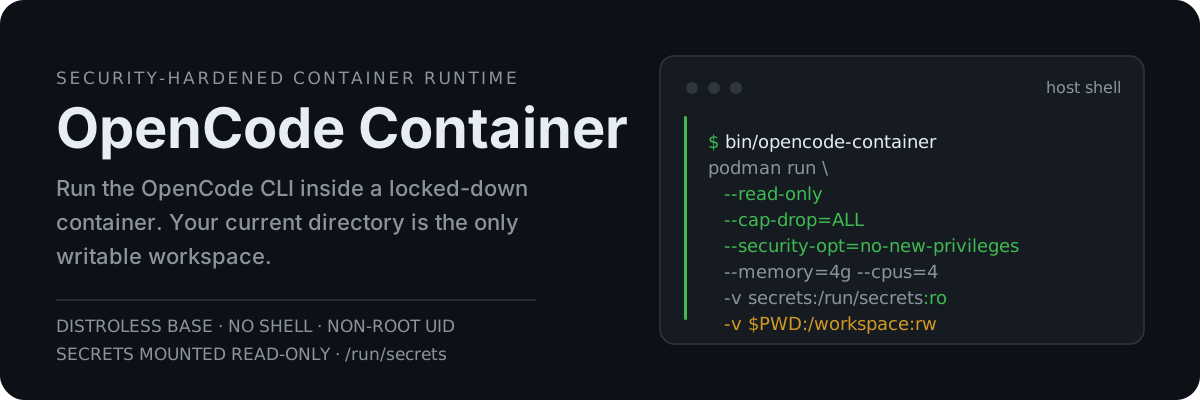
Run the OpenCode CLI inside a locked-down container (Docker or Podman): read-only root filesystem, all Linux capabilities dropped, privilege escalation blocked, and API keys loaded from files instead of the command line. Your current directory is mounted as the only writable workspace.
Run it with the canonical launcher:
bin/opencode-container(recommended) — persists everything to~/.opencode-container/and works from any directory.
Getting Started
Prerequisites
Quick Start
# Build the image
make build

# Add a provider API key (one-time)
mkdir -p ~/.opencode-container/secrets
chmod 700 ~/.opencode-container/secrets
echo "your-api-key" > ~/.opencode-container/secrets/anthropic_api_key
chmod 600 ~/.opencode-container/secrets/*

# Run with the wrapper script (recommended)
bin/opencode-container
The OpenCode TUI starts inside the container. Your current directory is mounted at /workspace; sessions, cache, and settings persist in ~/.opencode-container/. See Secrets Management for other providers.
Using the Wrapper Script
The bin/opencode-container script is the recommended way to run OpenCode Container. It:
- Picks an engine:
$CONTAINER_ENGINEif set, elsepodman, elsedocker - Persists all data to
~/.opencode-container/(sessions, cache, settings) - Reads secrets from
~/.opencode-container/secrets/ - Uses the current directory as the workspace
- Works from any directory once added to your PATH
Options
| Flag | Default | Description |
|---|---|---|
-w, --websearch |
off | Enable Exa web search |
-e, --experimental |
off | Enable experimental features and models |
-u, --update-config |
off | Overwrite ~/.opencode-container/config/ with the repo's config/ |
--memory |
4g |
Container memory limit |
--cpus |
4 |
Container CPU count |
--host-access |
off | Add the engine's host alias (host.docker.internal for Docker, host.containers.internal for Podman) so the container can reach host services (see Accessing Host Services) |
Everything else is passed through to the OpenCode CLI — including short flags like -m/--model, -c/--continue, and -s/--session, as well as subcommands. Run opencode-container --help to see them all.
Adding to PATH
Adjust the path below to where you cloned this repository.
Bash — add to ~/.bashrc, then run source ~/.bashrc:
export PATH="$HOME/git/opencode-container/bin:$PATH"
Fish:
fish_add_path $HOME/git/opencode-container/bin
Usage
Once added to your PATH, you can run from any directory:
# Run in the current directory
opencode-container

# Continue a session (passed through to OpenCode)
opencode-container -s ses_2d068fdfaffefxNTts5doK0upT

# Pass subcommands through (cwd is the mounted workspace)
opencode-container -e -w auth logout
opencode-container run "fix the login bug"

# Override the workspace directory
OPENCODE_WORKSPACE=/path/to/project opencode-container

# Raise resource limits for a heavy session
opencode-container --memory 8g --cpus 8
Security Features
The container applies several independent layers of restriction:
- Distroless runtime: the final image has no shell and no package manager
- Read-only root filesystem: only
/tmp(tmpfs) and mounted volumes are writable - Dropped capabilities:
--cap-drop=ALLremoves all Linux capabilities (principle of least privilege) - No privilege escalation:
--security-opt=no-new-privilegesblocks setuid/setgid exploits - Non-root user: runs as UID 1000 (configurable at build time)
- Resource limits: the wrapper defaults to 4 GB memory / 4 CPUs
- File-based secrets: keys mounted read-only at
/run/secrets— never baked into the image or passed on the command line
Secrets Management
API keys live as plain files on the host and are loaded at container start — they are never baked into the image or passed on the command line.
How It Works
- Set up one file per key as shown in Quick Start (
~/.opencode-container/secrets/, directory700, files600). - The runtime bootstrap (
bootstrap.py) reads every file in/run/secretsand exports it as an environment variable:- Filenames are uppercased; dashes and dots become underscores
- Example:
anthropic_api_keybecomesANTHROPIC_API_KEY
- Any filename works — the table below lists the providers OpenCode commonly uses.
Commonly Used Secrets
| Filename | Environment Variable | Provider |
|---|---|---|
anthropic_api_key |
ANTHROPIC_API_KEY |
Anthropic |
openai_api_key |
OPENAI_API_KEY |
OpenAI |
context7_api_key |
CONTEXT7_API_KEY |
Context7 MCP |
google_application_credentials |
GOOGLE_APPLICATION_CREDENTIALS |
Vertex AI |
aws_access_key_id |
AWS_ACCESS_KEY_ID |
AWS Bedrock |
aws_secret_access_key |
AWS_SECRET_ACCESS_KEY |
AWS Bedrock |
Note: the wrapper mounts these files read-only at /run/secrets; the runtime bootstrap loads them directly into the process environment. This avoids copying secrets into a second host file or exposing them on the command line.
Data Persistence & Configuration
When using the wrapper script (bin/opencode-container):
| Data | Location | Description |
|---|---|---|
| Home Directory | ~/.opencode-container/ |
OpenCode cache, plugins, settings, sessions |
| Secrets | ~/.opencode-container/secrets/ |
API keys and credentials |
| Config | ./config/ (this repo) |
OpenCode configuration, MCP servers, custom skills |
| Workspace | Current directory | Your project files |
Advanced Usage
Accessing Host Services
By default the container is network-isolated from the host — 127.0.0.1 inside the container is the container itself, so host services are unreachable. Launch with --host-access to add an engine-appropriate host alias:
opencode-container --host-access
Inside the container, reach host ports via:
- Docker:
http://host.docker.internal:<port> - Podman:
http://host.containers.internal:<port>
Linux prerequisite: on Linux, host services must listen beyond 127.0.0.1 — bind them to 0.0.0.0 (or, with Docker, the bridge IP usually 172.17.0.1), otherwise you get connection refused.
Example — OmniRoute gateway: with Omniroute listening on port 20128, paste this into ~/.opencode-container/config/opencode.json, then launch opencode-container --host-access. It serves an OpenAI-compatible /v1 and is keyless by default; if a key is ever needed, add "apiKey": "{env:OMNIROUTE_API_KEY}" under options. Podman users: use host.containers.internal in baseURL instead.
{
  "provider": {
    "omniroute": {
      "npm": "@ai-sdk/openai-compatible",
      "name": "OmniRoute",
      "options": {
        "baseURL": "http://host.docker.internal:20128/v1"
      },
      "models": {
        "auto": { "name": "OmniRoute auto" }
      }
    }
  }
}
Development Commands
make build                      # Build with auto-detected UID/GID
make build VERSION=1.18.18      # Build a specific OpenCode version
make build-latest               # Build the latest OpenCode release
make tag-latest VERSION=1.18.18 # Tag a built version as latest
make shell                      # Debug shell (builder-tools stage with bash)
make clean                      # Remove image
The version examples above match ARG OPENCODE_VERSION in the Dockerfile; check there for the current default.
Manual Container Run
For advanced users who need custom container configuration. The wrapper script is the maintained reference and defaults to 4 GB / 4 CPUs. Identical flags work with both docker run and podman run. Adjust the config mount to your clone path.
docker run --rm -it \
  --workdir /workspace \
  --read-only \
  --tmpfs /tmp:exec,size=512m,mode=1777 \
  --cap-drop ALL \
  --security-opt=no-new-privileges \
  --memory=2g \
  --cpus=2 \
  -v ~/.opencode-container:/app:rw \
  -v /path/to/opencode-container/config:/app/.config/opencode:rw \
  -v $(pwd):/workspace:rw \
  -v ~/.opencode-container/secrets:/run/secrets:ro \
  opencode-container
Building Manually
# Default UID/GID (1000) — same flags for podman build
docker build -t opencode-container .

# With your UID/GID (recommended)
docker build --build-arg USER_UID=$(id -u) --build-arg USER_GID=$(id -g) -t opencode-container .

# With version tag
docker build --build-arg USER_UID=$(id -u) --build-arg USER_GID=$(id -g) -t opencode-container:1.18.18 .
make build does this for you with whichever engine is installed (override with ENGINE=docker or ENGINE=podman).
Runtime Details
The image uses a multi-stage build with a distroless runtime:
- Base:
gcr.io/distroless/base-debian13(no shell, no package manager) - Node.js: Node 24 from NodeSource, runtime dependencies extracted via
collect-runtime-deps.sh - Python: Python 3 with venv support from Debian 13
- OpenCode: installed via the official, checksum-verified installer in the build stage
- Runtime collector: resolves and verifies every executable in the Dockerfile manifest before the final image is assembled
- Bootstrap:
bootstrap.pyloads secrets from/run/secrets, requires Xvfb on:99, then execs OpenCode
Reviews (0)
Sign in to leave a review.
Leave a reviewNo results found