OpenTokenUsage
Health Warn
- License — License: MIT
- Description — Repository has a description
- Active repo — Last push 0 days ago
- Low visibility — Only 6 GitHub stars
Code Pass
- Code scan — Scanned 12 files during light audit, no dangerous patterns found
Permissions Pass
- Permissions — No dangerous permissions requested
No AI report is available for this listing yet.
Claude Code, Codex, Cursor and Copilot usage limits in the Windows 11 tray: session and weekly limits, resets, pace and alerts. Free and open source.
OpenTokenUsage
Every AI coding limit, next to your clock. Made for Windows 11. Website: opentokenusage.app
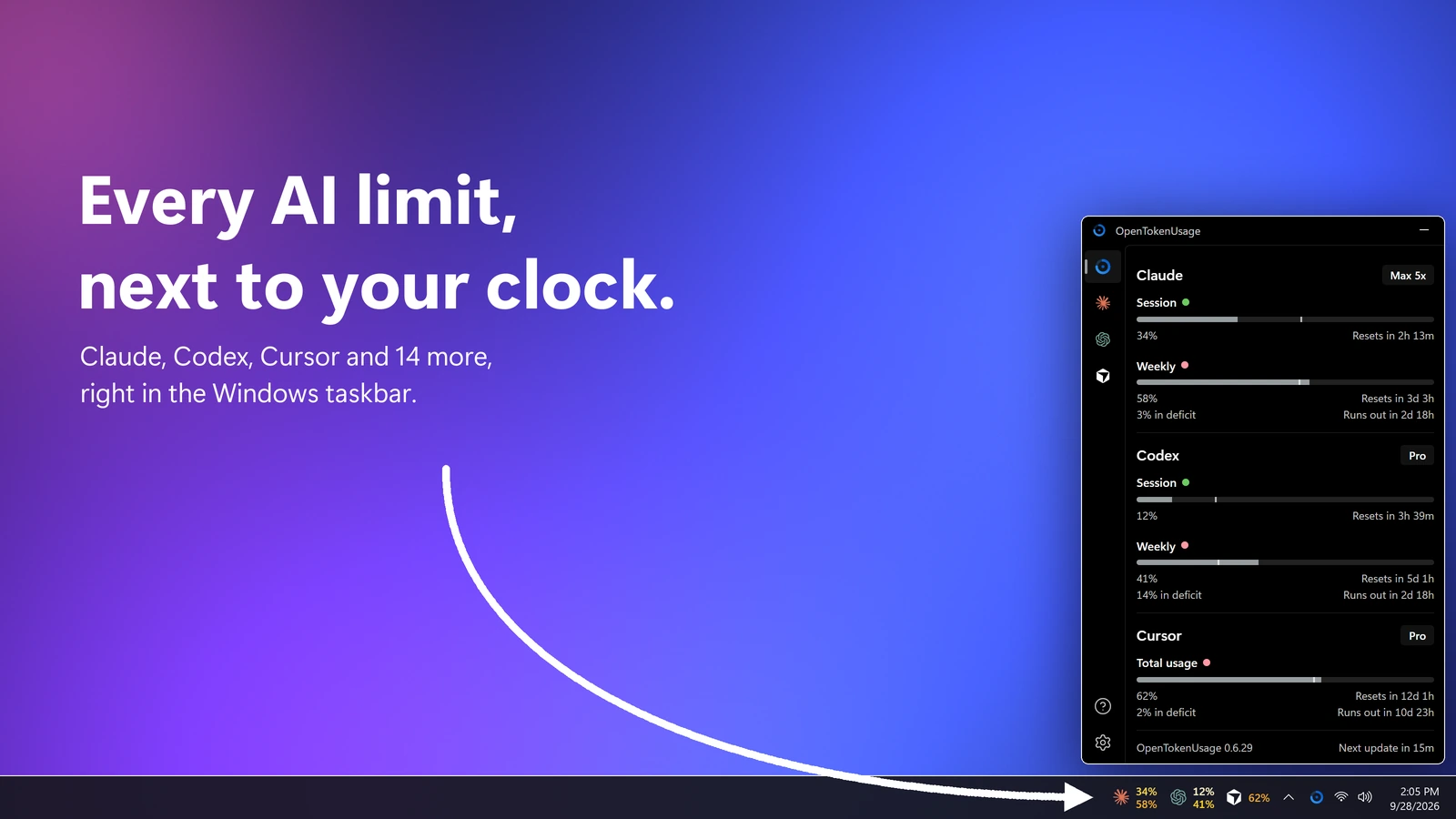
OpenTokenUsage lives in the notification area and shows how much of your AI coding subscriptions you've used: session and weekly limits, credits, when they reset, and whether you're on pace. No digging through dashboards, no mental math.
Built on OpenUsage by Robin Ebers, rebuilt for Windows.
Download
Install with WinGet (recommended):
winget install PowerUserZ.OpenTokenUsage
Or download the latest release and run the installer.
The app checks for new releases in-app and updates itself.
What It Does
- One glance. All your AI tools in one panel, opened from the tray or a global shortcut. Pin it above other windows, or have it open where you left it.
- Next to the clock. The tray shows the app icon, a percent, bars, or one number or logo ring per provider.
- Taskbar strip (experimental). Provider logos with session and weekly usage right in the taskbar, in your own fonts, colors and order.
- Pace. Every limit says whether you're ahead or behind, and when it runs out at this rate.
- Notifications. At the usage levels you pick, when you're on pace to run out before a reset, and when a limit resets, with a built-in sound or your own.
- One-click fixes. Errors come with the fix: run the login command in a terminal, or open the provider's API key page and Windows' Environment Variables.
- Service status. A badge on the card when the provider's status page reports an incident.
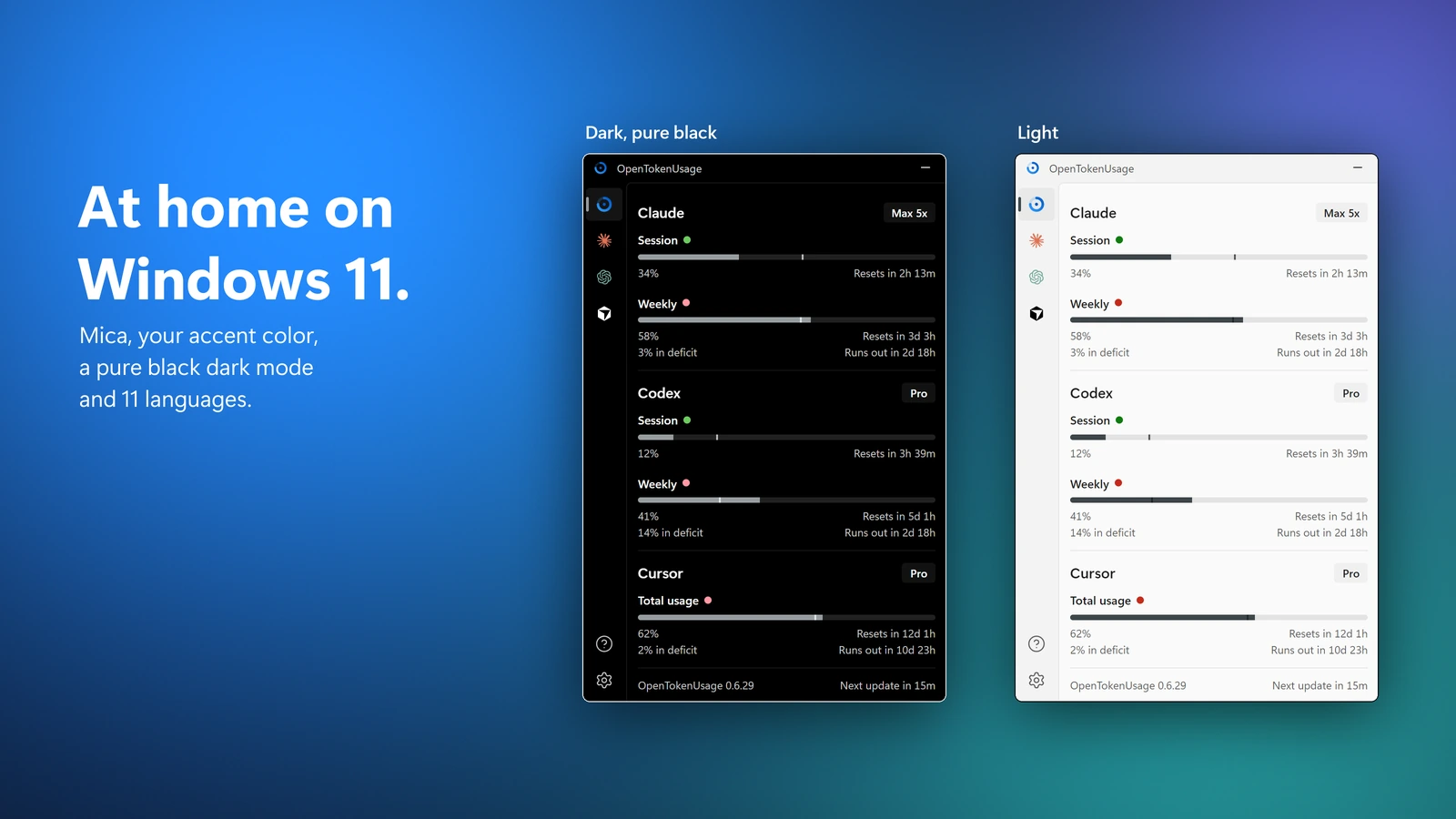
- Windows 11 native. Mica, your accent color, a pure black dark theme and a light one.
- 11 languages. English, Deutsch, Español (España and Latinoamérica), Français, Italiano, 日本語, 한국어, Português (Brasil), Türkçe and 简体中文.
- Plugin-based. Each provider is a small plugin, so adding one is easy. New providers arrive with app updates.
- Local HTTP API. Other apps on your PC can read your usage from
127.0.0.1:6736(loopback only). - Proxy support. Route provider requests through a SOCKS5 or HTTP proxy.
Make It Yours
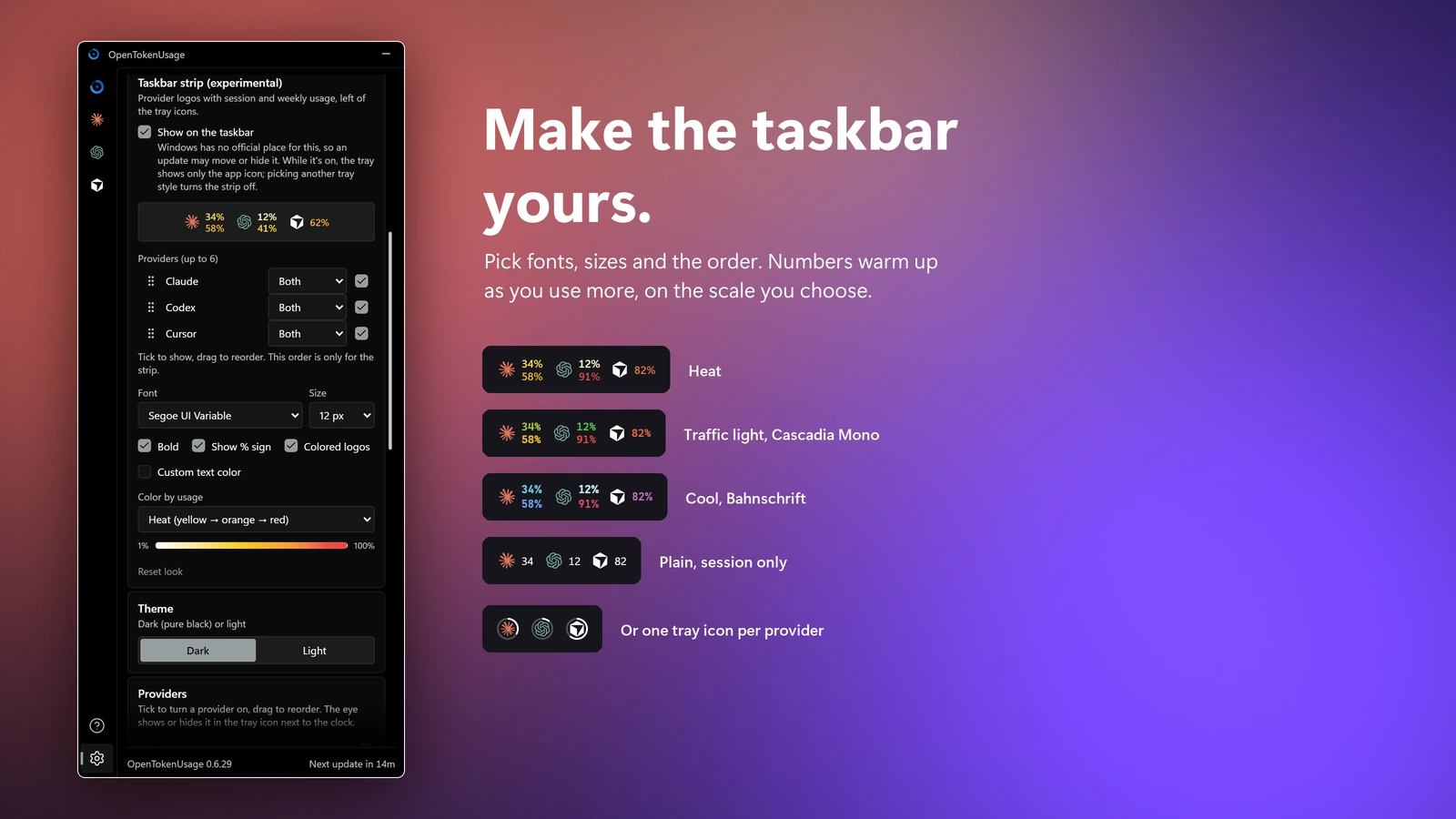
Settings → Tray icon picks what sits next to the clock. Settings → Taskbar strip puts logos with session and weekly numbers into the taskbar: choose up to 6 providers and their order, the font and size, and a color scale that warms up as you use more.
At Home on Windows 11
Supported Providers
- Amp / free tier, bonus, credits
- Antigravity / Gemini and Claude models, session and weekly
- Claude / session, weekly, Fable, extra usage, rate limit resets, local token usage (ccusage)
- Codex / session, weekly, reviews, credits
- Copilot / credits, extra usage, chat, completions
- Cursor / credits, total usage, requests, auto usage, API usage, Grok Bot, on-demand, bonus spend, CLI auth
- Factory / Droid / standard, premium tokens
- Grok / weekly limit, credits used, pay-as-you-go cap
- JetBrains AI Assistant / quota, remaining
- Kiro / credits, bonus credits, overages
- Kimi Code / session, weekly
- MiniMax / coding plan session
- OpenCode Go / 5h, weekly, monthly usage limits
- Devin / weekly and daily quota, extra usage
- Perplexity / reads the Perplexity macOS app's session, so it doesn't work on Windows yet
- Synthetic / 5-hour rate limit, subscription, tool calls, search
- Z.ai / session, weekly, web searches
Contributing
- Add a provider. Each one is just a plugin. See the Plugin API.
- Fix a bug. PRs welcome. Provide before/after screenshots.
- Request a feature. Open an issue and make your case.
Credits
- Original project: OpenUsage by Robin Ebers
- Windows port: PowerUserZ
- Inspired by CodexBar by @steipete
License
Build from source
Prerequisites
Steps
git clone https://github.com/PowerUserZ/OpenTokenUsage.git
cd OpenTokenUsage
bun install
bun tauri build
The built app will be in src-tauri/target/release/bundle/.
Reviews (0)
Sign in to leave a review.
Leave a reviewNo results found