caret-desktop
Health Pass
- License — License: Apache-2.0
- Description — Repository has a description
- Active repo — Last push 0 days ago
- Community trust — 30 GitHub stars
Code Pass
- Code scan — Scanned 7 files during light audit, no dangerous patterns found
Permissions Pass
- Permissions — No dangerous permissions requested
No AI report is available for this listing yet.
Caret — a design canvas over your real code. Downloads and releases for the standalone desktop app on macOS, Windows and Linux. Source lives at precious112/caret.




Looking for the code?
This repo publishes the builds. The source lives in
precious112/caret, so cloning or
forking this one gives you the release pipeline and no application code.The split is historical. Caret used to be a VS Code fork: this repo built the
editor, and the extension code sat incaret. Caret is a standalone desktop
app now, so there is no longer any reason for the two to be apart.We are merging them as soon as the current release settles. This repo keeps
its name, issues and releases until then, because it is where people already are.
https://github.com/user-attachments/assets/93e273d4-aed3-45cd-bb5e-c5b587691017
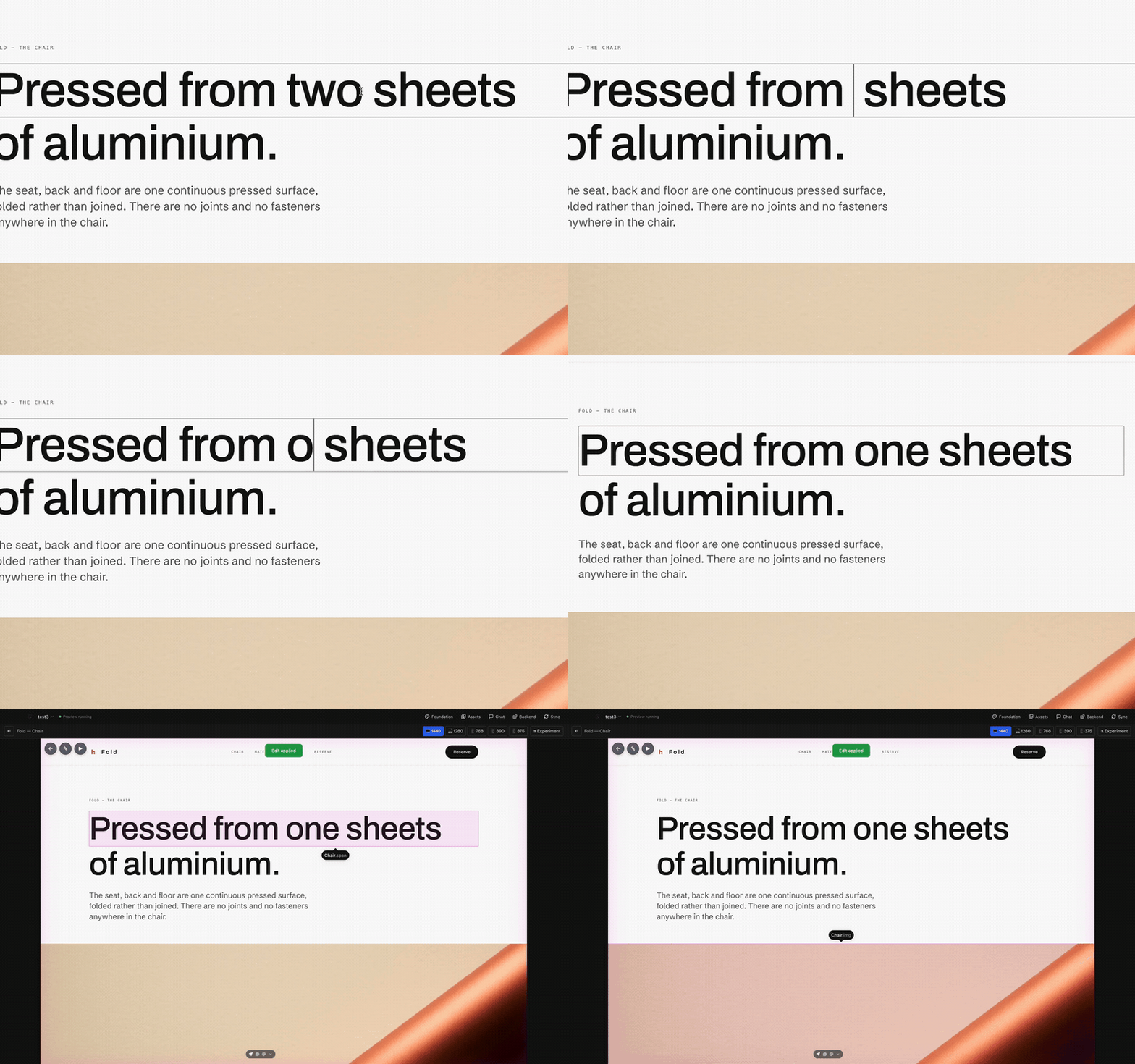
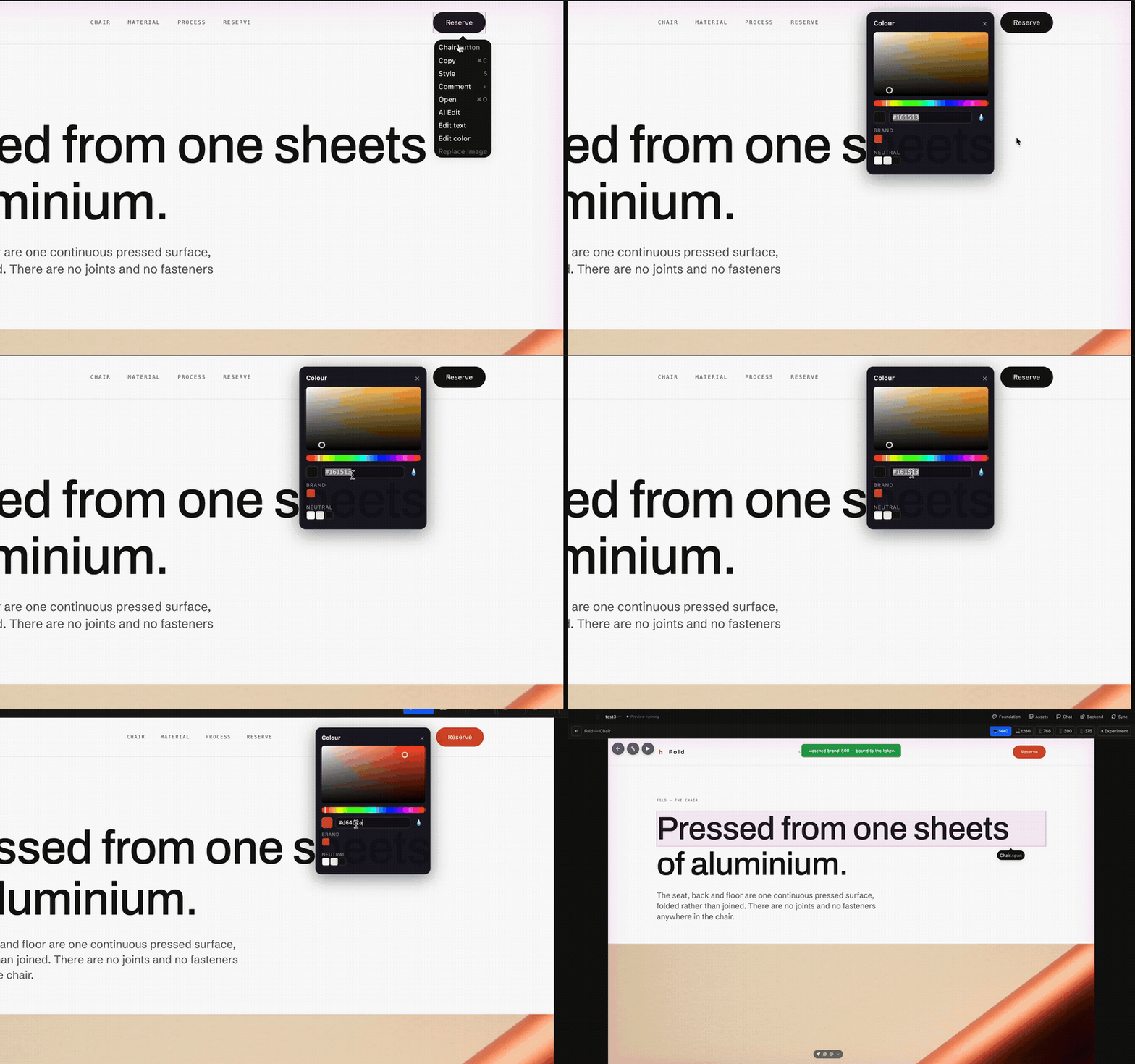
Your pages render on a canvas. Click a headline and retype it, right-click a
colour and pick a new one, and the change is written into your source files.
The canvas was never a picture of your app. It is your app.
The design lives in your repo as real React, in git, reviewable in a pull
request. So a fix you make once is still there tomorrow, instead of being
regenerated away the next time you ask for something.
- Edit on the page: text, colour, images, and size, written to source
- Ask for the harder changes: paint a region, describe it in words
- Three versions at once: generate, compare, keep one
- Make the assets too: logos, photographs, textures, animated backgrounds
- Sync into your app: in any framework, both directions
- Bring your own model: a subscription you have, or an API key
- Or bring your own agent: Claude Code and Codex work over MCP
Free, runs on your machine, no account. Needs Node.js
installed for the live canvas. This repo holds the downloads and
builds them; the source is at
precious112/caret.
Download
| Platform | Download |
|---|---|
| macOS, Apple Silicon (M1/M2/M3…) | Caret-macOS-arm64.zip |
| macOS, Intel | Caret-macOS-x64.zip |
| Windows, installer | Caret-Windows-Setup-x64.exe |
| Windows, Arm installer | Caret-Windows-Setup-arm64.exe |
| Windows, portable | Caret-Windows-Portable-x64.exe |
| Linux, Debian/Ubuntu | Caret-Linux-amd64.deb |
| Linux, Fedora/RHEL | Caret-Linux-x86_64.rpm |
| Linux, AppImage | Caret-Linux-x86_64.AppImage |
macOS builds are signed and notarized by Apple: download, unzip, dragCaret.app into Applications, double-click. No warnings.
Windows: what you will see, and what to click
Windows builds are not code-signed yet, so Windows treats the installer as
unknown. That can produce up to three separate warnings. The app is safe, and
you never need to turn off your antivirus — every warning has a button
that lets you keep going:
- When the download finishes, the browser may say the file "isn't
commonly downloaded".- Chrome: click the download, then ⋯ → Keep → Keep anyway
- Edge: … → Keep → Show more → Keep anyway
- When you run the installer, SmartScreen says "Windows protected your
PC". Click More info → Run anyway. - If the file never shows up in Downloads at all, Defender quarantined it
on arrival. Open Windows Security → Virus & threat protection →
Protection history, find the Caret entry, choose Restore, then run
the installer and do step 2.
If Defender keeps removing the file anyway, turn real-time protection off
just for the install:
- Windows Security → Virus & threat protection → Manage settings, switch
Real-time protection off. - Download and run the installer.
- Switch it back on. Windows also re-enables it by itself after a short
while, so you cannot forget it off.
Prefer the terminal? This does the same as step 2 of the warnings above:
Unblock-File "$HOME\Downloads\Caret-Windows-Setup-x64.exe"
Linux
No signing needed: sudo dpkg -i the .deb, sudo rpm -i the .rpm, orchmod +x the AppImage and run it.
You also need Node.js
Caret's live canvas runs a local dev server, so Node.js must be installed or
the canvas will not load. Everything else works without it, which makes this
easy to miss: the app opens, the chat answers, and only the canvas sits on
"preview loading" forever.
Install the LTS build from nodejs.org and
you are fine. If you want the exact floor, it is Node 20.19+, or 22.12+ on
the 22 line — that is Vite's requirement, not ours.
Check what you have:
node --version
Edit on the page
Right-click any text, colour or image and change it there. Caret writes it into
the real source file and the page reloads.
Pick a colour and Caret checks it against your design tokens. If one is close,
it writes the token instead of a hex code, so changing your brand colour later
changes everywhere that used it. You can drag an edge to resize, too, and the
size lands in the code.
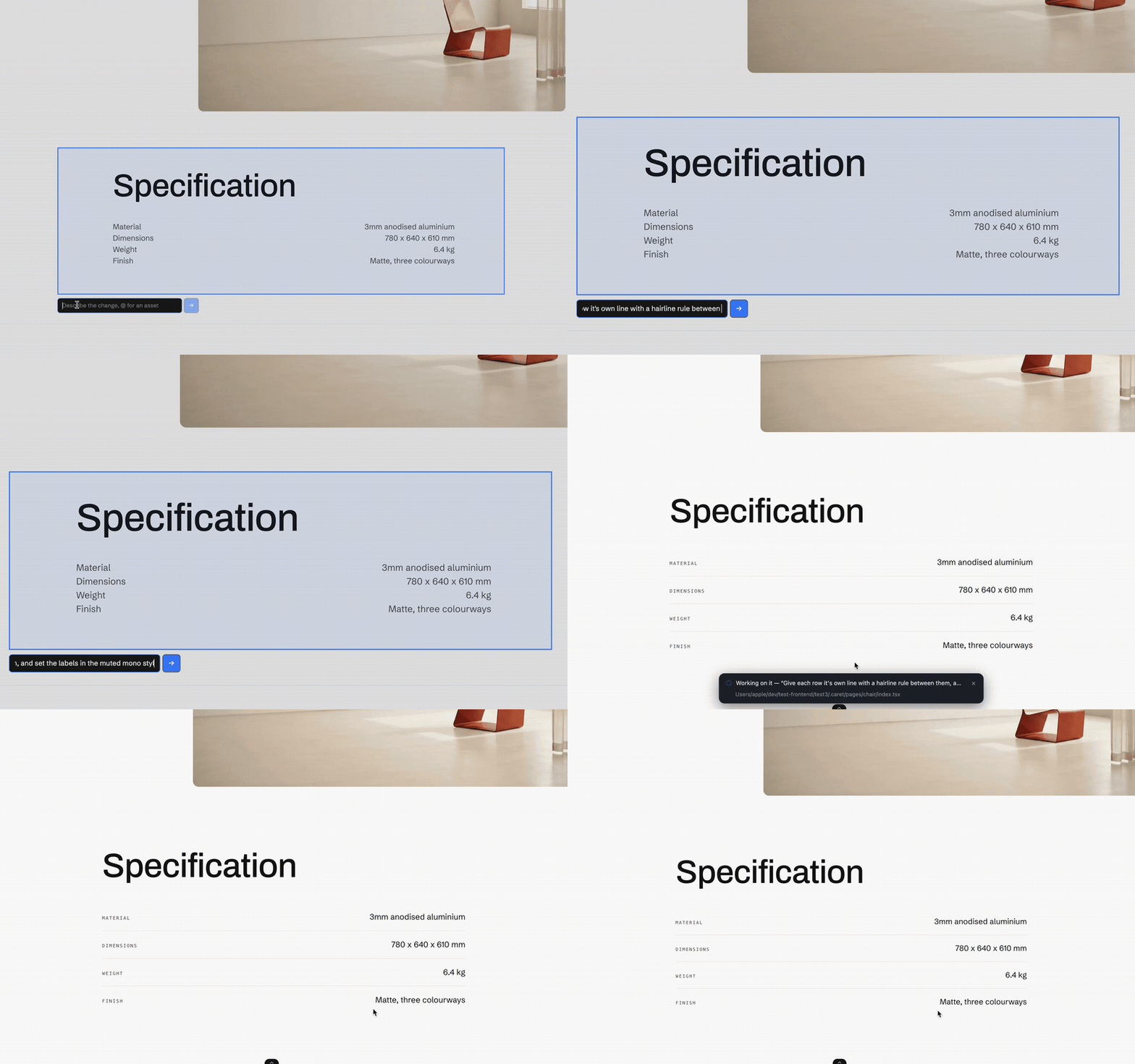
Ask for the harder changes
Some things are too fiddly to click. Paint over the part of the page you mean
and say what you want. Your agent gets the exact elements you marked, so it
does not have to guess which bit you meant.
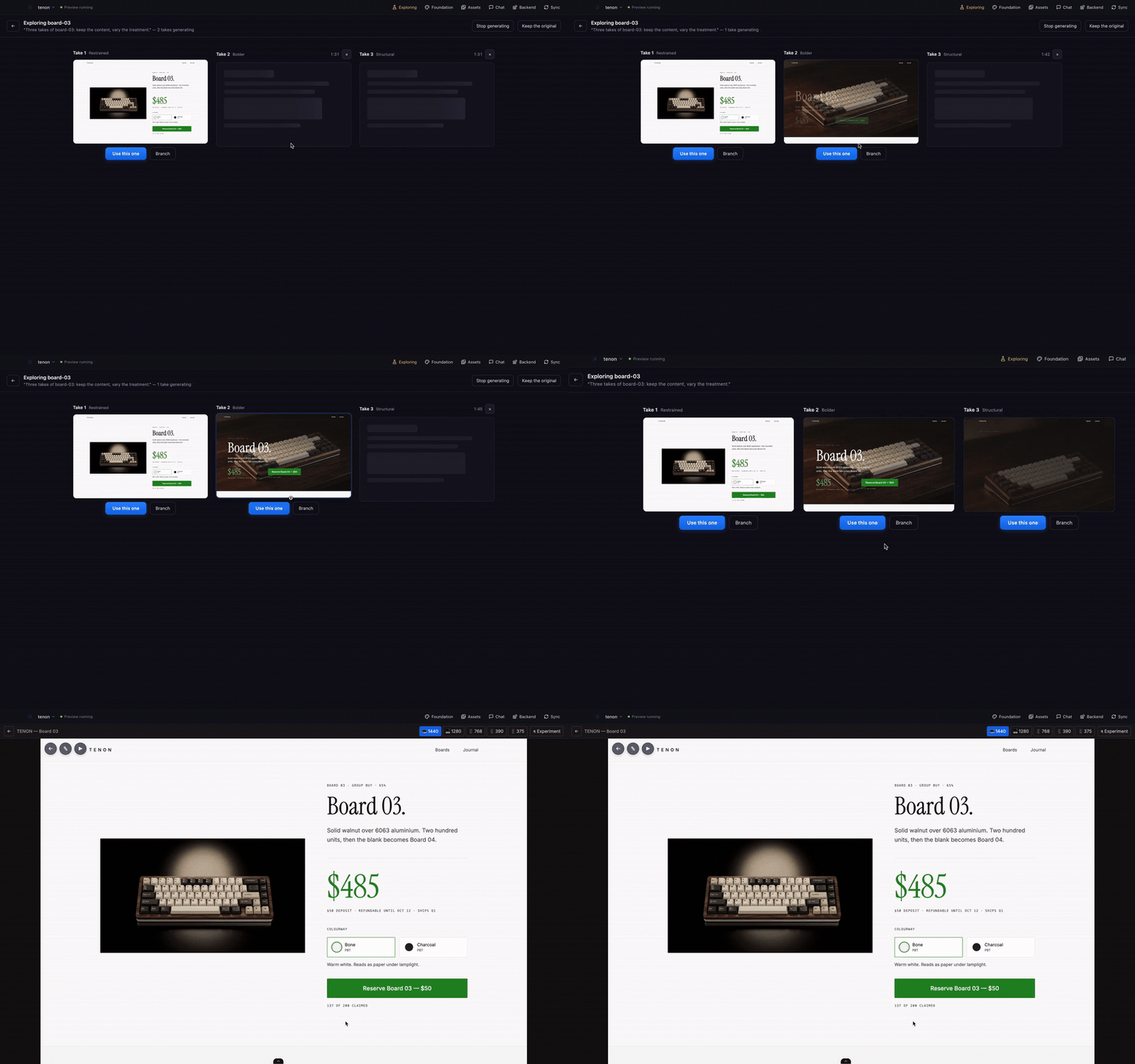
Three versions at once
When you do not know what you want yet, ask for a few. Caret builds them side by
side, live, and you keep one. Picking leaves an undo step.
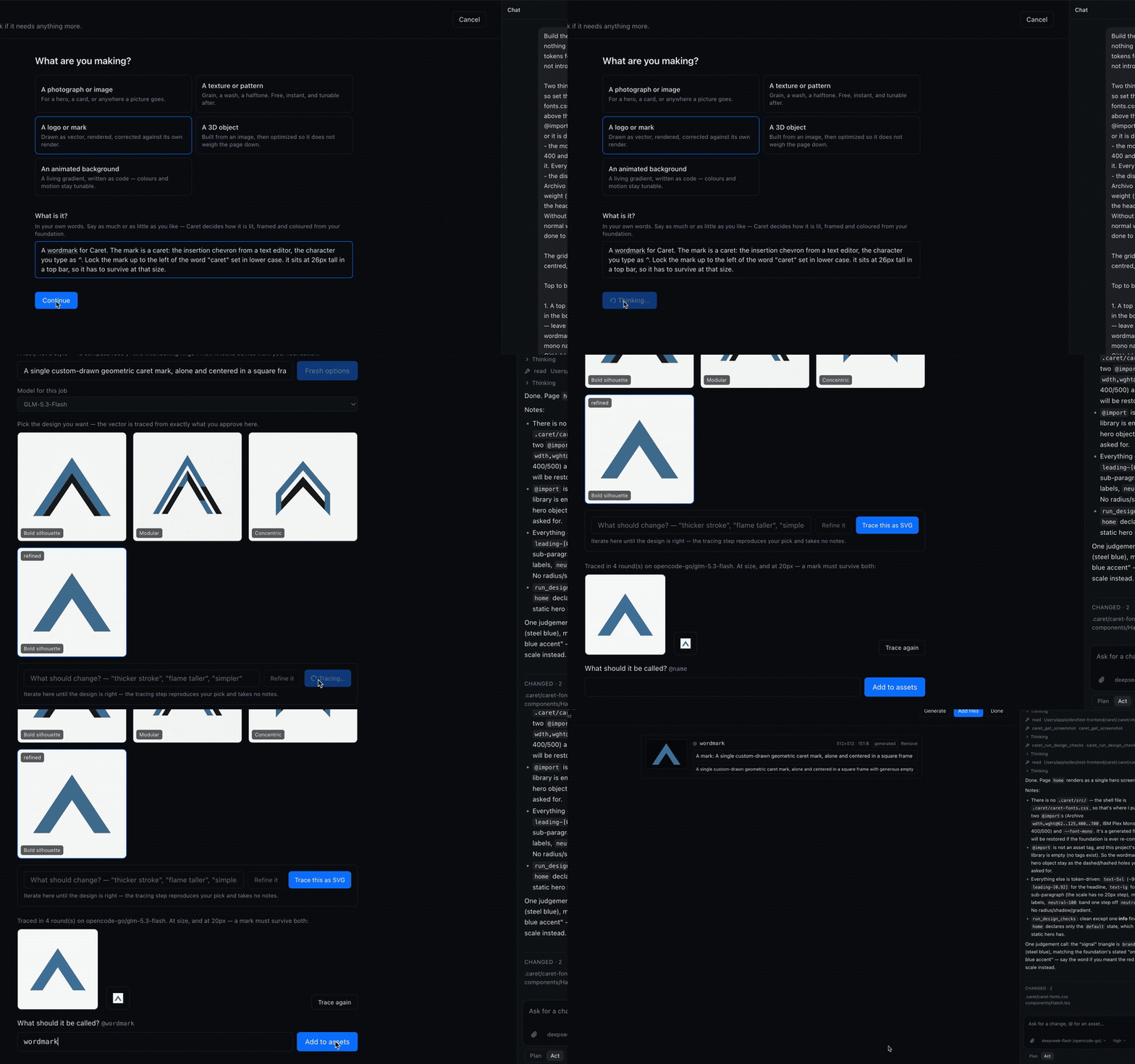
Make the assets too
Say what the thing is and Caret makes it: photographs, textures, logos drawn as
real vector files, and animated backgrounds written as code so the colours stay
adjustable. How it is lit, framed and coloured comes from your design tokens, so
it matches the rest of your work.
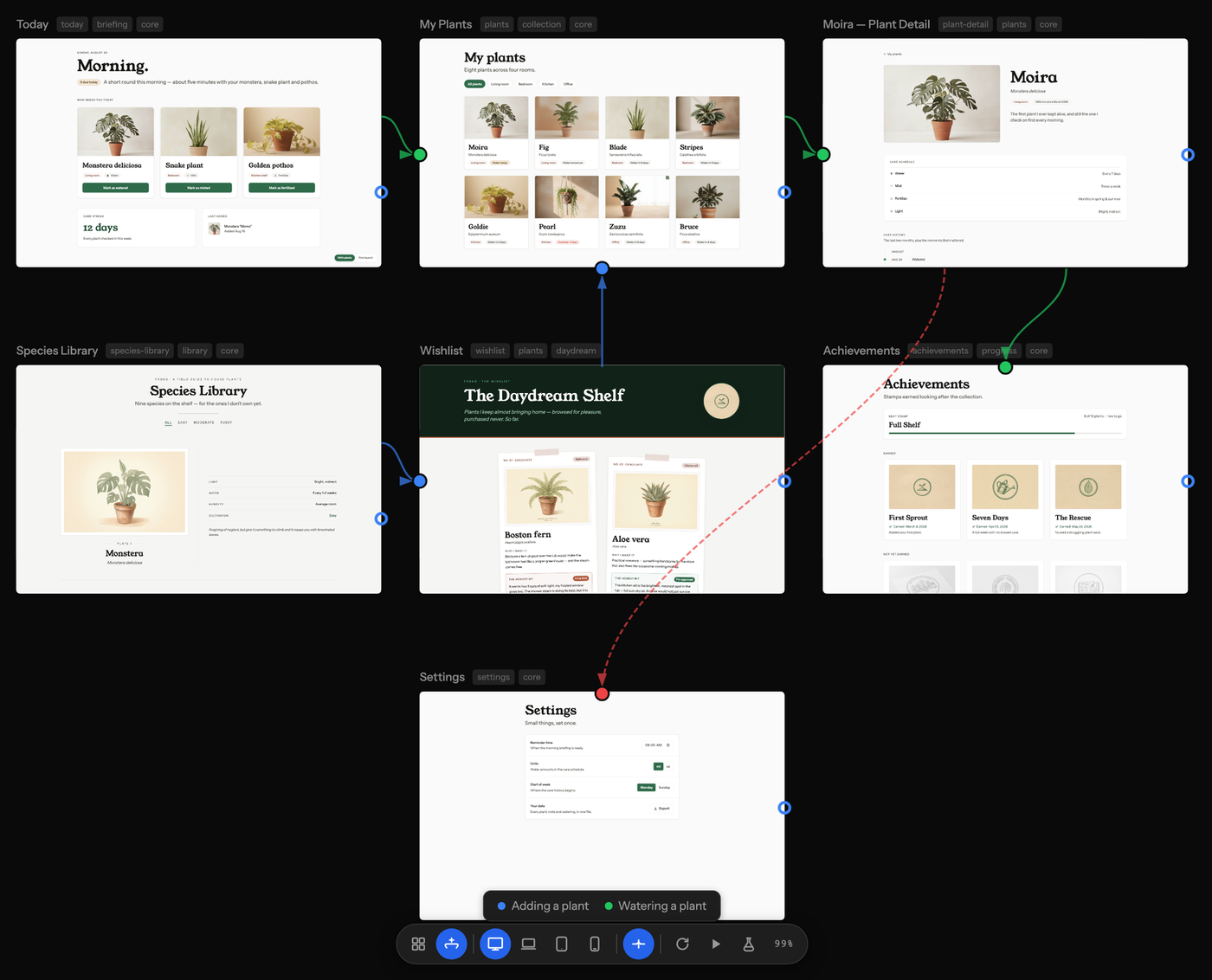
See the journeys
Describe the paths through your product and the canvas draws them over your
pages. Each journey gets a colour, error paths are dashed, and pages nothing
leads to are obvious.
Sync into your app
Your design lives in .caret/. Your app is whatever you ship, in any framework.
Caret works out which design files changed since the last sync and your agent
makes the app match. It takes a snapshot first, so undo always works.
It goes the other way too. If someone edits the app directly, Caret notices by
comparing file contents and offers to bring the design back in line. You see
both versions and choose. It never merges them for you.
Catch the mistakes early
Caret runs a set of plain rules over your pages and shows what it finds on the
canvas without being asked: a colour that is nearly but not quite your brand
colour, text too faint to read, a heading scale that skips a step.
It also writes your tokens into AGENTS.md, CLAUDE.md and .cursor/rules,
and keeps them current. An agent told to "build me a card" that has to decide
to look up your spacing scale will not bother, and will invent something
instead.
Bring your own model
OpenCode's engine is built in and connects to whichever provider you want: an
API key, or a subscription you already have. ChatGPT Plus, Pro and Go, Kimi For
Coding, the Z.AI and Zhipu coding plans, and GitHub Copilot all work as
providers you sign into. Anthropic is API key only, because Anthropic does not
allow Claude subscriptions in other tools.
Already working with an agent in your terminal? Caret exposes your design layer
over MCP so it can read and write too. Claude Code and Codex are tested.
See docs/connect-an-agent.md.
Your first project
- Open a folder. Caret creates
.caret/inside it and touches nothing else. - Say what you are building, in a sentence.
- Set your foundation: colour, type, spacing, radius. Caret can interview
you, which needs a model, or you can set them by hand, which needs nothing. - Make pages. Ask in the chat, or write the file yourself. Either way it
appears on the canvas.
Building from source
Node 20 or newer.
npm install
npm run dev       # run in development
npm run build
npm run package   # installer for your platform
Tests: npm run test:unit, npm run verify:design-shell, npm run verify:app.
Licence
Apache-2.0. Free forever, runs on your machine, no key and no account. The only
thing Caret sends anywhere is anonymous usage and crash data, and one click
turns it off. docs/telemetry.md lists exactly what is and
is not collected.
Reviews (0)
Sign in to leave a review.
Leave a reviewNo results found