kairn
Health Warn
- License — License: MIT
- Description — Repository has a description
- Active repo — Last push 0 days ago
- Low visibility — Only 8 GitHub stars
Code Pass
- Code scan — Scanned 12 files during light audit, no dangerous patterns found
Permissions Pass
- Permissions — No dangerous permissions requested
No AI report is available for this listing yet.
Context-aware knowledge engine for AI assistants
Kairn
Context-aware knowledge engine for AI assistants.
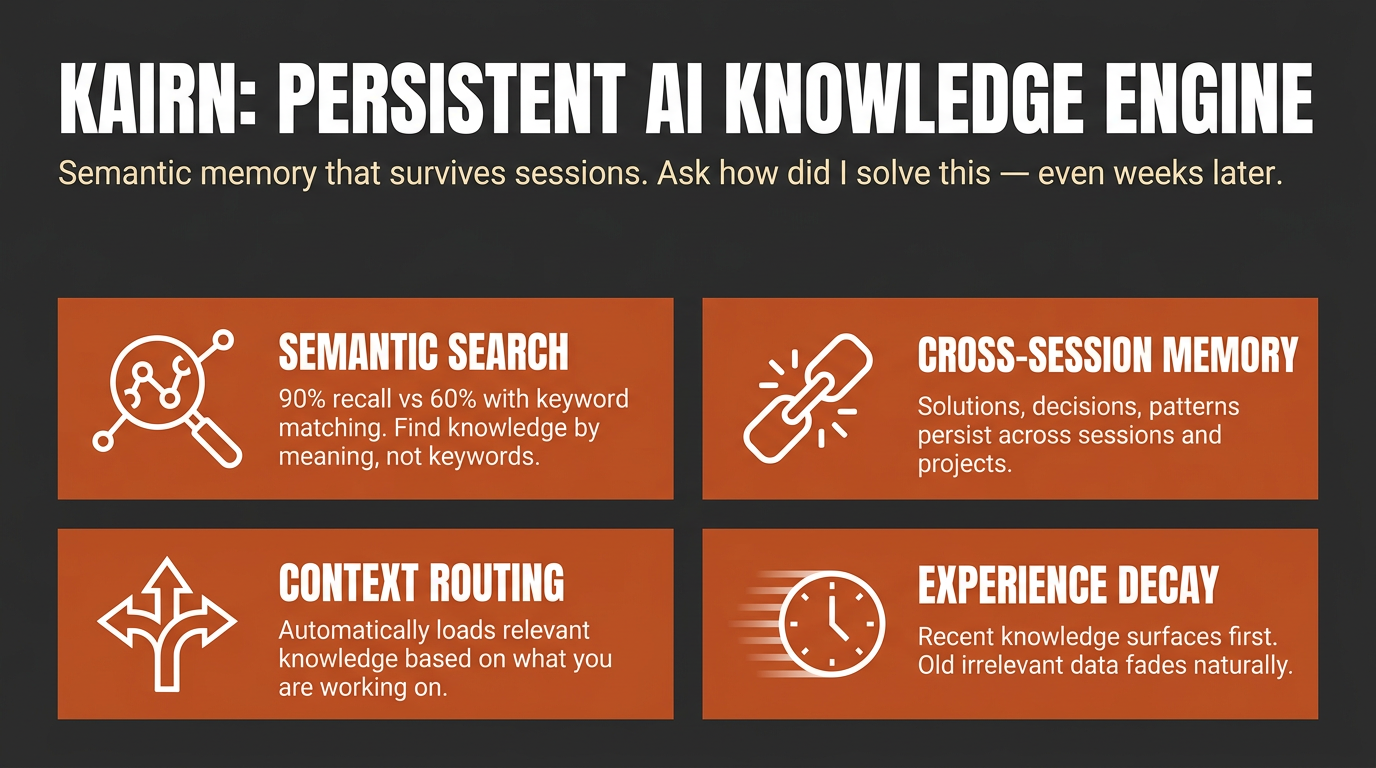
Other tools give your AI a memory. Kairn gives it a knowledge graph with intelligent context routing. It knows what to load, when to load it, and how much — so your AI stays focused, not overwhelmed.
pip install kairn-ai
kairn init ~/brain
kairn serve ~/brain
Why Kairn?
Every AI conversation starts from scratch. Previous insights, decisions, and patterns — gone. Existing memory tools store flat key-value pairs that can't represent relationships or surface the right context at the right time.
Kairn is different:
- Context Router + Progressive Disclosure — Automatically loads relevant subgraphs based on keywords, starting with summaries and drilling into details only when needed. No other tool does this.
- Knowledge Graph with FTS5 — Not flat storage. Typed relationships (
depends-on,resolves,causes) between nodes with full-text search across everything. - Experience Decay + Auto-Promotion — Experiences lose relevance over time (biological decay model). Frequently-accessed experiences auto-promote to permanent knowledge. Your AI naturally forgets what doesn't matter.
- 18 MCP Tools — Works with Claude Desktop, Cursor, VS Code, Windsurf, and any MCP client.
- Team Workspaces with RBAC — Per-workspace isolation with JWT auth and role-based access control.
Quick Start
Claude Desktop
Add to ~/Library/Application Support/Claude/claude_desktop_config.json:
{
  "mcpServers": {
    "kairn": {
      "command": "kairn",
      "args": ["serve", "~/brain"]
    }
  }
}
Cursor
Add to .cursor/mcp-servers.json:
{
  "mcpServers": {
    "kairn": {
      "command": "kairn",
      "args": ["serve", "~/brain"],
      "env": {
        "KAIRN_LOG_LEVEL": "WARNING"
      }
    }
  }
}
Restart your editor. Kairn's 18 tools appear in the MCP section.
18 Tools (kn_ prefix)
All tools follow MCP protocol with JSON responses.
Graph (5)
| Tool | Description |
|---|---|
kn_add |
Add node to knowledge graph |
kn_connect |
Create typed edge between nodes |
kn_query |
Search by text, type, tags, namespace |
kn_remove |
Soft-delete node or edge (undo-safe) |
kn_status |
Graph stats, health, system overview |
Project Memory (3)
| Tool | Description |
|---|---|
kn_project |
Create or update project |
kn_projects |
List projects, switch active |
kn_log |
Log progress or failure entry |
Experience Memory (3)
| Tool | Description |
|---|---|
kn_save |
Save experience with decay |
kn_memories |
Decay-aware experience search |
kn_prune |
Remove expired experiences |
Ideas (2)
| Tool | Description |
|---|---|
kn_idea |
Create or update idea |
kn_ideas |
List/filter ideas by status, category |
Intelligence (5)
| Tool | Description |
|---|---|
kn_learn |
Store knowledge with confidence routing |
kn_recall |
Surface relevant past knowledge |
kn_crossref |
Find similar solutions across workspaces |
kn_context |
Keywords → relevant subgraph with progressive disclosure |
kn_related |
Graph traversal (BFS/DFS) to find connected ideas |
Resources & Prompts
Resources (read-only context for MCP clients):
kn://status— Graph overview, active projectkn://projects— All projects with recent progresskn://memories— Recent high-relevance experiences
Prompts (session management):
kn_bootup— Load active project, recent progress, and top memories (session start)kn_review— Summarize session and suggest next steps (session end)
How It Works
Architecture
Any MCP Client (Claude, Cursor, VS Code)
        │
        ▼ MCP Protocol (stdio)
FastMCP Server (18 tools)
        │
   ┌────┼────┐
   ▼    ▼    ▼
Graph  Memory  Intelligence
Engine Engine  Layer
   │    │      │
   └────┼──────┘
        ▼
   SQLite + FTS5
   (per-workspace)
Decay Model
Experiences decrease in relevance exponentially:
relevance(t) = initial_score × e^(-decay_rate × days)
| Type | Half-life | Notes |
|---|---|---|
| solution | 200 days | Stable, durable |
| pattern | 300 days | Architectural knowledge |
| decision | 100 days | Context-dependent |
| workaround | 50 days | Temporary fixes fade fast |
| gotcha | 200 days | Tricky pitfalls stay relevant |
Confidence routing via kn_learn:
high→ Permanent node + experience (no decay)medium→ Experience with 2× decaylow→ Experience with 4× decay- Auto-promotion: 5+ accesses → permanent node
CLI
kairn init <path>              # Initialize workspace
kairn serve <path>             # Start MCP server (stdio)
kairn status <path>            # Graph stats
kairn demo <path>              # Interactive tutorial
kairn benchmark <path>         # Performance benchmarks
kairn token-audit <path>       # Audit tool token usage
Configuration
KAIRN_LOG_LEVEL=INFO|DEBUG|WARNING    # Default: WARNING
KAIRN_DB_PATH=~/brain/.kairn         # Default: {workspace}/.kairn
KAIRN_CACHE_SIZE=100                  # LRU cache entries
KAIRN_JWT_SECRET=<your-secret>        # Required for team features
Development
git clone https://github.com/primeline-ai/kairn
cd kairn
pip install -e ".[dev,team]"
pytest tests/ -v --cov
ruff check src/ && ruff format src/
Project Structure
src/kairn/
├── server.py              # FastMCP server + 18 tools
├── cli.py                 # CLI commands
├── config.py              # Configuration
├── core/
│   ├── graph.py           # GraphEngine (5 tools)
│   ├── memory.py          # ProjectMemory (3 tools)
│   ├── experience.py      # ExperienceEngine (3 tools)
│   ├── ideas.py           # IdeaEngine (2 tools)
│   ├── intelligence.py    # IntelligenceLayer (5 tools)
│   └── router.py          # ContextRouter
├── storage/
│   ├── base.py            # Storage interface
│   └── sqlite_store.py    # SQLite + FTS5 implementation
├── models/                # Data models
├── events/                # Event bus
└── auth/                  # JWT + RBAC (team feature)
Performance
Typical operation times on modern hardware:
| Operation | Time |
|---|---|
kn_add |
2-5ms |
kn_query (100 nodes) |
5-15ms |
kn_connect |
1-3ms |
kn_recall (graph traversal) |
10-50ms |
kn_crossref (cross-workspace) |
20-100ms |
Used By
| Project | What It Uses Kairn For |
|---|---|
| Quantum Lens | Persistent insight storage, cross-analysis pattern tracking, lens effectiveness metrics |
| Claude Code Starter System | Session memory, project state, learning persistence |
License
MIT
Part of the PrimeLine Ecosystem
| Tool | What It Does | Deep Dive |
|---|---|---|
| Evolving Lite | Self-improving Claude Code plugin — memory, delegation, self-correction | Blog |
| Kairn | Persistent knowledge graph with context routing for AI | Blog |
| tmux Orchestration | Parallel Claude Code sessions with heartbeat monitoring | Blog |
| UPF | 3-stage planning with adversarial hardening | Blog |
| Quantum Lens | 7 cognitive lenses for multi-perspective analysis | Blog |
| PrimeLine Skills | 5 production-grade workflow skills for Claude Code | Blog |
| Starter System | Lightweight session memory and handoffs | Blog |
Reviews (0)
Sign in to leave a review.
Leave a reviewNo results found