pyntra
Health Warn
- License — License: Apache-2.0
- Description — Repository has a description
- Active repo — Last push 0 days ago
- Low visibility — Only 5 GitHub stars
Code Fail
- rm -rf — Recursive force deletion command in plugins/burp-suite/pyntra-burp-extension/build-mvn.sh
- rm -rf — Recursive force deletion command in plugins/burp-suite/pyntra-burp-extension/build.sh
Permissions Pass
- Permissions — No dangerous permissions requested
No AI report is available for this listing yet.
AI-native security testing platform - multi-agent orchestration, for authorized pentesting.
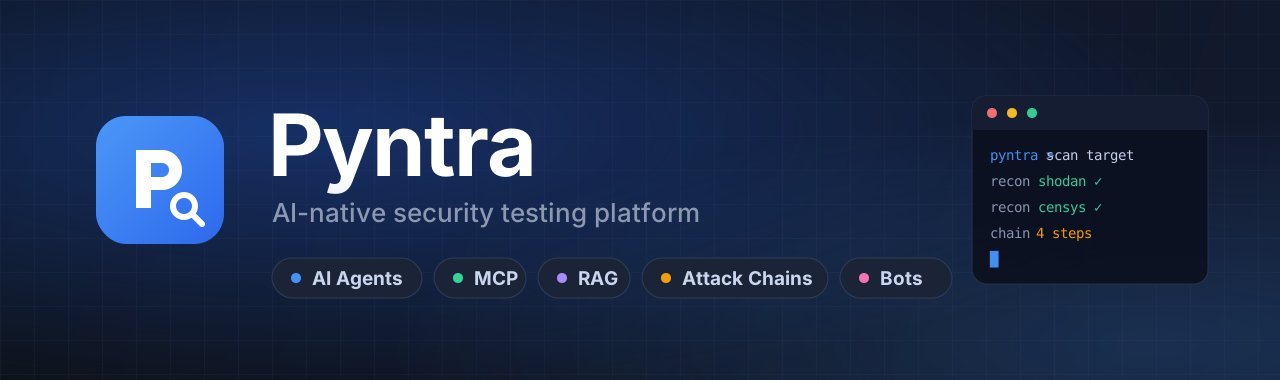
Drive AI agents through the full offensive-security lifecycle — from a single web console, a chat message, or your favorite AI coding tool.








Pyntra is an AI-native penetration-testing platform. It orchestrates 111 security tools over the Model Context Protocol (MCP), reasons about findings, builds attack chains, retrieves from a security knowledge base, and keeps every step auditable. You describe the objective in plain language; the agent plans, runs tools, correlates results, and reports back.
It runs fully offline against a local model, connects to any inference provider (Ollama, OpenAI, Anthropic, Hugging Face, and more), integrates Burp Suite over MCP, and can itself be consumed as an MCP server by Claude Code, Cursor, Cline, opencode, Codex, and Windsurf.
Table of contents[!WARNING]
Authorized use only. Pyntra is for penetration testing and security research on systems you own or are explicitly authorized to test. You are responsible for complying with all applicable laws and rules of engagement.
- Highlights
- How it works
- Screenshots
- Quick start
- Architecture
- Configuration
- Integrations
- Usage
- Tool catalog
- Project structure
- Tech stack
- Roadmap
- Contributing
- License
Highlights
| Feature | What it does |
|---|---|
| AI orchestration | Single-agent (ReAct) and multi-agent modes — Deep, Plan-Execute, and Supervisor — that plan, act, and self-correct. |
| Native MCP, both ways | A built-in MCP server, first-class external MCP servers (incl. Burp Suite), and Pyntra usable as an MCP server from AI coding tools. |
| Any model, any provider | 13 provider presets — Ollama / local, OpenAI, Anthropic Claude, Hugging Face, DeepSeek, OpenRouter, Groq, Together, Mistral, LM Studio, vLLM, LocalAI, or any custom OpenAI-compatible endpoint. |
| Role-based testing | 13 predefined security roles with scoped prompts and restricted tool access (recon, web, cloud, CTF, forensics…). |
| Skills system | 23 modular skill packages for domains like SQLi, XSS, SSRF, IDOR, and API security. |
| Knowledge base (RAG) | Vector retrieval over your own security knowledge, with local-embedding support. |
| Attack-chain graphing | Visualize, score, and replay multi-step testing sequences. |
| Vuln & WebShell management | Track findings and manage remote sessions from the console. |
| Chat access | Optional Telegram, Slack, and Discord bots — test on the go, keep per-chat context. |
| Enterprise web console | Token-based design system, light and dark themes, keyboard-accessible, all assets served locally. |
How it works
flowchart LR
    U(["You"]) -->|"objective in plain language"| A

    subgraph PY ["Pyntra"]
        direction TB
        A["AI Agent<br/>ReAct · Deep · Plan-Execute · Supervisor"]
        A <-->|"reason + retrieve"| K[("Knowledge Base<br/>RAG")]
        A -->|"invoke"| M{"MCP Layer"}
        M --> T1["Recon<br/>shodan · censys · amass"]
        M --> T2["Scan<br/>nmap · nuclei · ffuf"]
        M --> T3["Exploit / Post<br/>sqlmap · metasploit"]
        M --> T4["Burp Suite<br/>+ external MCP servers"]
    end

    A --> R[/"Findings · Attack chain · Report"/]
    R --> U
    A -. "also reachable via" .-> B["Telegram · Slack · Discord"]

    classDef agent fill:#1e293b,stroke:#3b82f6,stroke-width:2px,color:#e2e8f0
    classDef store fill:#0f172a,stroke:#8b5cf6,color:#e2e8f0
    class A agent
    class K store
Screenshots
| Dashboard (dark) | Dashboard (light) |
|---|---|
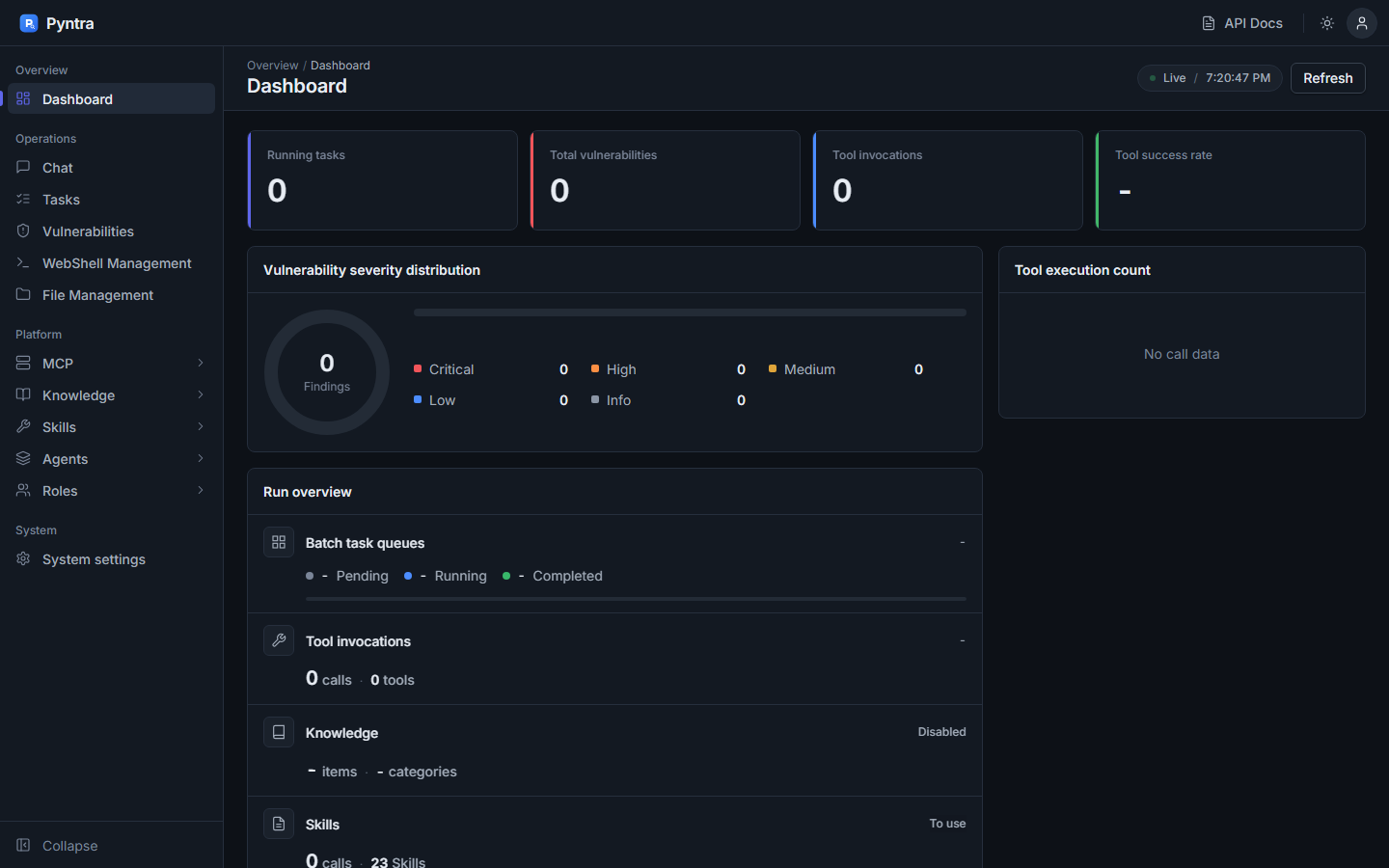 |
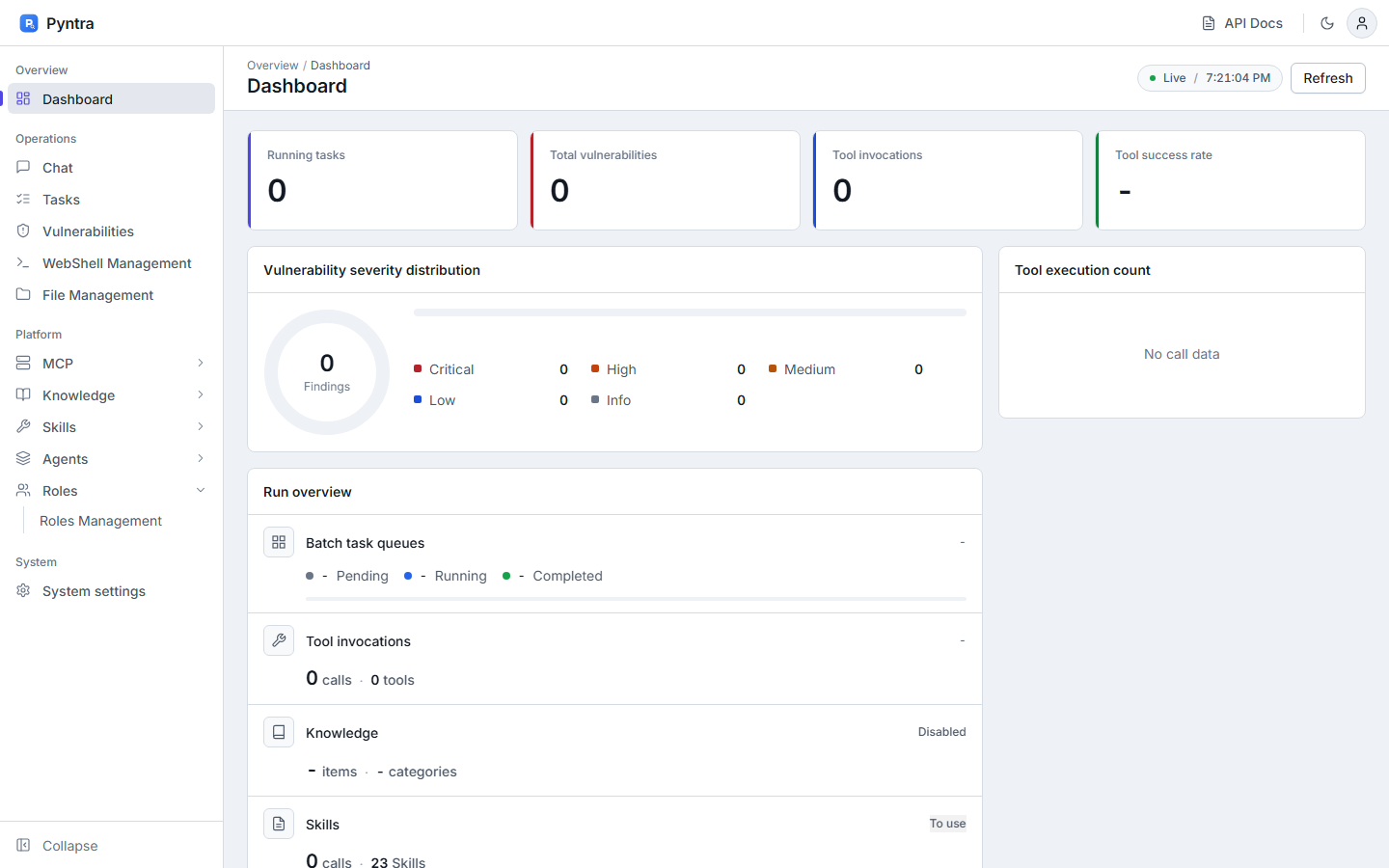 |
| Chat console | Findings |
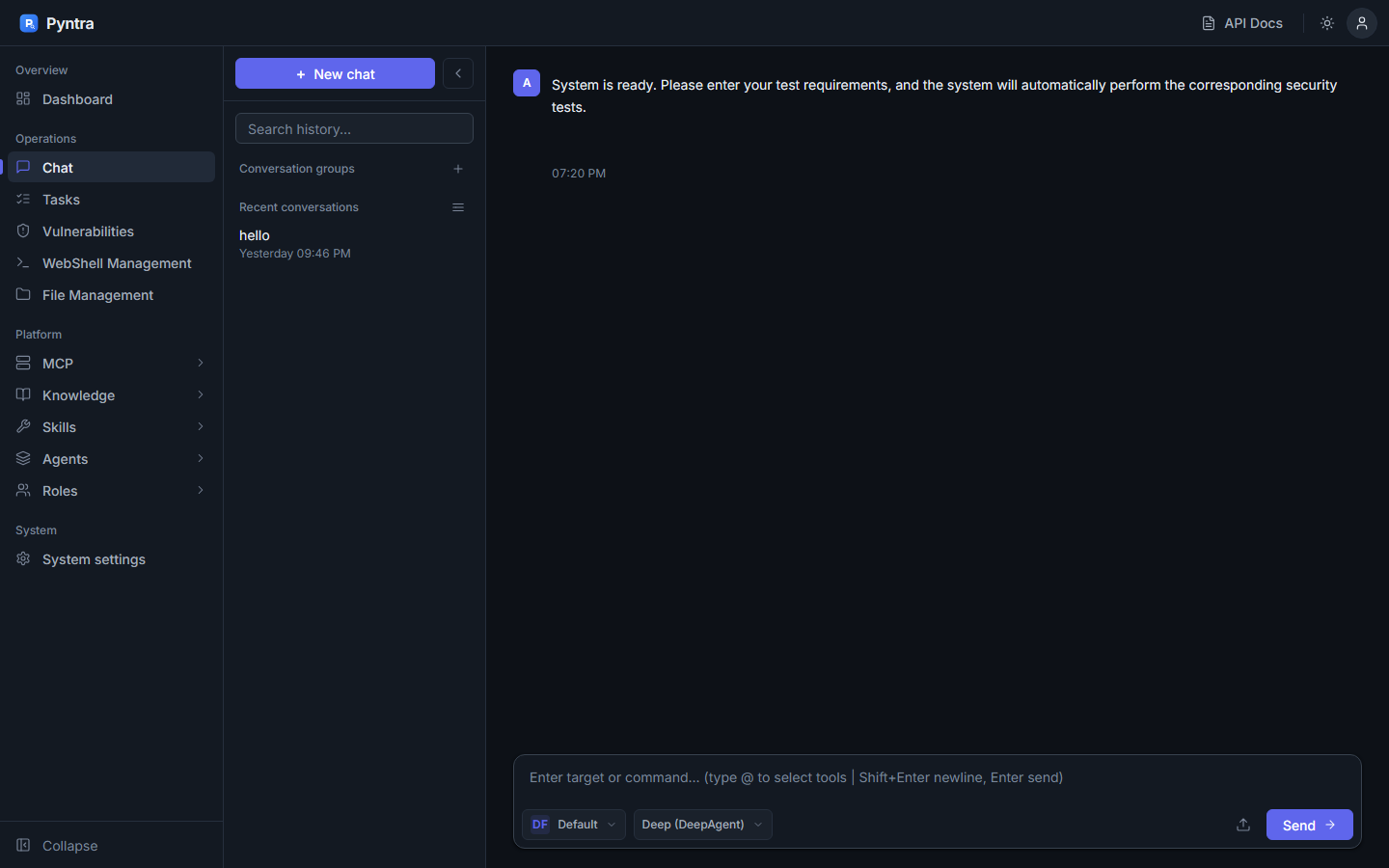 |
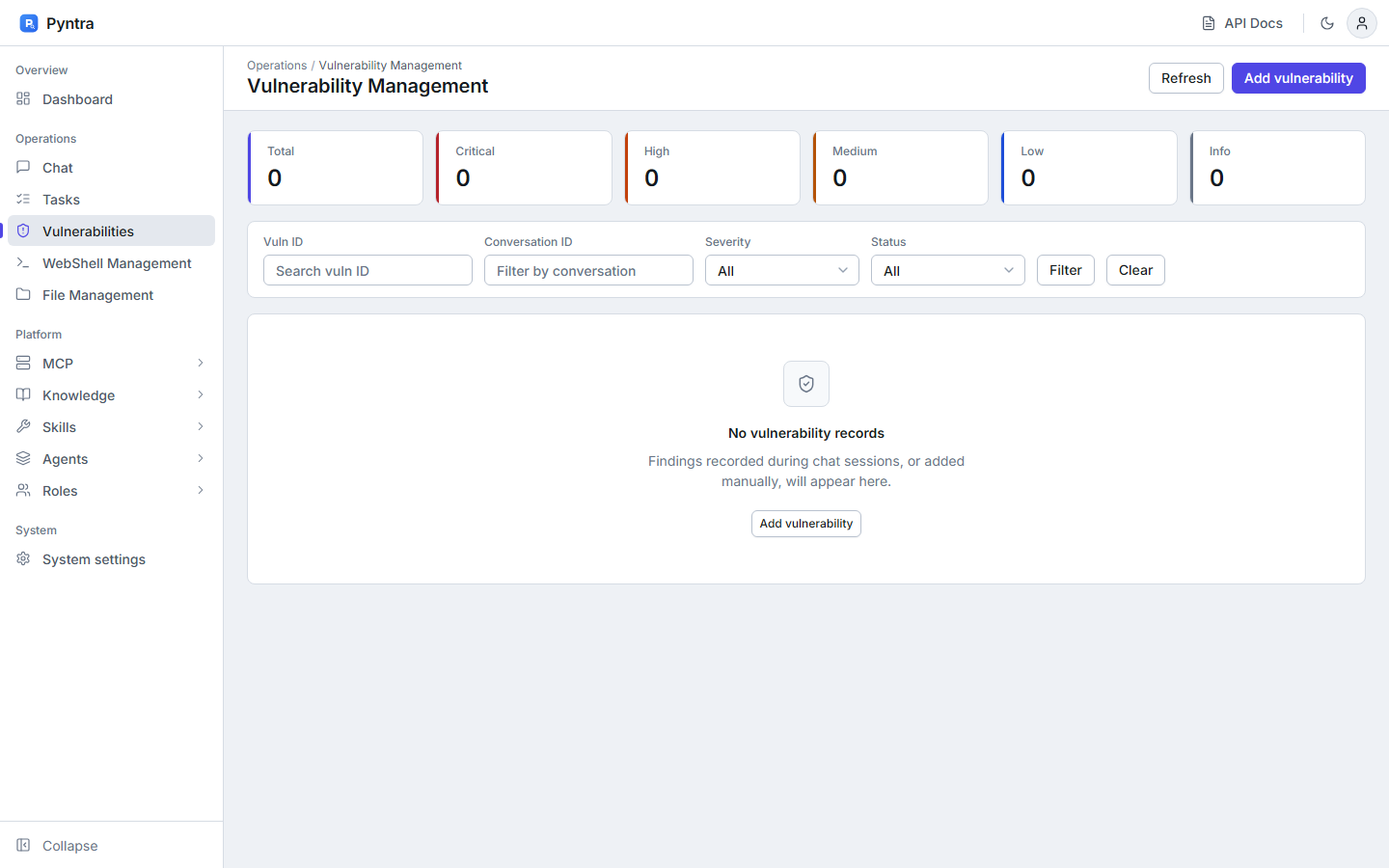 |
| MCP management | Role management |
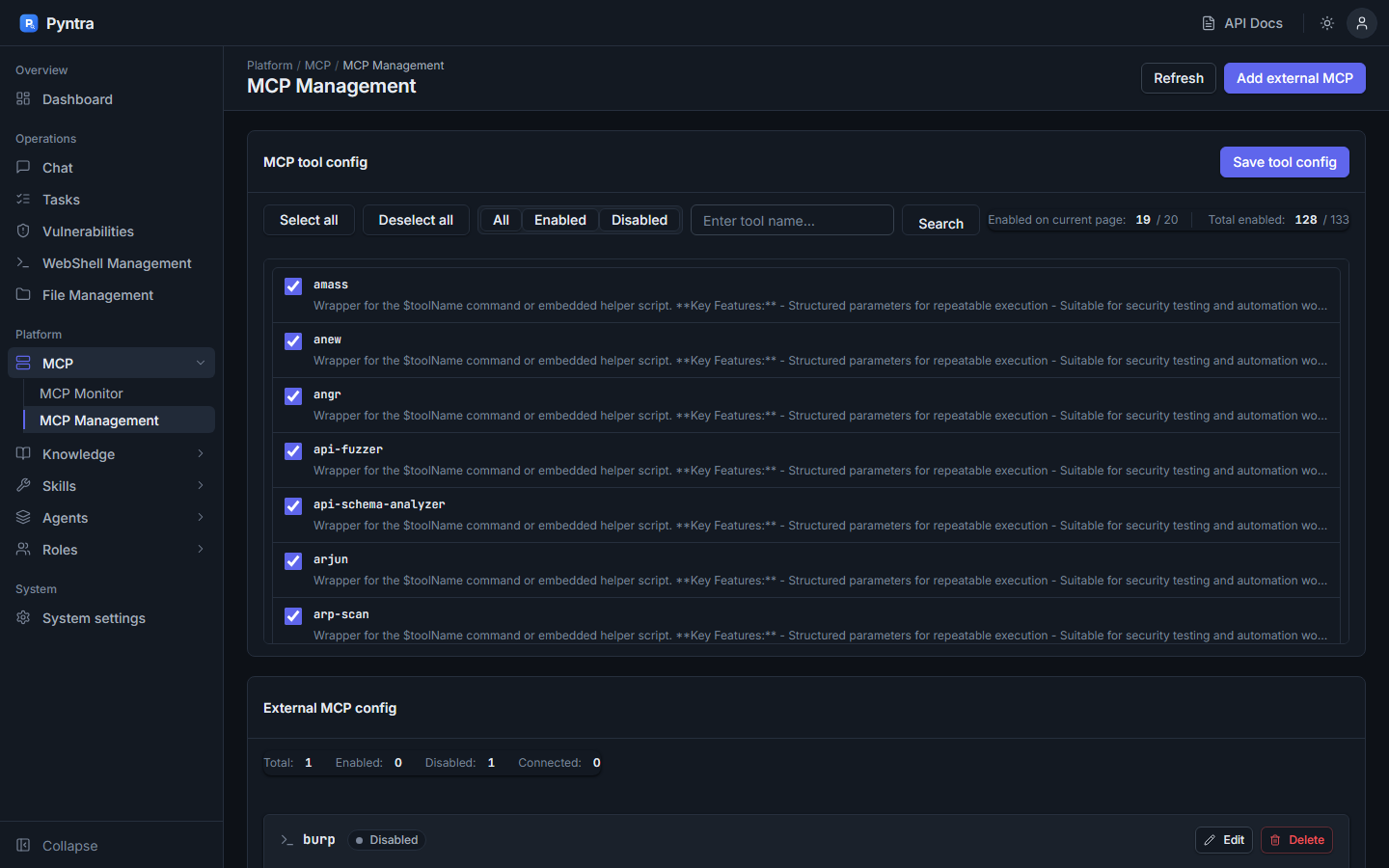 |
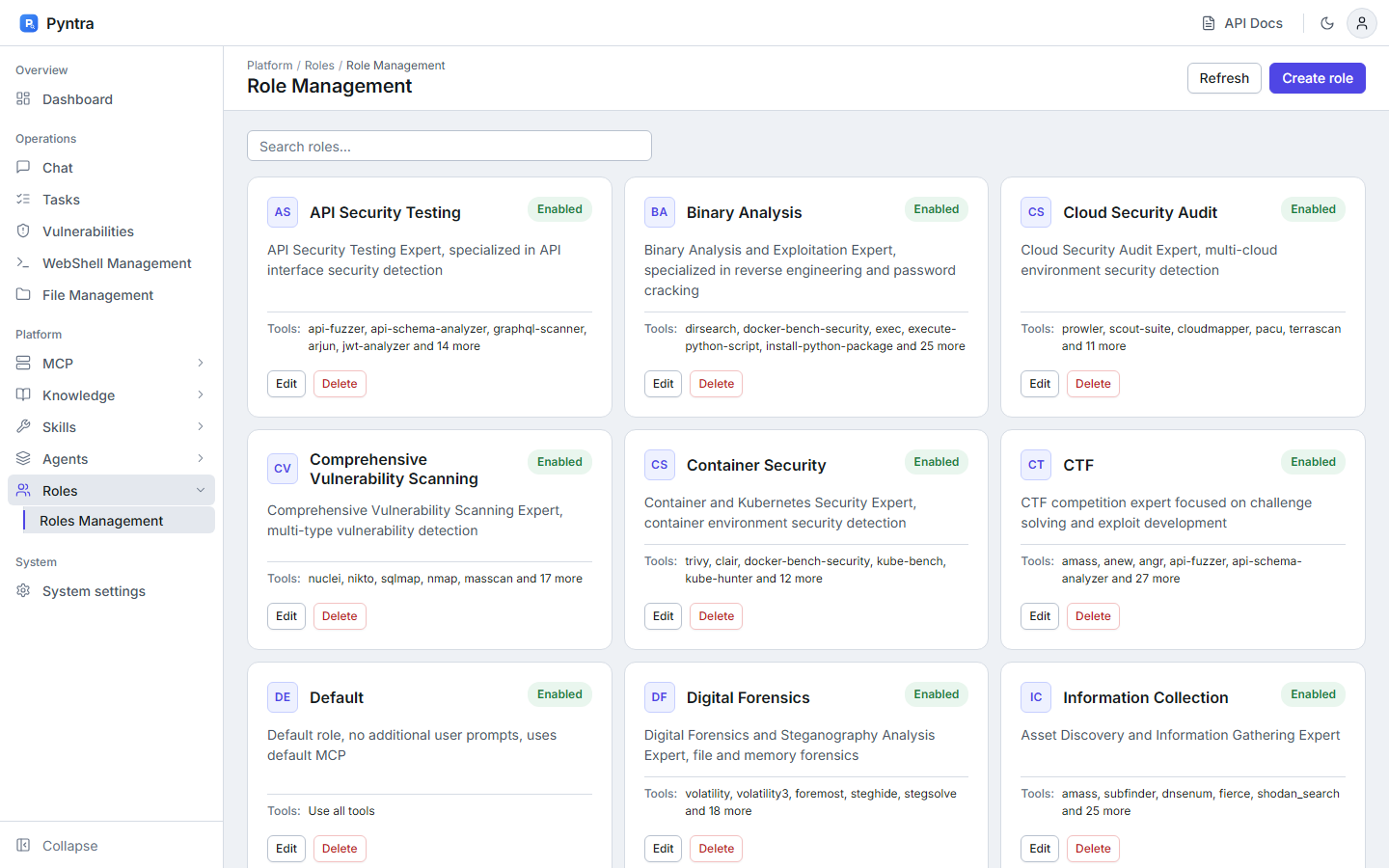 |
| Skills | |
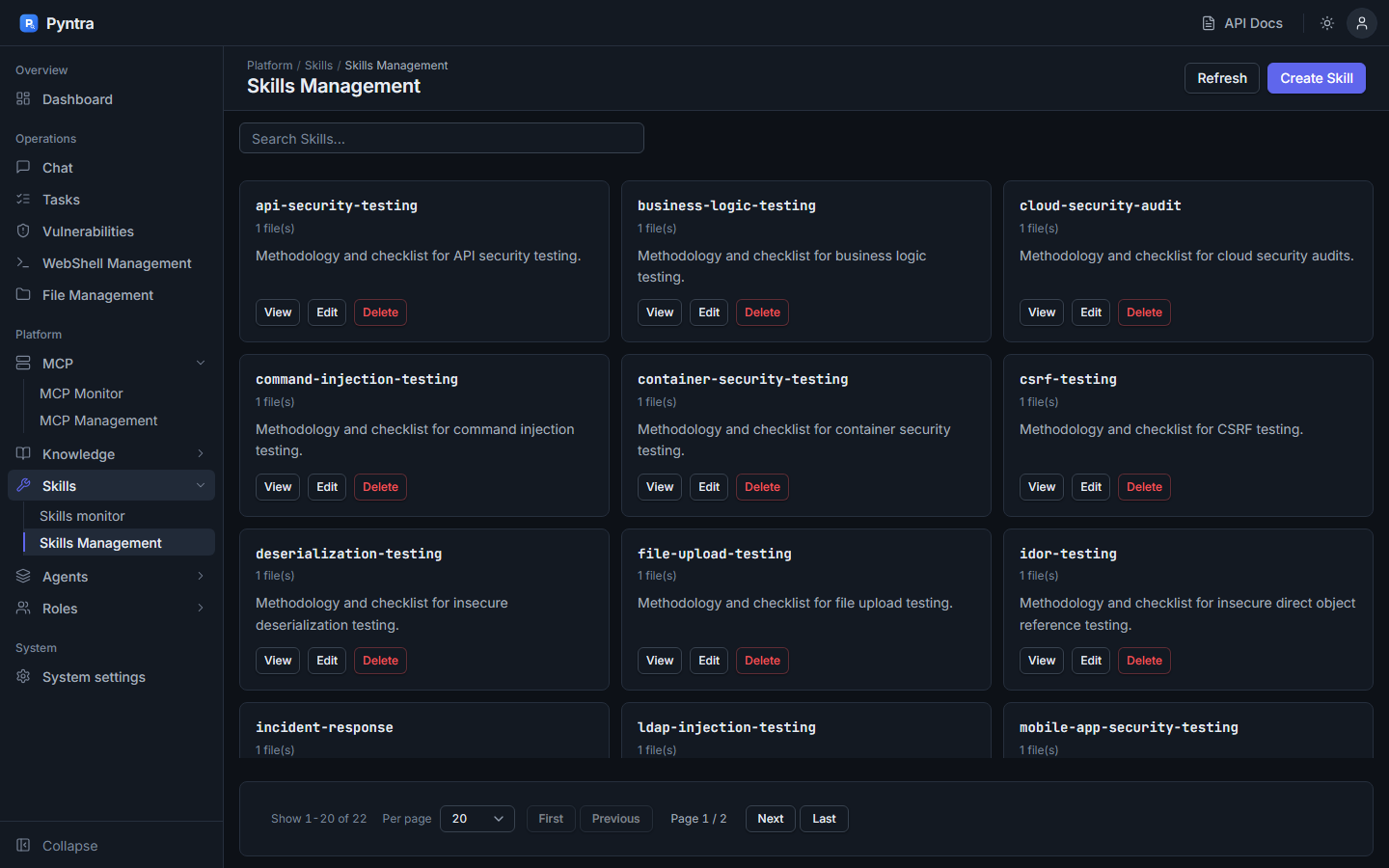 |
Quick start
Prerequisites
| Requirement | Notes |
|---|---|
| Go 1.25+ | To build the server. |
| An LLM endpoint | A local Ollama install (recommended, fully offline), or any OpenAI-compatible / Claude / HF endpoint. |
| Python 3 (optional) | Only for a few Python-based tools (e.g. shodan_search, censys_search). |
| Security CLIs (optional) | nmap, nuclei, ffuf, amass, … — install the ones you plan to use; the agent uses whatever is on PATH. |
# 1 — Clone
git clone https://github.com/prnvv2/pyntra.git
cd pyntra

# 2 — Start a local model (recommended, fully offline)
ollama pull llama3.1:8b          # from https://ollama.com
#     then set openai.model: llama3.1:8b in config.yaml (base_url already points at Ollama)

# 3 — Build & run
go build -o pyntra ./cmd/server
./pyntra                          # Windows: .\pyntra.exe
Open the console at http://localhost:8080 and log in with the password from config.yaml.
[!IMPORTANT]
Change the default password (Root@1234) before exposing Pyntra to any network. Editauth.passwordinconfig.yamlor update it from the Settings page. See OLLAMA_QUICKSTART.md for the full offline walkthrough.
Architecture
System overview
A layered Go service: a Gin HTTP/WebSocket API fronts the agent orchestration core, which reasons with the LLM, grounds itself with roles/skills/RAG, and acts through the MCP layer onto 111 tools and external MCP servers. All state persists in SQLite.
flowchart TD
    subgraph CLIENTS ["Clients"]
        direction LR
        W["Web Console<br/>(SPA)"]
        BOT["Telegram · Slack · Discord"]
        EXT["Claude Code · Cursor · Cline<br/>opencode · Codex · Windsurf"]
    end

    subgraph CORE ["Pyntra Server (Go · Gin)"]
        direction TB
        API["HTTP + WebSocket API<br/>auth · sessions · streaming"]
        ORCH["Agent Orchestration<br/>single (ReAct) · multi-agent (Eino)"]
        GROUND["Grounding<br/>Roles · Skills · Knowledge RAG · Attack-chain builder"]
        MCPSRV["MCP Layer<br/>built-in server · external client manager"]
        API --> ORCH --> GROUND
        ORCH --> MCPSRV
    end

    subgraph MODELS ["Inference Providers"]
        LLM["Ollama / local · OpenAI · Anthropic<br/>Hugging Face · +9 more · custom"]
    end

    subgraph TOOLS ["Capabilities"]
        direction LR
        BUILTIN[("111 security tools<br/>YAML-defined")]
        EXTMCP["External MCP servers<br/>e.g. Burp Suite"]
    end

    DB[("SQLite<br/>conversations · vulns · webshells · chains · stats")]

    W <-->|"HTTP + WS"| API
    BOT -->|"long-poll / socket / gateway"| API
    EXT -->|"MCP (HTTP / stdio)"| MCPSRV
    ORCH <-->|"chat / tool-calling"| LLM
    MCPSRV --> BUILTIN
    MCPSRV --> EXTMCP
    CORE --- DB

    classDef core fill:#1e293b,stroke:#3b82f6,stroke-width:2px,color:#e2e8f0
    classDef ext fill:#0f172a,stroke:#f59e0b,color:#e2e8f0
    class API,ORCH,GROUND,MCPSRV core
    class LLM,BUILTIN,EXTMCP ext
Agent execution loop
The single-agent path is a streaming ReAct loop: reason → call tools over MCP → observe → repeat, until the objective is met or the iteration budget is reached, at which point it summarizes.
sequenceDiagram
    autonumber
    actor User
    participant API as Gin API
    participant Agent as AI Agent
    participant LLM as LLM Provider
    participant MCP as MCP Layer
    participant Tool as Security Tool
    participant DB as SQLite

    User->>API: Objective (+ role, mode)
    API->>Agent: Start conversation (stream)
    Agent->>DB: Load history + attach role/skills/RAG
    loop ReAct — until done or max_iterations
        Agent->>LLM: Reason (context + tools)
        LLM-->>Agent: Thought + tool_call
        Agent->>MCP: Invoke tool(args)
        MCP->>Tool: Execute (sandboxed, timeout)
        Tool-->>MCP: Result
        MCP-->>Agent: Observation
        Agent-->>API: Stream progress
        Agent->>DB: Persist step / findings
    end
    Agent->>LLM: Summarize findings
    Agent-->>API: Final report + attack chain
    API-->>User: Stream result
Multi-agent orchestration
For larger objectives, Pyntra decomposes work across specialized sub-agents (powered by CloudWeGo Eino). Pick the strategy per conversation:
flowchart TD
    OBJ(["Objective"]) --> MODE{"Orchestration mode"}

    MODE -->|"Deep"| D["Deep Agent<br/>orchestrator + dynamic task sub-agents"]
    MODE -->|"Plan-Execute"| P["Planner → Executor → Replan loop"]
    MODE -->|"Supervisor"| S["Supervisor delegates via transfer/exit"]

    D --> SA["Sub-agents<br/>recon · web · exploit · general"]
    P --> SA
    S --> SA
    SA --> MCP["MCP tools · skills · RAG"]
    MCP --> OUT[/"Consolidated findings"/]

    classDef mode fill:#1e293b,stroke:#8b5cf6,stroke-width:2px,color:#e2e8f0
    class D,P,S mode
| Mode | Best for | How it works |
|---|---|---|
| Deep | Open-ended objectives | An orchestrator spawns task sub-agents on the fly and integrates their results. |
| Plan-Execute | Well-defined multi-step goals | Plans upfront, executes step by step, and replans when reality diverges. |
| Supervisor | Coordinating specialists | A supervisor routes work to named sub-agents and decides when to stop. |
MCP integration model
MCP flows in both directions. Pyntra hosts a built-in MCP server and connects out to external MCP servers; AI coding tools can connect in to consume Pyntra's tools.
flowchart LR
    subgraph IN ["Inbound — Pyntra as MCP server"]
        direction TB
        CC["Claude Code · Cursor · Cline<br/>opencode · Codex · Windsurf"]
        CC -->|"HTTP :8081/mcp or stdio"| SRV["Built-in MCP Server"]
    end

    subgraph HUB ["Pyntra core"]
        SRV --- AG["Agent"]
        AG --- MGR["External MCP Manager<br/>stdio · sse · http"]
    end

    subgraph OUT ["Outbound — external MCP servers"]
        direction TB
        MGR -->|"stdio via mcp-proxy.jar<br/>or direct SSE"| BURP["Burp Suite<br/>MCP Server"]
        MGR --> OTHER["Any other MCP server"]
    end

    classDef c fill:#1e293b,stroke:#34d399,stroke-width:2px,color:#e2e8f0
    class SRV,AG,MGR c
Stack at a glance: Go · Gin · Gorilla WebSocket · CloudWeGo Eino · Model Context Protocol · modernc SQLite · Zap · discordgo.
Configuration
Everything lives in config.yaml and most of it is editable from the Settings page in the web console.
| Section | Controls |
|---|---|
server |
Listen host and port. Defaults to 127.0.0.1:8080 (loopback only); set 0.0.0.0 to expose it on a network, after changing the password. |
auth |
Web login password and session length — change Root@1234. |
openai |
LLM provider, base_url, api_key, model — see Inference providers. |
agent |
Max ReAct iterations, tool timeouts, large-result handling. |
multi_agent |
Enable multi-agent mode, default orchestration, Eino middleware. |
knowledge |
Embedding model and RAG retrieval settings. |
mcp |
Built-in MCP server (default :8081) and auth header. |
external_mcp |
External MCP tool servers (incl. the burp preset). |
bots |
Telegram / Slack / Discord chat bots. |
roles_dir · skills_dir · tools_dir · agents_dir |
Where roles, skills, tools, and sub-agents are loaded from. |
Integrations
Inference providers
Pyntra speaks the OpenAI Chat Completions protocol for every provider except Anthropic (which is auto-bridged to the Messages API). Any OpenAI-compatible endpoint therefore works — it's fully custom-configurable. GET /api/config/providers returns the live catalogue; full reference in docs/providers.md.
| Provider id | Base URL | Notes |
|---|---|---|
ollama |
http://localhost:11434/v1 |
Local, offline. Any Ollama model; api_key can be any placeholder. |
openai |
https://api.openai.com/v1 |
Official OpenAI. |
anthropic (alias claude) |
https://api.anthropic.com/v1 |
Auto-bridged to the Messages API. |
huggingface (alias hf) |
https://router.huggingface.co/v1 |
HF Inference router; token as api_key. |
deepseek · openrouter · groq · together · mistral |
(hosted) | OpenAI-compatible hosted APIs. |
lmstudio · vllm · localai |
(local) | Self-hosted OpenAI-compatible servers. |
custom |
(you set it) | Any other OpenAI-compatible endpoint. |
# Example: fully local via Ollama (default)
openai:
  provider: ollama
  base_url: http://localhost:11434/v1
  api_key: ollama        # any non-empty value
  model: llama3.1:8b     # any pulled model
Burp Suite over MCP
Give the agent access to Burp's tools — Repeater, Proxy history, Scanner, site map — by registering Burp as an external MCP server. The burp preset ships in config.yaml (disabled by default). Connect via PortSwigger's mcp-proxy.jar (stdio) or directly over SSE. Full guide: docs/burp-mcp.md.
external_mcp:
  servers:
    burp:
      transport: stdio
      command: java
      args: ["-jar", "plugins/burp-suite/mcp-proxy/mcp-proxy.jar", "--sse-url", "http://127.0.0.1:9876/sse"]
      external_mcp_enable: true   # or Start from Settings → External MCP
Pyntra as an MCP server
Consume Pyntra's tools from your AI coding tool. Enable mcp.enabled: true; Pyntra prints paste-ready connection snippets at startup, and GET /api/config/mcp-clients returns them at runtime. Supported: Claude Code, Cursor, Cline, opencode, OpenAI Codex, Windsurf, VS Code. Full guide: docs/mcp-clients.md.
// Claude Code — .mcp.json (or: claude mcp add --transport http pyntra http://localhost:8081/mcp)
{ "mcpServers": { "pyntra": { "type": "http", "url": "http://localhost:8081/mcp",
  "headers": { "X-MCP-Token": "<value>" } } } }
Recon API keys (Shodan / Censys)
The shodan_search and censys_search tools read credentials from environment variables at launch (nothing is written to disk):
export SHODAN_API_KEY="your-key"          # https://account.shodan.io
export CENSYS_API_ID="your-id"            # https://search.censys.io/account/api
export CENSYS_API_SECRET="your-secret"
./pyntra
Chat bots (Telegram / Slack / Discord)
Enable one or more bots in the bots: block of config.yaml. Each bot keeps a per-chat conversation — send /new to reset, /help for commands.
- Message @BotFather →
/newbot→ copy the token. - Configure:
bots: telegram: enabled: true token: "123456:ABC-DEF..." role: "" # optional role name from roles/ - Restart Pyntra and DM your bot.
- Create an app at api.slack.com/apps.
- Enable Socket Mode → generate an app-level token (
xapp-…). - Add bot scopes (
chat:write,app_mentions:read,im:history) → install → copy the bot token (xoxb-…). - Subscribe to
message.im/app_mentionevents. - Configure:
bots:
  slack:
    enabled: true
    app_token: "xapp-..."
    bot_token: "xoxb-..."
- Create an app at the Discord Developer Portal → Bot → copy the token.
- Enable the Message Content Intent.
- Invite the bot with the Send Messages permission.
- Configure:
bots:
  discord:
    enabled: true
    token: "your-bot-token"
Usage
- Pick a role (e.g. Information Collection, Web Application Scanning, CTF) to scope the agent's prompt and tools — or use the default.
- Describe the objective in the chat: "Enumerate subdomains and open ports for example.com, then flag anything exploitable."
- Watch it work — the agent plans, calls tools over MCP, and streams progress.
- Review findings, the generated attack chain, and recorded vulnerabilities in the console.
- Iterate — refine in the same conversation; context and history are preserved.
- Multi-agent modes (Deep / Plan-Execute / Supervisor) decompose larger objectives across specialized sub-agents.
- Skills and the knowledge base are pulled in automatically to ground the agent in domain techniques and your own notes.
- Batch tasks let you queue many targets and run them on a schedule.
Tool catalog
Tools are simple YAML definitions in tools/ (111 of them); the agent invokes them over MCP. Highlights:
| Category | Tools (examples) |
|---|---|
| Recon / OSINT | shodan_search, censys_search, amass, subfinder, dnsenum, httpx |
| Web | ffuf, feroxbuster, dalfox, katana, arjun, dirsearch |
| Network | nmap, masscan, rustscan, enum4linux-ng, arp-scan |
| Exploit / Post | sqlmap, metasploit, dotdotpwn, bloodhound |
| Cloud / Container | checkov, clair, docker-bench-security, cloudmapper, falco |
| Binary / Forensics | angr, binwalk, checksec, exiftool, fcrackzip |
Add your own by dropping a YAML file in tools/, or plug in any external MCP server from Settings → MCP.
Project structure
pyntra/
├── cmd/
│   ├── server/            # main web/API server entrypoint
│   └── mcp-stdio/         # Pyntra as a stdio MCP server (for AI coding tools)
├── internal/
│   ├── app/               # wiring: routes, handlers, lifecycle
│   ├── agent/             # single-agent ReAct loop
│   ├── multiagent/        # Eino Deep / Plan-Execute / Supervisor
│   ├── mcp/               # built-in MCP server + external MCP manager
│   ├── einomcp/           # Eino ↔ MCP tool bridge
│   ├── openai/            # LLM client + Anthropic Messages bridge
│   ├── knowledge/         # RAG: embedding, indexing, retrieval
│   ├── attackchain/       # attack-chain builder
│   ├── handler/           # HTTP handlers (config, chat, vulns, …)
│   ├── config/            # config, provider presets, MCP client configs
│   ├── database/          # SQLite persistence
│   └── security/          # tool executor (sandboxing, timeouts)
├── tools/                 # 111 YAML tool definitions
├── roles/                 # 13 security roles
├── skills/                # 23 skill packages
├── agents/                # 16 sub-agent definitions
├── knowledge_base/        # seed RAG content
├── plugins/burp-suite/    # Burp extension + MCP proxy setup
├── mcp-servers/           # bundled example MCP servers
├── web/                   # single-page console (static + templates)
├── docs/                  # providers · burp-mcp · mcp-clients · …
└── config.yaml            # single source of configuration
Tech stack
| Layer | Technology |
|---|---|
| Language / runtime | Go 1.25 |
| Web / API | Gin · Gorilla WebSocket |
| Agent framework | CloudWeGo Eino (ADK: Deep / Plan-Execute / Supervisor) |
| Tool protocol | Model Context Protocol (MCP) |
| LLM | Any OpenAI-compatible provider · Anthropic Messages bridge |
| Storage | modernc SQLite (pure-Go) |
| Logging | Uber Zap |
| Integrations | Burp Suite (MCP) · discordgo · Slack / Telegram |
| Frontend | Vanilla-JS SPA · token-based design system (light/dark) · self-hosted fonts, icons and libraries (see web/DESIGN.md) |
Roadmap
- Redesigned dashboard and views on the new design system
- Scope / authorization guardrails (target allowlist, engagement scope)
- Multi-user accounts, roles, and audit log
- Exportable pentest report generator (PDF / HTML)
- Local model eval & benchmark panel
- Settings UI for provider presets & MCP client snippets
Contributing
Issues and pull requests are welcome. Please keep contributions focused and include a clear description of the change. For larger features, open an issue first to discuss the approach.
License
Licensed under the Apache License 2.0 — see LICENSE.
Reviews (0)
Sign in to leave a review.
Leave a reviewNo results found