pyHMT2D
Health Pass
- License — License: MIT
- Description — Repository has a description
- Active repo — Last push 0 days ago
- Community trust — 112 GitHub stars
Code Pass
- Code scan — Scanned 12 files during light audit, no dangerous patterns found
Permissions Pass
- Permissions — No dangerous permissions requested
This package provides Python tools and MCP integration for controlling, automating, and post-processing 2D hydraulic modeling simulations (such as SRH-2D and HEC-RAS). It acts as a bridge between traditional engineering modeling software, AI coding assistants, and the broader Python data ecosystem.
Security Assessment
Overall risk: Low. The automated code scan reviewed 12 files and found no dangerous patterns, hardcoded secrets, or requests for excessive permissions. While the tool is designed to execute external hydraulic models, it natively targets closed-source Windows engineering software (like HEC-RAS) rather than arbitrary system shell commands. It does not appear to access unauthorized sensitive data or make suspicious network requests.
Quality Assessment
The project is highly transparent and actively maintained. It utilizes a permissive MIT license, making it highly accessible for both personal and commercial engineering use. With 112 GitHub stars, the repository demonstrates a solid foundation of community trust and utility among domain practitioners. Furthermore, the repository is very active, with the most recent code push occurring today.
Verdict
Safe to use. This is a well-maintained, actively developed, and secure open-source tool that is highly recommended for engineers looking to automate hydraulic modeling workflows.
Python Hydraulic Modeling Tools - 2D
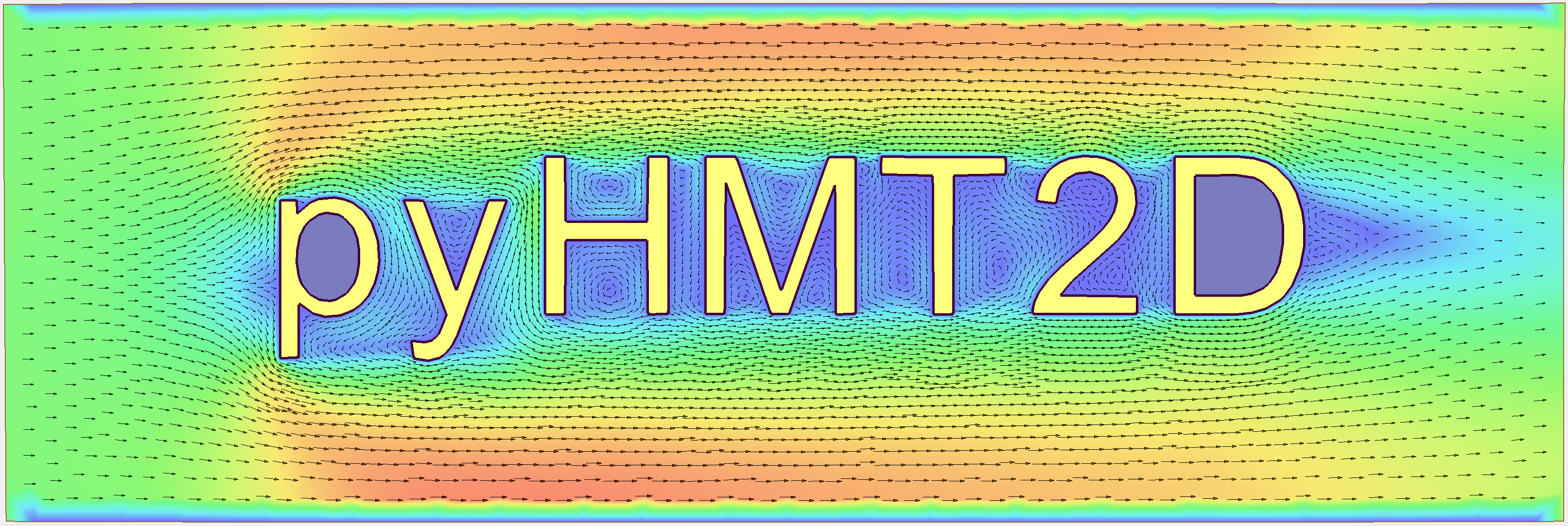
pyHMT2D - Python-based Hydraulic Modeling Tools - 2D
pyHMT2D is a Python package for controlling and (semi)automating 2D hydraulic modeling, pre-/post-processing simulation results, and enabling AI-agent workflows through MCP tools and Agent Skills.
Currently, the following hydraulic models are supported:
In the future, support for more 2D models may be added. If you want to use the AI-agent workflow, you will also need an AI coding assistant such as Claude Code, Cursor, or Gemini, along with the AI extras (pip install pyHMT2D[ai]).
YouTube Video Demo: Installation and Running Examples
Supported Platform
Currently, only Windows is supported. This is because SRH-2D and HEC-RAS 2D are for Windows only. Most practitioners and engineers who run these 2D models use Windows almost exclusively. Linux platform has also been tested, but with limited support (you will need the Linux version of the hydraulics models).
Motivations
Two-dimensional (2D) hydraulic modeling, replacing one-dimensional (1D) modeling, has become the work horse for most engineering purposes in practice. Many agencies, such as U.S. DOT, Bureau of Reclamation (USBR), FEMA, and U.S. Army Corp of Engineers (USACE), have developed and promoted 2D hydraulic models to fulfill their respective missions. Example 2D models are SRH-2D (USBR) and HEC-RAS 2D (USACE). The motivations of this package are as follows:
- One major motivation of this package is to efficiently and automatically run 2D hydraulic modeling simulations, for example, batch simulations to calibrate model runs. Many of the 2D models have some automation to certain degree. However, these models and their GUIs are closed source. Therefore, a modeler is limited to what he/she can do.
- Most 2D models have good user interface and they have capability to produce good result visualizations and analysis. However, with this package and the power of the VTK library, 2D hydraulic modeling results can be visualized and analyzed with more flexibility and efficiency.
- This package also serves as a bridge between 2D hydraulic models and the Python universe where many powerful libraries exist, for example statistics, machine learning, GIS, and parallel computing.
- The read/write and transformation of 2D hydraulic model results can be used to feed other models which use the simulated flow field, for example external water quality models and fish models.
- Model inter-comparison and evaluation. Almost all 2D hydraulic models solve the shallow-water equations. However, every model does it differently. How these differences manifest in their results and how to quantify/interpret the differences are of great interest to practitioners.
Features
For SRH-2D modeling:
- read SRH-2D results (mainly into Python's Numpy arrays)
- convert SRH-2D results to VTK format, one of the most popular formats for scientific data
- sample and probe simulation results (with the functionalities of VTK library)
- control and modify SRH-2D simulations
For HEC-RAS 2D modeling:
- read RAS2D results (HDF files, mainly into Python's Numpy arrays)
- convert RAS2D results to VTK
- point and cell center data (depht, water surface elevation, velocity, etc.)
- interpolate between point and cell data
- face data (e.g., subterrain data)
- convert RAS2D mesh, boundary conditions, and Manning’s n data into SRH-2D format such that SRH-2D and HEC-RAS 2D can run a case with exactly the same mesh for comparison purpose. As a side bonus, HEC-RAS 2D can be used as a mesh generator for SRH-2D.
- sample and probe simulation results (with the functionalities of VTK library)
- control and modify HEC-RAS 2D simulations
With the control and automation capability above, it is much easier to do the following:
- Monte-Carlo simulations with scripting and Python’s statistic libraries
- Automatic and customized model calibration
- ...
AI-assisted modeling (vibe modeling):
- expose SRH-2D and HEC-RAS project operations through an MCP server with AI-agent-callable tools
- use natural-language prompts in MCP-capable AI coding assistants to inspect projects, edit Manning's n and boundary conditions, run simulations, query results, and export VTK files
- run AI-assisted calibration and Monte Carlo workflows for supported models
- use repository-provided Agent Skills such as
/hmt-open,/hmt-modify,/hmt-run,/hmt-results,/hmt-export,/hmt-convert,/hmt-calibrate, and/hmt-monte-carlo
Other features:
- calculate the difference between simulation results (regardless they are on the same mesh or not)
- create and manipulate georeferenced terrain data for 2D modeling
- conversion of 2D model mesh and result to 3D through extrusion (one layer or multiple layers) and VTK interpolation. This feature is useful to use 2D simulation result in 3D applications, e.g., use 2D result as initial condition for 3D CFD simulations. Currently, conversion to OpenFOAM is supported through Gmsh's MSH file format.
Installation
This section describes how to install pyHMT2D on Windows. There are two options: (1) clone from GitHub and install locally (recommended, gives you access to all examples), or (2) install from PyPI with pip (library only, no examples).
Prerequisites
Before installing pyHMT2D, make sure that:
- Operating system: You are using Windows (10 or newer is recommended).
- Git: Installed and available on your
PATH.- You can check this in a Command Prompt or PowerShell window:
git --version - If Git is not installed:
- Go to the official Git website: https://git-scm.com/download/win
- Download the 64-bit Git for Windows installer.
- Run the installer and accept the defaults, making sure the option “Git from the command line and also from 3rd-party software” (or similar) is selected so
gitis added to yourPATH. - After installation, open a new Command Prompt or PowerShell window and run
git --versionagain to verify.
- You can check this in a Command Prompt or PowerShell window:
- Python: Python 3.8 or newer is installed and available on your
PATH.- You can check this in a Command Prompt or PowerShell window:
python --version pip --version - If Python is not installed:
- Go to the official Python website: https://www.python.org/downloads/windows/
- Download the Windows installer for Python 3.8 or newer. The current pyHMT2D is developed and tested with Python 3.12.10.
- Run the installer and accept the defaults, making sure the option “Add Python to PATH” is selected.
- After installation, open a new Command Prompt or PowerShell window and run
python --versionandpip --versionagain to verify.
- You can check this in a Command Prompt or PowerShell window:
- Hydraulic models: See their official websites for installers and documentation.
- SRH-2D (via Aquaveo's SMS software)
- and/or HEC-RAS are installed separately if you plan to control them with pyHMT2D
- Note: As of April, 2026, pyHMT2D is developed with SMS v13.4.1 and HEC-RAS v6.6. Other versions may work, but not fully tested.
Installation Option 1: Clone and install from GitHub (recommended)
These steps install pyHMT2D from a local clone into a virtual environment so it does not interfere with other Python projects on your machine and you can easily run/modify the examples.
- Create and activate a virtual environment
In Windows Command Prompt (cmd.exe) or PowerShell, navigate to a folder of your choice (e.g.,C:\Users\YourName\test), and create a virtual environment:
python -m venv .venv
Then activate the virtual environment:
- Command Prompt (cmd.exe):
.venv\Scripts\activate - PowerShell:
.venv\Scripts\Activate.ps1
After activation, your prompt should show (.venv) at the beginning.
- Clone the pyHMT2D repository
From the same terminal (with the virtual environment activated), clone the GitHub repository:
git clone https://github.com/psu-efd/pyHMT2D.git
cd pyHMT2D
- Install pyHMT2D in development mode
Install the package in editable (development) mode, so changes in the source code and examples are picked up immediately:
pip install -e .
If you want AI-agent workflow support, do the following:
pip install -e ".[ai]"
If you want to update pyHMT2D to the latest version, you can pull the latest changes from the GitHub repository:
git pull
Because pyHMT2D is installed in development (editable) mode (-e), Python immediately sees the updated source—no need to rerun pip install -e . unless dependencies in setup.py changed.
- Verify the installation (optional)
python -c "import pyHMT2D; print(pyHMT2D.__version__)"
If this command prints a version number without errors, pyHMT2D is installed correctly and you can start exploring the examples under the examples directory.
Installation Option 2: Install from PyPI (library only; no examples)
Use this option if you only need the pyHMT2D library in your own scripts and do not need the examples. In Windows Command Prompt (cmd.exe) or PowerShell, navigate to a folder of your choice (e.g., C:\Users\YourName\test), and create a virtual environment:
Create and activate a virtual environment
python -m venv .venv- Command Prompt (cmd.exe):
.venv\Scripts\activate - PowerShell:
.venv\Scripts\Activate.ps1
- Command Prompt (cmd.exe):
Install from PyPI within the activated virtual environment
pip install pyHMT2DTo include the AI-agent workflow support:
pip install pyHMT2D[ai]
Example Usage (see the "examples" directory for more details)
There are at least two ways to use pyHMT2D:
- use in your own Python code (more flexibility)
- command line interface (CLI) (only limited functionalities)
Use in your own Python code (more flexibility)
To use pyHMT2D in your Python code, simply add:
import pyHMT2D
One example to use pyHMT2D to control the run of SRH-2D is as follows:
# the follow should be modified based on your installation of SRH-2D
version = "3.7.1"
srh_pre_path = r"C:\Program Files\SMS 13.4 64-bit\python\Lib\site-packages\srh2d_exe\SRH_Pre_Console.exe"
srh_path = r"C:\Program Files\SMS 13.4 64-bit\python\Lib\site-packages\srh2d_exe\SRH-2D_Console.exe"
extra_dll_path = r"C:\Program Files\SMS 13.4 64-bit\python\Lib\site-packages\srh2d_exe"

# create a SRH-2D model instance
my_srh_2d_model = pyHMT2D.SRH_2D.SRH_2D_Model(
    version, srh_pre_path, srh_path, extra_dll_path, faceless=False
)

# initialize the SRH-2D model
my_srh_2d_model.init_model()

print("Hydraulic model name: ", my_srh_2d_model.getName())
print("Hydraulic model version: ", my_srh_2d_model.getVersion())

# open a SRH-2D project
my_srh_2d_model.open_project("Muncie.srhhydro")

# run SRH-2D Pre to preprocess the case
my_srh_2d_model.run_pre_model()

# run the SRH-2D model's current project
my_srh_2d_model.run_model()

# close the SRH-2D project
my_srh_2d_model.close_project()

# quit SRH-2D
my_srh_2d_model.exit_model()
Another example to use pyHMT2D to control the run of HEC-RAS is as follows:
# create a HEC-RAS model instance
my_hec_ras_model = pyHMT2D.RAS_2D.HEC_RAS_Model(version="6.6", faceless=False)   #assume HEC-RAS 6.6 is installed

# initialize the HEC-RAS model
my_hec_ras_model.init_model()

# open a HEC-RAS project
my_hec_ras_model.open_project("Muncie2D.prj")

# run the HEC-RAS model's current project
my_hec_ras_model.run_model()

# close the HEC-RAS project
my_hec_ras_model.close_project()

# quit HEC-RAS
my_hec_ras_model.exit_model()
Command line interface (CLI)
All CLI functionality is available through the unified hmt-cli command. Type commands in a Windows terminal with the virtual Python environment activated, e.g.,
# Convert a HEC-RAS 2D case to SRH-2D format
hmt-cli ras_to_srh --args '{"ras_hdf_file": "Muncie2D.p01.hdf", "terrain_tif_file": "Terrain/TerrainMuncie_composite.tif", "srh_case_name": "srh_Muncie"}'

# Convert SRH-2D results to VTK
hmt-cli srh_to_vtk --args '{"srhhydro_file": "Muncie.srhhydro", "output_file": "Muncie_XMDFC.h5"}'
See examples/cli for more details.
Note: CLI in pyHMT2D uses JSON format for its arguments becaues these CLIs are meant for AI agents to call, not really for humans.
Use with AI coding assistants (Claude Code, Cursor, Codex, etc.)
pyHMT2D includes an MCP (Model Context Protocol) server that exposes tools for opening projects, modifying parameters, running simulations, querying results, calibration, and Monte Carlo analysis. Any AI coding assistant that supports MCP can use these tools.
Setup (one-time):
Install pyHMT2D with the AI extras (if you haven't done so during your installation of pyHMT2D). You can run this even if you already installed pyHMT2D without
[ai]— it will add the missing dependencies. If you installed from GitHub source, run:pip install -e ".[ai]"Or if you installed from PyPI, run:
pip install pyHMT2D[ai]Register the MCP server with your AI assistant. For Codex CLI:
codex mcp add pyHMT2D -- python -m pyHMT2D.AI_Tools.mcp_serverThis registers the server in your user-level Codex config (
~/.codex/config.toml). Start a new Codex session after adding it so the MCP tools are loaded.For Claude Code:
claude mcp add pyHMT2D -- python -m pyHMT2D.AI_Tools.mcp_serverFor Cursor, Windsurf, or other MCP-compatible assistants, add the following to their MCP configuration:
{
  "mcpServers": {
    "pyHMT2D": {
      "command": "python",
      "args": ["-m", "pyHMT2D.AI_Tools.mcp_server"]
    }
  }
}
Ensure the hydraulic solver(s) you want to use (HEC-RAS and/or SRH-2D) are installed.
Usage: Once the MCP server is registered, you can give natural-language instructions to your AI assistant, for example:
"Open the HEC-RAS project in the Muncie directory, tell me what materials are defined and their Manning's n values, and list the boundary conditions."
The assistant will call the appropriate MCP tools to carry out the task. See examples/AI_Tools/ for more prompt examples covering project inspection, parameter modification, simulation, result querying, calibration, and Monte Carlo analysis.
Slash-command skills (automatic):
The repository includes pre-built Agent Skills in .agents/skills/ that follow the Agent Skills open standard. These are automatically discovered by any AI coding assistant that supports the standard (Claude Code, Cursor, Codex, GitHub Copilot, Windsurf, Gemini CLI, and others — no extra setup needed). When you clone the repo and open it in a supported AI assistant, the following slash commands become available:
| Command | Description |
|---|---|
/hmt-open |
Open and inspect a hydraulic model project |
/hmt-status |
Show current session state and suggested next steps |
/hmt-modify |
Modify Manning's n, inlet flow, or exit water surface elevation |
/hmt-run |
Run the simulation (SRH-2D preprocessing + solver) |
/hmt-results |
Query results: point values, statistics, flood extent, cross-sections |
/hmt-export |
Export results or mesh to VTK for ParaView |
/hmt-convert |
Convert between model formats (HEC-RAS to SRH-2D, SRH-2D to VTK) |
/hmt-calibrate |
Automated Manning's n calibration against observations |
/hmt-monte-carlo |
Monte Carlo uncertainty analysis |
Each skill orchestrates multiple MCP tool calls in the correct sequence, so you can type /hmt-open instead of manually calling individual tools.
More examples can be found in the examples/AI_Tools directory.
Limitations
For SRH-2D:
- This package is developed and tested with SRH-2D v3.3, v3.6, and v3.7; other versions may work but has not been tested.
- Currently, only flow data is processed; others such as sediment and water quality are ignored.
- Currently pyHMT2D cannot manipulate other things such as hydraulic structures in the case configuration files. More functionalities can be added in the future.
For HEC-RAS 2D:
- Multiple 2D flow areas are supported; 1D channels and hydraulic structures are not processed.
- VTK export can write each 2D area to a separate file (default) or combine all areas into one file.
- Currently, only flow data is processes; others such as sediment and water quality are ignored.
- This package is currently developed using HEC-RAS v6.6; other versions may work but have not been tested.
- RAS 2025 is currently not supported due to its development status.
Troubleshooting
HEC-RAS: stale pywin32 COM cache
Symptom: When running any script that calls HEC_RAS_Model.init_model(), you see an error like:
AttributeError: module 'win32com.gen_py.A1640D88-9FCB-465D-80A9-84BA8B96D413x0x1x0'
has no attribute 'CLSIDToClassMap'
Cause: pywin32 generates and caches Python wrappers for the HEC-RAS COM interface the first time it is used. If HEC-RAS is reinstalled, upgraded, or repaired after that cache was created, the cached module becomes stale and pywin32 cannot load it.
Fix: Delete the stale cache directory. Run the following one-liner in a terminal (adjust the Python version subfolder 3.12 if you are using a different Python version):
python -c "import shutil, os; path = os.path.join(os.environ['TEMP'], 'gen_py', '3.12', 'A1640D88-9FCB-465D-80A9-84BA8B96D413x0x1x0'); shutil.rmtree(path, ignore_errors=True); print('Cleared:', path)"
pywin32 will rebuild the cache automatically on the next run. If the CLSID subfolder name differs for your version of HEC-RAS, list the contents of %TEMP%\gen_py\<python-version>\ to find the correct folder:
python -c "import os; print(os.listdir(os.path.join(os.environ['TEMP'], 'gen_py', '3.12')))"
Delete the folder whose name starts with the HEC-RAS CLSID (typically A1640D88-...).
TODO / Roadmap
The following features are planned for future releases:
- DSS file support for HEC-RAS: Read and write HEC-DSS time series data (e.g., flow hydrographs, stage data) for automated boundary condition setup and result extraction.
- Modify unsteady boundary conditions: Programmatically change inflow hydrographs, stage hydrographs, and other time-varying boundary conditions for HEC-RAS and SRH-2D.
- Hydraulic structures support: Parse and modify hydraulic structures (bridges, culverts, inline structures, lateral structures, SA/2D connections) in SRH-2D and HEC-RAS projects.
- 1D channel support: Process 1D cross-sections and channel geometry in combined 1D/2D HEC-RAS models.
- Sediment and water quality: Extend data readers and VTK export to handle sediment transport and water quality variables.
- RAS 2025 support: Add compatibility with HEC-RAS 2025 once its version stabilizes.
API Documentation
The API documentation is hosted at
https://psu-efd.github.io/pyHMT2D/
Acknowledgements and References
pyHMT2D utilizes and/or benefits from several open source codes. The usage of these codes strictly follows proper copyright laws and their licenses (see the copies of their original licenses in the licenses directory). We acknowledge their contributions.
In particular, the following packages were used and/or referenced:
Some of the examples and tests use dataset from public domain or authorized sources:
- Munice case data from HEC-RAS example data set (public domain)
- Duck Pond case data from Penn State University (with authorization for research and teaching purposes only)
- Lidar data set from USGS (public domain)
The inclusion of these data sets in pyHMT2D is strictly for demonstration purpose only. Reuse or repurpose of these dataset without explicit authorization from the original owner or copyright holder is not permitted.
Contributions and feature requests are welcome via GitHub Issues.
License
MIT
Author
Xiaofeng Liu, Ph.D., P.E.
Professor
Department of Civil and Environmental Engineering
Institute of Computational and Data Sciences
Penn State University
Web: http://water.engr.psu.edu/liu/
Contributors and Contributor Agreement
The list of contributors:
- (To be added)
Contributor agreement
First of all, thanks for your interest in contributing to pyHMT2D. Collectively, we can make pyHMT2D more powerful, better, and easier to use.
Because of legal reasons and like many successful open source projects, contributors have to sign a "Contributor License Agreement" to grant their rights to "Us". See details of the agreement on GitHub. The signing of the agreement is automatic when a pull request is issued.
If you are just a user of pyHMT2D, the contributor agreement is irrelevant.
How to cite pyHMT2D
If you use pyHMT2D in your research, please reference the GitHub repository:
@misc{liu_pyhmt2d,
  author       = {Xiaofeng Liu},
  title        = {pyHMT2D: Python-based Hydraulic Modeling Tools - 2D},
  year         = {2026},
  howpublished = {\url{https://github.com/psu-efd/pyHMT2D}},
  note         = {Accessed: YYYY-MM-DD}
}
Reviews (0)
Sign in to leave a review.
Leave a reviewNo results found