phi
Health Pass
- License — License: MIT
- Description — Repository has a description
- Active repo — Last push 0 days ago
- Community trust — 37 GitHub stars
Code Fail
- rm -rf — Recursive force deletion command in scripts/install.sh
Permissions Pass
- Permissions — No dangerous permissions requested
No AI report is available for this listing yet.
a coding Agent. Sub-agents, hashline edits, and a permission gate
phi
A minimal terminal coding agent harness in Go — a sibling to Pi.
Sub-agents, hashline edits, and a permission gate; any OpenAI-compatible or Anthropic model, no vendor lock-in.


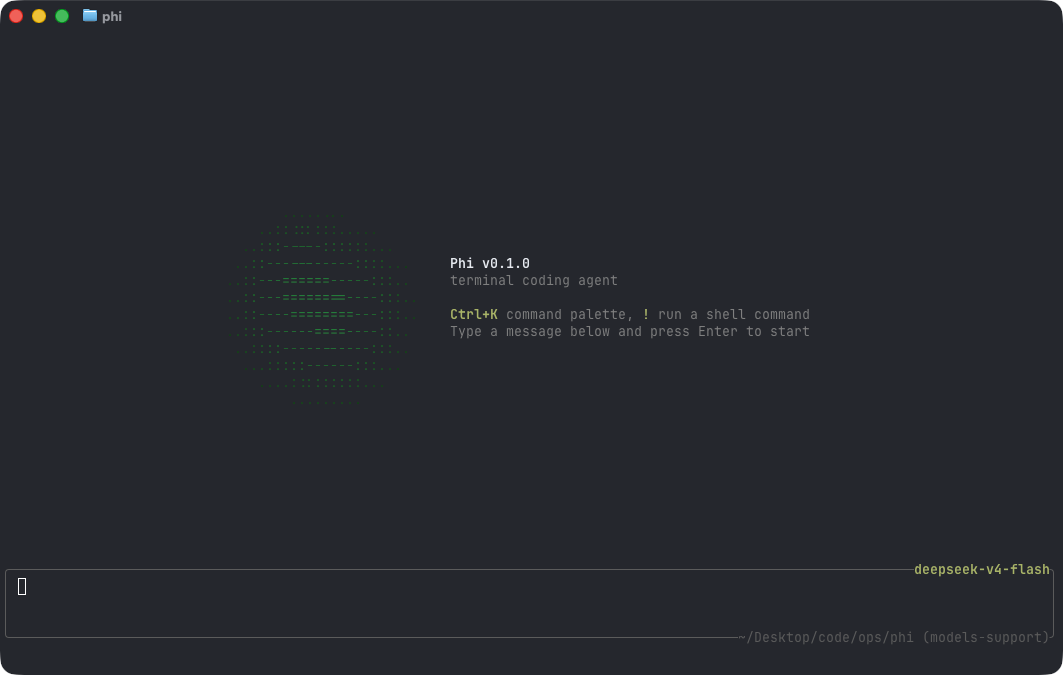
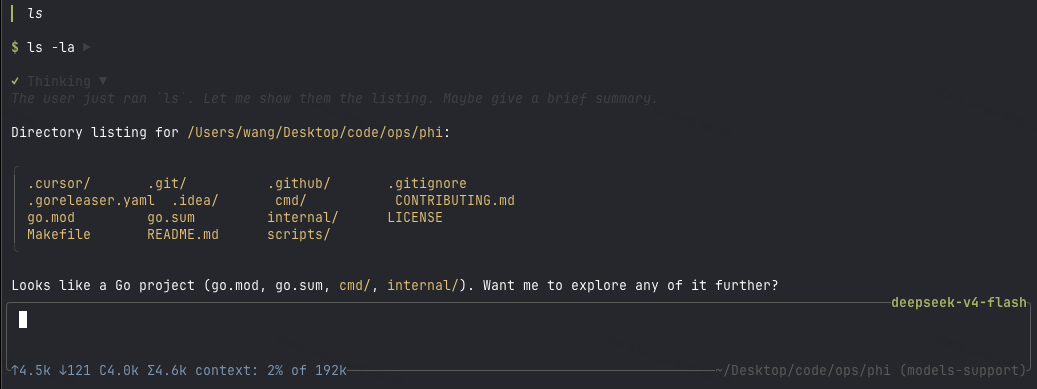
phi is deliberately small: a model loop, a handful of tools, a TUI, and
Markdown rendering that makes assistant output readable. Extend it with
skills and configure it with a single YAML file.
- Quick start
- Footprint
- Configuration
- Interactive mode
- Commands
- Sessions
- Headless mode
- Skills
- Permissions
- Tools
- Project layout
Quick start
Install the latest release (macOS / Linux):
curl -fsSL https://raw.githubusercontent.com/pulseaiclub/phi/main/scripts/install.sh | bash
Windows (PowerShell 5.1+):
irm https://raw.githubusercontent.com/pulseaiclub/phi/main/scripts/install.ps1 | iex
Both scripts verify the SHA-256 checksum and add phi to your PATH. To pin a
version, set PHI_VERSION (e.g. vX.Y.Z) beforehand; see the script headers
for PHI_INSTALL_DIR, PHI_REPO, and GITHUB_TOKEN.
First launch needs a model. Open the config editor (creates ~/.phi layout
and writes ~/.phi/config.yaml):
phi config
Or set env vars for a one-off run:
export PHI_MODEL=gpt-4o
export PHI_API_KEY=sk-...
Then start the TUI:
phi
Or build from source (Go 1.26.3+, see go.mod):
make build          # produces ./phi
make install        # build and install into $GOBIN
On first start, phi automatically creates ~/.phi/{bin,skills,session}. Search
tools (fd, rg) download into ~/.phi/bin in the background when missing.
The TUI gives the model four core tools — read, write, edit, andbash — plus grep, glob, list, and fetch. The model uses these to
fulfill your requests.
Footprint
phi aims to stay cheap to run and cheap to hack on. Numbers below are for a
stripped release build (CGO_ENABLED=0, -ldflags="-s -w"), measured on
macOS arm64 unless noted.
| Metric | phi |
|---|---|
| Release binary | ~12 MB |
| Idle RSS (1 session) | ~21 MB |
| 10 idle sessions (total RSS) | ~196 MB (~20 MB each) |
| Time to first frame | ~40 ms (27–65 ms) |
Cold go build (empty GOCACHE) |
~5.5 s |
| Warm rebuild | ~0.7 s |
| Go source (excl. tests) | ~22k LOC / 107 files |
| Go packages | 32 |
| Direct module deps | 6 (15 modules total) |
| Linked runtimes | system libs only (no Node / Electron / Python) |
Configuration
phi reads ~/.phi/config.yaml (standard YAML). Environment variables
override it for one-off runs. phi config opens an HTML editor for the same
file in your browser.
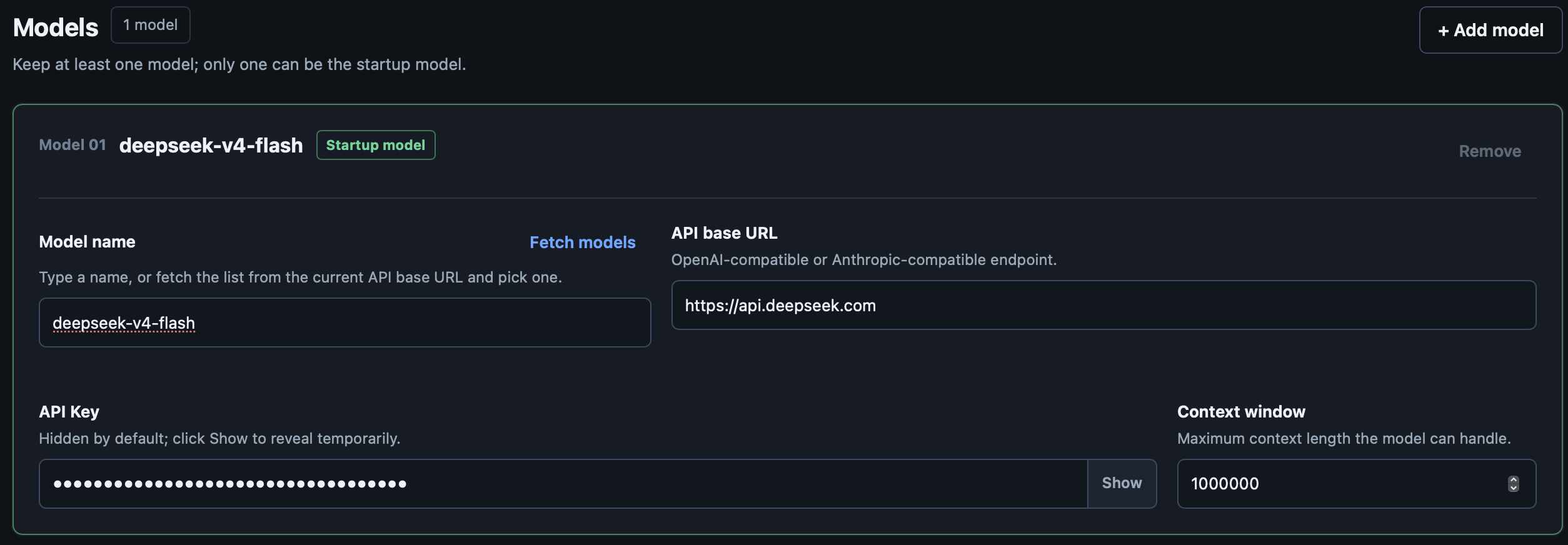
# ~/.phi/config.yaml
models:
  - name: gpt-4o            # model name; "claude-*" routes to the Anthropic API
    api_key: sk-...         # or set PHI_API_KEY
    base_url: https://api.openai.com/v1   # default; PHI_BASE_URL overrides
    context_window: 128000  # optional
    default: true           # the model used at startup; first entry wins if absent
  - name: claude-sonnet-4-20250514   # extra models; switchable at runtime
    api_key: sk-ant-...
    base_url: https://api.anthropic.com
    context_window: 200000

skill_path: ~/.phi/skills # where SKILL.md files are loaded from

agents:
  enabled: true           # default; set false to disable agent_* sub-agent tools

permissions:
  mode: interactive       # interactive | readonly | autopilot | headless-strict
  bash:
    default: ask          # ask | allow | deny
    allow:
      - "go test ./..."
    deny:
      - "rm -rf *"
  fetch:
    default: allow
    allowed_hosts:
      - "github.com"
Environment overrides:
| Variable | Overrides |
|---|---|
PHI_API_KEY |
models[].api_key (default model) |
PHI_MODEL |
models[].name (default model) |
PHI_BASE_URL |
models[].base_url (default model) |
PHI_SKILL_PATH |
skill_path |
Provider routing: a base URL containing anthropic or a model name starting
with claude uses the Anthropic Messages API; everything else uses the
OpenAI-compatible /chat/completions path.
Workspace layout
~/.phi/
├── config.yaml   # global configuration
├── bin/          # downloaded search tools (fd, ripgrep)
├── skills/       # SKILL.md skill directories
├── jobs/         # sub-agent job artifacts (meta, logs, result.md)
└── session/      # persisted sessions, one dir per working directory
    └── <encoded-cwd>/
Interactive mode
phi (or phi tui) starts the TUI: a chat transcript on top, an editor at
the bottom, and a footer with the current activity. When a newer release is
available, the footer shows a hint like 0.2.0 available · phi update.
Assistant output is rendered as Markdown (CommonMark/GFM): headings, emphasis,
strikethrough, links, blockquotes, lists, task checkboxes, and tables are
styled with the active theme; fenced code blocks get a frame and per-language
syntax highlighting. Structural markers (#, `, *) are stripped.
The editor supports:
@— fuzzy file mention picker (type@and start typing a path)/— slash command picker (/sessions,/resume)!command— run a shell command locally and stream its output into the
transcript (see Commands)Ctrl+K— command palette: settings → model / theme / permissions / agents, skills
Keyboard shortcuts
| Key | Action |
|---|---|
Ctrl+C |
Quit phi |
Esc |
Cancel the running agent / close pickers |
Ctrl+K |
Toggle the command palette |
Ctrl+Shift+C |
Copy the selected transcript text |
Themes: Dark, Darcula, Pink, and Terminal (default), switchable from
the palette under settings → theme.
Commands
| Command | Description |
|---|---|
phi / phi tui |
Start the interactive TUI |
phi run -p "…" |
Run one agent loop headlessly (see below) |
phi update |
Download and install the latest GitHub release |
phi update --check |
Query the latest release without installing |
phi sessions list |
List persisted sessions for this directory |
/sessions |
List sessions for this directory (TUI) |
/resume <id> |
Resume a session by id or unique prefix (TUI) |
!command |
Run a shell command locally, stream output into the transcript; Esc cancels it |
In the TUI, !command runs locally via bash -c — outside the agent loop. It
doesn't count toward agent busy state, and the running command can be cancelled
with Esc without touching an in-flight agent turn.
Sessions
Sessions persist automatically per working directory under~/.phi/session/<encoded-cwd>/ as JSONL trajectories.
phi sessions list— list session id, mtime, and preview for the current
directory/sessionsin the TUI — same, in-app/resume <id>— continue a session (id or unique prefix)phi run --session <id>/phi run --continue-last— resume headlessly
Headless mode
phi run -p "fix the failing test in internal/tools"
Runs one agent loop without a TUI. Human logs go to stderr; with --jsonl,
machine-readable events go to stdout, one JSON object per line (schema in../ops/phi-docs/docs/task-003-jsonl-events.md).
Flags:
| Flag | Description |
|---|---|
-p, --prompt STRING |
Prompt to run (required) |
--jsonl |
Emit JSONL events to stdout |
--max-rounds N |
Cap tool rounds (default 64) |
--session ID |
Resume a persisted session by id or unique prefix |
--continue-last |
Resume the newest persisted session for this directory |
--session-dir DIR |
Override the session storage directory |
Exit codes: 0 success · 1 runtime/LLM error · 2 max rounds reached ·3 config/usage error.
In headless mode, permission ask decisions are denied (there is no approval
UI), so readonly-style safety applies without extra flags.
Skills
Skills are directories containing a SKILL.md file with YAML frontmatter and
a Markdown body. They are loaded from ~/.phi/skills/ (or skill_path /PHI_SKILL_PATH) and injected into the agent's context, letting you give the
model reusable procedures:
---
name: My Skill
 description: What this skill does
license: MIT
compatibility: claude, openai
---
Instructions the agent should follow when this skill is relevant.
In the TUI, add skills from the palette (skills → list), then submit the
message with the selected skills applied.
Permissions
Tool execution is gated by a permission policy, so the agent can run read-only
by default and ask before anything destructive. Configure it underpermissions: in ~/.phi/config.yaml.
Modes:
| Mode | Behavior |
|---|---|
interactive |
Default. ask decisions prompt in the TUI. |
readonly |
Deny writes / bash; read tools still work. |
autopilot |
Fold ask → allow, run unattended. |
headless-strict |
Fold ask → deny (used by phi run). |
Per-tool rules: bash.default / bash.allow / bash.deny (exact command
prefix matching) and fetch.default / fetch.allowed_hosts. Global keys:workspace_only_writes (default true), ask_timeout_sec, anddangerously_allow_all (default false).
In the TUI, an approval dialog replaces the editor with options to approve,
deny with feedback, or allow all for the session / for every session. The
palette's settings → permissions entry toggles session-wide bypass.
Sub-agents
Sub-agent tools (agent_spawn, agent_task, …) are on by default. To
keep a session lean, disable them in ~/.phi/config.yaml:
agents:
  enabled: false
Or toggle for the current session via the palette: settings → agents.
When disabled, those tools are not registered and the model cannot spawn jobs.
Sub-agents themselves use a role (explore default | review | worker):
| Role | Tools | Use for |
|---|---|---|
explore |
read-only (+ allowlisted bash) | Search / map structure |
review |
read-only (+ allowlisted bash) | Diffs / checks; no edits |
worker |
full tools except nesting | Planned, independent edits |
Default stays explore (read-only). Prefer worker only after the parent has a concrete plan.
Tools
Built-in tools the model can call (see internal/tools/):
| Tool | Purpose |
|---|---|
bash |
Run a shell command in the working directory |
read |
Read a file |
write |
Write a file (gated by permissions) |
edit |
Targeted edit of a file |
grep |
Regex search across files |
glob |
File patterns |
list |
Directory listing |
fetch |
HTTP fetch (host-gated by permissions) |
agent_spawn |
Start an isolated sub-agent job (async) |
agent_task |
Spawn + wait for one sub-agent summary |
agent_wait |
Wait for a job; returns short summary only |
agent_list |
List jobs |
agent_log |
Tail a job's event log |
agent_cancel |
Cancel a running job |
Sub-agent transcripts live under ~/.phi/jobs/<id>/ and are not injected
into the parent context — only the wait/task summary is.
Fast search tools (fd, ripgrep) are downloaded on first startup into~/.phi/bin when missing.
See Project layout for the source tree map.
See CONTRIBUTING.md for development setup, code style, and
commit conventions. Design docs and the harness roadmap live in../ops/phi-docs/.
Reviews (0)
Sign in to leave a review.
Leave a reviewNo results found