sesame
Health Warn
- License — License: MIT
- Description — Repository has a description
- Active repo — Last push 0 days ago
- Low visibility — Only 5 GitHub stars
Code Pass
- Code scan — Scanned 12 files during light audit, no dangerous patterns found
Permissions Pass
- Permissions — No dangerous permissions requested
No AI report is available for this listing yet.
Stop digging through chats. Find anything Claude Code & Codex made for you — just say it. Open-source macOS app.

Sesame
Stop digging through chats.
Your library of AI creations: say a sentence and get back anything Claude Code or Codex delivered.
Install in two lines (macOS 13+):
brew install qiwei66/tap/sesame
sesame



Before: scroll through 20 chats to find yesterday's dashboard. Now: say "yesterday's dashboard".
Your AI builds dashboards, reports, decks, sites and pull requests. A week later they are buried in long chats.
Sesame keeps a local library of every artifact your AI delivered, so a few words bring it back: the artifact itself, not the chat it came from.
Session viewers show you the conversation. Sesame opens what the conversation produced.
What it does
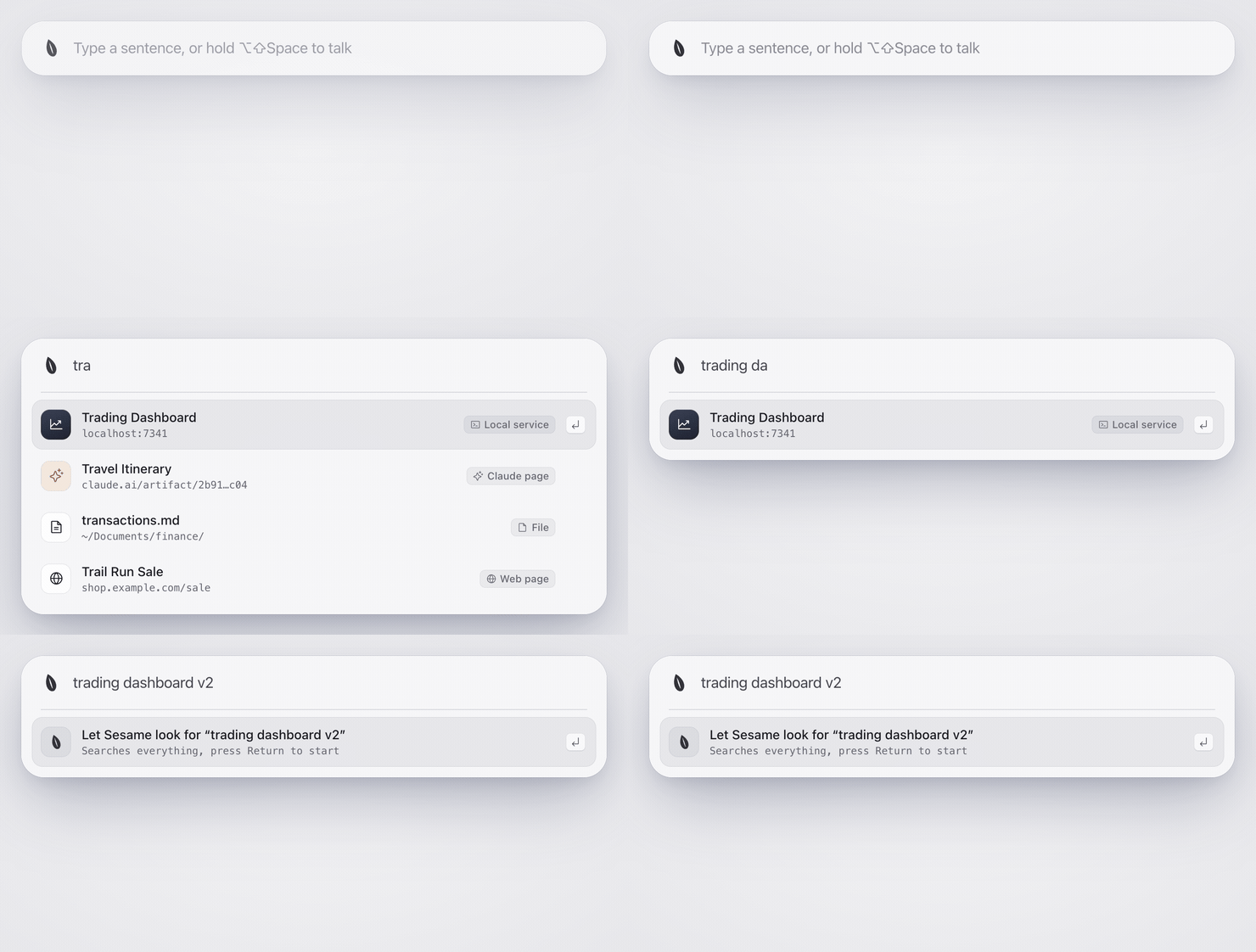
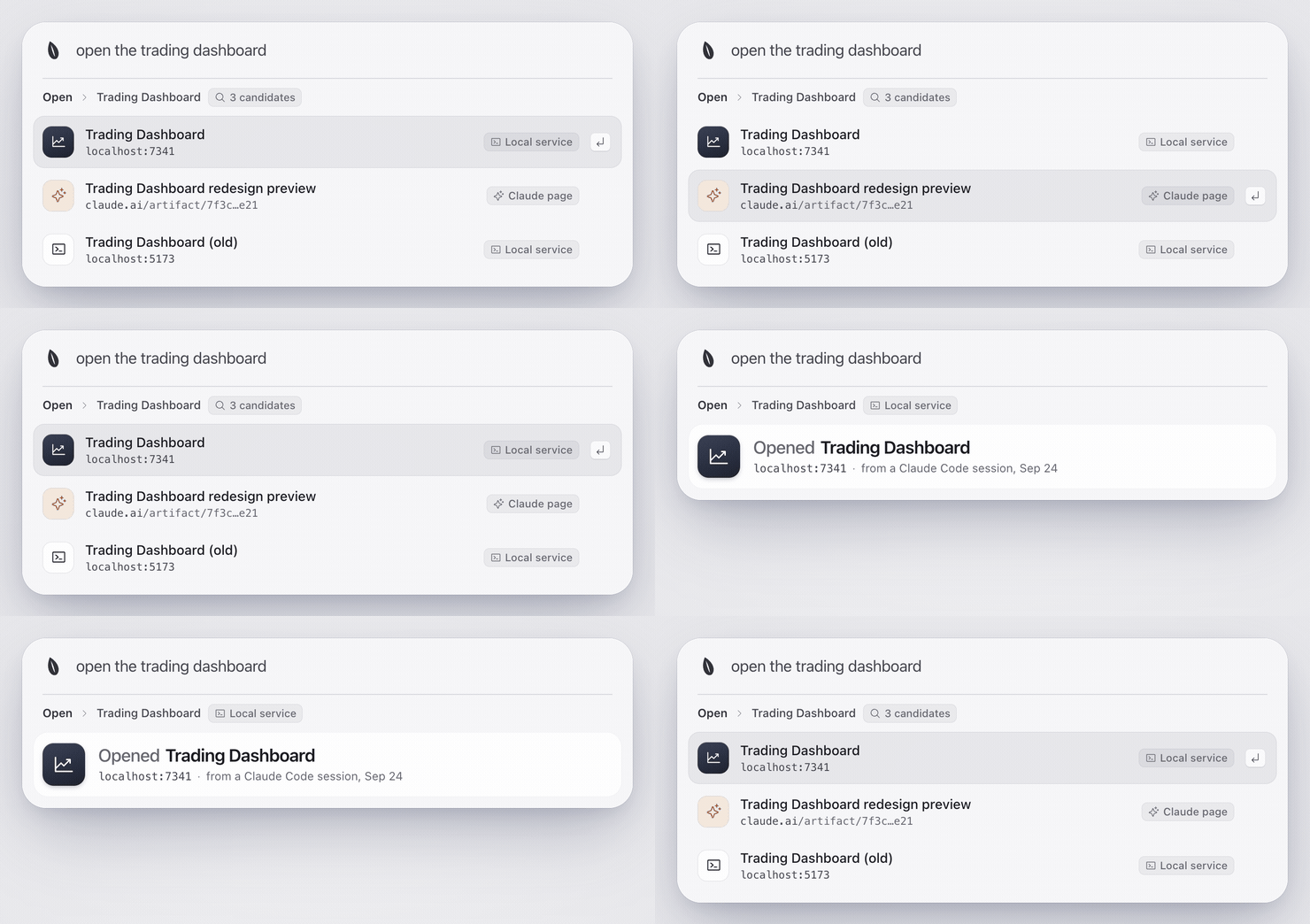
Type, and it's already thereResults show up with the first letters. ↑ ↓ to pick, ↵ to open. If nothing local fits, ↵ lets Sesame search everything. |
|
|
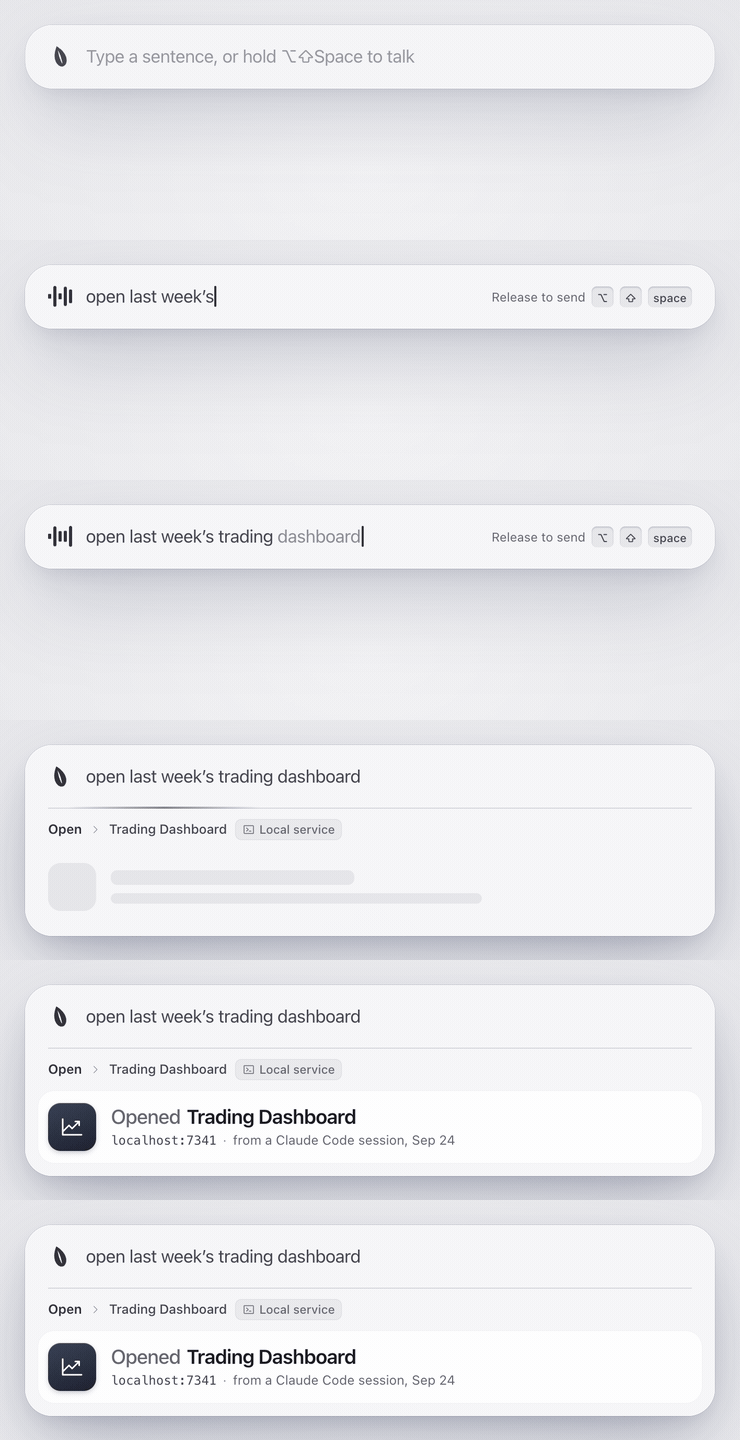
Hold the hot key and say itHot key: ⌥⇧Space (switch to ⌘Space in Settings). Tap it to type; hold it to talk, let go to send. "Open last week's trading dashboard" opens the dashboard itself. |
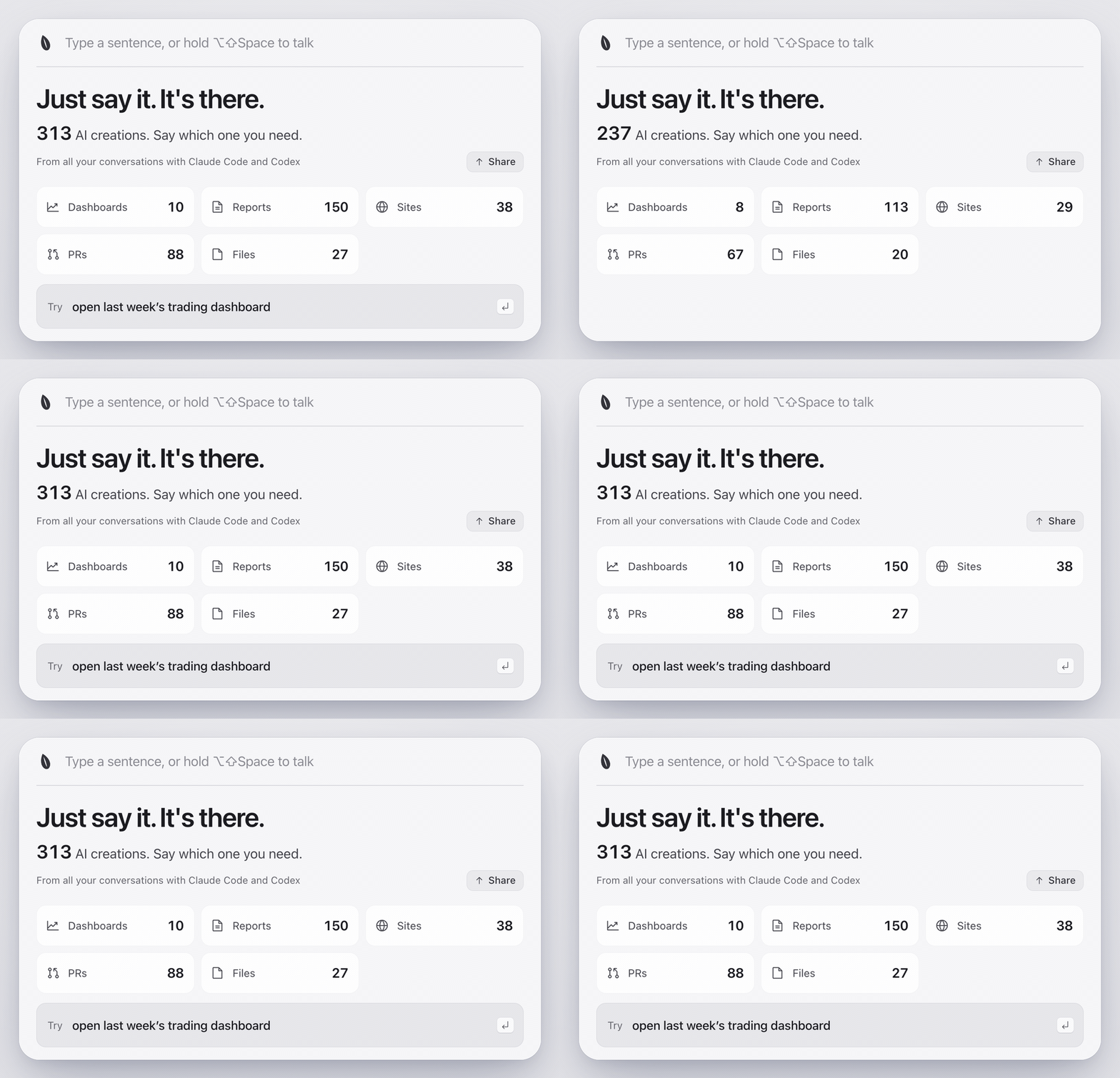
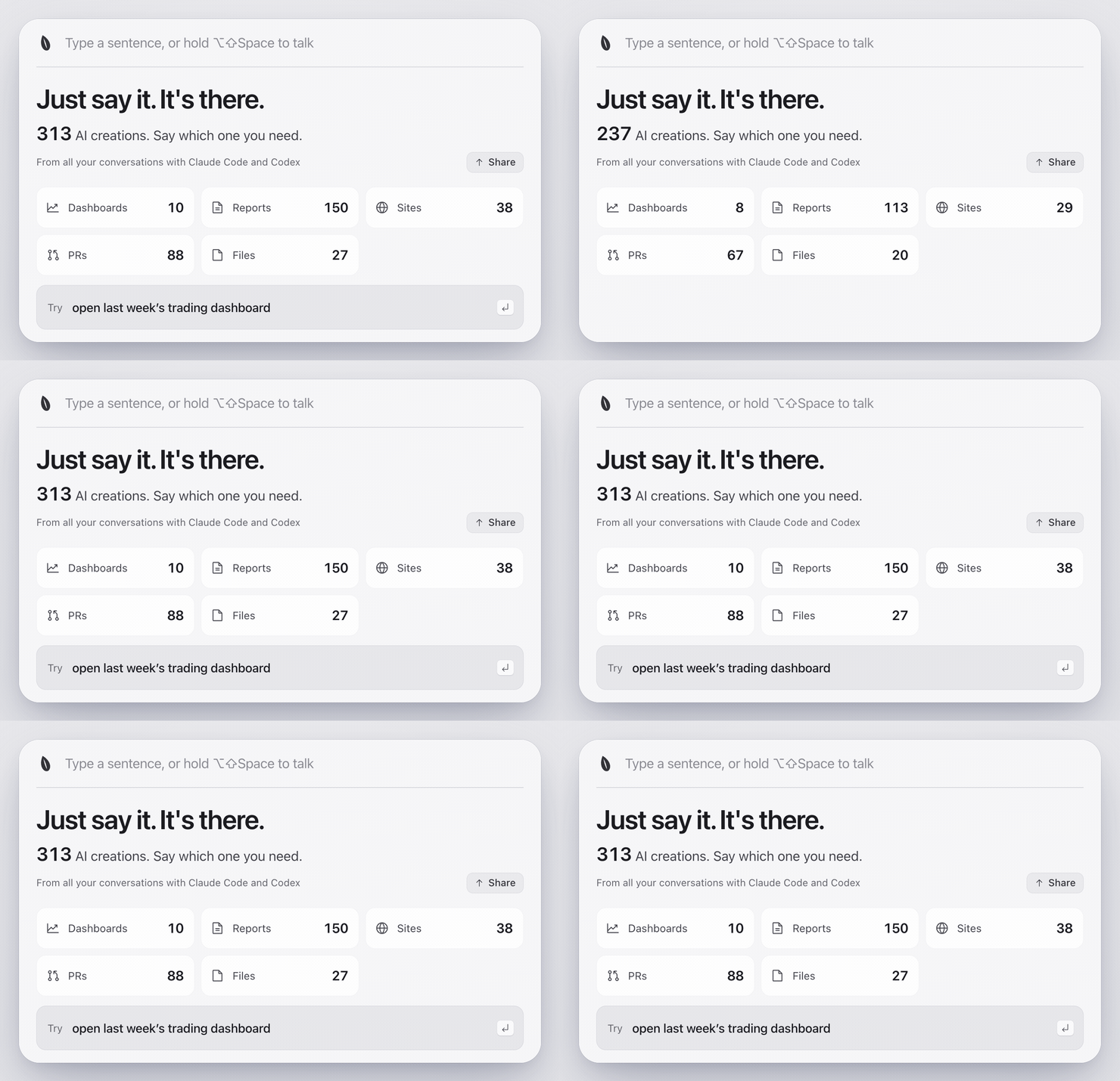
Useful the moment you install itOn first launch it reads your existing Claude Code and Codex history and counts every artifact your AI delivered. |
|
|
More than one match? Pick oneWhen several names fit, you get a short list instead of a guess; when none fits, it says so instead of offering filler. Local services, Claude pages, files, PRs, sites and online docs all count. |
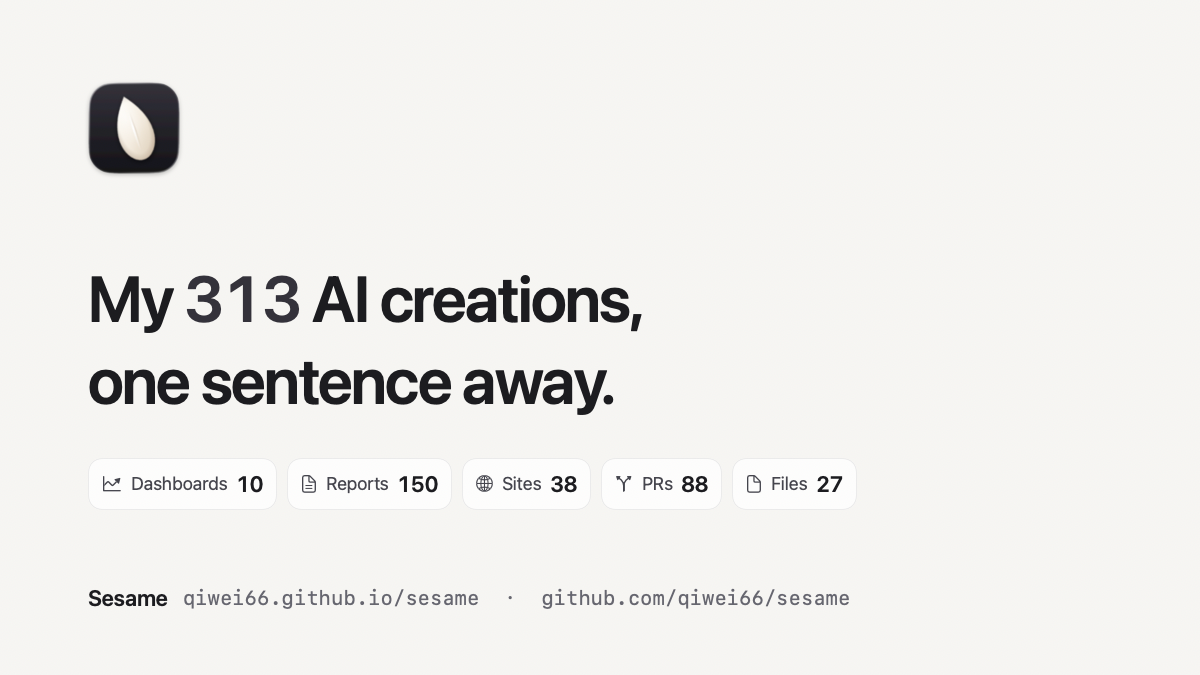
Share your numberShare on the first-run panel turns your number into a 1200×675 image, saves it to Downloads and copies it, ready to paste into a post. Only counts are on it: no titles, paths or names. |
|
Install
brew install qiwei66/tap/sesame
sesame
sesame puts Sesame.app in ~/Applications and starts it; run it again any time (an older copy from make install is kept asSesame.app.bak-<time>). Homebrew brings Node.js, builds the app from source on your Mac and ad-hoc signs it: no Gatekeeper warning, no Apple
Developer account needed. The first install compiles the app and takes a few minutes; it needs the Xcode Command Line Tools
(xcode-select --install), which Homebrew itself already requires.
Or install from source (Node.js 22.18+ and the Xcode Command Line Tools, xcode-select --install):
git clone https://github.com/qiwei66/sesame.git
cd sesame
make install
open ~/Applications/Sesame.app
make uninstall removes it and keeps your settings. The hot key is ⌥⇧Space; switch to ⌘Space in Settings › Hot key.
Use it in Claude Code
Sesame also runs inside Claude Code as a plugin. Ask in plain words in any session and Claude looks it up in your
library, then opens it on your Mac. The app is optional: without it, the plugin builds the same local index from
your Claude Code and Codex history; with it, both share one index.
claude plugin marketplace add qiwei66/sesame && claude plugin install sesame@sesame
Inside a session, /plugin marketplace add qiwei66/sesame and then /plugin install sesame@sesame do the same.
It needs Node.js 22.18+ with npm, which Claude Code uses to install the plugin's packages.
You: Where is the trading dashboard from last week?
Claude: (search_artifacts → open_artifact) Found it: your Trading Dashboard is a local web service at
http://127.0.0.1:8787, last seen on September 27. It's opening in your browser now.
You: Open the report I made yesterday
Claude: (search_artifacts → open_artifact) Found yesterday's report, Q3 sales report (a Markdown file),
and opened it.
Already installed the app with Homebrew or make install? Its va works as an MCP server too:claude mcp add sesame -- va mcp.
Three tools: search_artifacts (title, type, link, time and source session of each match), open_artifact andartifact_stats. Any other MCP client can run the same server with va mcp; see docs/mcp.md.
Privacy
- The index stays on your Mac (
~/Library/Application Support/Sesame) and is never uploaded. - Sesame only reads
~/.claude/projectsand~/.codex/sessions, and never writes to them. - A model is optional. If you set one up, it gets your sentence, your app names and, when local search can't
decide, each candidate's type, title and a few keywords. Never full links, file paths or your clipboard. - In Claude Code, the matches you ask about (title, type, link, time) go to the model of that conversation, the same
one you are already talking to. Nothing goes anywhere else.
More
System actions (disk space, moving files to the Trash), custom commands, skills and model setup: docs/advanced.md.
If Sesame saved you one search through old chats, a star helps other people find it.
License
MIT, see LICENSE.
Reviews (0)
Sign in to leave a review.
Leave a reviewNo results found