quackback
Health Pass
- License — License: AGPL-3.0
- Description — Repository has a description
- Active repo — Last push 0 days ago
- Community trust — 374 GitHub stars
Code Pass
- Code scan — Scanned 12 files during light audit, no dangerous patterns found
Permissions Pass
- Permissions — No dangerous permissions requested
No AI report is available for this listing yet.
Open-source customer support and feedback. An alternative to Intercom, Zendesk, Canny and UserVoice.
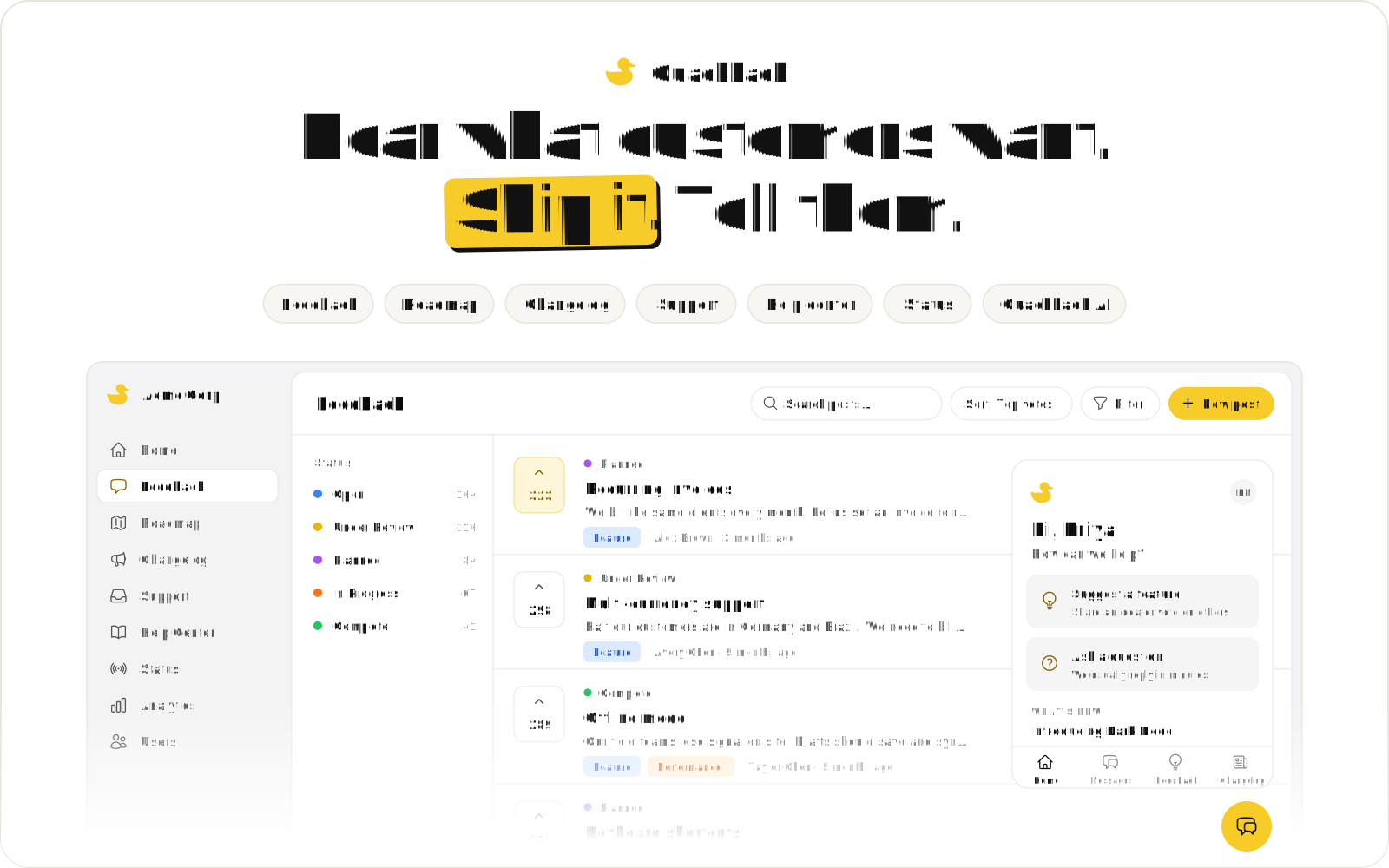
Open-source customer support and feedback.
An alternative to Intercom, Zendesk, Canny and UserVoice.
Live chat, tickets, a help center and a status page, beside your feedback board, roadmap and changelog. Quackback AI works across all of it. Host it with us or on your own servers.


Product tour · Our live board · Self-host with Docker · Compare · Docs · Website




Over 250 active instances, self-hosted and on Cloud.
Why Quackback
- One product instead of a stack. Your support desk and your feedback board share the same customers, the same team and the same sign-in.
- Close the loop. A support chat becomes a vote on a feature request in one click. When the feature ships, every customer behind it is told, whether they voted on the board or mentioned it in a chat.
- Open source, and complete. AGPL-licensed. Self-host with every feature, including single sign-on and the audit log, unlimited seats and no license key.
- AI built in. Quackback AI answers customers and drafts replies for your team, and an MCP server lets your own AI tools work with your feedback and tickets.
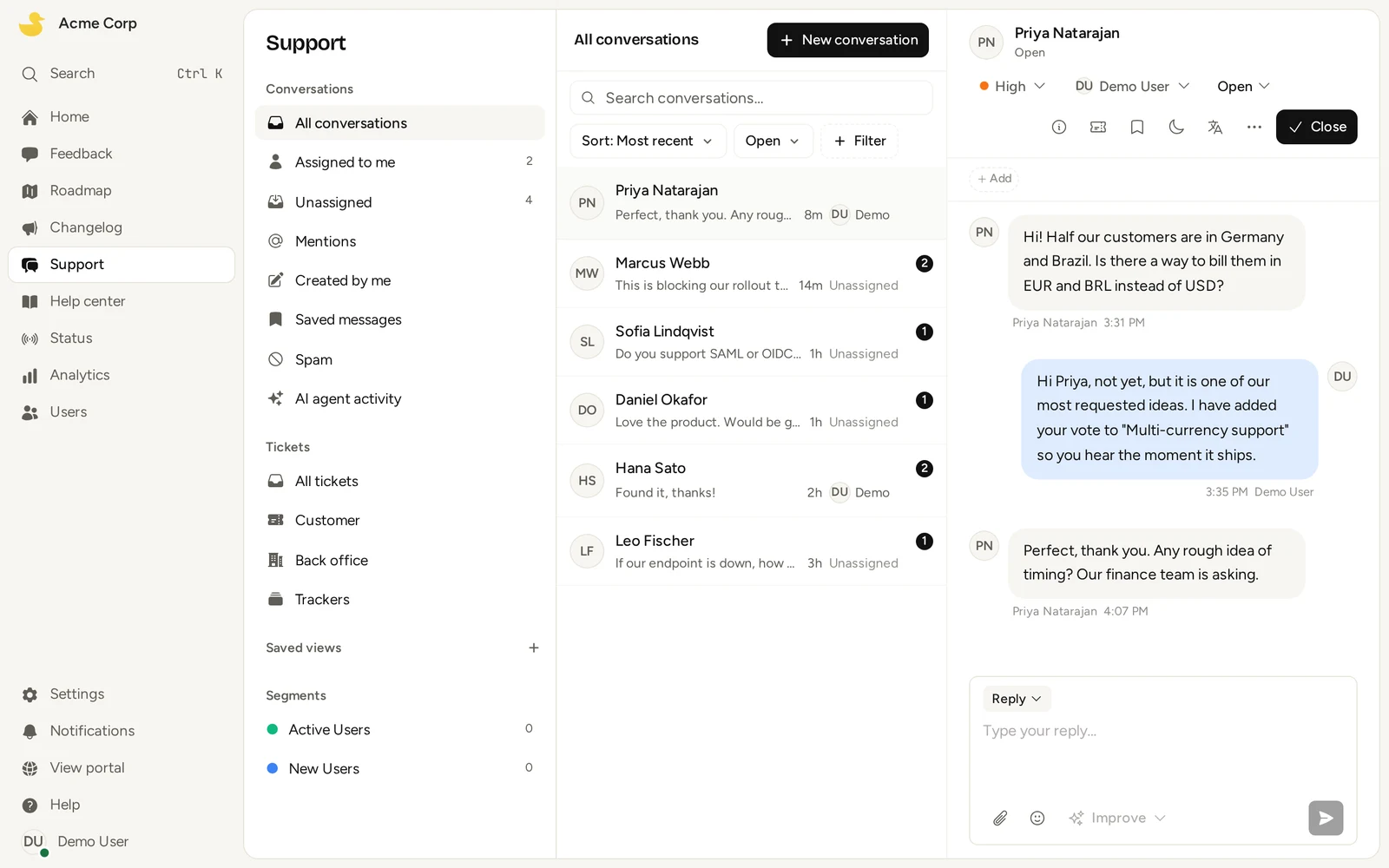
What's inside
Use all of it or only the parts you need. Setup asks which, and you can switch more on later in Settings > General > Modules.
For support teams
- Inbox. Live chat, email and tickets in one shared inbox, with assignment, macros, SLAs and workflows.
- Quackback AI. Answers customers from your help center and hands over to a person when it should. Copilot drafts replies for your team.
- Help center. A searchable knowledge base on your own domain and inside the widget.
- Status page. Incidents, maintenance and uptime history, with email updates.
For product teams
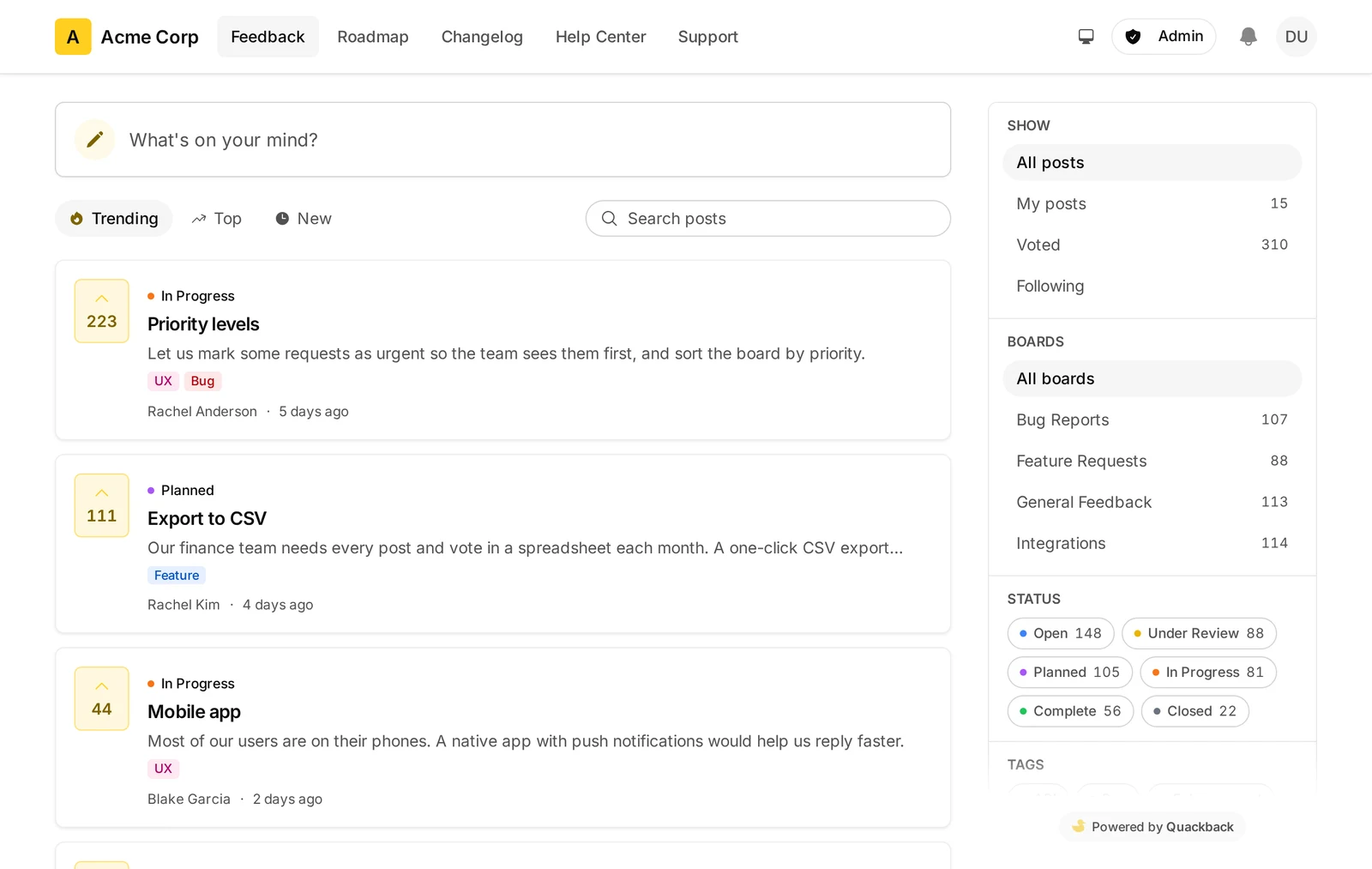
- Feedback boards. Customers post ideas, vote and comment. Duplicates are caught as they type and merge with their votes.
- Roadmap. Show what's planned and in progress. Send requests to Linear, Jira or GitHub, and their status keeps up as the issue moves.
- Changelog. Publish updates, link the requests they ship, and every voter gets an email.
For developers
- One widget. Chat, feedback, help articles and your changelog in one embed. The web SDK is MIT-licensed, with SDKs for iOS and Android.
- API and webhooks. A REST API with an OpenAPI spec, and signed webhooks.
- MCP server, so AI tools can work in Quackback.
- 25 integrations, from Linear and Jira to Slack, HubSpot and Zapier.
For IT and security
- Small footprint. PostgreSQL is the only database, with no Redis or queue to run. It needs as little as 1 CPU core and 1 GB of RAM.
- Single sign-on and roles. Your own OIDC provider, custom roles and an audit log. Free when you self-host, Enterprise on Cloud.
- Your data. Self-hosted, it stays in your own database. Export it through the API at any time.
Your brand, their language. Your own domain and branding, in 13 languages.
Get started
Which one? Choose Cloud to be running today with no servers to look after. Self-host when your data must stay on your own infrastructure, or you want unlimited seats and your own AI provider.
Quackback Cloud
Start a free trial: 14 days of Pro, no card needed. We host, back up and update it, and one flat price per workspace includes your team's seats. See pricing.
Self-host
Every feature, unlimited seats, no license key. You run the servers and bring your own email and AI providers.
Or use Docker Compose, which starts Quackback, PostgreSQL and file storage on one host:
git clone https://github.com/QuackbackIO/quackback.git
cd quackback
cp .env.prod.example .env   # fill in every value
docker compose -f docker-compose.prod.yml up -d
Migrations run on startup. The self-hosting guide covers upgrades, reverse proxies and scaling, and the configuration reference lists every variable.
Moving from another tool
Import posts from a CSV in Settings, with a preview before anything is written. The import CLI also brings comments and votes.
Connect your AI tools
Every instance serves an MCP server at /api/mcp, so agents like Claude and Cursor can search, triage and act on feedback, tickets, the changelog and help articles. Sign in with OAuth from your client:
claude mcp add --transport http quackback https://feedback.yourcompany.com/api/mcp
Setup for other clients is in the MCP docs. To have a coding agent add the widget to your app, use our agent skills.
Integrations
| Kind | Tools |
|---|---|
| Issue trackers | Linear, GitHub, GitLab, Jira, Azure DevOps, Asana, ClickUp, Shortcut, Trello, Monday.com, Notion |
| Chat and alerts | Slack, Microsoft Teams, Discord, ntfy |
| Support and CRM | Zendesk, Intercom, Freshdesk, HubSpot, Salesforce, Stripe |
| Automation | Zapier, Make, n8n, Segment, webhooks |
Each has a setup guide in the docs.
Community
If Quackback is useful to you, a star helps others find it. To hear about new versions, watch the repo for releases.
- Ask questions and share ideas in Discussions
- See and vote on what's being asked for on our own board, which runs on Quackback
- Report bugs in Issues
Contributing
The Contributing Guide covers local setup (Bun and Docker), demo data and how we work.
Built with
TanStack Start and TanStack Router, PostgreSQL (which also runs the job queue) with Drizzle ORM, Better Auth, Tailwind CSS with shadcn/ui, and Bun.
Security and privacy
See security.md for how data is handled. Report vulnerabilities to [email protected] or through a private advisory, not in public issues.
Self-hosted instances send one anonymous usage snapshot a day, never content or anything identifying. telemetry.md lists every field, and DISABLE_TELEMETRY=true turns it off.
Cloud code. Quackback Cloud runs this same code. Its plan and billing checks stay off unless an instance is configured for Cloud, so a self-hosted instance gets every feature, shows no upgrade prompts and never calls our billing service.
License
AGPL-3.0. Self-hosting is free. If you run a modified version as a service or distribute it, publish your changes under the AGPL. Contributions need a signed CLA.
The widget SDK (@quackback/widget) is MIT, so you can embed it in closed-source apps.
Reviews (0)
Sign in to leave a review.
Leave a reviewNo results found