claudemap
Health Warn
- License — License: MIT
- Description — Repository has a description
- Active repo — Last push 0 days ago
- Low visibility — Only 5 GitHub stars
Code Pass
- Code scan — Scanned 12 files during light audit, no dangerous patterns found
Permissions Pass
- Permissions — No dangerous permissions requested
This tool serves as an interactive visualizer for codebases, generating a browser-based map to help developers understand their project's architecture directly within Claude Code.
Security Assessment
Overall risk: Low. The tool operates entirely locally without a cloud backend. It relies on Claude Code to read your project structure, which means it inherently accesses your source code. However, the automated code scan found no dangerous patterns, no hardcoded secrets, and no suspicious network requests. It requires no elevated system permissions to run. While you should always be mindful of AI tools reading your proprietary code, this specific MCP server acts primarily as a local interface rather than an external data extractor.
Quality Assessment
The project is very new and started as a hackathon. It has an active maintainer, as evidenced by a push made today, and is protected by a standard MIT license. However, community trust and visibility are currently minimal. With only 5 stars on GitHub, the tool has not yet been widely peer-reviewed or battle-tested by a large audience.
Verdict
Use with caution — it appears safe to install and run on local, non-sensitive projects, but the extremely low community adoption means you should evaluate the code yourself before trusting it in production or proprietary environments.
google maps for vibecoders.
Welcome to...
Google Maps for vibecoders.
AI lets you build faster than ever, but the very tools that help our productivity are leaving us behind - you don't understand what you're building anymore. You can vibecode a full app in a weekend and not even start to explain how it works. ClaudeMap fixes that.
Unlike traditional visualization tools, ClaudeMap organizes your code by what it actually does. Claude reads your project and groups it into concepts in a way you actually think about your project. Zoom out to see the big picture. Zoom in to see the details. Colors show what's healthy and what's broken.
Use /explain and ask any question about your code, Claude will present directly on the map and explain step by step.
Use /show to tell Claude what you want to find or see, and it moves the map for you.
All powered by the same AI you vibecode with.
See It In Action
Play with ClaudeMap's map (preview, Claude features require Claude Code)
Click Me ↓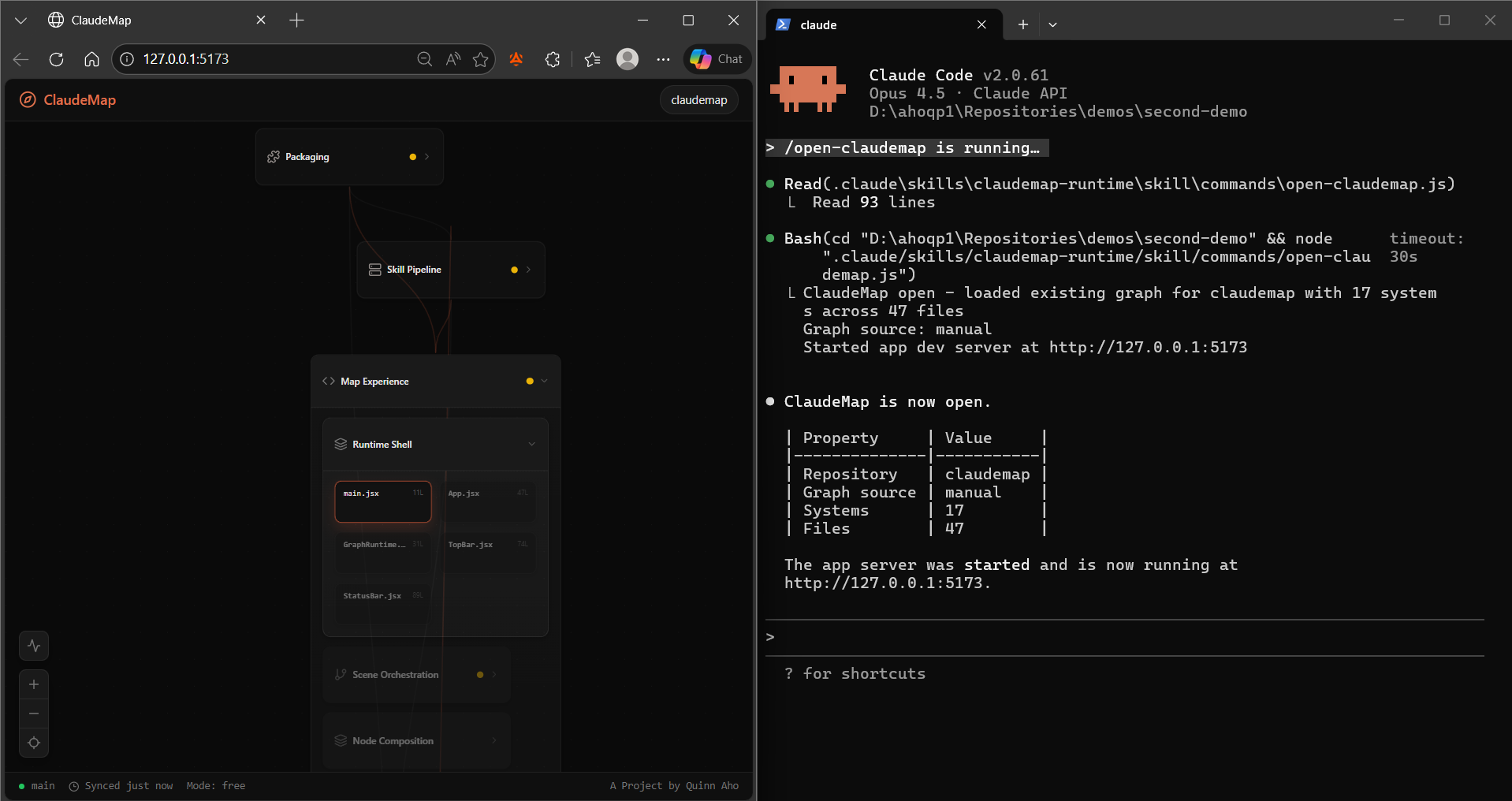
Longer YouTube walkthrough if you're into that kind of thing.
Get Started
You'll need Claude Code installed.
cd <my-repo>
npx @quinnaho/claudemap install
Then in Claude Code:
/setup-claudemap
Your codebase is now a map.
Commands
| Command | What it does |
|---|---|
/setup-claudemap |
Analyze your repo and generate the map |
/refresh |
Update the map after code changes |
/open-claudemap |
Reopen the map without rebuilding |
/explain |
Visual guided walkthroughs - Claude highlights the path on your map as it explains |
/show |
Direct the map with natural language - "show me auth", "what's broken" |
How It Works
ClaudeMap installs as a Claude Code skill. When you run /setup-claudemap, it reads your project, sends the structure to a dedicated architecture subagent, and renders the result as an interactive map in your browser. No cloud, no backend - everything runs locally through Claude Code.
After code changes, /refresh detects what changed and updates the map without rebuilding from scratch.
Project Structure
app/        -> Visual map interface
skill/      -> Claude Code skill and architecture subagent
scripts/    -> Install and packaging scripts
contracts/  -> Graph schema and sample data
demo/       -> Demo sandboxes and cached payloads
Development
npm install
npm run dev
ClaudeMap started as a hackathon project and is now open source. If you want to use it, improve it, or help shape where it goes: jump in.
License
MIT
Reviews (0)
Sign in to leave a review.
Leave a reviewNo results found