Korum
Health Uyari
- License — License: MIT
- Description — Repository has a description
- Active repo — Last push 0 days ago
- Low visibility — Only 5 GitHub stars
Code Gecti
- Code scan — Scanned 12 files during light audit, no dangerous patterns found
Permissions Gecti
- Permissions — No dangerous permissions requested
Bu listing icin henuz AI raporu yok.
Infinite canvas terminal workspace for devs running multiple processes, agents, and workflows
Korum
Spatial terminal workspace for developers.
All your terminals. One canvas.
Drag, resize, zoom — organize your workflow spatially instead of switching between tabs.
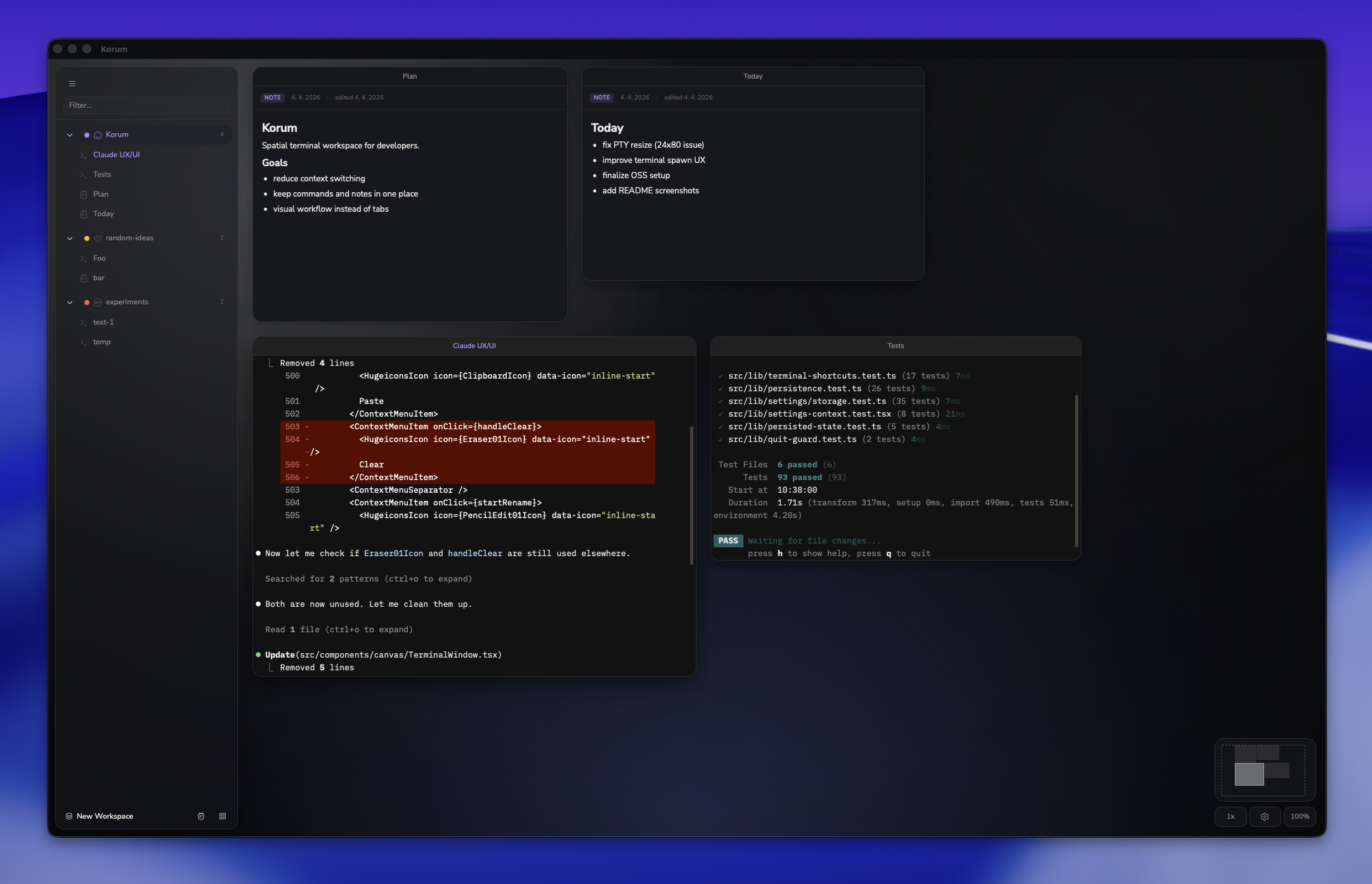
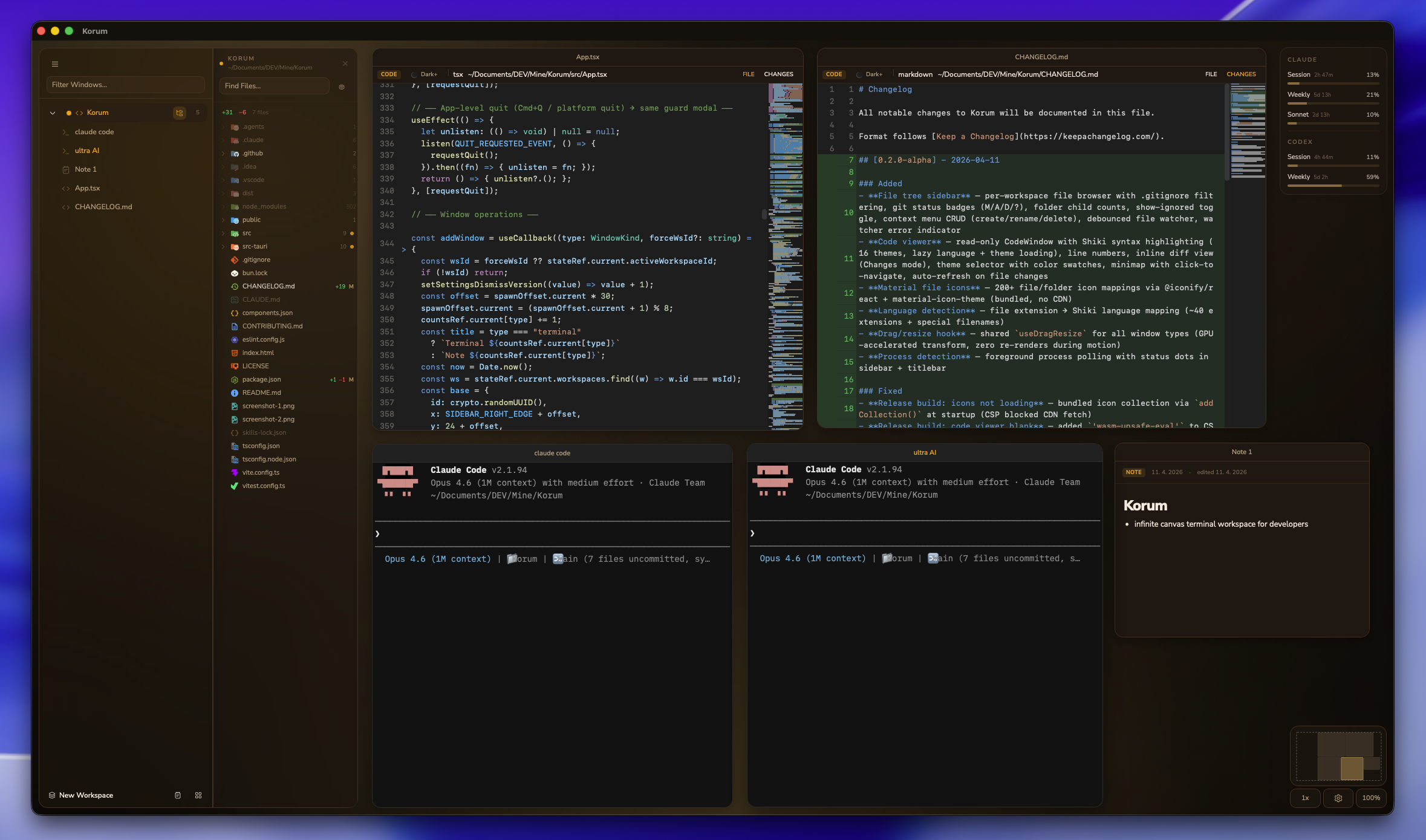
v0.2.2-alpha — early release. macOS only for now.
Status
Korum is currently in early alpha. Right now, the focus is stability, persistence, and terminal UX on macOS.
Features
- Infinite pan & zoom canvas with terminal windows
- Markdown notes alongside terminals
- File tree sidebar — per-workspace file browser with .gitignore filtering, git status badges, context menu CRUD
- Code viewer — read-only file viewer with Shiki syntax highlighting (16 themes), inline diff view, minimap
- Workspaces backed by project folders or scratch spaces
- Session persistence (positions, sizes, and content survive restarts)
- Built for scale — viewport-aware rendering ensures only visible terminals consume resources
- 25 terminal themes, 5 canvas atmospheres, customizable fonts, font sizes, and zoom speed
- Claude Code & OpenAI Codex usage limits tracking (live OAuth polling)
Install
Download the latest .dmg from Releases.
macOS Gatekeeper: The app is not yet signed. On first launch:
Right-click the app → Open → confirm. Or run:xattr -cr /Applications/Korum.app
Quickstart
- Open Korum and create a workspace (pick a project folder)
- Double-click the canvas to quickly open a terminal
- Right-click the canvas for more options (new terminal, note, arrange grid)
- Press
Cmd+Shift+?to see all keyboard shortcuts
Build from source
bun install
bunx tauri dev       # dev with HMR
bunx tauri build     # release build (.app + .dmg)
Requires: Rust, Bun, Xcode Command Line Tools.
Tech
Tauri 2 · React 19 · TypeScript · xterm.js · portable-pty · Tailwind CSS · shadcn/ui
Data
All state and settings are stored locally in the macOS Application Support directory.
License
Yorumlar (0)
Yorum birakmak icin giris yap.
Yorum birakSonuc bulunamadi