crow
Health Pass
- License — License: Apache-2.0
- Description — Repository has a description
- Active repo — Last push 0 days ago
- Community trust — 15 GitHub stars
Code Fail
- rm -rf — Recursive force deletion command in mise.toml
- rm -rf — Recursive force deletion command in scripts/bundle.sh
- rm -rf — Recursive force deletion command in scripts/sign-and-notarize.sh
Permissions Pass
- Permissions — No dangerous permissions requested
This is a native macOS application that acts as a session manager for AI-powered development. It orchestrates git worktrees, GitHub/GitLab issues, and Claude Code instances within an embedded terminal interface.
Security Assessment
Overall risk: Medium. The application requires a write scope for your GitHub account to update project statuses via GraphQL, which grants it significant access to your repositories. As a session manager, it inherently executes shell commands and interacts with local git configurations. The automated scanner flagged multiple `rm -rf` (recursive force deletion) commands inside build and scripting files (`mise.toml`, `bundle.sh`, etc.). While these are typically standard practice for cleaning build directories during compilation rather than malicious activity, they warrant a quick manual review of those specific scripts before running `make build` on your machine. No dangerous base permissions or hardcoded secrets were detected.
Quality Assessment
The project is licensed under Apache-2.0 and was updated very recently (as of today). However, it currently has extremely low community visibility with only 6 GitHub stars. As a young and highly specialized tool, it lacks the widespread community trust and peer review that indicate a mature, battle-tested project.
Verdict
Use with caution — the project is actively maintained and appears safe, but its low community adoption and access to sensitive GitHub account scopes mean you should review the build scripts before compiling.
Native macOS session manager for AI-powered development — orchestrates git worktrees, Claude Code, and GitHub/GitLab issues in an embedded terminal.
Crow
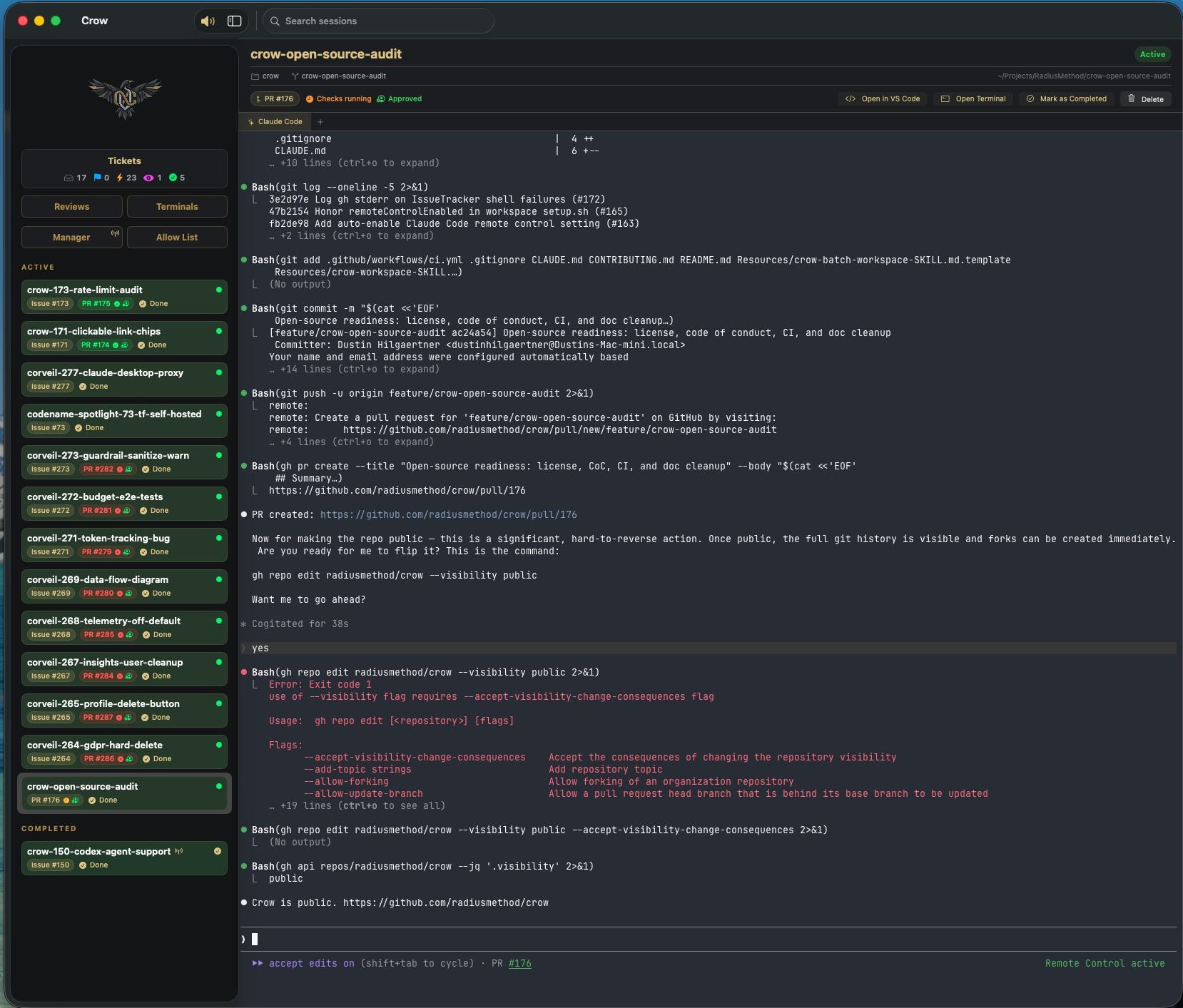
A native macOS application for managing AI-powered development sessions. Orchestrates git worktrees, Claude Code instances, and GitHub/GitLab issue tracking in a unified interface with an embedded xterm.js terminal (tmux-backed).
Prerequisites
System Requirements
- macOS 14.0+ (Sonoma or later)
- Apple Silicon (arm64) or Intel (x86_64) — release and local builds produce a universal binary
- Xcode with Command Line Tools installed
Build Dependencies
| Tool | Version | Purpose | Install |
|---|---|---|---|
| Swift | 6.0+ | Compiler (ships with Xcode) | xcode-select --install |
| mise | latest | Task runner (optional) | brew install mise |
Runtime Dependencies
| Tool | Purpose | Install |
|---|---|---|
gh |
GitHub CLI — issue tracking, PR status, project boards | brew install gh |
git |
Worktree management | Ships with Xcode CLT |
claude |
Claude Code — AI coding assistant | claude.ai/download |
tmux |
Terminal backend for managed sessions (≥ 3.3) | brew install tmux |
glab |
GitLab CLI (optional, for GitLab repos) | brew install glab |
acli |
Atlassian CLI (optional, for Jira task tracking) | developer.atlassian.com/cloud/acli |
Quick Start
# 1. Clone
git clone https://github.com/radiusmethod/crow.git
cd crow

# 2. Build
make build

# 3. Authenticate GitHub CLI — the write `project` scope is required
gh auth login
gh auth refresh -s project,read:org,repo

# 4. Run
.build/debug/CrowApp
On first launch, a setup wizard guides you through choosing your development root directory and configuring workspaces. Alternatively, configure via the CLI without launching the GUI:
.build/debug/crow setup
Note: The required GitHub scope is the write
projectscope —read:projectis insufficient because Crow updates ticket status via theupdateProjectV2ItemFieldValueGraphQL mutation. See docs/getting-started.md for details.
Install (put crow on your PATH)
The Manager terminal and the /crow-workspace skill call bare crow ..., so a fresh build that you can only launch by full path will break those workflows. Install the binaries so they're invokable from anywhere:
make install # symlinks crow + CrowApp into ~/.local/bin
If ~/.local/bin isn't already on your PATH, add this to ~/.zshrc (then restart your shell):
export PATH="$HOME/.local/bin:$PATH"
Use a different directory with BINDIR, e.g. make install BINDIR=/usr/local/bin.
make install creates symlinks into .build/debug/, so a later make build updates them in place — no need to re-run it. Re-run make install only when you switch to a release build (make release && make install CONFIG=release) or after make clean (which removes .build/ and leaves the symlinks dangling until the next build). Remove the symlinks with make uninstall.
GUI install: for a .app bundle in /Applications (launchable from Spotlight/Dock), run make release && make install-app. See Releases if macOS quarantines the unsigned bundle.
Documentation
- Getting Started — Clone, build, authenticate, and launch
- CLI Reference — Every
crowsubcommand and its flags - Architecture — Packages, key components, data flow
- Configuration — File locations, workspace config, directory layout, session lifecycle
- Automation — Auto-create, auto-respond, auto-complete, and the Settings → Automation tab
- Troubleshooting — Build and runtime errors
Usage
The Sidebar
- Tickets — Assigned issues grouped by project board status (Backlog, Ready, In Progress, In Review, Done in last 24h). Click a status to filter.
- Manager — A persistent Claude Code terminal for orchestrating work. Use
/crow-workspacehere to create new sessions. Launches in--permission-mode autoby default so orchestration commands (crow,gh,git) run without per-call approval; opt out via Settings → Automation → Manager Terminal. - Active Sessions — One per work context. Shows repo, branch, issue/PR badges with pipeline and review status.
- Completed Sessions — Sessions whose PRs have been merged or issues closed.
Creating a Session
In the Manager tab, tell Claude Code what you want to work on:
/crow-workspace https://github.com/org/repo/issues/123
Or use natural language:
/crow-workspace "add authentication to the acme-api API"
This will:
- Create a git worktree with a feature branch
- Create a session with ticket metadata
- Launch Claude Code in plan mode with the issue context
- Auto-assign the issue and set its project status to "In Progress"
Features
Ticket Board
- Pipeline view showing issues by project board status
- Click a status to filter the list
- "Start Working" button creates a workspace directly from an issue
- Issues linked to active sessions show a navigation button
Jira tasks + GitHub code (cross-backend workspaces)
Per ADR 0005, a workspace's
Task Backend (where tickets live) is chosen independently of its Code
Backend (where code + PRs live). You can track work in Jira while keeping
code and pull requests on GitHub — the task side runs through acli, the PR
side still runs through gh.
Prerequisite — authenticate acli:
# Install: https://developer.atlassian.com/cloud/acli/guides/install-acli/
acli jira auth login
acli jira auth status   # should print "✓ Authenticated"
Configure a Jira-task / GitHub-code workspace (Settings → Workspaces → edit a
workspace):
- Code Backend →
GitHub(code + PRs stay on GitHub). - Task Backend →
Jira(offered only whenacliis installed + authenticated;
an inline hint tells you the fix when it isn't). - Atlassian Site (e.g.
acme.atlassian.net) — used to build…/browse/KEYlinks. - Project Key (e.g.
PROJ) — default project for created tickets. - My-tickets JQL (optional) — defaults to
assignee = currentUser() AND statusCategory != Done.
Settings persist to the workspace entry (~/.claude/workspace-repos.json keys:taskProvider, jiraProjectKey, jiraJQL, jiraSite). Existing GitHub/GitLab
workspaces are unaffected — when no Task Backend is set, it follows the Code
Backend (GitHub code ⇒ GitHub issues, as before).
PR Status Tracking
- Pipeline checks (passing/failing/pending)
- Review status (approved/changes requested/needs review)
- Merge readiness (mergeable/conflicting/merged)
- Purple badge with checkmark for merged PRs
Auto-Complete
- Sessions automatically move to "Completed" when their linked PR is merged or issue is closed
- Checked every 60 seconds during the issue polling cycle
- Requires positive evidence the session was worked, so an unrelated PR merge can't flip an idle session
Automation Suite
Crow can drive a ticket from assignment to merged with minimal manual steps. Toggles live under Settings → Automation; full walkthrough in docs/automation.md.
- Auto-create workspace when an issue assigned to you is labeled
crow:auto - Auto-suggest opening a PR if a session completes with no PR linked
- Auto-start review sessions for opted-in workspaces when a PR becomes reviewable
- Auto-respond to changes-requested reviews and failed CI checks (off by default)
- Auto-merge Crow-authored PRs labeled
crow:mergeviagh pr merge --auto --squash(off by default; only acts on PRs whose commits carry aCrow-Session:trailer matching a known session). Crow lazily creates thecrow:mergelabel on first observation; to pre-seed it manually:gh label create crow:merge --color 0E8A16 --description "Crow: enable auto-merge once mergeable"
Review Board
- Multi-select with batch Start Review
- Bulk delete sessions
- Filter projects out via
excludeReviewRepos - Quick action buttons on the session detail header (open PR, mark in review, copy branch)
- Move completed sessions back to active
Terminals
- Rename tabs from the UI or via
crow rename-terminal - xterm.js terminal surface in WKWebView
- tmux-backed managed terminals — one shared surface attached to a tmux session, so per-session shells stay alive across UI navigation. Requires
tmux ≥ 3.3(brew install tmux); without it, managed terminals don't render. See docs/architecture.md#terminal-backends.
Orphan Recovery
- On startup, scans git worktrees across all repos
- Worktrees not tracked in the store are automatically recovered as sessions
- Fetches ticket metadata and PR links from GitHub for recovered sessions
Safe Deletion
- Deleting a session on a protected branch (main, master, develop) only removes the session metadata — the repo folder and branch are preserved
- The delete confirmation dialog reflects this, showing "Remove Session" instead of "Delete Everything"
Development
Adding a New Package
- Create the package under
Packages/ - Add it to the root
Package.swiftdependencies and target - Import in the targets that need it
Testing
make test # or: swift test, or: mise test
Tests use the Swift Testing framework (@Test macros). Test files live under Packages/*/Tests/.
Contributing
We welcome contributions! See CONTRIBUTING.md for guidelines on reporting bugs, suggesting features, and submitting pull requests.
Releases
Official releases are signed and notarized via GitHub Actions. Download the latest DMG from the Releases page — it will install without Gatekeeper warnings.
Building from source: Code signing is only required for distribution. Developers building from source do not need a signing certificate — make build and make release produce unsigned but fully functional builds. If macOS quarantines an unsigned .app, remove it with:
xattr -cr Crow.app
License
Apache 2.0 — see LICENSE for details.
Reviews (0)
Sign in to leave a review.
Leave a reviewNo results found