rms-design-system-engine
Health Warn
- License — License: MIT
- Description — Repository has a description
- Active repo — Last push 0 days ago
- Low visibility — Only 7 GitHub stars
Code Fail
- process.env — Environment variable access in .githooks/private-check.mjs
- exec() — Shell command execution in .githooks/private-terms.mjs
- process.env — Environment variable access in .githooks/private-terms.mjs
Permissions Pass
- Permissions — No dangerous permissions requested
No AI report is available for this listing yet.
One engine and shared knowledge layer in place of the separate tools and AI skills teams use to check Figma, validate code and write documentation. Connects Figma, code, documentation and decisions: checks library rules, parity and accessibility, writes contracts and usage guidelines, and publishes a living style guide.
One engine. A clear picture of your design system.








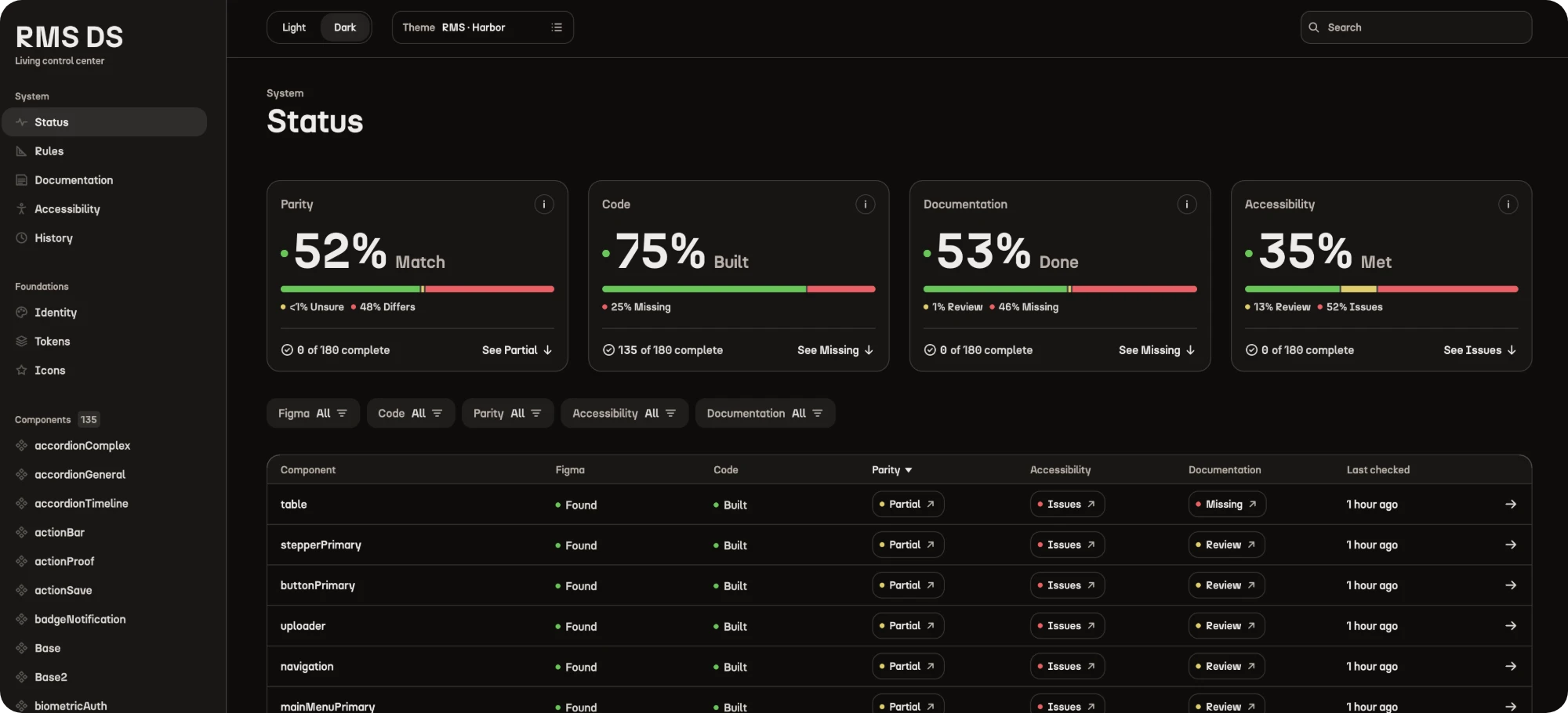
Design system knowledge is scattered across tools and workflows that rarely talk to each other. RMS Design System Engine connects Figma, your code and your documentation, checks them against your own rules and brings everything together into one shared knowledge layer. It shows teams their system’s health, what needs attention and exactly what to do next, helping humans and AI agents maintain the system with confidence.
Features
See what is ready at work in the live style guide, which the engine automatically builds.
| Audit |
|---|
|
|
|
|












| Documentation |
|---|
|
|


| Collaboration |
|---|
|
|


| Creation |
|---|
|
|
|
|
|
|
|

Get started
You need Claude Code, Node.js 22+ and Git. Google Chrome and TypeScript 5 are recommended; the installer tells you if they are missing.
Ask Claude Code to install the engine:
curl -fsSL https://raw.githubusercontent.com/rafaelmatosdasilva/rms-design-system-engine/main/install.sh | bashRestart Claude Code.
Set up your project:
/rms-design-system-engine set up this project
Then ask in plain words, such as /rms-design-system-engine check the button. See every command.
Who it's for
- Design-led teams working in Figma who want to review their library, document their design system and verify accessibility.
- Design and engineering teams who need to maintain parity between Figma and code, verify implementations against design intent and catch inconsistencies as designs and code evolve.
- Code-first teams who want to improve the reliability, accessibility and maintainability of their codebase, document components, track design system health and ensure AI-generated code follows their implementation rules.
Security and enterprise
- Runs on your machines. No server, no account and no telemetry. It talks only to the services you already use, listed host by host for your firewall.
- Your data stays yours. Tokens stay in each person's own
.env, and code people wrote is never changed: findings come back as patches. - Nothing extra to trust. No npm dependencies. Every release is signed and comes with a software bill of materials.
- Compliance answered. GDPR, SOC 2, ISO 27001, HIPAA and the AI model's terms, each in one line.
For IT and security teams · Security and data · Assurance case · Report a vulnerability
Explore
Built by Rafael Matos da Silva. Released under the MIT License.
Reviews (0)
Sign in to leave a review.
Leave a reviewNo results found