vibe-annotations
Health Pass
- License — License: NOASSERTION
- Description — Repository has a description
- Active repo — Last push 0 days ago
- Community trust — 63 GitHub stars
Code Warn
- process.env — Environment variable access in annotations-server/bin/cli.js
- network request — Outbound network request in annotations-server/bin/cli.js
- process.env — Environment variable access in annotations-server/lib/server.js
- network request — Outbound network request in annotations-server/lib/server.js
- network request — Outbound network request in extension/background/background.js
- network request — Outbound network request in extension/content/modules/api-bridge.js
Permissions Pass
- Permissions — No dangerous permissions requested
This tool provides an AI-powered annotation system for localhost web development. It allows developers to drop visual feedback directly onto their local apps and uses an MCP integration to feed those comments to AI coding agents for automated fixes.
Security Assessment
Overall risk is Medium. The server and browser extension both make outbound network requests, which is expected for the tool's localhost HTTP API and local communication architecture. However, the extension requests access to local domains to read page content, meaning it handles whatever data is on your screen. There are no hardcoded secrets, and it does not execute arbitrary shell commands. The license is listed as "NOASSERTION" by GitHub but claims "PolyForm Shield" in the README—a non-commercial, source-available license. You should verify this is acceptable for your use case before integrating.
Quality Assessment
The project is very new but actively maintained, with its last push occurring today. It has earned around 63 GitHub stars, showing a fair amount of early community interest for a newly launched developer tool. The repository includes clear documentation, a structured two-part architecture (browser extension and NPM package), and explicitly welcomes community contributions.
Verdict
Use with caution: the tool is useful and well-documented, but you should review its non-commercial license and be mindful of the browser extension's broad access to your local development environment.
AI-powered annotations for localhost development. Create visual feedback on your apps and let AI coding agents automatically implement fixes via MCP integration.
Vibe Annotations




🌐 Website: https://www.vibe-annotations.com/
AI-powered development annotations for local development projects. Drop comments on your local development apps and let your AI coding agent implement the fixes automatically.
https://github.com/user-attachments/assets/4c134852-090b-4974-85e5-be77a95636f9
How it Works
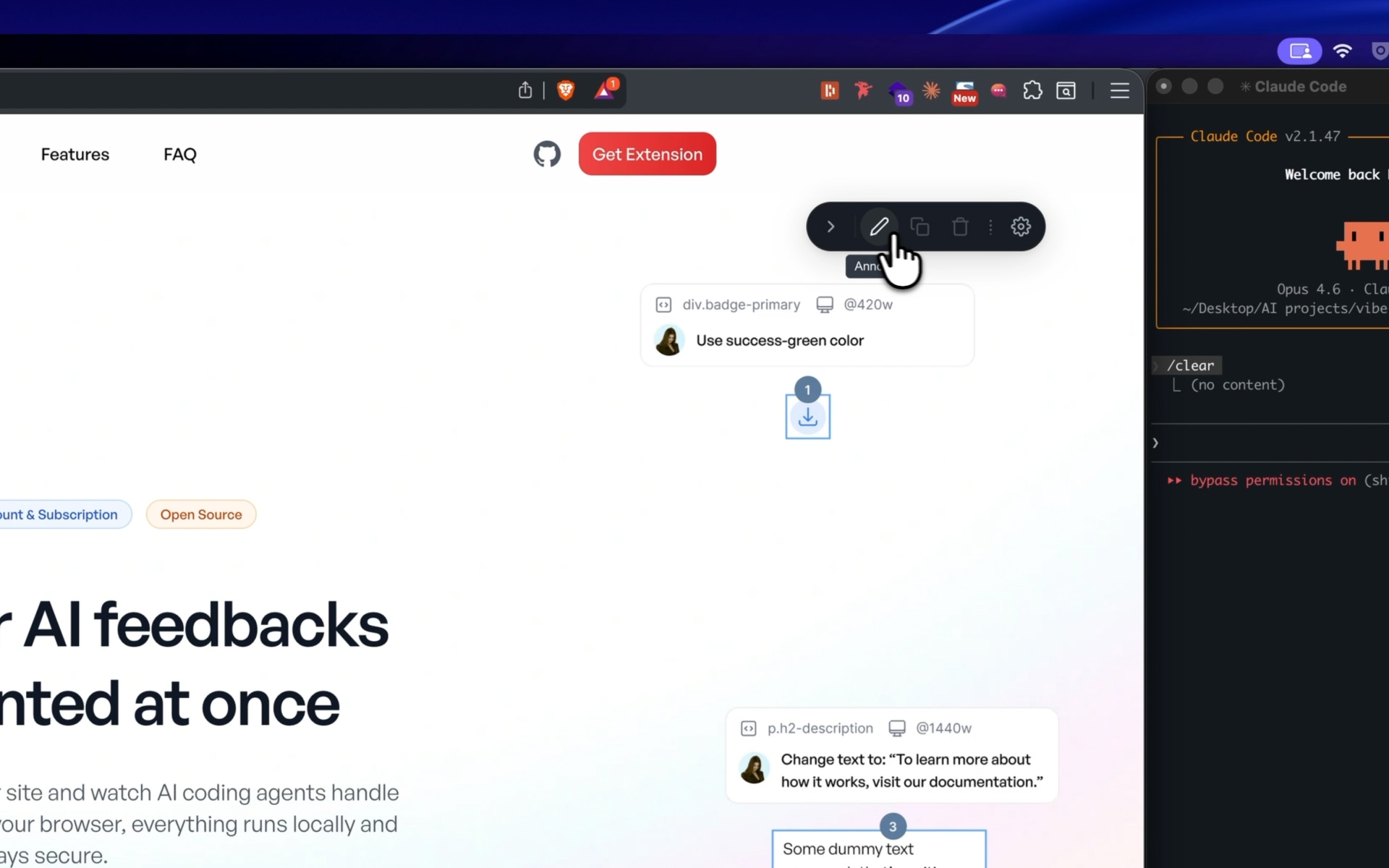
1. Open your localhost app and click "Annotate" in the floating toolbar
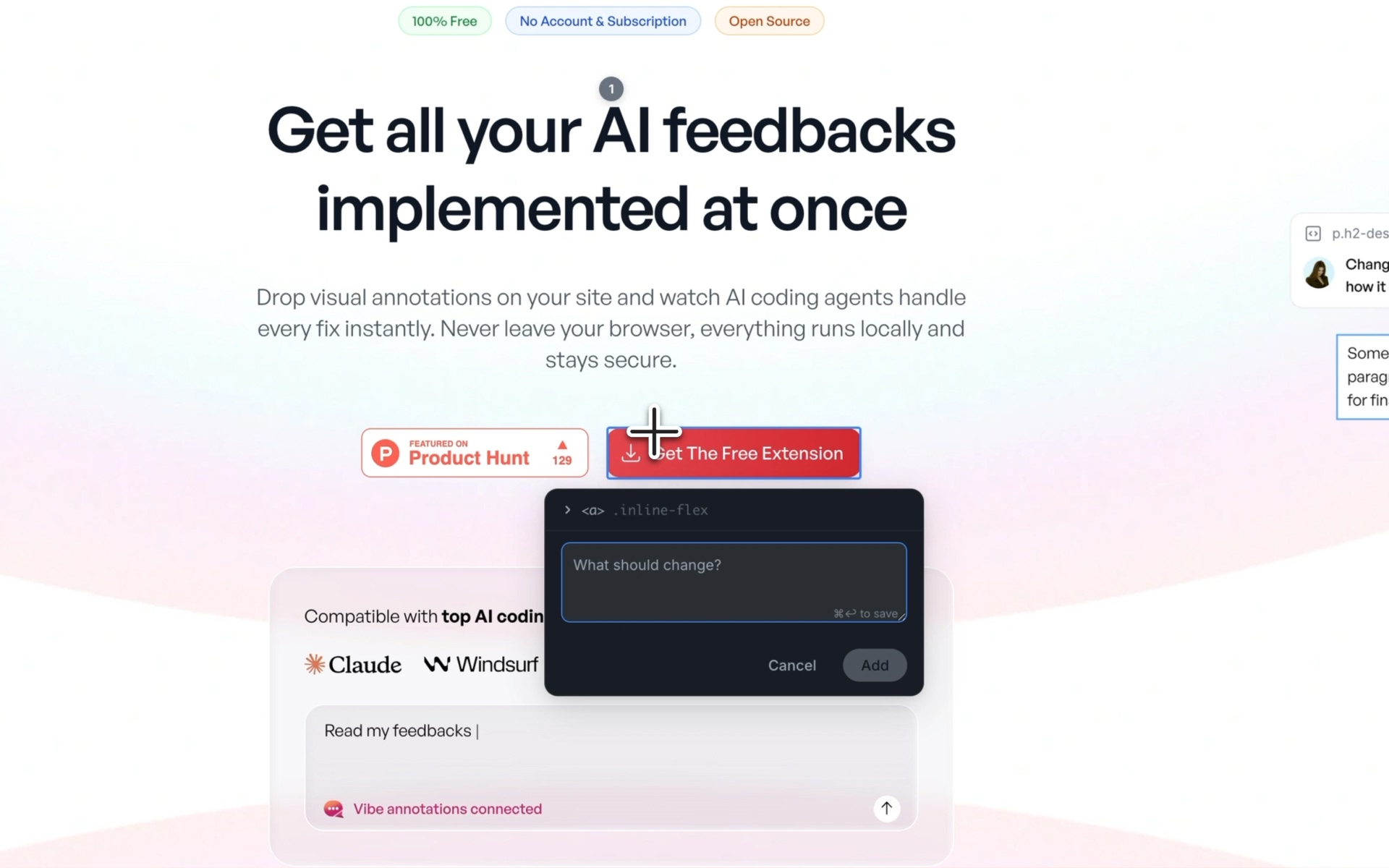
2. Click any element — a popover appears to leave your feedback
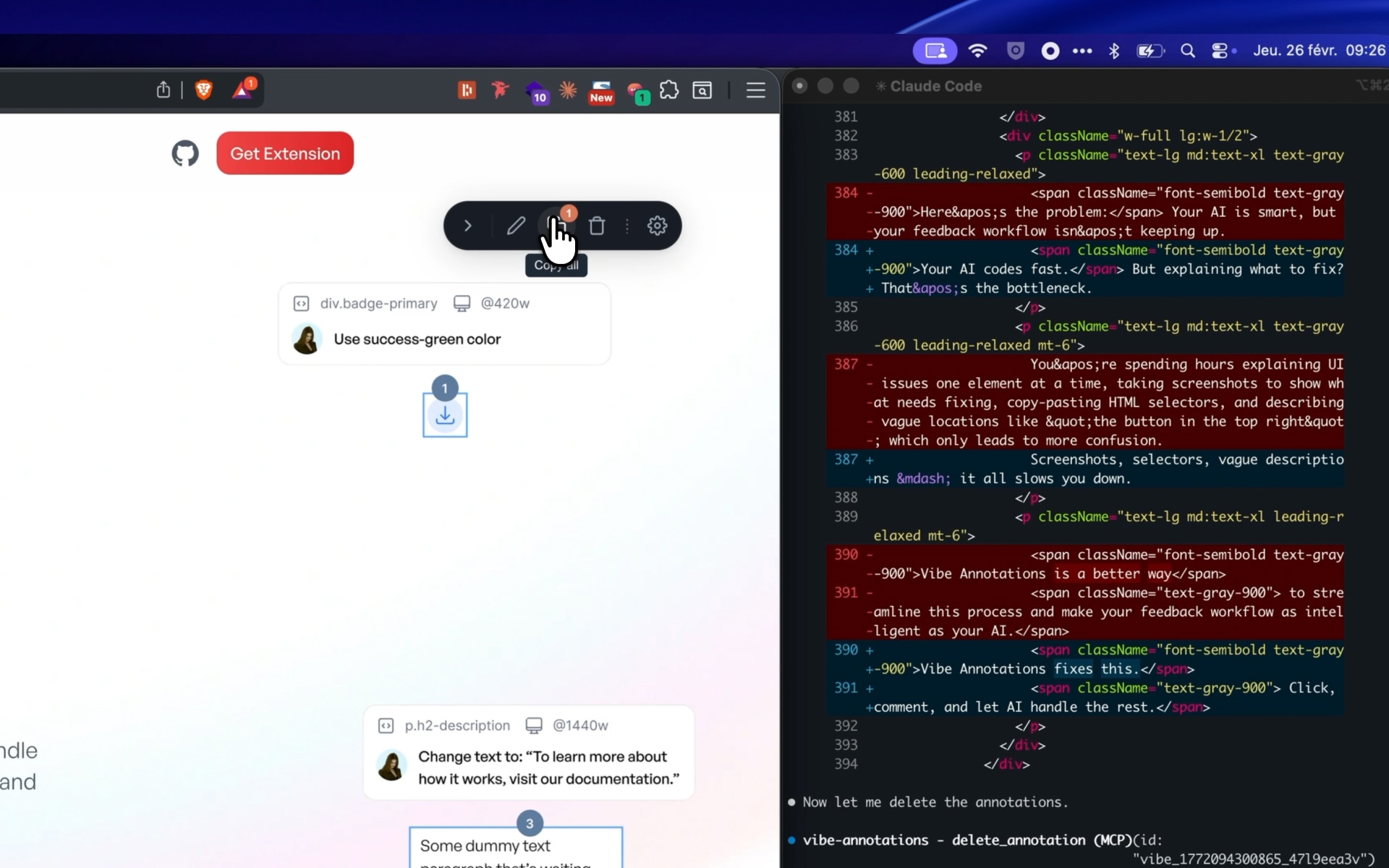
3. Your AI agent fetches annotations automatically via MCP, or you can copy them to clipboard with full element context
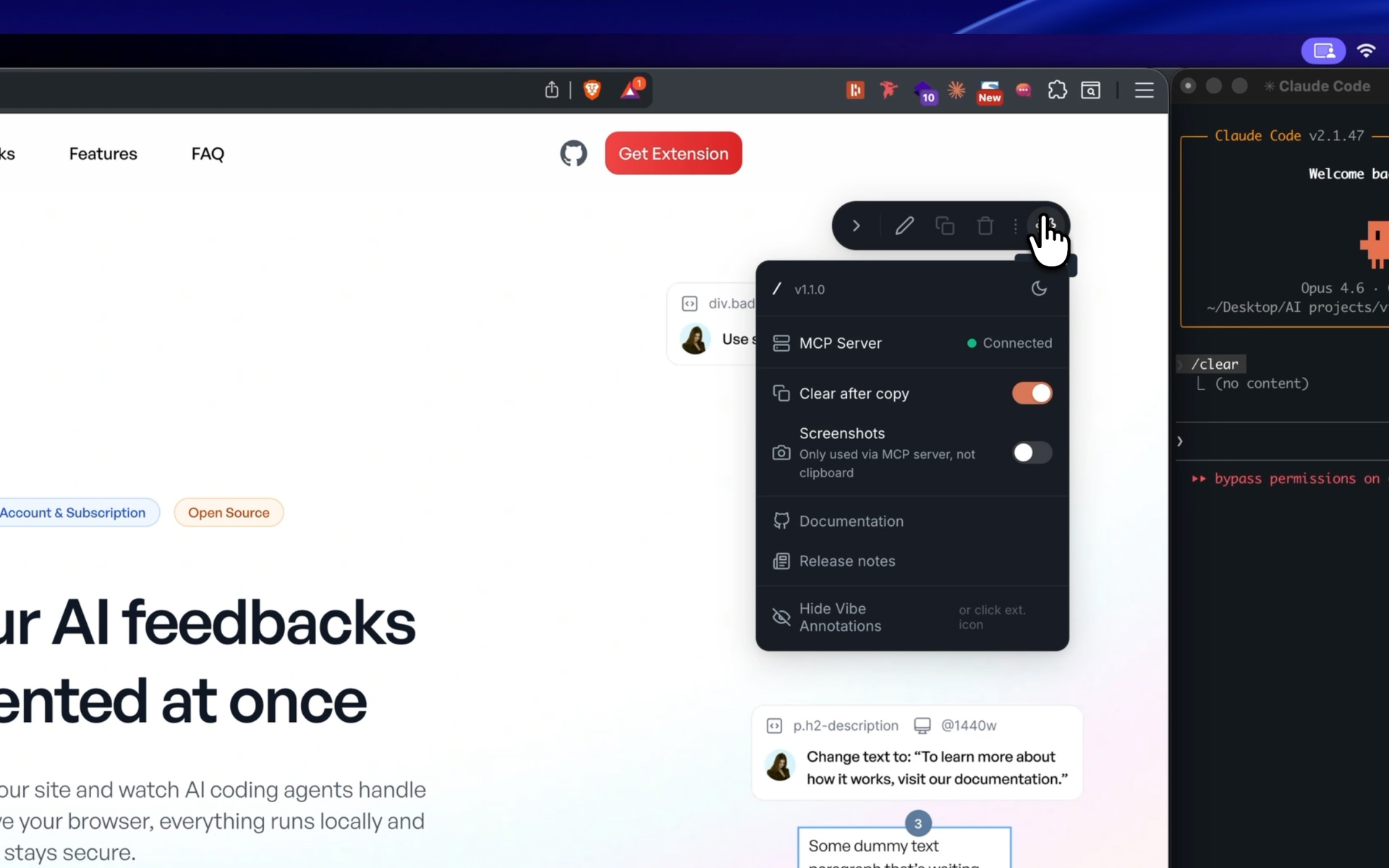
4. Settings: MCP server status, clear-after-copy, screenshots, theme toggle
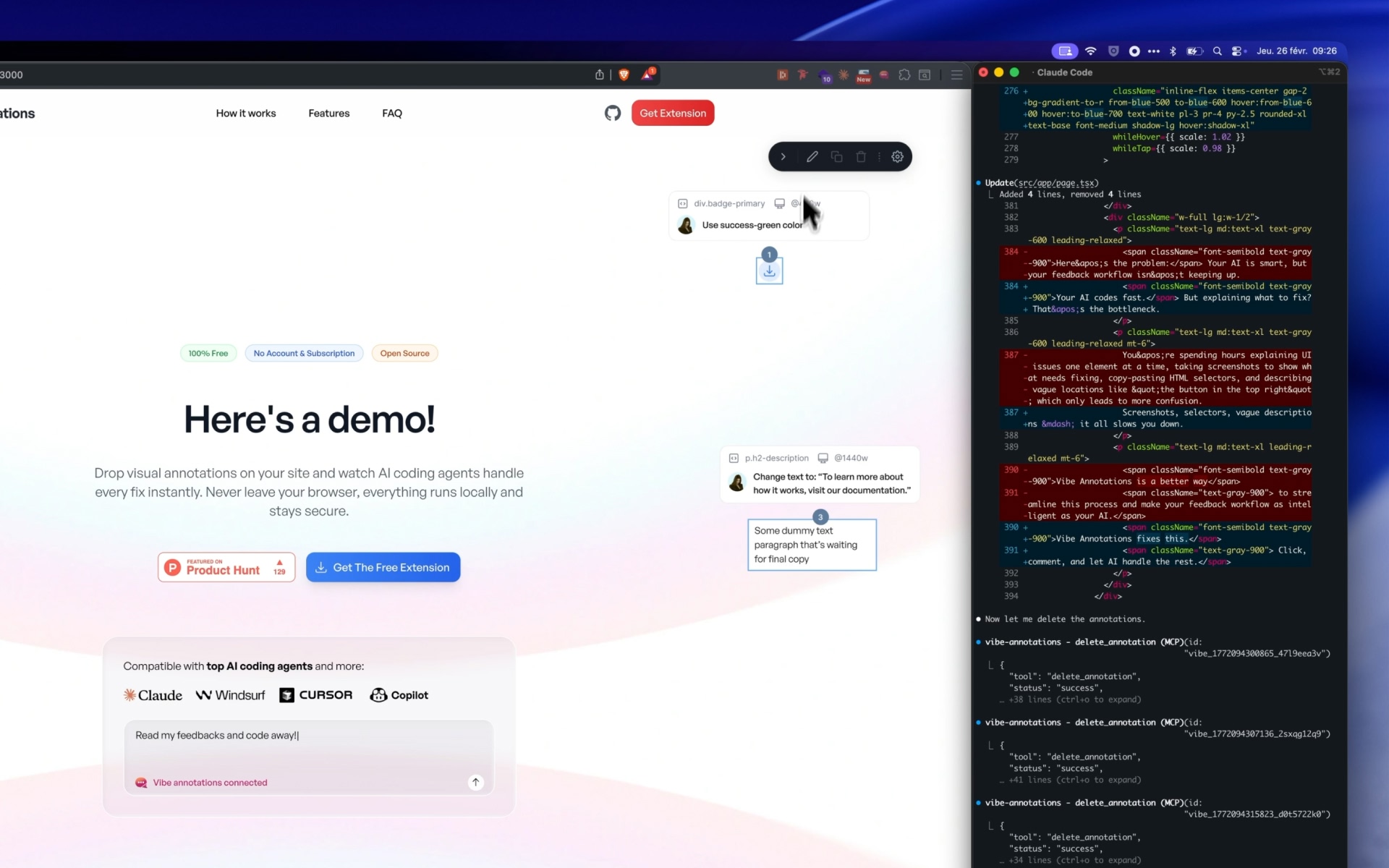
5. AI agent implements fixes and deletes annotations via MCP — all from your browser
Features
- 🏠 Local development focused: Works on localhost, .local, .test, .localhost domains
- 📑 Multi-page annotations: Create feedback across multiple routes in your app, then bulk-process all annotations at once for efficient fixes
- 🤖 AI-powered: Integrates with AI coding agents via MCP
- ⚡ Instant feedback: Click, comment, bulk-fix
- 👨💻 Developer-friendly: Built for modern web development
Architecture
Vibe Annotations uses a two-piece architecture:
- Browser Extension (
/extension): UI, setup guidance, annotation management - NPM Package (
vibe-annotations-server): MCP server, local HTTP API, data storage
Quick Start
1. Install the Browser Extension
From Chrome Web Store:
Install from the Chrome Web Store
For Development:
Go to your chromium browser extension page, and click "Load unpacked" then select /extension directory.
2. Install the Global Server
npm install -g vibe-annotations-server
3. Start the Server
vibe-annotations-server start
4. Connect Your AI Coding Agent
Choose your AI coding agent and follow the setup:
Claude Code
In your project directory:
# Recommended (HTTP transport - more stable)
claude mcp add --transport http vibe-annotations http://127.0.0.1:3846/mcp

# Alternative (SSE transport - for compatibility)
claude mcp add --transport sse vibe-annotations http://127.0.0.1:3846/sse
Cursor
- Open Cursor → Settings → Cursor Settings
- Go to the Tools & Integrations tab
- Click + Add new global MCP server
- Add this configuration:
{
  "mcpServers": {
    "vibe-annotations": {
      "url": "http://127.0.0.1:3846/mcp"
    }
  }
}
Alternative (SSE transport):
{
  "mcpServers": {
    "vibe-annotations": {
      "url": "http://127.0.0.1:3846/sse"
    }
  }
}
Windsurf
- Navigate to Windsurf → Settings → Advanced Settings
- Scroll down to the Cascade section
- Add this configuration:
{
  "mcpServers": {
    "vibe-annotations": {
      "serverUrl": "http://127.0.0.1:3846/mcp"
    }
  }
}
Alternative (SSE transport):
{
  "mcpServers": {
    "vibe-annotations": {
      "serverUrl": "http://127.0.0.1:3846/sse"
    }
  }
}
Codex
Add to ~/.codex/config.toml:
[mcp_servers.vibe-annotations]
url = "http://127.0.0.1:3846/mcp"
OpenClaw
Add to ~/.openclaw/openclaw.json:
{
  "mcpServers": {
    "vibe-annotations": {
      "url": "http://127.0.0.1:3846/mcp"
    }
  }
}
VS Code
Install an AI extension that supports MCP, then add this configuration to your MCP settings:
{
  "mcpServers": {
    "vibe-annotations": {
      "url": "http://127.0.0.1:3846/mcp"
    }
  }
}
5. Start Using Annotations
- Open the extension popup for detailed setup instructions
- Start annotating your local development projects!
- Use your AI coding agent to automatically implement fixes
6. (Optional) Enable Local File Support
To annotate local HTML files (file:// URLs) instead of localhost:
- Go to
chrome://extensions/ - Find "Vibe Annotations" and click "Details"
- Enable "Allow access to file URLs"
- Refresh your local HTML file
Note: This is only needed for local files. Localhost development servers work without this step.
User Experience Flow
- Extension Installation: Install from Chrome Web Store
- Setup Instructions: Extension popup guides through terminal setup
- Server Detection: Extension automatically detects running server
- Daily Usage: Create annotations → Use your AI coding agent → Fixes implemented
Server Management
# Check server status
vibe-annotations-server status

# Stop server
vibe-annotations-server stop

# Restart server
vibe-annotations-server restart
Uninstallation
To completely remove Vibe Annotations from your system:
1. Remove MCP Server from Your AI Coding Agent
Claude Code
claude mcp remove vibe-annotations
Cursor
Go to Cursor → Settings → Cursor Settings → Tools & Integrations tab and remove the vibe-annotations server configuration.
Windsurf
Go to Windsurf → Settings → Advanced Settings → Cascade section and remove the vibe-annotations server from your MCP configuration.
Other Editors
Remove the vibe-annotations server from your editor's MCP configuration settings.
2. Uninstall the Global Server
npm uninstall -g vibe-annotations-server
3. Remove Data Files
rm -rf ~/.vibe-annotations
4. Remove Browser Extension
Go to Chrome Extensions (chrome://extensions/) and remove the Vibe Annotations extension.
Development
Local Server Development (Advanced)
If you're developing Vibe Annotations or prefer to run the server locally instead of the global installation:
# Clone the repository
git clone https://github.com/RaphaelRegnier/vibe-annotations.git
cd vibe-annotations/annotations-server

# Install dependencies
npm install

# Run the server locally
npm run start
# or for development with auto-restart:
npm run dev
Note: Running locally ties the server to this specific directory. Most users should use the global installation method shown above.
Extension Development
See /extension directory for browser extension development. Load the extension in Chrome as unpacked extension.
Documentation
- Update System - Comprehensive guide to extension and server update notifications
- Development Guide - Development setup and guidelines
Troubleshooting
Having issues? Check our GitHub Issues or create a new one.
Common Issues
- Server not detected: Make sure the server is running with
vibe-annotations-server status - Extension not working: Check that you're on a local development URL (localhost, 127.0.0.1, 0.0.0.0, *.local, *.test, *.localhost)
- MCP connection failed: Verify your AI coding agent configuration matches the examples above
- SSE connection drops/timeouts: If experiencing "TypeError: terminated" or frequent disconnections, switch to HTTP transport (replace
/ssewith/mcpin your configuration)
Contributing
We love contributions! Please see our Contributing Guidelines for details.
Contributors
Thanks to everyone who has contributed to making Vibe Annotations better!
License
PolyForm Shield 1.0.0 — see LICENSE and NOTICE for details. Versions prior to v1.5.0 were released under MIT.
Reviews (0)
Sign in to leave a review.
Leave a reviewNo results found