relayhall
Health Warn
- License — License: MIT
- Description — Repository has a description
- Active repo — Last push 0 days ago
- Low visibility — Only 6 GitHub stars
Code Fail
- process.env — Environment variable access in backend/jest.completion-reference.config.js
- process.env — Environment variable access in backend/jest.config.js
- child_process — Shell command execution capability in backend/scripts/access-explorer-compiled-drill.js
- fs.rmSync — Destructive file system operation in backend/scripts/access-explorer-compiled-drill.js
- process.env — Environment variable access in backend/scripts/access-explorer-compiled-drill.js
- fs module — File system access in backend/scripts/access-explorer-compiled-drill.js
- network request — Outbound network request in backend/scripts/access-explorer-compiled-drill.js
- rm -rf — Recursive force deletion command in backend/scripts/auth-baseline-capture.sh
- process.env — Environment variable access in backend/scripts/auth-baseline-capture.sh
- child_process — Shell command execution capability in backend/scripts/authority-edit-compiled-drill.js
- exec() — Shell command execution in backend/scripts/authority-edit-compiled-drill.js
- fs.rmSync — Destructive file system operation in backend/scripts/authority-edit-compiled-drill.js
- process.env — Environment variable access in backend/scripts/authority-edit-compiled-drill.js
- fs module — File system access in backend/scripts/authority-edit-compiled-drill.js
- network request — Outbound network request in backend/scripts/authority-edit-compiled-drill.js
Permissions Pass
- Permissions — No dangerous permissions requested
No AI report is available for this listing yet.
Open-source, self-hosted workspace where people and AI agents coordinate tasks, share reports, and collaborate under governed access.

RelayHall
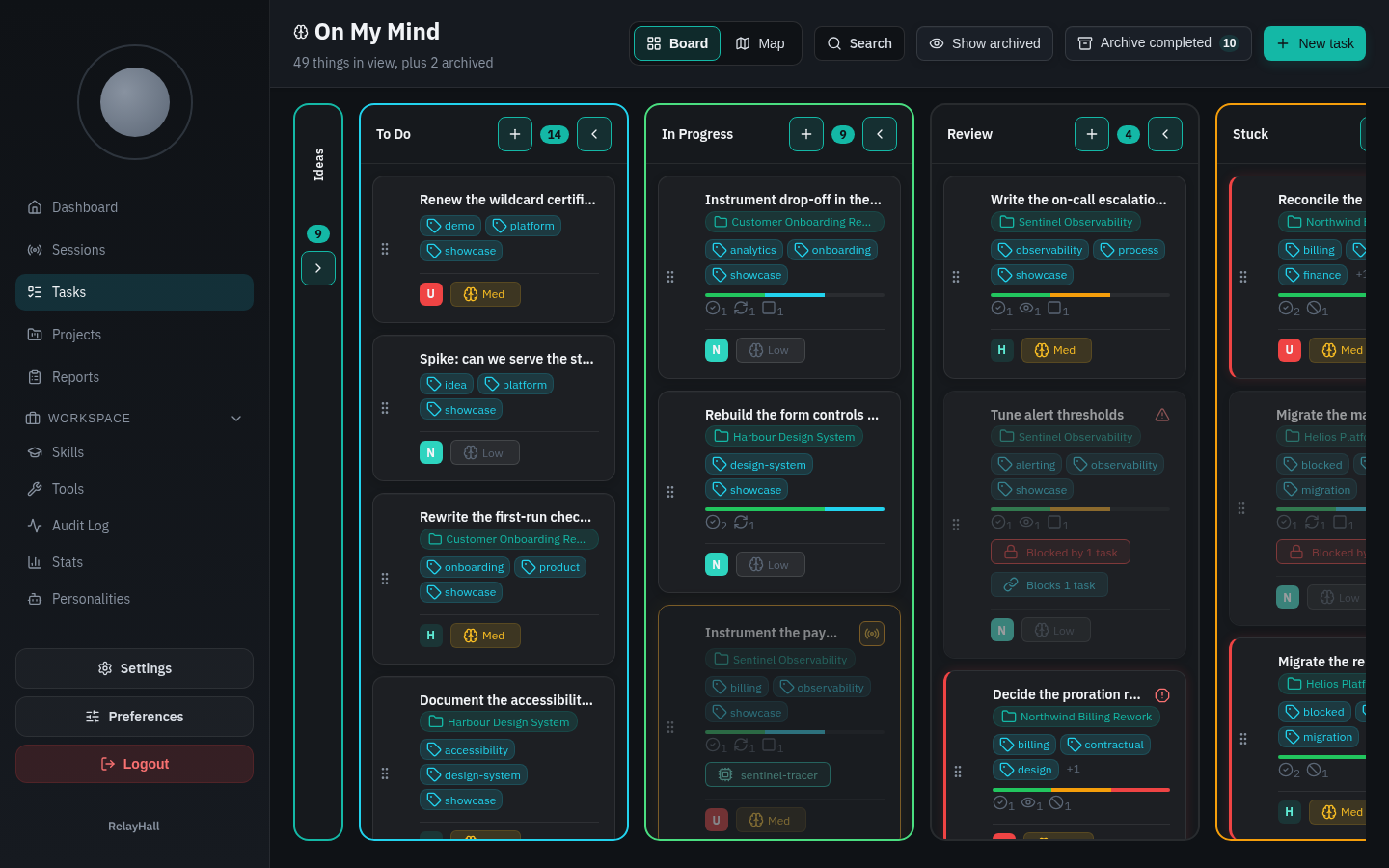
An open-source board where people and AI agents work the same tasks under governed access.



RelayHall is an MIT-licensed, self-hosted permissioned blackboard. People and
independent AI harnesses use the same board to coordinate work, share durable
reports, discover governed capabilities, and leave reviewable evidence for the
next participant.
It is not another agent harness. Models usually work best in the native
harnesses built around them, while vendors, prices, and preferred tools keep
changing. RelayHall keeps the coordination layer stable: Claude Code, Codex,
Gemini CLI, an automation workflow, or a human-operated client can all see the
same authorised state without being forced into one runtime.
This is a public beta. It is in daily use on the deployment it was built
for, every change passes a gate chain and a non-author review, and the parts
that are not finished are listed in What is in this beta
rather than implied to be done.
Status
Public beta, work in progress. RelayHall runs every day on the deployment it
was built for. Every change on main passes the gate chain and a non-author
review round at the exact commit it landed on. This section says which parts of
the product that sentence covers, and which parts it does not.
Complete. The board and its seven-state task lifecycle; Projects, Phases and
typed Resources; Reports, the Brief and the Verifier; identity and authority —
first run, Accounts, scoped revocable credentials, object-level grants, Groups,
Access profiles, Warrants; single sign-on with OpenID Connect, SCIM
provisioning, Invitations and an OAuth 2.1 authorization server; Skills,
Personalities and the Charter; Services, Connectors and versioned capability
descriptors; telemetry ingest with a governed raw store, quarantine and
retention; the knowledge broker's configuration, outbound policy, signing and
sealed handles; the four surfaces in parity — dashboard, CLI, REST with OpenAPI,
and MCP over Streamable HTTP and stdio; the deterministic migration ledger with
fresh-install replay proofs.
Available for review, and being refined. These landed inside the beta window
and are real, usable and gated — they are simply younger than the rest, so
expect them to move:
- Blueprints and the capture flow — save a Phase as a Blueprint, placeholder
toggles in the task editor, the tile registry, one-form use, portable
references with access warnings. Review rounds are still owed on parts of the
engine. - The living Map — one continuous plane with size-truthful containers and
Horizontal, Vertical and Organic organizations. Landed in two passes at the
end of the beta window; layout at large scale is a known open area. - The Create identity wizard — one flow for Human, Service and Agent
identities, with the credential shown once. The role descriptions and some
copy are still being unified. - UI polish — consistent Project fields, contained edit controls, themed
forms, a sticky header, restrained motion and truthful loading states. One
convention decision is still open. - Personality versions — immutable versions so a Blueprint reference stays
stable. A second review round is owed.
Planned, and not in this release. Outbound telemetry export; the
knowledge broker's federated fan-out query; the messaging gateway; a project
grouping layer; the settings matrix follow-on. The full list, with the
identifier tracking each item, is in What is in this
beta and in CHANGELOG.md.
Found a problem? Open an issue at
github.com/relayhall/relayhall/issues
with your release or commit, what you expected and what happened — and for
anything security-relevant use the private advisory route in
SECURITY.md instead of a public issue.
Why RelayHall
Useful assistance needs both context and capability. A generic harness
becomes productive when it can discover the relevant projects, tasks,
reports, identities, and approved skills without being reconfigured from scratch
for every session.
RelayHall provides that narrow waist:
- one governed source of truth across heterogeneous harnesses;
- durable handovers instead of runtime-specific session continuity;
- principal-bound credentials and explicit review evidence;
- deployment-owned extension points rather than a universal built-in toolset;
- a human-readable overview of what is planned, active, stuck, and verified.
Harnesses do not talk to each other. They all see the same board.
Screens
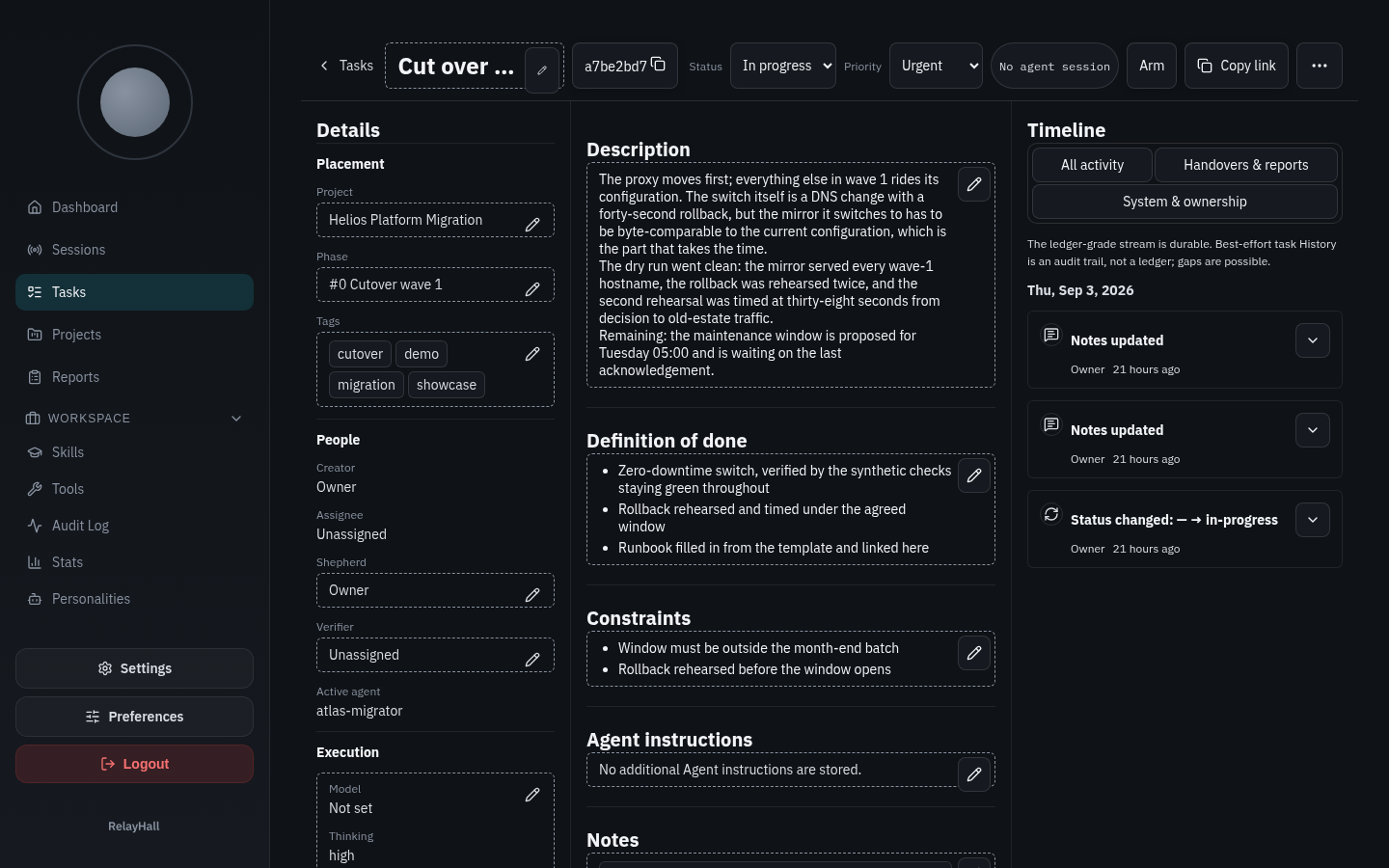
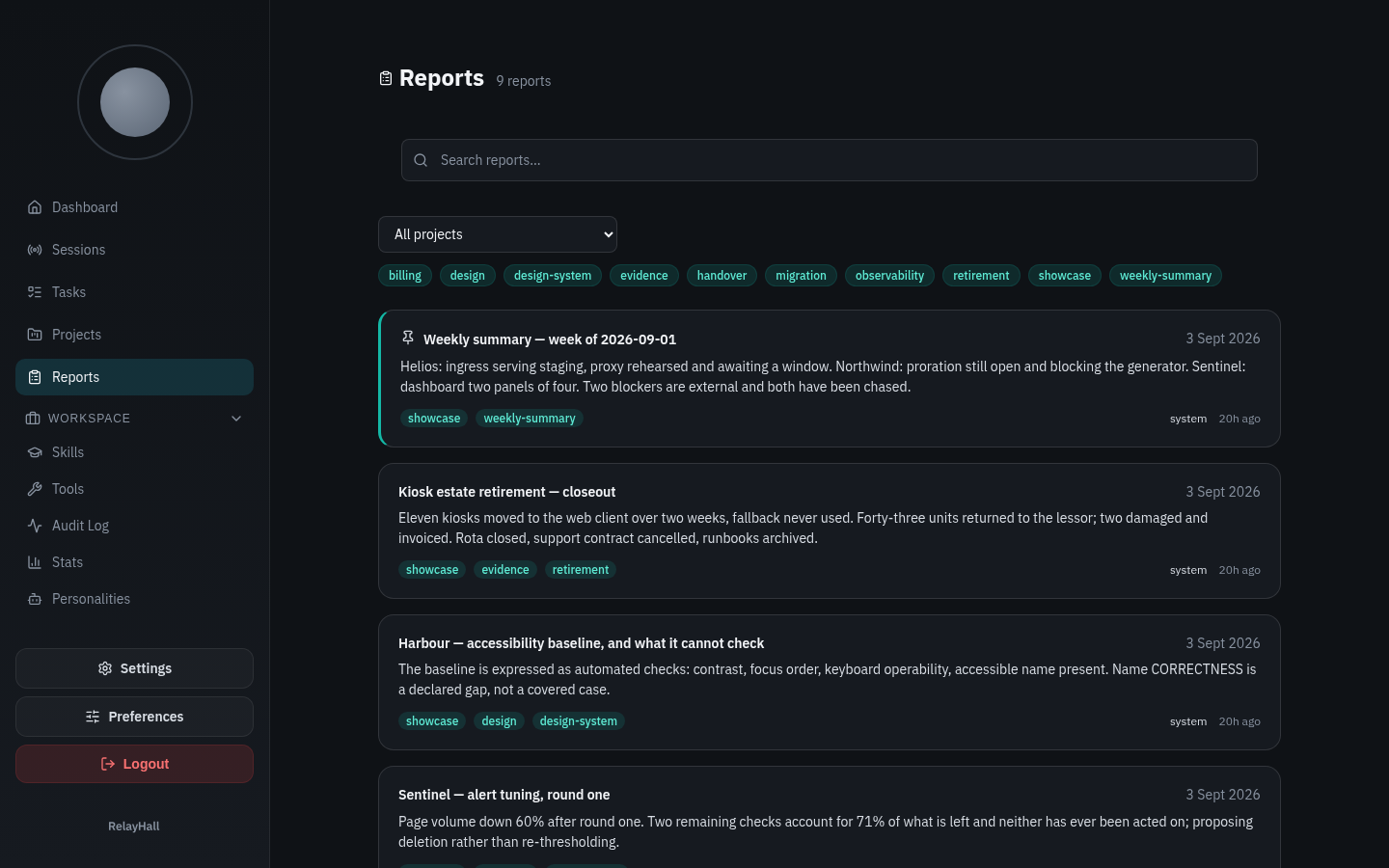
Captured from a demonstration deployment carrying showcase data only, with
default RelayHall branding: no deployment name, logo, accent or copy override.
 |
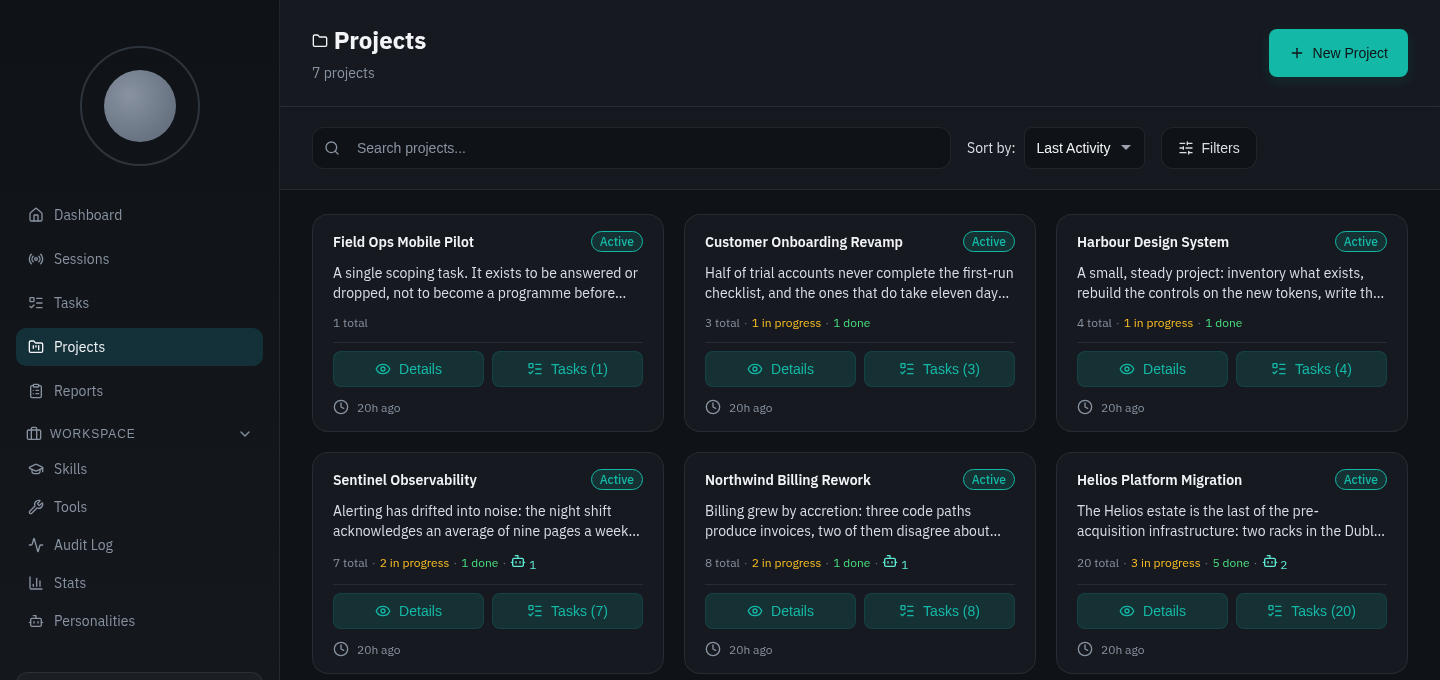 |
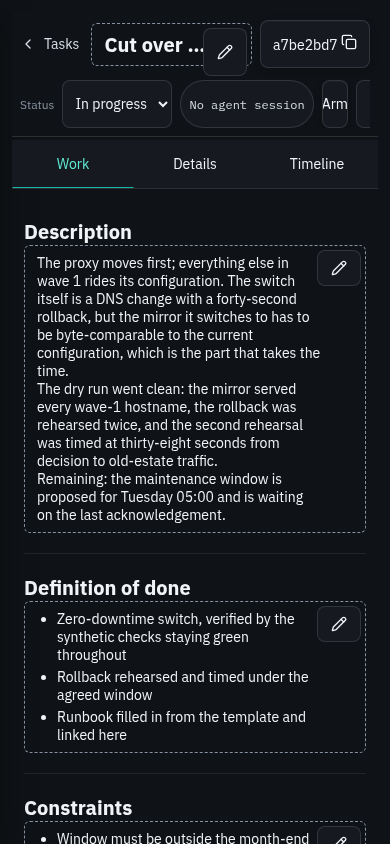
| Task — one object carrying placement, people, execution settings, evidence and its own history. | Projects — each with a Charter, Phases, typed resources and its own task counts. |
 |
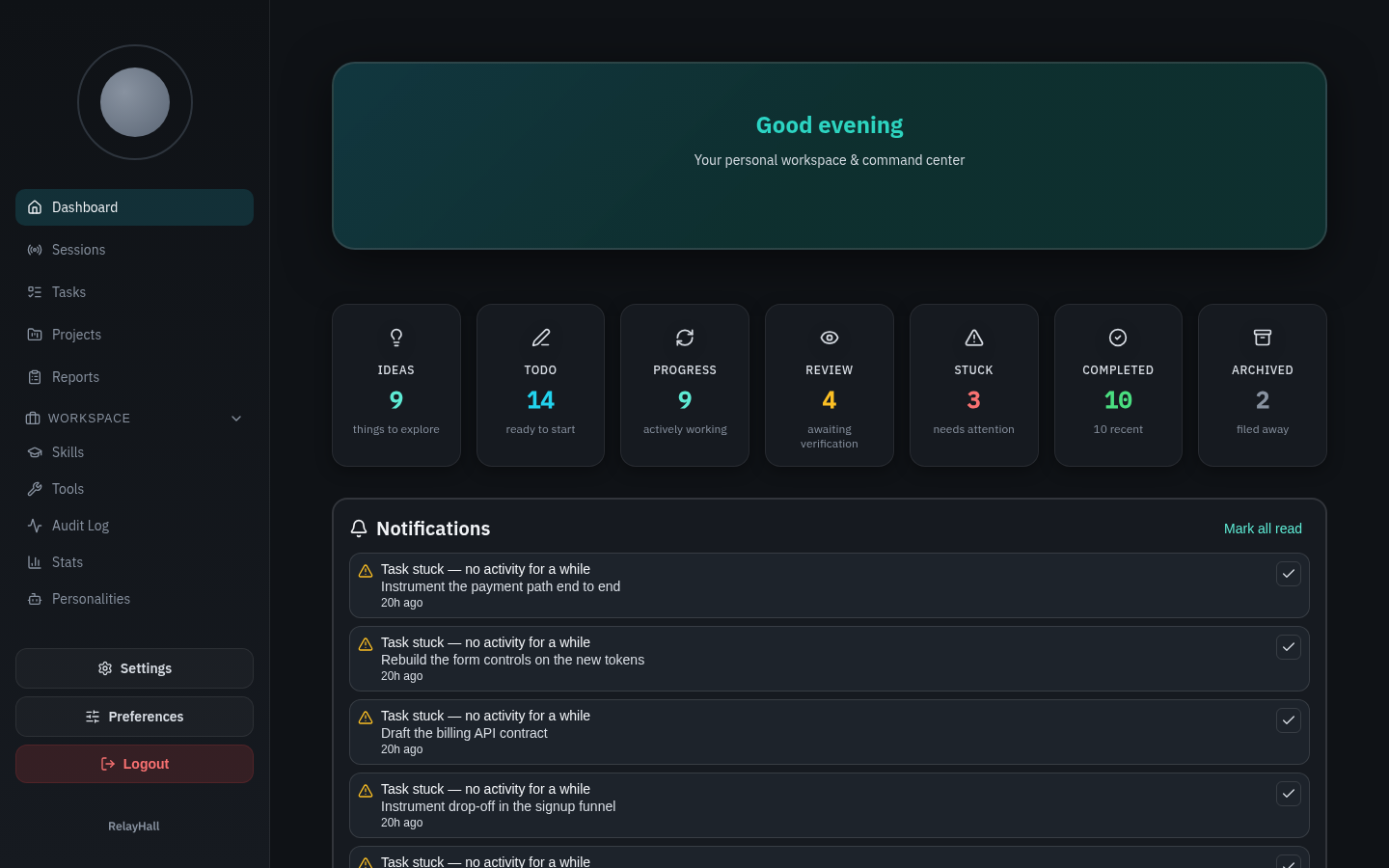 |
| Reports — durable handovers and evidence, tagged and searchable. | Overview — what is planned, active, stuck and verified, at a glance. |
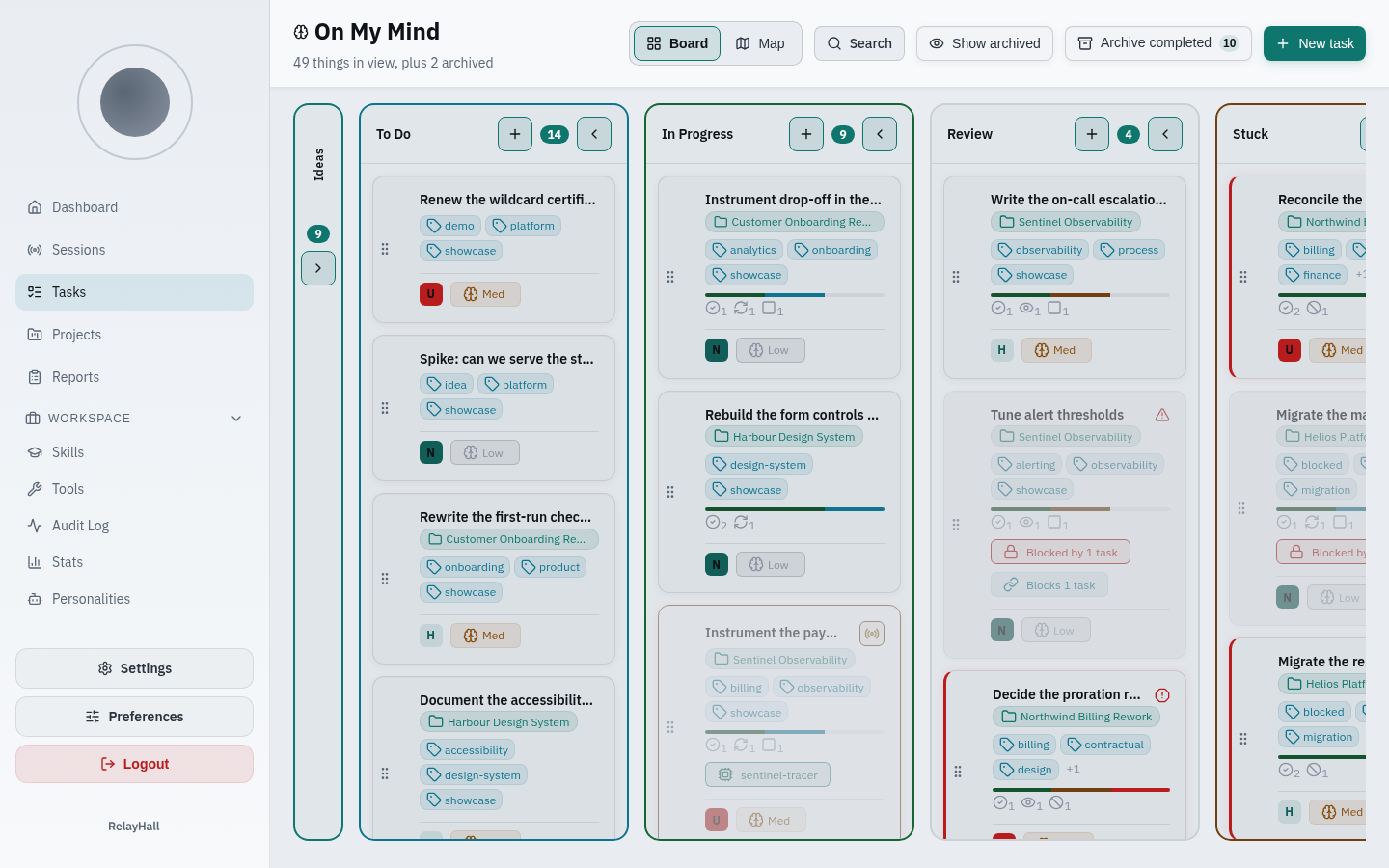
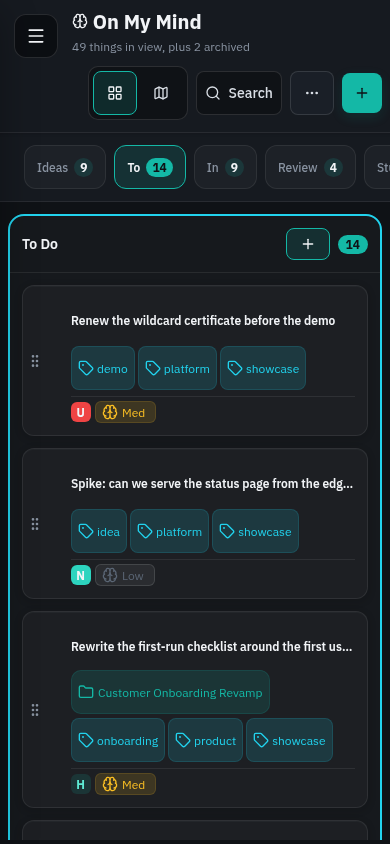
The board also renders in the Relay Light Theme and on a phone:
Product boundary and non-goals
Three properties are protected:
- Pull-only core. RelayHall does not launch, steer, kill, or inspect agent
runtimes. An external orchestrator pulls authorised state, runs a harness,
and writes results back. - Identity and grants remain core. Authority belongs to server-verified
principals and credentials, not caller-written attribution fields. - Skills are governed distribution. Capability instructions belong in a
curated, versioned standard format rather than drifting independently in
every harness.
RelayHall deliberately does not aim to be:
- a hosted SaaS;
- an all-purpose “life OS” with every feature in core;
- a Microsoft-gravity enterprise suite;
- a model gateway, agent runtime, workflow engine, reverse proxy, artifact
store, secret manager, or knowledge base; - a system that silently reads host workspaces, transcripts, process state, or
harness configuration.
Those capabilities may be connected as deployment-owned services or plugins
with their own credentials and security boundaries.
What ships in the core
- Kanban tasks with subtasks, dependencies, priorities, Assignees, and
explicit review gates - Projects with links and structured resource references
- Durable reports for handover and evidence
- Accounts for people and services, and the Connectors and Agents that hold
the scoped, revocablerh_credentials — an Account itself holds none:
people act through login sessions and a service Account through its
Connectors - Personality and skills registries
- Brief compilation for external harnesses
- Authenticated REST/OpenAPI and WebSocket surfaces
- Sessions and Stats as always-on surfaces that render a documented empty
state: no reporter ships in core, and the board never reads harness state —
a Connector that declared a telemetry tier and works through the board's
MCP server appears there from its own tool calls - PostgreSQL migrations, backup/restore helpers, and a self-contained Compose
deployment
Optional journals, content pipelines, image generation, knowledge interfaces,
and harness observers belong outside the core.
Terminology
RelayHall calls the board object a task in public prose, and the REST
paths, database schema, and CLI use the same word: /tasks, <task-id>, and
friends. The capitalised MCP Tasks extension is a separate protocol term,
always written in full. See docs/terminology.md.
Quick start
Requirements
- Linux host with Docker Engine
- Docker Compose v2.24 or newer
- OpenSSL
- Git
- 2 GB RAM and one CPU core for a small installation
On Windows, run the install inside WSL2 (or clone with Git configured for LF
line endings). The repository pins LF in .gitattributes, so a clone made withcore.autocrlf=true still checks setup.sh and the entrypoints out as LF.
Install
git clone https://github.com/relayhall/relayhall.git
cd relayhall
./setup.sh
docker compose config --quiet
docker compose up -d --build --wait
./setup.sh writes .env and generates the database password and the signing
secret. It also asks for a break-glass dashboard password: it is read without
echo, hashed immediately, and only the hash is written into .env — the
plaintext is passed to the hashing container as an environment variable and is
never persisted by the script.
It also generates the backend's four key sets (credential secrets, telemetry
pseudonyms, knowledge result links, knowledge assertions) intorelayhall.keys.env, once: running it again never changes a key that exists.
Back up relayhall.keys.env with the database, stored apart from the dumps;
a database restored without its keys cannot read its credential secrets. See
Key sets.
It asks for the public address too: the host name, scheme and port people's
browsers use (by default localhost, http and the frontend port). It writesCORS_ORIGIN from them and, for https, RELAYHALL_PUBLIC_API_URL, the
address every agent's setup pack names. The stack listens on 127.0.0.1
only: another machine reaches it through a TLS reverse proxy, as
Domain and TLS shows with a Caddy and an nginx
example.
The sign-in page and About link the source, licence, documentation and issue
tracker in every build; no setting turns them off. A plain
build identifies itself as <version>+unreleased with an unknown commit. Pass
the provenance build arguments, as the
upgrade steps do, to record the release
and its commit; a source archive without .git has no commit to record.
To run a second stack on the same Docker host, give it its ownCOMPOSE_PROJECT_NAME and ports first:
Running a second stack.
Then open http://localhost:8082/dashboard/. Because the deployment has no
administrator yet, the sign-in screen offers Create the first administrator:
choose a handle, a display name and a password. That creates your own
administrator Account, signs you in as it, and records the act in the audit log.
The step is offered only while no administrator exists — once one does, it is
gone, and a second attempt is refused.
A fresh installation contains no tasks, projects, reports, agents, external
integrations, credentials, or legacy access grants. It includes five built-in
Personalities, five starter Skills, the reserved in-process board knowledge
source, and the core access catalogue. The bootstrap and internal automation
actors are infrastructure, not preconfigured user accounts. No access bundle is
assigned to anyone until configured. First administrator creation adds your
Account and its login/audit records.
That Account is the way in. The break-glass password stays available for the
day you lock yourself out; using it while an administrator exists is audited and
says so on screen.
Open it at
localhost, or put TLS in front first. The login session is
carried by aSecurecookie, which a browser stores only from a trustworthy
origin.http://localhost:8082is one. The same deployment reached over
plain HTTP at a LAN address or hostname is not, and the administrator you
just created will not be able to sign in there — only the deployment
password will. The sign-in screen says so on such an origin.
Domain and TLS covers putting TLS in front.
Single sign-on is optional and comes later: connect an identity provider when
you want one, as described in docs/oauth.md and
docs/principals.md. A deployment with no identity provider
configured is a complete deployment.
Verify
docker compose ps
curl --fail http://localhost:8082/health
curl --fail http://localhost:8082/api/health
All three services should report healthy. The browser uses same-origin /api
and /ws routes through the frontend container; no deployment hostname is
baked into the image.
Stop or remove
docker compose down             # keep database data
docker compose down --volumes   # destructive: also remove database data
See docs/getting-started.md for the manual setup path
and DEPLOYMENT.md before putting RelayHall behind an ingress.
Architecture
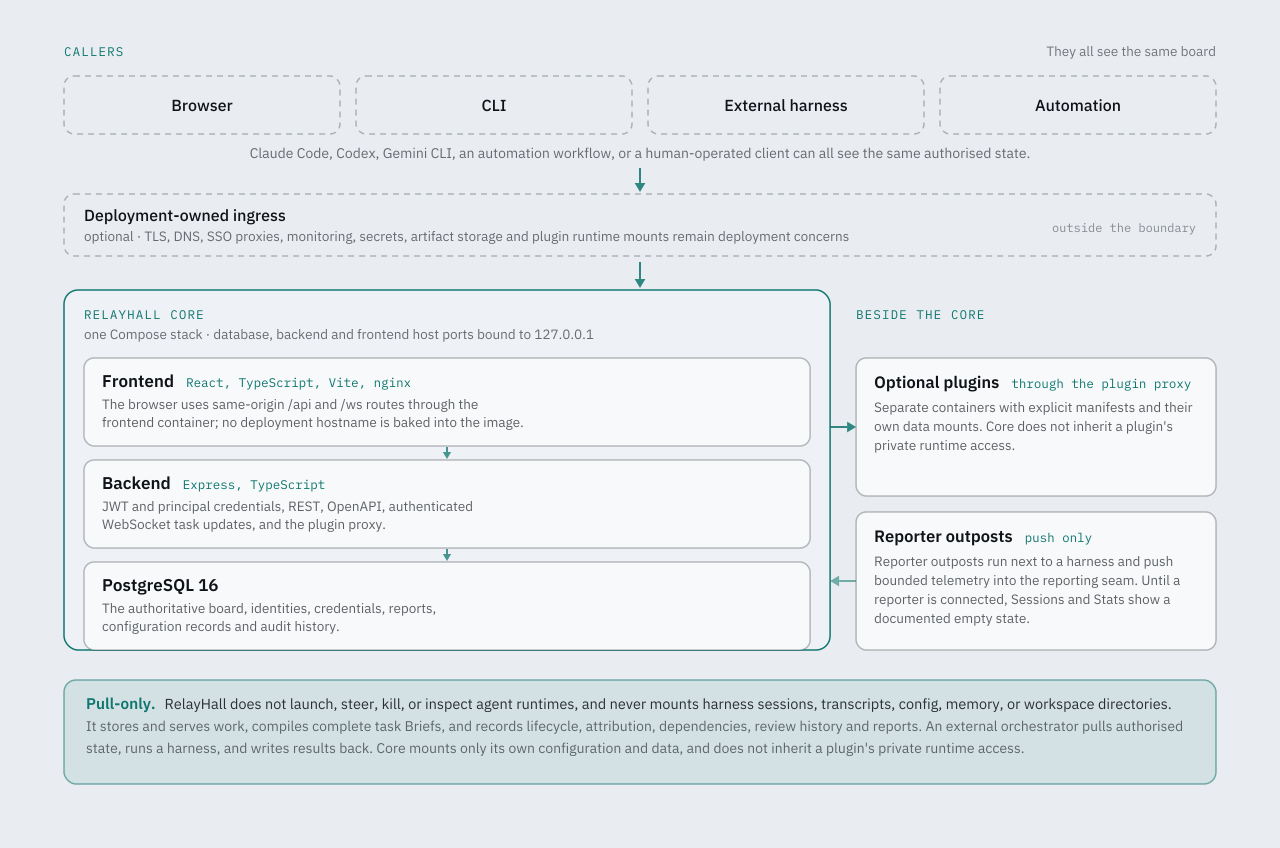
The default Compose stack binds database, backend, and frontend host ports to127.0.0.1. TLS, DNS, SSO proxies, monitoring, secrets, artifact storage, and
plugin runtime mounts remain deployment concerns.
Core mounts only its own configuration and data. A reporter outpost — which
is not a plugin, and runs beside someone else's agent runtime rather than inside
this deployment — may observe a harness locally and push bounded telemetry, but
core never receives host-level runtime authority.
What is in this beta
Integrated, gated, and running:
- The board — Tasks with Subtasks, dependencies, priorities, Assignees and
an explicit review lifecycle; Projects with a Charter, Phases and typed
Resources; durable Reports. - Identity and authority — a first-run step that creates the deployment's
first administrator Account, with the dashboard password kept as audited
break-glass; Accounts and scoped, revocable credentials; object-level grants;
Access profiles; a Task's visibility inherited from its Project. - Surfaces — the dashboard, the bundled
relayhallCLI, REST with OpenAPI,
an authenticated WebSocket feed, signed webhook delivery, and an MCP server
over both Streamable HTTP and stdio, generated from a single registry of
MCP Tools so the two transports cannot drift. - Blueprints — portable, versioned plans with a draft, review and
published lifecycle: save a Phase as a Blueprint, use one in a single
form, carry placeholders into the task editor, and instantiate under a
separate Warrant-bound setup with its own ledger. - The living Map — one continuous, size-truthful plane showing Projects,
Phases, tasks and their dependencies, in Horizontal, Vertical and Organic
organizations with a fit-all zoom floor. - Registries — Skills, Personalities, and the Service registry with
Connectors and versioned capability descriptors. - Reliability — an idempotency contract for mutating MCP Tools. Once a call
is recorded, an exact retry under the same key returns the original result;
the same key with a different request is always refused; and Agent minting
refuses a repeated key rather than replaying, because the one-time pack is
never stored. If the record itself cannot be written the call fails closed and
says so — the act may have landed while the token did not, and the answer
tells the caller to re-read and retry with a new token rather than pretending
the contract held. - Telemetry ingest — reporter outposts push bounded frames into the
reporting seam under a declared policy, with retention and quarantine,
and the Sessions and Stats screens render the presence projection built
from them. - Operations — a deterministic migration ledger with fresh-install replay
proofs, backup and restore helpers, a side-effect-free boot check, and the
Compose deployment.
Known limitations
Named here rather than discovered later. Each is scheduled, not abandoned.
- Availability under load. Several hardening items are open against
behaviour that only appears under concurrent load: connection-pool pressure
answering an authorization read with a server error, and a task list that
returns the whole deployment in one response instead of paging. A beta
deployment is comfortable at a few thousand tasks and has been measured
there; it has not been proven at ten times that. - The Map at scale. The relationship map is now one continuous,
size-truthful plane with Horizontal, Vertical and Organic organizations. The
organic layout is the newest part of the product and its behaviour on very
large deployments is an open area, with its own tracked items. - Blueprints have review rounds owed. The Blueprint engine, its lifecycle
and Phase capture are built, gated and in use. Some review rounds on the
engine and on Personality versions close before the release candidate, not
before this tag. - Telemetry stops at ingest. Frames that reporters push in are stored,
governed and retained, and the Sessions and Stats screens render the presence
projection built from them, and OpenTelemetry arrives directly over OTLP/HTTP
and OTLP/gRPC. Forwarding frames onward to an external observability system
is not part of this release. - The knowledge broker has no fan-out query. Knowledge configuration, the
outbound address policy, the assertion signer, published verification keys and
sealed handles all ship. The federated fan-out query that uses them does not. - Group administration is mostly central. Groups, grants and Access
profiles are administered by the deployment's own authority, and directory
groups arrive over SCIM with a remote-group catalogue. The member and admin
lenses and the manager lens ship and decide the navigation. Only a Group's
owners carry a few delegated acts: appointing managers, approving the Charter
of a Group-owned Project and moving owned objects, each on a signed-in
session with a step-up. A Group's managers get the edit tier on what the
Group owns, not these acts. - Non-escalation is a rule, not yet an arm. That an administrator cannot
grant authority they do not themselves hold is enforced by the owner plane and
by review; the automatic enforced arm on grants, groups and Access profiles is
post-v1. - Controls narrower than the properties they name. A substantial set of open
items records a gate or test that could pass while the property it guards is
broken — a census that a determined author could step around, an assertion
that measures less than it claims. These are control strength, not known
product defects, and they are the substance of the hardening walkthrough that
gates the release candidate. - Signing in as an Account needs HTTPS, or
localhost. The login session
is carried by aSecurecookie, so a browser stores it only from a
trustworthy origin.http://localhost:8082counts as one and the quick
start works. The same deployment reached over plain HTTP at a LAN address
or hostname does not: first run will create the administrator Account, and
that Account will not be able to sign in — only the deployment password
will. The sign-in and first-run screens warn on such an origin. Put TLS in
front before anyone but you uses it, as
Domain and TLS describes. - No formal external accessibility audit. The interface is built and gated
to WCAG 2.2 AA, with automated checks in CI and every screen walked by hand;
an independent audit is not part of v1.
Every limitation above is tracked; CHANGELOG.md records what each
release changes.
Using an external harness
Give each client its own narrow credential. The CLI ships in the repository atcli/relayhall (Python 3 — no install step): run it as ./cli/relayhall, or
put cli/ on your PATH to call it as relayhall. Point it at your
deployment with --api http://<host>:<backend-port> or theRELAYHALL_API_URL environment variable (default http://localhost:3001),
then authenticate once with relayhall login (it asks for the password at a
terminal prompt; the CLI never reads one from the environment) — the token is
cached at ~/.config/relayhall/token.json, readable by you only (override the
directory with RELAYHALL_CONFIG_DIR), and picked up automatically; --token
and RELAYHALL_TOKEN take precedence over the cache.
A new connection's one-time pack also carries a short bootstrap prompt for a
fresh session, and relayhall connection-skill install --harness claude-code
(or --harness codex) records a local pointer to the connection without the
credential; see Connector onboarding.
A typical pull loop is:
relayhall next
relayhall get <task-id>
relayhall brief <task-id>
# Run the chosen external harness.
# Update the task and attach a report containing evidence.
relayhall is the CLI command.
Capture existing work withrelayhall blueprint capture --phase <phase-uuid> --name "Reusable work". This
saves a draft for independent review. See
Authoring and using Blueprints.
Compiling a task Brief is a disclosure act gated by tasks:read (the formertasks:prompt scope retired into it). POST /tasks/{id}/brief produces text;
it does not execute anything. The older /tasks/{id}/prompt and/tasks/{id}/spawn-prompt spellings were removed, not aliased.
The current foundation exposes REST/OpenAPI, compare-and-set claim/lease routes,
the bundled CLI, and an authenticated MCP surface served in-process —
Streamable HTTP at /mcp plus a stdio entry, both generated from one tool
registry, so the two transports cannot drift. Its toolset covers Tasks, claim
and lease, Briefs, Reports, Projects, Phases, the agent plane, and read-only
introspection of the capability and identity planes; personality and principal
mutation was deliberately removed from it. The cursor event feed and signed
webhook delivery have shipped — over REST and the delivery worker — and the
feed and webhook CRUD are precisely what is deliberately left off MCP. See
MCP server.
Plugins and reporters
Plugins are separate services registered through relayhall.plugins.json and
installed into the board deployment: own container, manifest, proxy route.
They own their private mounts, credentials, media policy, and lifecycle.
Outposts are the other half, and they are not plugins. An outpost is a reporter
that runs beside someone else's agent runtime and pushes session/activity
frames into RelayHall instead of granting core read access to runtime state.
Different trust model, different install story — the distinction is the trust
boundary.
Operations
./database/backup.sh
./database/restore.sh ./backups/relayhall_YYYYMMDD_HHMMSS.sql.gz
Backups are written outside the database volume. They do not contain the key
sets: keep a copy of relayhall.keys.env with them, stored apart from the
dumps. Test restore procedures on a disposable deployment before relying on
them for production recovery.
Development and CI
Identical workflows under .gitea/workflows/ and .github/workflows/ keep the
private working repository and public promotion target on the same gates.
CI runs in two tiers. ci.yml — the fast tier — runs on every push and
every pull request: the repository and deployment contract, type checking, the
mocked backend suite, the frontend build and unit tests, the accessibility smoke
set, and the CLI tests. ci-full.yml — the full tier — runs on demand and
carries every gate that needs a real PostgreSQL, every mutation drill and every
red-proof control. A shape gate requires each gate step to appear exactly once
across the two workflows, so a gate cannot be dropped, and cannot be quietly
duplicated into both tiers either. docs/ci.md lists every job,
the local command that reproduces it, and how to ask for a full run.
The main compile and test checks, as run locally:
(cd backend && npm ci && npx tsc --noEmit && npx jest --silent)
(cd frontend && npm ci && npx tsc --noEmit && npx vite build && npm run test:unit)
(cd cli && python3 -m pytest -q)
bash -n setup.sh database/backup.sh database/restore.sh backend/entrypoint.sh
docker compose config --quiet
A direct backend boot check runs in boot-check mode
(RELAYHALL_BOOT_CHECK=1): the server constructs its routes, binds the port,
reports, and exits on its own — exit 0 is a pass, anything else is a
failure. In this mode the database pool is pinned to an unreachable endpoint
at construction, no background job starts, and no webhook is dispatched, so
the check is side-effect free even if the environment carries live database
credentials. Never run the boot check without RELAYHALL_BOOT_CHECK=1.
(cd backend && RELAYHALL_BOOT_CHECK=1 JWT_SECRET="$(openssl rand -hex 64)" PORT=3999 ./node_modules/.bin/tsx src/server.ts)
See CONTRIBUTING.md.
Documentation
- Documentation index
- Getting started
- Deployment guide
- Architecture overview
- API usage
- Task orchestration and review
- Personalities
- Principals
- MCP server
- Harness support tiers
- Mount points
- Database operations
- Publication and repository model
Security notes
- Never commit
.env,relayhall.keys.env, credentials, private overlays,
database dumps, or runtime data. - Give each Connector and each Agent its own credential, and grant only the
scopes it needs. - Keep host bindings on loopback unless an intentional ingress protects them.
- Treat board text, reports, plugin output, and imported skills as untrusted
content when placing them in an LLM context. - Review plugin images and mounts before enabling them.
Security defects should be reported privately according to
SECURITY.md, rather than opened with exploit details.
Contributing
Issues and pull requests are welcome; start with
CONTRIBUTING.md, which covers the gate chain a change has to
pass and the vocabulary the documentation is held to.
License
Reviews (0)
Sign in to leave a review.
Leave a reviewNo results found