ai-helpers
Health Warn
- License — License: MIT
- Description — Repository has a description
- Active repo — Last push 0 days ago
- Low visibility — Only 5 GitHub stars
Code Pass
- Code scan — Scanned 12 files during light audit, no dangerous patterns found
Permissions Pass
- Permissions — No dangerous permissions requested
No AI report is available for this listing yet.
AI skills for PatternFly and UXD teams — component development, design, accessibility, and migration. Works in Claude Code and Cursor.
UXD AI Helpers


AI skills for PatternFly and UXD teams — component development, design, accessibility, and migration. Skills work in both Claude Code and Cursor; the patternfly meta-plugin is Claude Code-only.
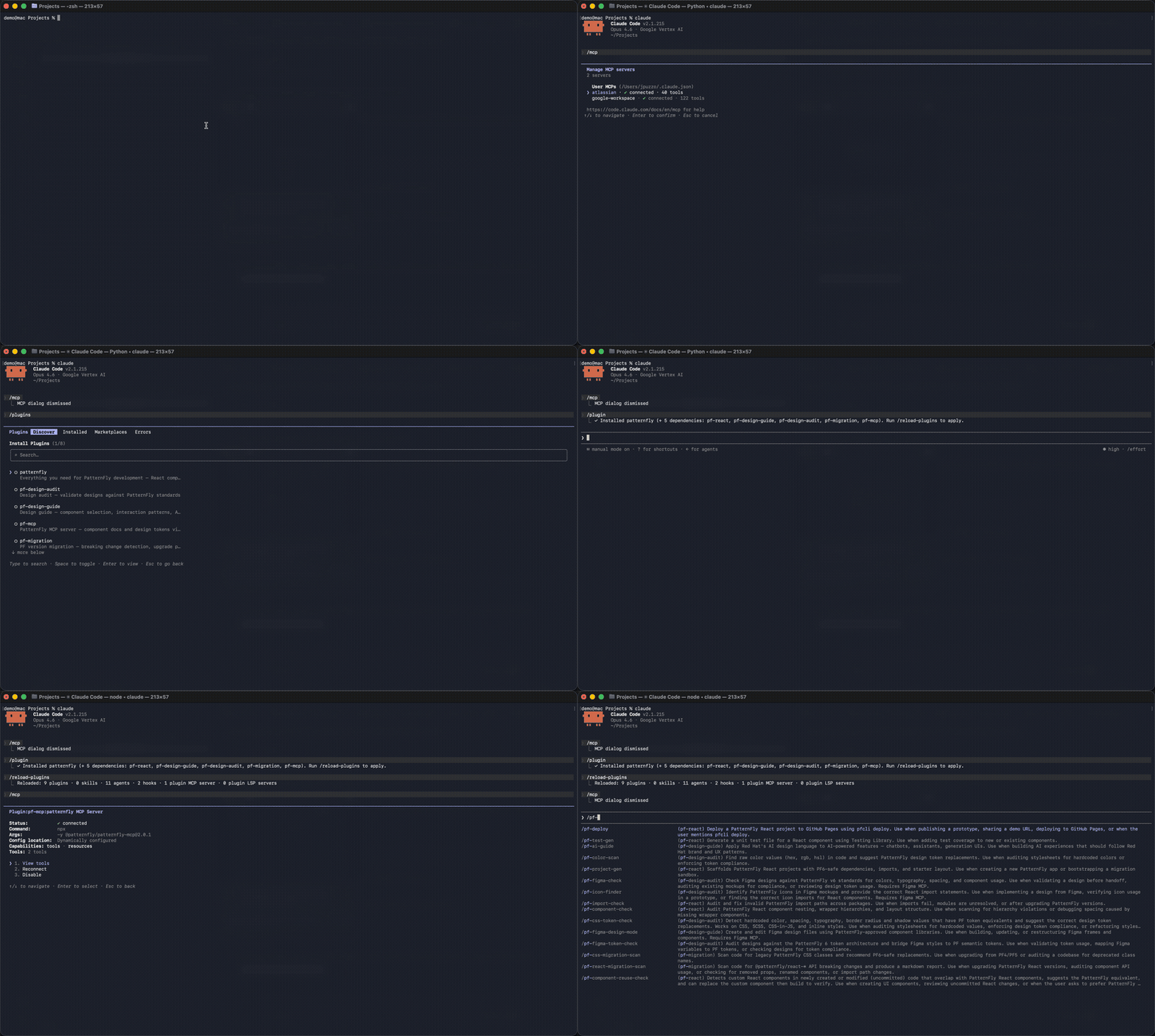
Quick Start
Claude Code
Add the marketplace and install the patternfly meta-plugin — it auto-installs all PatternFly sub-plugins in one step:
# Add the marketplace (one time)
claude plugins marketplace add rh-uxd/ai-helpers

# Install everything PatternFly (React, design guide, audit, migration, and MCP)
claude plugins install patternfly@uxd-ai-helpers
That's it — all PatternFly skills are now available as slash commands:
/pf-react:pf-test-gen          # Generate unit tests for a React component
/pf-design-guide:pf-ai-guide   # Get AI experience design guidance
/pf-design-audit:pf-color-scan # Scan for hardcoded colors that should be tokens
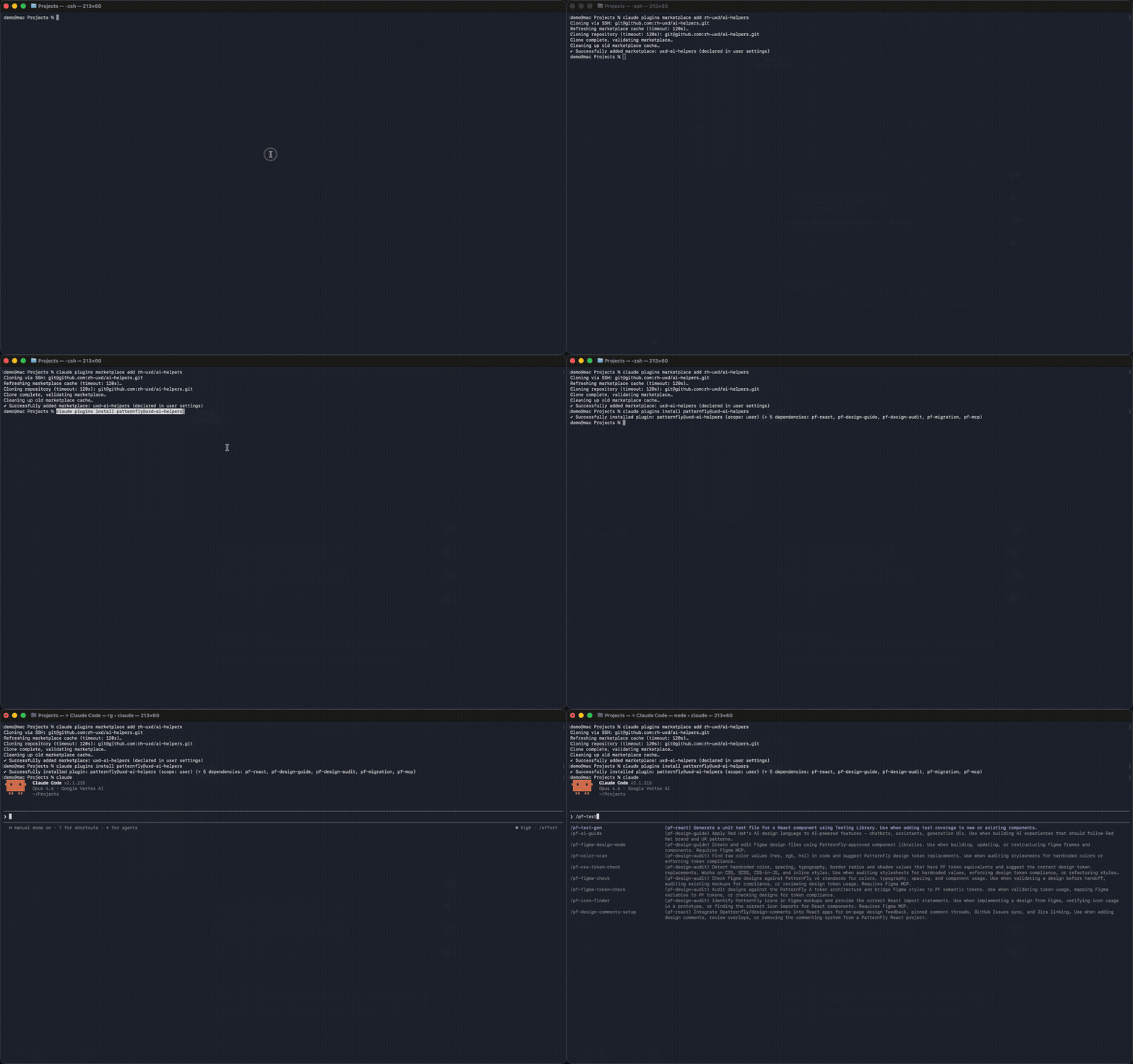
Individual plugins: Install only what you need (e.g., claude plugins install pf-react@uxd-ai-helpers). Don't install both patternfly and individual sub-plugins — patternfly already includes them.
Enable auto-update to receive new skills as they're merged:
/plugin → Marketplaces → enable auto-update
Cursor
Install the plugins you need — see the Plugins table below for the full list. Add the marketplace in Settings → Marketplace, then install individually:
See it in action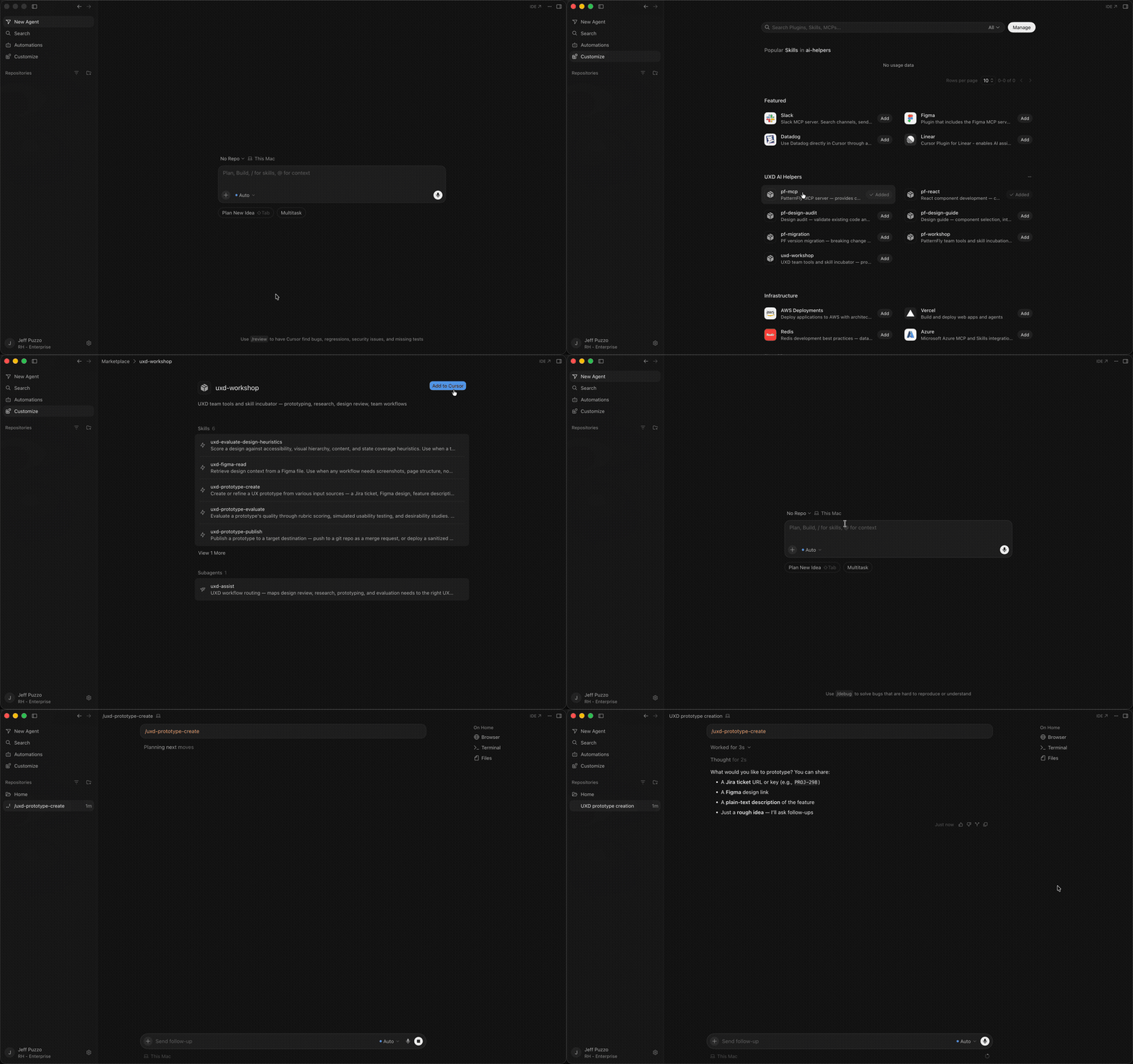
After installing, skills work the same way — slash commands in any project:
/pf-react:pf-test-gen          # Generate unit tests for a React component
/pf-design-audit:pf-color-scan # Scan for hardcoded colors that should be tokens
For MCP server access (component docs and design tokens), also install pf-mcp. See the FAQ for setup.
Plugins
| Plugin | Description |
|---|---|
| patternfly | Everything you need for PatternFly development — React components, design guidance, migration, and MCP docs |
| uxd-workshop | UXD team tools and skill incubator — prototyping, research, design review, team workflows |
| pf-code-review | Code review and quality — adversarial review, security patterns |
| pf-design-audit | Design audit — validate existing code and designs against PatternFly standards |
| pf-design-guide | Design guide — component selection, interaction patterns, AI experience patterns, Figma design creation |
| pf-migration | PF version migration — breaking change detection, class scanning, upgrade planning |
| pf-react | React component development — coding standards, testing, and structure |
| pf-workshop | PatternFly team tools and skill incubation — issue triage, release management, codebase auditing, new skill development |
See PLUGINS.md for the full list of skills, agents, and usage details.
How It Works
- You add this repo as a marketplace in Claude Code or Cursor
- You install plugins — on Claude Code,
patternflyauto-installs all PF sub-plugins; on Cursor, pick the ones you need - Skills become available as
/<plugin>:<skill>slash commands in any project
Repository Structure
├── .claude-plugin/         # Claude Code marketplace config
├── .cursor-plugin/         # Cursor marketplace config
├── plugins/
│   ├── uxd-workshop/       # UXD team tools (skills + uxd-assist agent)
│   └── patternfly/         # PatternFly meta-plugin + sub-plugins
│       ├── agents/            # pf-assist routing agent
│       ├── pf-code-review/    # Code review and quality — security patterns
│       ├── pf-react/          # React development — testing, structure, coding standards
│       ├── pf-design-guide/   # Design guidance — component selection, AI patterns
│       ├── pf-design-audit/   # Design auditing — token checks, color scanning
│       ├── pf-migration/      # PF version migration tools
│       ├── pf-workshop/       # PF team tools and skill incubation
│       └── pf-mcp/            # MCP server integration
├── scripts/                # Automation (doc generation, scaffolding, validation)
├── CONTRIBUTING.md         # How to contribute
└── CONTRIBUTING-SKILLS.md  # Step-by-step skill creation guide
PatternFly MCP Server
The PatternFly MCP server gives AI tools access to component documentation, prop schemas, and design guidelines. On Claude Code, pf-mcp is included automatically when you install patternfly. On Cursor, the MCP server requires separate setup.
Contributing
See CONTRIBUTING.md for the contribution workflow and CONTRIBUTING-SKILLS.md for a step-by-step guide to creating skills.
CI/CD
Every pull request runs through automated quality gates:
| Gate | What it checks |
|---|---|
| Validate | Manifest consistency, generated docs freshness, skill frontmatter integrity |
| Secret scan | Internal URLs and potential credentials in tracked files |
| Link check | Broken internal markdown links |
| Boundary check | PF skills don't reference UXD internals and vice versa |
| CodeRabbit | Automated review — structure, security patterns, best practices |
License
Reviews (0)
Sign in to leave a review.
Leave a reviewNo results found