rift-ds
Health Warn
- License — License: MIT
- Description — Repository has a description
- Active repo — Last push 0 days ago
- Low visibility — Only 6 GitHub stars
Code Pass
- Code scan — Scanned 12 files during light audit, no dangerous patterns found
Permissions Pass
- Permissions — No dangerous permissions requested
No AI report is available for this listing yet.
Rift DS: an AI-ready React design system. Accessible components on composable tokens, with light/dark theming and CSS-variable overrides.
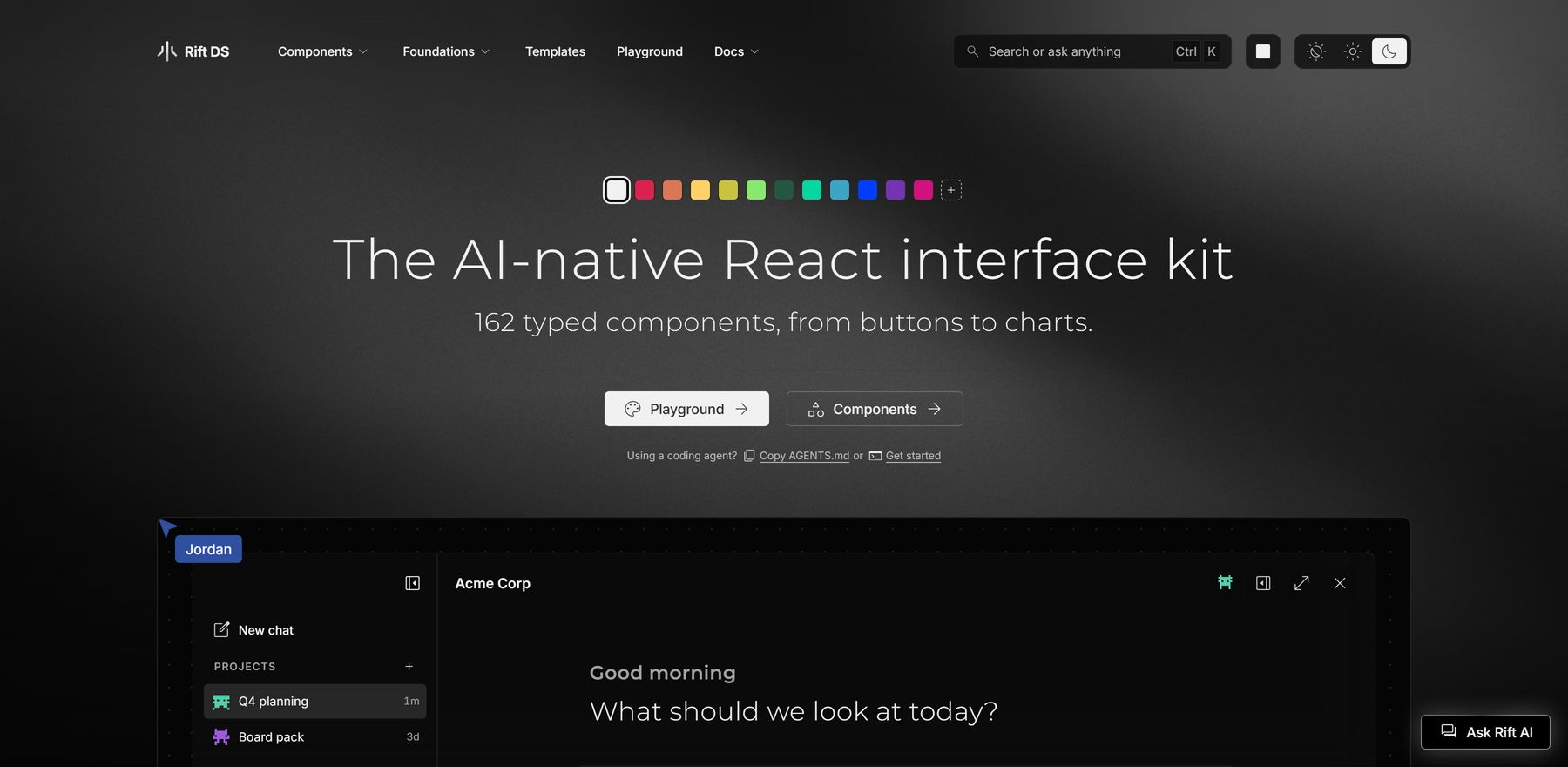
Rift DS


An open source React design system built for AI products and coding agents: components on a three-tier token architecture, complete theme presets that restyle everything with one attribute, and machine surfaces (an MCP endpoint, per-component contracts, installable agent skills) so your coding agent knows the library as well as you do.
Why Rift DS
- 162 components. Buttons, forms and tables through to charts, navigation and overlays, each typed and documented with live examples. Every one forwards a ref and your own attributes to its element, state you can own works controlled or uncontrolled (a modal opens when your app says so, by design), and every word a component writes has a prop you can localise. The build checks the first two on every component, and the words wherever they sit in markup. React and React DOM are the only required peer dependencies.
- AI patterns, the whole chat and templates, ready to use. Composer, streaming chat thread, tool calls, reasoning and thread panel are in the box, the complete AI chat ships assembled as one widget that one command scaffolds, and the docs site has complete template screens built from them.
- Fully themeable. The shipped themes are complete looks to start from, each in light and dark. One
data-brandattribute applies a theme, and a few CSS overrides make your own. - Ready for coding agents. One command installs the agent skills, and a public MCP endpoint serves every component's props, so your agent builds with the library as it actually is. No key, no account.
- Free, consumed your way. MIT, with no pro tier. Install the npm package, pull single components as source through the shadcn CLI, or clone the repo.
Documentation
Everything deep lives on the docs site: rift-ds.com, with live examples, foundations, templates, the playground, and the get-started guide. Storybook is the interactive component explorer.
Install
In a Next.js app router project (a fresh create-next-app included), three commands give you a themed first page:
npm install rift-ds
npx rift-ds init app
npx rift-ds init block dashboard
init app adds a root wrapper that routes every link through Next's Link, the script that applies the visitor's colour mode before first paint, and the base theme's font, then prints your root layout: make app/layout.tsx that, and drop the globals.css import create-next-app added. init block dashboard adds a dashboard inside an app shell (the sidebar, the top bar and the page header), laid out for a desktop and a phone; the other blocks are on the blocks page. Neither overwrites a file, and the files are yours to change.
In any other React app, import the token stylesheet and the base sheet once, then use components:
import 'rift-ds/tokens/tokens.css';
import 'rift-ds/tokens/base.css'; // the reset and page every component is tuned against
import { Button, Card, Badge } from 'rift-ds';
React 19+ is a peer dependency. The package's own runtime dependencies, TanStack Table and TanStack Virtual (the headless engine under DataTable and the windowing behind its long tables), install with it. The package is ESM-only and resolved via exports subpaths: use a bundler that handles CSS and font imports from node_modules (Vite, Next.js, webpack) and set TypeScript's moduleResolution to "bundler" or "nodenext". The Recharts-backed charts live behind rift-ds/charts, so the optional recharts peer dependency is only needed if you use them. The chat widget's subpaths bring their own optional peers (react-markdown and remark-gfm for the panel, @anthropic-ai/sdk for the server handlers, @upstash/ratelimit and @upstash/redis for the guardrails), needed only if you use them. Prefer owning the source? Pull single components through the shadcn CLI (npx shadcn@latest add https://rift-ds.com/r/button.json, with details in the get-started guide), or clone this repo and build on it directly; all of it is MIT.
The chat widget
The whole AI chat ships as one widget: the panel with its docked, overlay and takeover forms, the streaming engine, the threads, the rich cards, and the server handlers that call the model. One command scaffolds it into a Next.js app, and a scripted mode runs it with no key, so you see it working before you wire a model.
npx rift-ds init chat
The panel alone, with no route behind it, is three imports:
import 'rift-ds/chat/chat.css';
import { ChatProvider, ChatLauncher } from 'rift-ds/chat';
import { createDemoTransport, DEMO_RENDERERS } from 'rift-ds/chat/demo';

<ChatProvider transport={createDemoTransport()} renderers={DEMO_RENDERERS}>
  <ChatLauncher label="Ask" />
</ChatProvider>
Swap the scripted transport for createFetchTransport('/api/chat') and the panel talks to your route. Every prop it takes is on its component page, and the three ways to add it, with the protocol and the server options, are on the AI chat docs page.
Set up your agent
The quickest start is one file: save AGENTS.md at your project root, or paste it into your agent. It holds the install, the setup, the rules, and where to look things up.
curl -o AGENTS.md https://rift-ds.com/AGENTS.md
For the full setup, one command teaches a coding agent the system: it installs the generated agent skills into your project and prints the MCP connect line. The skills cover the library's rules, moving existing screens onto the tokens and components, and auditing styles against them.
npx rift-ds init
The MCP endpoint serves the component catalogue, per-component prop APIs, the token registry, install setup, and docs search to any client. No key, no account, no model calls: every tool reads only published, generated data, built from the same JSDoc that produces the shipped .d.ts, so an agent reads the exact contract npm ships.
claude mcp add --transport http rift-ds https://rift-ds.com/api/mcp
Every component's prop contract is also plain markdown (append .md to its docs URL), and llms.txt indexes every machine surface. A theme made in the playground exports as one AGENTS.md that carries the setup, your theme in words and its CSS, so the agent can read the look as well as the code. Then just ask: "Build a settings page with Rift components."
Theming
Theming is CSS custom properties; there is no configuration API and no theme provider (one required exception: wrap your tree in ToastProvider if, and only if, you use the toast queue via useToast). Two providers are optional: LinkProvider hands every component your router's link, and LocaleProvider sets the locale numbers, dates and calendars are written in (en-US without it, never the browser's). Key bindings go through useShortcut from rift-ds/behaviors/shortcuts, the listener the components use, so a shortcut stays out of text fields and open overlays. For a right-to-left language, set dir="rtl" on <html>: every component lays itself out from it. Complete looks ship as generated stylesheets: import the aggregate once and one attribute rethemes everything, light and dark, typefaces included (each preset self-hosts its faces).
import 'rift-ds/tokens/presets/presets.css';

<html data-brand="terminal">
- Dark mode:
data-theme="dark"on the root element; light is the default. - Page colours: the token stylesheet defines custom properties and styles no element, so paint the page once: set
background: var(--color-bg-page-primary),color: var(--color-text-primary)andfont-family: var(--font-family-primary)onbody. Without it a dark theme lands as dark components on a white page. - Your own brand: every semantic token chains to a primitive, so overriding one primitive re-themes everything built on it. The playground restyles the system live and copies out a complete, paste-ready override.
- Fonts: the base theme bundles no text face, and the whole scale chains to
--font-family-primary(split heading and body faces via--font-family-headingand--font-family-body); point them at any font you load. Only the preset stylesheets carry faces, each self-hosting its own, and only the presets you import pull them in. - Icons: a Material Symbols Rounded variable font is bundled and components import it themselves, with every Google axis exposed as a custom property. Every icon prop also takes your own element, so any icon set drops in.
Components
162 components, including a chat set for AI products (Chat thread, Composer, Tool call, Reasoning, Thread panel) and Shader field, a WebGL2 ambient background whose light sources read your colour tokens at runtime, so it re-themes with everything else. Details and live examples are on the [docs site](https://rift-ds.com/components). The full listAccordion · Agent plan · Agent rail · Agent status · AI button · Alert · Alert dialog · Anchor nav · Animated number · App layout · App sidebar · Area chart · Artifact card · Artifact panel · Attachment drop zone · Attachment group · Attachment tile · Attachment viewer · Avatar · Avatar group · Badge · Banner · Bar chart · Bento tile · Bento tile art · Bottom nav · Breadcrumb · Button · Button group · Card · Card stack · Carousel · Chat header · Chat marker · Chat message · Chat thread · Checkbox · Chip · Circular button · Code block · Code diff · Colour picker · Combo chart · Combobox · Command palette · Command palette trigger · Composer · Contact card · Context menu · Contribution graph · Data table · Date input · Date picker · Dialog · Divider · Document chip · Drawer · Dropdown · Dropdown menu · Empty state · Entity card · Event calendar · Field · Figure · File input · Filter bar · Funnel chart · Gantt chart · Gauge · Globe · Hover card · Image compare · Input · Inspector colour picker · Inspector dropdown · Inspector input · Inspector section · Inspector segments · Inspector slider · Inspector toggle switch · Instructions · Interrupt card · Kbd · Legend tile · Lightbox · Line chart · Link list · Map callout · Map legend · Mega menu · Mention · Message actions · Message card · Meter · Model picker · Nav · Nav list · Notification centre · Number input · Pagination · Panel · Pie chart · Pin input · Pixel avatar · Popover · Progress bar · Progressive blur · Prompt suggestions · Prose · Question card · Quote · Radar chart · Radial chart · Radio button · Rating · Reasoning · Rich dropdown · Scatter chart · Section title · Segmented control · Selection card · Shader field · Sidebar panel · Site header · Skeleton · Slider · Source chip · Source trail · Sparkline · Spinner · Split button · Split pane · Stacked bar chart · Stat · Status dot · Stepper · Streaming text · Swatch · Table · Table toolbar · Tabs · Tag input · Textarea · Theme picker · Theme toggle · Thread panel · Thread tabs · Time picker · Timeline · Toast · Toggle group · Toggle switch · Tool call · Toolbar · Tooltip · Top app bar · Tree view · Treemap · Usage card · Waveform · Widget · World map
Tech
- React 19 + TypeScript: component library
- Vite 7: dev server and library build
- Next.js 16: the documentation site
- Storybook 10: component explorer
- Vitest + Playwright + axe: every Storybook story runs as a render test in headless Chromium, with an accessibility audit on each
- TanStack Table + TanStack Virtual: the headless engine and the windowing under
DataTable, the package's runtime dependencies - CSS custom properties: all theming via semantic tokens, no CSS-in-JS
The overview shows the generate-and-validate pipeline behind the docs.
Running locally
npm install                         # once, at the root (the website is an npm workspace)
npm run storybook                   # component explorer at http://localhost:6006
npm run dev --workspace website     # docs site at http://localhost:3000
npm run verify                      # the full local quality gate, mirroring CI
Author
Designed and built by Robert Ritacca.
License
MIT, the whole repository: components, tokens, scripts, the website, and the docs. Use it in anything. See LICENSE for the full terms.
Reviews (0)
Sign in to leave a review.
Leave a reviewNo results found