TENSA
Health Warn
- License — License: GPL-3.0
- Description — Repository has a description
- Active repo — Last push 0 days ago
- Low visibility — Only 5 GitHub stars
Code Pass
- Code scan — Scanned 12 files during light audit, no dangerous patterns found
Permissions Pass
- Permissions — No dangerous permissions requested
No AI report is available for this listing yet.
TENSA (Transients, Eigenvalues & Network Simulation Application): interactive workbench for power system simulation, with ANDES and NREL's Sienna as engines.
TENSA







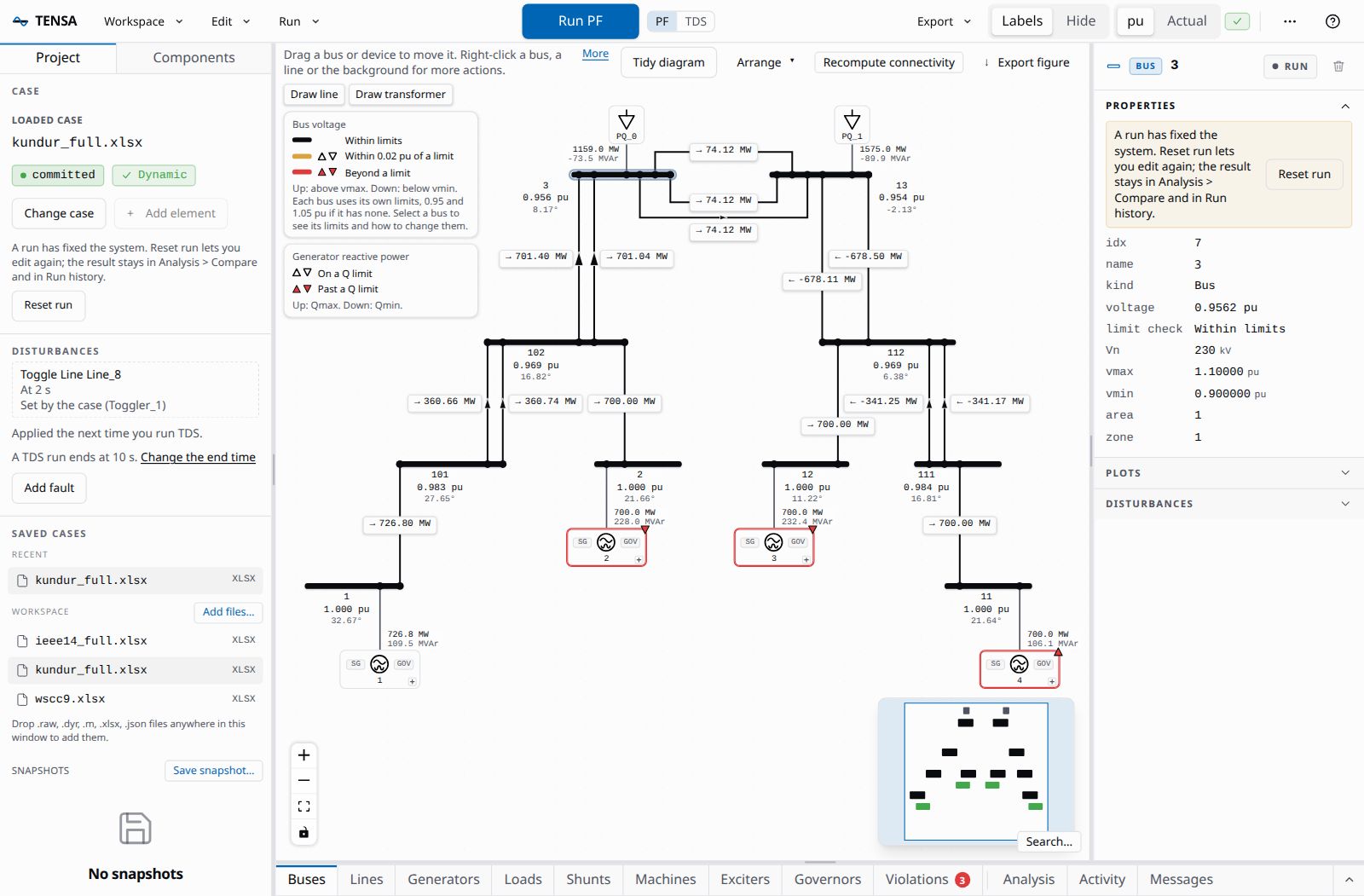
TENSA is a power system workbench that runs in your browser. You draw a network or open a case file and run studies on its one-line diagram, and anything you do there can also be scripted through the API. The computation is done by ANDES, or by NREL's Sienna packages if you install the second engine.
What it does
It's meant for teaching, for exploratory dynamic studies where seeing the system matters, and for people who drive power system tools from scripts or LLM agents. For large batch runs or for writing new models, use ANDES directly.
- Power flow: steady-state voltages, angles and line flows, with the limits the solution breaks.
- Time-domain simulation: the system's response to a fault or line trip, plotted as it computes.
- Eigenvalue analysis: small-signal modes at the operating point, with frequency and damping.
- Continuation power flow: PV and QV curves up to the point where the power flow stops converging.
- State estimation: bus voltages estimated from measurements TENSA can generate from a solved power flow.
Quick start
You need Python 3.12 or newer:
pip install tensa
tensa serve --open
The server starts on a free port and opens your browser. A new workspace gets five example cases: IEEE 14, Kundur, WSCC 9-bus, IEEE 39 and NPCC 140-bus. More are available from the app or with tensa examples add <id>. The quick start walks through a first study. Your own cases load as .xlsx, .raw with .dyr, .m or .json.
For a window of its own instead of a browser tab:
pip install "tensa[desktop]"
tensa desktop
On Linux: pip install "tensa[desktop]" "pywebview[qt]".
It runs on Linux, macOS (Apple silicon) and Windows with Python 3.12 or 3.13. Windows on ARM is not supported: two dependencies publish no wheels for it.
Demo
The GIF is a scripted walkthrough of the real UI, sped up: it builds WSCC 9-bus from scratch, saves and reloads the case, and runs every analysis. The script calls no model; it clicks and drags at positions written in the file.

Full 2-minute MP4. The driver script is web/scripts/agent-demo.mjs. To record it yourself from a source checkout:
# Terminal 1: serve on a fixed port
tensa serve --port 18800

# Terminal 2: record (writes demo-video/ieee9-agent-demo.webm)
cd web
pnpm exec playwright install chromium
node scripts/agent-demo.mjs http://127.0.0.1:18800
Engines
The default engine is ANDES. The optional sienna extra runs NREL's Sienna packages through Julia 1.13:
pip install "tensa[sienna]"
tensa warm-cache --engine sienna
Sienna adds network matrices, DC power flow, economic dispatch, unit commitment, and a day-ahead plus real-time simulation. A session runs one engine; run the same study in two sessions to compare results. Engines has the details.
Scripts and agents
The UI talks to the server over a documented HTTP and WebSocket API. Scripts and LLM agents can use it too: see the API guide, the schema at GET /openapi.json, llms.txt, and worked examples in examples/. One of them, examples/contingency_screening/, has scripted and LLM agents screen N-2 contingencies on IEEE 39 through the API; it needs httpx. There is an MCP server for assistants that speak Model Context Protocol (setup):
pip install "tensa[mcp]"
tensa mcp --workspace ~/tensa-cases
Security
There is no authentication. The server listens on loopback only and trusts whoever is logged in to the machine. Case files can contain code that runs when they load, so treat them like scripts. Only use --bind on a network you trust. SECURITY.md has the details.
Getting help
One maintainer; replies are best effort. SUPPORT.md says which versions are supported.
- Questions: GitHub Discussions Q&A.
- Bugs and feature requests: open an issue.
- Security problems: report privately via private vulnerability reporting, per SECURITY.md.
- Anything else: the documentation.
Conduct: CODE_OF_CONDUCT.md.
Citation
If you use TENSA in your work, please cite it. GitHub's "Cite this repository" button reads CITATION.cff. Short form:
Gracia Otalvaro, R. (2026). TENSA: an interactive web workbench for power system simulation. https://doi.org/10.5281/zenodo.24451319
The underlying computation is ANDES. Please credit the CURENT/ANDES project by Cui et al. as well.
Contributing
PRs welcome. CONTRIBUTING.md covers setup and tests, AGENTS.md has notes for AI coding agents, the changelog lists what changed. For anything bigger than a small fix, open an issue first.
License
GPL-3.0-or-later, the same license as ANDES. The web UI bundles third-party libraries under their own licenses, listed in THIRD-PARTY-LICENSES.txt beside each build.
Reviews (0)
Sign in to leave a review.
Leave a reviewNo results found