aftercode
Health Pass
- License — License: NOASSERTION
- Description — Repository has a description
- Active repo — Last push 0 days ago
- Community trust — 12 GitHub stars
Code Warn
- network request — Outbound network request in web/src/api.ts
Permissions Pass
- Permissions — No dangerous permissions requested
No AI report is available for this listing yet.
Turn your daily AI coding sessions into personalized learning podcasts — Rust CLI + API + web UI
Aftercode
Turn your daily AI coding sessions into personalized learning podcasts.
Aftercode connects to your coding-agent workflow (Claude Code, Codex, Cursor, …), figures out the deeper technical topics behind what you built and debugged that day, and generates a short two-speaker podcast episode — in Hebrew or English — that teaches you the concepts behind the code you shipped. Listen and browse them in a clean web playlist.
Turn vibe coding into real learning.
Open source (MIT OR Apache-2.0), CLI-first, self-hostable.
Demo
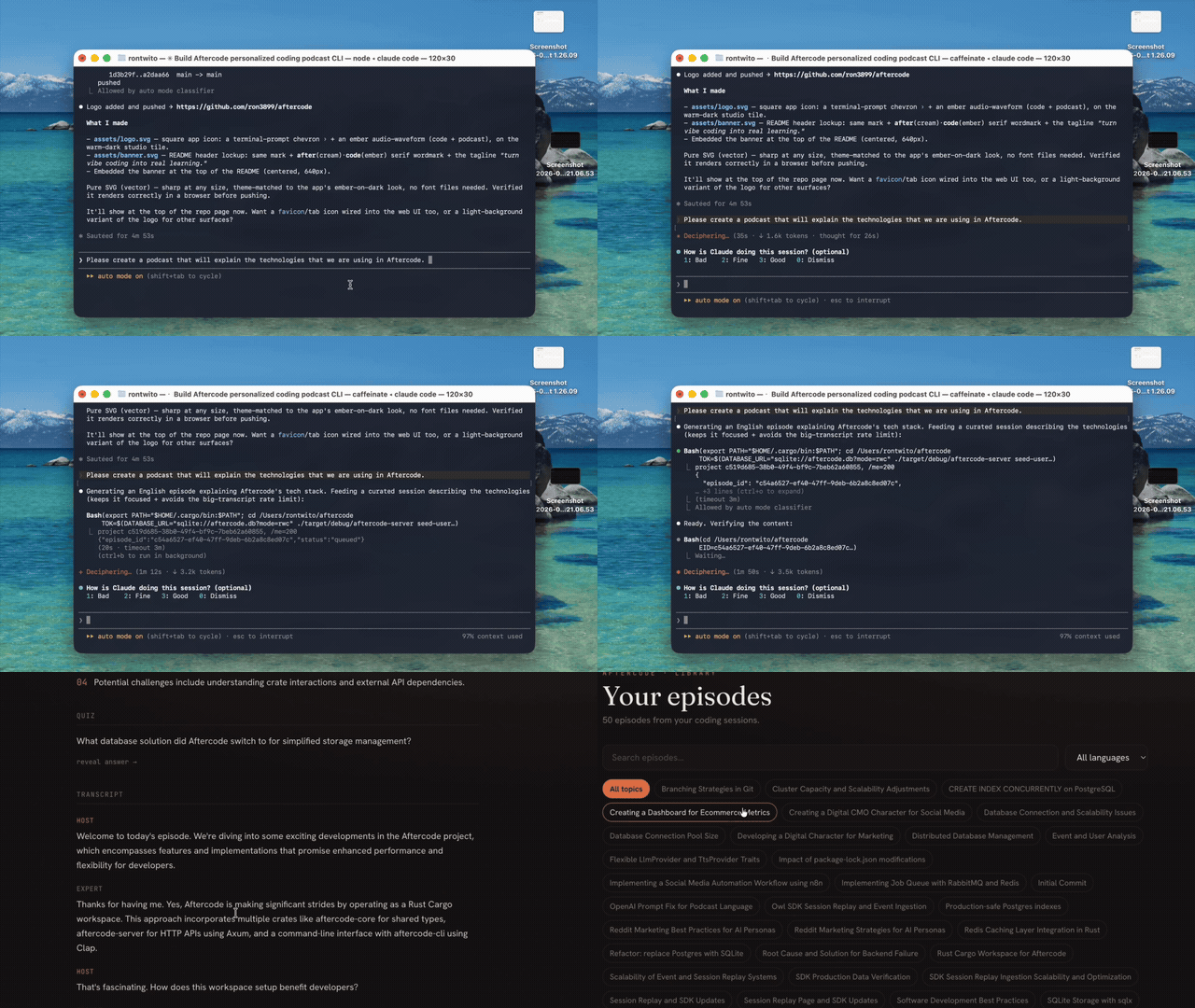
▶ Watch with sound (full-quality MP4)
How it works
aftercode episode
   │  auto-detect your coding-agent session (Claude Code / Codex / Cursor) →
   │    your prompts + what the agent did/explained
   │  + the real git diff (the Redis client, RabbitMQ config, new deps it added)
   │  scan for secrets, apply ignore rules, redact, cap size
   ▼
backend pipeline
   normalize → extract topics → detect knowledge gaps → rank →
   write two-speaker script (Hebrew or English) → TTS per segment
   (ElevenLabs or OpenAI) → concat + silence gaps → MP3 → store → episode
   ▼
web UI
   playlist · filter by topic · play through your episodes · transcript + quiz
Repository layout
crates/aftercode-core    shared types (session context, episode, audio)
crates/aftercode-server  Axum API backend + generation pipeline + serves the web UI
crates/aftercode-cli     the `aftercode` CLI
web/                     React + Vite web UI (playlist, filters, player)
migrations/              SQLite schema (auto-applied on startup)
docs/                    PRD, self-hosting, architecture, design specs
Install
You need: Docker (runs the backend + web UI) and
Rust (for the aftercode CLI — it must run natively to read your local
coding-agent session files). That's it — no database, no Node.
Copy-paste these four commands:
# 1. Get the code
git clone https://github.com/ron3899/aftercode && cd aftercode

# 2. Start the backend + web UI  →  http://localhost:8080
#    (first run builds the image once, ~5 min; after that it's instant)
docker compose up -d

# 3. Install the CLI
cargo install --path crates/aftercode-cli

# 4. Log in (opens your browser → click Approve)
aftercode login
Now open http://localhost:8080 to browse episodes, and run aftercode episode in any
project. Step 2 works with no API keys (mock mode) so you can try it immediately.
For real episodes, create a .env in the repo with your keys, then docker compose up -d
again:
LLM_PROVIDER=openai
OPENAI_API_KEY=sk-...
TTS_PROVIDER=openai        # voice via OpenAI tts-1; or set TTS_PROVIDER=elevenlabs + its keys
Port 8080 taken? Run
PORT=9000 docker compose up -dand use that port everywhere.
Use it inside your coding agent
The CLI auto-detects your current session from whatever agent you used, so the simplest
workflow is: finish a chunk of work, then make the episode.
- In the terminal (any agent):
aftercode episode --language en(orhe). It reads the
latest Cursor, Claude Code, or Codex session for that repo automatically. - Ask the agent to do it for you. Since the agent has a terminal, just tell it:
"Run
aftercode episode --language ento turn what we just did into a podcast." - Claude Code / Codex (CLI agents): run it right after your session in the same folder —
detection finds the transcript. If you ran from a different folder, hand the transcript in
directly:aftercode episode --transcript -(pipe a transcript) — never fails detection. - Cursor / Windsurf (editor agents): open the editor's terminal in your project and run
aftercode episode; it reads Cursor's live session for that workspace.
Run aftercode preview first to see which agent + session was detected and exactly what will
be sent.
Requires Rust + Node.
cd web && npm install && npm run build && cd ..   # build the UI (served at /)
cp .env.example .env                              # add keys, or leave mock to try
cargo run -p aftercode-server                     # first run prints a login token + URL
cargo install --path crates/aftercode-cli
aftercode login && cd your-project && aftercode episode --language en
Web UI
The backend serves a React app at / (built from web/dist):
- Playlist — your episodes with a persistent bottom player that plays through the
current filtered list (prev/next = your queue). - Filter by topic (chips) + language + search — instant.
- Episode detail — player, topics, key takeaways, quiz, full host/expert transcript.
- Responsive (mobile + desktop). Sign in reuses the CLI approve flow — no token paste.
Dev with hot reload: cd web && npm run dev (Vite on :5173, talks to the backend; setVITE_API_BASE in web/.env). Rebuild for production with npm run build.
Auth
aftercode login (no arg) opens <backend>/cli/authorize; click Approve and the token
is captured automatically — for the CLI via a localhost loopback, for the web UI via a
browser redirect (no copy-paste). aftercode login <token> and seed-user remain for
scripts/CI; aftercode status validates the token against the backend.
Local-approval performs no identity check — it's for trusted localhost/self-host only.
A public/multi-user deployment needs a real OAuth provider (not yet built). This build is
effectively single-user: any signed-in user sees all episodes.
Reliable session capture
Episodes are built from your agent session + the git diff. Aftercode auto-detects the
session from Claude Code / Codex / Cursor on-disk storage (Cursor reads its live SQLite WAL),
but detection can miss (e.g. a run from a subfolder). Two safeguards:
- Hand the transcript in directly:
your-transcript | aftercode episode --transcript -
(accepts a Claude Code.jsonl, simple{"role","text"}JSONL, or plain text) — skips
disk auto-detection. - Thin-episode guardrail: if no session conversation is captured,
episoderefuses (so
you never get an episode about a lonepackage-lock.json). Override with--allow-thin.
Runaftercode previewfirst to see what was collected and which agent was detected.
Configuration
All secrets/config via env (see .env.example and docs/SELF_HOSTING.md):
DATABASE_URL— SQLite, defaultsqlite://aftercode.db?mode=rwc(auto-created + migrated)LLM_PROVIDER—anthropic(default,claude-opus-4-8) /openai/mock;ANTHROPIC_API_KEY/OPENAI_API_KEYTTS_PROVIDER—elevenlabs(default) /openai/mock- ElevenLabs:
ELEVENLABS_API_KEY,ELEVENLABS_HOST_VOICE_ID,ELEVENLABS_EXPERT_VOICE_ID - OpenAI:
OPENAI_TTS_MODEL(defaultgpt-4o-mini-tts),OPENAI_TTS_VOICE_HOST,OPENAI_TTS_VOICE_EXPERT
- ElevenLabs:
BLOB_STORE—localfs(default) /s3(+S3_BUCKET); audio served at/static/episodes/<id>.mp3APP_PUBLIC_URL,BIND_ADDR,WEB_DIST(path to the built web app)
LLM providers are pluggable behind a trait; topic + script stages use structured JSON output.
The script is written in the episode's language (Hebrew keeps tech terms in English, the way
Israeli devs speak).
Privacy
Aftercode sends your agent-session transcript (prompts + agent messages + the commands/edits
it ran) and the git diff hunks — never full source files, .env, secrets, or ignored
paths. A regex secret scanner redacts anything that looks like a key/token before upload,
payload size is capped, and aftercode preview shows exactly what would be sent.
Status
- Phase 1 (done): Rust CLI + API backend — session capture, topic/script generation,
TTS, audio assembly, episode storage. Browser login. - Phase 2 (done): React + Vite web UI — playlist, topic filter, player, episode detail.
- Phase 3 (planned): real OAuth/multi-user, auto-daily generation, download/share,
private RSS, editor extensions. Seedocs/superpowers/specs.
License
Licensed under either of MIT (LICENSE-MIT) or Apache-2.0 (LICENSE-APACHE) at your option.
Reviews (0)
Sign in to leave a review.
Leave a reviewNo results found