context-guru
Health Pass
- License — License: Apache-2.0
- Description — Repository has a description
- Active repo — Last push 0 days ago
- Community trust — 56 GitHub stars
Code Fail
- rm -rf — Recursive force deletion command in apply/testdata/anthropic_tool_use.json
Permissions Pass
- Permissions — No dangerous permissions requested
No AI report is available for this listing yet.
Context engineering manages an agentic system's context: persisting and efficiently retrieving conversations and trajectories for the purpose of optimizing LLM context, this may include compacting and summarizing context to reduce costs and latency while preserving accuracy.

context-guru
Provider-agnostic context engineering for LLM agents.




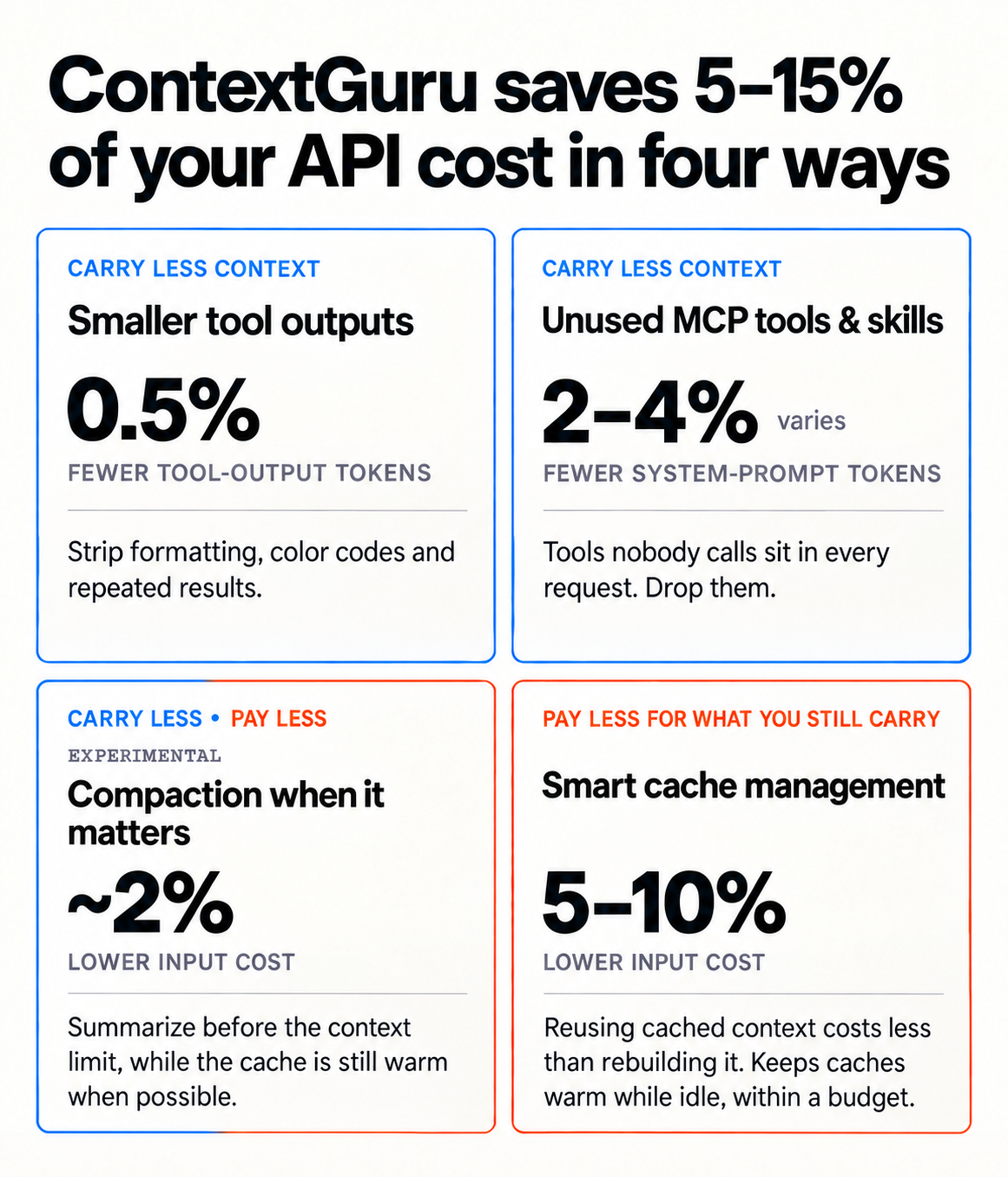
context-guru cuts the token cost of your agent's traffic in two ways: carry less context
(drop redundant tool output, collapse superseded runs, summarize before you hit the limit), and
pay less for what you still carry (keep your prompt cache warm, split the volatile tail off
the system prompt so the rest stays cacheable). Paying less is the default — it's on out of
the box, before you opt into anything that trims content.
Full docs: rossoctl.github.io/context-guru.
Install
Choose your setup. Each button opens only the instructions for that path.
| Personal use | Enterprise use | |
|---|---|---|
| Claude Code |

|
 Claude Code or Codex |
| Codex (experimental) |

|
Presets
Change what gets trimmed with:
/context-guru:preset-picker
It's an effort ladder — each tier is everything in the one before it, plus more:
| Preset | What it adds | Spends on its own |
|---|---|---|
off |
nothing — requests forwarded untouched (the default; only keep-alive spends, if that's on) | no |
conservative |
deterministic trimming of tool output (repeats, dead runs) — no model calls | no |
medium |
conservative plus a cheap model that keeps only what looks relevant in recent tool output |
yes |
high |
medium plus a summarizer that compacts older turns once the context window is nearly full |
yes |
xhigh |
high plus a periodic deep-adjudication sweep over turns whose prompt cache has gone cold — the deepest cut |
yes |
Run the picker above any time to switch tiers — it explains each one before asking which to set.
A restart is required — it takes effect at the next proxy start, not the current session; run/context-guru:status afterward to confirm it stuck. Full pipelines:
docs/reference/presets.md.
Everything else — architecture, the full benchmark, every component, the proxy/gateway path,
config reference — is in docs/design.md and
docs/get-started/how-it-saves.md.
Updating
The proxy binary is what matters and what changes often. A routed session checks for a newer
release every 5 minutes and tells you once, with three answers: update now, always update
automatically, or do nothing for that release. Update it any time with:
/context-guru:update
The plugin itself (skills, hooks, scripts) rarely needs updating — most releases only touch the
proxy binary, which /context-guru:update already covers. If you do want the latest plugin code:
/plugin marketplace update rossoctl/context-guru
/reload-plugins
More: docs/how-to/install-plugin.md.
Troubleshooting
If something breaks and Claude can't fix it, run the recovery script — no session, no proxy,
no network needed:
~/.local/state/context-guru/context-guru-reset
Prefer it over /context-guru:uninstall or /plugin uninstall context-guru@context-guru when a
session is actually stuck: a dead proxy fails every request, including the ones an uninstall
command would need. More: docs/how-to/install-plugin.md#troubleshooting.
The two are not the same, though. /context-guru:uninstall undoes one install — the one
routing the project you run it in — and leaves any other alone; the recovery script un-routes
every settings file the plugin edited, machine-wide one included.
/context-guru:uninstall
More:
docs/how-to/install-plugin.md.
Upgrading from project level to user level
Installed in one project and now want it everywhere? Install again with --global and keep both —
each gets its own port, and a project you later reset falls back to the machine-wide one.
/context-guru:install --global
More:
docs/how-to/install-plugin.md.
License
Reviews (0)
Sign in to leave a review.
Leave a reviewNo results found