opencode-docker
Health Gecti
- License — License: MIT
- Description — Repository has a description
- Active repo — Last push 0 days ago
- Community trust — 16 GitHub stars
Code Gecti
- Code scan — Scanned 9 files during light audit, no dangerous patterns found
Permissions Gecti
- Permissions — No dangerous permissions requested
Bu listing icin henuz AI raporu yok.
Stop prompt injection catastrophe! Run your AI Agents in secure isolated environment now.
Opencode Docker
This project provides a secure, isolated Docker environment designed for running Opencode agents. It features a fully-featured development environment accessible remotely via OpenSSH over a secure Tailscale VPN mesh network.
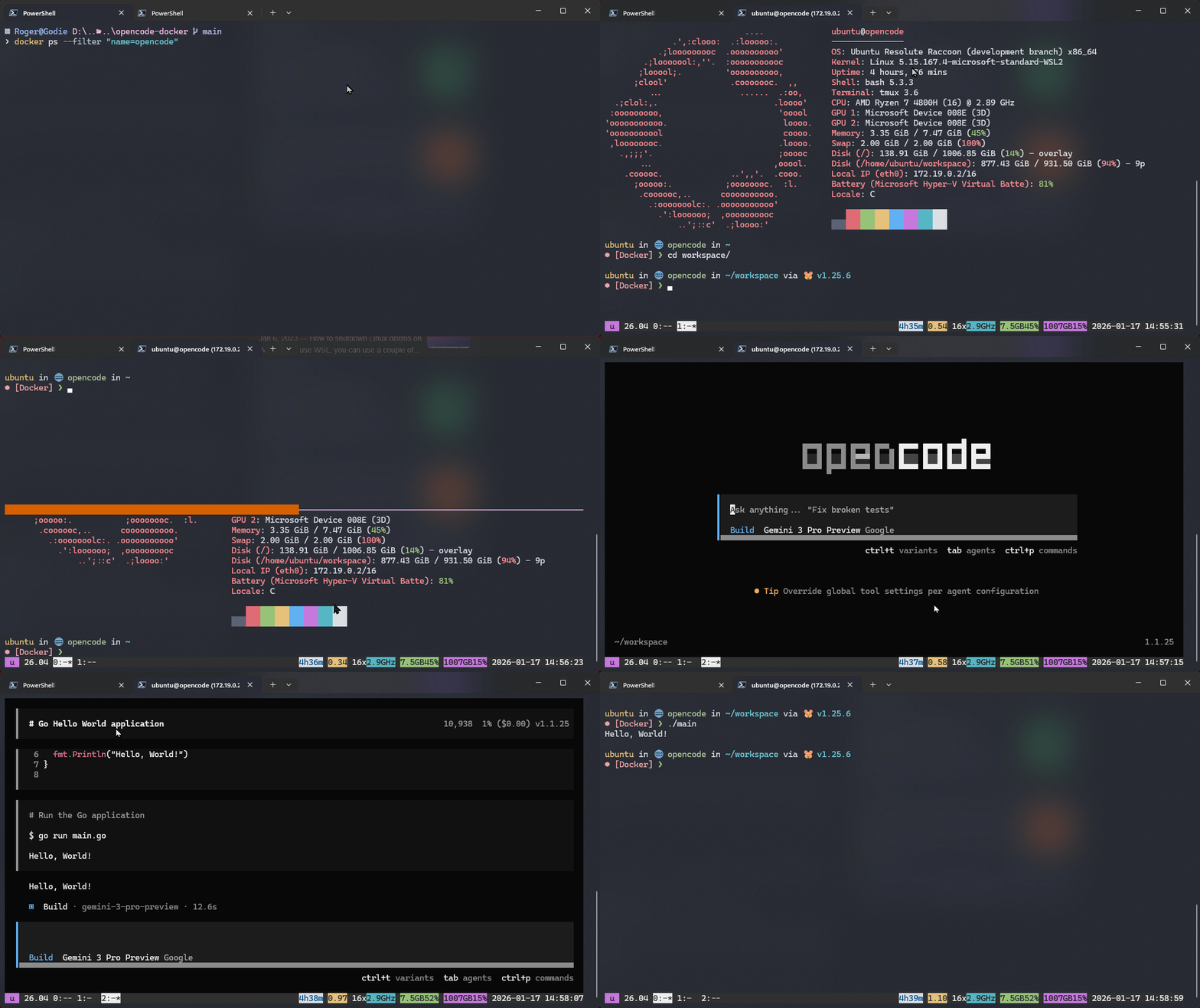
🚀 Features
- Secure Isolation: Runs in a self-contained container based on Ubuntu.
- Remote Access: Accessible securely from anywhere via Tailscale no ports opened on the public internet.
- Persistent Configuration: Your workspace and configurations (Neovim, Opencode) are persisted across restarts.
- GPU Support: Pre-configured for NVIDIA GPU acceleration.
- Rich Tooling: Comes pre-loaded with a modern suite of CLI tools and development runtimes.
🛠️ Getting Started
Prerequisites
Installation & Usage
Clone the repository:
git clone <repository-url>
cd opencode-docker
Configure Environment Variables:
Create a.envfile in the root directory (or set these variables in your shell) with your secrets:TAILSCALE_AUTHKEY=tskey-auth-xxxxx-xxxxxxxxx # Your Tailscale Auth Key USER_PASSWORD=secretpassword # Password for the 'ubuntu' user TZ=Asia/Manila # Your timezoneStart the Container:
Run the following command to bring up the environment:docker-compose up -dConnect via SSH:
Once running, the machine will appear in your Tailscale network asopencode. You can SSH into it:ssh ubuntu@opencode(Or use the Tailscale IP address directly if DNS is not configured)
🧰 Included Tools
This environment is packed with tools to maximize productivity:
Core & Shell
- Shell:
bashwithstarshipprompt. - Multiplexers:
tmux,byobu. - Editors:
neovim(NVIM),vim,nano. - File Managers:
superfile,mc(Midnight Commander). - Navigation:
zoxide(smarter cd),gum.
Development Runtimes (managed via mise)
- Node.js
- Go
- Python (also with
uv) - Rust
- Opencode CLI
Utilities
- Search:
fzf,rg(ripgrep),fd(fd-find). - Git:
git,lazygit,gh(GitHub CLI). - System:
htop,iotop,ncdu,fastfetch. - Archives:
tar,zip,unzip. - Network:
curl,wget,nmap,iperf,dnsutils,ping. - Modern Replacements:
bat(cat clone),exa(ls clone). - Security:
age,gnupg,openssh-server. - Build:
build-essential,cmake,ninja-build.
📂 Volume Mappings
The following directories are mapped to the host to ensure data persistence:
./workspace->/home/ubuntu/workspace: Main working directory../config/opencode->/home/ubuntu/.config/opencode: Opencode configuration../config/nvim->/home/ubuntu/.config/nvim: Neovim configuration.
Yorumlar (0)
Yorum birakmak icin giris yap.
Yorum birakSonuc bulunamadi