simcadia
Health Warn
- No license — Repository has no license file
- Description — Repository has a description
- Active repo — Last push 0 days ago
- Low visibility — Only 5 GitHub stars
Code Warn
- Code scan incomplete — No supported source files were scanned during light audit
Permissions Pass
- Permissions — No dangerous permissions requested
No AI report is available for this listing yet.
A local workspace for understanding, comparing, and organizing fluid simulations.

simCadia is a local desktop workspace for understanding and managing simulation
campaigns. Open an existing OpenFOAM or SU2 project and simCadia automatically
finds supported Cases, organizes the information it can read, and gives you one
place to inspect, search, compare, monitor, organize, and ask questions about the
work.
Setup, physics, mesh, boundaries, numerics, runs, results, History, Groups,
labels, and notes stay connected to the Cases and recorded source information
they came from.
OpenFOAM and SU2 do not describe simulations in the same way. simCadia preserves
their own engineering terminology while bringing both into one consistent
workflow.
Keep the folder and solver workflow you already use. You do not need to move the
project into simCadia or import Cases one at a time.
One existing folder. OpenFOAM and SU2. One engineering workspace.
It does not change or run the selected simulation project.
Download
| Platform | Download | Start |
|---|---|---|
| Windows 11 x64 | simCadia-0.3.0-win-x64.zip |
Extract the ZIP and run simCadia.exe. |
| Linux x86-64 | simCadia-0.3.0-linux-x86_64.zip |
Extract the ZIP and run ./run-simcadia.sh. |
No installation or account is required for normal project use. The Windows
application is currently unsigned, so Windows may show an unfamiliar-application
warning. Both downloads include a 63-Case SampleProject for trying the complete
workflow without using your own files.
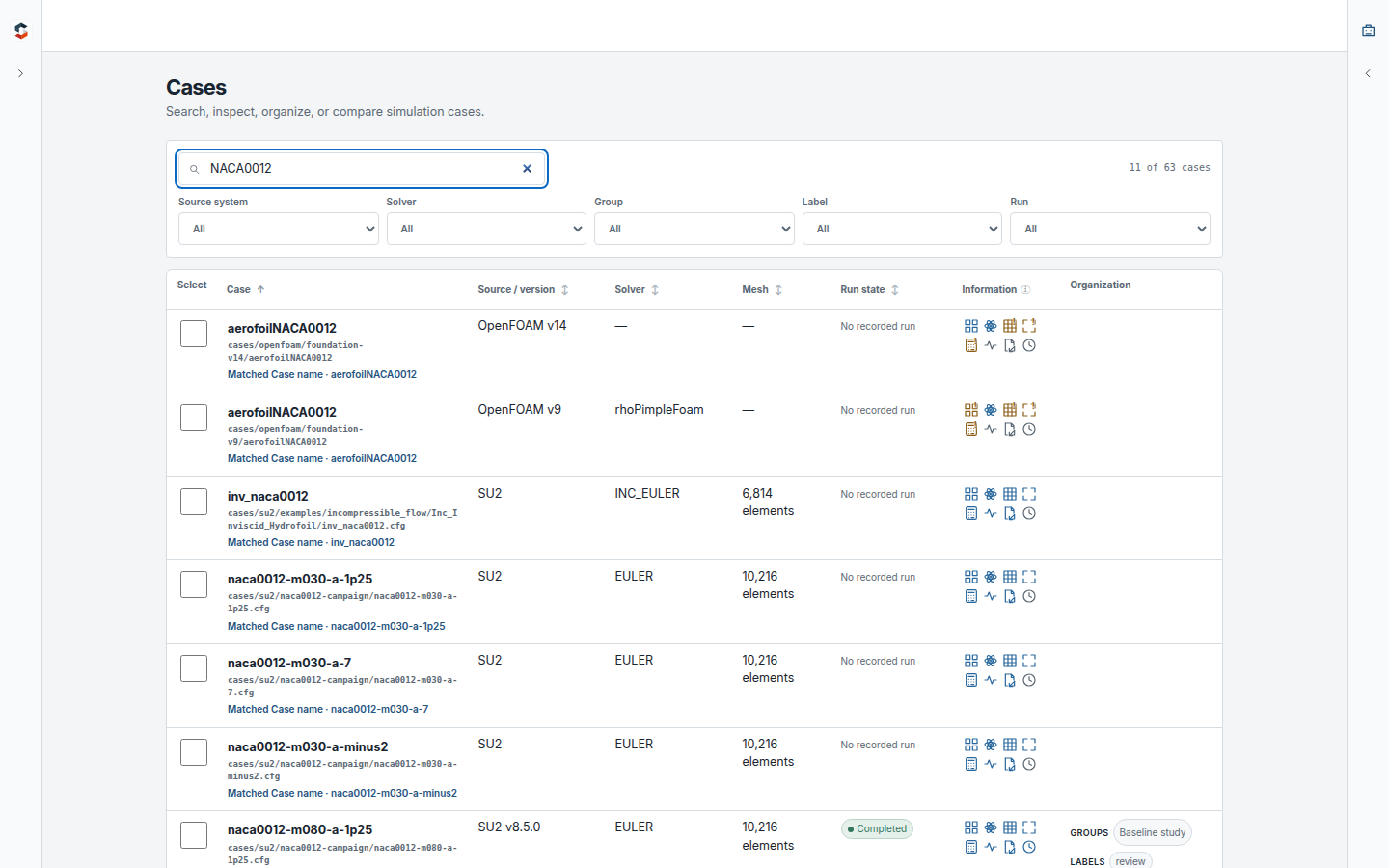
Open one folder, understand the campaign
Choose a normal project folder. simCadia finds supported OpenFOAM and SU2 Cases
and presents them together without requiring each Case to be imported or tagged
manually. Search and filter across the campaign by Case, source system, solver,
run state, Group, label, or recorded information.
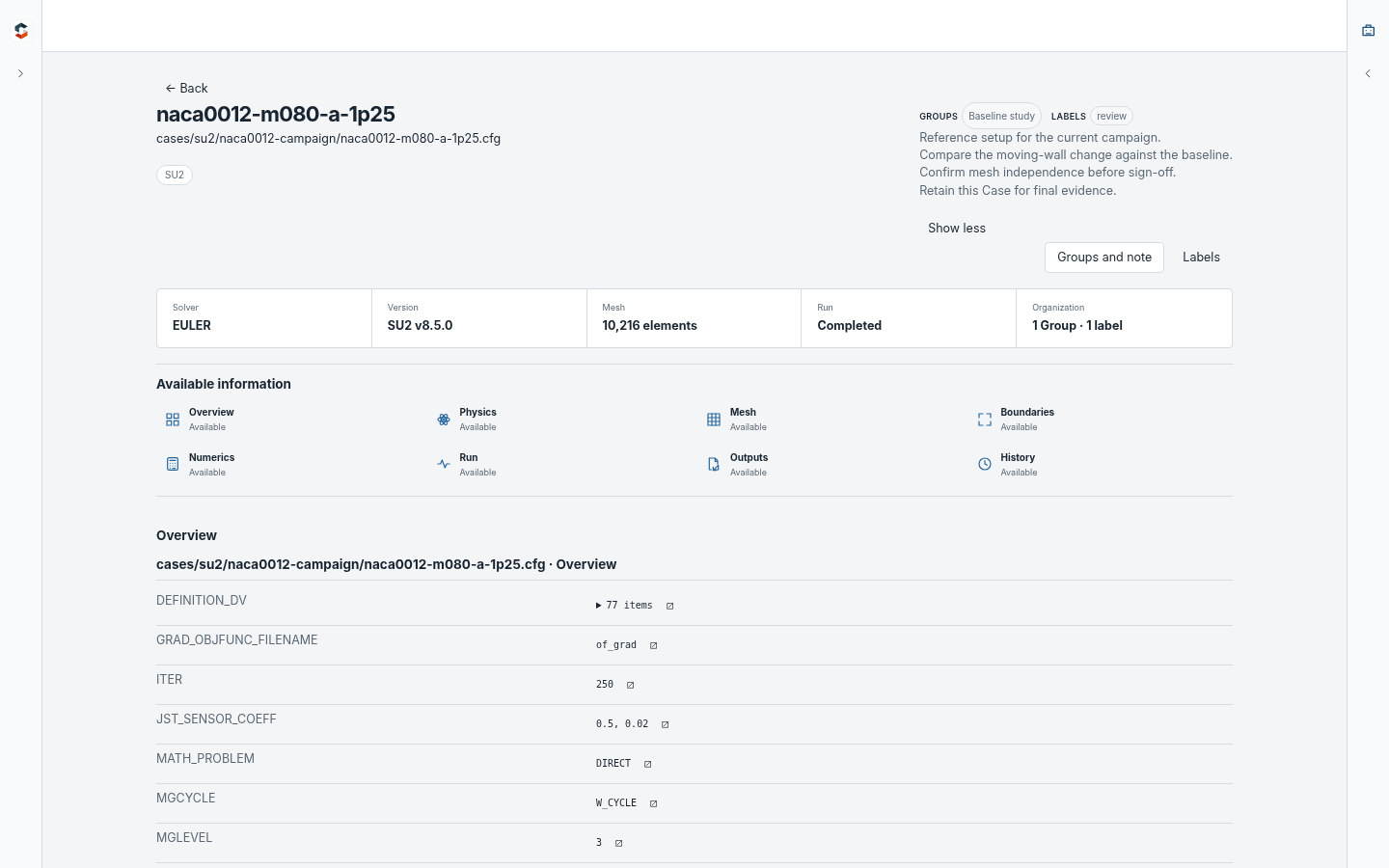
Inspect each Case
Open a Case to inspect the available setup, physics, mesh, boundaries, numerics,
run evidence, outputs, and History. Groups, labels, and notes stay attached to
the Case, while source actions open the exact recorded evidence through the
operating system.
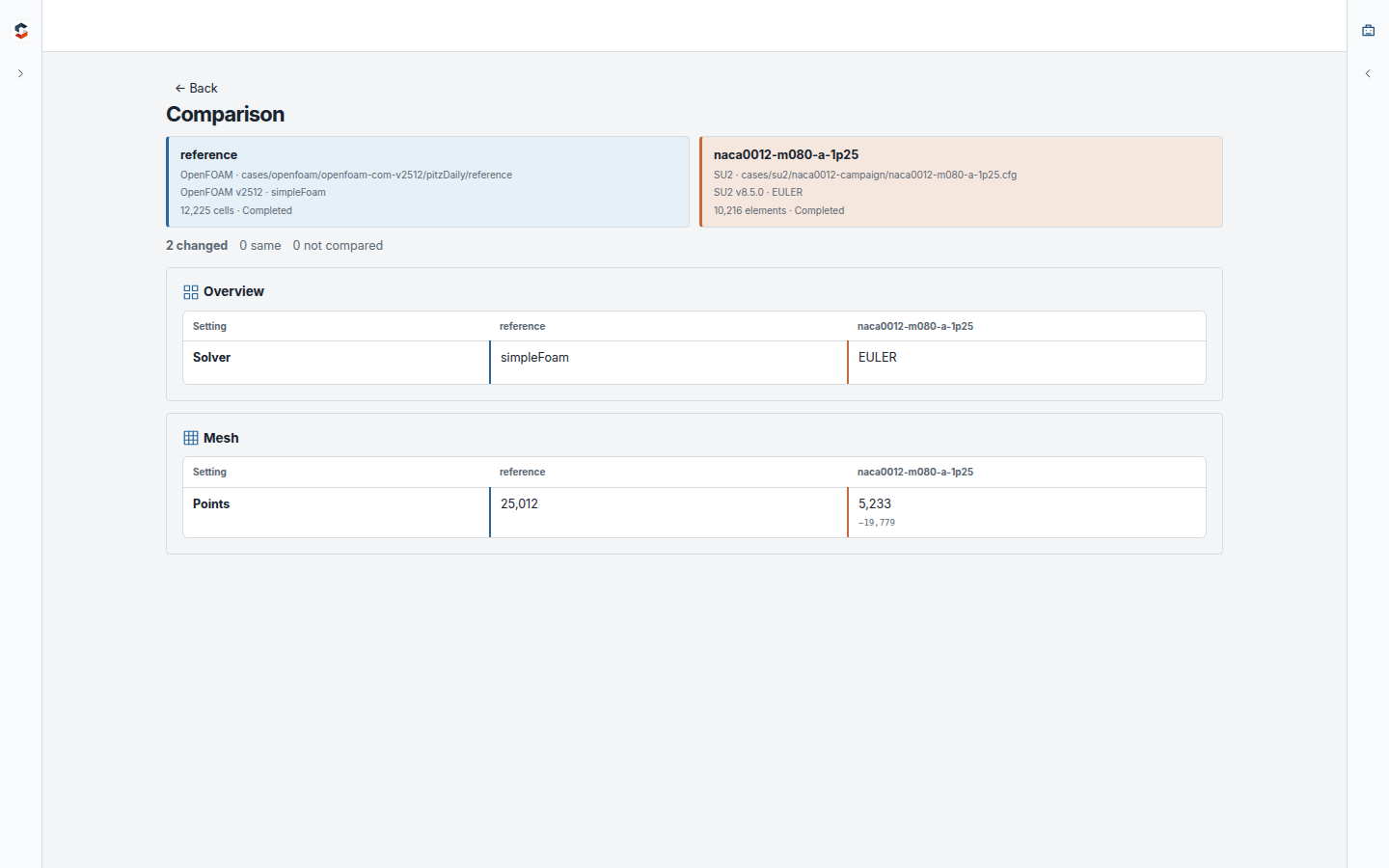
Compare without flattening solver differences
Compare any two supported Cases through the same workflow. simCadia separates
matching, differing, and one-sided information while keeping OpenFOAM and SU2
names and values in their native form.
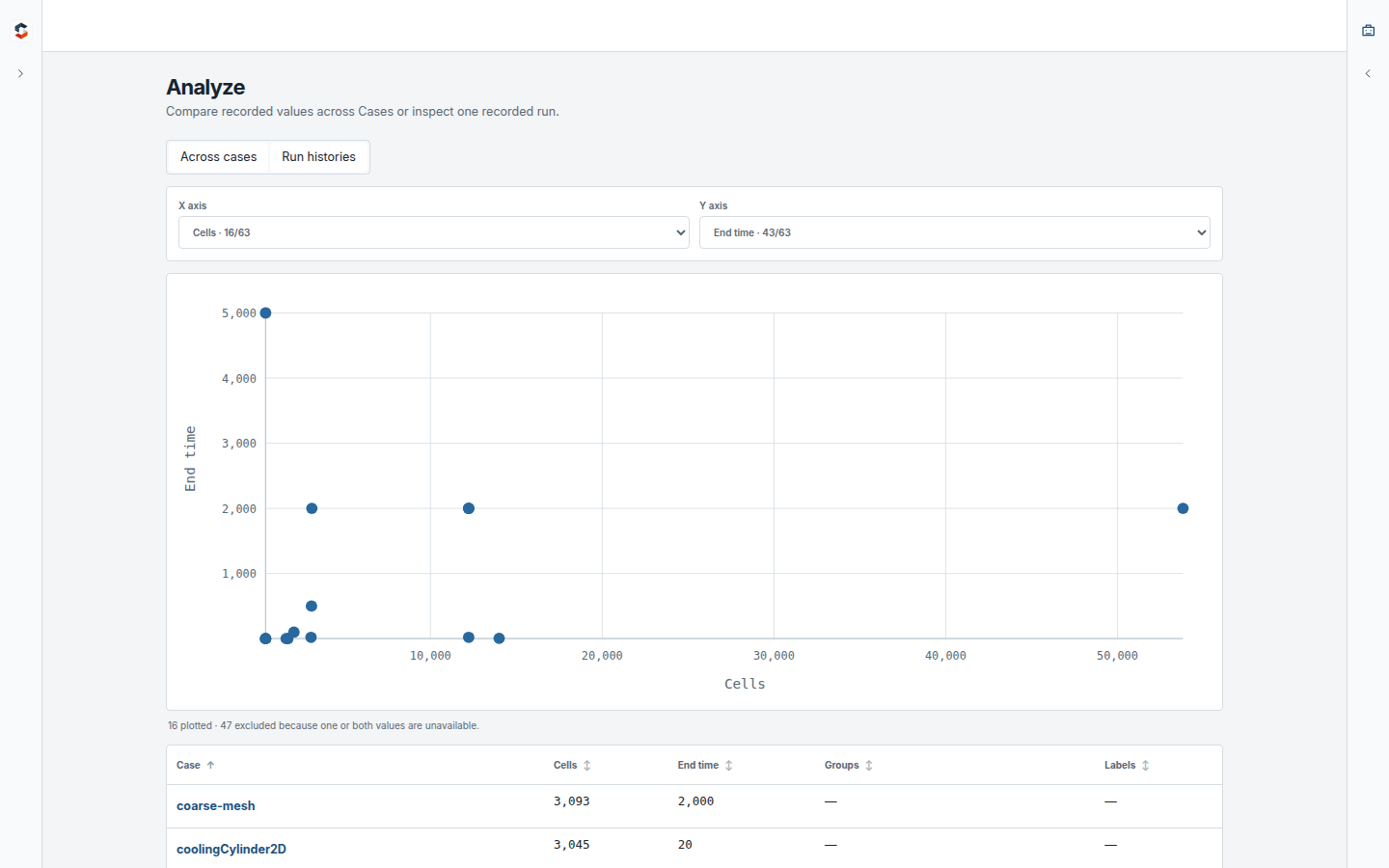
Analyze a campaign
Choose two recorded numeric values and inspect them across all Cases that contain
both. The plot and table stay connected, and simCadia states how many Cases were
excluded because information was unavailable.
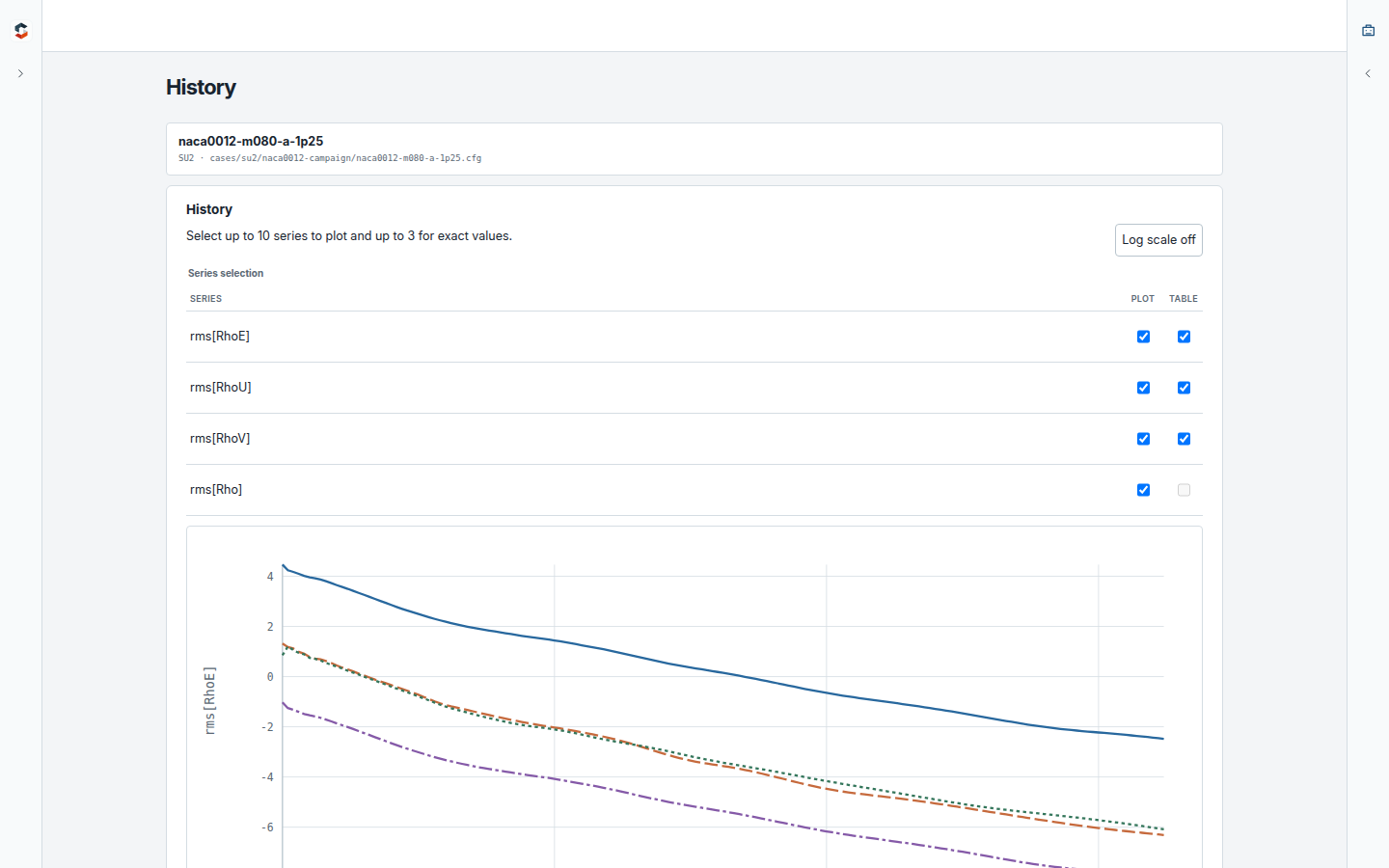
Inspect completed runs and monitor live ones
Plot residual and scalar History from completed runs, switch between linear and
log scales, and inspect exact recorded values.
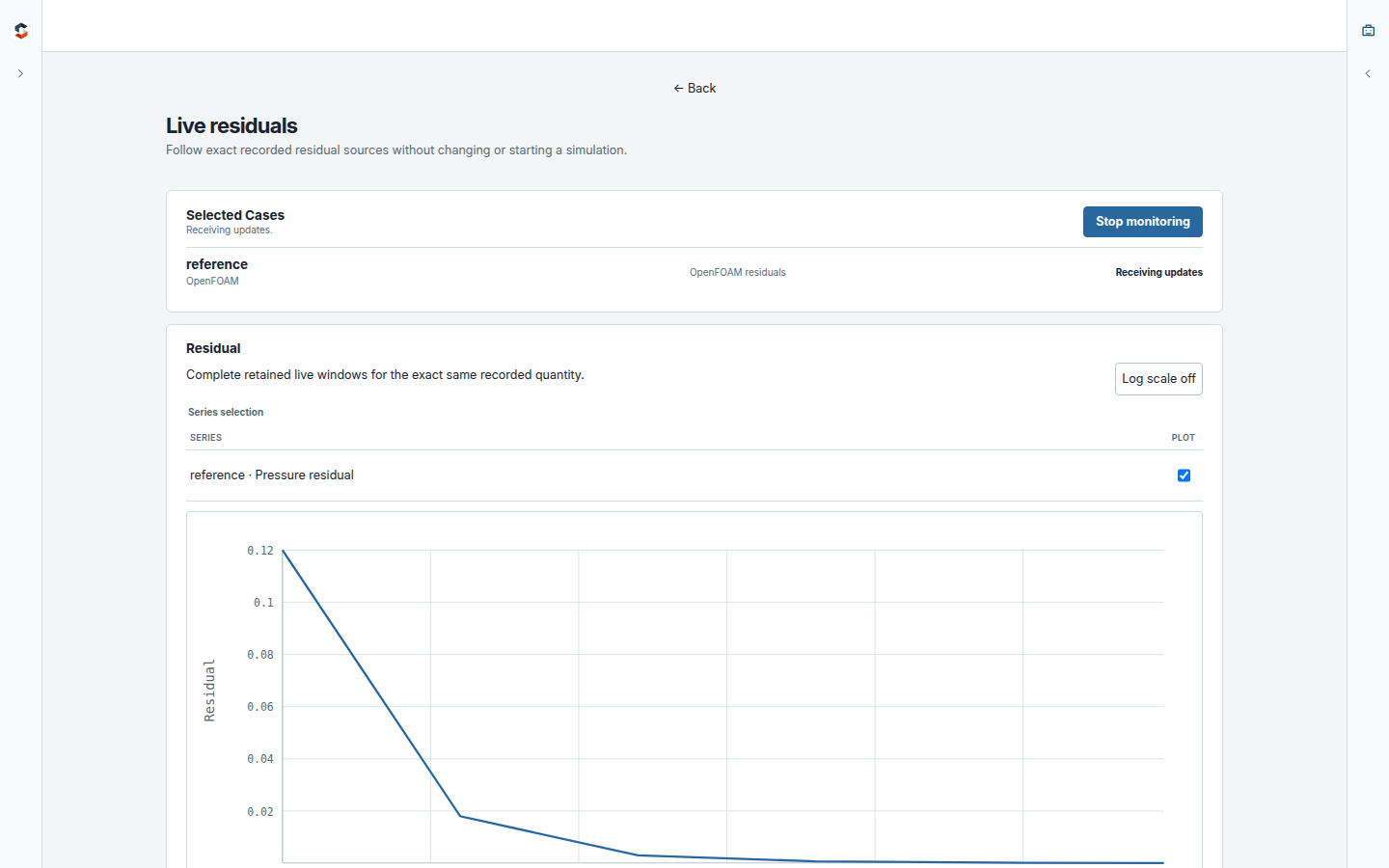
For a simulation that is already running, select one or more Cases and start live
monitoring. simCadia follows the recorded residual files as they change; it does
not start, stop, or modify the solver.
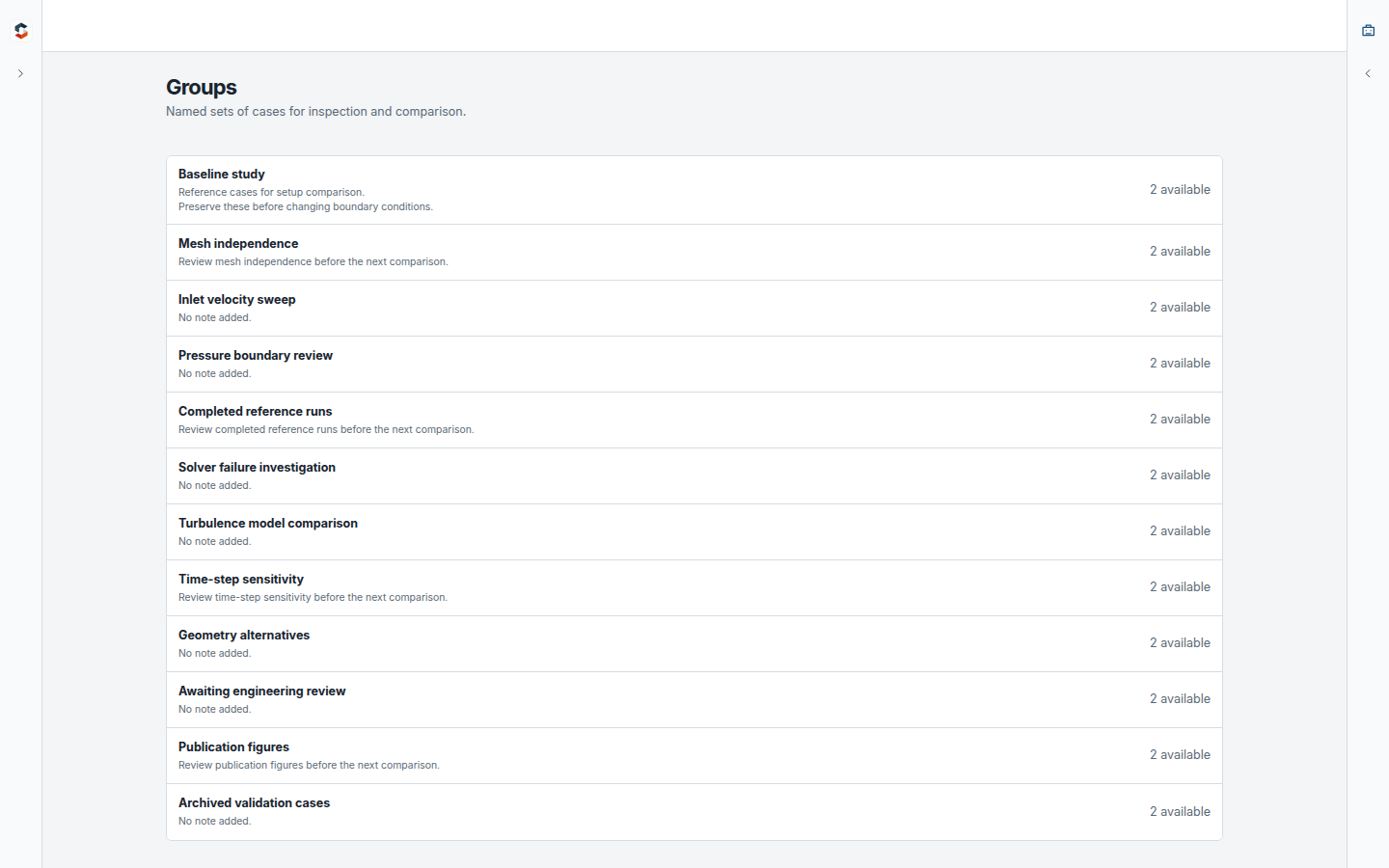
Organize engineering work
Create Groups for related Cases, add labels, and keep multiline notes about why a
comparison or investigation matters. This organization is stored by simCadia and
does not alter the simulation folders.
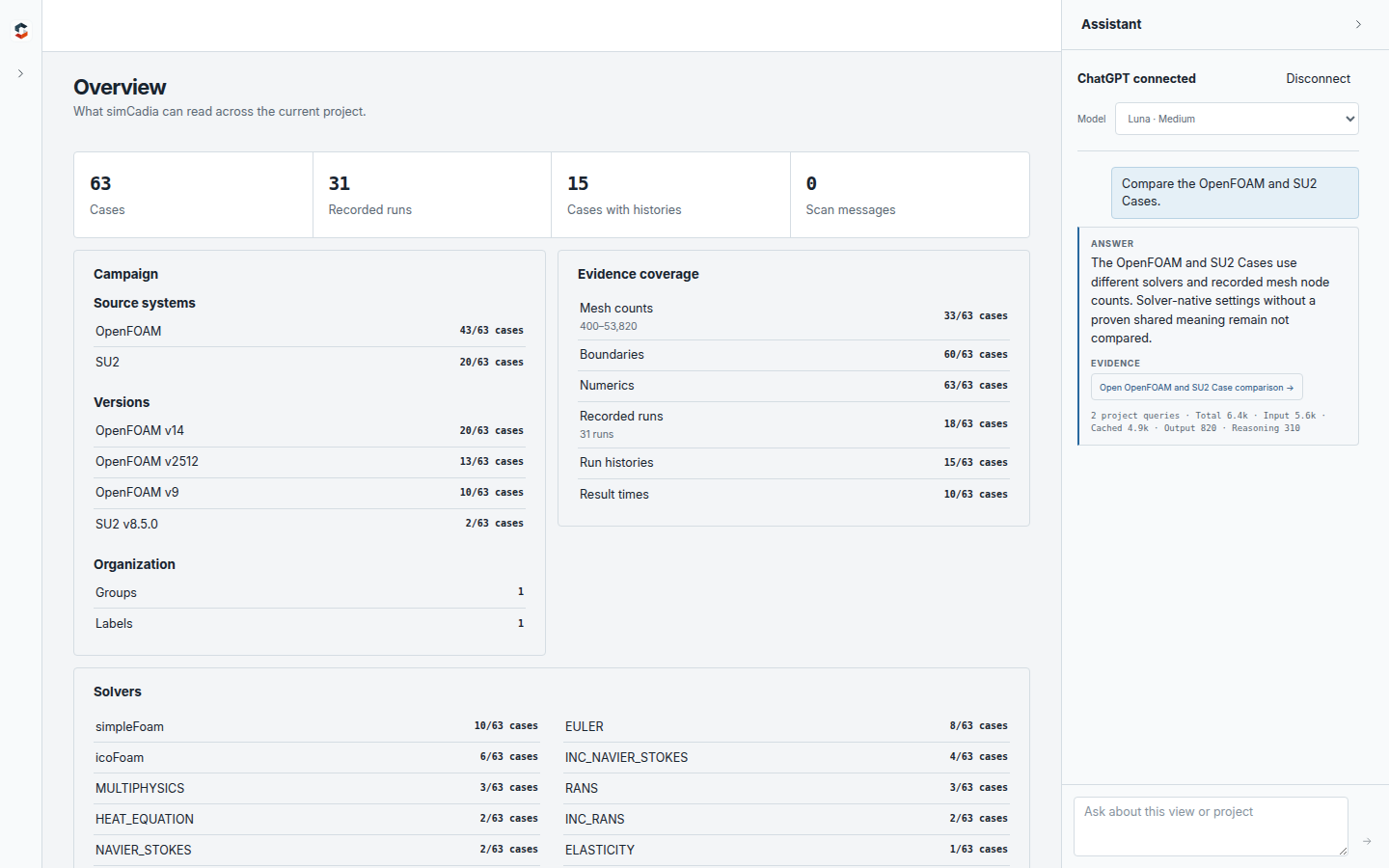
Ask questions, inspect the evidence
The optional evidence-based Assistant can search the project, compare Cases,
summarize History, and rank recorded values. When the project evidence supports
an answer, the answer links back to the exact information used. Otherwise,
simCadia says that the available evidence did not establish an answer.
Local by default
Scanning, comparison, organization, History, and live monitoring stay on the
computer. The optional Assistant contacts ChatGPT only after an explicit
connection and question. simCadia contains no application telemetry.
See Privacy for the complete data boundary and
Current features for the supported workflow.
Current release
Version 0.3.0 provides:
- Portable Windows 11 x64 and Linux x86-64 applications.
- Native Windows, Windows WSL, and native Linux project folders.
- OpenFOAM and SU2 project support in one workspace.
- A 63-Case SampleProject: 43 OpenFOAM Cases and 20 SU2 Cases.
- Read-only operation over selected simulation projects.
See the complete release changes and verify downloads throughSHA256SUMS.
Feedback
If you work with simulation campaigns, try simCadia on a real project and
open an issue with what it
understands well, what it misses, or what would make it worth returning to.
Reviews (0)
Sign in to leave a review.
Leave a reviewNo results found