conduit
Health Warn
- License — License: AGPL-3.0
- Description — Repository has a description
- Active repo — Last push 0 days ago
- Low visibility — Only 5 GitHub stars
Code Fail
- rm -rf — Recursive force deletion command in .github/workflows/ci.yml
Permissions Pass
- Permissions — No dangerous permissions requested
No AI report is available for this listing yet.
Open-source, local-first desktop AI client and MCP host. Bring your own key for Claude, GPT, Gemini, Ollama, or any OpenAI-compatible endpoint — conversations stay on your machine.
English · Deutsch · Español · Français · 日本語 · 한국어 · Português (Brasil) · 简体中文
Conduit
The AI workspace that builds things you keep, with your keys, on your machine.



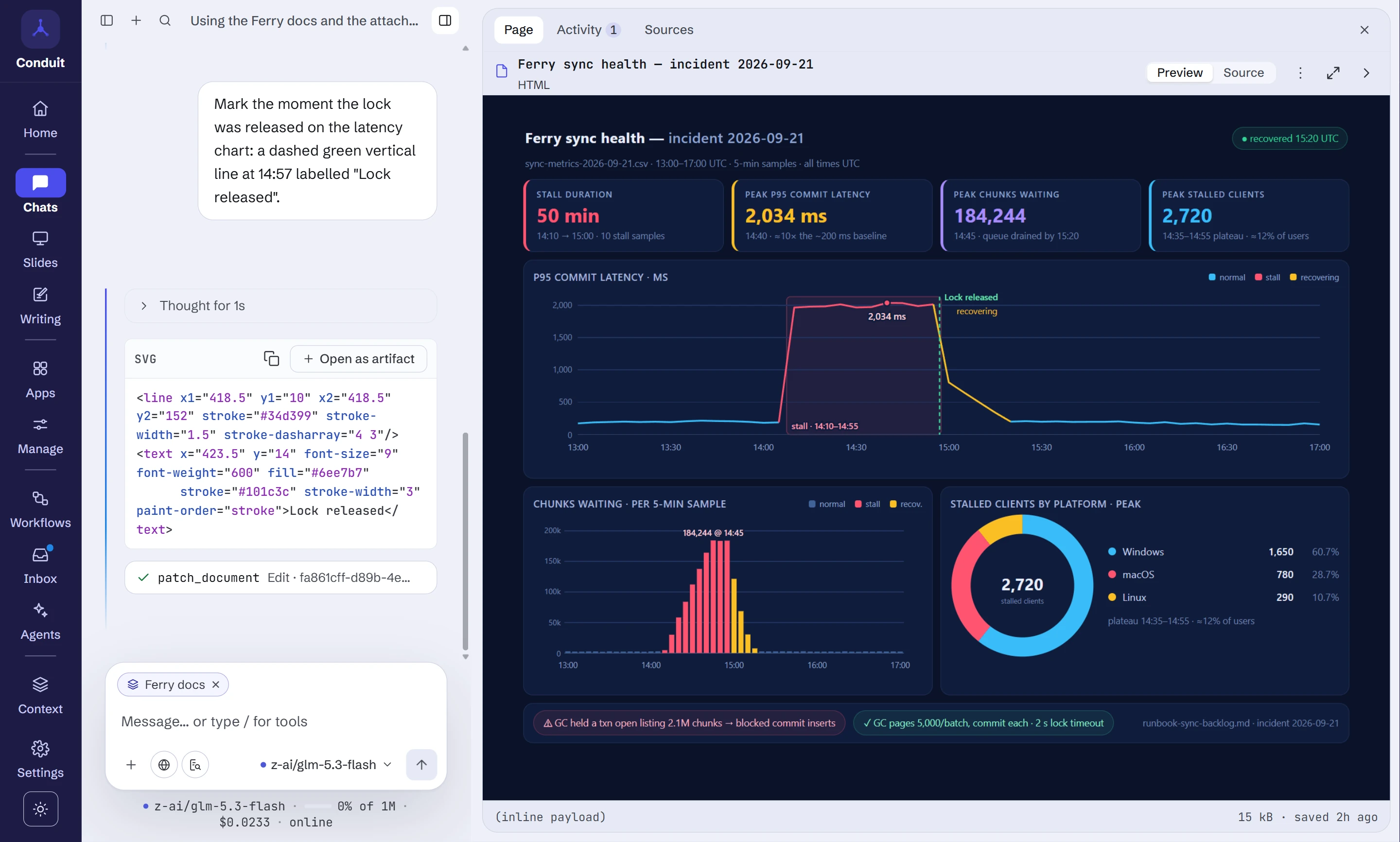
Conduit is an open-source desktop app for working with large language models.
Bring your own key for any of twenty-three providers, or run a local model with
Ollama or LM Studio, and ask for things you can keep: a personal app that
pulls live data, a slide deck you edit by asking, a spreadsheet whose formulas
recalculate, an answer cited from
your own documents, a research report whose every finding is checked
against the page it came from, a workflow that runs on a schedule or when
something new arrives, and stops to ask. Connect your tools over MCP: tools
that change things, and every site a page wants to reach, ask you first.
Everything lives on your disk: chats, documents, apps and decks, in a local
SQLite database with optional encryption at rest. There is no Conduit account,
no backend and no telemetry. Built on Tauri 2 with a Rust core and a React
interface.
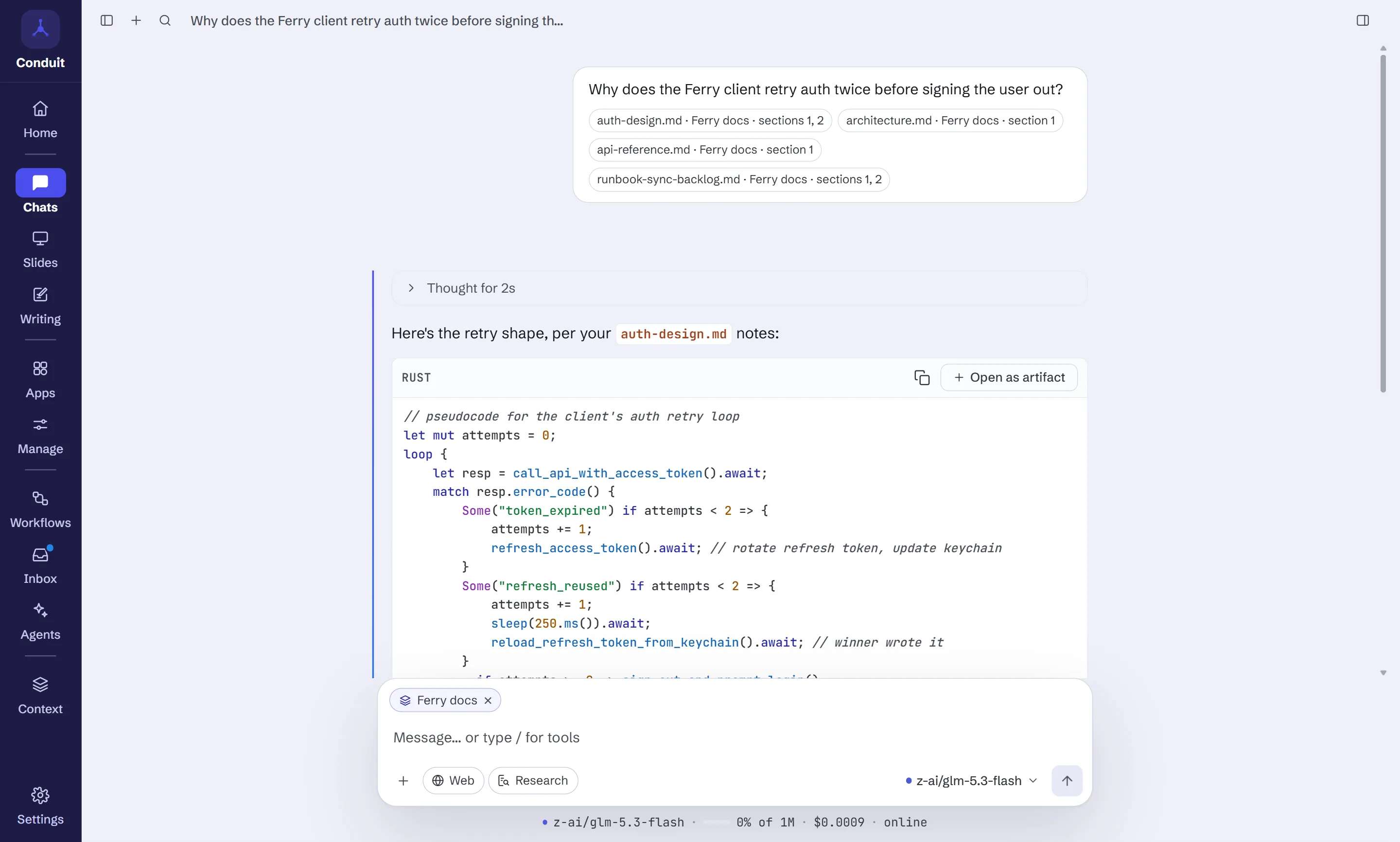
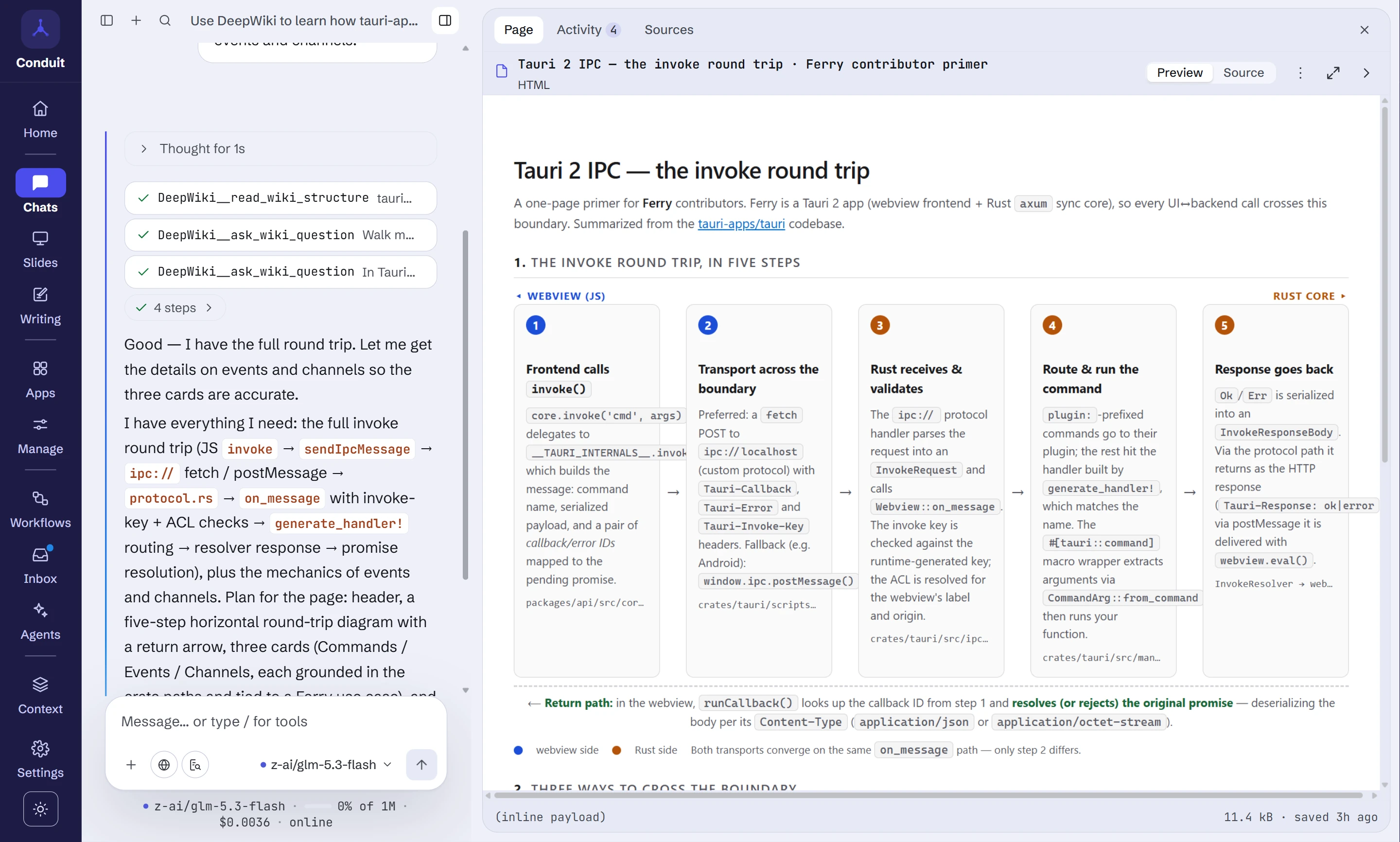
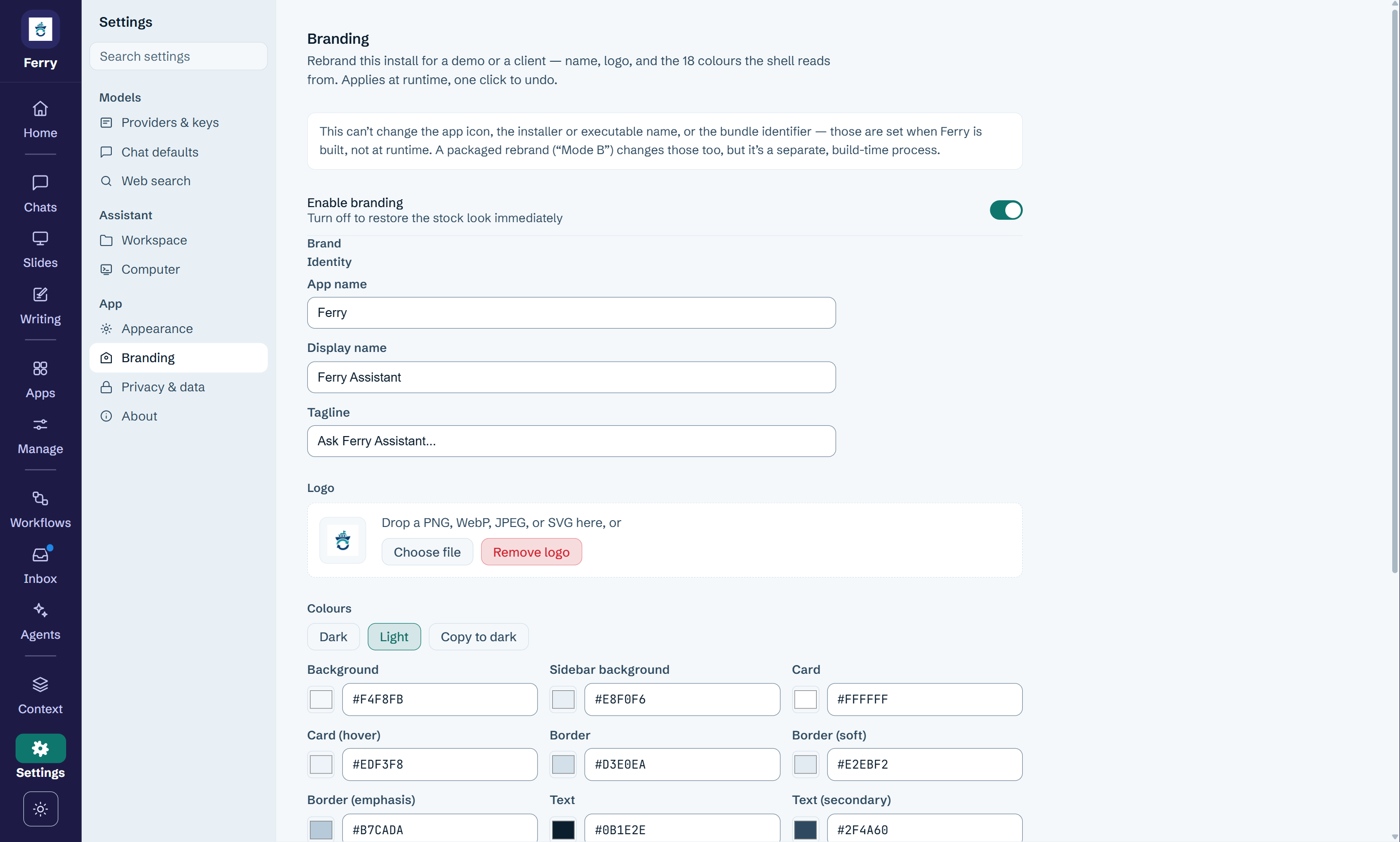
The screenshots follow one example: the team behind Ferry, a made-up
open-source sync app built with Rust and Tauri.
At a glance
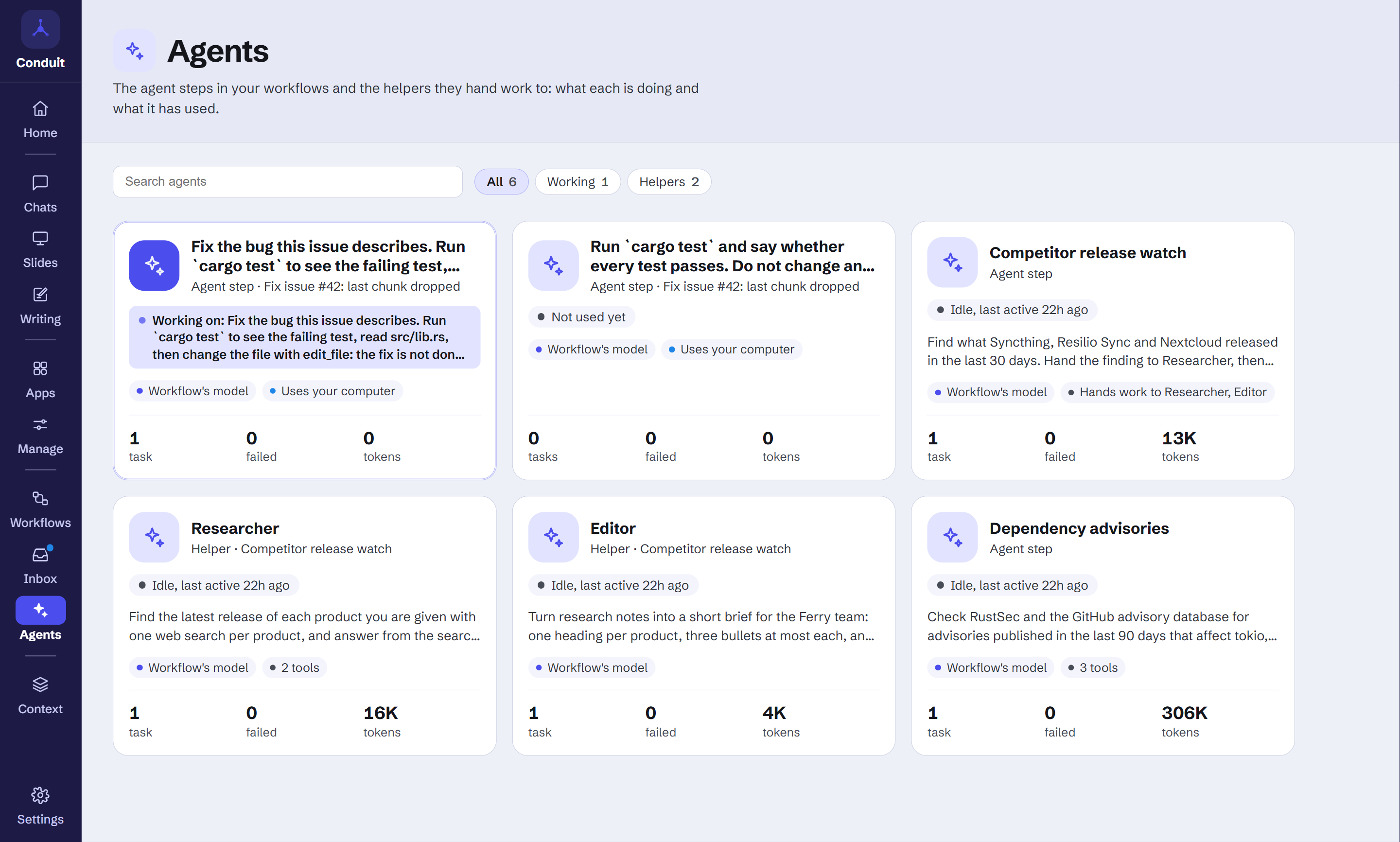
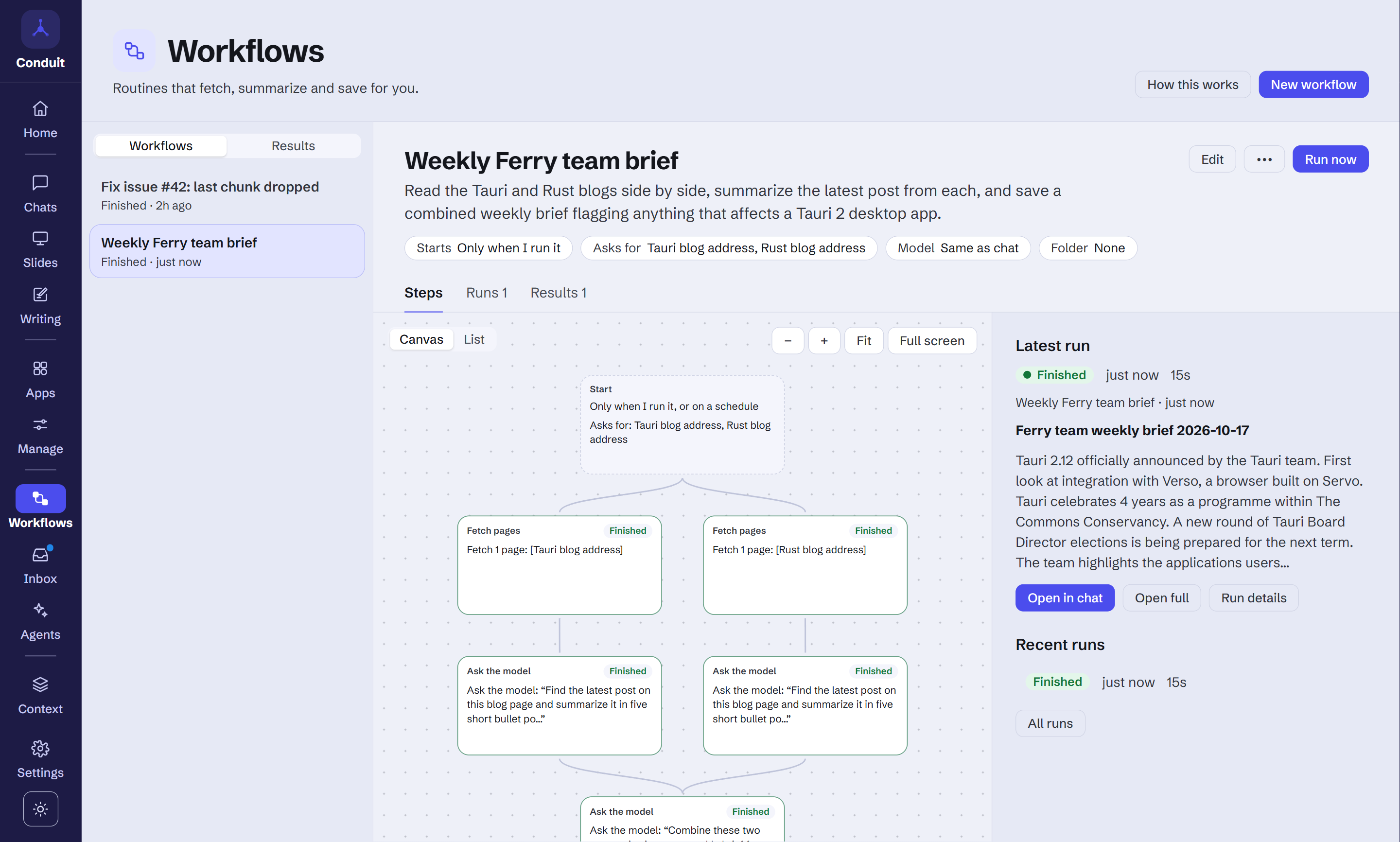
| Agents: agents that work on your computer, and ask before they act | Workflows: routines that run on a schedule or when something new arrives, and ask first |
|---|---|
 |
 |
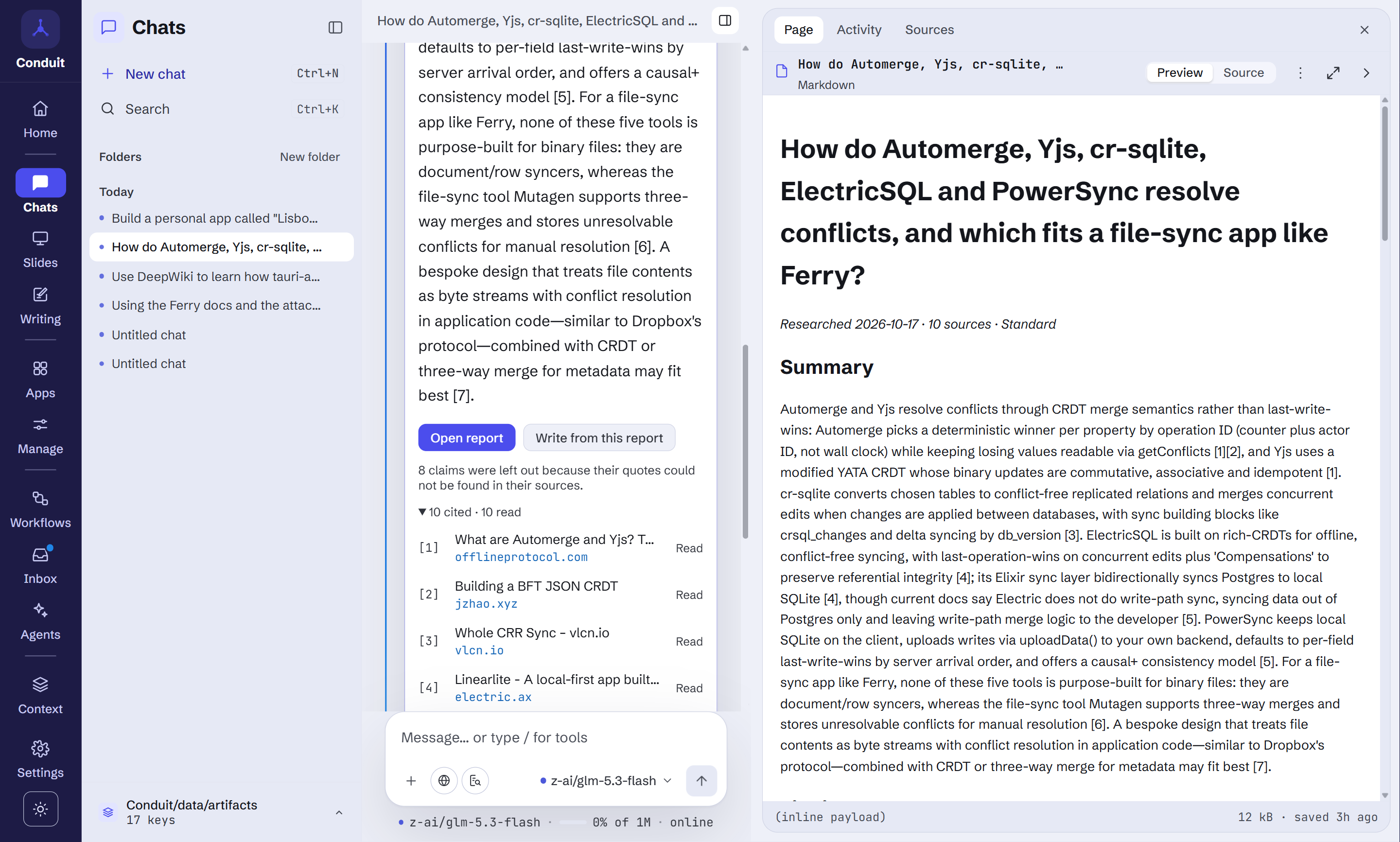
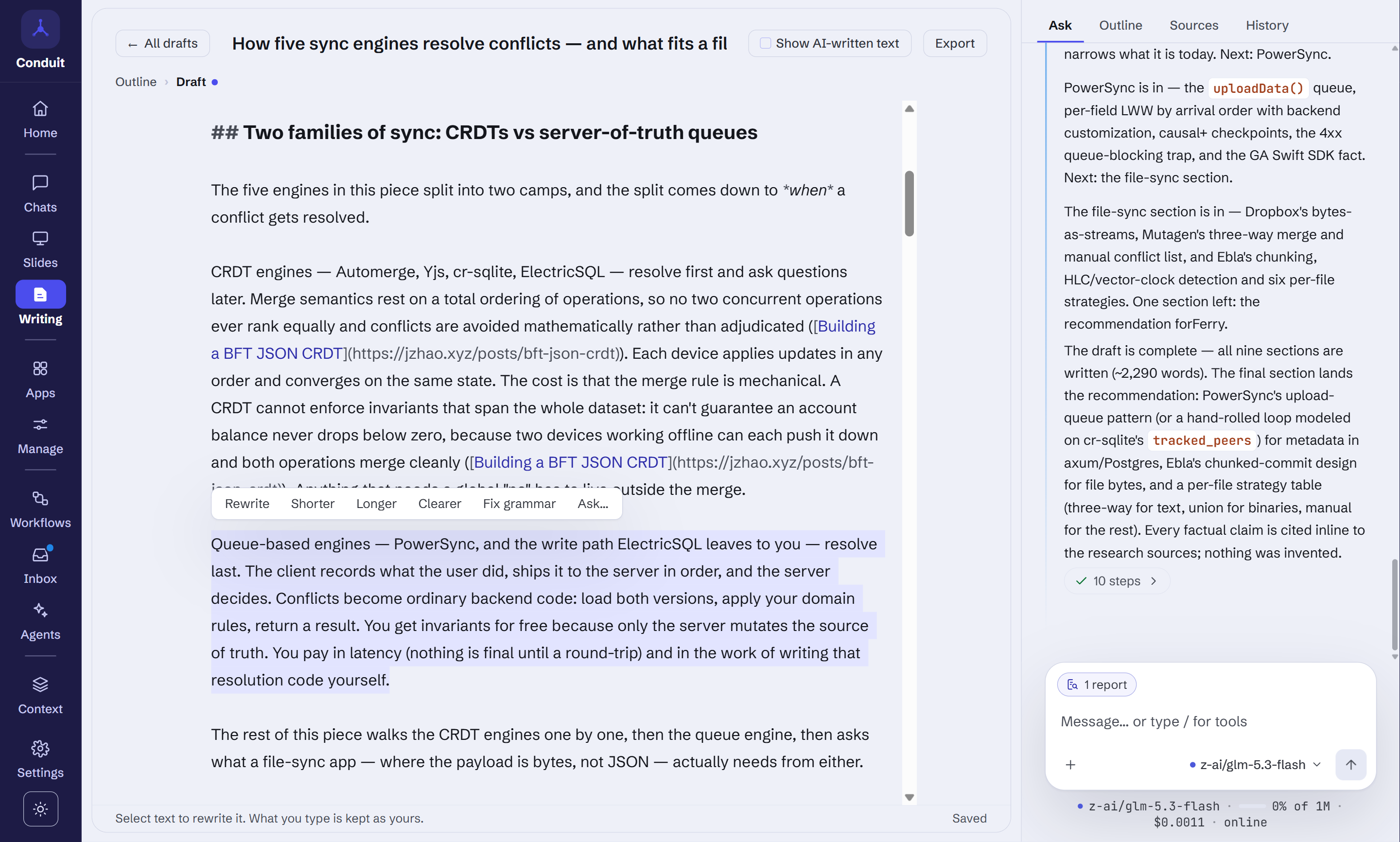
| Research: every claim backed by a real quote | Writing: blog posts, docs and reports, written section by section |
 |
 |
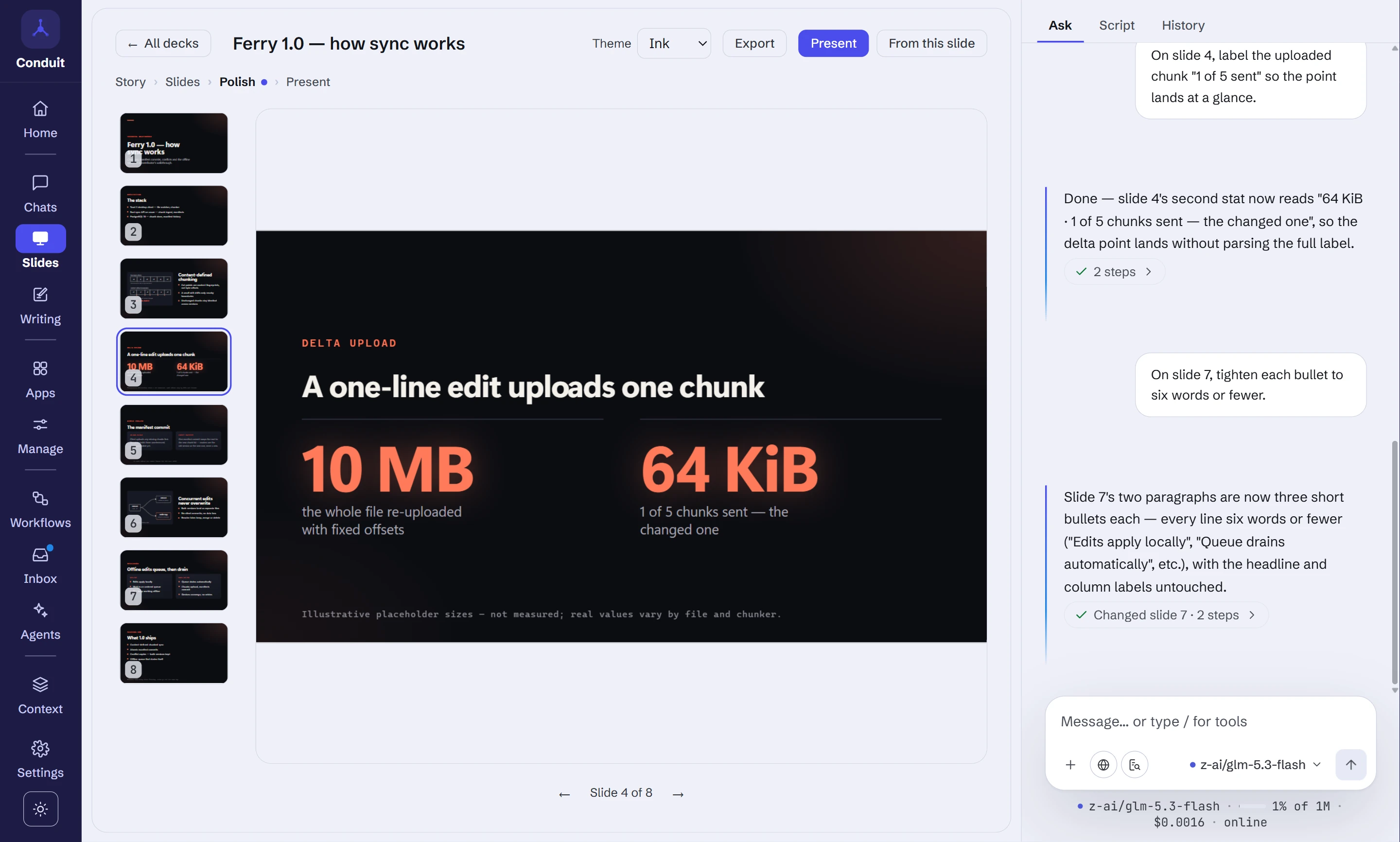
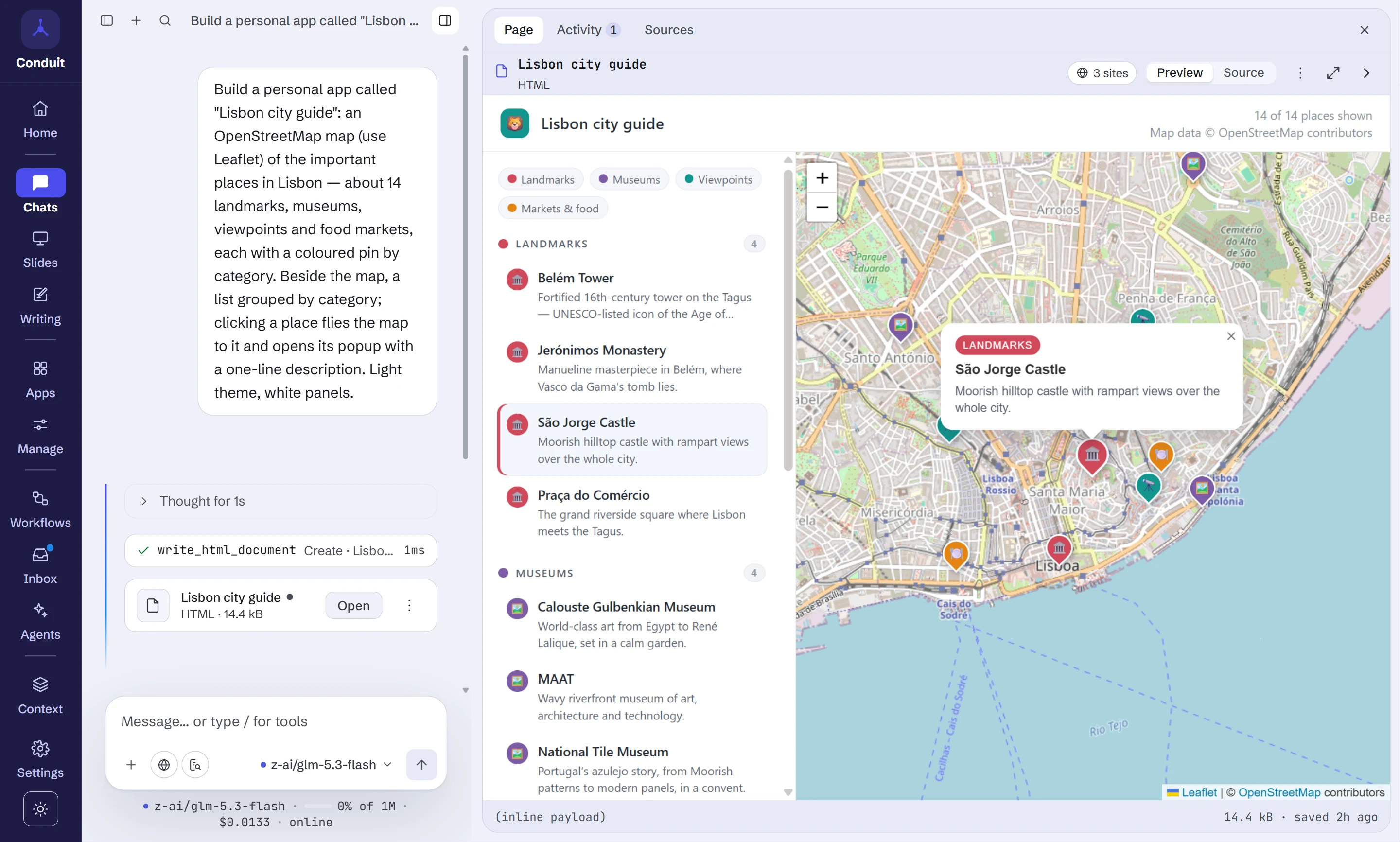
| Slides: a deck you edit by asking, not a file you regenerate | Personal apps: keep what it builds, and open it any time |
 |
 |
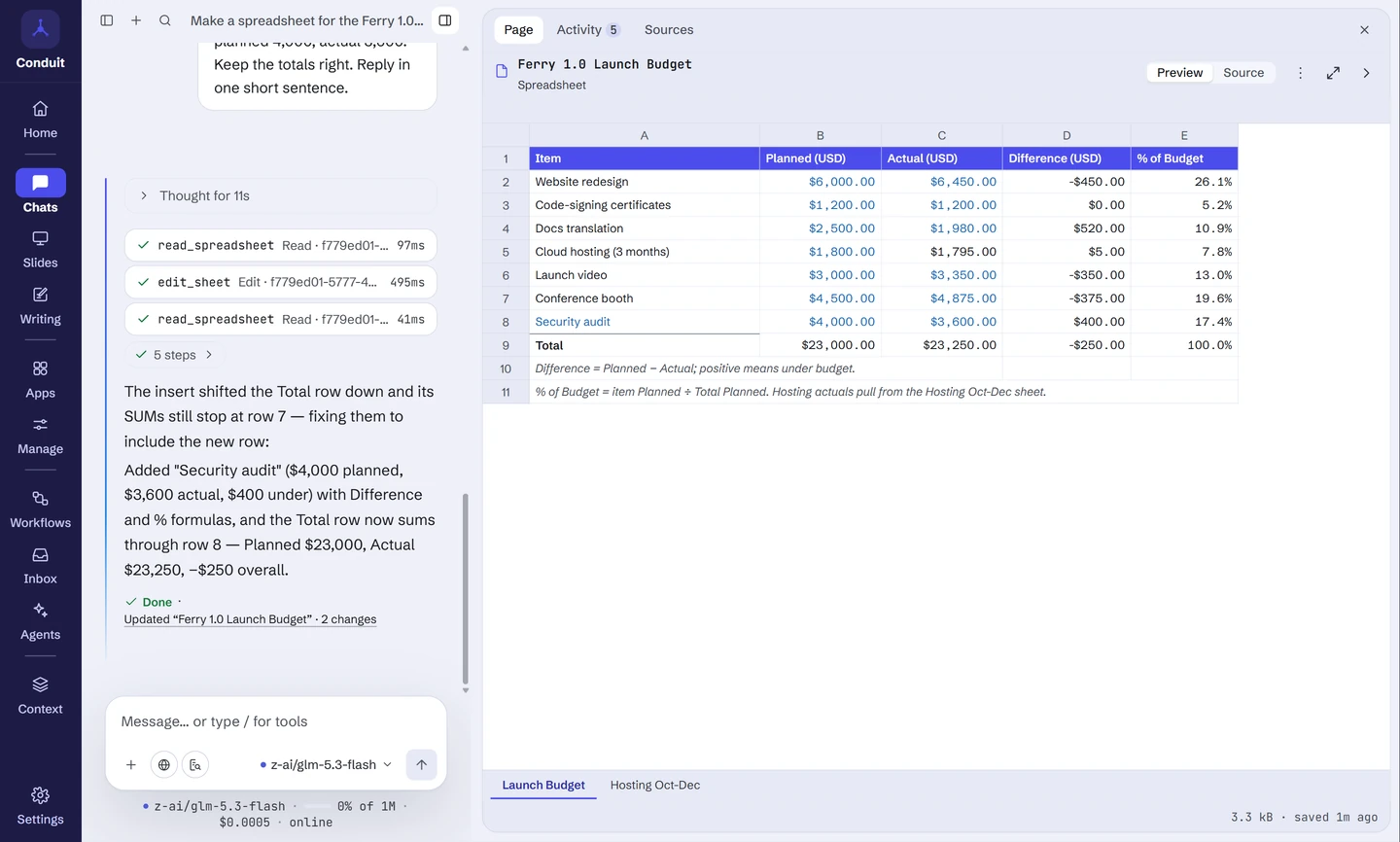
| Spreadsheets: formulas that recalculate, changed by asking | Answers from your own documents: cited down to the exact passage |
 |
 |
| MCP connectors: plug in any MCP server, on your own terms | White-label: your name, logo and colours from one brand file |
 |
 |
What you can build
Personal apps
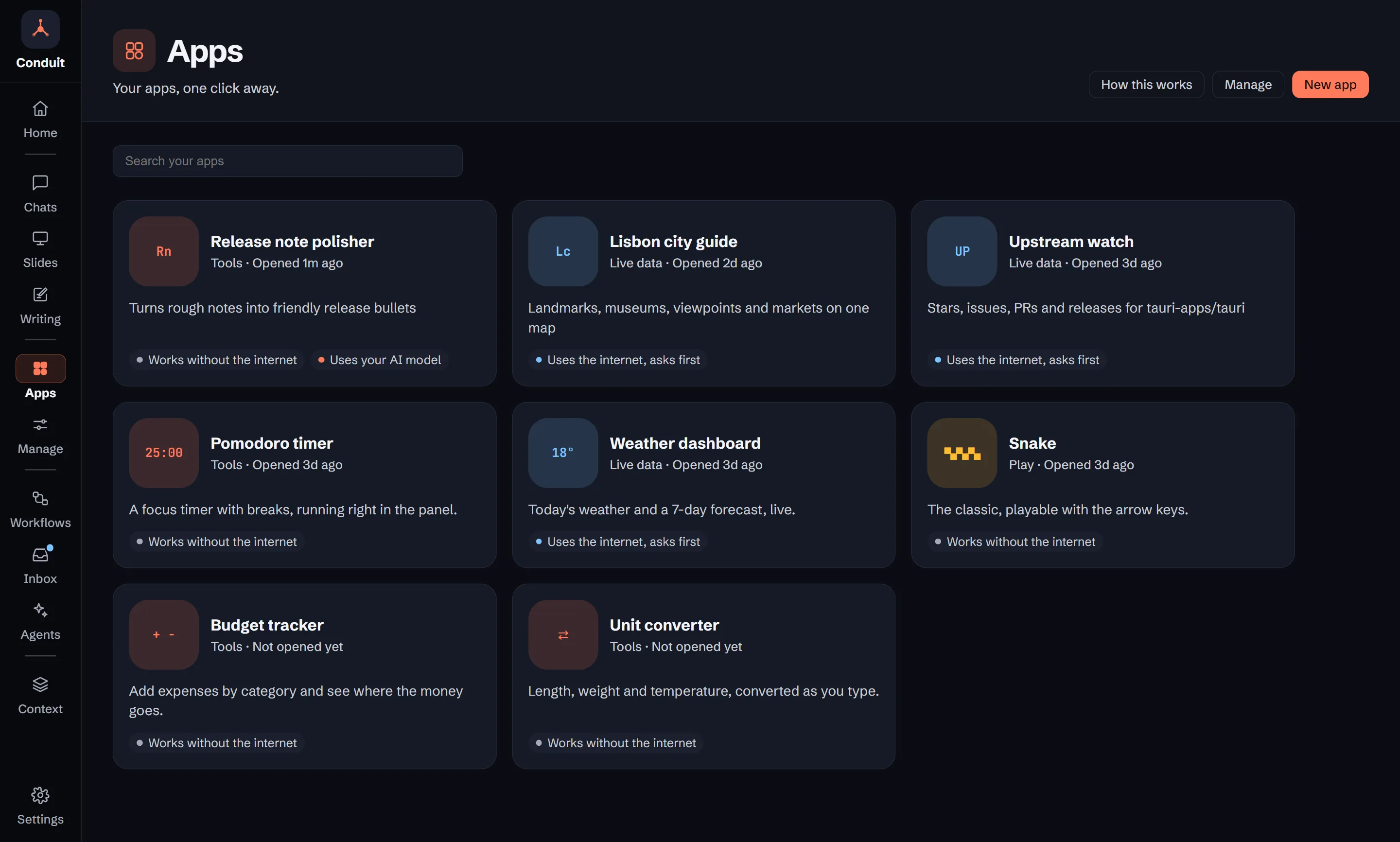
Ask for a tool and you get a working page: a dashboard, a converter, a tracker,
a game. Save as app (in the page's ⋯ menu) keeps it as a personal app you
open from Apps on the rail (a screen of your apps as cards; Manage beside
it holds details, network access and starter apps), and it keeps working after
you delete the chat.
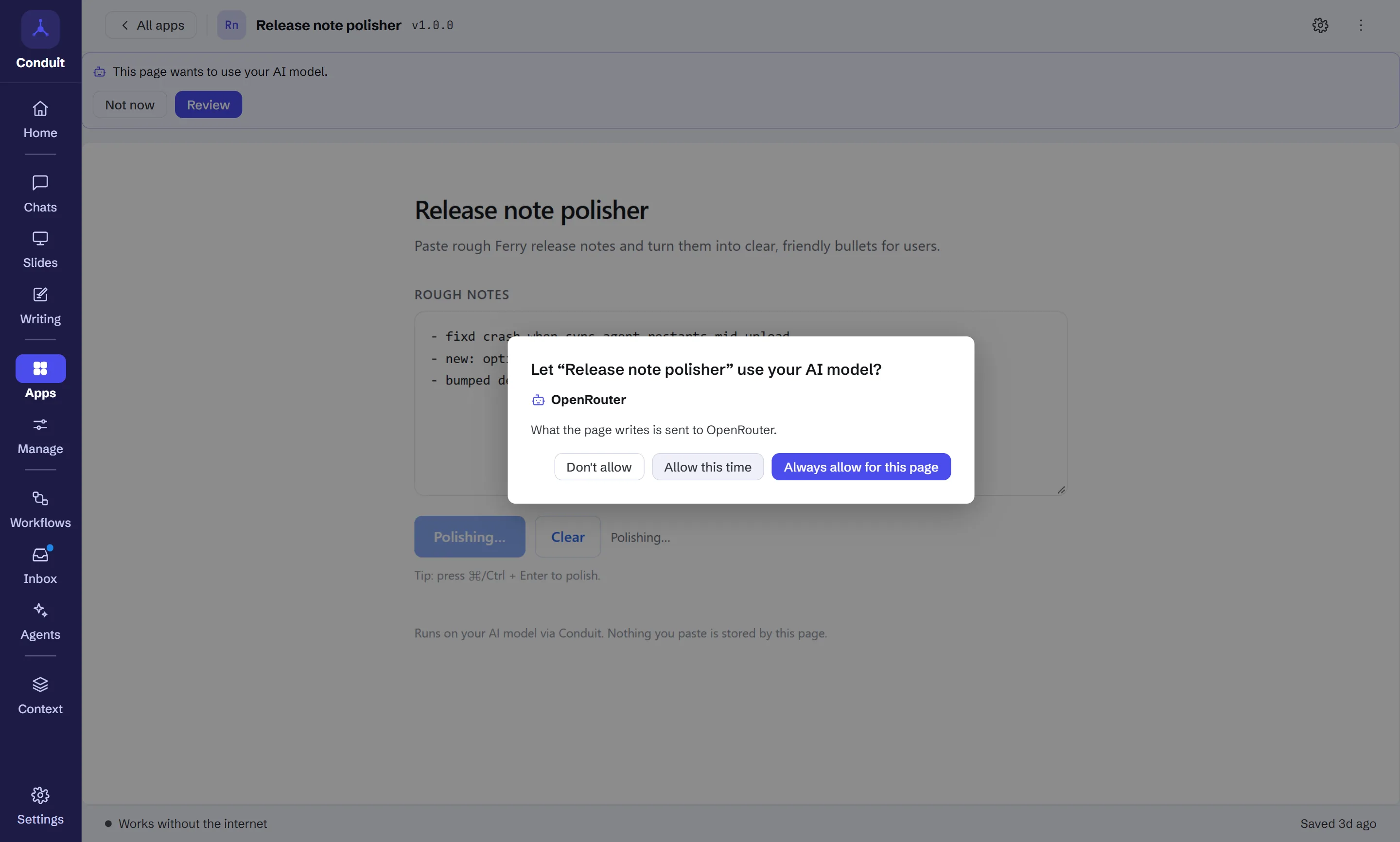
Upstream watch, below, is one: it calls the GitHub API live, after asking once
for that site.
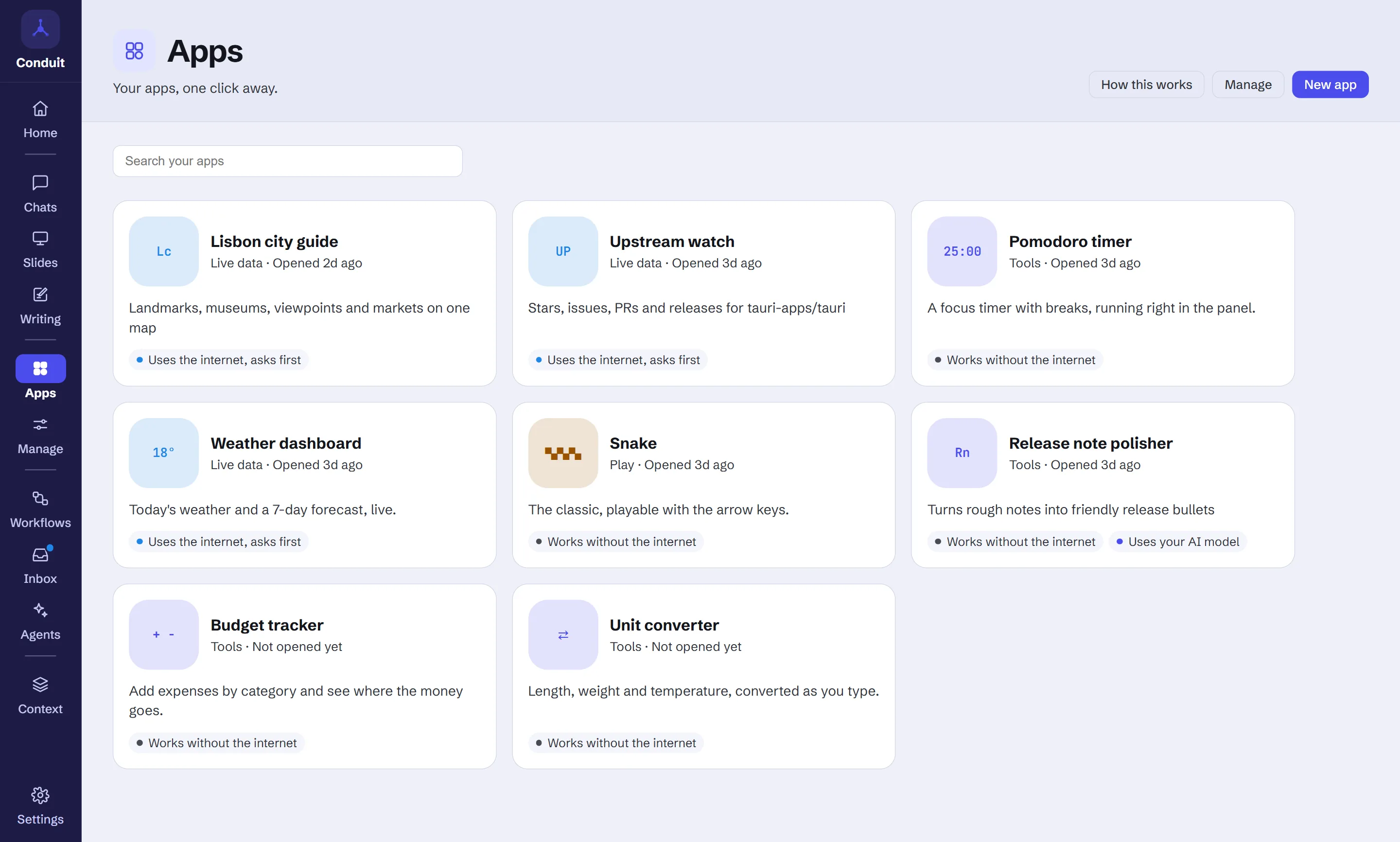
Personal apps can do three things a plain page in a sandbox can't, each
declared by the page and checked by Conduit:
- Keep data between launches: a small store per app (up to 5 MB), kept
with the rest of your data and encrypted when encryption at rest is on. - Take settings: a page declares a few inputs, like a repo or a city, and
Conduit draws the form. Changing them updates the running app. - Ask your AI model, after you allow it for that page. The prompt names the
provider and says plainly when text would leave your device; the page gets
text back and nothing else: no tools, chat history, memory or documents.
Every personal app has its own Settings page: which model answers it, tokens
per day with a daily limit for cloud models (100,000 by default; models on your
computer are never limited), its saved data key by key with Export and Clear,
the sites and providers it may use, and a week of one-line activity records,
never prompts, replies or saved values. Nine starter apps come built in,
from a Pomodoro timer to a live weather dashboard.
Slides
Describe the story, or ask for a deck in any chat. The assistant drafts a
storyline for you to approve, then builds one live deck: every change edits
that deck instead of producing yet another copy of the file. The deck opens in a
studio with the slide large in the middle and the chat beside it.
- Targeted changes. Ask for a change and the assistant edits one slide, or
swaps a word across the deck. History keeps a version for every change,
labelled by your request. - Built to fit. The assistant fills in each layout's parts and the app lays
them out, drawing charts from the numbers, so text fits the slide and axes and
labels are right. After each change it checks the slides it touched and fixes
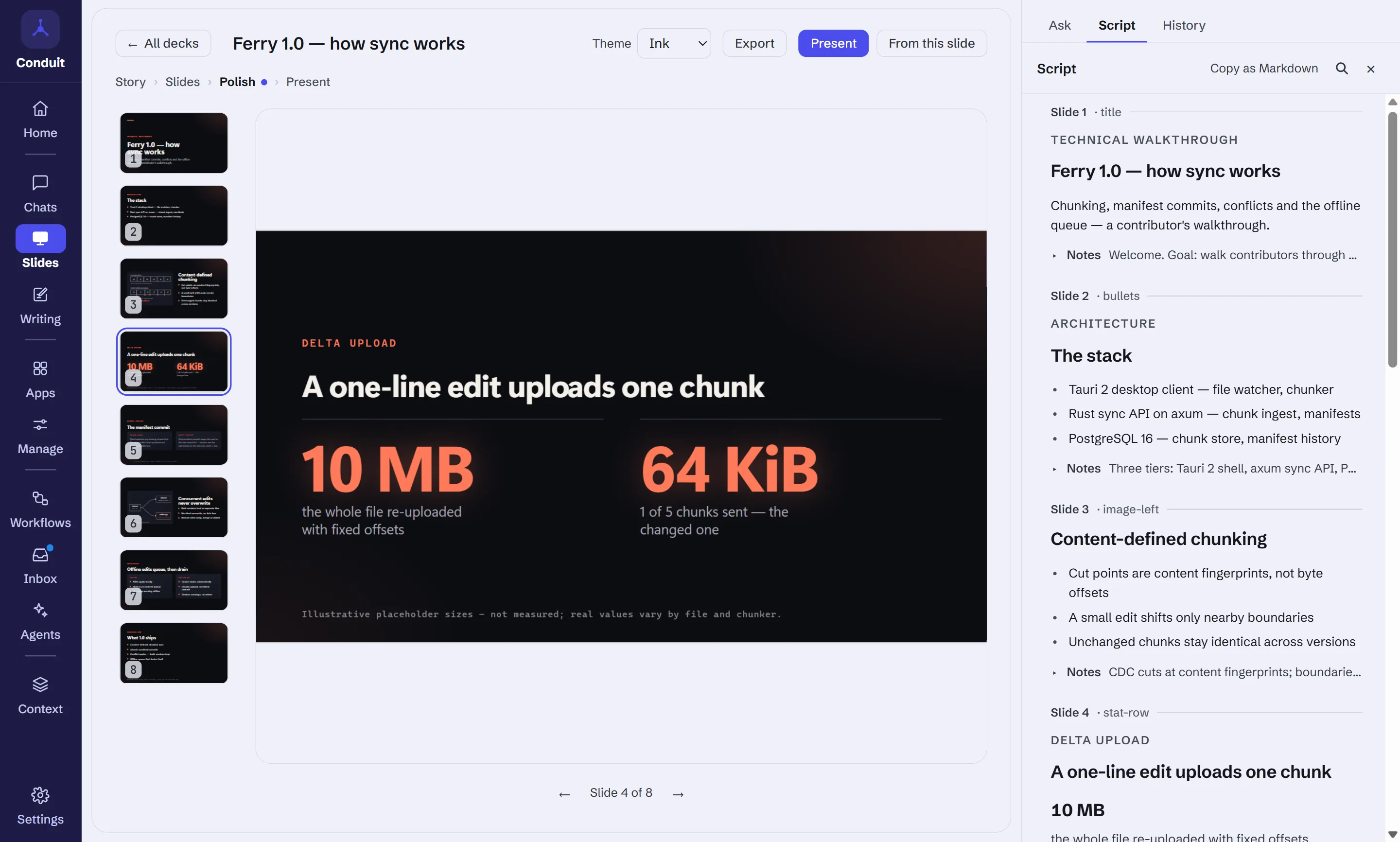
what doesn't fit. - Script shows every word of the deck as one document. Type there, or
double-click text on a slide; text you write is kept when the assistant
rewrites a slide, unless you ask it to change that text. - Themes: two built in, plus any theme the assistant designs for you.
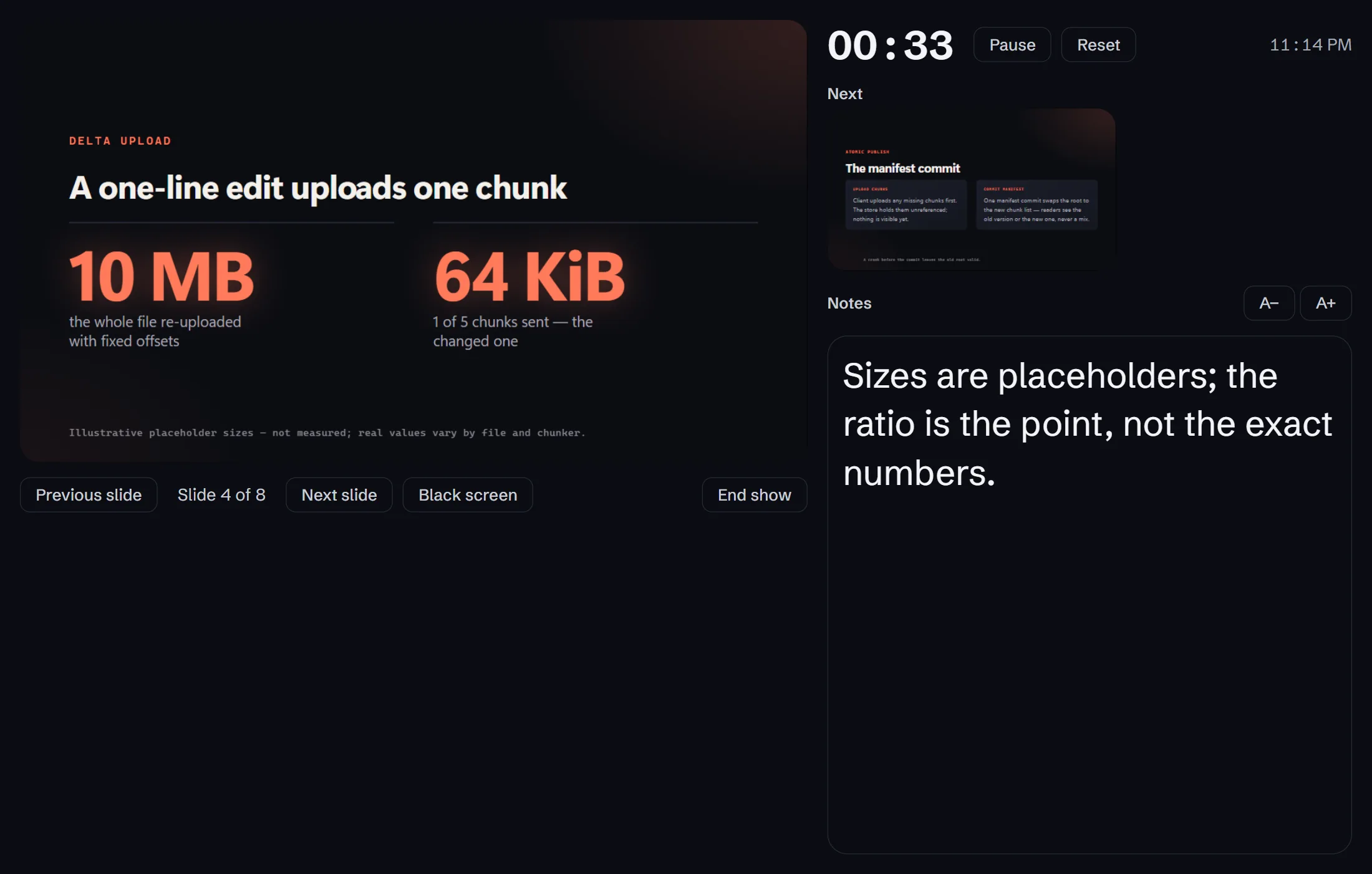
- Present full screen, with a separate presenter window (current and next
slide, speaker notes, a timer) to keep private while you share the slides. - Export as a single HTML file that presents itself in any browser, or as
a PDF (Windows).
| Script: every word of the deck as one document | The presenter window: next slide, notes, timer |
|---|---|
 |
 |
Spreadsheets
Ask for a budget, a price list or a loan calculator in any chat, and the
assistant builds a real spreadsheet that opens beside it: formulas that
recalculate, number, currency, percent and date formats, several sheets and
frozen headers. Like a deck, it is one live spreadsheet: ask for a change
("add a row for the security audit", "make column C euros") and the assistant
edits those cells.
- New rows fit in. A row you add takes the formats and formulas of the row
above it, and the totals grow to include it. - Your currency, your number style. Amounts use the currency you asked for,
and the sheet shows numbers the way your app language writes them. - Excel in and out. Attach an .xlsx file and the model reads its sheets as
tables; export any spreadsheet as an .xlsx file that opens in Excel, Numbers
or Google Sheets.
Answers from your own documents
Documents holds collections of your files (plain text, Markdown, CSV, HTML,
Word and PDF), or drop files on the window outside a chat. Attach a collection to a
chat and the assistant searches it while it answers; the documents it drew on
are named with the reply, and clicking one shows the exact passage. Retrieval is
hybrid: semantic search for passages that mean the same thing, keyword search
for exact terms like error codes and names.
For one file, attach it to the message instead: drop a PDF, Word, text, CSV or
HTML file on the chat, or pick it with +. Every model reads its text; models that
read PDFs themselves (Claude, OpenAI, Gemini) get the PDF, charts and scans
included. The document's text, or the PDF, goes to the chat's provider with the
message.
A collection's PDFs are read on your machine. Indexing sends a document's text
to the provider that embeds the collection, so you are asked before the first
document goes to each provider, and you can withdraw that consent at any time.
With local-only mode on, a collection needs a local provider such as Ollama.
Research
For a question that needs more than a quick search, turn on Research in the
composer's + menu (or pick it on Home). It first proposes a brief: the
sub-questions it will answer, a scope and a depth (Quick, Standard or Deep, each
with its search, page and time limits), which you edit and approve. Then it
searches, reads the pages in full, web pages and PDFs alike, and pulls out
facts, each with the exact words that support it. A fact counts only if those
words are really on the page; the app checks that, not the model. It searches
again for what is still unanswered, then writes a report into the chat's
documents: a summary, findings per sub-question, open questions, and numbered
sources, with every finding cited. Each source is rated for credibility, and a
weak one is flagged rather than presented as established fact. Page text only
ever reaches a model call that
has no tools, so a page that tries to give instructions can't make it search,
fetch or save anything.
Writing
Writing is for long pieces: blog posts, technical docs, reports and
newsletters. Describe what you're writing and the assistant proposes an
outline (the sections, what each must say, a target length) that you edit and
approve. Then it writes the draft section by section into a Markdown editor
beside the chat. It can draw on the web, your document collections or a
finished Research report; the assistant is told to link each fact to its source
and to mark anything it can't source as a TODO. Ask for a change and only
that part is rewritten, or select text for Rewrite, Shorter, Clearer and more.
Text you write yourself stays word for word, History keeps every version, and
a draft exports as Markdown or HTML.
Things that run for you
Agents
On the Agents page you define an agent once: its instructions, model,
tools, token limit and the agents it may hand work to. Four come with a new
profile: Researcher, Writer, Reviewer and Data analyst. Use one in a chat by
typing @ and its name, let the assistant hand it work, add it to a workflow,
or give it a task to run on a schedule. Editing an agent changes it everywhere
it is used.
Several helpers can work at the same time. Each hand-off shows as one line in
the reply with its tokens, cost and time. Open it to watch the agent work,
stop it, or redirect it with a new instruction. An agent can keep its own notes
between runs and search the document collections you pick. Have it
reviewed in a chat document's menu sends the document to your Reviewer and
revises it with what it finds.
Workflows
Workflows run routines for you. A step can fetch pages, search the web, run
Research, search your Documents, read files from the workflow's own folder and
turn CSV or JSON into tables, or call a read-only tool from a connector. Others
summarise with a model chosen per workflow or per step, continue only if
something changed, update a saved deck or draft, export a file, notify you, save
a document, or suggest a memory.
Start from a ready-made workflow, describe what you want in your own words and
let the model draft it, or save a chat as a workflow. Run it now, on a schedule,
when a new post appears in a feed, when a new file lands in its folder, or when
a connector's list shows something new, such as an issue or a message. Turning
automatic runs on first lists everything the workflow will be allowed to do on
its own, for you to approve, and a run that needs more pauses and asks. A run
that is waiting for you carries on after you restart Conduit.
A workflow opens as a canvas: a node for each step, with its status shown
live while it runs. Edit on the canvas too: add steps from a menu, drag them
into place, and draw a wire from one step's output to another step's input. The
list view is still there if you prefer it. Steps can run side by side, split
with an If... otherwise branch and come back together at a join, and a
step can wait for any earlier step you choose. The Runs tab keeps every run
with its step-by-step detail, and Results collects what each run saved
(documents, decks, drafts, files). Unread results show up on Home and as a dot
on the rail.
Agent steps can use connector tools you pick and hand tasks to helpers,
each with its own instructions, model, tools and token limit. A tool that
changes something (send, post, edit) pauses the run and shows the exact call:
send it, edit it first, or don't. You can let a workflow skip the question for
actions you list; each one is removable. Everything waiting on you, across all
workflows, is in the Inbox. The Agents page lists each agent and helper
with what it is working on and its last 30 days of tasks and tokens.
Agents that use your computer can run commands and change files in one
folder you choose for the workflow. This is off until you turn it on in
Settings → Computer and opt in per step. Each command asks first, unless a rule
you wrote for that workflow covers it, and some commands always ask: deleting
files, git reset --hard, force pushes and the like. Changes to files show as
a diff. After an agent reads outside content such as a web page, your allow
rules stop covering its commands for that run. On Windows, commands also run
confined to that folder. Each workflow has a Permissions tab with its command
rules, how often each was used, and rules suggested from commands you approved.
MCP connectors
Add a connector by searching the official MCP registry, pasting a remote
server's URL, or running a local command. Local stdio and remote
streamable-HTTP servers run under a supervisor with restart backoff, a
concurrency cap and per-call timeouts. Tool calls show inline, results are
redacted and size-capped, and a tool asks before it runs unless its server marks
it read-only (or, when the server says nothing, you mark it "Only reads"); you can remember an approval for one chat or always, and review
those approvals on the Connectors page.
A server's prompts and resources are reachable from the composer too, not only
its tools: the prompt picker fills in a prompt's arguments, and the resource
picker attaches a document to the next message.
Everything else you'd expect
Home
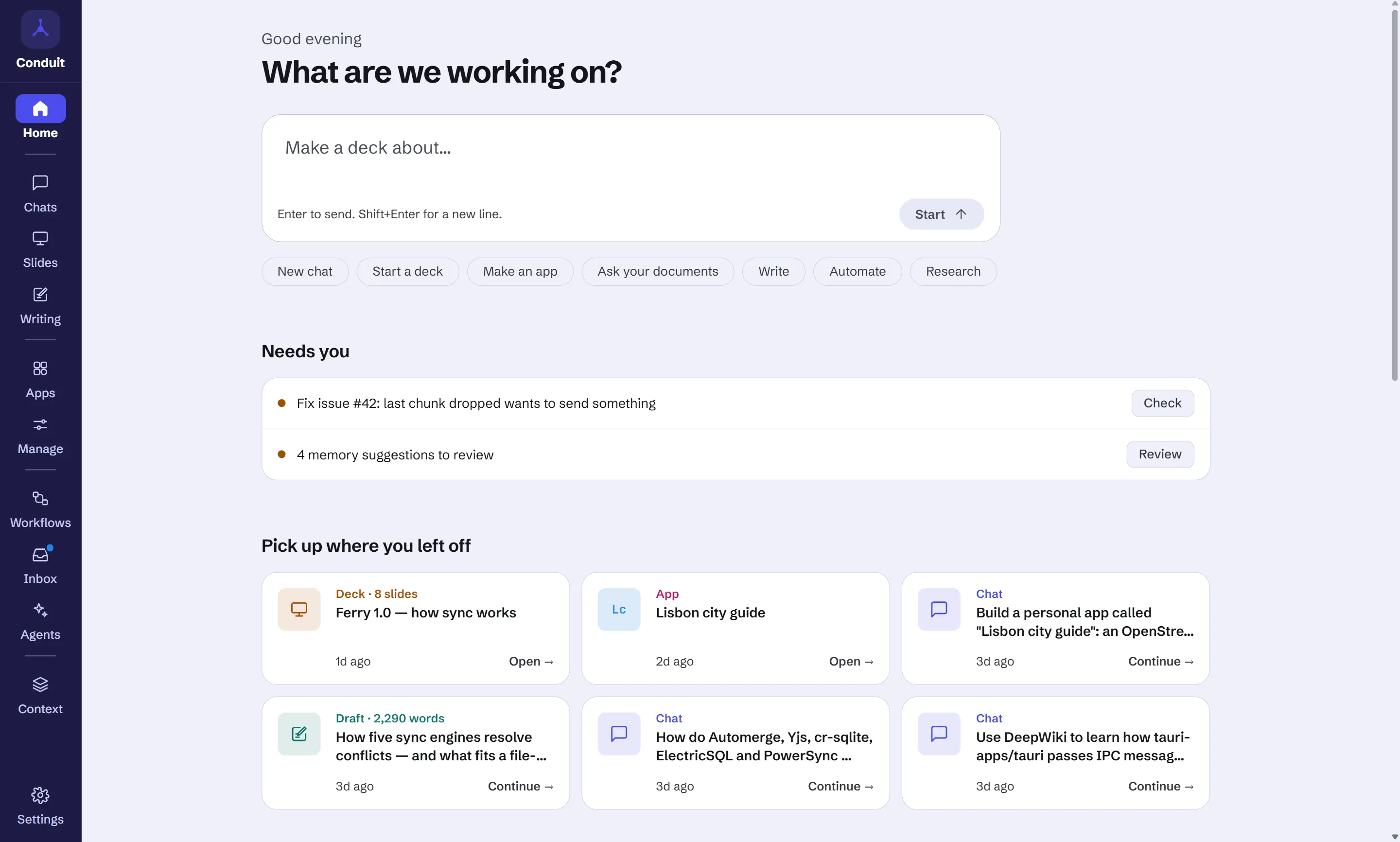
The app opens on Home. One box starts anything: ask for a deck and Slides
opens with a storyline; anything else starts a chat. Below it, Needs you
lists workflow approvals, workflow questions and memory suggestions waiting on
you, Fresh from your workflows shows results you haven't opened, Pick up
where you left off shows your latest chats, decks and apps, and every area of
the app sits in a tile with a live count, or an example to try while it is
empty.
The rail on the left is grouped by purpose: Home; Chats, Slides and Writing;
Apps and Manage; Workflows, Inbox and Agents; Context; and Settings at the
bottom. Context holds Documents, Library, Connectors and Memory as tabs, and
reopens on the one you used last. Ctrl+1 to Ctrl+9 (⌘ on macOS) jump to
the areas (Ctrl+/ lists which is which), and the command palette (Ctrl+K)
has a "Go to" entry for each.
Every model, and the web
Pick any model you have set up from the composer: Anthropic, OpenAI, Gemini,
OpenRouter, OpenCode Zen, Groq, DeepSeek, Mistral, xAI, Z.ai, Moonshot AI, Qwen,
Together AI, Fireworks AI, Cerebras, SambaNova, DeepInfra, Novita AI, MiniMax,
NVIDIA NIM, LM Studio, Ollama, or any OpenAI-compatible endpoint.
When a chat nears the model's context window, older turns are summarised
automatically so it keeps going.
Web search works on any model with no setup. OpenAI, Gemini, Anthropic and
OpenRouter use their own built-in search; every other model searches through
Exa, which needs no key, or a service you choose (Tavily, Brave or your own
SearXNG), with a link in Settings to get a key. Allowed and blocked domain lists
narrow it, and sources show with the answer and in the inspector.
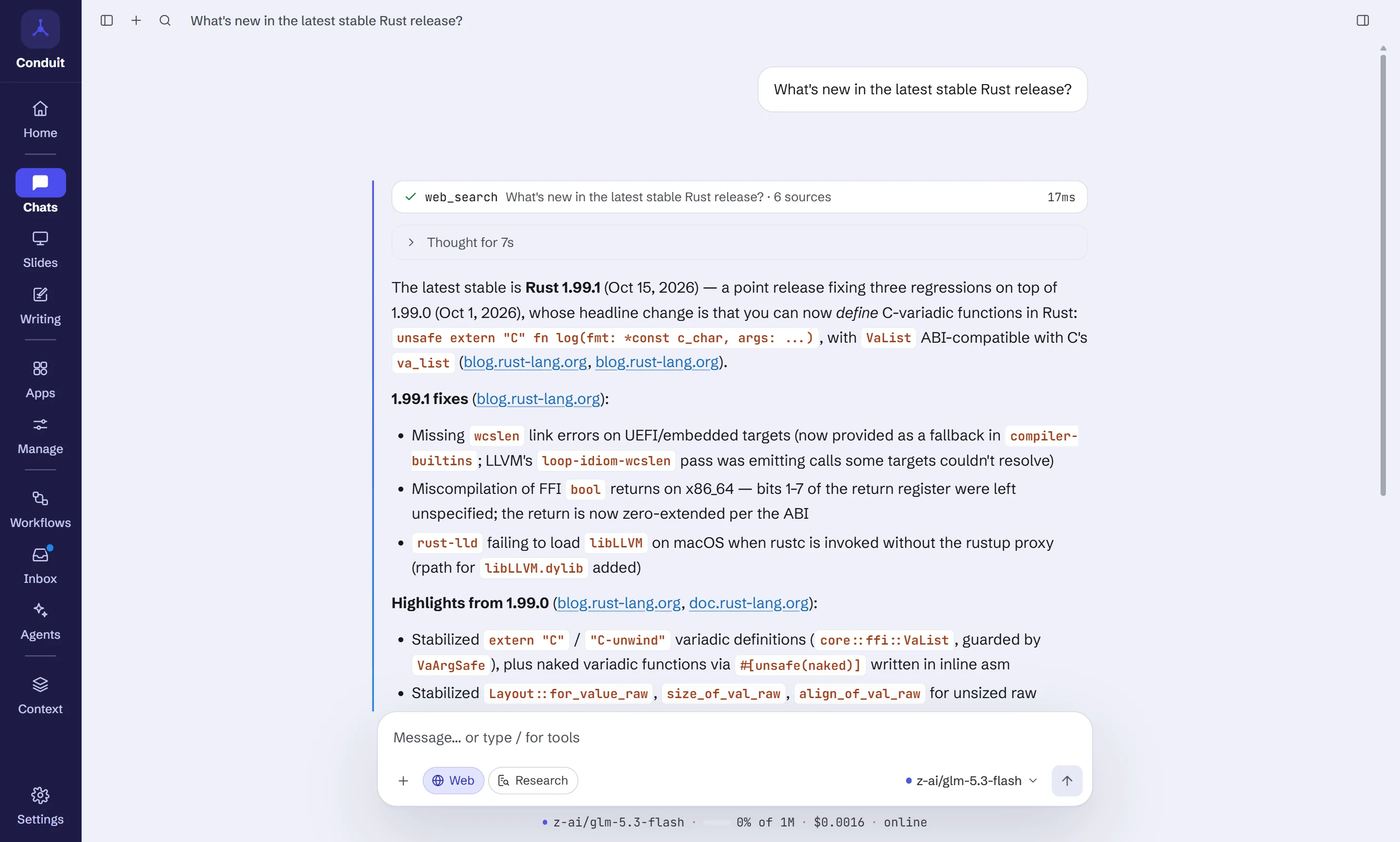
The + in the composer attaches files (images and documents) and adds web
search, a workspace folder the assistant can read and edit, document
collections, skills and connector prompts. While a turn runs you can queue a follow-up or interrupt and steer it.
Tool calls, searches and sites appear in the inspector's Activity tab with
timings, and what an answer drew on in Sources.
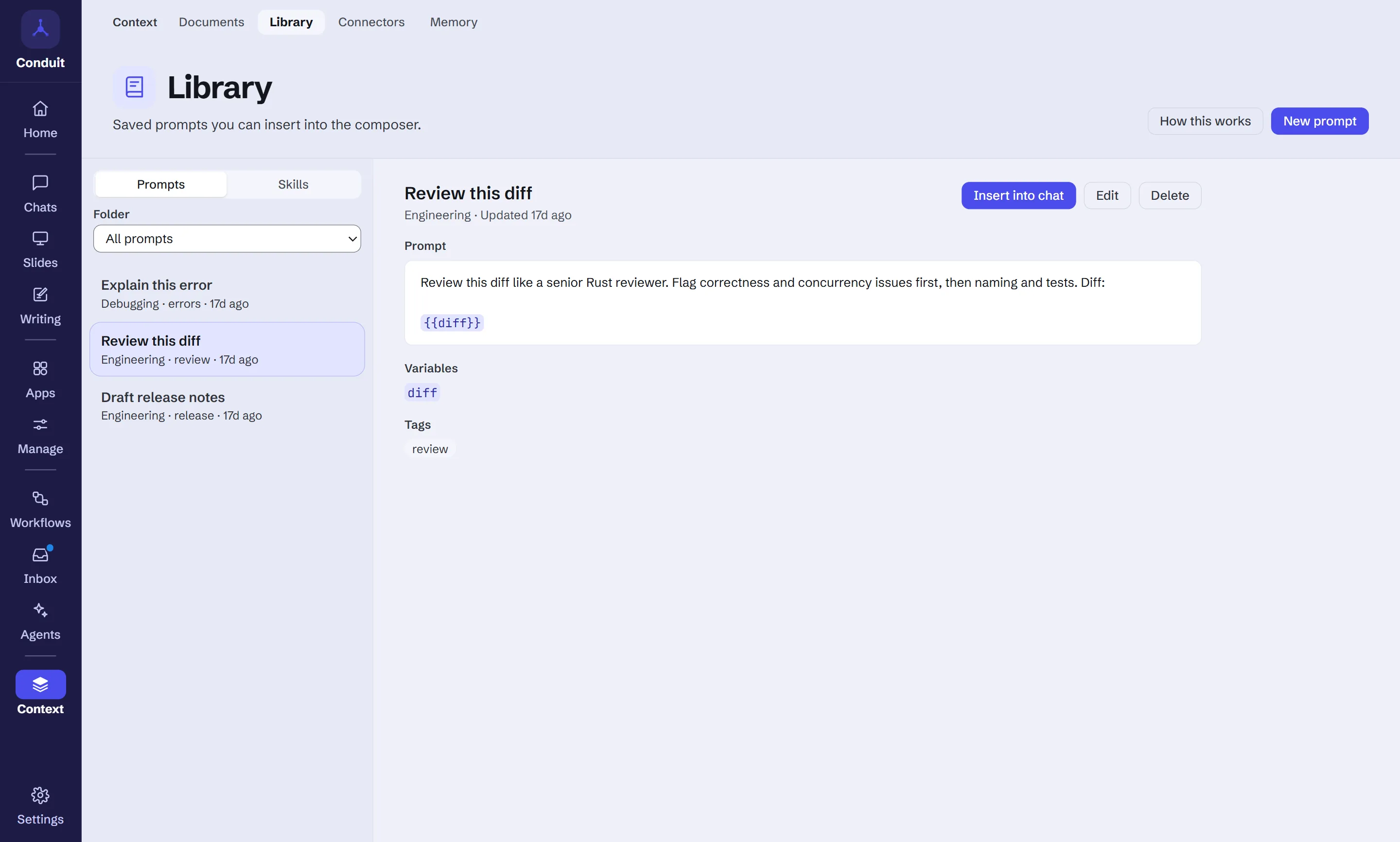
Library: prompts and skills
Library keeps the prompts you reuse, in folders and with tags. A prompt can
have {{variables}} you fill in when you insert it into the composer. Its
Skills tab holds SKILL.md skill packages: instructions and files the
assistant loads for a chat when you add the skill. Import one from a GitHub
link, or have the model draft one from a chat with Make a skill from this
chat in the command palette.
Memory
Memory holds facts the assistant keeps in mind across every chat. It can
propose something to remember during a chat, but a proposal waits for you and is
never used until you save it. The list is yours to read, edit, pin as core or
delete, and one switch stops saved memory being added to chats at once. Memory
is encrypted on disk when encryption at rest is on.
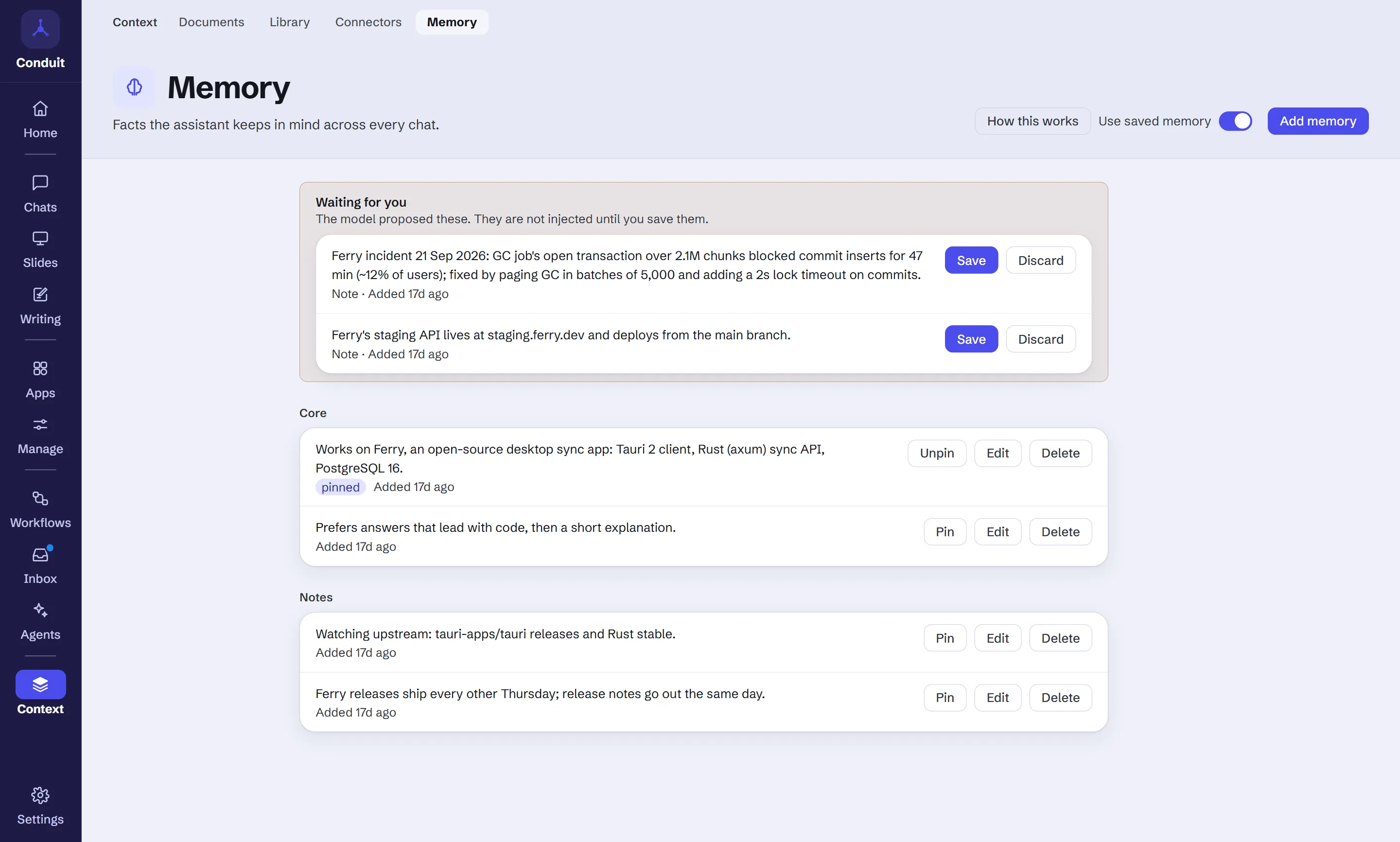
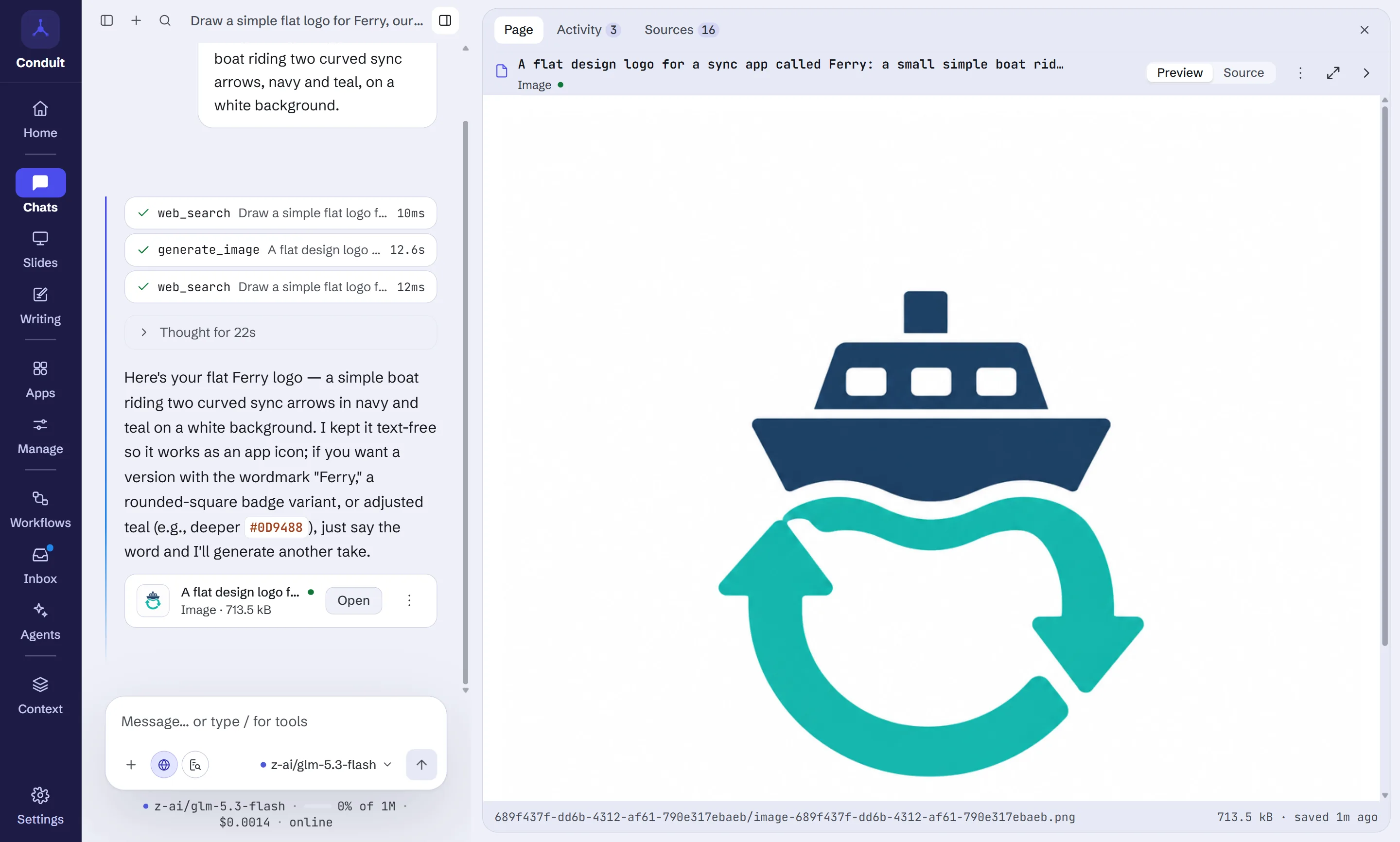
Image generation
On OpenAI, Gemini and OpenRouter, ask for a picture and you get one, saved with
the chat and shown in the side panel. Images are stored locally, not linked from
the provider, so they don't vanish when a remote URL expires. Each image is
billed, so Conduit asks once before the first one.
Pages and artifacts
Model-generated code, HTML, JSON and Markdown open in a side panel with preview
and source views. HTML renders in a null-origin sandboxed iframe withconnect-src 'none'; it cannot reach the network or the app on its own. A page
that calls fetch() shows a banner naming the site, and you allow it this once,
always for that page, or not at all. The globe in the panel header lists every
site and request. Long documents are built section by section, a turn that runs
out of time offers Continue building, and revisions change only the part
that differs.
Appearance and languages
One design in two modes (dark, light, or following your system), with a main
colour you can pick per mode. The interface is available in English, German,
Spanish, French, Japanese, Korean, Brazilian Portuguese and Simplified Chinese;
dates, numbers and file sizes follow the language you pick.
And more
- A base URL for each provider where it makes sense (xAI, Z.ai, Moonshot
AI, Qwen, Together AI, Fireworks AI, Cerebras, SambaNova, DeepInfra, Novita
AI, MiniMax, NVIDIA NIM, Anthropic and OpenAI) for regional or
self-hosted endpoints, a compatible API or a LiteLLM proxy. - First-run setup covers language, theme, text size, local-only mode, key
storage, update checks and diagnostics. - First-run examples: a new, empty profile starts with a live weather app, a
short deck, a couple of chats and a Morning briefing result to look at, in
your language. Each is marked "Example", needs no key, and Settings →
Privacy & data → Remove all examples deletes them. - Ideas: a page of things to try, each starting a chat with the prompt
filled in, chosen on your device from what you've tried. - Conversations can be pinned, archived and exported; the chat list shows
which chat is running or needs you. - Compare models: Retry keeps every earlier reply as a version you can
switch back to, the arrow next to Retry asks another model, and Compare
shows the answers side by side with what each cost. - Projects group chats and give every chat in one the same instructions,
document collections, skills and working folder (whoseAGENTS.mdis read).
A chat can add its own on top. - Vision attachments, Mermaid diagrams and KaTeX maths in replies.
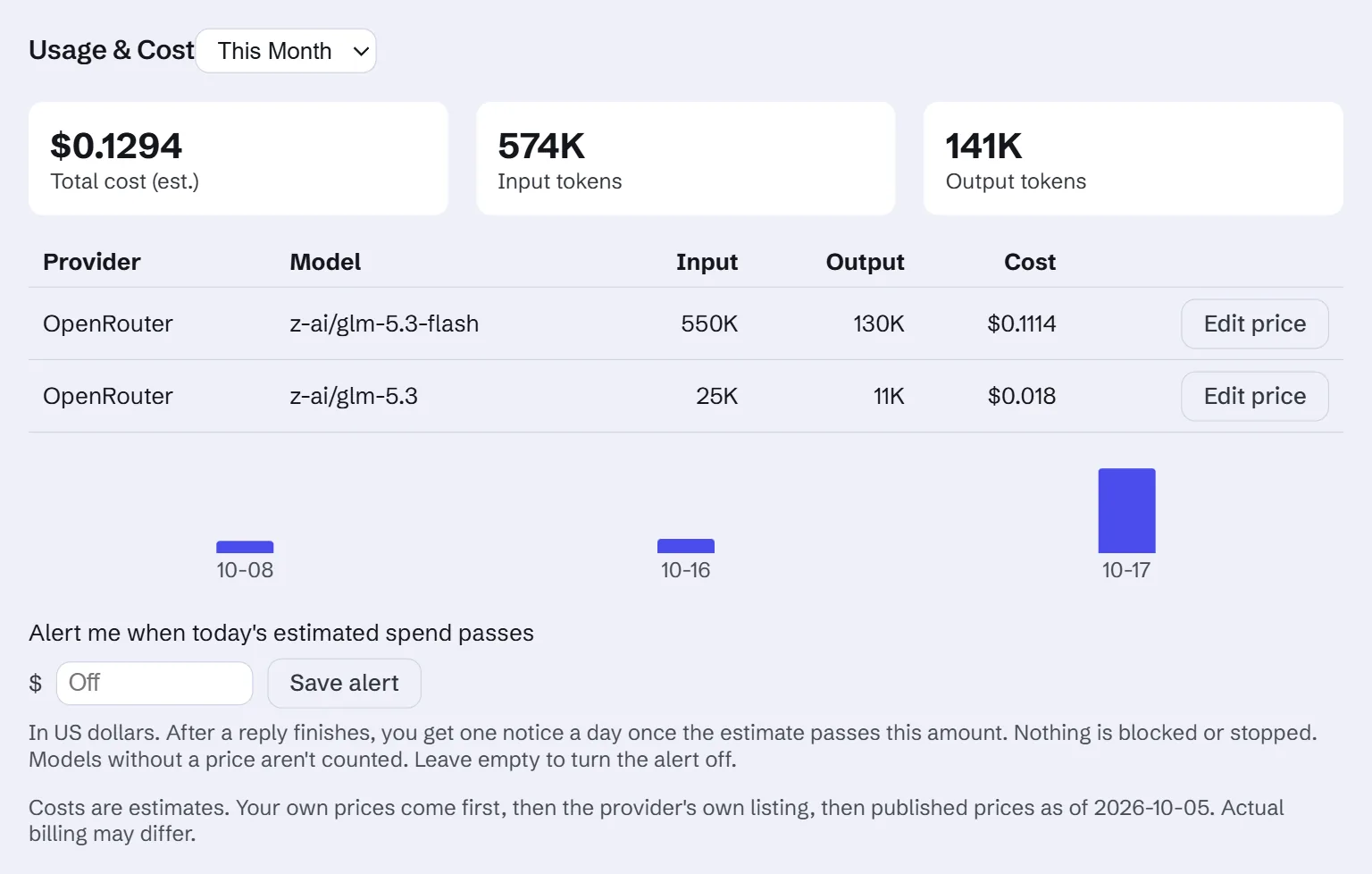
- Usage & Cost counts every model call, priced from a bundled catalog,
OpenRouter's listed prices and your own overrides, with an optional daily
spend alert. A per-chat reasoning effort setting, and a model menu you
can search. - Settings search and a keyboard shortcuts sheet (
Ctrl+/,⌘/on macOS). - Quick ask: an optional system-wide shortcut that opens a small ask box
from anywhere. - White-label branding: a name, mark and colours from a
brand.md.
See CHANGELOG.md for everything in each release.
Trust you can check
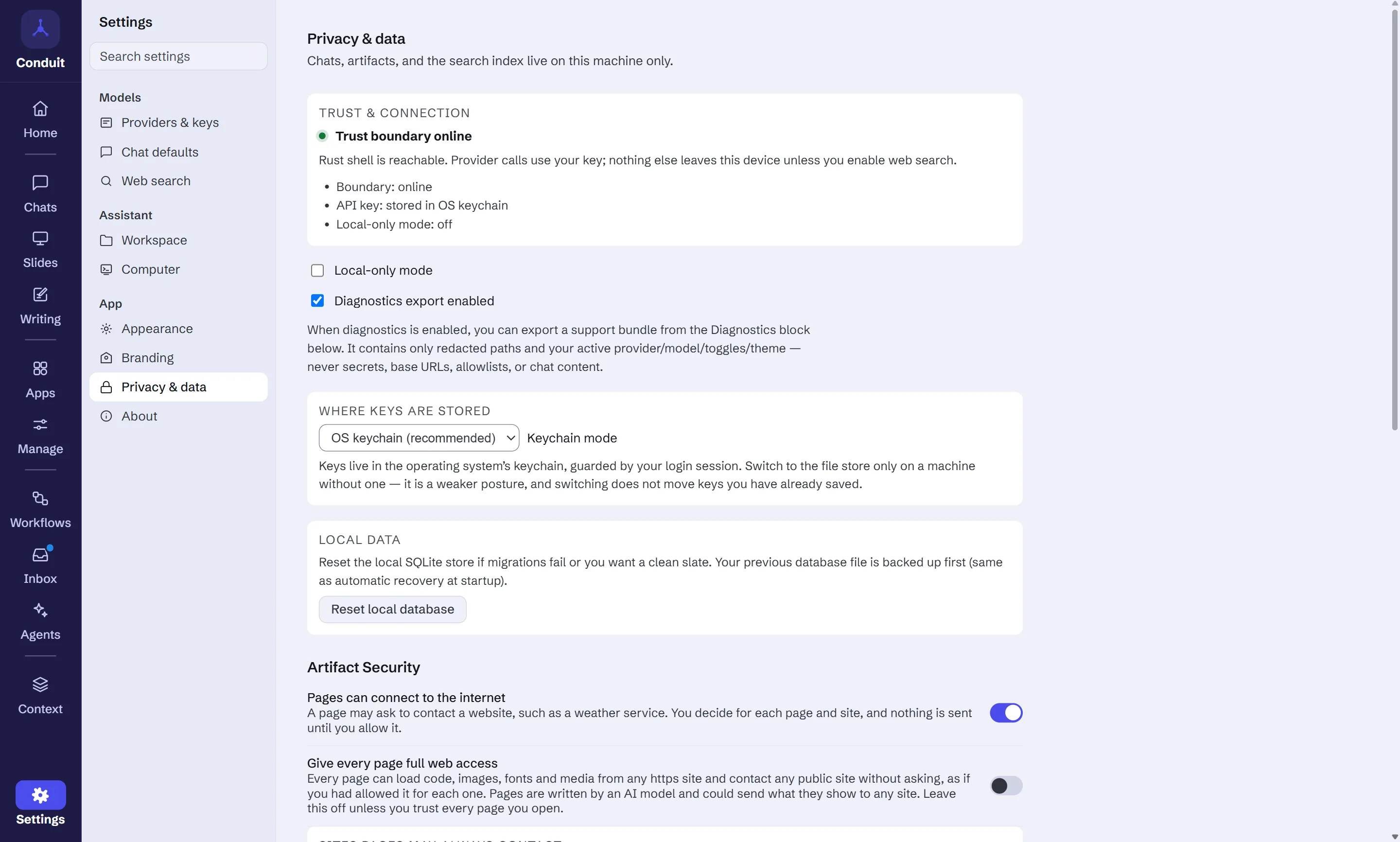
- The interface never sees your API key. Keys live in the OS keychain;
settings hold only akeychain://conduit/<provider>reference, and every
network call happens in Rust. This is enforced by the architecture; seedocs/architecture/foundation-contracts.md. - Everything asks first. Each site a page wants to reach, each
side-effecting tool call, each scheduled workflow's permissions, each
outside action and command a workflow agent wants to run, each
provider that indexes your documents and the first billed image. - Optional encryption at rest. AES-256-GCM over attachment and artifact
blobs and several database columns, with a master key wrapped in the OS
keychain. It is off by default (AppSettings.encryption_at_rest) and
does not cover message content yet. It never silently downgrades: if the key
is unavailable and encrypted data exists, the app refuses to start rather than
fall back to plaintext. - Local-only mode refuses cloud providers entirely, so only a local model
such as Ollama or LM Studio can answer. - No telemetry. Update checks are opt-in and send only
Conduit-Updater/<version>. Checking is manual by default; background
checking and install-on-quit are opt-in, and Conduit never restarts itself.
Status
v1.0.0-rc.26 — release candidate. Installers for Windows, macOS (Apple silicon and
Intel) and Linux are on the releases page.
They are not OS-code-signed, so the first launch shows a Gatekeeper or
SmartScreen warning. Building from source works too.
This is a release candidate for 1.0: everything below works, and what's
left is checking it on real installs before calling it final.
| Area | State |
|---|---|
| Provider streaming (23 providers, cancellation, normalization) | Working |
| Local SQLite persistence, migrations, encryption at rest | Working |
| MCP connector runtime (stdio and streamable HTTP, consent, supervision) | Working |
| Artifacts — create, render, edit, export | Working |
| Multi-round agent loop with tool results | Working |
| Agent run-control — follow-up queue, interrupt/steer, per-tool approval memory | Working |
| Context gauge with automatic compaction | Working |
Skills (SKILL.md) and user-approved encrypted memory |
Working |
| Conversation pin, archive and projects (shared instructions, documents, skills, working folder) | Working |
| Reply versions, retry with another model, compare answers side by side | Working |
| Image and document attachments (PDF, Word, Excel, text, Markdown, CSV, HTML), Mermaid/KaTeX, conversation export | Working |
| Spreadsheets — formulas, formats and several sheets, edited by asking; .xlsx export | Working |
| Usage & Cost — every model call, catalog and listed prices with overrides, daily spend alert | Working |
| Web search (hosted OpenAI/Gemini/Anthropic/OpenRouter + Exa, Tavily, Brave, SearXNG) | Working |
| Knowledge base — document collections with hybrid retrieval and citations | Working |
| Research — approved brief, reads web pages and PDFs, quote-checked claims, rated sources, reviewed and cited report | Working |
| Writing — approved outline, section-by-section drafts, sourced facts, your text kept, history, Markdown/HTML export | Working |
| Image generation (OpenAI, Gemini, OpenRouter) | Working |
| MCP prompts and resources in the composer | Working |
| One design in dark and light, with a main-colour setting | Working |
| Workflows — ready-made, custom or drafted from a description; run now, on a schedule, or on a new feed post, file or connector item; a model per step; Research, Documents and connector steps; with approval | Working |
| Workflow canvas — live step status, editing on the canvas, branches, parallel steps and joins, Runs and Results tabs, runs that resume after a restart | Working |
| Workflow agents — connector tools with approval, helpers, Inbox and Agents pages | Working |
| Your agents — defined once, used in chat, workflows and routines; helpers side by side; open, stop or redirect one; memory, documents and document review | Working |
| Computer use — agents run commands and change files in a folder you choose, with approval, command rules and a Permissions tab | Working, off by default; commands are confined to the folder on Windows only |
| Personal apps — save a page, nine starter apps, per-app storage, settings, model access and usage limits | Working |
| First-run examples in a new profile | Working |
| Slides — storyline, one live deck built from layout parts, charts drawn from data, a layout check after each change, Script, history, themes, presenter window | Working |
| Slides export — HTML on every platform, PDF on Windows | Working |
Home and navigation — ask box, needs-you, fresh results, pick up, area tiles, grouped rail, Ctrl+1…9 |
Working |
| Interface in eight languages | Working |
| Update/packaging pipeline, with opt-in automatic updates | Working — 1.0.0-rc.26 built, signed and published on all four targets; updating checked on a real Windows install, not yet on macOS or Linux |
| OS code-signing | Not done — bundles are unsigned |
| Cloud sync / accounts | Not planned in this repository |
Known issues
- macOS: a page can open a WebRTC connection. A page's content security
policy doesn't cover WebRTC, so on macOS a page's script could reach a host
through STUN/TURN even when it has no network permission. Windows and Linux
block it in the webview itself; macOS has no webview setting for it, so there
only the page's own script removes it, which isn't a boundary. Open HTML
pages and apps you got from someone else with care on macOS. - Going back to rc.2 or earlier starts with an empty database. rc.3 added
to the local database for Slides; an older version can't read it and starts
fresh (the old file is kept as a backup).
Building from source
Prerequisites
- Node 22+ and pnpm 10.34.4 (
corepack enable && corepack prepare [email protected] --activate) - Rust stable (rustup) —
rust-toolchain.tomlpins the channel - Platform toolchain:
- Windows — Visual Studio 2022 Build Tools with the C++ workload. Run
./check-setup.ps1to verify. - macOS — Xcode Command Line Tools (
xcode-select --install), macOS 11+. - Linux —
sudo apt-get install -y libwebkit2gtk-4.1-dev libgtk-3-dev \
  libayatana-appindicator3-dev librsvg2-dev patchelf build-essential libssl-dev
- Windows — Visual Studio 2022 Build Tools with the C++ workload. Run
Build and run
git clone https://github.com/runningpixels/conduit
cd conduit
pnpm install
pnpm dev          # Vite on :5173, then the Tauri shell
pnpm build produces a release bundle. On first launch, onboarding asks for a
provider key (or point it at a local Ollama instance, which needs no key).
Checks
cargo fmt --all --check
cargo clippy --workspace --all-targets -- -D warnings
cargo test --workspace                 # Rust unit + integration tests
pnpm -C packages/config-schema check   # schema-drift gate
pnpm -C apps/desktop check             # tsc -b
pnpm -C apps/desktop test              # renderer tests
Where your data lives
Everything is under one per-user directory resolved by directories::ProjectDirs:
| Platform | Path |
|---|---|
| Windows | %LOCALAPPDATA%\Conduit\Conduit\data |
| macOS | ~/Library/Application Support/com.Conduit.Conduit |
| Linux | ~/.local/share/conduit |
It contains settings.json, conduit.sqlite, and the attachments/,artifacts/, exports/, logs/, diagnostics/, updates/ and streams/
folders. API keys are not there — they are in the OS keychain. Deleting that
directory resets the app completely.
Architecture
A polyglot monorepo: a Cargo workspace and a pnpm workspace sharing one root.
apps/desktop/            Tauri app — src/ (React renderer) + src-tauri/ (Rust backend)
crates/provider-core/    Provider-agnostic LLM abstraction, adapters, the trust boundary
crates/mcp-runtime/      MCP transport + protocol core (stdio and streamable HTTP)
packages/config-schema/  Generated TS mirror of the Rust schema (@conduit/config-schema)
packages/ui/             Design tokens, primitives, bundled fonts (@conduit/ui)
The invariant everything else follows: the renderer presents state and intent
only; Rust owns secrets, persistence, and privileged operations. A chat turn:
React ChatView
  └─ ipc/client.startChatStream(ProviderRequest, onEvent)
       └─ Tauri invoke('start_chat_stream', { request, channel })   ← per-request Channel
            └─ StreamManager
                 ├─ provider_core::get_adapter(active_provider)
                 ├─ build_adapter_context   (key from keychain, base URL from settings)
                 ├─ adapter.stream_chat(request, ctx, CancellationToken)
                 └─ per ProviderEvent: append to the event log (one txn) → channel.send
  Renderer: streamState.ts folds ProviderEvents into AssistantStreamState and renders it
Persistence is an append-only event log plus a materialized message view, withview == fold(events) as a checked invariant — the view is rebuilt from the log
on drift or crash recovery.
crates/provider-core/src/schema.rs is the single source of truth for on-wire
types; packages/config-schema/src/generated/ is generated from it by ts-rs and
CI fails if the two drift. Never hand-edit the generated bindings.
Documentation
docs/project-overview.md— how the pieces fit togetherdocs/architecture/foundation-contracts.md— the trust boundarydocs/adr/— nine architecture decision recordsdocs/schemas/internal-models.md— canonical data shapesdocs/postmortems/— incident write-upsdocs/release/,docs/support/runbook.md— operations
Contributing
Contributions are welcome — see CONTRIBUTING.md.
Note: Conduit requires contributors to sign a Contributor License Agreement
so the project can continue to be offered under both the AGPL and a commercial
license. The CLA bot will prompt you on your first pull request.
Security
Please do not open public issues for vulnerabilities. SeeSECURITY.md for private disclosure.
License
Copyright (C) 2026 Emilio Olivares. Licensed under the
GNU AGPL v3.0 only.
If you run a modified version as a network service, AGPL section 13 requires you
to offer its source to users. Conduit is a local desktop app, so this does not
apply to normal use. See LICENSING.md for scope, the section
7 OpenSSL permission, and commercial-licensing terms;NOTICE for third-party attributions.
Acknowledgements
Built with Tauri, React,
sqlx and
rustls. Typeset in
Schibsted Grotesk and
JetBrains Mono, both OFL-1.1.
Syntax highlighting by Prism.
Reviews (0)
Sign in to leave a review.
Leave a reviewNo results found