flip-cc
Health Warn
- No license — Repository has no license file
- Description — Repository has a description
- Active repo — Last push 0 days ago
- Low visibility — Only 8 GitHub stars
Code Fail
- rm -rf — Recursive force deletion command in install.sh
- process.env — Environment variable access in src/commands/launch.ts
Permissions Pass
- Permissions — No dangerous permissions requested
No AI report is available for this listing yet.
Seamlessly run Claude Code with Kimi, Minimax, OpenAI, or OpenRouter. A lightweight, zero-latency launcher featuring isolated, per-session API profiles.
flip-cc
flip-cc is a lightweight CLI launcher for Claude Code that lets you run multiple AI providers simultaneously. Anthropic, Moonshot Kimi, Minimax, OpenRouter, and custom OpenAI-compatible endpoints—through named profiles. API keys are injected per-session; your global environment is never touched.
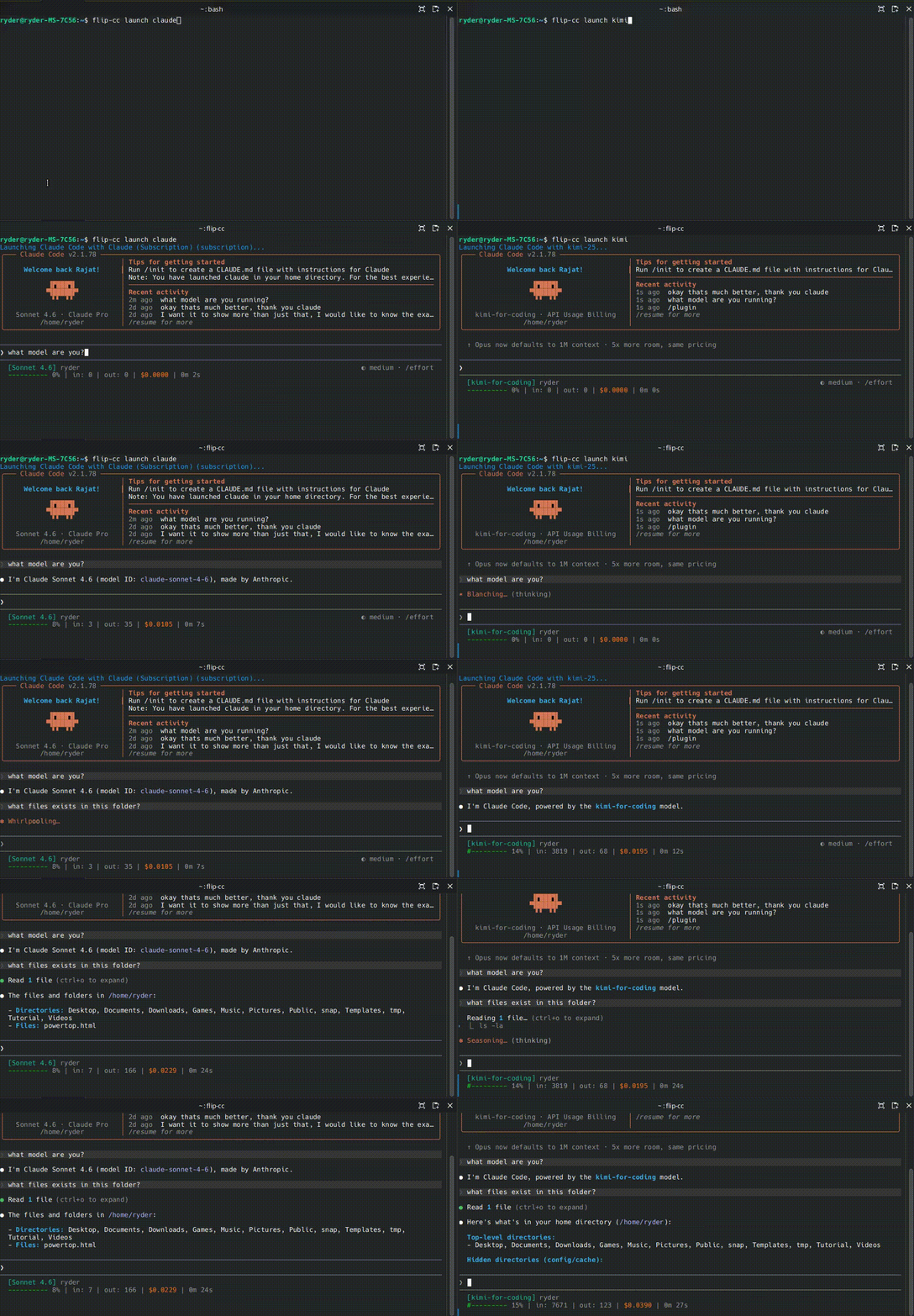
Split Screen: Multiple Providers at Once
The main use case — open side-by-side terminals and launch different providers simultaneously with zero key conflicts:
Install & Upgrade
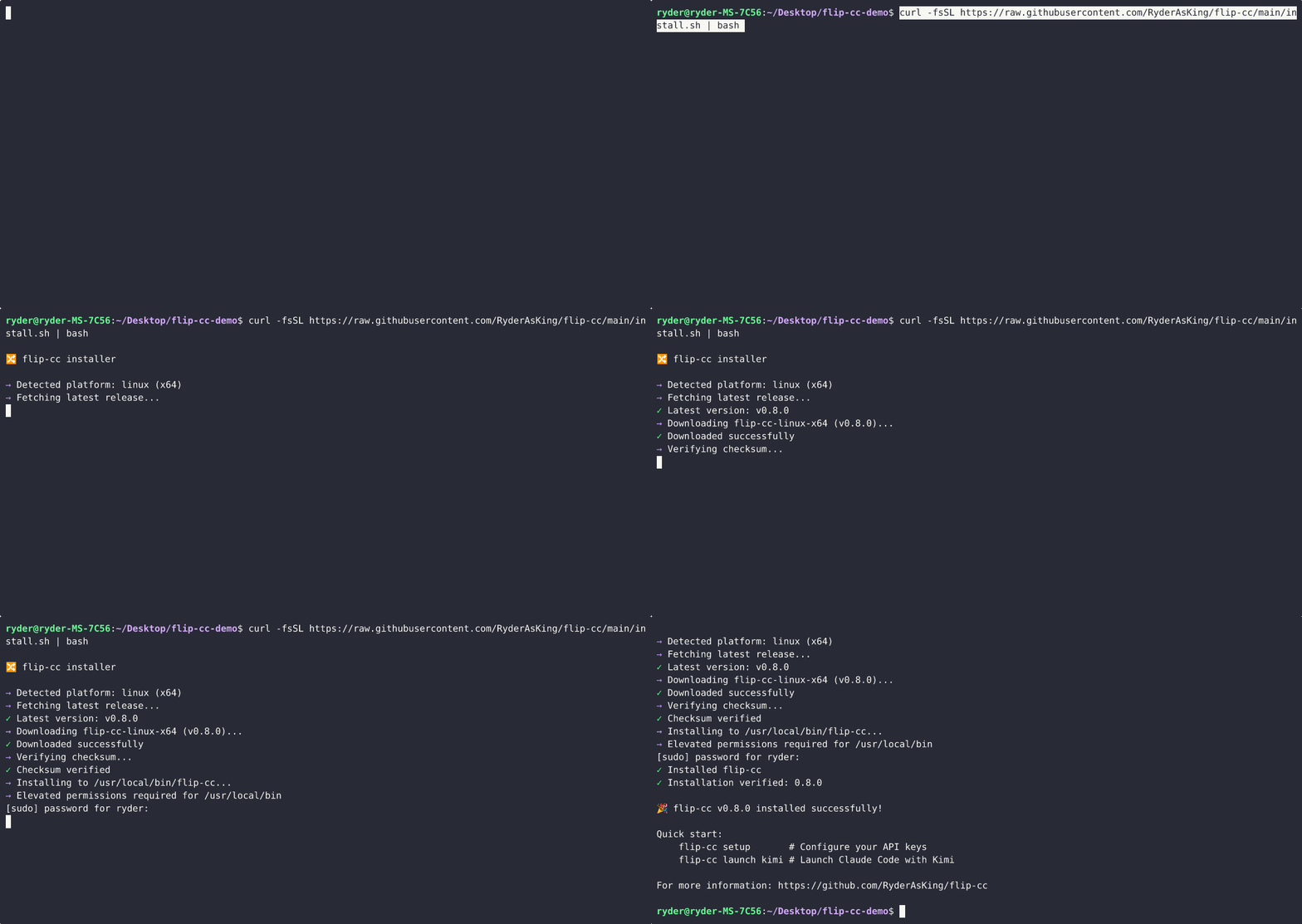
Install:
curl -fsSL https://raw.githubusercontent.com/RyderAsKing/flip-cc/main/install.sh | bash
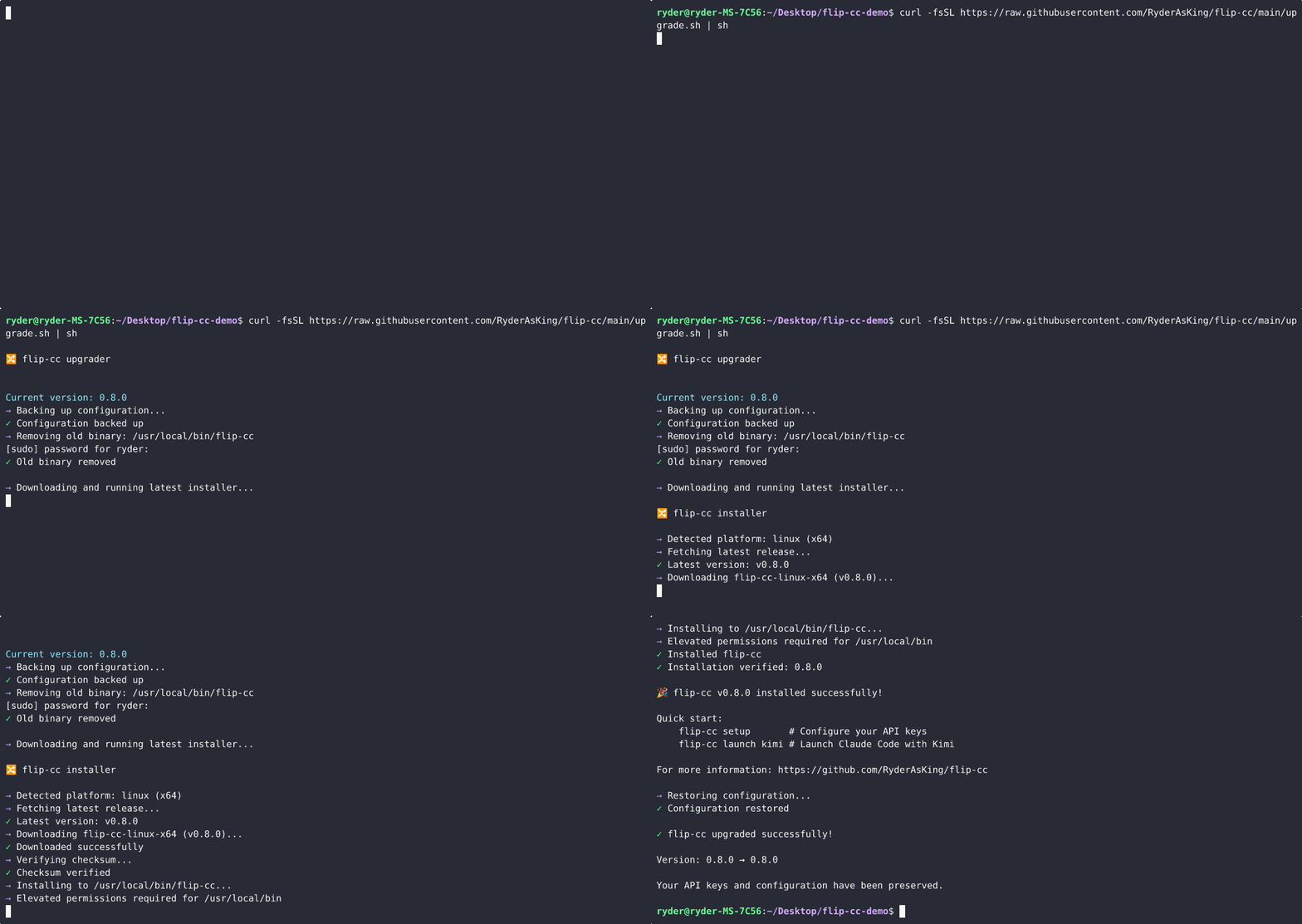
Upgrade:
curl -fsSL https://raw.githubusercontent.com/RyderAsKing/flip-cc/main/upgrade.sh | bash
Windows: Use WSL and run the Linux install command above.
Manual: Download the binary from the Releases page, move it to your PATH, andchmod +x flip-cc.
Usage
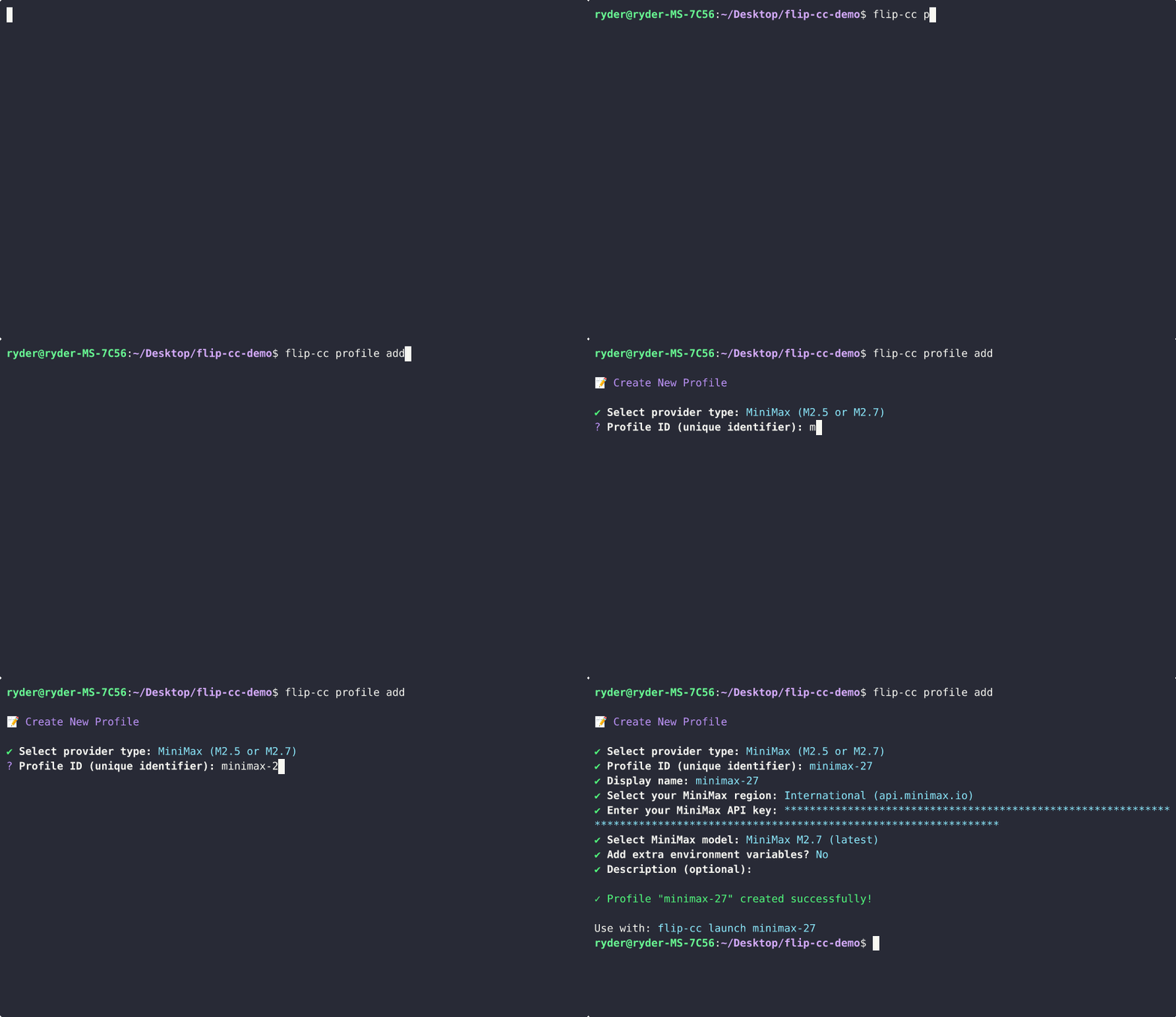
Add a Profile
flip-cc profile add
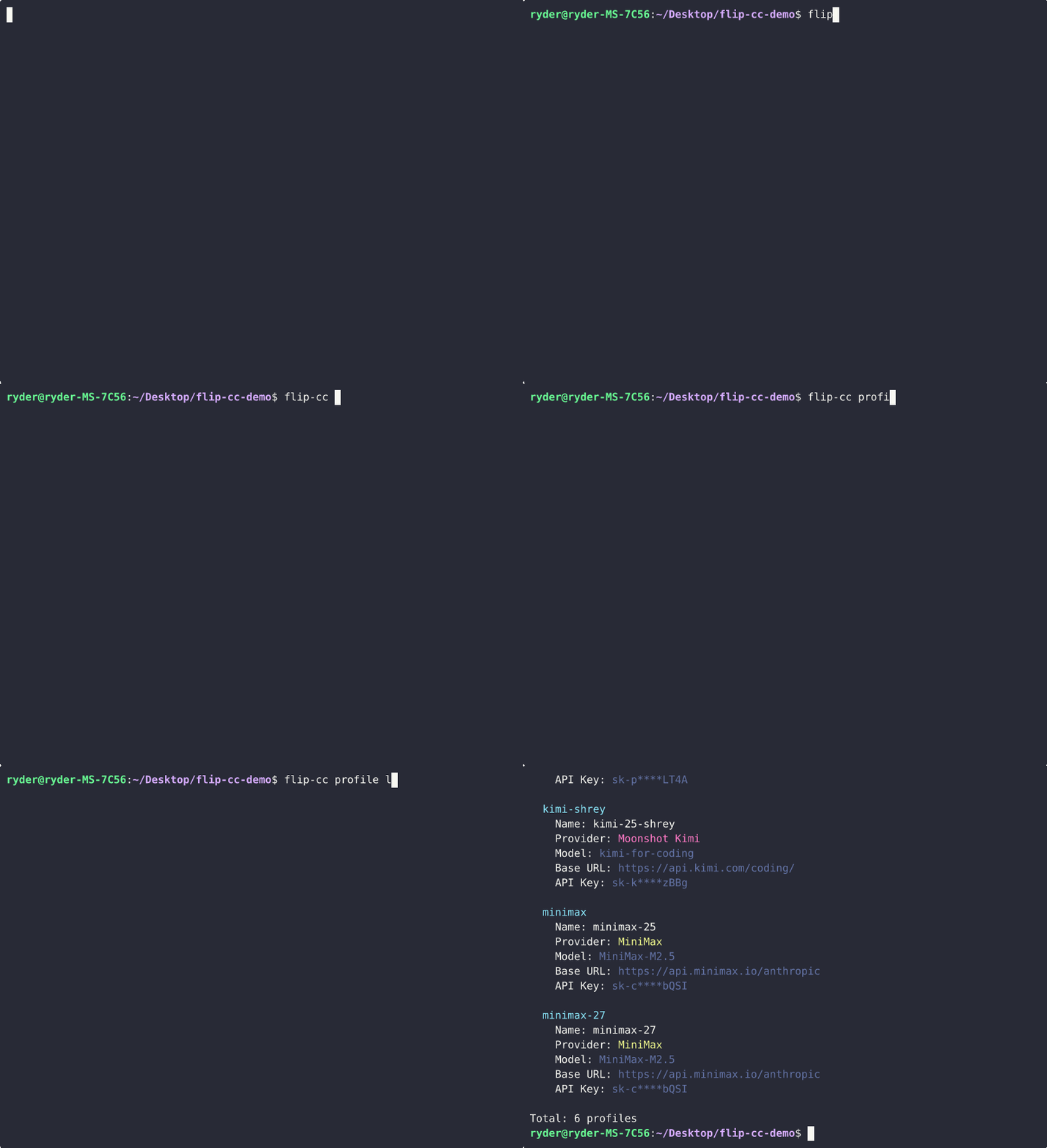
List Profiles
flip-cc profile list
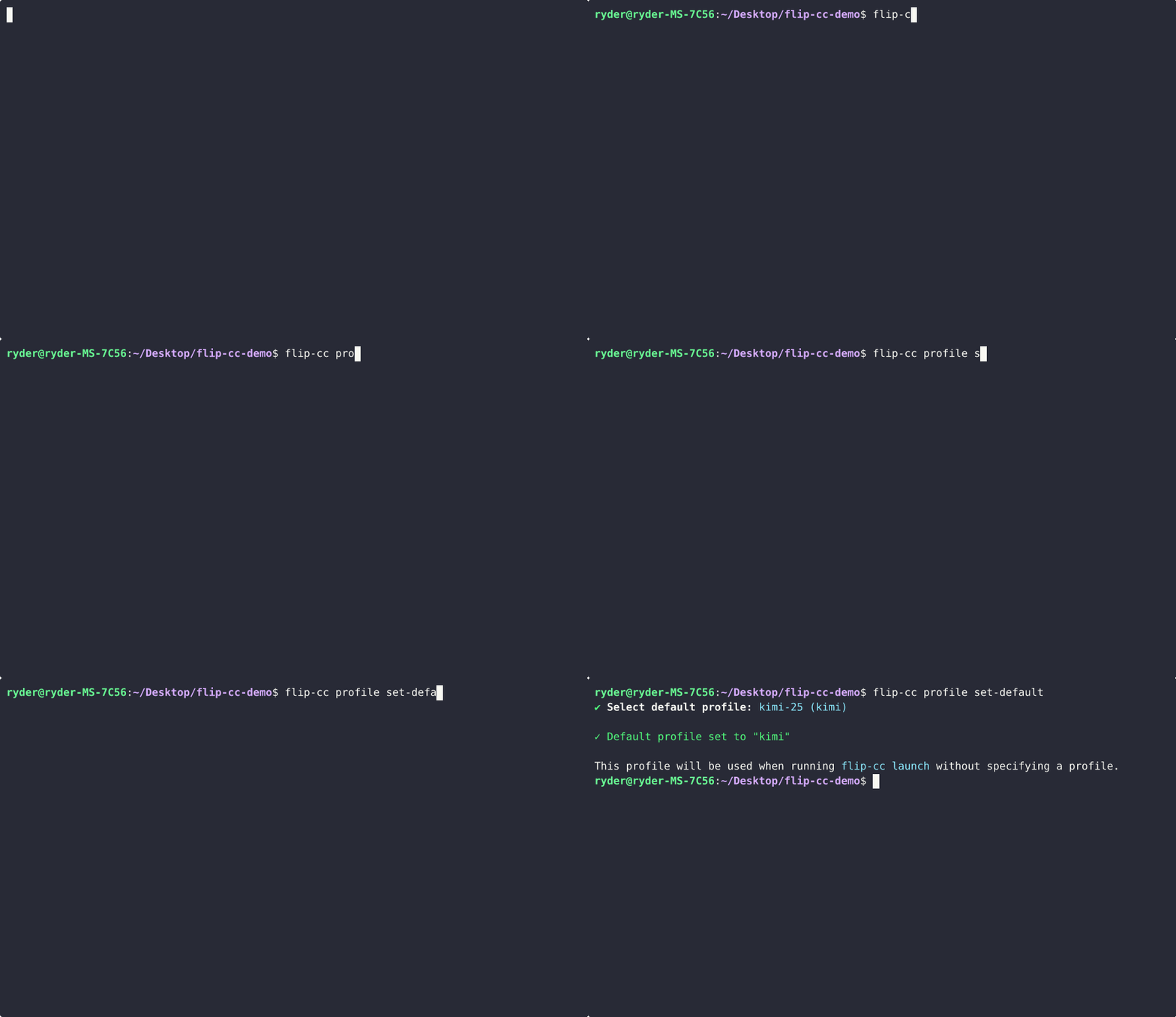
Set Default Launch Profile
flip-cc profile set-default <id>
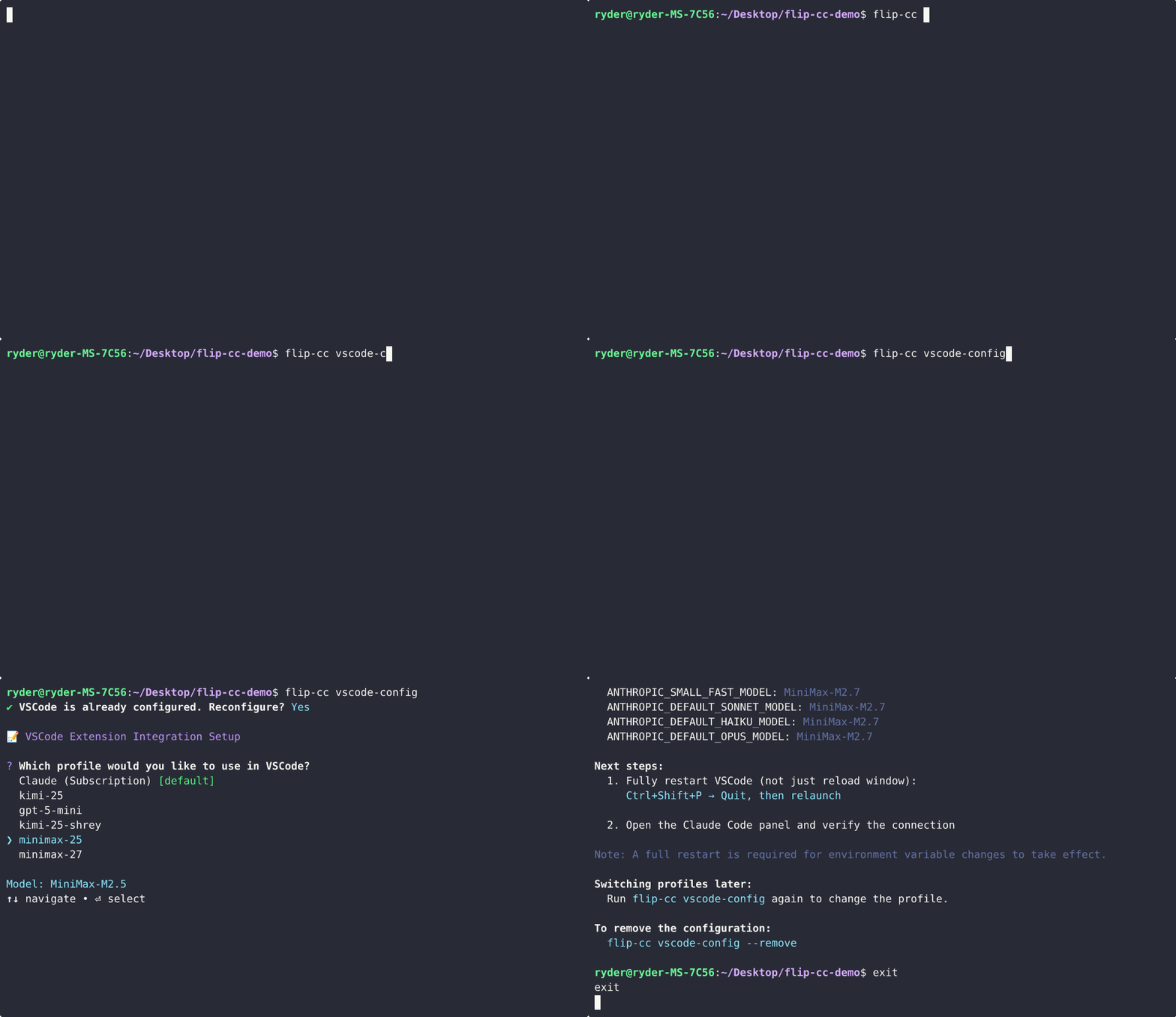
Configure VSCode Extension
flip-cc vscode-config
Features
- Multi-Provider: Anthropic (subscription or API key), Moonshot Kimi, Minimax, OpenRouter, any OpenAI-compatible endpoint
- Profile-Based: Unlimited named profiles, each with its own provider, model, and credentials
- Auth Conflict Prevention: Isolated home directories prevent session token conflicts with API keys
- MCP Server Support: Preserves MCP connections (Figma, etc.) across all launch modes
- Session Stats: Track time spent per profile with
flip-cc stats - Zero Latency: Direct launcher — no proxy, no added overhead
- Standalone Binary: No Node.js required
Documentation
| Doc | Description |
|---|---|
| Getting Started | Install, first setup, launch, verify, upgrade/uninstall |
| Profiles | Profile fields, commands, providers, config paths |
| VSCode Integration | Configure the Claude Code VSCode extension |
| Architecture | Internals, environment isolation, adding providers |
Development
bun install
bun run dev setup
bun run typecheck
bun run build
Contributing
Pull requests are welcome. For major changes, please open an issue first.
License
MIT License - Copyright (c) 2026 Rajat Asthana
Reviews (0)
Sign in to leave a review.
Leave a reviewNo results found