Magine
Health Warn
- No license — Repository has no license file
- Description — Repository has a description
- Active repo — Last push 0 days ago
- Community trust — 13 GitHub stars
Code Warn
- Code scan incomplete — No supported source files were scanned during light audit
Permissions Pass
- Permissions — No dangerous permissions requested
No AI report is available for this listing yet.
A cloud of orchestrated, vision-enabled AI agents - autonomously browsing the web like a human would 😸
😸 Magine - A Terminal-Styled AI Orchestration Platform
iMagine what your AI could do while you sleep 🐾
analyze anything. automate everything. from your terminal.
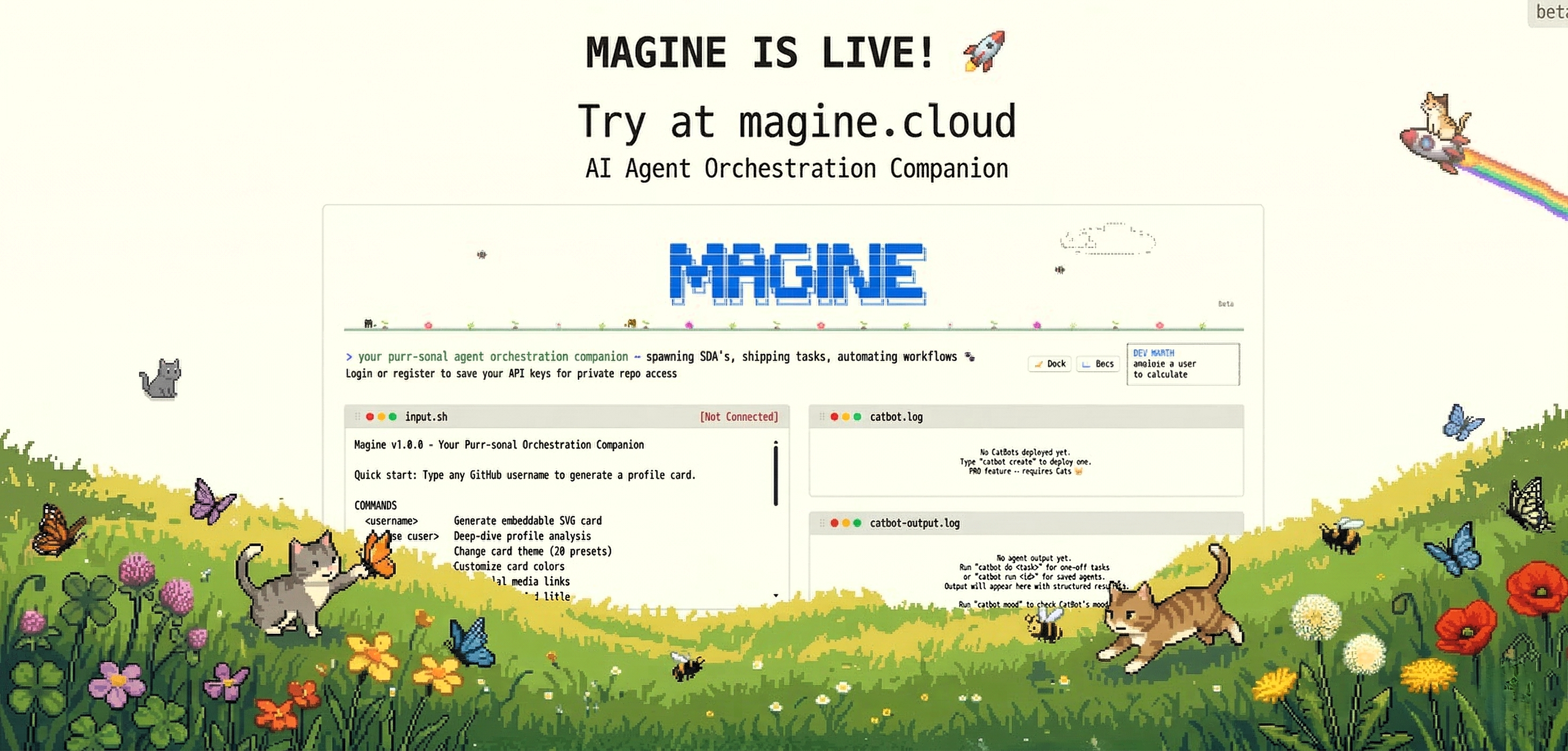

Live Demo · Docs · Features · Story · Commands · Agents · Pricing
Magine is a retro-terminal web interface for deep GitHub profile analysis, AI-powered browser automation, and scheduled agent workflows - all controlled from a single command-line-inspired UI.
Think of it as your personal command center: type a GitHub username and get an instant deep dive on a developer, or spin up autonomous browser SDAs (Sight-Driven Agents) that can see, navigate, interact, and report back - on a schedule or in real time. Send scheduled posts to LinkedIn, get a summary of your X (Twitter) feed, triage your Gmail inbox, or automate any web task you can iMagine.
The Story of Magine
iMagine a world where AI agents can actually see.
Most AI agents today are blind as a bat 🦇. They rely on APIs, structured selectors, and DOM scraping - meaning the moment a website changes a class name or moves a button, everything breaks. That fragility is why autonomous browser automation has been stuck in demo mode for years.
Magine was born to fix this. Instead of teaching agents to parse HTML, we built Sight-Driven Agents (SDAs) - autonomous browser agents that literally see the screen. They take real-time video capture, feed them to our models & MOEs, plan their next move based on what they observe, and then act - just like a human would.
🐱 Why Cats?
Cats see things humans miss. Just as cats perceive movements invisible to us, Magine's SDAs perceive web interfaces that traditional agents cannot navigate - login walls, CAPTCHAs, dynamic pages, and visual content with no API. Cats are independent, observant, and self-sufficient. So are Magine's SDA's or we named it catbots.
How SDAs Work
An SDA creates Action Streams: a continuous loop of frames and video capture → vision-model planning → GUI and API actions executed. Every step is recorded, so you can scrub through an sda's work frame by frame.
Under the Hood
- Self-Reinforced Learning - agents learn from their own successes and failures across runs
- Short-Term & Long-Term Memory - agents remember context within a session and across sessions and use it to improve over time
- Isolated Sandboxes - every user session runs in its own containerized custom browser environment
- Mixture of Experts (MoE) - Magine's native models, cloud models, and specialized vision models run in parallel for faster, more accurate decision-making
- GitHub Productivity Tracker - beyond browsing, Magine analyzes developer profiles with AI-driven scoring and market-value estimation
Where SDAs Are Used
SDAs are already powering real workloads on providers like Zeupiter - from automated cost management to Gmail triage to full vibe deployments: describe what you want in plain English, and an SDA plans, tests, and ships it.
How Magine Works
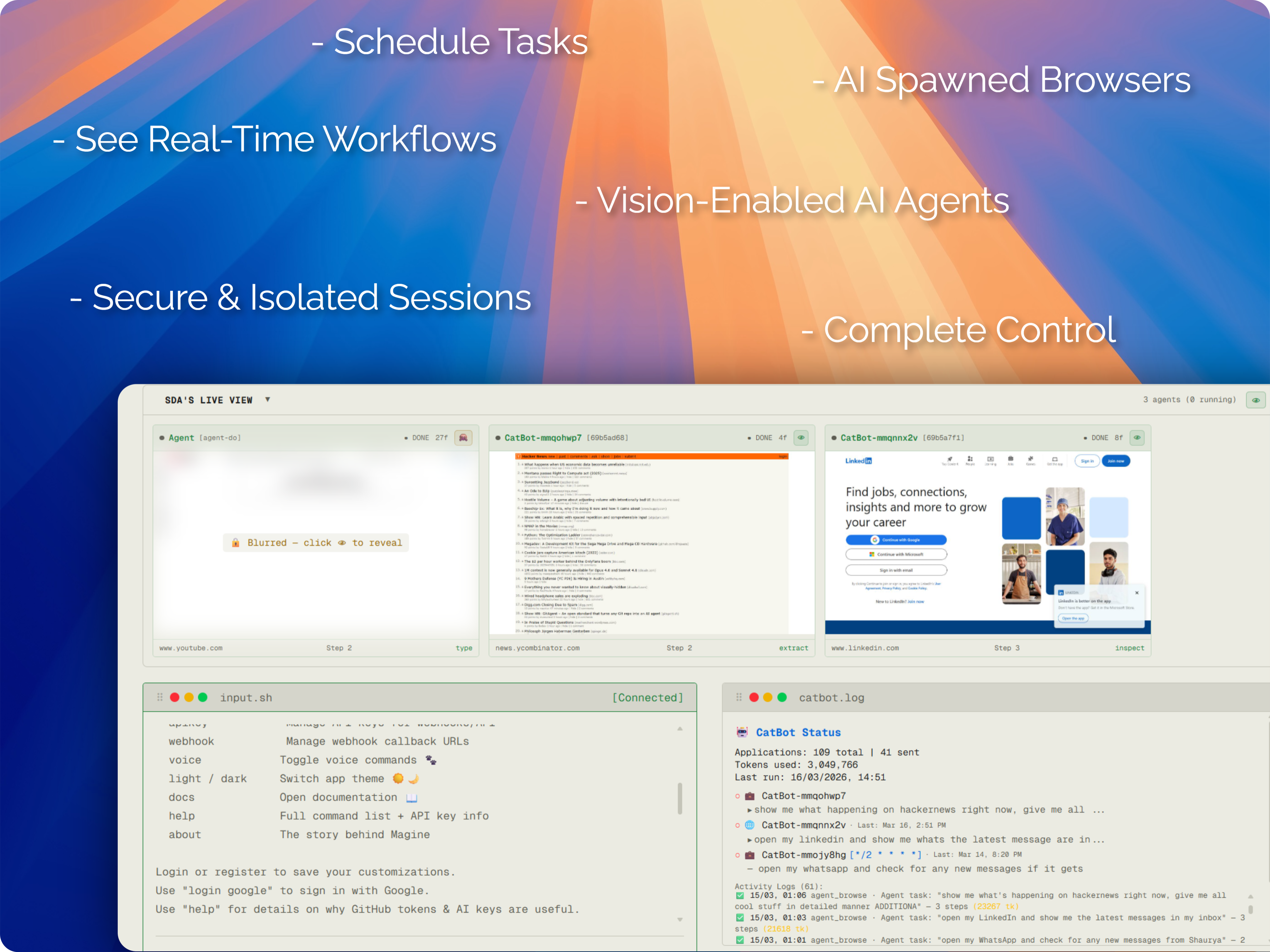
Magine SDAs: vision-enabled agents that see, think, and act - on any website.
┌─────────────────────────────────────────────────────┐
│  magine terminal                                    │
│  ─────────────────────                              │
│  > analyze torvalds                                 │
│                                                     │
│  Fetching GitHub data...                            │
│  Running AI analysis...                             │
│  ┌───────────────────────────────────────────┐      │
│  │ ★ Profile Score: 98/100                   │      │
│  │ 📊 Top Languages: C, Shell, Perl          │      │
│  │ 🔥 Contribution Streak: 4,021 days        │      │
│  │ 💡 AI Insight: "The most prolific..."     │      │
│  └───────────────────────────────────────────┘      │
│                                                     │
│  > catbot create "daily-monitor"                    │
│  Agent created. Use `catbot task` to assign work.   │
│                                                     │
│  visitor@magine:~$ _                                │
└─────────────────────────────────────────────────────┘
Features
🔍 GitHub Profile Analysis - iMagine knowing any developer in seconds
- Instant analysis - type any GitHub username to get a comprehensive profile breakdown
- AI-powered insights - ai-driven deep analysis of contributions, repos, and coding patterns
- Profile scoring - 0–100 rating based on activity, impact, and community engagement
- Beautiful cards - generate shareable GitHub profile cards with stats, No building of resumes.
🤖 Sight-Driven Agents (SDAs) - iMagine an army of cats browsing for you
Browser Sandbox Architecture
Each user session runs inside a sandboxed browser environment with:
- Containerized execution - isolated environment per user
- Self-reinforced learning - agents improve from their own successes and failures
- Mixture of Experts (MoE) - Magine's native models, cloud models, and vision models run in parallel for faster decision-making
- Multi-tab automation - parallel workflows across tabs
- Secure credential handling - prompt-based auth when agents need to log in
Agent Capabilities:
- Autonomous browsing - AI agents navigate real browsers using Playwright
- Live video frames - watch agents work in real time via the SDA Live Viewer
- Task assignment - give natural language instructions: "go to LinkedIn and check my notifications"
- Multi-site support - Gmail, LinkedIn, YouTube, and any website
- Credential management - secure prompt-based auth when agents need to log in
- Frame-by-frame replay - review every step your agent took with thumbnail navigation
Quick Tasks - just tell CatBot what to do:
catbot do "check NVIDIA stock price on Yahoo Finance"
catbot do "order Sony WH-1000XM5 headphones from Amazon and pay using my card"
catbot do "send an email on Gmail to Arthur about yesterday's meeting"
catbot do "search arXiv for latest transformer-based LLM papers from 2026"
catbot do "whats the latest Veritasium video is all about on youtube"
catbot do "apply to senior frontend developer jobs on Indeed"
catbot do "research the best Mumbai street food on Reddit"
catbot do "send KFC memes on my WhatsApp to Domino's"
catbot do "check what's happening on my X (Twitter) feed"
Otherwise create a dedicated agent using the catbot create command.
⏰ Smart Scheduling - iMagine your agents running while you nap
- Natural language scheduling - say "every weekday at 9am" instead of writing cron expressions
- AI cron parser - LLM-powered conversion of human language to precise cron schedules
- Preset schedules - quick options: hourly, daily, twice daily, weekdays, every 6h/12h
- Heartbeat mode - reactive, event-driven watchers that fire the moment a page changes (see below)
- Timezone-aware - schedules respect your local timezone
🐾 Heartbeat Agents - iMagine an agent that wakes up only when something happens
Heartbeat agents are reactive, not scheduled. The agent injects a tiny page-side MutationObserver + fetch / XHR hook into the watched page and reacts within ~2 seconds of any real DOM mutation or network response — not on a fixed timer. Only when a real change is detected does the full agent (with your action prompt) wake up and burn regular agent tokens. The every <sec> window is a safety-net ceiling for changes the observer can't see (canvas / cross-origin iframes / video), not the primary trigger.
One-shot create (recommended):
# Minimal — every and url are OPTIONAL
catbot create heartbeat \
  watch "new unread email" \
  do "summarise it in 2 lines and reply 'on it' if it asks a question"

# With url (recommended) and a custom safety-net interval
catbot create heartbeat \
  watch "new unread email at the top of the inbox" \
  do "open the newest unread email, summarise it in 2 lines, and reply 'on it' if it asks a question" \
  every 60 \
  url https://mail.google.com/
- Cost: 2 🐱 (vs 1 🐱 for a regular agent) — keeps a browser tab + LLM micro-loop alive continuously.
- Mutation-driven: a
MutationObserver+fetch/XHRhook is injected into the watched page on first load. The manager pollswindow.__magineHbPulseAtevery ~2s (no LLM, no screenshot — free) and only runs the full vision micro-prompt when the page has actually mutated. every <sec>is OPTIONAL — default 60s, used only as a forced ceiling for full checks so observer-bypassing changes (canvas, video, cross-origin iframes) don't go unnoticed. The agent fires faster than this when real mutations happen.url <url>is OPTIONAL but recommended — if set, the watcher self-heals back to that page if the tab drifts (so it doesn't sit onabout:blankforever).- Quoted clauses are required:
watchanddomust be quoted strings. Bare text is rejected so typos likedo every 20 secondscan't silently capture the timer as the action. - Chase mode: after a real change, the next several ticks run at the minimum interval to catch follow-up changes that tend to cluster (e.g. multi-stage notifications).
- Coalescing: if three changes happen during one running action, you get one wake-up that handles all three — not three separate runs.
- Backoff: transient errors back off on
[30s, 1min, 5min, 15min, 60min]so a flaky page can't drain your wallet.
Use it for inboxes, dashboards, notification feeds, queue UIs, status pages, ticket boards — anything where the right moment to act is "whenever something new shows up" rather than "every hour, just in case."
🎨 Terminal Experience - iMagine your perfect terminal aesthetic
- Light mode - clean, modern light theme inspired by github
- Voice commands - click the paw button or type
voiceto speak commands - Draggable panels - arrange your workspace with resizable terminal windows
- Command history - arrow keys to navigate previous commands
- Mobile responsive - full experience on phones and tablets
💰 Token Economy - iMagine unlimited analysis power
- Free tier - every visitor gets tokens to start analyzing
- Token consumption - different actions cost different amounts
- Top-up - purchase additional tokens when you need more
- Blurred previews - see what premium analysis looks like before buying
🔐 Authentication - iMagine secure access everywhere
- Local accounts - register with username/password
- Google OAuth - one-click sign in with Google
- QR Login - scan a QR code from your phone to log in on desktop
- Session management - secure token-based sessions
🌐 Browser Session Import - iMagine your CatBot is already logged in
- Magine Bridge extension (Chrome/Edge/Brave) + tiny native messaging host
- Per-domain consent - you pick each site to sync, one at a time
- Single-use pairing codes that expire in 60 seconds
- AES-256-GCM encryption at rest, 7-day TTL auto-expiry
- Cascade revoke -
browser unlinkdeletes every session for that profile - Full audit trail - admins see who imported what, when, and from which browser
Terminal Commands
Core Commands
| Command | Description |
|---|---|
<username> |
Type any GitHub username to generate an embeddable SVG profile card |
analyze <user> |
Deep-dive analysis — score, heatmap, stack breakdown |
help |
Show full command list with descriptions |
about |
The story behind Magine |
docs |
Open the documentation page |
clear |
Clear terminal output |
exit |
Close the terminal (mobile) |
analyze --refresh |
refetch (purge profile cache) |
Profile Card Customization
| Command | Description |
|---|---|
theme |
Change card theme (30 presets) |
customize |
Customize card colors (bg, text, accent) |
social |
Add social media links to your card |
bio |
Set your job title and bio (supports [text](url) markdown links) |
preview |
Preview current card settings |
preview <opt> |
Toggle card sections: ai, activity, deep, social, devworth |
Account & Tokens
| Command | Description |
|---|---|
login |
Login with username or email |
login google |
Sign in with Google |
register |
Create a new account |
forgot |
Reset password (via GitHub token) |
logout |
Sign out of your session |
whoami |
Show current user info |
credentials |
Update your GitHub token / AI key |
tokens |
Check your token balance & usage |
topup |
Purchase token packages (Dodo Payments / PayPal) |
request <msg> |
Request credits, report bugs, or share feedback 🐾 |
AI Browser Agents (CatBot)
| Command | Description |
|---|---|
catbot create <prompt> |
Create a new AI browser agent (1 🐱) |
catbot create sda <prompt> |
Create a vision-enabled SDA agent (1 🐱) |
catbot create heartbeat watch "<w>" do "<a>" [every <s>] [url <u>] |
Create a reactive heartbeat agent (2 🐱, manual play to start) |
catbot list |
List all your agents with status |
catbot task <id|name> <task> |
Assign a natural language task to an agent |
catbot run <id|name> |
Run a CatBot (agent or SDA) |
catbot do <prompt> |
Quick one-off browser task (always starts fresh) |
catbot continue |
Resume a previously paused quick task |
catbot do stop |
Cancel a running quick task |
catbot schedule <id|name> <schedule> |
Set a recurring schedule (NL, preset, or cron) |
catbot heartbeat <id|name> watch "<w>" do "<a>" [every <s>] [url <u>] |
Convert an existing bot to a reactive heartbeat (manual play to start) |
catbot heartbeat <id|name> |
Show current heartbeat config |
catbot heartbeat <id|name> off |
Disable heartbeat (revert to agent mode) |
catbot delete <id|name> |
Permanently remove an agent |
catbot rename <id|name> <new> |
Rename a CatBot (also re-routes @<name> tags) |
catbot mode <id|name> |
Switch CatBot mode (agent / SDA) |
catbot prompt <id|name> |
Set or change agent task prompt |
catbot memory |
View saved browsing memories |
catbot memory delete <site> |
Delete memory for a specific site |
catbot memory clear |
Clear ALL agent memories |
catbot logs |
View CatBot activity logs |
catbot stats |
View CatBot statistics |
catbot mood |
Check CatBot mood & state |
catbot treat |
Reward CatBot (positive feedback) |
catbot scold |
Correct CatBot (negative feedback) |
catbot linkedin |
Link LinkedIn browser session |
catbot email |
Check GitHub email extraction |
Browser Session Import (Magine Bridge)
| Command | Description |
|---|---|
browser |
Help & overview of the bridge |
browser install |
Show extension + native-host installer URLs |
browser link |
Get a 60-second pairing code for the extension popup |
browser status |
List your linked browser profiles + synced domains |
browser unlink <profileId> |
Revoke a profile (cascade-deletes all its imported sessions) |
LinkedIn SDAs (Deprecating Soon - Use catbot instead)
| Command | Description |
|---|---|
linkedin login |
Open browser for LinkedIn login |
linkedin status |
Check session status |
linkedin profile <url> |
Get a person's profile |
linkedin company <name> |
Get a company's profile |
linkedin jobs <query> |
Search for jobs |
linkedin job <url> |
Get job details |
linkedin apply <url> |
Apply to a job (Easy Apply) |
linkedin people <query> |
Search for people |
linkedin post <text> |
Create a LinkedIn post |
linkedin article <text> |
Create a LinkedIn article |
linkedin follow <url> |
Follow a person |
linkedin connect <url> |
Send a connection request |
linkedin block <url> |
Block a person |
linkedin bulk-follow <keyword> |
Auto-follow people by keyword |
linkedin bulk-connect <keyword> |
Auto-connect people by keyword |
linkedin tools |
List all available SDA tools |
linkedin close |
Close browser session |
linkedin clear |
Close ALL browser sessions |
Webhooks & API
| Command | Description |
|---|---|
apikey create [name] |
Generate a new API key (max 5 active) |
apikey list |
List your active API keys |
apikey revoke <id> |
Revoke a key permanently |
webhook register <endpoint> <url> |
Register a webhook callback URL |
webhook test <endpoint> |
Send a test delivery |
webhook status <endpoint> |
Check webhook config |
webhook remove <endpoint> |
Remove callback URL |
Settings & UI
| Command | Description |
|---|---|
light / dark / mode |
Switch between light and dark themes |
voice |
Toggle voice commands (speech-to-text) 🐾 |
timezone |
Show or set timezone (IANA format) |
history |
Show command history (↑/↓ to navigate) |
history clear |
Clear saved command history |
AI Browser Agents
CatBot agents are autonomous browser instances powered by SDAs. Each agent gets its own real cloud browser and can:
- Navigate - go to any URL
- Click - interact with buttons, links, and menus
- Type - fill forms, compose messages, and search
- Scroll - explore long pages
- Read - extract text and understand page content
- Screenshot - capture what it sees at every step
- Wait - pause for pages to load or auth flows to complete
- Log in - request credentials securely when authentication is needed
Agent Workflow
Create Agent → Assign Task → Agent Opens Browser → Executes Steps
     ↓              ↓               ↓                    ↓
  catbot create   catbot task    Live View (SDA)    frames saved
     ↓              ↓               ↓                    ↓
  Schedule it    NL instructions  Watch in real-time  Review frames later
Scheduling Examples
# Using presets
catbot schedule <id|name> daily
catbot schedule <id|name> every_hour
catbot schedule <id|name> weekdays_9am

# Using natural language (AI-parsed)
catbot schedule <id|name> every monday at 8am
catbot schedule <id|name> twice a week on tuesday and friday
catbot schedule <id|name> every 30 minutes
catbot schedule <id|name> first day of every month

# Using raw cron
catbot schedule <id|name> 0 */6 * * *
Pricing
| Package | Tokens | Price |
|---|---|---|
| Free | 1,000,000 starter tokens | $0 |
| 1 Cat | 5,000,000 tokens | $5 |
| 5 Cats | 20,000,000 tokens | $15 |
| 10 Cats | 50,000,000 tokens | $25 |
| 50 Cats | 200,000,000 tokens | $100 |
Token costs vary by action. Profile analysis uses fewer tokens than deep AI analysis or browser agent tasks. Use the topup command in the terminal to purchase more, or use request to ask for free credits. 🐱
REST API & Webhooks (Experimental)
Magine provides a REST API for triggering agents and retrieving results, plus real webhooks that push results to your server.
API Key Setup
> apikey create my-integration
> apikey list
> apikey revoke <key-id>
REST API - Trigger Agent (POST)
curl -X POST https://magine.cloud/api/catbots \
  -H "Authorization: Bearer mk_..." \
  -H "Content-Type: application/json" \
  -d '{"botId": "<id>", "additionalPrompt": "optional extra tasks"}'
The additionalPrompt field appends extra tasks to the agent's base prompt (never overrides it).
REST API - Get Results (GET)
curl https://magine.cloud/api/catbots?botId=<id>&limit=5 \
  -H "Authorization: Bearer mk_..."
Returns paginated run results with steps, summary, tokensUsed, and structured output.
Real Webhooks (Push to Your Server)
Register a callback URL and Magine will POST results to your server whenever an agent run completes:
> webhook register <endpoint> https://your-server.com/webhook
> webhook test <endpoint>     # Send a test delivery
> webhook status <endpoint>   # Check webhook config
> webhook remove <endpoint>   # Remove callback URL
Webhook deliveries include an X-Magine-Signature header (HMAC-SHA256) for verification.
n8n Integration: Use a Webhook node (push) or HTTP Request node to POST to /api/catbots (pull).
Spawn-Agent (Experimental)
Agents can spawn other agents — both internally (when one agent's prompt
references @another-agent it will be invoked at run-time) and externally
through the spawn webhook. Each spawned run records a directed edge in
the civilization graph so you can see who calls whom and how
reliably each agent serves its callers.
curl -X POST https://magine.cloud/api/catbot/spawn \
  -H "Content-Type: application/json" \
  -d '{
    "sessionToken": "<your-session-token>",
    "targetBotName": "data-extractor",
    "prompt": "Pull the latest order list",
    "args": { "since": "2025-01-01", "format": "csv" }
  }'
You can also pass arguments inline using a CLI-style --key=value syntax
in the prompt itself:
@data-extractor pull orders --since=2025-01-01 --format=csv
Inline args override structured args body fields. Quoted values are
supported: --label="last quarter".
File / Image Tagging in Prompts
Reference any file you've previously uploaded to an agent by name with
the # tag — Magine auto-attaches it to the run:
Summarise the contents of #report.pdf and compare it to #last-week.csv
Small text files (≤32 KB) are inlined directly; larger files and images
are passed by reference so the vision/code paths can fetch them without
inflating prompts.
How uploads behave:
- Persistent across runs — every file you attach is saved and stays
available to the same agent's future runs (and shows up in#
autocomplete) until you delete it or it expires. - Per-bot quota — each agent keeps the most recent ~100 MB of
attachments; older files roll off automatically when that cap is hit. - 30-day auto-cleanup — uploads older than 30 days are reaped by
the garbage collector even if you're still using the bot. Re-attach
anything you want to keep around longer. - Deleted files vanish from
#suggestions — once a file is gone
(manual delete, expiry, or bot deletion), it stops appearing in the
autocomplete dropdown. Stale#filenamereferences in old prompts
are silently ignored at run-time instead of erroring out. - Cascade delete — deleting a bot wipes every file attached to it.
Closing your account wipes every upload across every bot. - Private to you — uploads are scoped to your user id; no other
account can see or reference them, even by guessing the filename.
Neurons View
Open the 🧠 Neurons button on the home page to see the civilization
graph — every directed call between your agents, weighted by an EWMA-
based trust score (success_rate × log10(call_count+10)). Edge colour
encodes recent reliability: green ≥ 70%, amber 40–70%, red < 40%.
Each agent tile shows a live status dot (pulsing green when the
agent is currently running, grey when idle) and a ⏱ glyph for agents
with an active schedule or heartbeat. With nothing selected, the canvas
shows an aggregate strip — total agents, how many are active right now,
how many are scheduled, total runs, and the success / failure split —
so you can size up your whole agent fleet at a glance.
Security & Privacy
- API keys are encrypted with AES-256-CBC at rest
- Browser sessions runs in an isolated cloud sandboxed containers with automatic TTL cleanup
- Agent credentials are held in memory only during execution and never persisted to disk
- Session tokens are cryptographically random with TTL-based expiration
- Auto-cleanup — screenshots, agent logs, and uploaded files are
garbage-collected on rolling retention windows (default 7–30 days,
admin-configurable). Deleting a bot or your account cascade-deletes
every file, screenshot, memory, and credential tied to it. - We do not sell or share your data - ever
Self-Hosting (Coming Soon - Magine wants support to make it happen)
We plan to open source Magine for self-hosting in the future, but it requires significant support and security work to ensure safe operation outside our managed environment. If you're interested in self-hosting, do star & raise issue and follow us.
Built with 💗 & obsessive attention to terminal aesthetics
Reviews (0)
Sign in to leave a review.
Leave a reviewNo results found