mcphub
Health Pass
- License — License: Apache-2.0
- Description — Repository has a description
- Active repo — Last push 0 days ago
- Community trust — 1949 GitHub stars
Code Warn
- process.env — Environment variable access in bin/cli.js
Permissions Pass
- Permissions — No dangerous permissions requested
No AI report is available for this listing yet.
A unified hub for centrally managing and dynamically orchestrating multiple MCP servers/APIs into separate endpoints with flexible routing strategies
MCPHub: The Unified Hub for Model Context Protocol (MCP) Servers
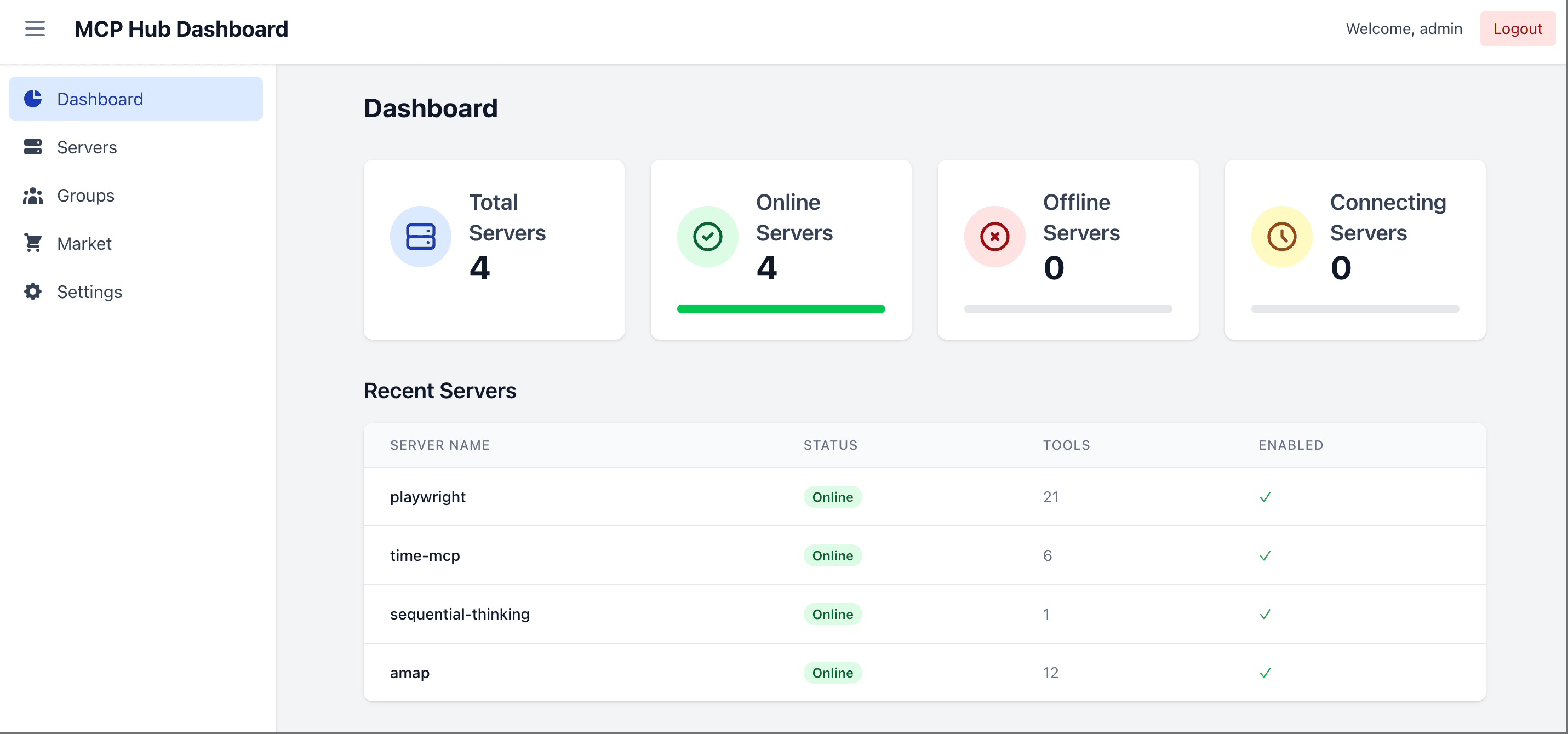
MCPHub makes it easy to manage and scale multiple MCP (Model Context Protocol) servers by organizing them into flexible Streamable HTTP (SSE) endpoints—supporting access to all servers, individual servers, or logical server groups.
🌐 Live Demo & Docs
- Documentation: docs.mcphub.app
- Demo Environment: demo.mcphub.app
🚀 Features
- Centralized Management - Monitor and control all MCP servers from a unified dashboard
- Flexible Routing - Access all servers, specific groups, or individual servers via HTTP/SSE
- Smart Routing - AI-powered tool discovery using vector semantic search (Learn more)
- Hot-Swappable Config - Add, remove, or update servers without downtime
- OAuth 2.0 Support - Both client and server modes for secure authentication (Learn more)
- Social Login - Seamless GitHub and Google login support with Better Auth integration (requires Database Mode)
- Database Mode - Store configuration in PostgreSQL for production environments (Learn more)
- Docker-Ready - Deploy instantly with containerized setup
🔧 Quick Start
Configuration
Create a mcp_settings.json file:
{
  "mcpServers": {
    "time": {
      "command": "npx",
      "args": ["-y", "time-mcp"]
    },
    "fetch": {
      "command": "uvx",
      "args": ["mcp-server-fetch"]
    }
  }
}
📖 See Configuration Guide for full options including OAuth, environment variables, and more.
Docker Deployment
# Run with custom config (recommended)
docker run -p 3000:3000 -v ./mcp_settings.json:/app/mcp_settings.json -v ./data:/app/data samanhappy/mcphub

# Or run with default settings
docker run -p 3000:3000 samanhappy/mcphub
Access Dashboard
Open http://localhost:3000 and log in with username admin. On first launch, if no ADMIN_PASSWORD environment variable is set, a random password is generated and printed to the server logs. You can also pre-set the password:
# Docker: set admin password via environment variable
docker run -p 3000:3000 -e ADMIN_PASSWORD=your-secure-password samanhappy/mcphub
Tip: Change the admin password after first login for security.
Connect AI Clients
Connect AI clients (Claude Desktop, Cursor, etc.) via:
http://localhost:3000/mcp           # All servers
http://localhost:3000/mcp/{group}   # Specific group
http://localhost:3000/mcp/{server}  # Specific server
http://localhost:3000/mcp/$smart    # Smart routing
http://localhost:3000/mcp/$smart/{group}  # Smart routing within group
Security note: MCP endpoints require authentication by default to prevent accidental exposure. To allow unauthenticated MCP access, disable Enable Bearer Authentication in the Keys section. Skip Authentication only affects dashboard login. Use these only in trusted environments.
📖 See API Reference for detailed endpoint documentation.
📚 Documentation
| Topic | Description |
|---|---|
| Quick Start | Get started in 5 minutes |
| Configuration | MCP server configuration options |
| Database Mode | PostgreSQL setup for production |
| OAuth | OAuth 2.0 client and server setup |
| Smart Routing | AI-powered tool discovery |
| Docker Setup | Docker deployment guide |
🧑💻 Local Development
git clone https://github.com/samanhappy/mcphub.git
cd mcphub
pnpm install
pnpm dev
For Windows users, start backend and frontend separately:
pnpm backend:dev,pnpm frontend:dev
📖 See Development Guide for detailed setup instructions.
🔍 Tech Stack
- Backend: Node.js, Express, TypeScript
- Frontend: React, Vite, Tailwind CSS
- Auth: JWT & bcrypt
- Protocol: Model Context Protocol SDK
👥 Contributing
Contributions welcome! See our Discord community for discussions and support.
❤️ Sponsor

🌟 Star History
📄 License
Licensed under the Apache 2.0 License.
Reviews (0)
Sign in to leave a review.
Leave a reviewNo results found