sandbase-harness
Health Pass
- License — License: NOASSERTION
- Description — Repository has a description
- Active repo — Last push 0 days ago
- Community trust — 574 GitHub stars
Code Warn
- network request — Outbound network request in apps/console/src/api.ts
Permissions Pass
- Permissions — No dangerous permissions requested
No AI report is available for this listing yet.
Open-source CMA-compatible agent runtime for any model, with MCP tools, sandboxed sessions, audit, replay, and a local console. Includes a native DeepSeek Harness bundle over stdio MCP.
managed-agents
A local-first runtime for AI agents. Sessions, sandboxed tools, memory,
credentials, audit trails, and a built-in Console — all running on your
machine or in your own infrastructure.
npx managed-agents init
npx managed-agents start
# open http://127.0.0.1:3000/dashboard
Why
Agent SDKs handle the model loop. Production agents need more: persistent
sessions, tool governance, sandbox boundaries, credential handling, memory,
auditability, and a UI for humans to inspect what happened. managed-agents
is that runtime layer — not a visual workflow builder and not another model SDK.
Features
- Claude Managed Agents-style
/v1API and local Console - SQLite-backed agents, sessions, environments, credential vaults, memory
stores, files, skills, and API keys — SQLite metadata by default - local file/skill bytes stored in the workspace state directory
- Resumable Server-Sent Events for session replay and debugging
- One active model provider boundary configured through Settings V2
- Sandbox backends: local process, Docker (per-session containers), Kubernetes
(kubectl exec/cp), self-hosted worker queue - Settings V2: one workspace model vendor, loop engine, storage, memory,
sandbox — with validation, form/JSON modes, and restart flow - MCP toolsets, permission policies, built-in tools, and skill packages
- DeepSeek Harness bridge over MCP stdio for agents, sessions, streamed turns,
artifacts, and cancellation - TypeScript SDK at
managed-agents/sdk - Release gate:
npm run release:check
Screenshots
| Console overview | Settings | API reference |
|---|---|---|
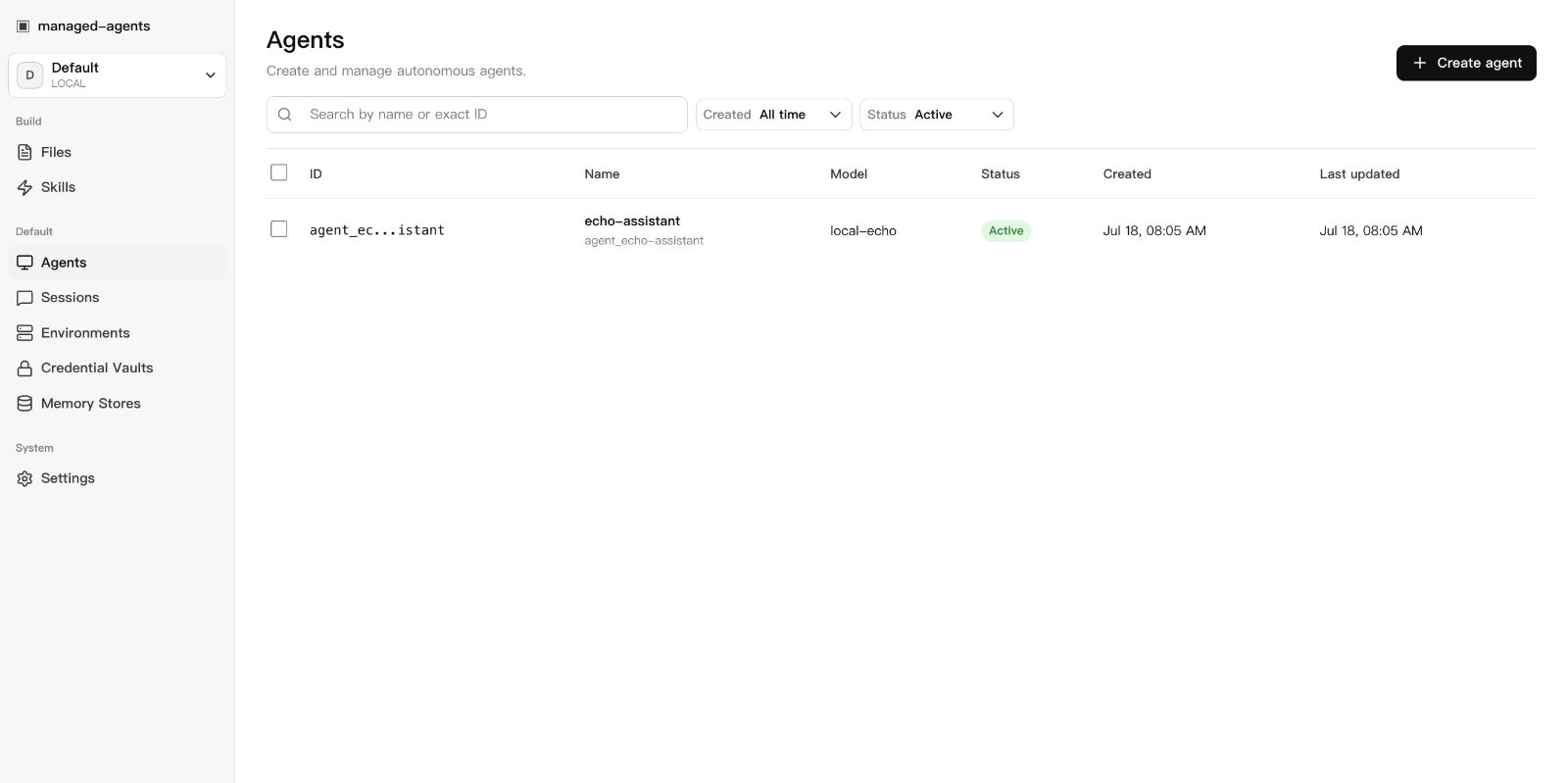 |
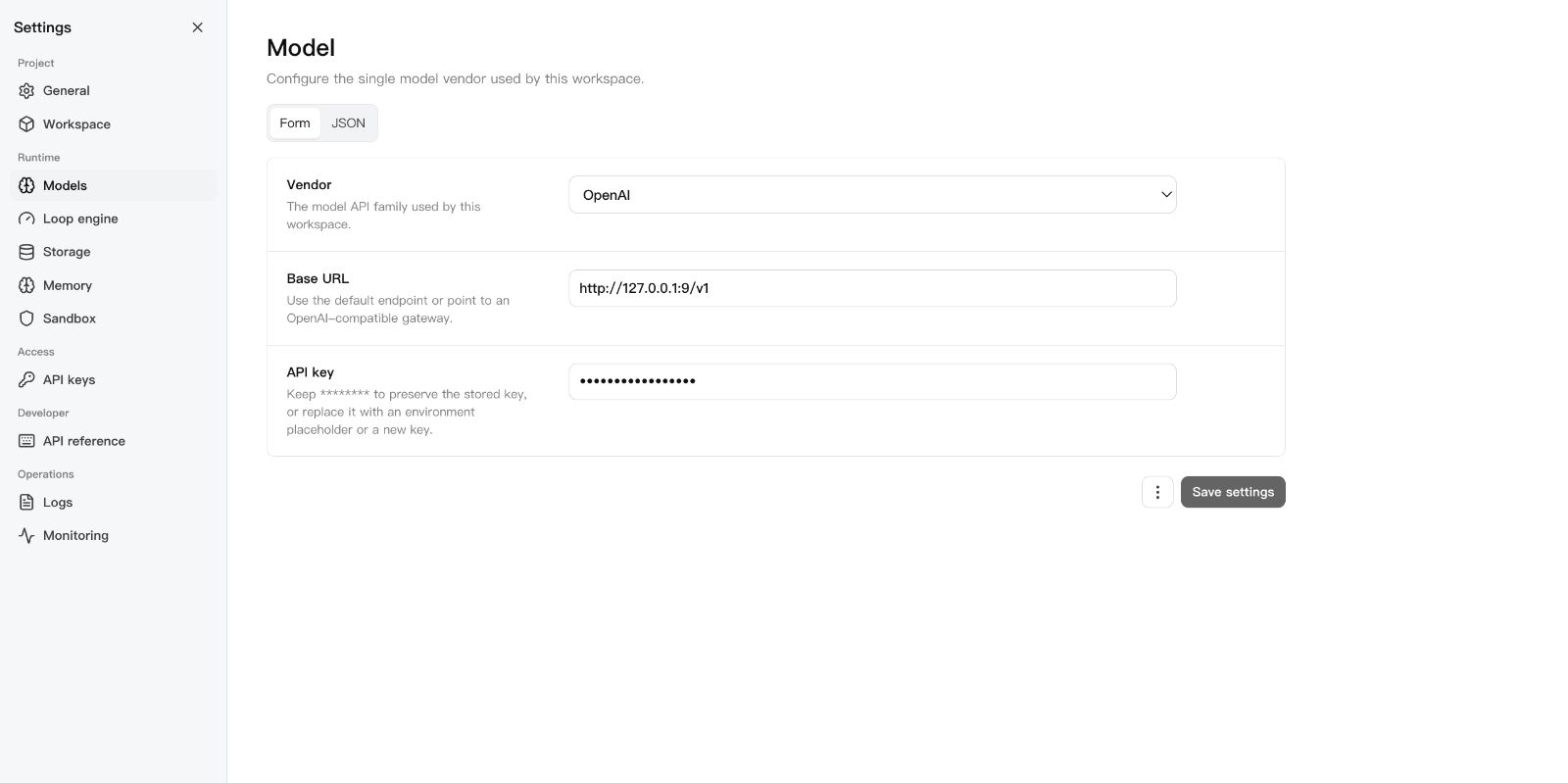 |
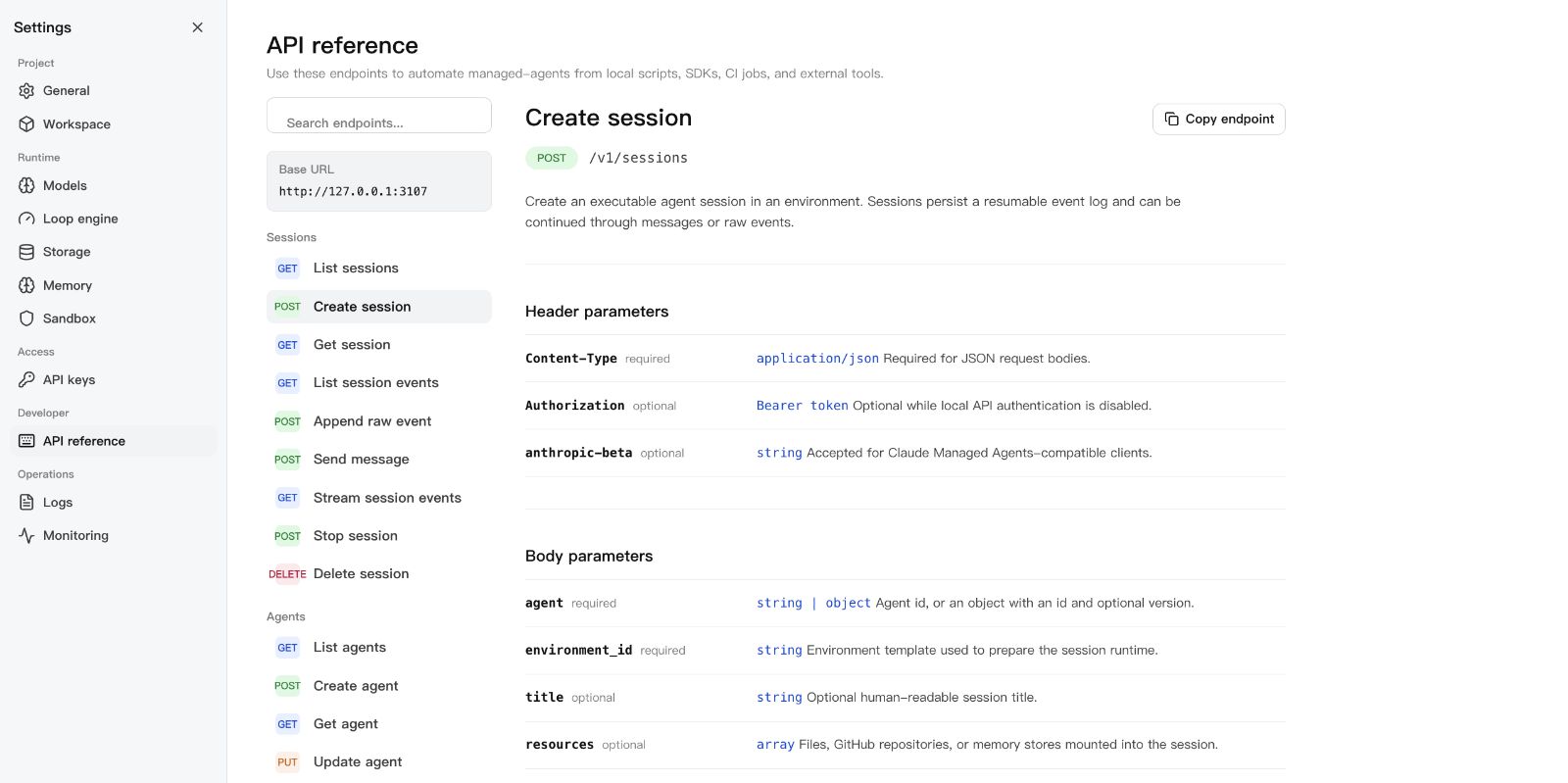 |
Requirements
- Node.js 22+
- npm 10+
- A model provider API key (OpenAI, Anthropic, or OpenAI-compatible endpoint)
- Docker (optional, for Docker-backed sandboxes)
DeepSeek Harness
Run this project as a DSH plugin instead of treating dsh-plugin as discovery
metadata only. Install the bundle into a DSH profile, start managed-agents,
then boot that profile:
export MANAGED_AGENTS_URL=http://127.0.0.1:3000
dsh plugin --profile web add managed-agents
dsh web
The patch starts managed-agents-mcp over stdio. DSH can then list agents,
create and run sessions, inspect results and artifacts, and stop work through
native mcp__sandbase__* tools. Seeexamples/deepseek-harness for the full
tool list and authenticated-runtime configuration.
Quick Start
mkdir my-agents && cd my-agents
npx managed-agents init
npx managed-agents start
Open http://127.0.0.1:3000/dashboard, go to Settings > Models, paste your
API key, and you're running.
From a source checkout:
git clone [email protected]:sandbaseai/managed-agents.git
cd managed-agents && npm ci && npm run build
cd .. && mkdir my-agents && cd my-agents
node ../managed-agents/dist/index.js init
node ../managed-agents/dist/index.js start
Workspace Layout
my-agents/
├── agents/                  # Seed agent definitions (YAML)
│   └── assistant.yaml
├── skills/                  # Seed skill packages
│   └── example-skill/
│       └── SKILL.md
└── .managed-agents/         # Runtime state (gitignored)
    ├── config.yaml          # Workspace configuration
    ├── data.db              # SQLite metadata
    ├── logs/runtime.log
    ├── files/               # Uploaded file bytes
    ├── skills/              # Uploaded skill packages
    ├── snapshots/           # Session workspace snapshots
    └── sandbox/             # Local session sandboxes
Configuration
.managed-agents/config.yaml:
model:
  provider: openai
  api_key: ${OPENAI_API_KEY}

storage:
  metadata: { provider: sqlite, options: {} }
  artifacts: { provider: local, options: { base_path: files } }
Agents pick concrete model IDs (gpt-4o, claude-sonnet-4-20250514,openai/gpt-5.5). The workspace config only says how to reach the model
service.
For DeepSeek V4 Pro/Flash configuration, including maximum reasoning effort,
see DeepSeek V4.
CLI
managed-agents init
managed-agents start [--host 127.0.0.1] [--port 3000]
managed-agents list
managed-agents reload
managed-agents chat <agent-id> --message "hello"
managed-agents template list | install <name> | create <name>
API Examples
Create an agent:
curl -X POST http://127.0.0.1:3000/v1/agents \
  -H "Content-Type: application/json" \
  -d '{
    "name": "Incident commander",
    "model": "gpt-4o",
    "system": "You are an on-call incident commander.",
    "tools": [{ "type": "agent_toolset_20260401" }]
  }'
Create an environment (local sandbox):
curl -X POST http://127.0.0.1:3000/v1/environments \
  -H "Content-Type: application/json" \
  -d '{
    "name": "Default local",
    "config": { "hosting_type": "local", "sandbox_provider": "local" }
  }'
Create a Docker-isolated environment:
curl -X POST http://127.0.0.1:3000/v1/environments \
  -H "Content-Type: application/json" \
  -d '{
    "name": "Docker sandbox",
    "config": {
      "sandbox_provider": "docker",
      "image": "node:22-slim",
      "resources": { "memory": "1g", "cpu": 1 }
    }
  }'
Start a session:
curl -X POST http://127.0.0.1:3000/v1/sessions \
  -H "Content-Type: application/json" \
  -d '{
    "agent": "agent_...",
    "environment_id": "env_...",
    "title": "Triage SENTRY-123"
  }'
Send a message:
curl -X POST http://127.0.0.1:3000/v1/sessions/SESSION_ID/messages \
  -H "Content-Type: application/json" \
  -d '{ "content": "Investigate the alert." }'
Resume the event stream:
curl -N http://127.0.0.1:3000/v1/sessions/SESSION_ID/events/stream \
  -H "Last-Event-ID: 42"
SDK
import { ManagedAgentsClient } from 'managed-agents/sdk';

const client = new ManagedAgentsClient({
  baseUrl: 'http://127.0.0.1:3000',
});

const session = await client.sessions.create({
  agent: 'agent_...',
  environment_id: 'env_...',
});

for await (const event of client.sessions.chat(session.id, 'Hello')) {
  if (event.type === 'agent.message_chunk') {
    process.stdout.write(event.delta ?? '');
  }
}
The /v1 API follows Claude Managed Agents resource shapes, so you can also
point the Anthropic SDK at the local runtime:
import Anthropic from '@anthropic-ai/sdk';

const client = new Anthropic({
  apiKey: process.env.MANAGED_AGENTS_API_KEY ?? 'local-dev-key',
  baseURL: 'http://127.0.0.1:3000',
});

const session = await client.beta.sessions.create({
  agent: 'agent_...',
  environment_id: 'env_...',
});
Authentication
Open by default. Authentication activates when at least one API key exists:
# Static key via environment
export MANAGED_AGENTS_API_KEY=sk-local-example

# Or create a managed key
curl -X POST http://127.0.0.1:3000/v1/api-keys \
  -H "Content-Type: application/json" \
  -d '{ "name": "Local Console" }'
Clients send Authorization: Bearer <key>.
Agent Definition
Agents are YAML files in agents/:
name: Incident commander
description: Triages alerts and coordinates response.
model: gpt-4o
system: |-
  You are an on-call incident commander.
mcp_servers:
  - name: sentry
    type: url
    url: https://mcp.sentry.dev/mcp
tools:
  - type: agent_toolset_20260401
    default_config:
      permission_policy: { type: always_ask }
    configs:
      - name: bash
        permission_policy: { type: always_ask }
  - type: mcp_toolset
    mcp_server_name: sentry
skills:
  - type: custom
    skill_id: skill_...
metadata:
  template: incident-commander
Development
npm ci
npm run typecheck    # src + tests
npm test             # vitest
npm run build        # runtime + console + SDK
npm run release:check  # full local release gate
release:check runs typecheck, tests, both builds, npm pack --dry-run, CLI
init smoke, and examples/basic startup smoke.
Documentation
License
Reviews (0)
Sign in to leave a review.
Leave a reviewNo results found