BojuBot
Health Pass
- License — License: MIT
- Description — Repository has a description
- Active repo — Last push 0 days ago
- Community trust — 24 GitHub stars
Code Pass
- Code scan — Scanned 12 files during light audit, no dangerous patterns found
Permissions Pass
- Permissions — No dangerous permissions requested
This tool is an AI-powered agent that integrates directly into your Obsidian vault. It uses Claude Code to read, write, reorganize, and create notes autonomously based on your text prompts.
Security Assessment
Overall Risk: Medium. The tool requires broad access to sensitive data because it directly reads and modifies your local Obsidian vault files. However, the automated code scan found no dangerous patterns, no hardcoded secrets, and no dangerously broad system permissions. Because it is powered by an external AI CLI, it inherently makes network requests to the Claude API to function, which means your vault's content is sent to a third-party large language model for processing.
Quality Assessment
The project is relatively new and currently in public beta, which explains the low community visibility (only 6 GitHub stars). Despite the low adoption rate, it is an actively maintained project, having received a push very recently. It benefits from a clear README, open communication channels like Discord, and a standard MIT license. The codebase is small and clean enough that a light audit found no immediate red flags.
Verdict
Use with caution: The code itself appears safe and actively maintained, but since it gives an external AI agent broad access to read and modify your personal notes, you should understand the privacy implications of sending your vault's data to a third-party AI.
More than a writing assistant — BojuBot turns your Obsidian vault into a personal AI platform
last_updated: 2026-04-30
status: active
BojuBot 
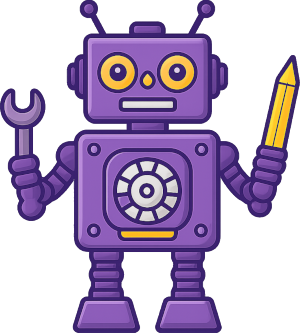
More than a writing assistant — BojuBot turns your Obsidian vault into a personal AI platform.




Docs · Discord · Report Bug · Request Feature
Turn Obsidian into a tool that reaches beyond PKM, notetaking, storage, and organization. Safely extend it to match how you think, and what you do. You're in control and everything happens using regular, conversational language — write, plan, build custom commands, even develop Obsidian plugins — without leaving Obsidian.
| You ask… | BojuBot does… |
|---|---|
| "Summarize my meeting notes from last week" | Creates a summary note and opens it in your editor |
| "Rename all my untitled notes based on their content" | Finds them, renames them, reports back |
| "Find writing residencies in the US with open applications this year and draft a summary of costs and deadlines" | Searches the web, compiles results, writes the summary note |
| "Turn this page into a Canvas mind map" | Generates a .canvas file from your note |
| "Create a skill that summarizes my weekly notes into a report" | Writes the skill file — available instantly as a / slash command, Ctrl+P command, and callable by any plugin or script |
[!NOTE]
Status: Public beta — Feedback welcome on Discord. Currently submitted for inclusion as an Obsidian Community Plugin — awaiting review.
Installation
*Requirements:
- Obsidian desktop (Windows, Mac, Linux — no mobile support)
- Claude Code CLI installed and authenticated — included in Claude Pro/Max subscriptions. (Windows,: install in PowerShell. Mac/Linux: use
curl -fsSL https://claude.ai/install.sh | bash)
Install Via BRAT (recommended)
- Install BRAT from the Obsidian community plugin browser
- In BRAT settings → Add Beta Plugin →
ScottKirvan/BojuBot
Install Manually
- Download
bojubot-<version>.zipfrom Releases - Extract to
<your-vault>/.obsidian/plugins/bojubot/ - Settings → Community Plugins → enable BojuBot
Quick Start
- Open the BojuBot panel from the ribbon (brain/circuit icon) or Command Palette:
BojuBot: Open agent panel - Type a message (ie. "Hi! Tell me about yourself.") and press Enter
- See the User Guide for details on Skills, session management, and settings
What makes BojuBot different?
🔧 Create custom commands — expand Obsidian's capabilitiesSkills are the "bot" in BojuBot. Write a natural language prompt, save it as a markdown file in your commands folder, and it becomes a first-class command — available in the '/' slash menu, in the Obsidian command palette with hotkey support, and exposed as an API endpoint, callable by any plugin or script within Obsidian.
Add YAML frontmatter and Skills grow into parameterized forms that can prompt for input: dropdowns, text inputs, note pickers with fuzzy search. Your most-compicated recurring workflows become generalized, reusable, one-click operations.
→ Learn about Skills
✏️ Deep Obsidian integration
BojuBot isn't a chat window bolted onto Obsidian. It integrates with Obsidian:
- Obsidian UI control — opens files, splits panes, navigates headings, shows notifications
- Run any command — execute anything from the command palette; and you control which commands are allowed and which aren't
- Live vault graph — Claude can query backlinks, outlinks, tags, and file lists mid-reasoning
- Canvas — reads and generates
.canvasfiles natively
→ Full feature list
🔒 Your vault, your rules
- Configurable safety modes — readonly, standard, full access; blocked operations show an in-chat card with one-click upgrade
- Per-note frontmatter controls — pin notes to every session, inject per-note instructions, all via Obsidian Properties
- Vault-native memory —
_claude-context.mdpersists context across sessions and syncs across machines - Context gauge — live session memory indicator below the input; one-click compaction
🌐 Reach beyond your vault
BojuBot doesn't stop at the edges of your vault. Given proper permissions (which you control), it can search the web, work with files anywhere on your system, and interact with external services — and everything it finds comes back as a note, woven into your vault where it belongs.
- Web search — Claude can search the web mid-conversation and bring results back as chat responses or notes
- Filesystem access — BojuBot, under your direction, can read, write, and organize files anywhere on your system, not just inside the vault
- External services — Home automation, calendar/weather, GitHub, etc. For example, BojuBot can manage GitHub issues, pull in data, run CLI tools — all from a single conversational interface
- Your vault as hub — everything that comes in lands where you decide, searchable and linked
Support the project
BojuBot is free, open source, and built in spare time. If it's useful:

Contributing
See CONTRIBUTING.md for project layout, development setup, and PR process.
License
MIT — see LICENSE.md
Reviews (0)
Sign in to leave a review.
Leave a reviewNo results found