happy-photon
Health Warn
- License — License: GPL-3.0
- Description — Repository has a description
- Active repo — Last push 0 days ago
- Low visibility — Only 5 GitHub stars
Code Pass
- Code scan — Scanned 12 files during light audit, no dangerous patterns found
Permissions Pass
- Permissions — No dangerous permissions requested
No AI report is available for this listing yet.
Photo editing, simplified. An open-source RAW and JPEG workflow.
 Happy Photon - Photo Editing, Simplified.
A calm workflow backed by a serious photographic pipeline.
Happy Photon is an open-source desktop application for browsing, developing, and
exporting your photographs.
It's meant to be a fast, friendly, fun and easy to use application that reduces editing overhead to a minimum.
Originals stay untouched, edits are non-destructive, the catalog stays local, and no account or
subscription is required.
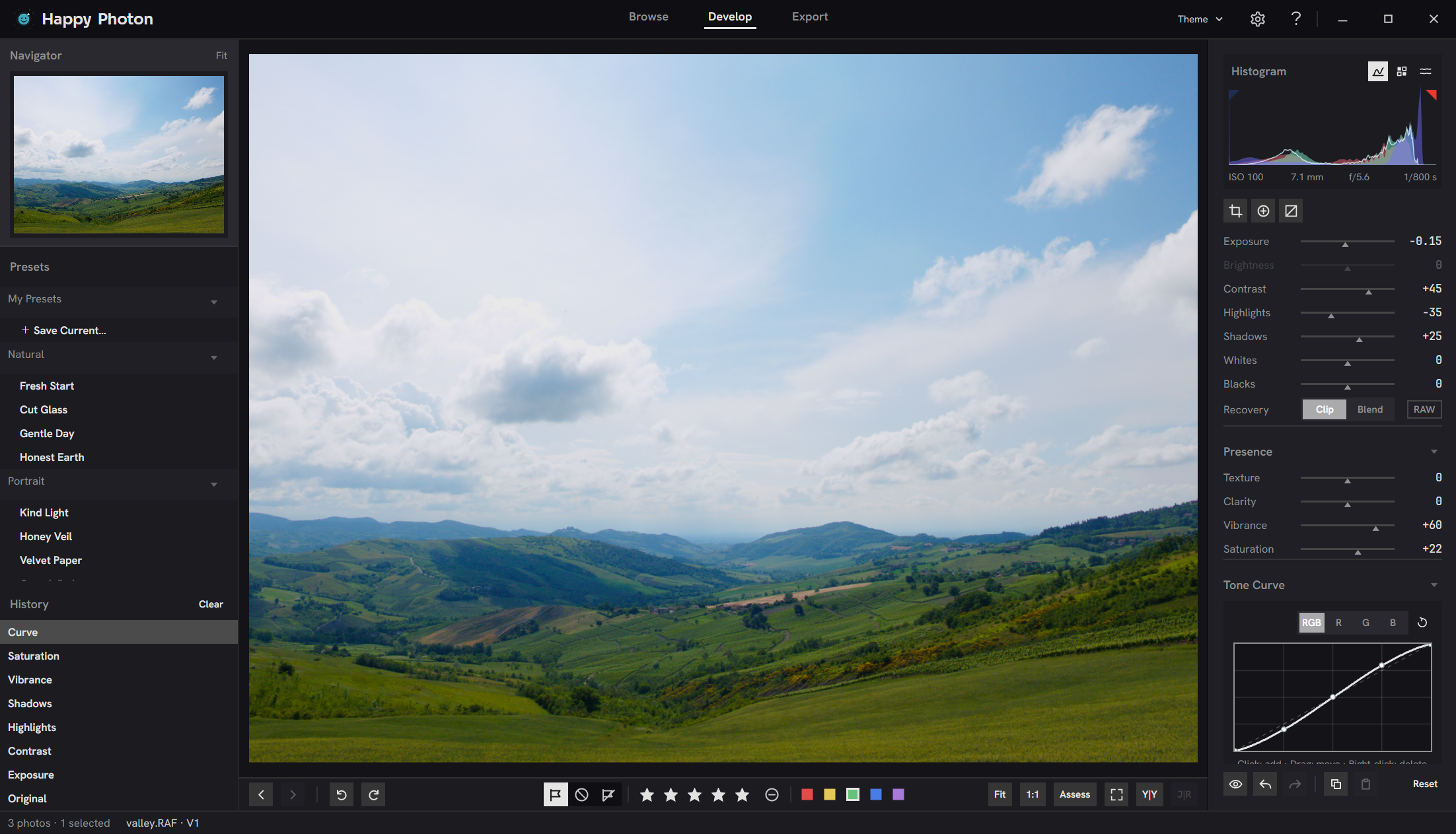
The Happy Photon workflow
A fast and easy workflow separates a shoot into three decisions, and the application
into three matching workspaces: Browse, Develop, and Export.
- Which photographs are worth keeping? Browse your downloaded photos in place,
compare candidates side by side, and use flags, ratings, and filters to narrow the
shoot. - What should each keeper look like? Shape composition, light, color, tone,
detail, and finishing effects with non-destructive global controls and local masks. - What output do you need? Select the finished photographs and export the
required size, format, color space, and sharpening without changing the originals.
Follow the complete workflow, from opening a shoot to exporting it.
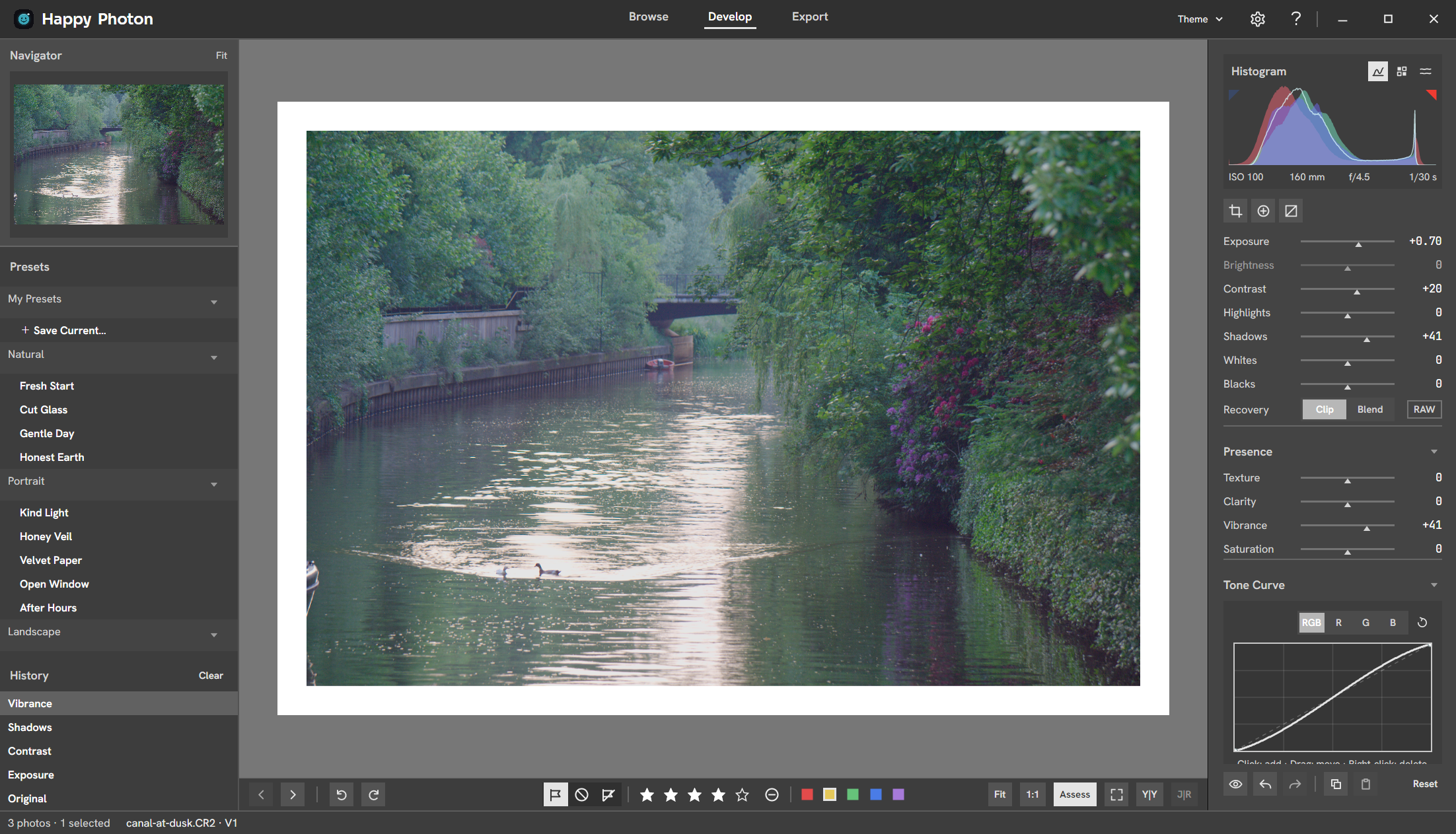
Pro-level processing, Happy Photon simplicity
Happy Photon pairs its three-decision workflow with a deep image engine.
- Cull quickly. Lightroom-familiar shortcuts, a full-size Loupe, synchronized
Compare of two to four photos, and RAW+JPEG pairs handled as one capture. Bring
ratings, flags, labels, and crops over from Lightroom Classic, and write XMP
sidecars when you need them. - Edit a whole shoot. Sync one photo's settings across a selection, paste
chosen groups with Paste Settings, start from built-in looks or your own presets,
and keep up to eight versions of each photo. - Wide-gamut color. A 16-bit linear Rec.2020 working space, perceptual OKLCh
processing, and color-managed preview and export to sRGB or Display P3. - A RAW pipeline for real cameras. AgX tone rendering, highlight
reconstruction, DCP camera profiles, monochrome RAW, and lens corrections from
embedded data or Lensfun, with a manual lens picker when matching needs help. - Tone and color. Auto and eyedropper white balance, Whites and Blacks, Texture
and Clarity, skin-aware Vibrance, an eight-band HSL mixer, and RGB tone curves. - Local adjustments. Linear, radial, and brush masks, limited by luminance or
hue range, adjust exposure, whites and blacks, white balance, and saturation in
part of the frame. - Spot removal. Heal or clone dust and blemishes, and paste the repairs onto
other photos from the same camera. - Geometry and detail. Crop with Auto straighten, perspective correction,
capture sharpening, wavelet noise reduction, vignette, and film grain. - Scopes for decisions. Histogram, waveform, RAW histogram, clipping overlays,
press-and-hold 1:1, before/after, and a mid-gray assessment surround. - Export without a detour. JPEG, PNG, WebP, or 16-bit TIFF with embedded ICC
profiles, proofed in a dedicated Export workspace, with optional watermarks,
location stripping, and screen or print sharpening.
Every edit is non-destructive, saved automatically, and kept in a browsable history.
The catalog is backed up weekly and can be restored from Settings. Every shortcut
and gesture also has a visible control, so nothing hides behind a key you have to know.
Supported systems
- Windows x64, from the Microsoft Store or as an unsigned ZIP from
GitHub Releases - Linux x64
- macOS 14 or newer on Apple Silicon
Standard formats include JPEG, PNG, BMP, GIF, TIFF, and WebP. RAW support
is verified for CR2/CR3, NEF, ARW, DNG, RAF, and RW2. NRW, ORF, and PEF
open through the same decoder but are not part of the verified set. RAW
decoding uses the bundled, audited LibRaw 0.22.2
generation, so a listed extension does not guarantee support
for every camera model or compression variant—especially newer bodies. The
in-app workflow provides global adjustments, linear, radial, and brush masks, and spot removal. Lens corrections apply to
RAW files only, from embedded prescriptions in a qualified subset of DNG and Fujifilm
RAF files or from an exact camera and lens match in the bundled Lensfun database.
HEIC/HEIF read support is probed at runtime and can vary with the bundled codec.
Intel macOS is not a supported public target.
Project
- Build from source
- Workflow guide
- Architecture
- Image pipeline
- Design guide
- Contributing
- Security
- Trademark policy
- Release engineering
- Third-party notices
License
Happy Photon is licensed under
GPL-3.0-or-later. Contributions are accepted under the same terms
without a contributor license agreement or copyright assignment. Third-party
components retain their own licenses.
Reviews (0)
Sign in to leave a review.
Leave a reviewNo results found