book-to-course-skill
Health Warn
- No license — Repository has no license file
- Description — Repository has a description
- Active repo — Last push 0 days ago
- Low visibility — Only 5 GitHub stars
Code Fail
- exec() — Shell command execution in book-to-course/assets/template/assets/app.js
- network request — Outbound network request in book-to-course/assets/template/assets/app.js
Permissions Pass
- Permissions — No dangerous permissions requested
No AI report is available for this listing yet.
Claude skill that turns a book (EPUB, PDF, HTML, DOCX, Markdown) into an interactive beginner-friendly course: step-by-step lessons, animations, quizzes, chapter tests, flashcards and coding exercises checked by unit tests, with progress saved to files.
book-to-course
Turn a book into an interactive course you can run locally in a browser. This Claude skill uses the source material to build beginner-friendly lessons, then adds ways to practise and check what you have learned. It accepts EPUB, PDF, HTML, DOCX, Markdown, and plain text.
What a course can include
- Short lessons with step-by-step explanations, worked examples, diagrams, and animated walkthroughs.
- Interactive quizzes with hints and explanations, chapter tests, and flashcards.
- Programming exercises with starter code, examples, and unit tests. Learners write code in their editor, run the tests from the course page, and see whether their solution passes.
- Progress tracking for lessons, quiz answers, and exercises, saved locally so learners can pick up where they left off.
For coding exercises, the skill checks that the tests fail on the starter code and pass on a reference solution before packaging the course. When a book does not call for code, the course can use other practice activities, such as self-check exercises.
Example course
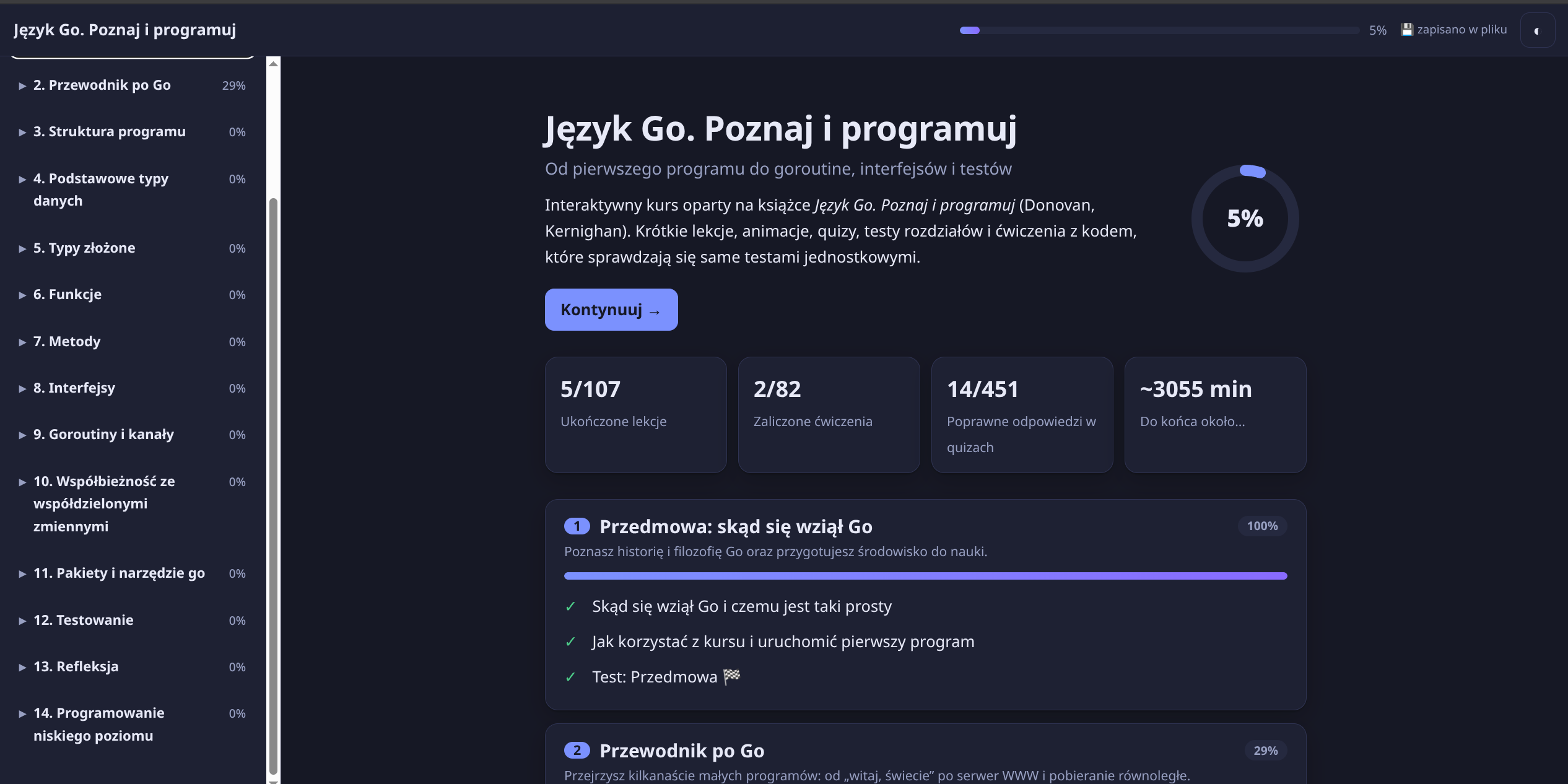
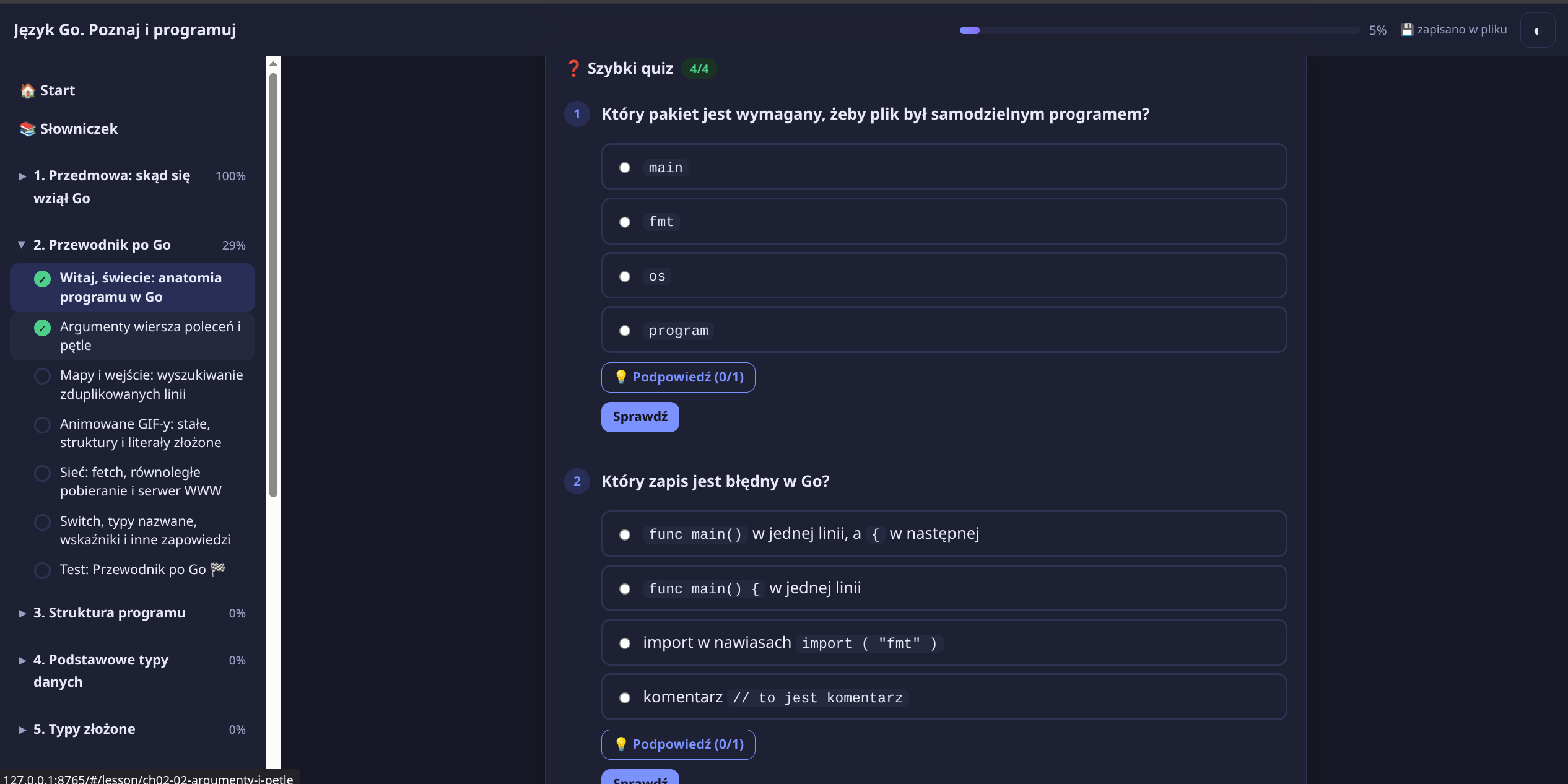
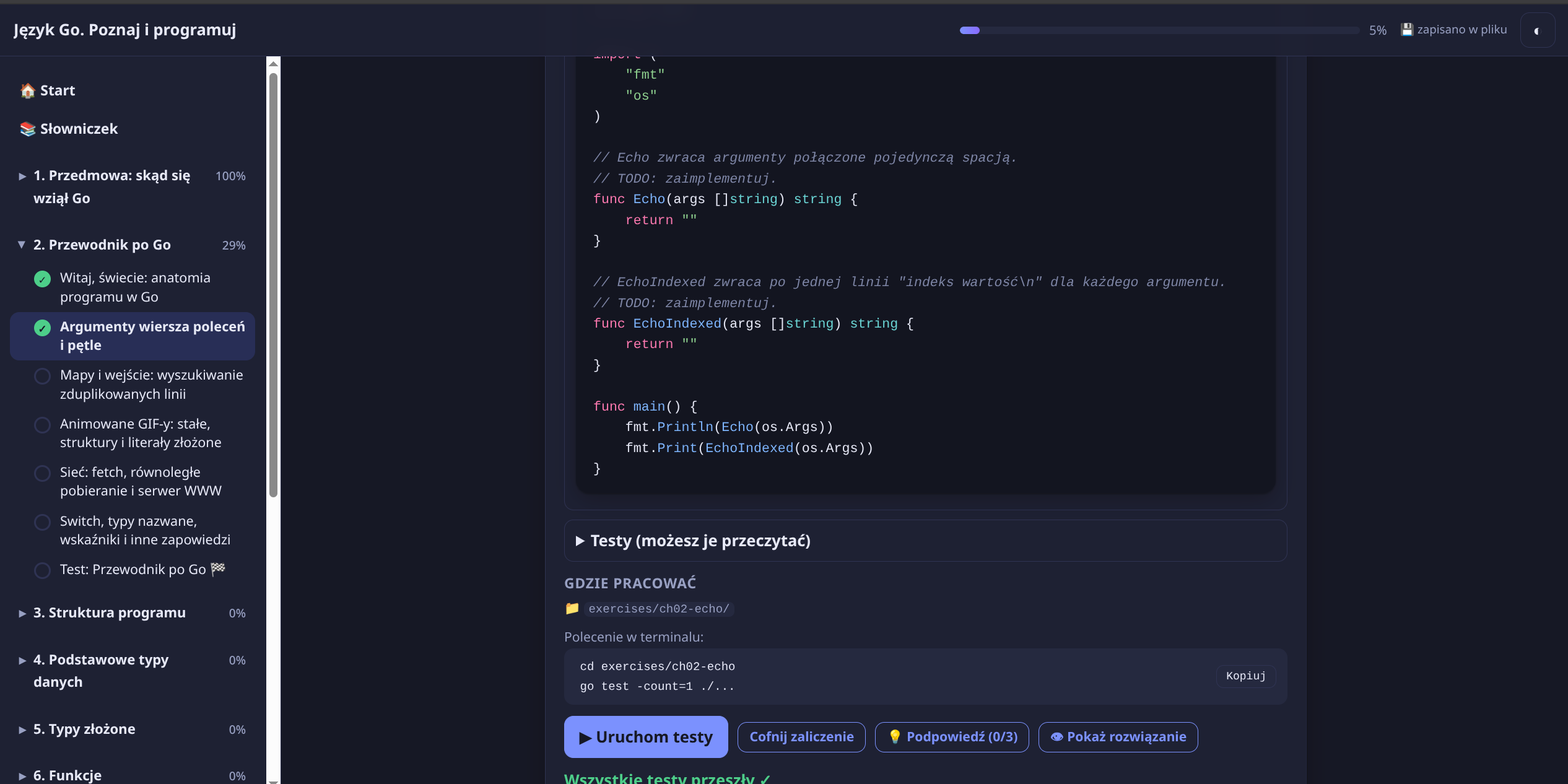
These screenshots show a course generated from a Go programming book:
Course overview and progress
Interactive quiz
Coding exercise and test results
How it works
- Give the skill a book or document and ask it to create a course. You can specify the course language and scope.
- The skill extracts the source, plans lessons by chapter, and builds the course as a folder of local web files.
- Open the generated course with
start.sh(macOS/Linux) orstart.bat(Windows). The local server saves progress toprogress/progress.jsonand lets the Run tests button execute the exercise's test command on your computer.
Starting the course this way requires Python 3. Programming exercises also require the relevant language and test tools, such as Go for a Go course. You can open index.html directly without the server; quizzes and lessons still work, while progress stays in the browser and code tests must be run in a terminal.
The skill and its supporting scripts, templates, and references are in book-to-course/. Generated courses are self-contained folders that can be packaged and shared.
Reviews (0)
Sign in to leave a review.
Leave a reviewNo results found